This guide will help you download the latest iOS 26.6 Developer Beta without installing a beta profile, using only your Apple Account.
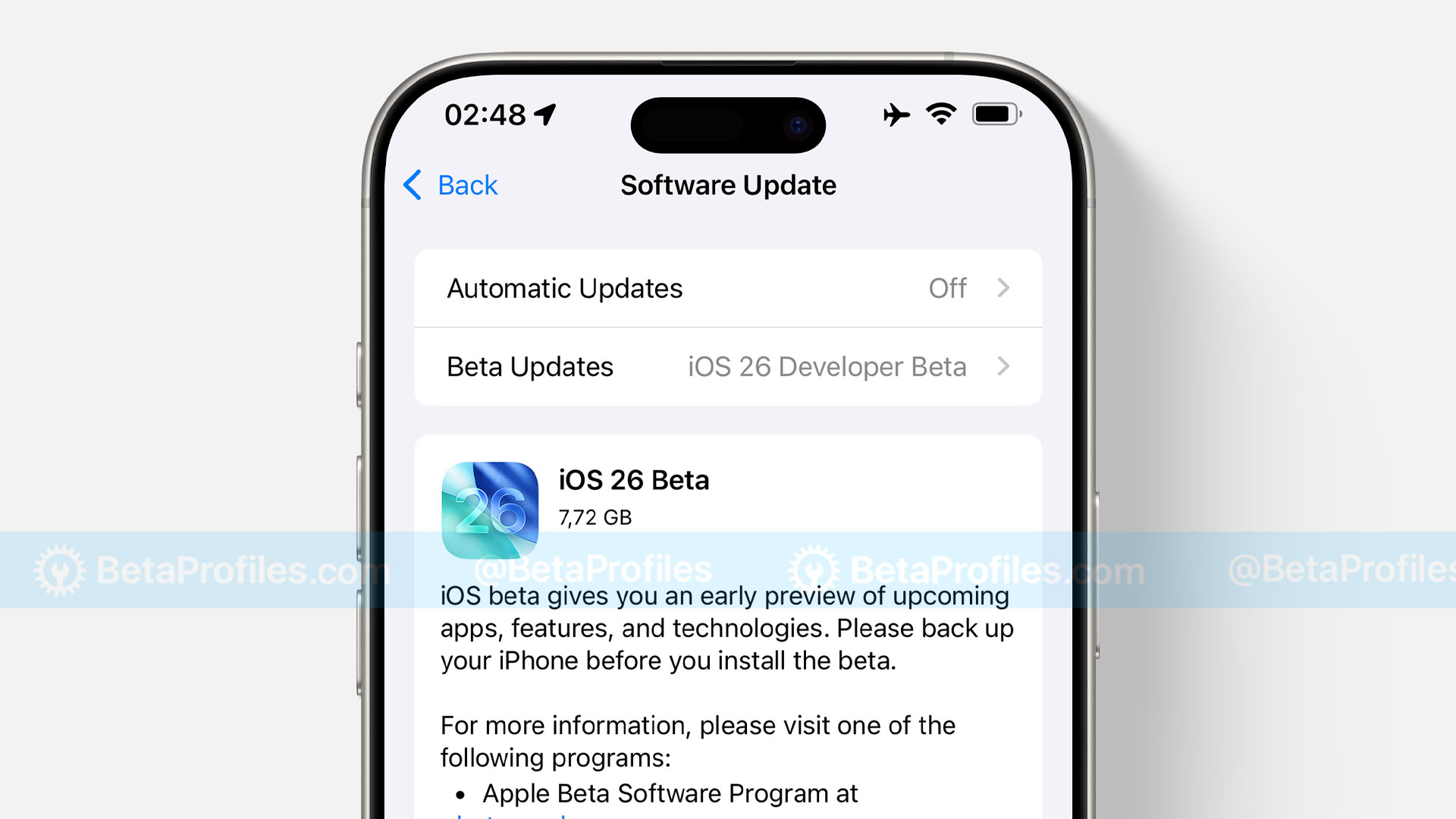
Which iPhones Are Compatible with iOS 26.6?
iOS 26.6 is compatible with iPhone 11 and iPhone SE (2nd generation) and later. Here’s the full list of supported models:
- iPhone 17e
- iPhone Air
- iPhone 17
- iPhone 17 Pro
- iPhone 17 Pro Max
- iPhone 16e
- iPhone 16
- iPhone 16 Plus
- iPhone 16 Pro
- iPhone 16 Pro Max
- iPhone 15
- iPhone 15 Plus
- iPhone 15 Pro
- iPhone 15 Pro Max
- iPhone 14
- iPhone 14 Plus
- iPhone 14 Pro
- iPhone 14 Pro Max
- iPhone 13
- iPhone 13 mini
- iPhone 13 Pro
- iPhone 13 Pro Max
- iPhone 12
- iPhone 12 mini
- iPhone 12 Pro
- iPhone 12 Pro Max
- iPhone 11
- iPhone 11 Pro
- iPhone 11 Pro Max
- iPhone SE (2nd generation and later)
 Back up your devices
The new features are very attractive for you to install iOS Beta, but they also bring about bugs or problems with battery, performance,… that your device may encounter. Therefore, I recommend that you back up your iPhone or iPad before updating to iOS 26.6 Developer Beta, in case you want to downgrade to a previous stable version of iOS, you can restore your device without losing any data.
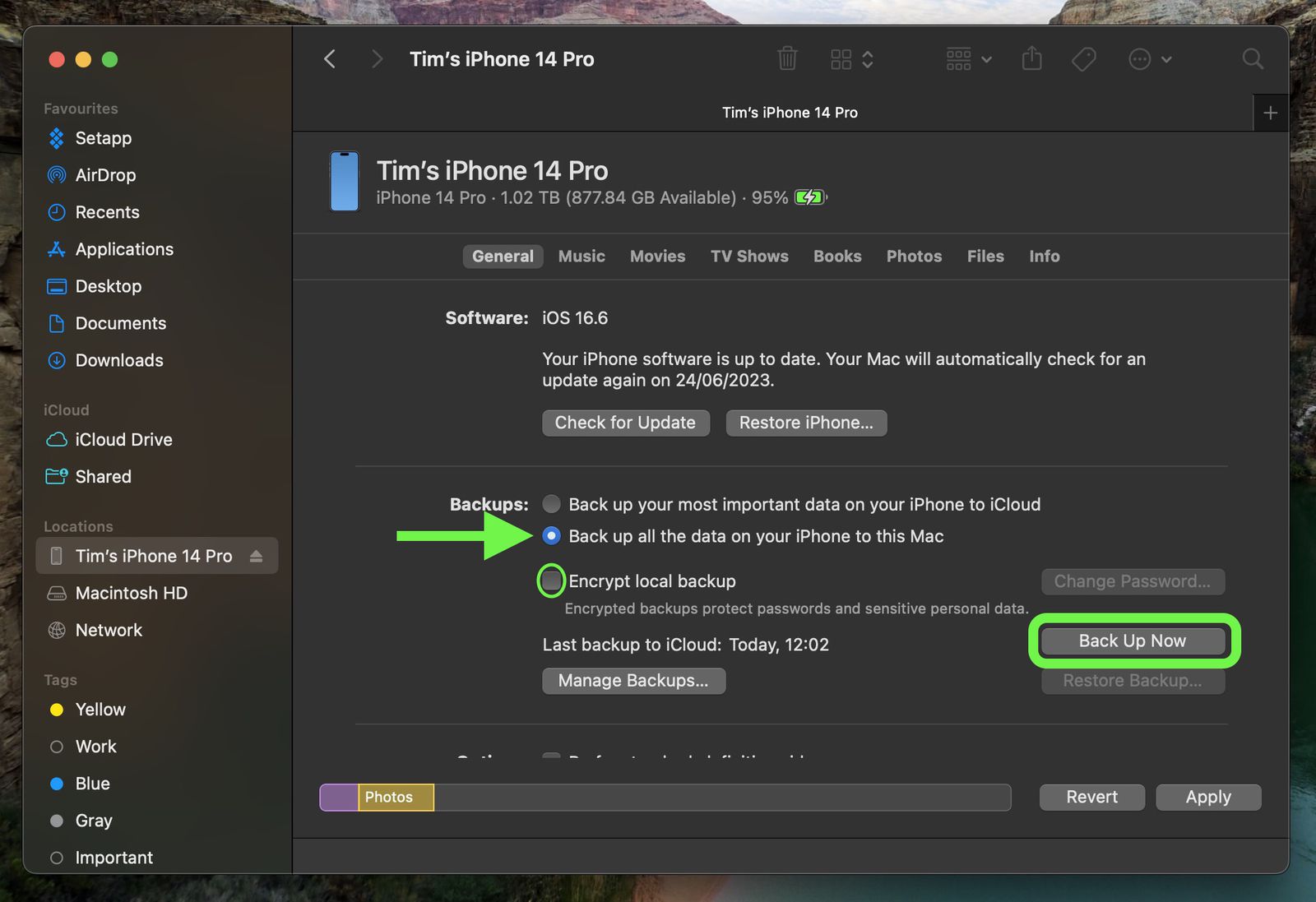
How do I back up my device?
There are two ways to back up your device. Depending on your preference, you can choose one of the following methods.
iCloud Backup
- Connect your iPhone or iPad to Wi-Fi.
- Go to Settings > [your name], and tap iCloud.
- Tap iCloud Backup.
- Tap Back Up Now.
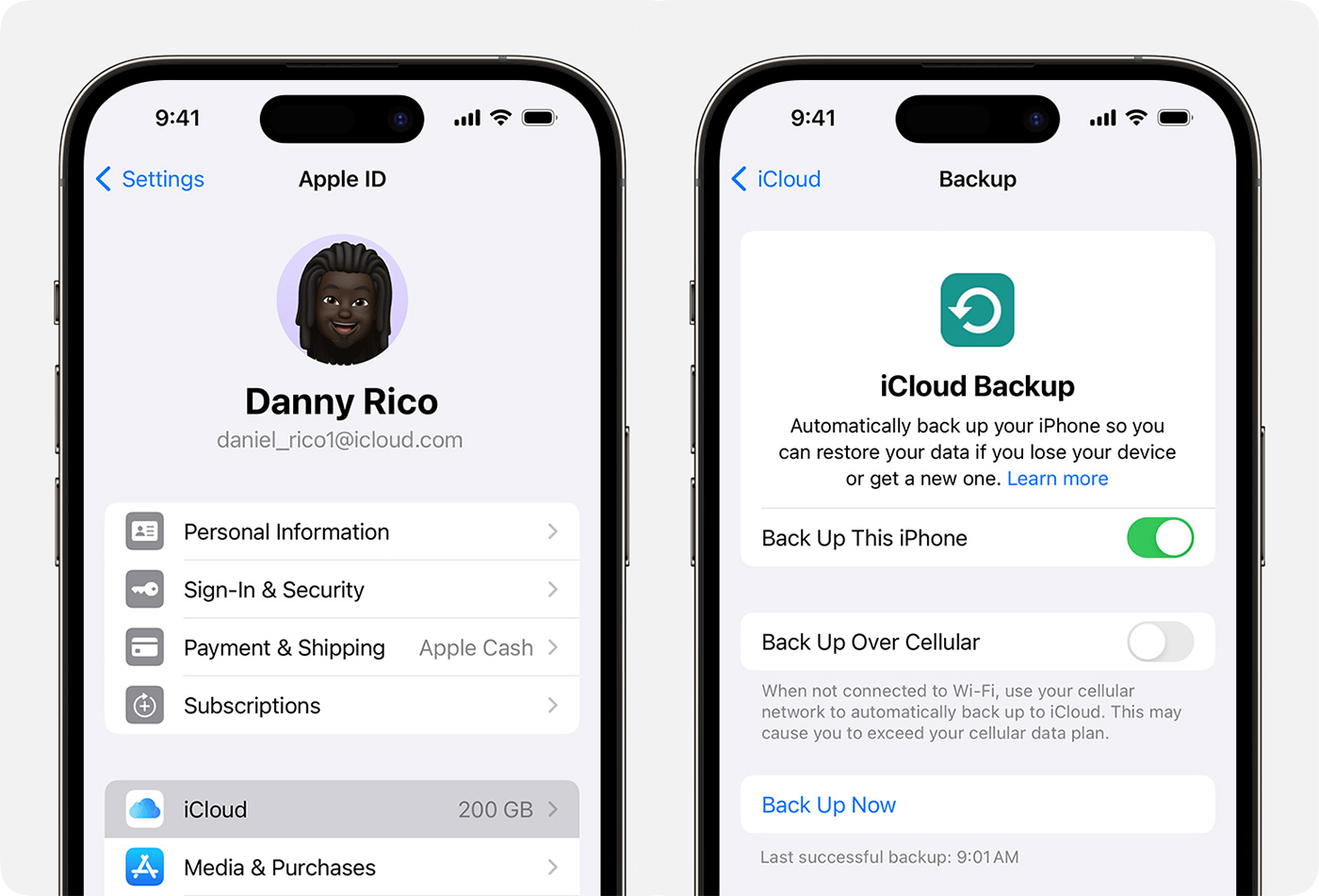
Then wait until the backup process is complete. You will see the time of the most recent backup appear.
Please note that you need to have sufficient iCloud storage space to back up. Apple provides you with 5GB of free iCloud storage by default, but this may not be enough to back up all your data. If you cannot purchase additional iCloud storage, please refer to the instructions below.
iTunes/Finder Backup
- Connect your iPhone or iPad to your Windows or Mac computer using a USB cable.
- Open iTunes (download it here if you don’t have it) or Finder (if you’re using macOS 10.15 or later).
- In the Summary tab (Windows) or General tab (macOS), select “Back up all the data on your iPhone/iPad to this computer” and ensure the “Encrypt local backup” option is also selected.
- Then click on Back Up Now.
Wait for the backup process to complete, then you can disconnect your iPhone or iPad by unplugging the USB cable.
Method 1: Update via OTA (over-the-air)
-
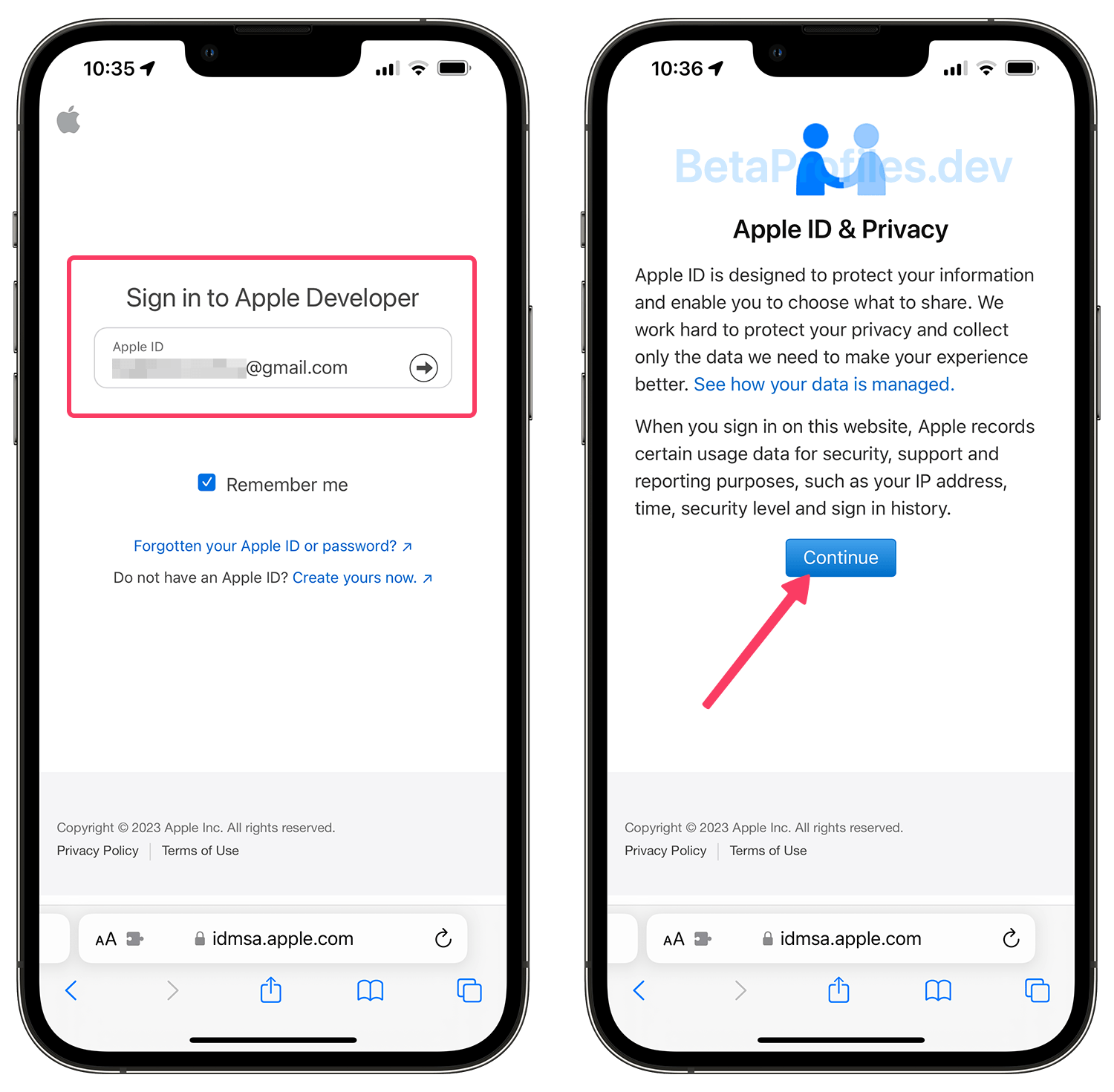
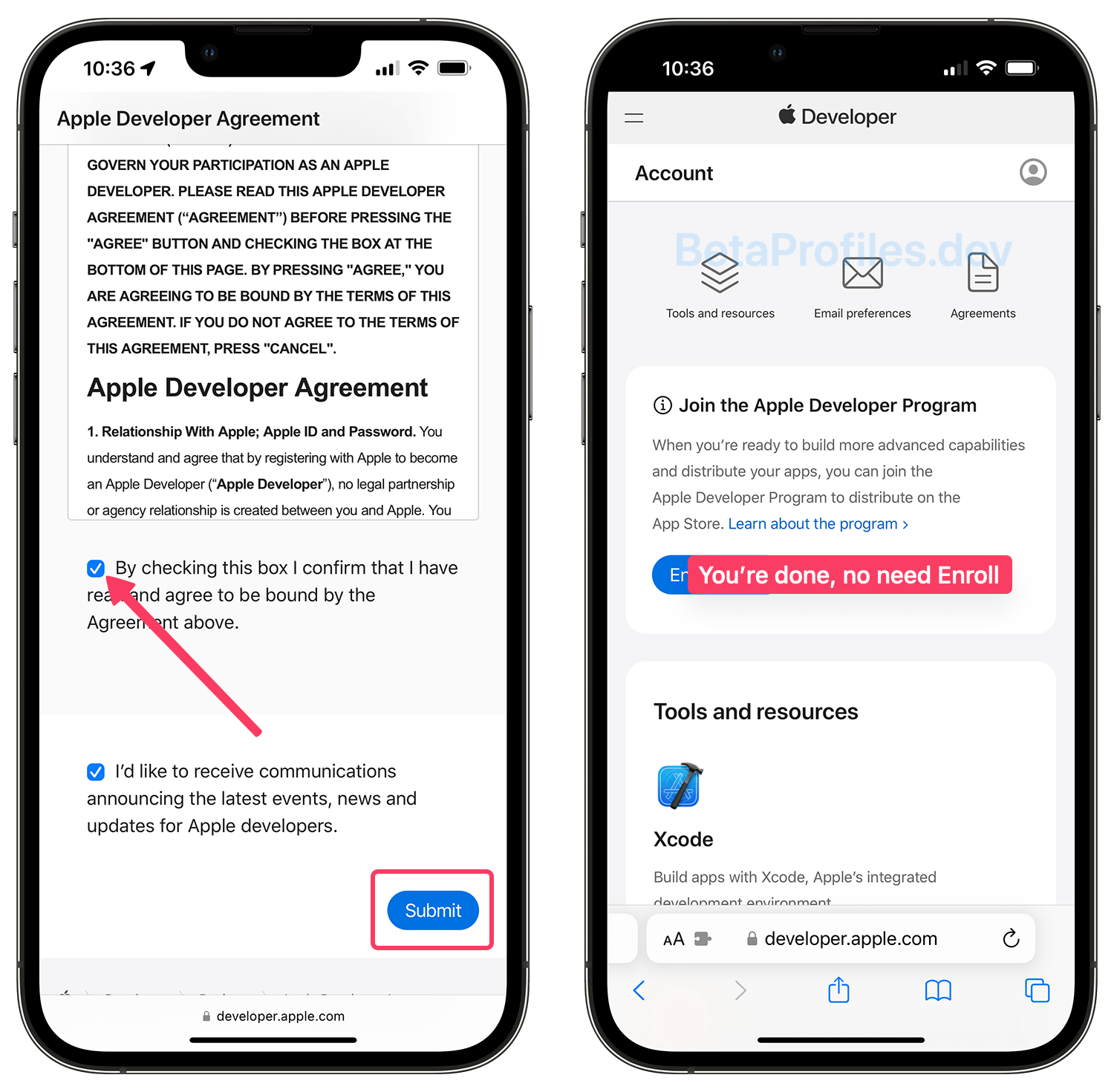
From your iPhone or iPad, sign in to the Apple Developer Center website using your Apple account. If you have completed this step before, please proceed to step 3.
If you see the message “Your Apple ID is not eligible to use this application at this time” when logging into the Apple Developer Center, please see how to fix it here:
How to fix "Your Apple ID is not eligible..." when you get iOS 18 Beta -
Agree to the terms and conditions. That’s it, let’s move on to the next step.
-
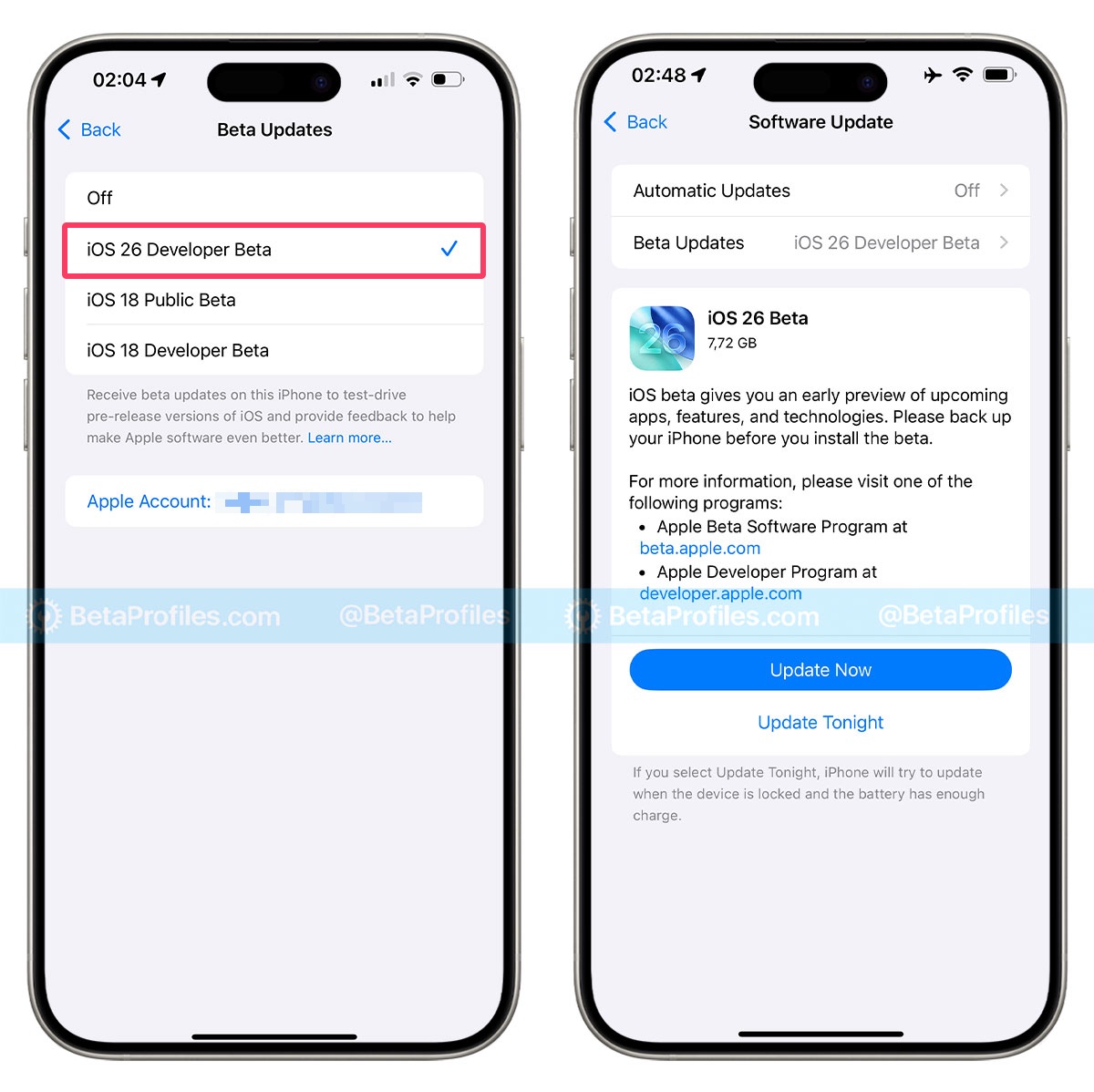
Go to Settings > General > Software Update > Beta Updates, and you’ll see the option for iOS 26 Developer Beta there. Select it, and you’ll receive the iOS 26 beta update.
-
Tap the “Update Now” button to begin downloading and installing the iOS 26 Developer Beta update.
Method 2: Using beta IPSW files
This method requires you to have a Mac or Windows PC to install the .ipsw file through Finder/iTunes.
Beta IPSW files can be found for free on this website: ipswbeta.dev or ipsw.dev.
I have a detailed tutorial on how to install IPSW files, which you can find here: A Step-by-Step Guide: How to Install IPSW Beta for iPhone and iPad
I hope this guide has helped you successfully download and update iOS 26.6 or iPadOS 26.6 on your device. If you have any related questions, feel free to leave a comment below.