Apple today released the iOS 26.5 beta to developers. The update introduces several EU-specific changes aimed at complying with the Digital Markets Act (DMA), along with a handful of smaller tweaks and improvements. Here’s everything new in iOS 26.5 beta.
iOS 26.5 Developer Beta 1
Build: 23F5043g
Released: March 30, 2026
Updated on April 3: Apple has re released iOS 26.5 beta 1 for developers with a new build number from 23F5043g to 23F5043k. This is quite unusual since it was released on a Friday, something Apple rarely does, which suggests they may have found an undisclosed security issue or a serious bug that needed an immediate fix.
https://x.com/BetaProfiles/status/2040126693307011479
So far, no noticeable changes have been found in the re released iOS 26.5 beta 1. Below are the changes included in the original iOS 26.5 beta 1 build 23F5043g released on March 30.
End-to-End RCS Encryption
iOS 26.5 beta has brought back the option for end-to-end RCS encryption in the Messages app. Apple previously tested this feature in earlier iOS 26.4 beta updates but removed it in the official release.

The end-to-end RCS encryption feature ensures that messages sent between iPhone and Android devices cannot be decrypted or read by third parties.
Apple Maps
When you tap on the search bar in Apple Maps, you’ll see a new “Suggested Places” section. Apple says these suggestions are based on trending nearby locations, your recent searches, and other factors.
This section may also include sponsored suggestions, as Apple has announced that ads will start appearing in Apple Maps this summer in the U.S. and Canada
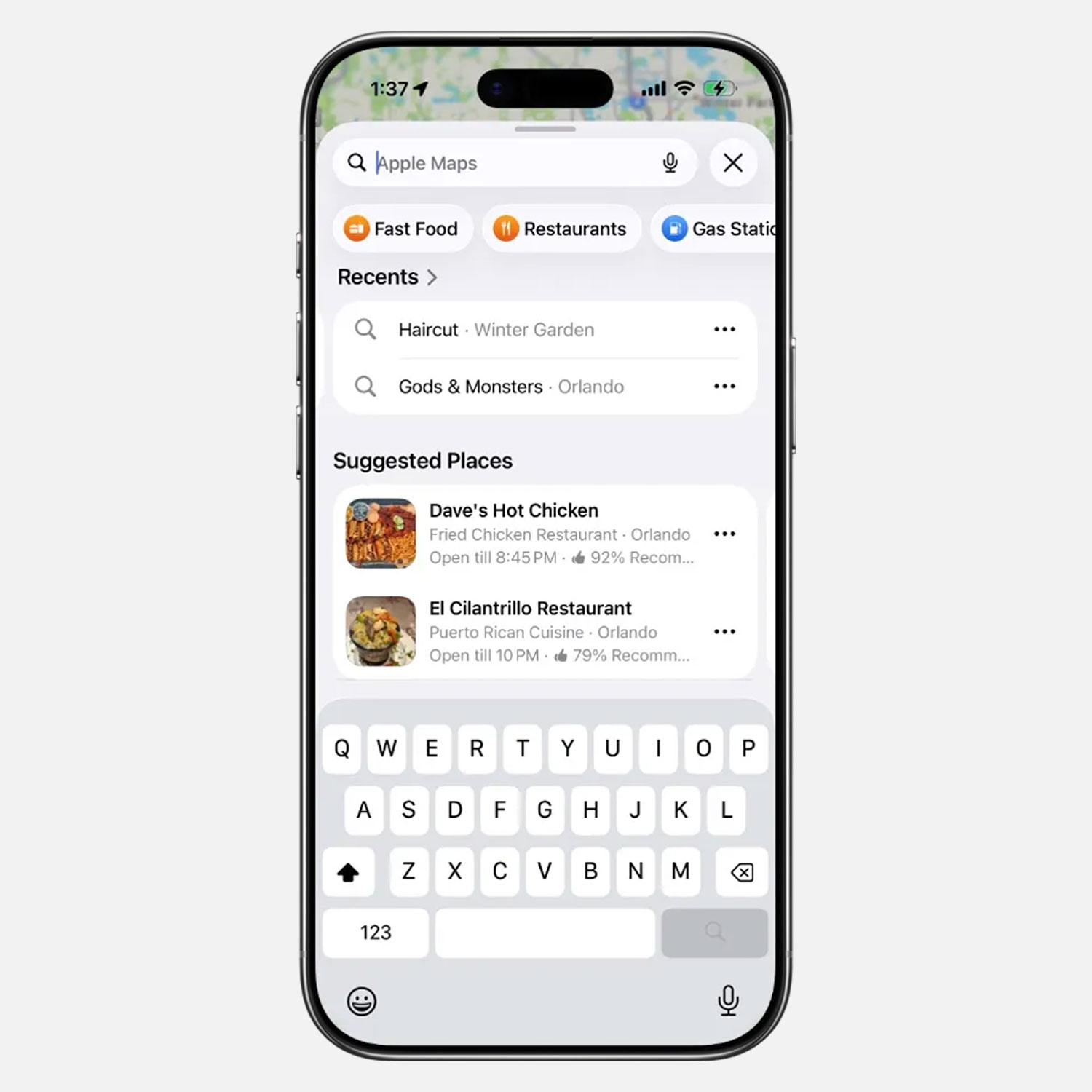
Image credit 9to5mac
https://x.com/BetaProfiles/status/2036463817685881282
Playlist Playground
Playlist Playground in Apple Music is still only available to subscribers in the U.S. and remains unavailable in other regions in the iOS 26.5 beta.
No New Siri Features
Mark Gurman previously reported that iOS 26.5 could introduce some of the new Siri features Apple promised at WWDC 2024. However, it appears Apple has decided to push all of these Siri features to iOS 27, as today’s iOS 26.5 beta does not include any new Siri features.
With only about two months to go until WWDC 2026, Apple is rumored to be planning a major overhaul for Siri in iOS 27. So we shouldn’t expect any new Siri features to be added in future iOS 26 updates.
Check out my article on iOS 27 and its expected features for more details.
Magic Accessory Connection
When you plug a Magic accessory (such as a Magic Keyboard) into an iPhone or iPad via USB-C, it will automatically connect to your device over Bluetooth once unplugged, similar to how it works on Mac.
Connecting the accessory directly can be faster than searching for and pairing it through the Bluetooth menu in some cases.
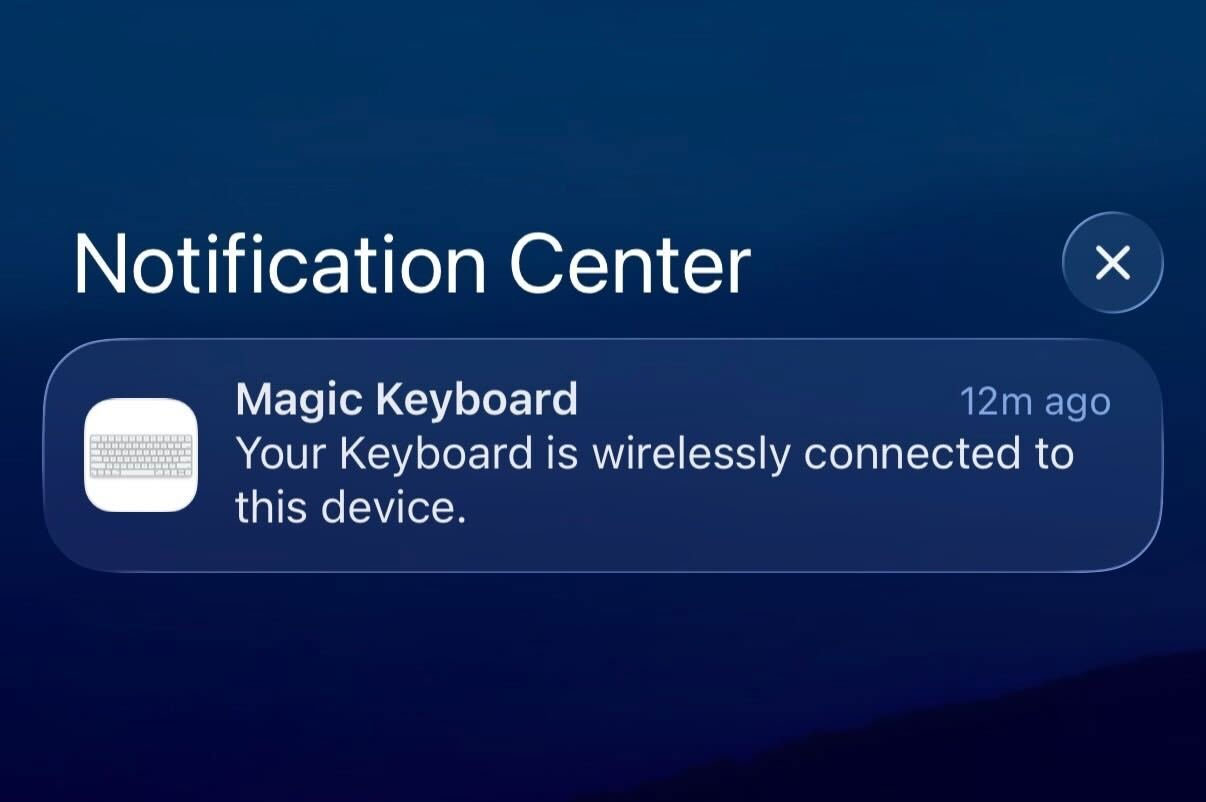
Image credit @aaronp613
New Keyboard Layout
iOS 26.5 adds a new Inuktitut keyboard layout.
Transfer to Android
There’s a new setting that lets you choose which message attachments to transfer when moving from iPhone to Android. Options include: None, 30 days, 1 year, or All.
Code Discovery 
@aaronp613 found that the iOS 26.5 beta code includes references to Apple Books’ “Year In Review for 2026” feature, including trophies and medals.
Here’s a description from the discovered code:
A little of this, a little of that—you’re always ready to try something new, reading whatever interests you no matter the genre. Your award: The Adventurous Reader
Bring on the doorstoppers—long audiobooks don’t faze you! You’ve shown that you embrace the big reads. Your award: The Undaunted Reader
Each month, you made time for reading. Twelve for twelve. Well done! Your award: The Consistent Reader
Hear, hear! You’re all about listening whenever and wherever you can—audiobooks made up most of your reading. Your award: The Listening Legend
Put on your crown! Your reading achievements were truly elite. Your award: Reading Royalty
What’s new and buzzy? You always know! Your award: The Social Reader
You and your books were inseparable for %lld consecutive days. Bravo! Your award: The Endurance Reader
You could listen, but there’s just something about words on the page that makes a story come alive for you. Your award: The Golden Bookmark
You made time for %lld books! What can’t you do? Your award: The Power Reader
You made time to read in %@, and that’s worth celebrating. Here’s to more in %@! Your award: The Intentional Reader
You show up for your favorite authors, ready to read whether it’s the newest book or the oldest one. They’re lucky to have you on their side! Your award: The Loyal Reader

[EU Only] Notification Forwarding
Notification Forwarding had been tested for a while in iOS 26.3 beta but was removed in official releases. In iOS 26.5 beta, Apple has also restored this option. You can find it under Settings → Notifications → Notification Forwarding.
Notification Forwarding allows notifications from an iPhone to be forwarded to third-party devices, such as smartwatches. Apple notes that notifications can only be forwarded to one connected device at a time, and notifications on Apple Watch will be disabled if a third-party wearable is selected.

Frameworks for “Accessory Notifications” are now also available for developers.
[EU Only] Proximity Pairing
Proximity Pairing allows third-party headphones in the EU to pair with an iPhone in a similar way to AirPods. Simply bring the headphones close to the iPhone to start the pairing process with a single tap, without any additional steps.
This feature was also previously tested in the iOS 26.3 beta and iOS 26.4 beta updates.
[EU Only] Live Activities for Third-Party Accessories
9to5Mac discovered references in the iOS 26.5 beta code to an upcoming AccessoryLiveActivities framework, which would allow Live Activities from an iPhone to be displayed on third-party accessories, similar to notifications.
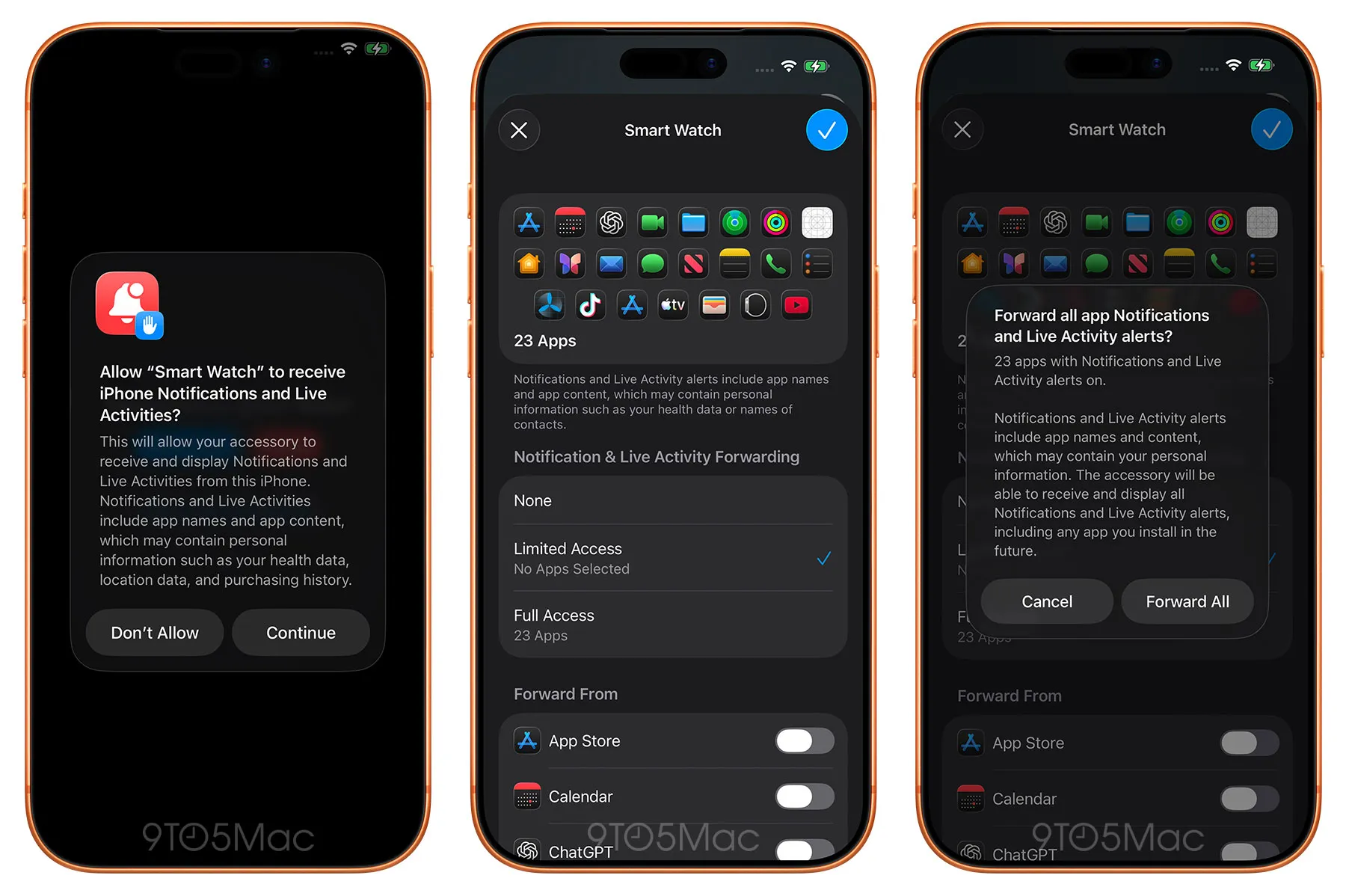
Image credit: 9to5mac
This marks the first time Apple is testing Live Activities for third-party accessories in order to comply with the EU’s Digital Markets Act (DMA). Apple has not yet announced the AccessoryLiveActivities framework for developers, so this feature may not appear in the public release of iOS 26.5, similar to Notification Forwarding and Proximity Pairing.
I’ll keep adding more iOS 26.5 Beta changes and new features here as I discover them. Stay tuned and follow @BetaProfiles on X or Threads!