Apple today released iOS 26.4 Beta 2 to developers. This update continues to introduce changes for iPhone users ahead of the public release, which is expected around late March or early April. Here’s everything new in iOS 26.4 Beta 2.
In case you missed it, here’s what was added in iOS 26.4 Beta 1: What’s New in iOS 26.4 Beta 1 →
iOS 26.4 Developer Beta 2
Build: 23E5218e
Released: February 23, 2026
RCS End-to-End Encryption Testing
iOS 26.4 Beta 2 begins testing end-to-end encryption (E2EE) for RCS messages sent from iPhone to Android. In Beta 1, Apple had only enabled end-to-end encryption for RCS messages between iPhones when iMessage was turned off.
Apple also notes that RCS end-to-end encryption won’t be included in the public iOS 26.4 release and is expected to roll out in a future update instead.
Freeform App
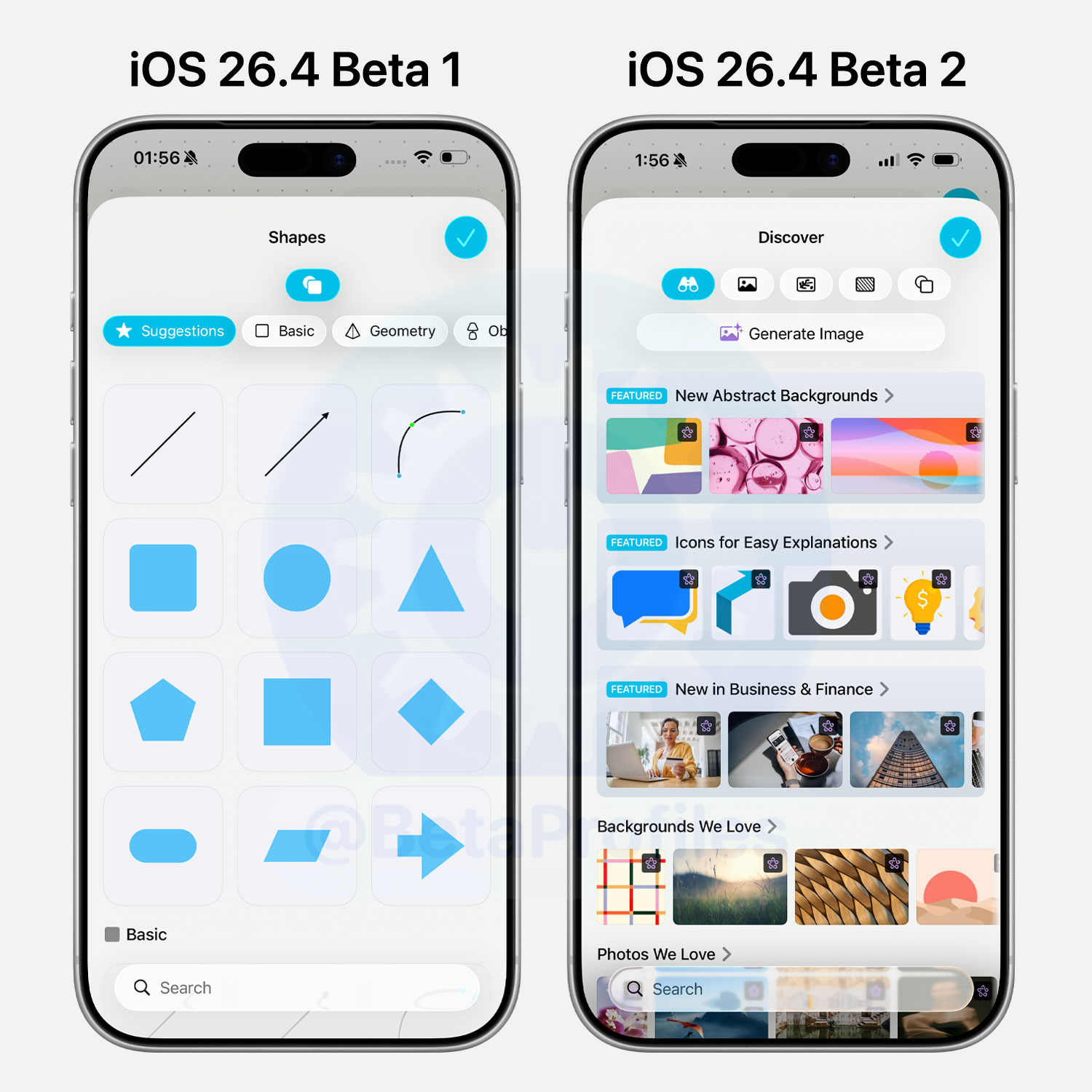
The Freeform app now includes an exclusive library of photos and illustrations for users subscribed to Apple Creator Studio.
Games App
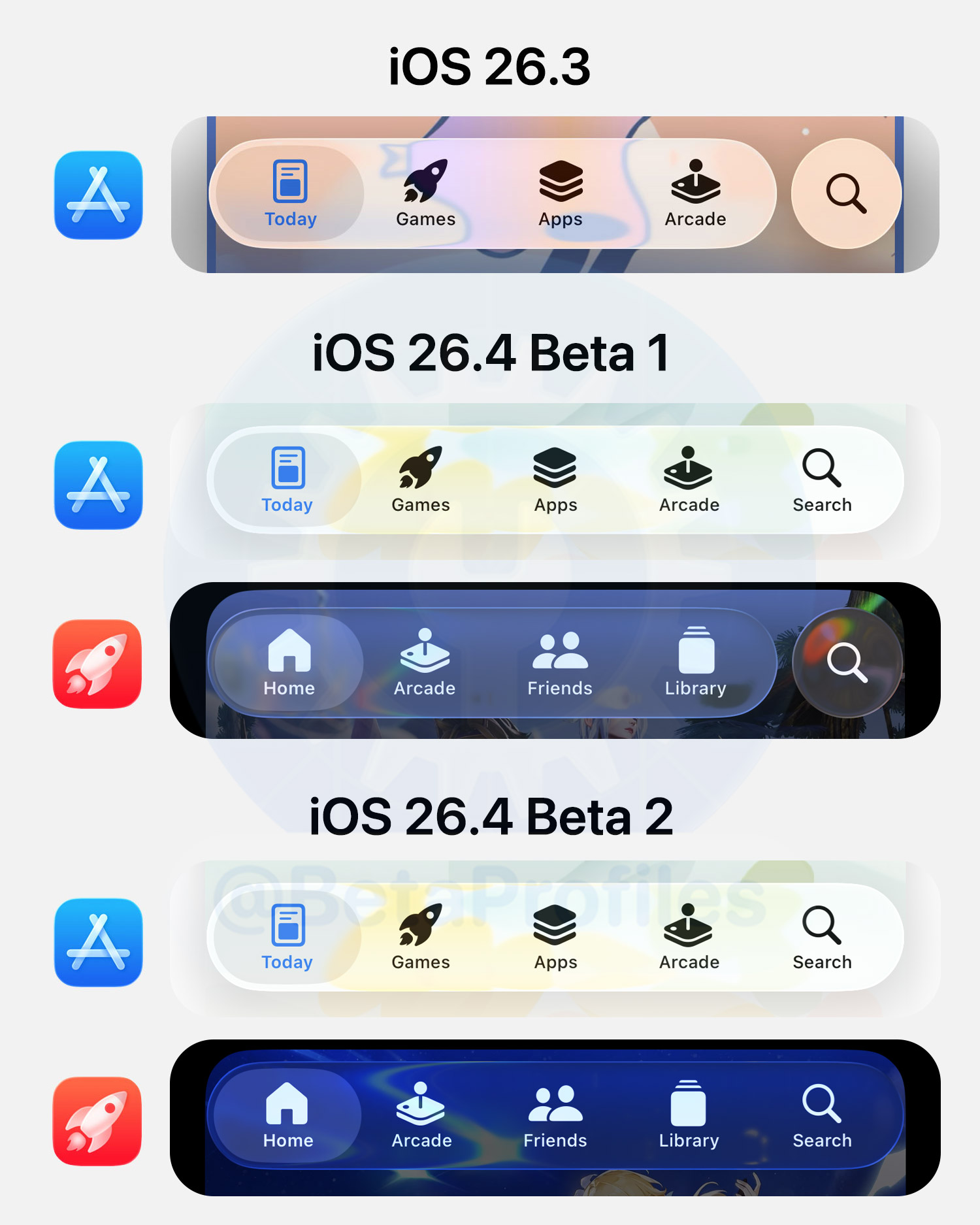
iOS 26.4 Beta 2 also moves the Search button into the Games app’s tab bar, following the same change made to the App Store in Beta 1.
Strangely, double-tapping the Search button in the App Store brings up the keyboard, but double-tapping the Search button in the Games app does nothing. I’m guessing it’s just a bug.
Reduce Highlighting Effects Toggle
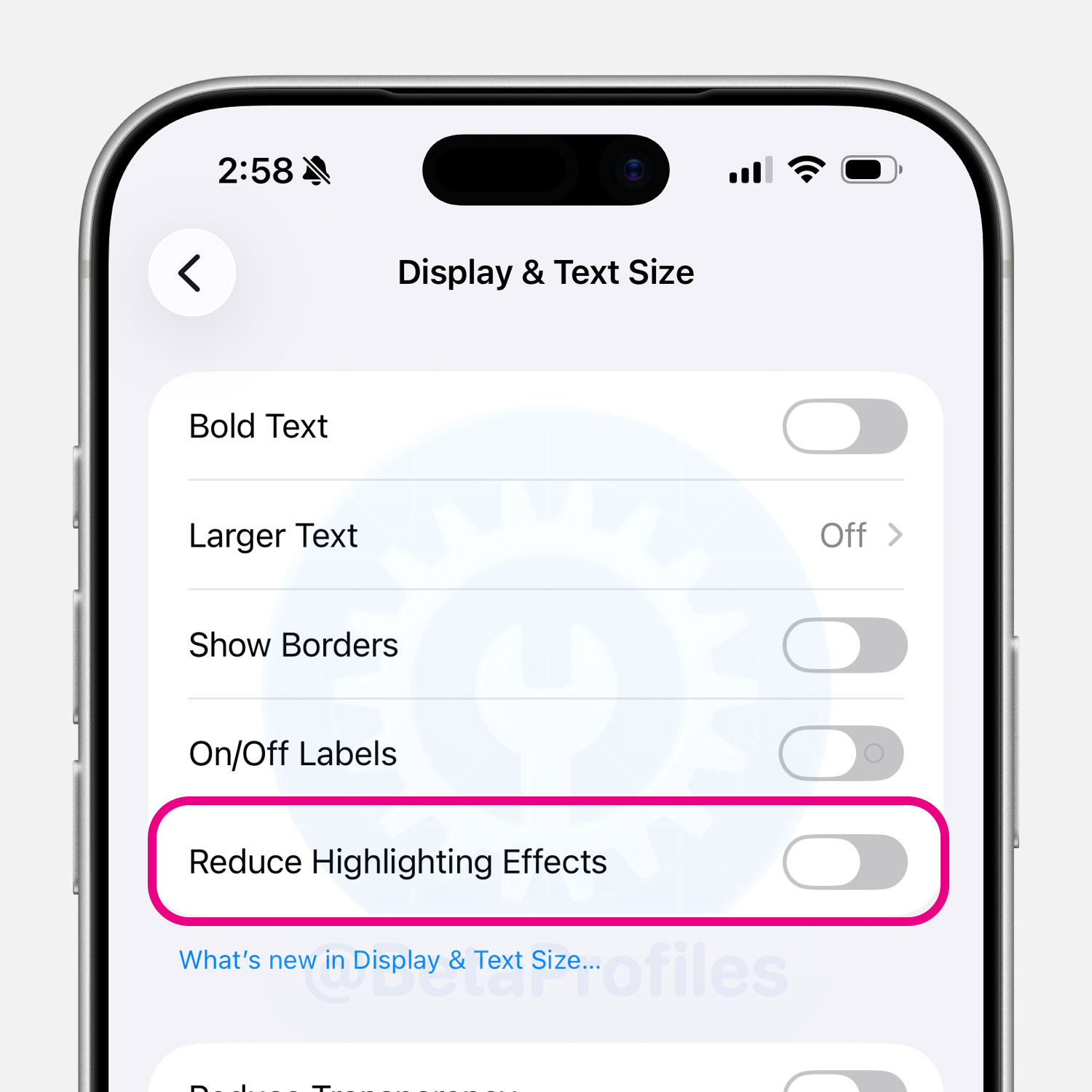
There’s a new “Reduce Highlighting Effects” option under Settings > Display & Text Size, but I don’t notice any obvious difference when turning it on or off. It’s possible the toggle has been added but isn’t fully functional yet in iOS 26.4 Beta 2.
My guess is that this new option reduces the bright edge effects around Liquid Glass elements, which Apple refers to as “specular highlights.” We may have to wait until iOS 26.4 Beta 3 to know exactly what it does.
Control Center
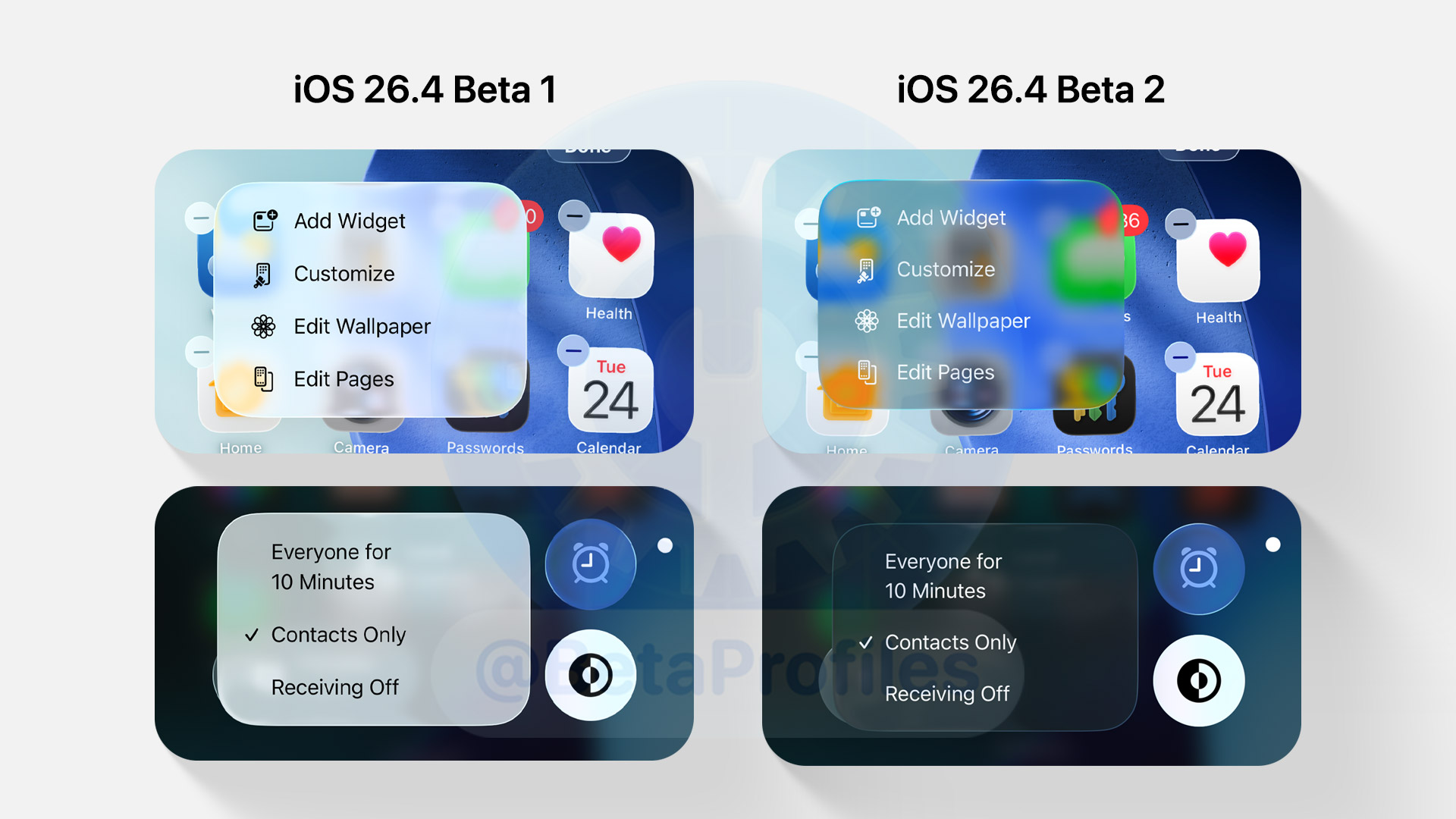
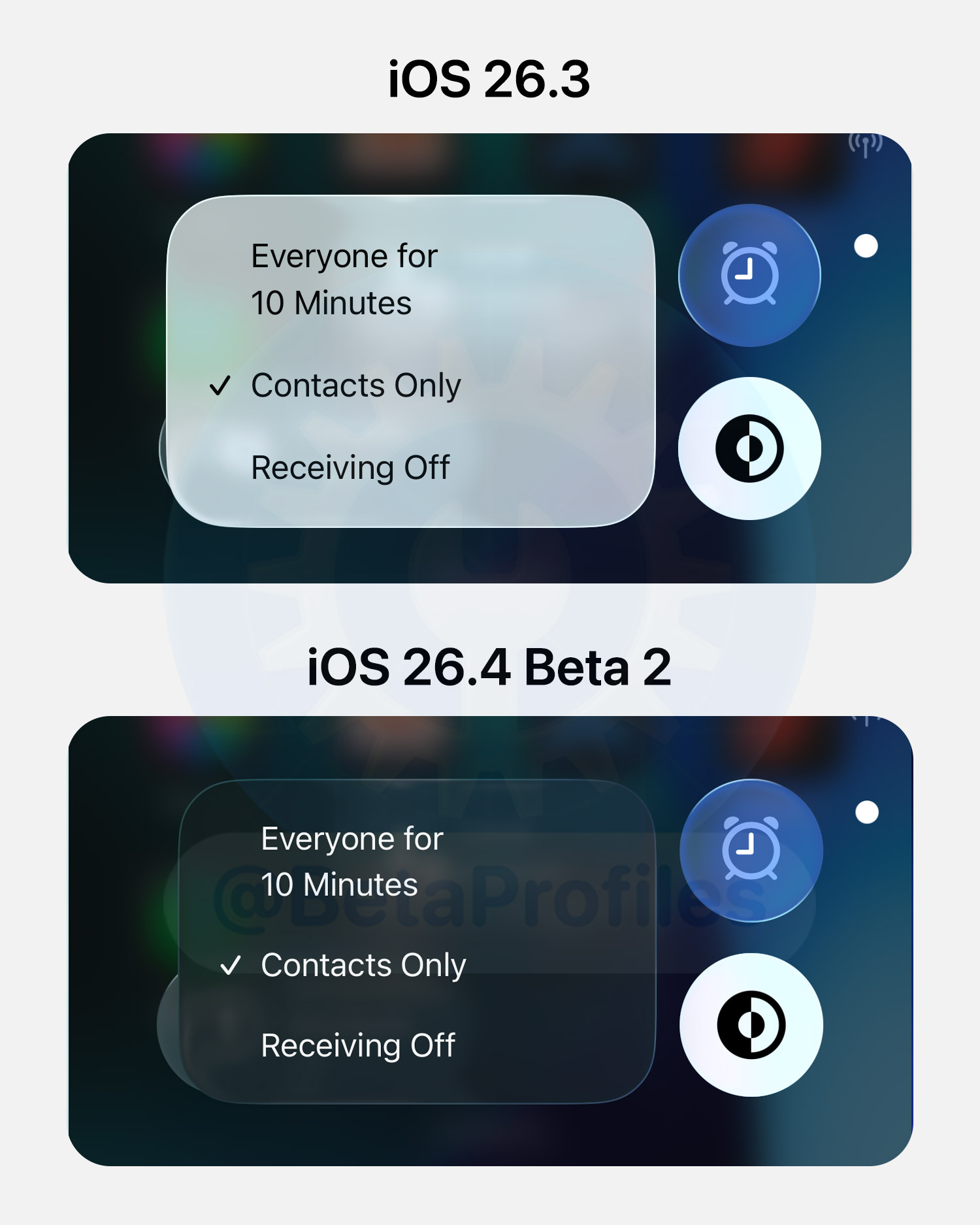
iOS 26.4 Beta 2 finally gives the menus in Control Center a dark appearance. In previous versions, the menus in Control Center always had a white background, even when Dark Mode was enabled.
Liquid Glass Menu
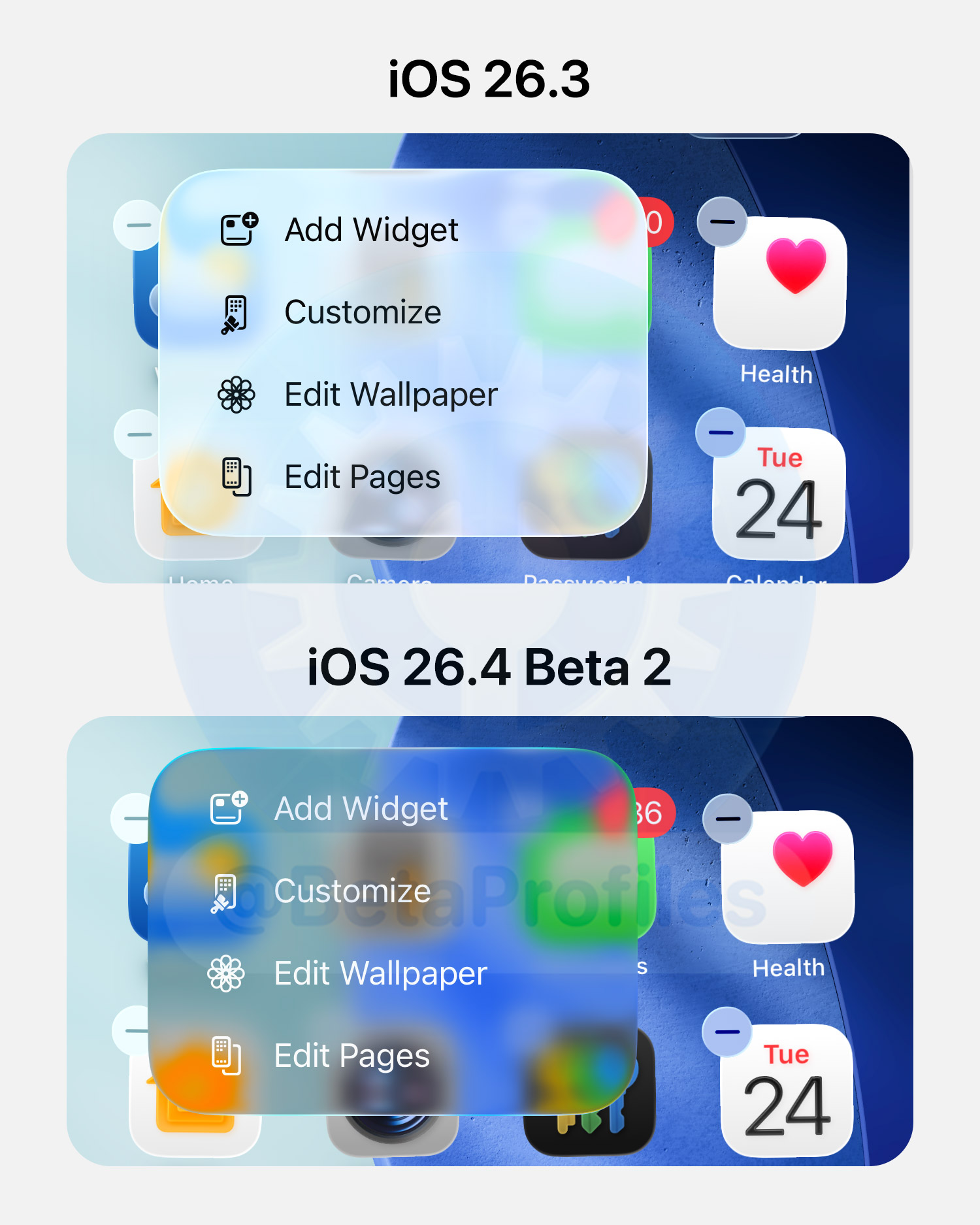
iOS 26.4 Beta 2 makes the Edit Home Screen menu more transparent. Note that this change only appears in the Edit Home Screen menu. I’ve checked other areas, but nothing else seems to have changed.
Apple Account
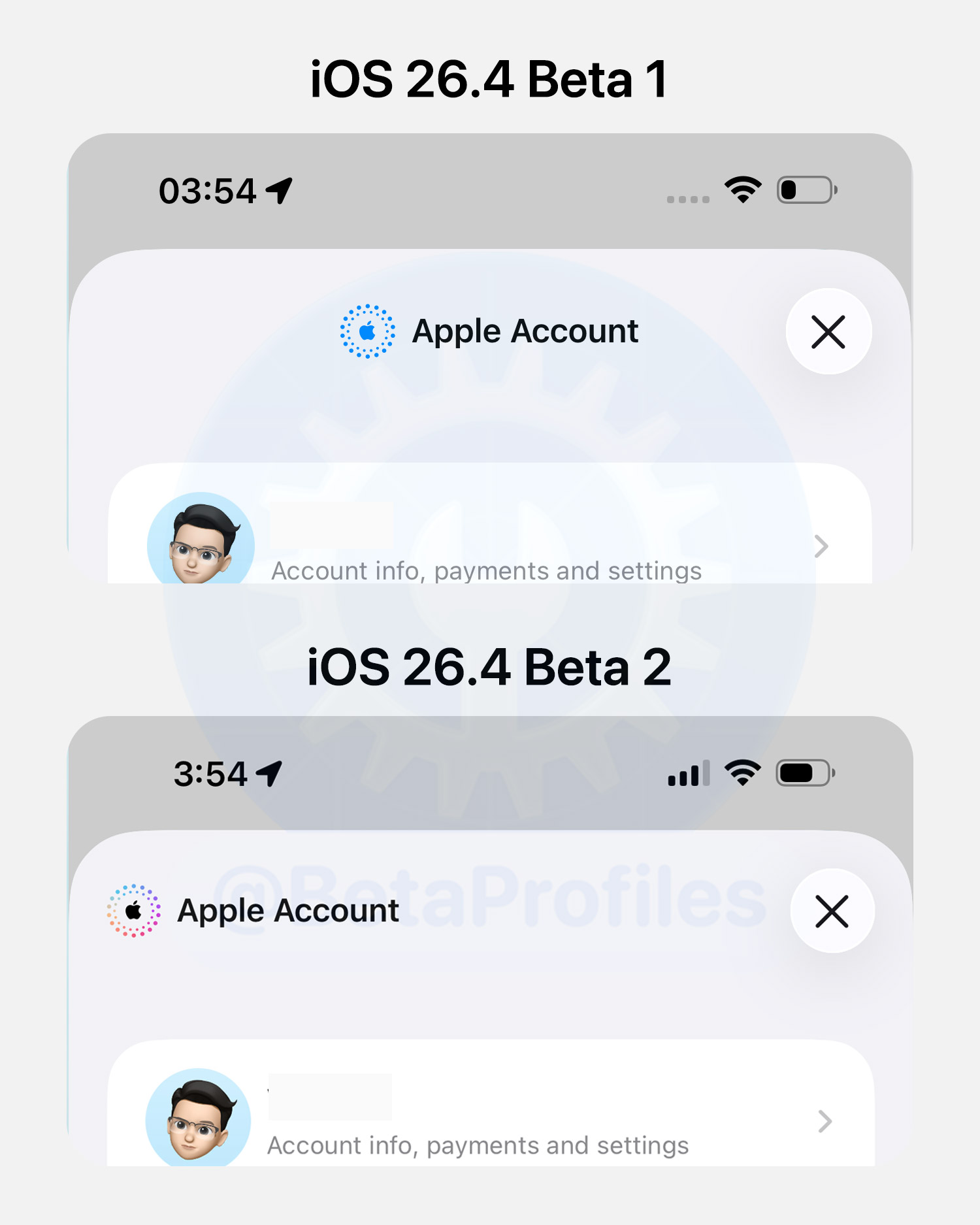
There are some minor tweaks to the Apple Account page in the App Store, Apple Music, Apple TV, and Apple Podcasts. The Apple Account logo is now colored and aligned to the left.
Contact Poster
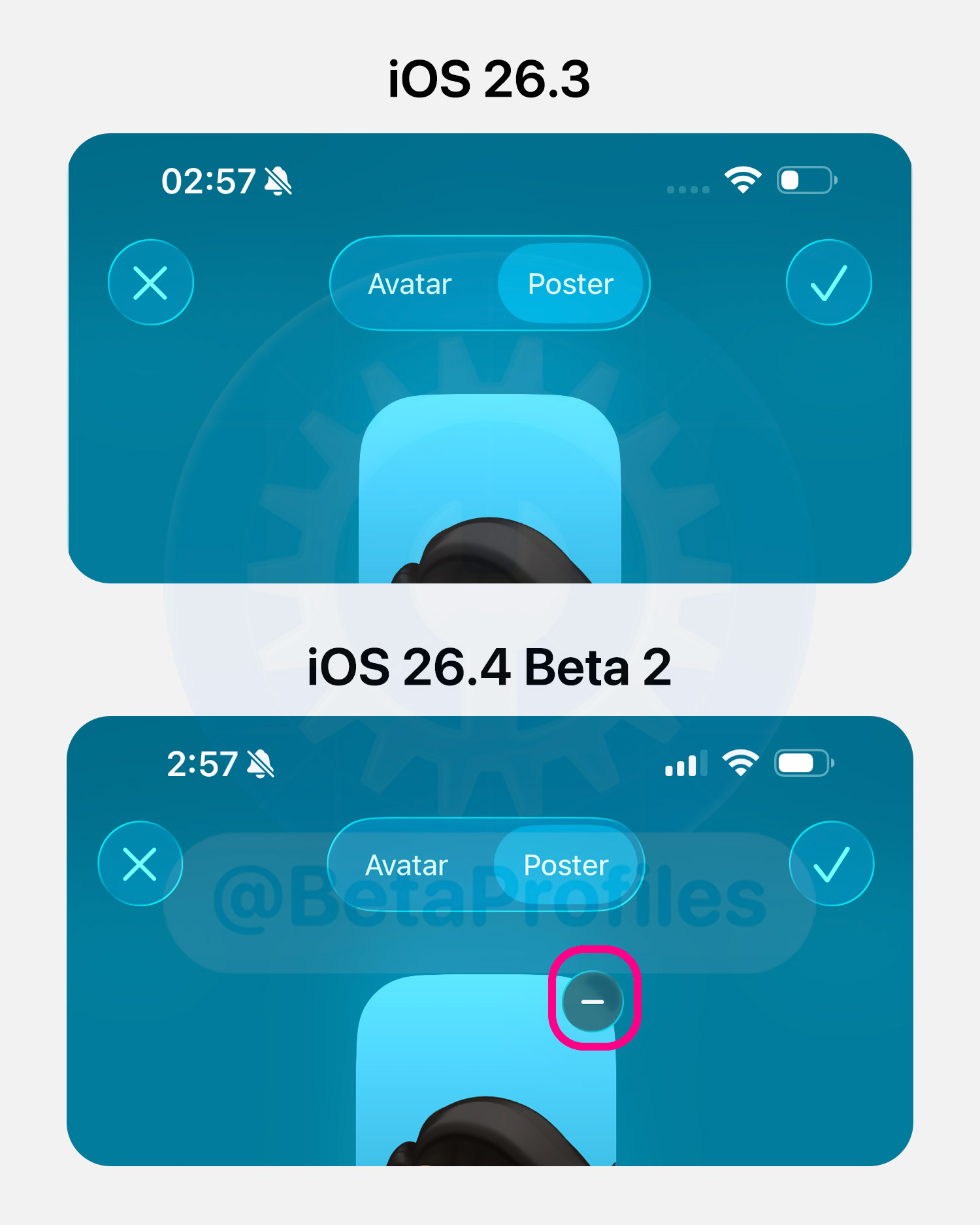
iOS 26.4 Beta 2 finally adds a (–) button that lets you delete a contact poster or avatar you’ve created for a contact.
Apple Podcasts
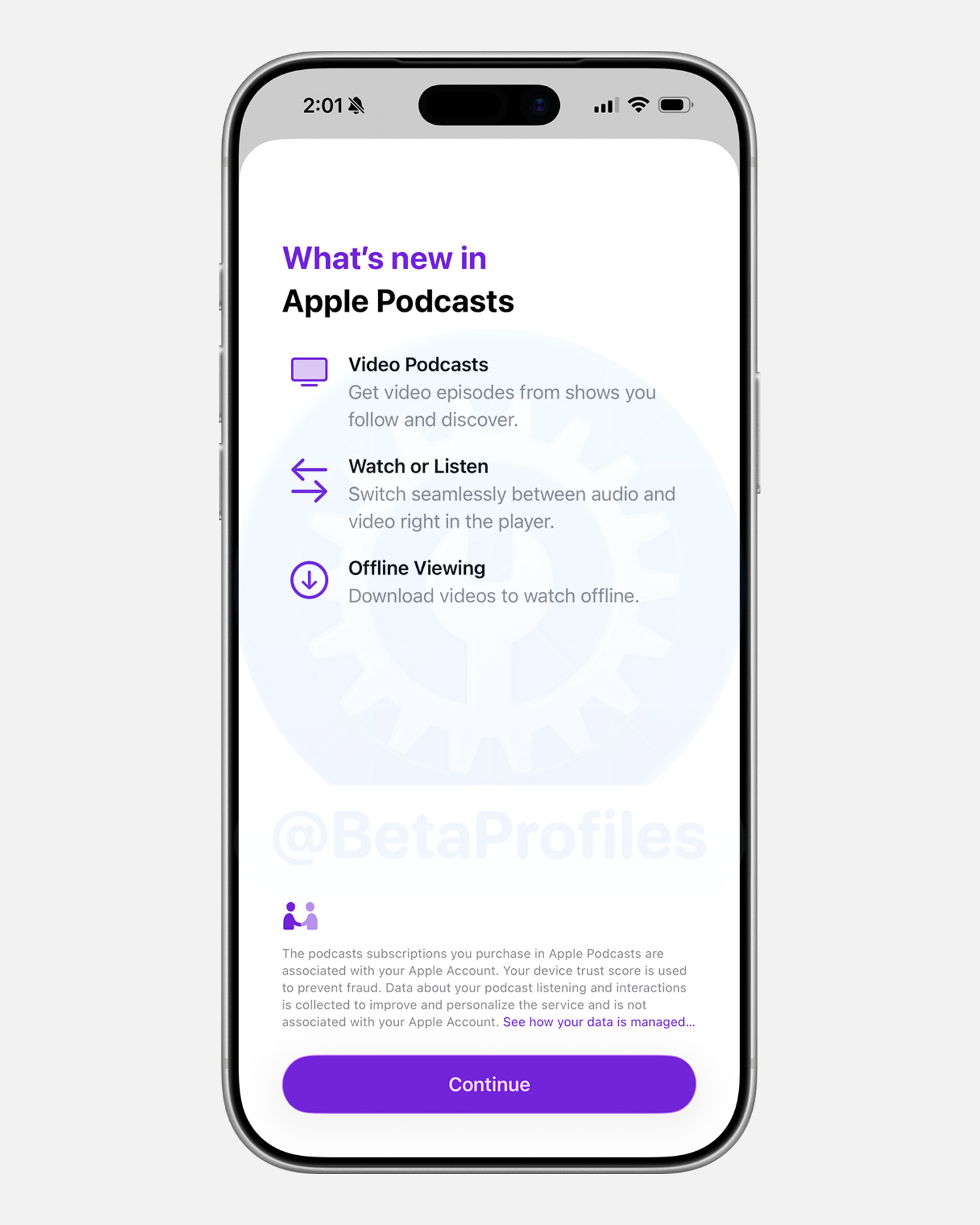
There’s a new “What’s New” splash screen when opening Apple Podcasts in iOS 26.4 Beta 2, highlighting Video Podcasts and the ability to watch videos offline.
Still No New Emojis
Although the code in iOS 26.4 Beta 1 referenced several new emojis, Beta 2 still doesn’t include any. Apple may add them in future beta updates.
Playlist Playground
The Apple Music playlist creation feature using prompts is still only available in the U.S. in Beta 2 and remains unavailable in other countries.
Shazam History
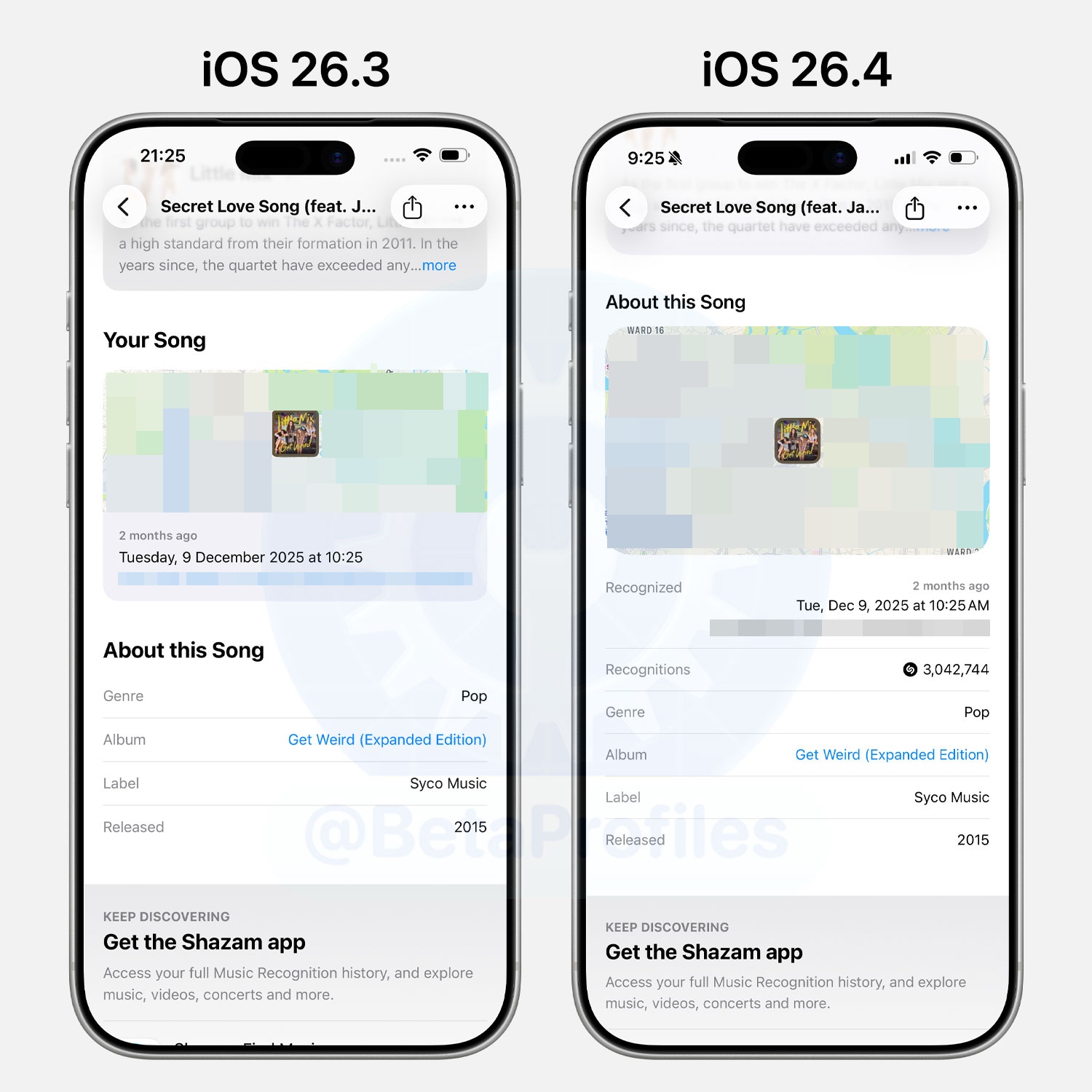
When browsing songs you’ve Shazamed, the “Your Song” section has been removed in iOS 26.4 Beta. Only the “About This Song” section remains, which shows where and when you identified the track, and now also includes the total number of times the song has been recognized.
To view your Shazam history, simply press and hold the Music Recognition control in Control Center and select History.
Apple TV
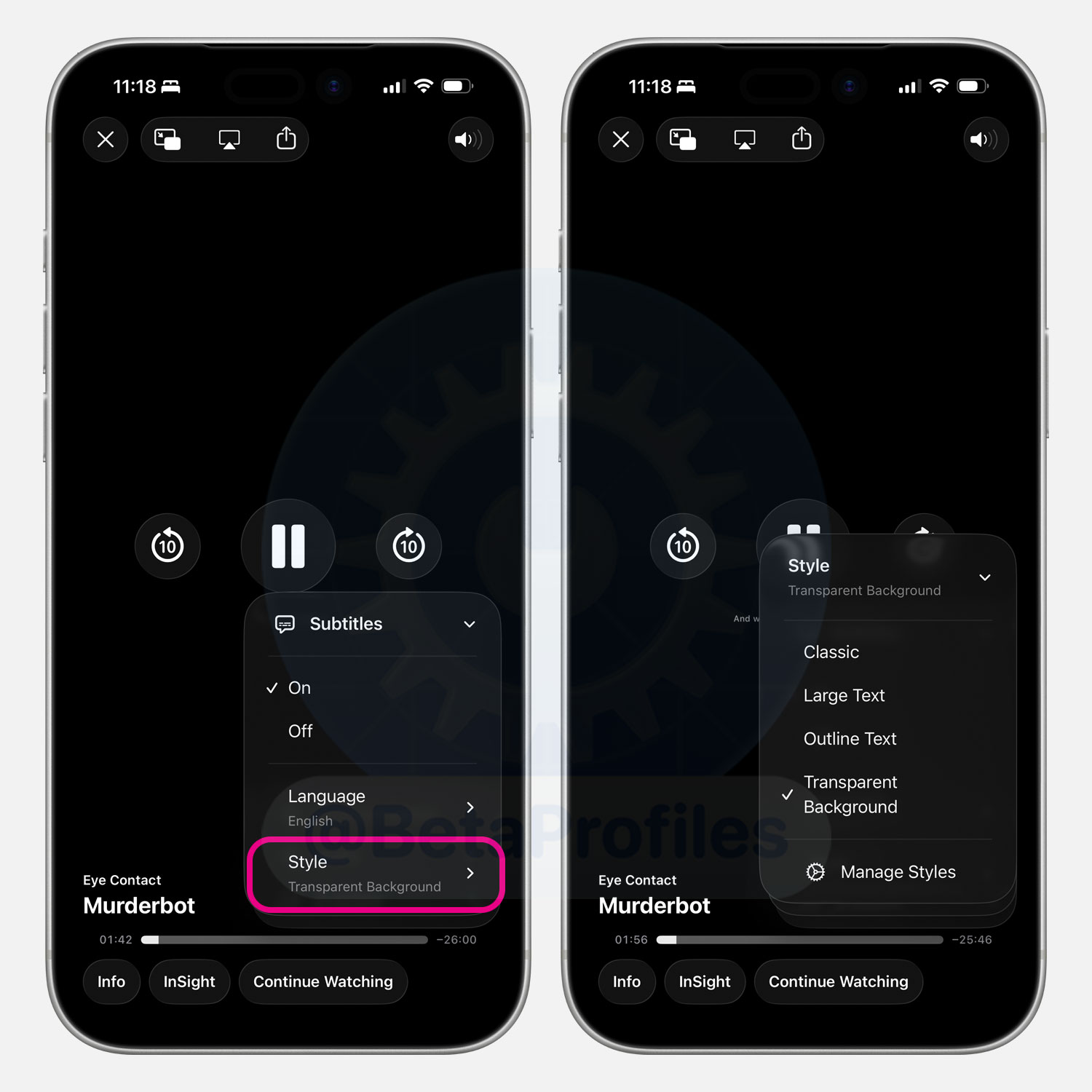
iOS 26.4 refreshes the Subtitles menu in the Apple TV player, adding a Subtitle Styles option directly within the player. In previous versions, you had to go to Settings > Accessibility > Subtitles & Captioning > Style to change the subtitle style.
Thanks to @majcojh.bsky.social
Age Verification
Update: Apple has confirmed this is just a bug.
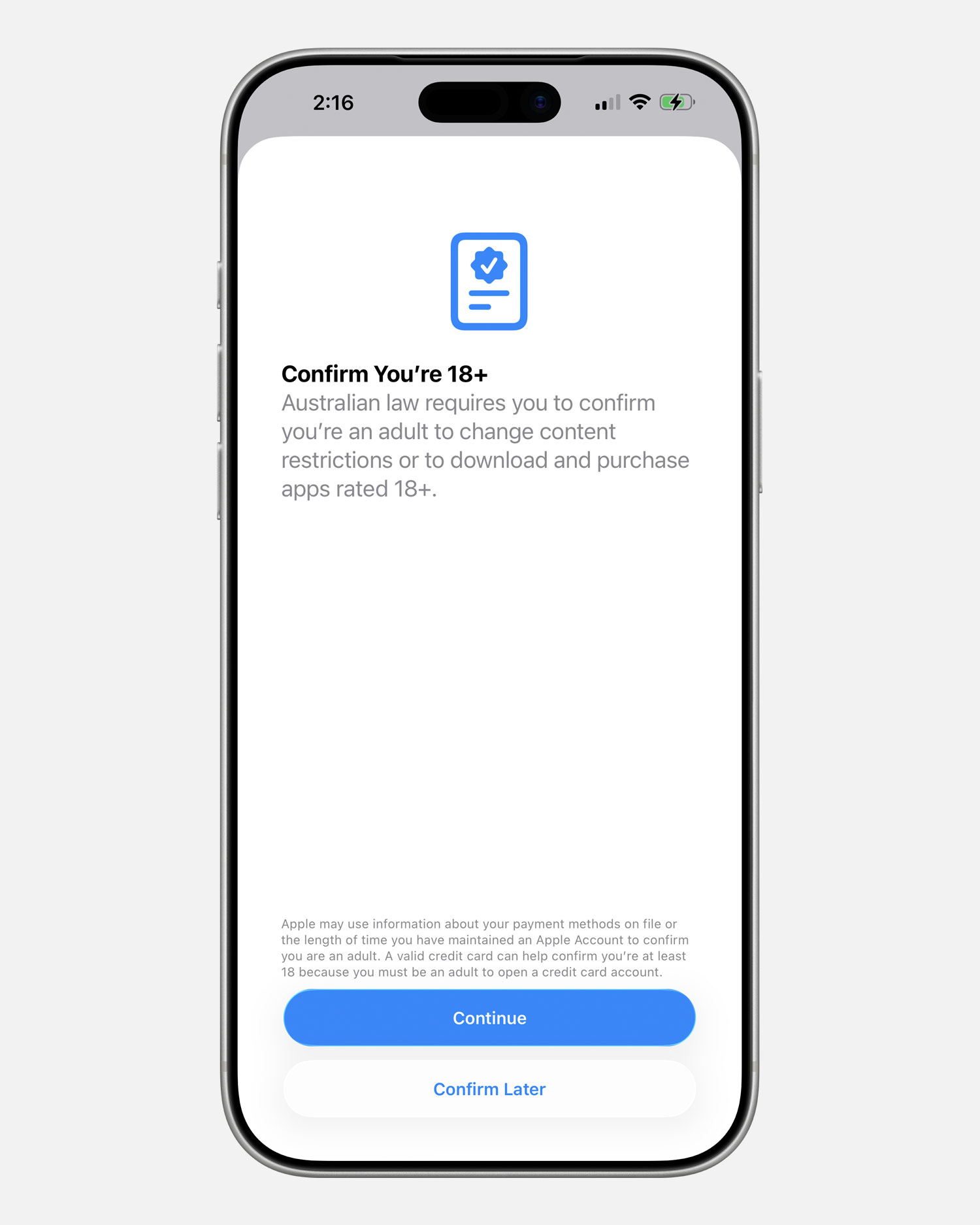
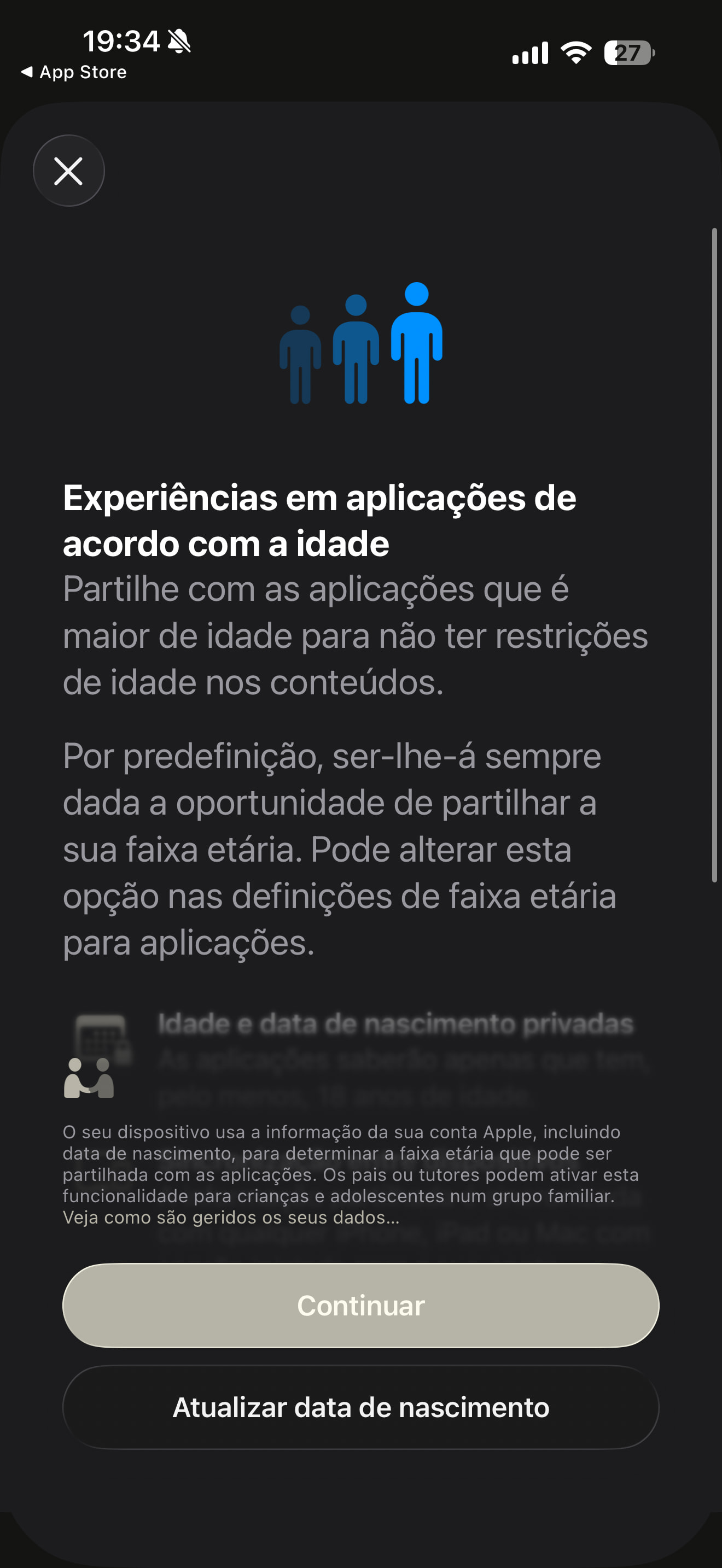
Some users in the United Kingdom, Australia, and Brazil have reported that after updating to iOS 26.4 Beta 2, they’re being asked to confirm that they are 18 or older when downloading 18+ rated apps from the App Store.
Apple says it will rely on the payment method information saved to your account or how long you’ve maintained your Apple account to automatically verify that you’re an adult. If the system can’t verify your age automatically, you may be required to scan a credit card or a government-issued photo ID to confirm that you are over 18.
Apple has also provided updated information about age verification for developers distributing apps in Brazil, Australia, Singapore, Utah, and Louisiana.
Bug Fixes 
Some users report that iOS 26.4 Beta 2 fixes several issues from Beta 1:
- Fixes an issue where the “Slow Charger” warning would still appear on some iPhone models even when using a high-wattage charger
- Fixes a bug where System Data would rapidly grow to hundreds of gigabytes, causing the iPhone to show full storage
- Fixed an issue causing duplicate notifications on CarPlay (via u/truthcopy)
- Fixed an issue causing audio dropouts and playback speed problems on CarPlay (via u/ztnz)
I’ll keep adding more iOS 26.4 Beta 2 changes and new features here as I discover them. Stay tuned and follow @BetaProfiles on X or Threads!


 At first I assumed it was just a bug, but since they’ve now made the same change in the Games app, it feels more intentional. Maybe Apple is planning to move away from that design altogether.
