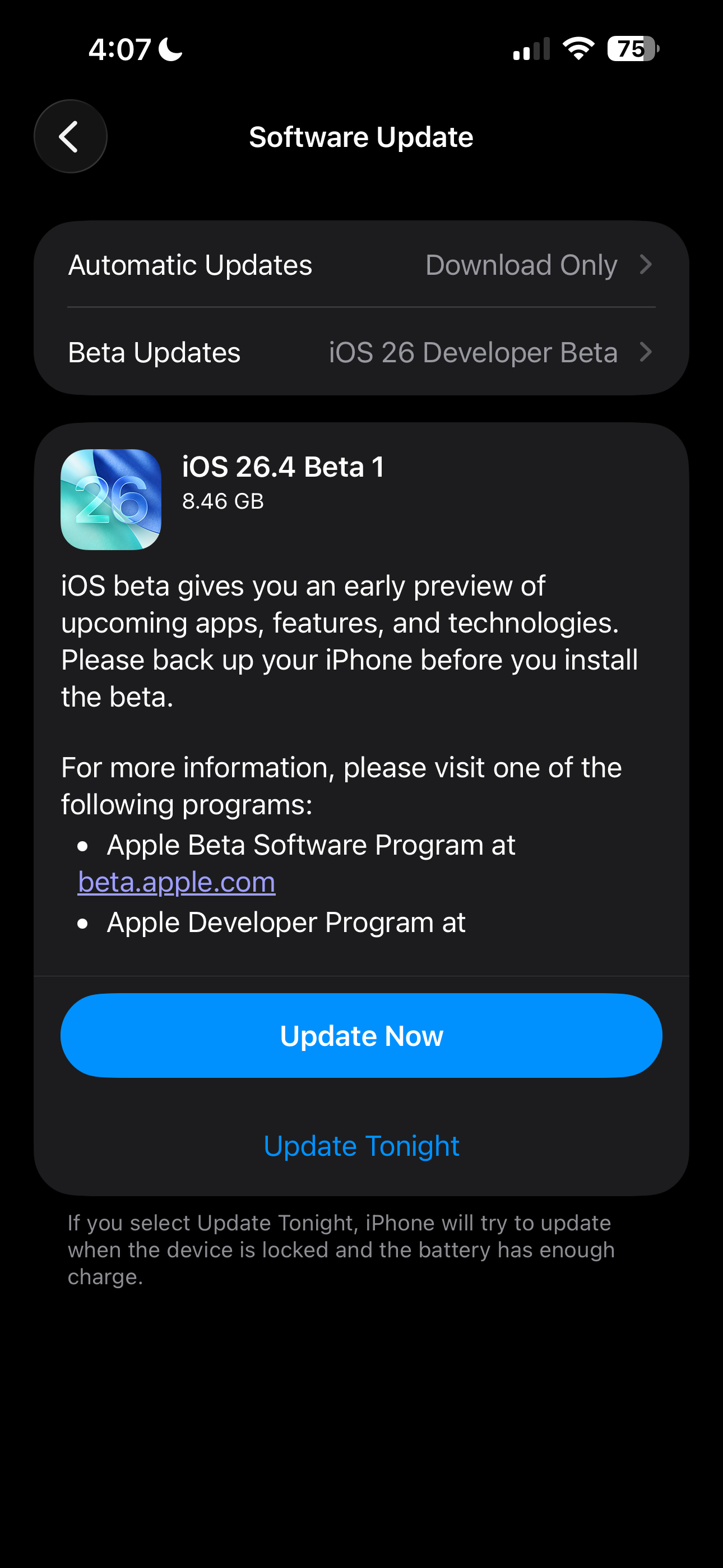
Apple today released iOS 26.4 Beta 1 to developers. This update adds support for video podcasts in Apple Podcasts, brings refinements to Apple Music, introduces new widgets, and includes several other notable changes. Here’s a look at what’s new in iOS 26.4 Beta 1 below.
iOS 26.4 Developer Beta 1
Build: 23E5207q
Released: February 16, 2026
Apple Music
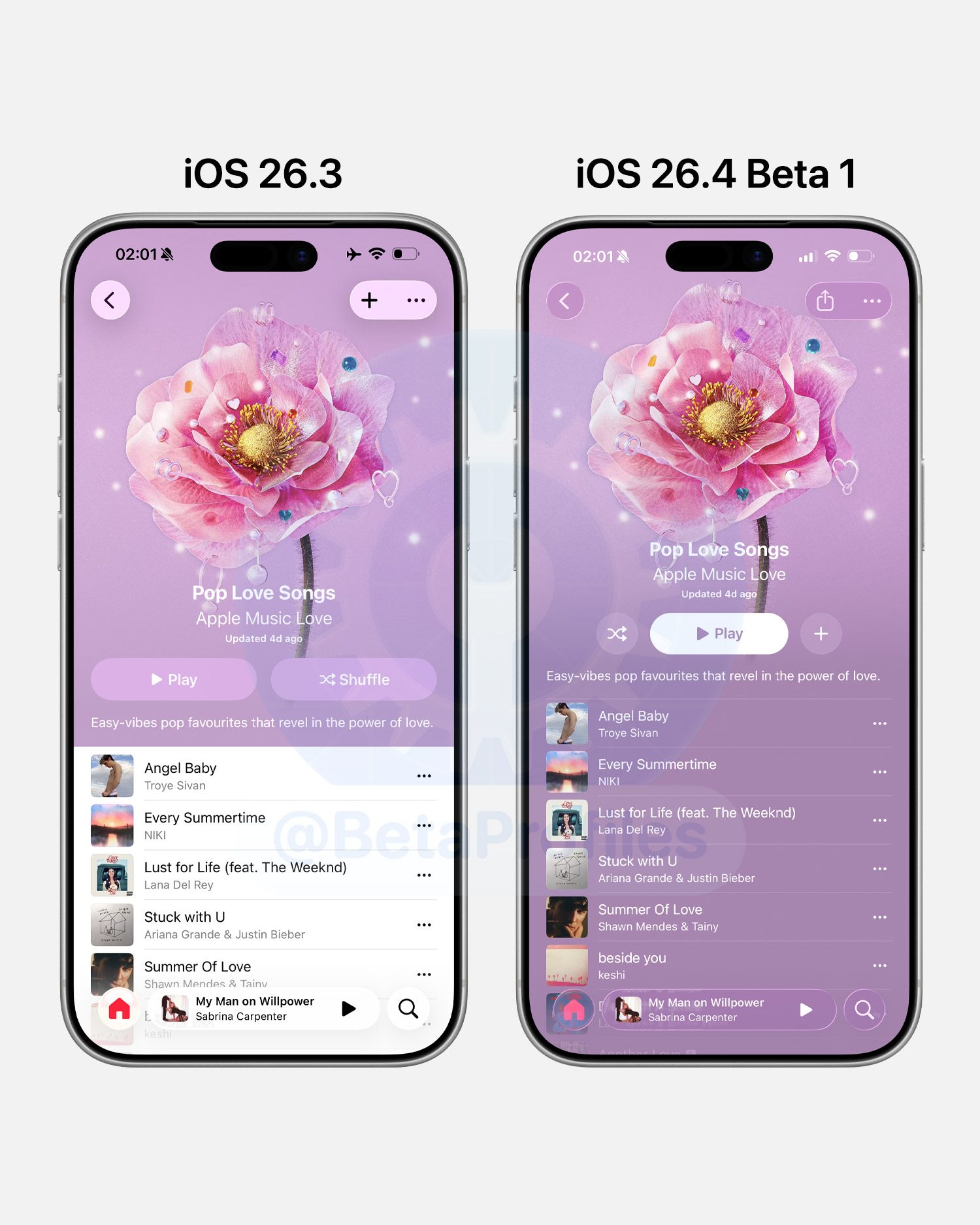
Redesigns Albums and Playlists
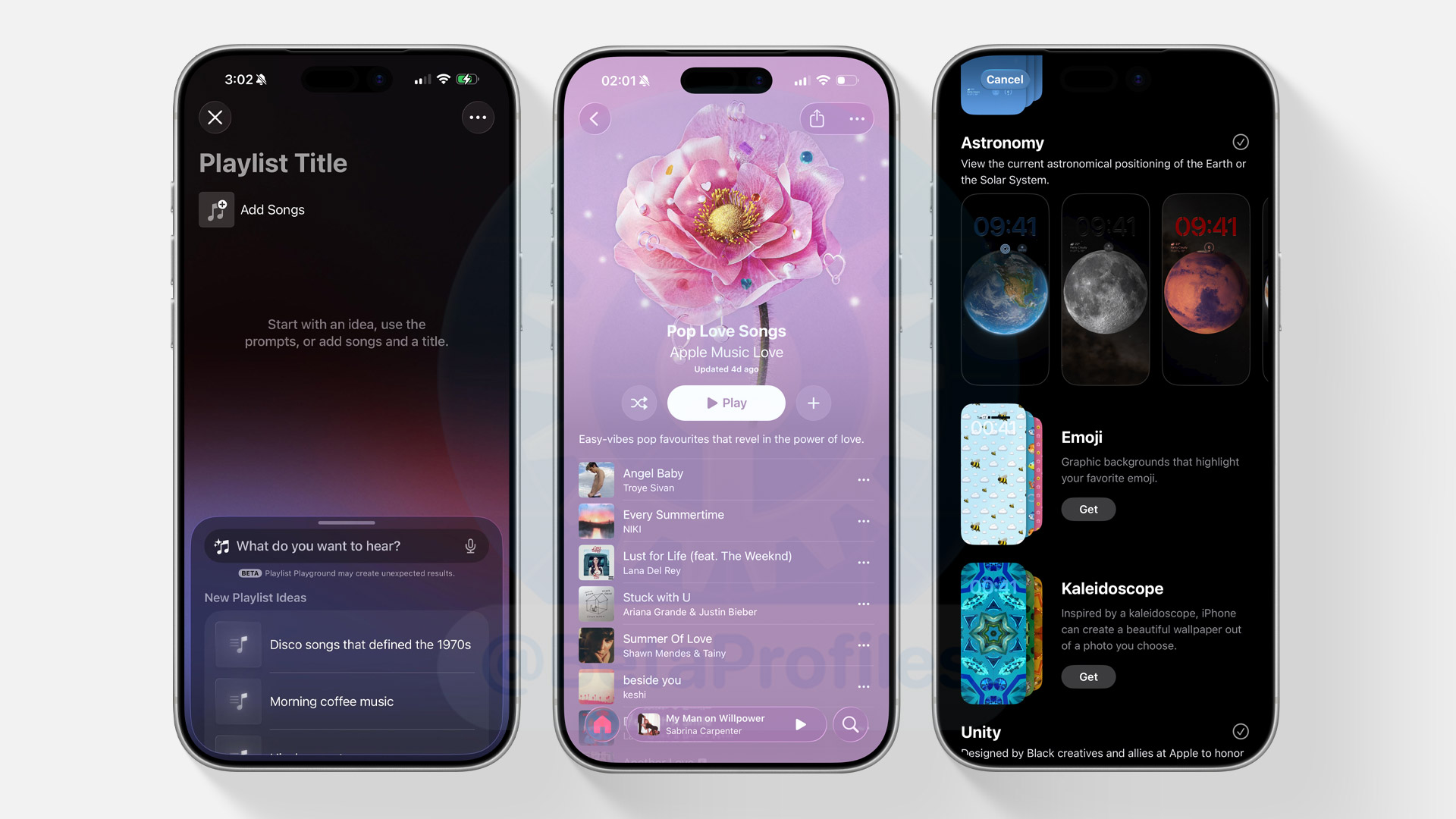
iOS 26.4 Beta 1 redesigns Albums and Playlists interface in Apple Music. Artwork now appears full-page, with colors that adapt based on the artwork itself.
This change also applies to user-created playlists.
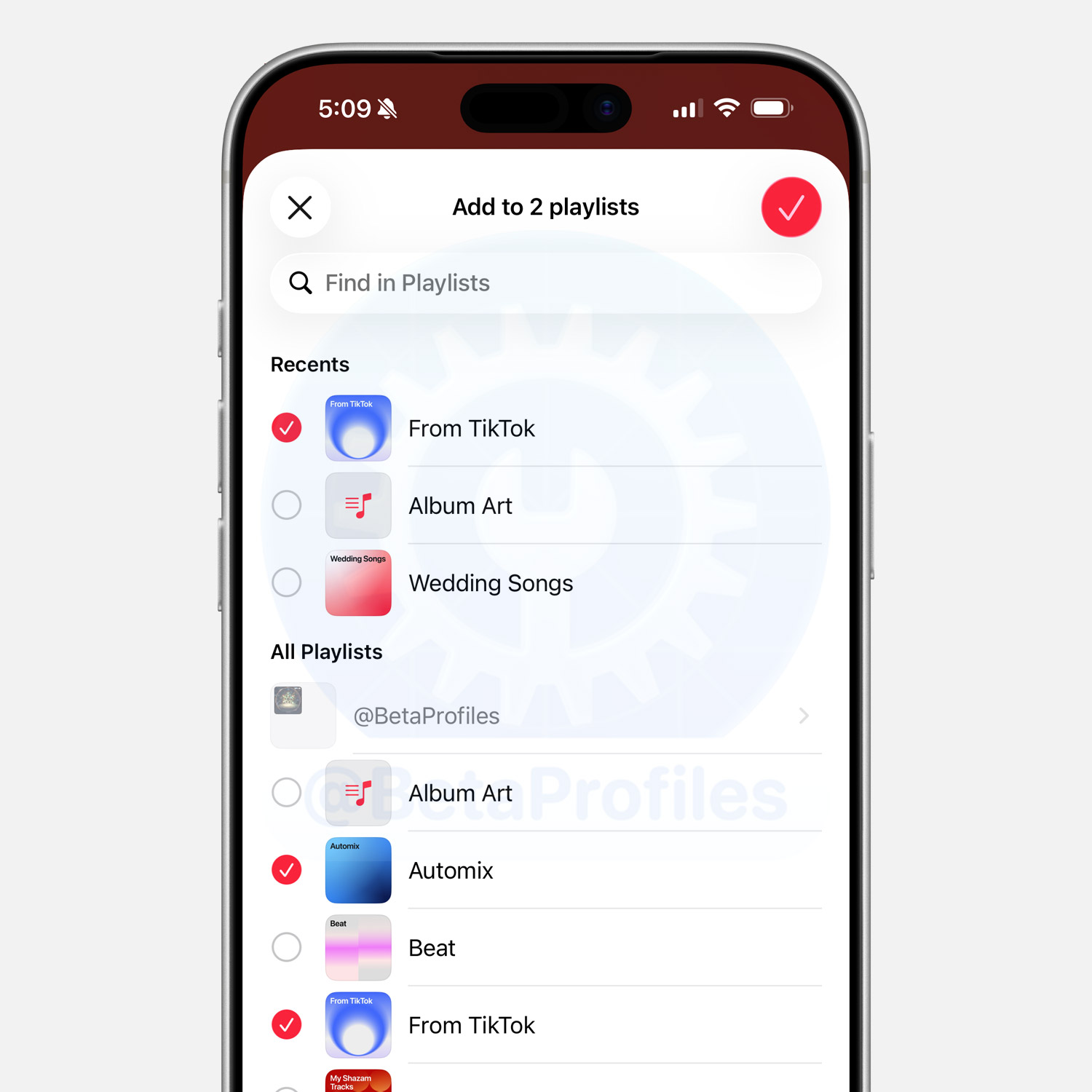
Also related to playlists, you can now add a song to multiple playlists at the same time.
Playlist Playground
Update: Playlist Playground appears to be region-locked for now and seems to be available only in the US in Beta 1. Some reports also suggest that an Apple Intelligence–supported device may not be required to use this feature.
Apple Music now lets you create AI-generated playlists from a simple prompt. Just type in your idea, and Playlist Playground will generate 25 songs along with a customizable title.
To try it out, head to the Library tab and tap the “+” button to start a new playlist. Keep in mind this feature is only available on devices that support Apple Intelligence.
Concerts
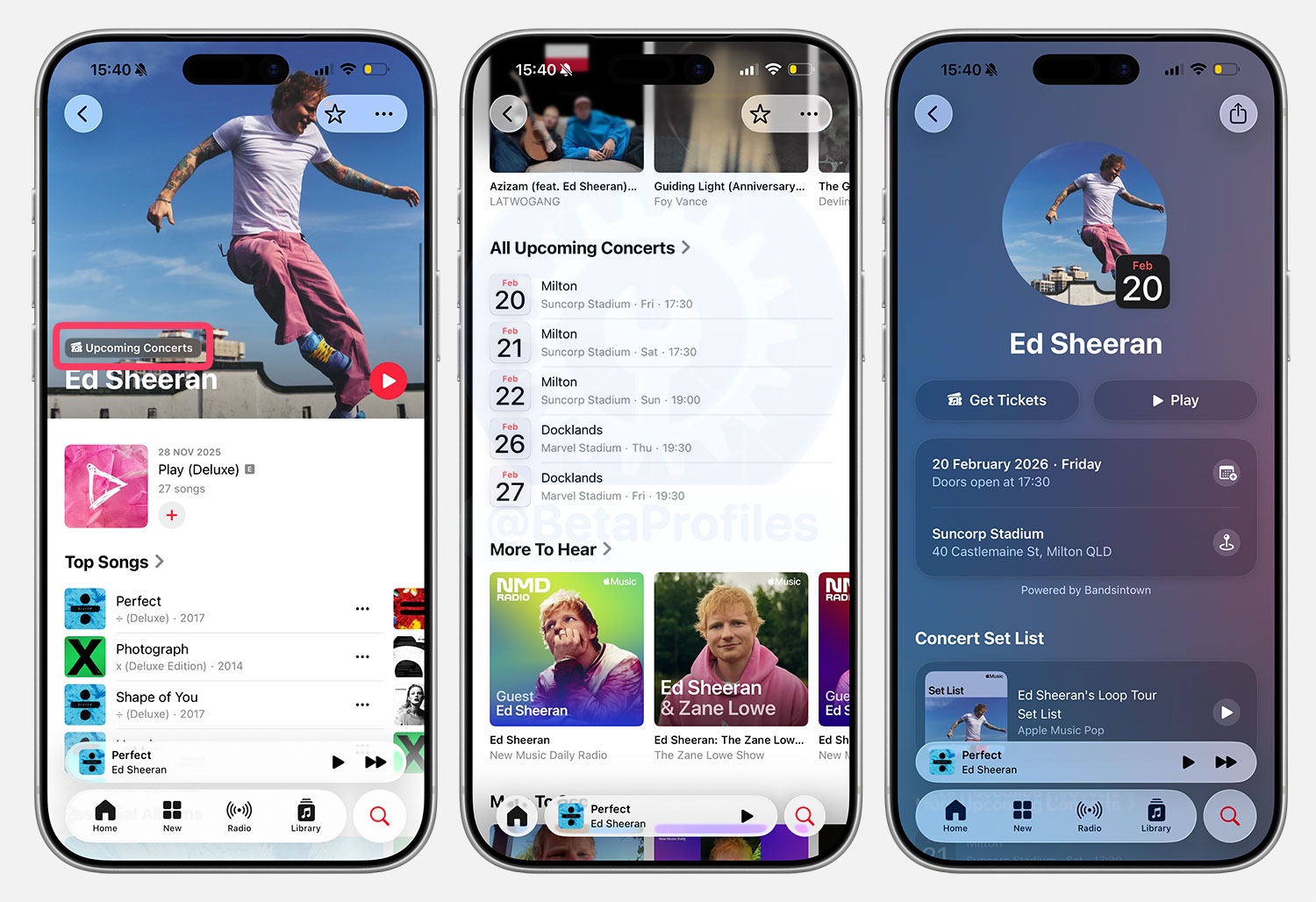
iOS 26.4 Beta adds a new feature that shows concerts near you, as well as upcoming concerts from artists. If an artist’s page includes an “Upcoming Concerts” label, scrolling down will display the dates and locations of their upcoming concerts, along with options to purchase tickets through third-party services such as Bandsintown and Ticketmaster.
SharePlay
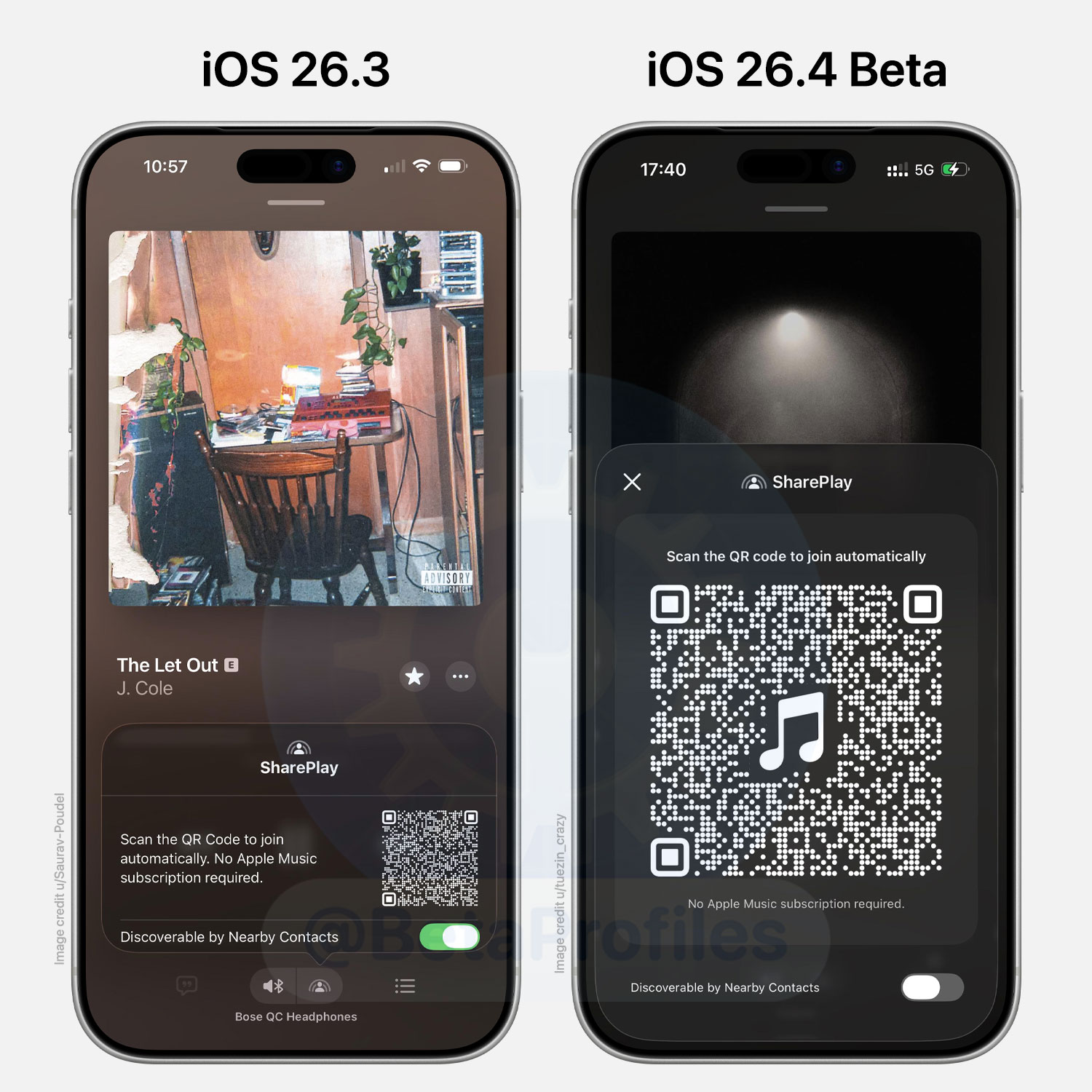
Apple Music in iOS 26.4 Beta brings a refreshed look to SharePlay for listening together. The QR code generated for a shared session is now significantly larger and easier to scan.
In earlier versions, tapping the QR code would expand it to full screen and automatically boost the display brightness so others could scan it more easily.
Apple Podcasts
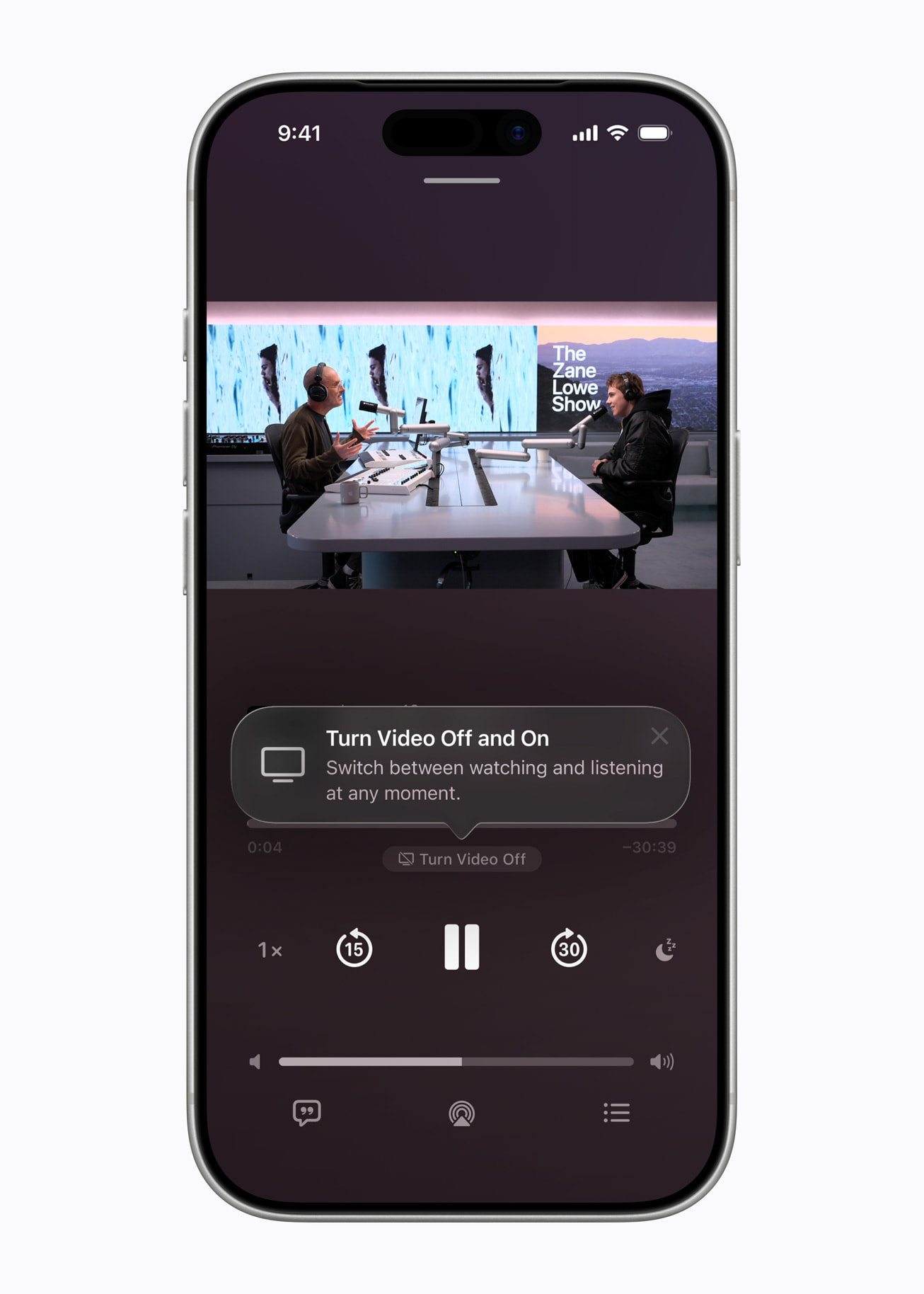
Apple has announced that iOS 26.4 will add support for video podcasts in the Podcasts app via HTTP Live Streaming (HLS), ensuring smooth playback over both Wi-Fi and cellular networks.
There’s a toggle in the podcast interface to turn video on or off, along with an option to download videos for offline viewing.
Testing End-to-End Encryption for RCS
Apple says it has begun testing end-to-end encryption (E2EE) for RCS messages in iOS 26.4 Beta. However, carriers will need to support the feature for it to work.
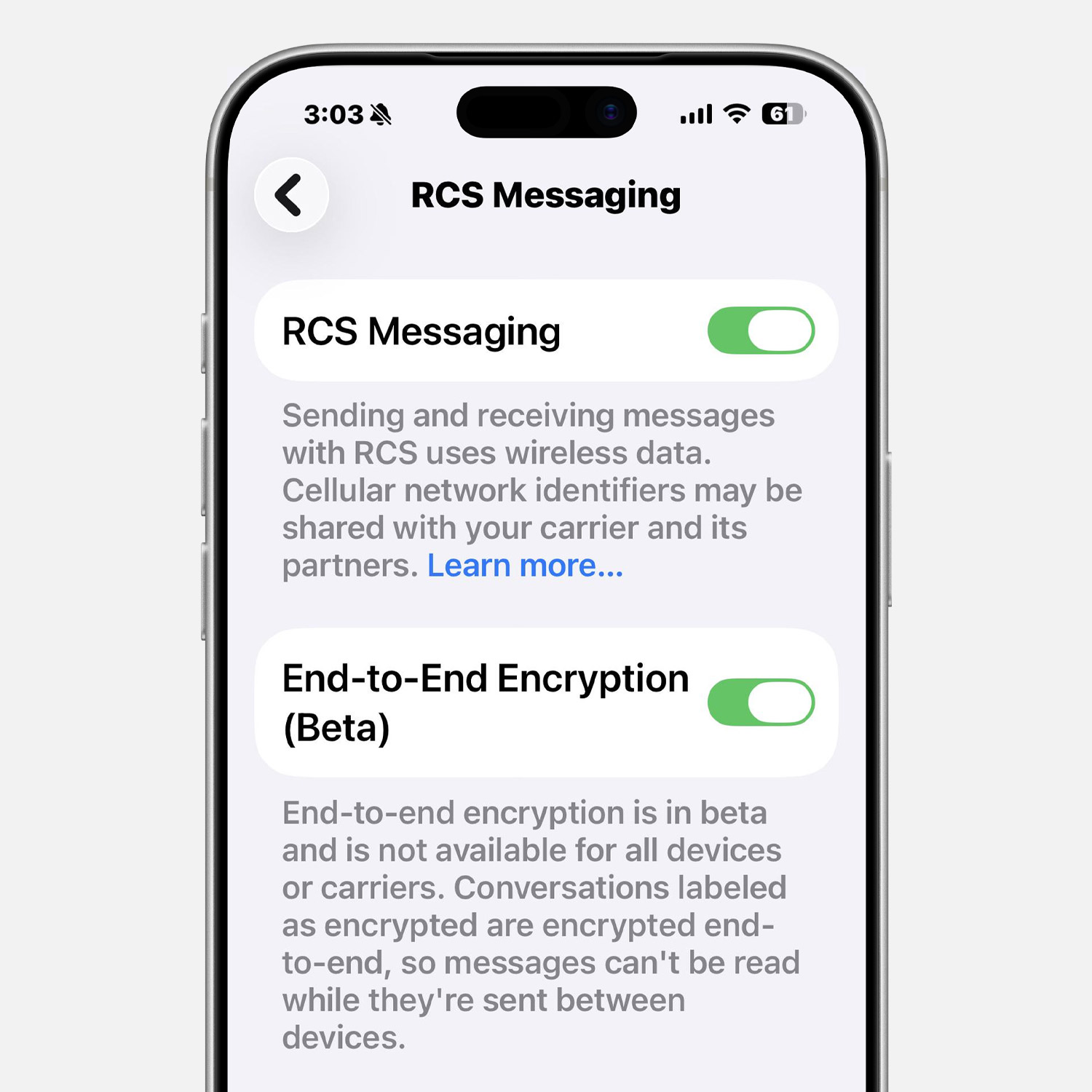
End-to-end encrypted RCS messages will display a lock icon in the conversation interface in iOS 26.4, similar to iMessages, to ensure a consistent experience.
Apple Account
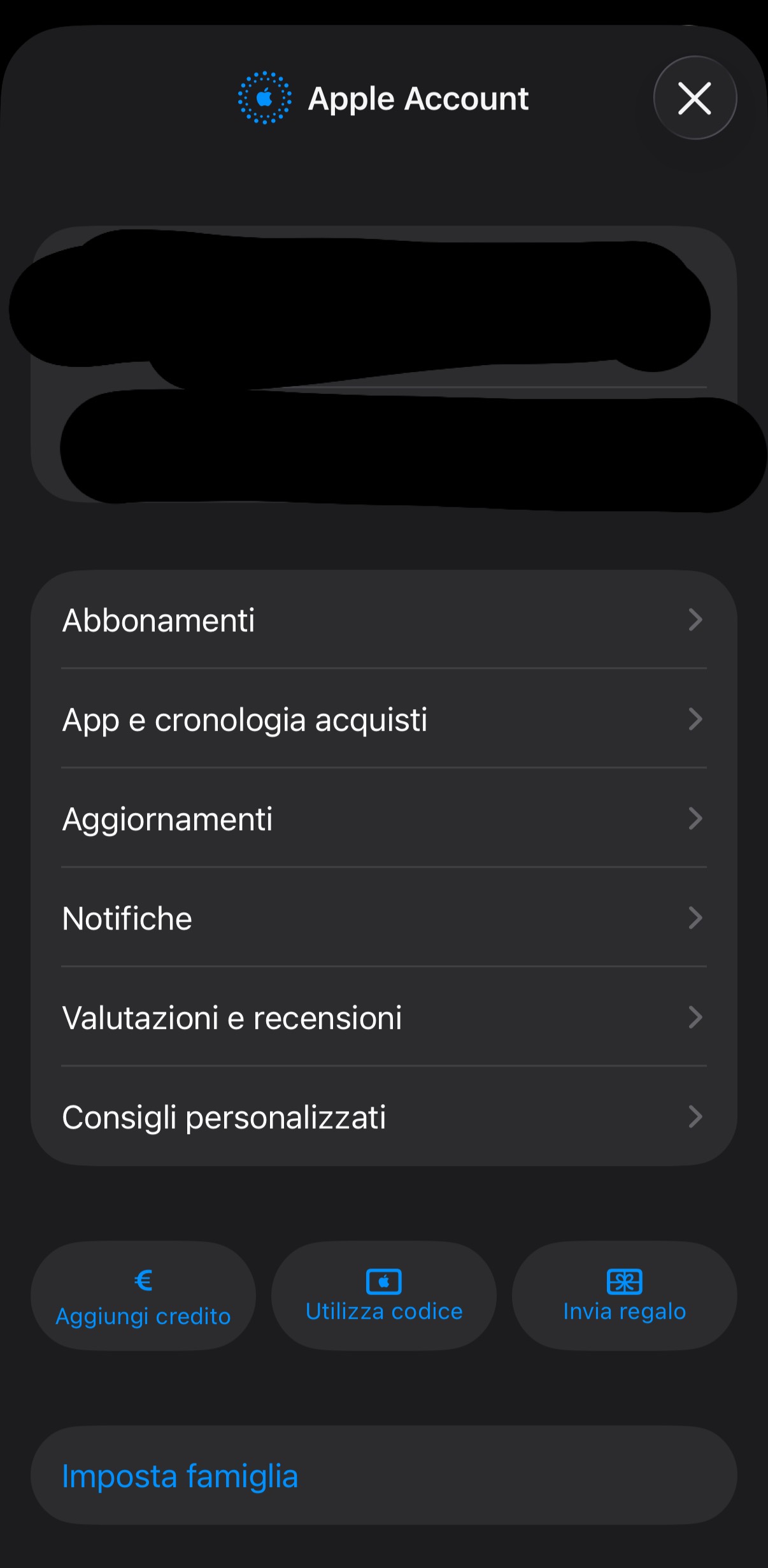
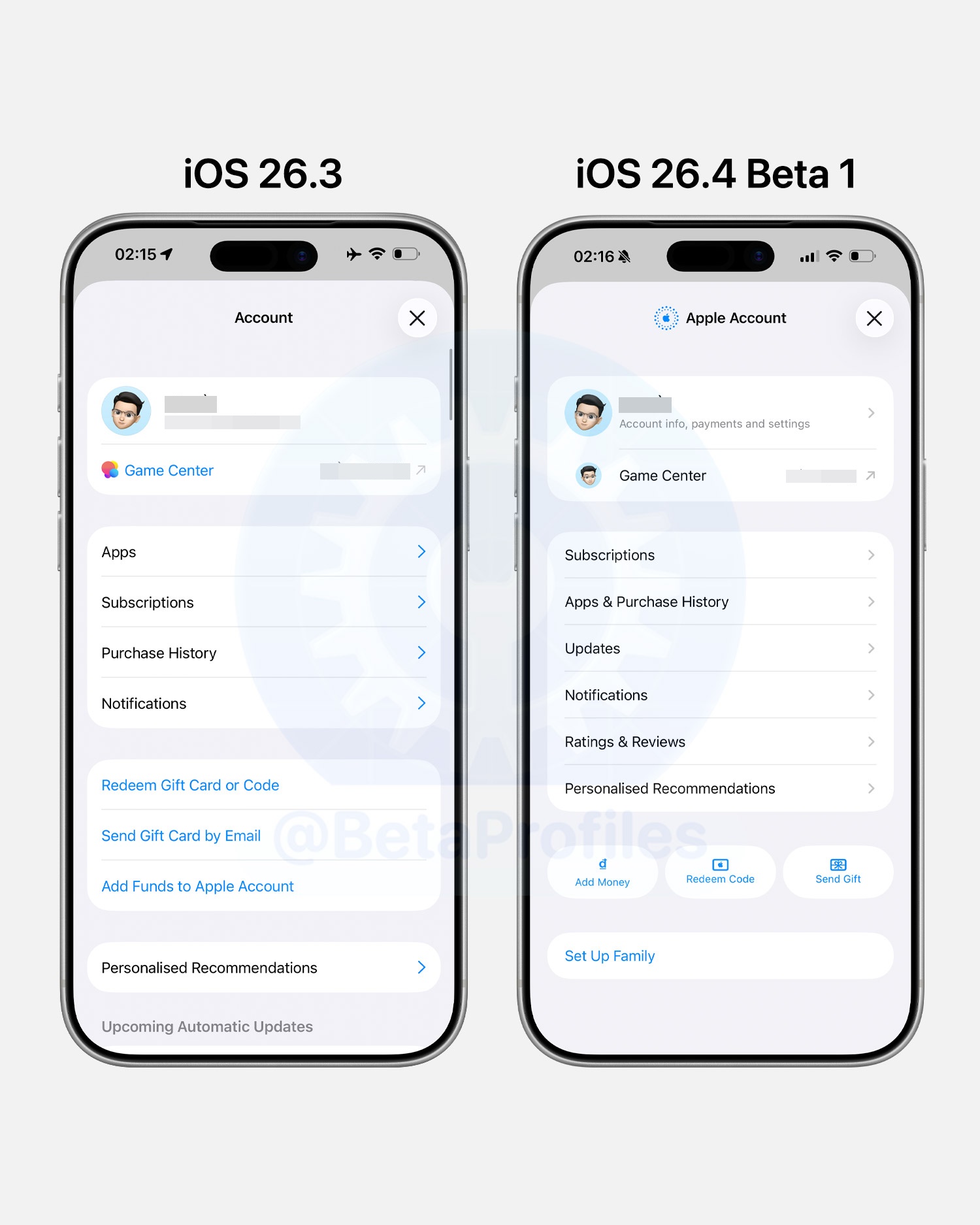
iOS 26.4 Beta 1 redesigns Apple Account page that appears when you tap your avatar in App Store, Apple Music, Apple TV, and Apple Podcasts.
New Widgets
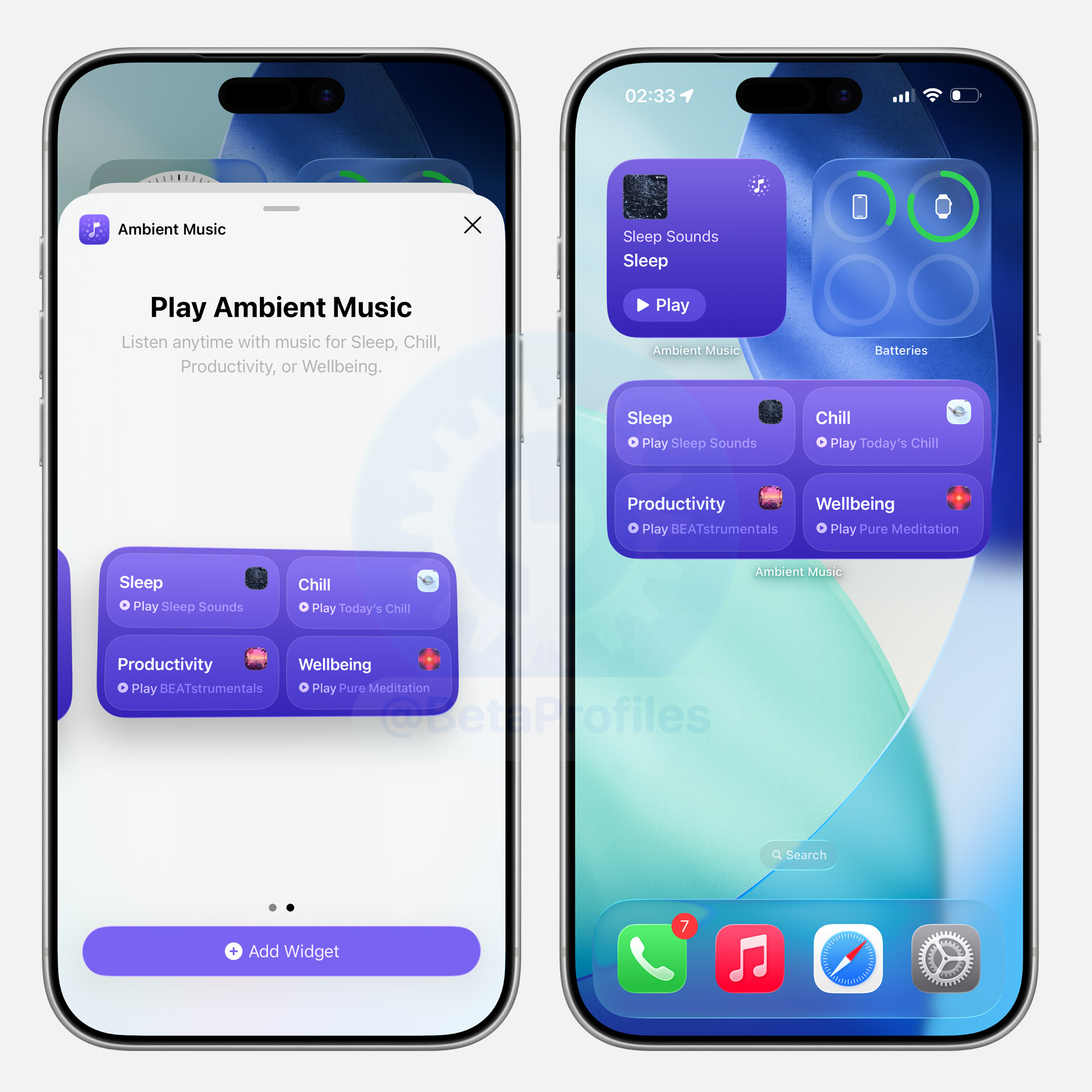
iOS 26.4 Beta adds two new widgets for Ambient Music.
Freeform App
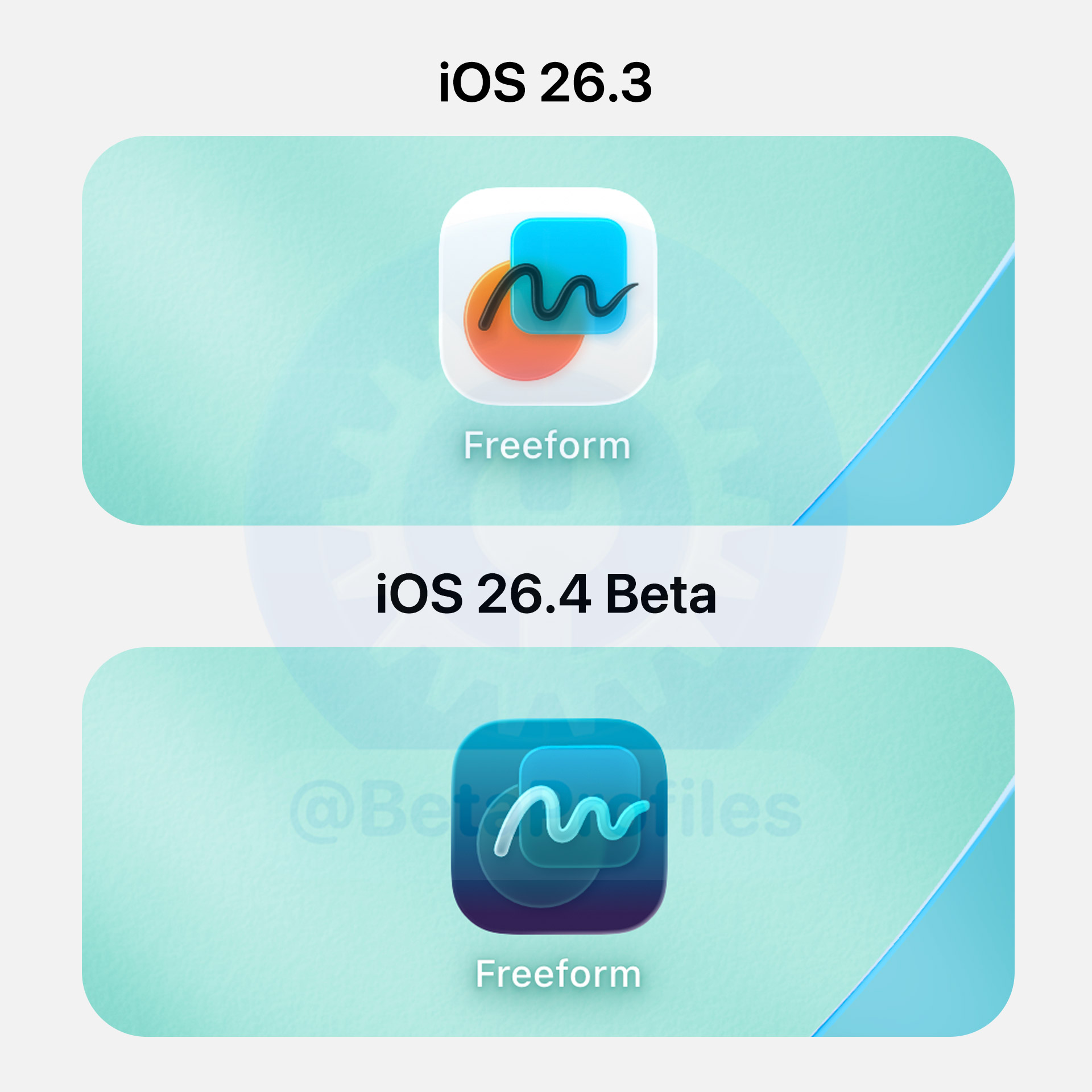
The Freeform app icon has been updated to better match the icon from the Apple Creator Studio.
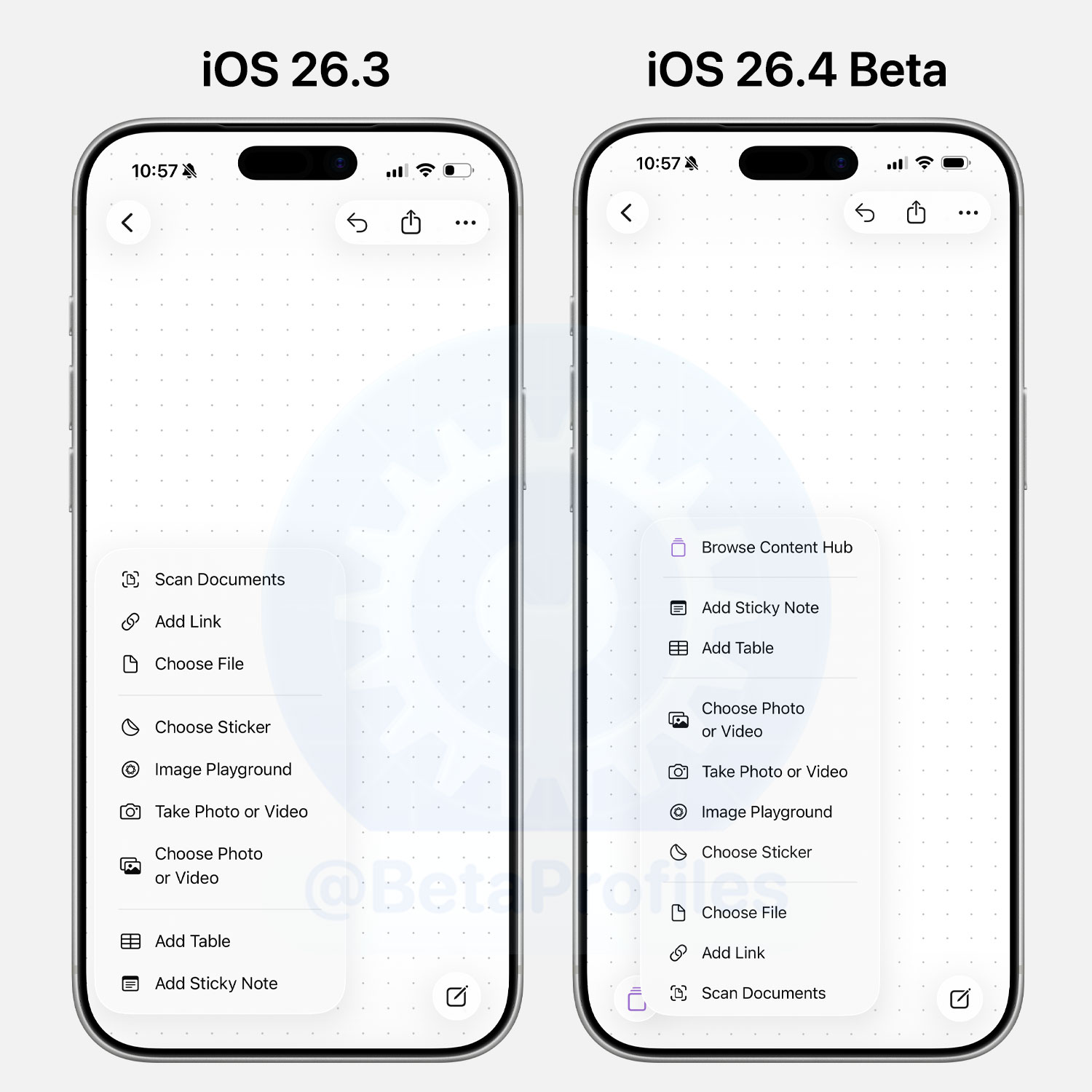
There are also a few changes in Freeform. A new Content Hub option replaces Shapes, and it now sits separately in the bottom-left corner, while options like Markup, Text, and Attachments remain centered.

The Shapes interface in Freeform has also been updated with the Liquid Glass design. You can now scroll up or down to browse all available shapes, whereas in iOS 26.3 you had to select individual shape categories to view them.

The Attachments menu has also been rearranged, with the order of items reversed from top to bottom. In addition, there’s a new Browse Content Hub option, which opens the shapes selection page when tapped.
Safari
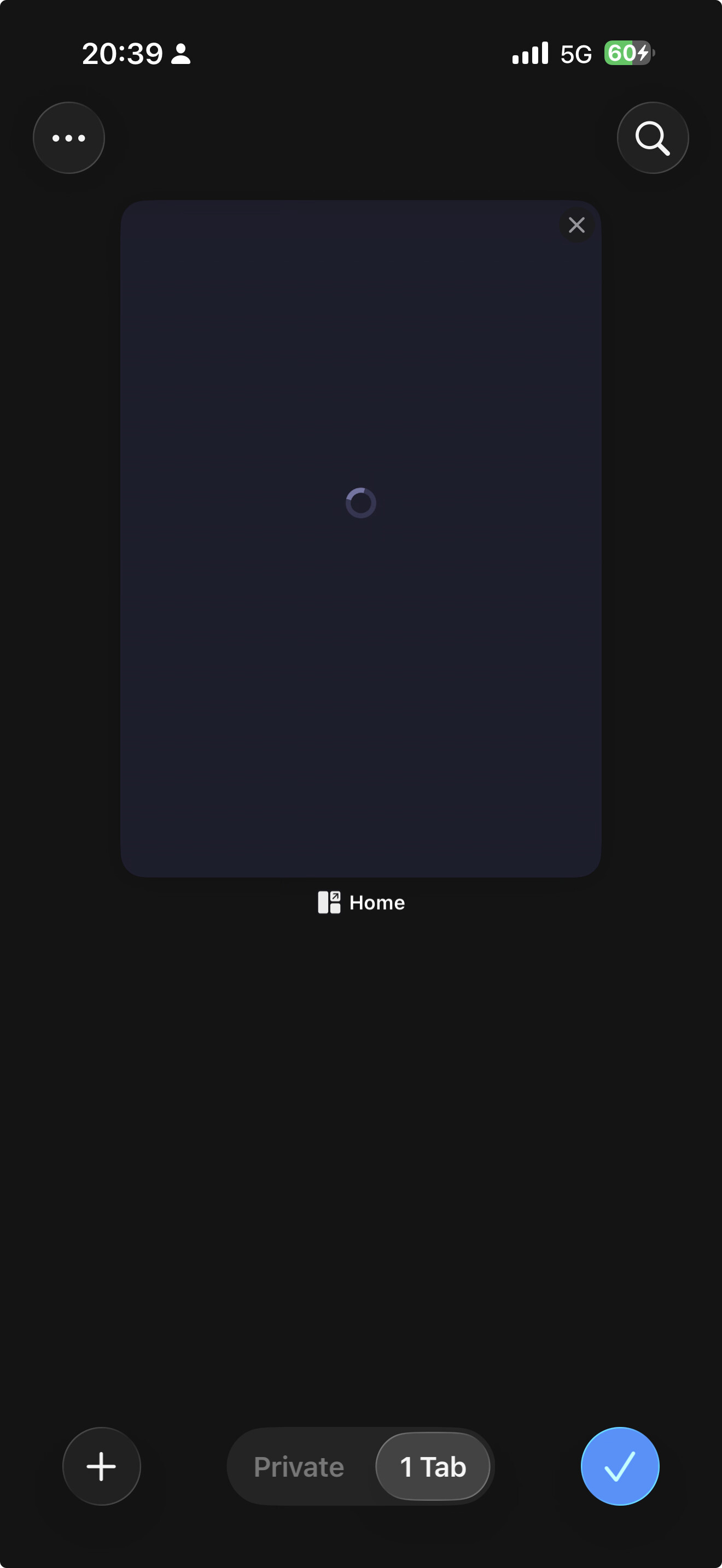
iOS 26.4 Beta adds a search button to the All Tabs page in Safari, allowing you to quickly search through your currently open tabs.
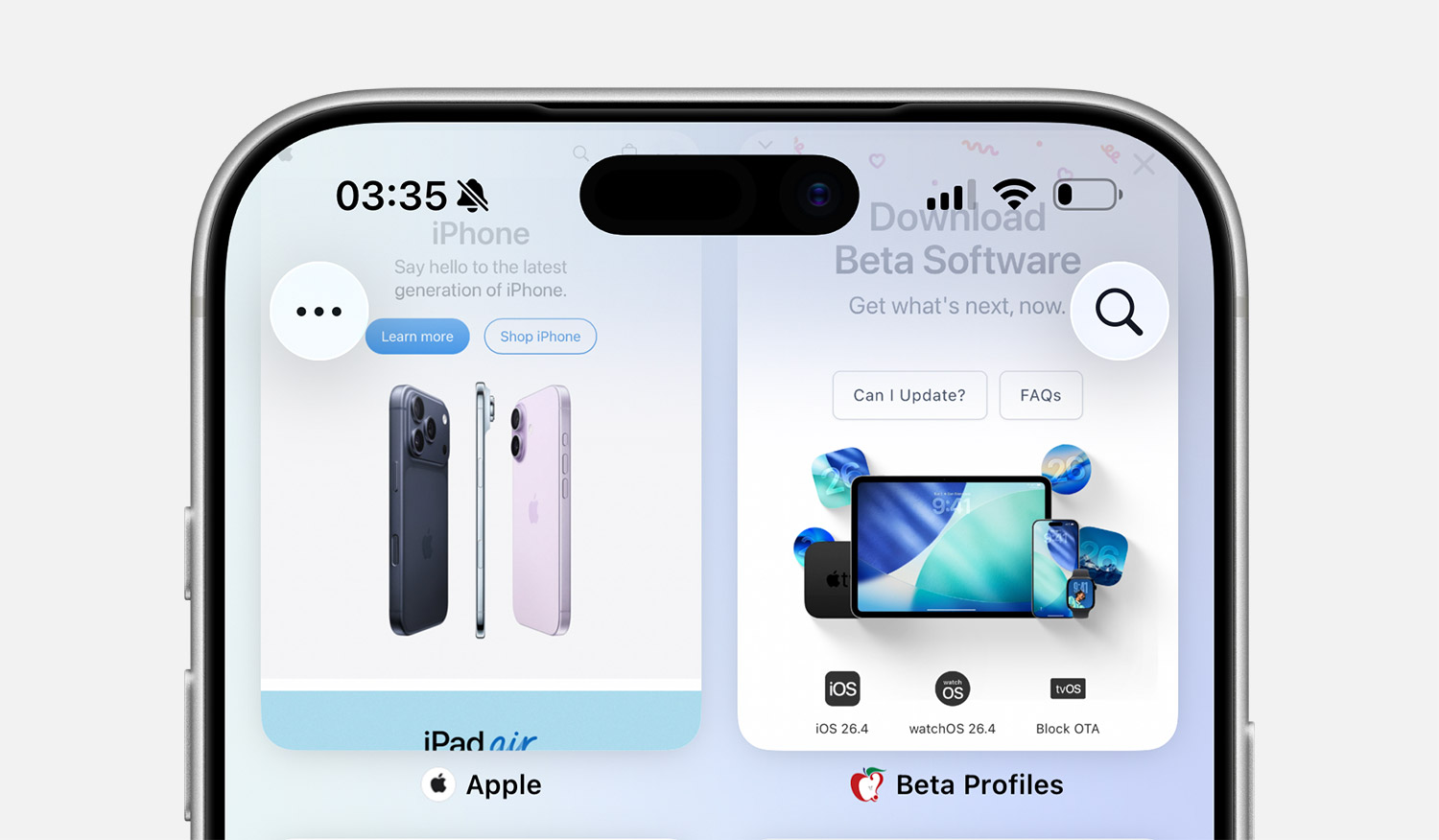
Additionally, when a Screen Time passcode is set, you can no longer clear your browsing history. (via @KingDando)
Stolen Device Protection
Starting with iOS 26.4, Stolen Device Protection is enabled by default. Previously, you had to turn it on manually in Settings > Face ID & Passcode > Stolen Device Protection, then authenticate with Face ID, Touch ID, or your passcode.
Outlook Logo
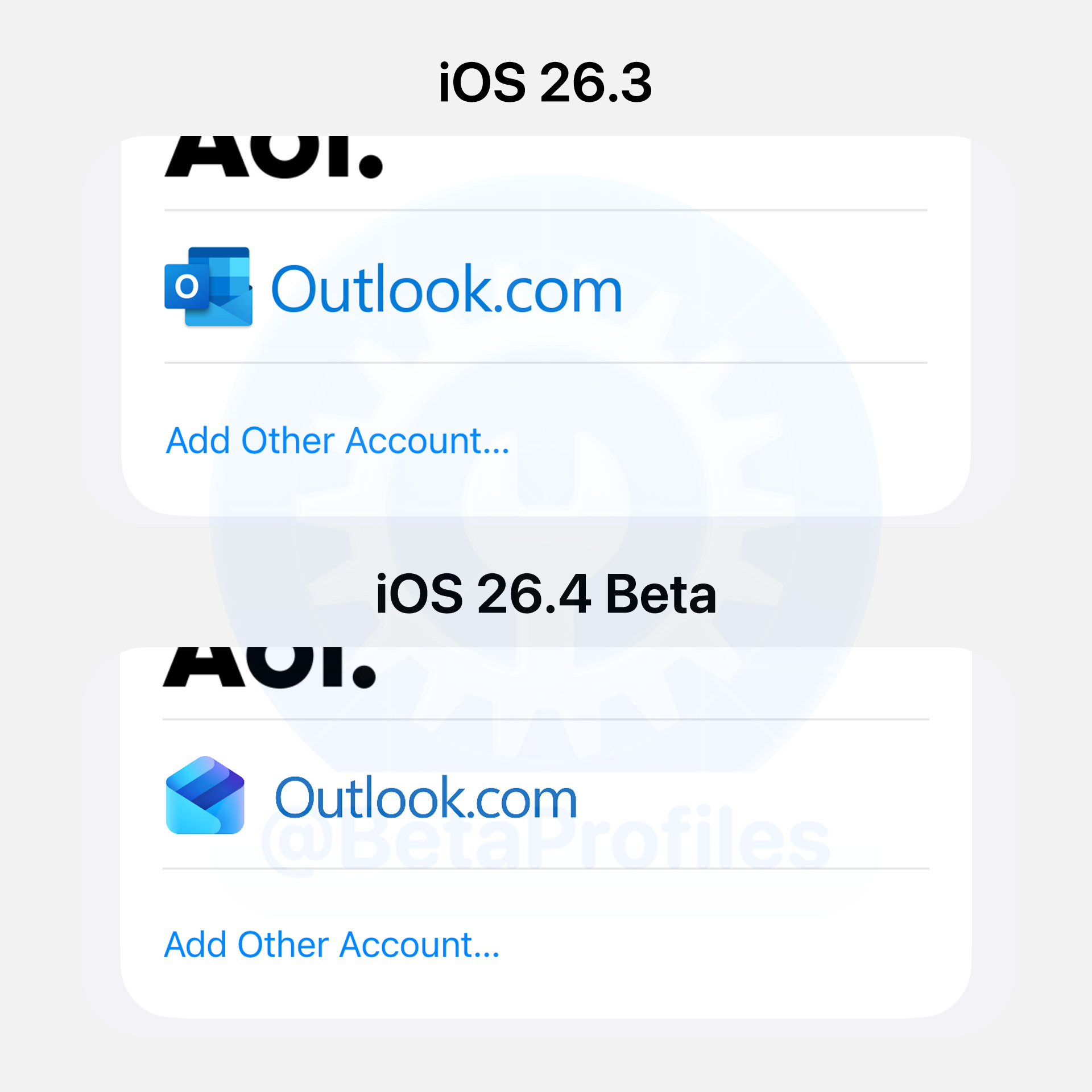
iOS 26.4 Beta updates the Outlook app with its new logo.
Passcode Screen
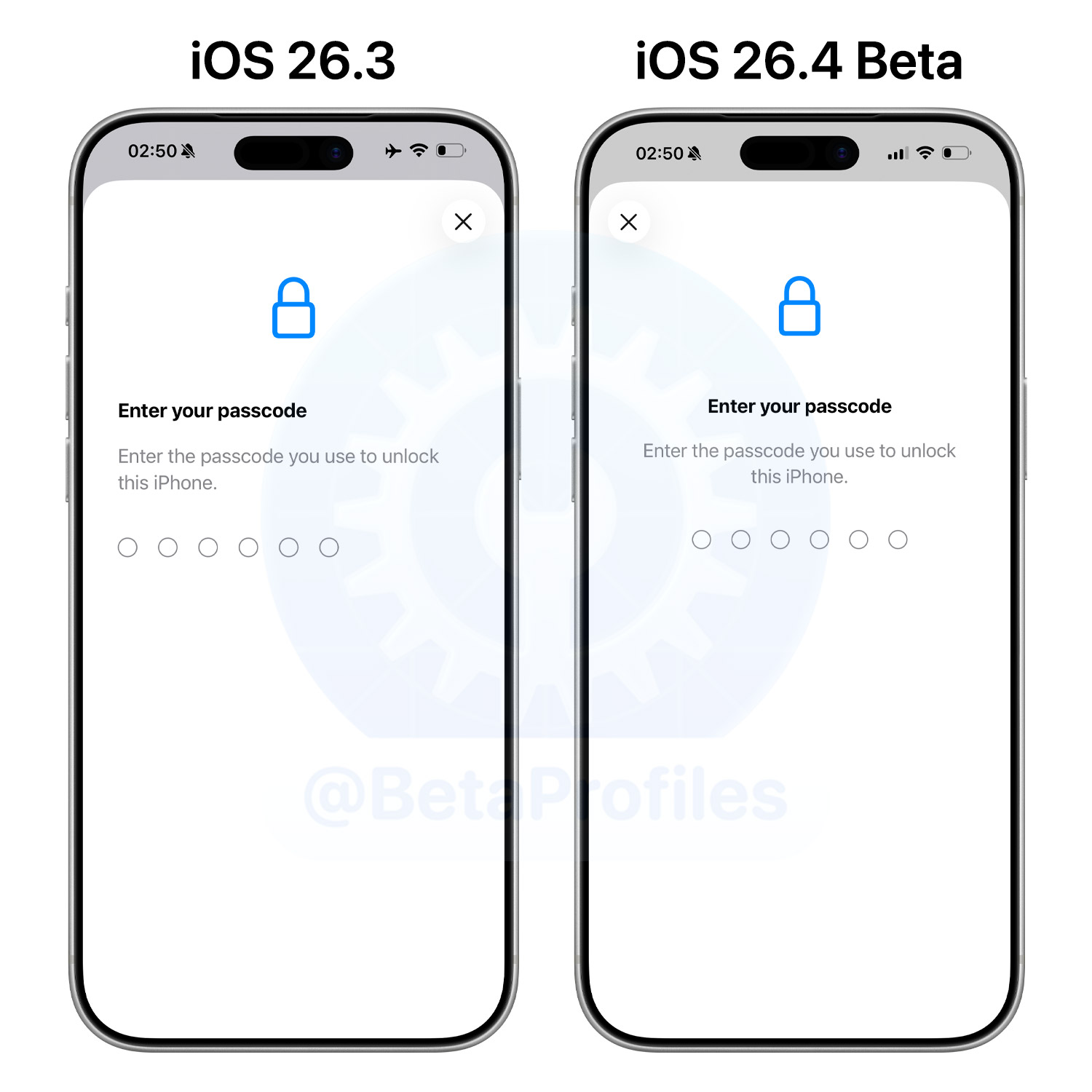
The passcode entry screen in iOS 26.4 is now centered, instead of being oddly left-aligned in previous versions.
iCloud Web Settings
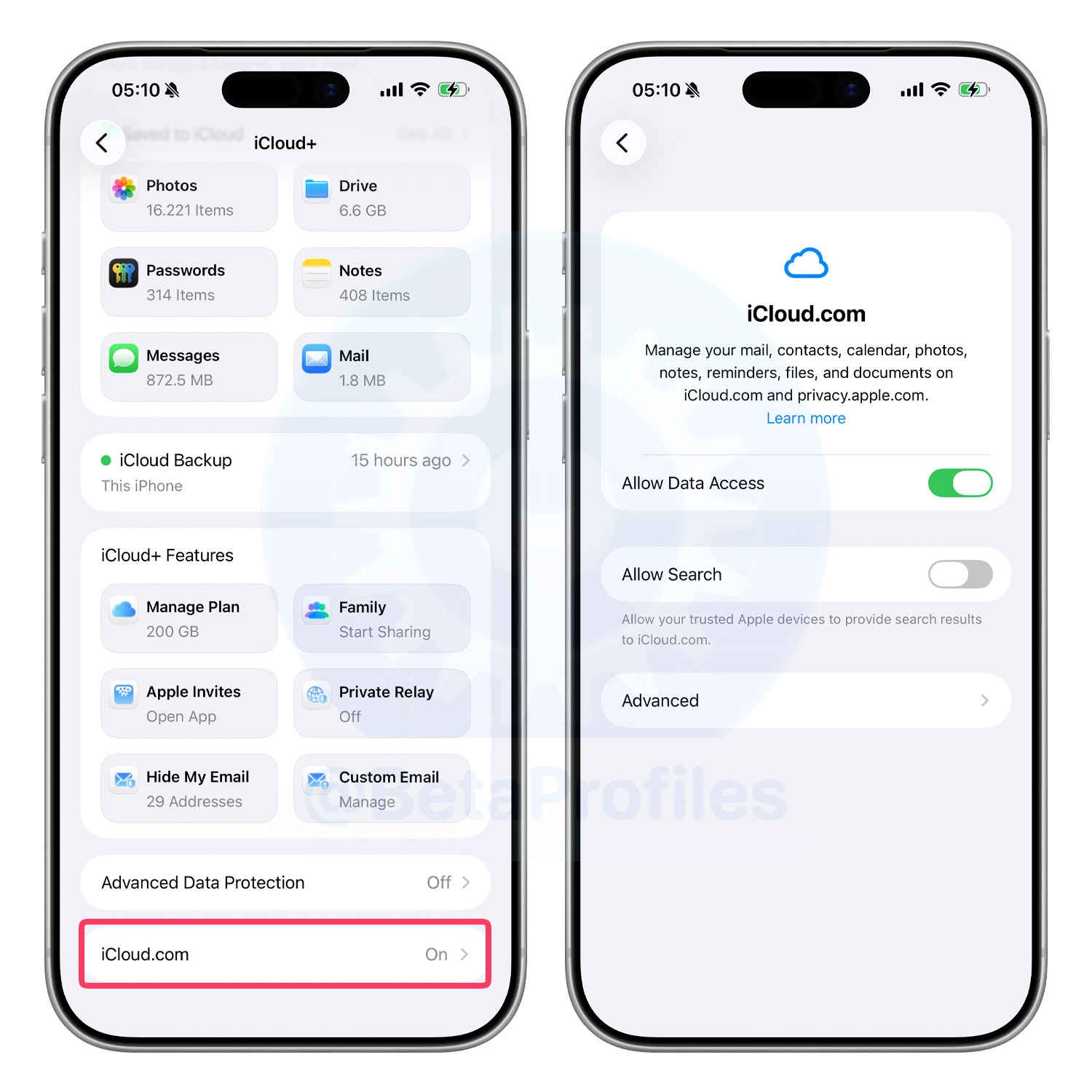
iOS 26.4 replaces the “Access iCloud Data on the Web” toggle in iCloud settings with a new iCloud.com option. There’s also a new “Allow Search” toggle that lets trusted Apple devices provide search results for iCloud.com.
New Emojis Coming Soon
Although iOS 26.4 Beta 1 doesn’t include the expected new emojis, the code contains references to them, suggesting they could arrive in future beta releases.

The upcoming new emojis include:
- Trombone
- Treasure Chest
- Distorted Face
- Apple Core
- Fight Cloud
- Ballet Dancer
- Hairy Creature
- Orca
- Landslide
Phone
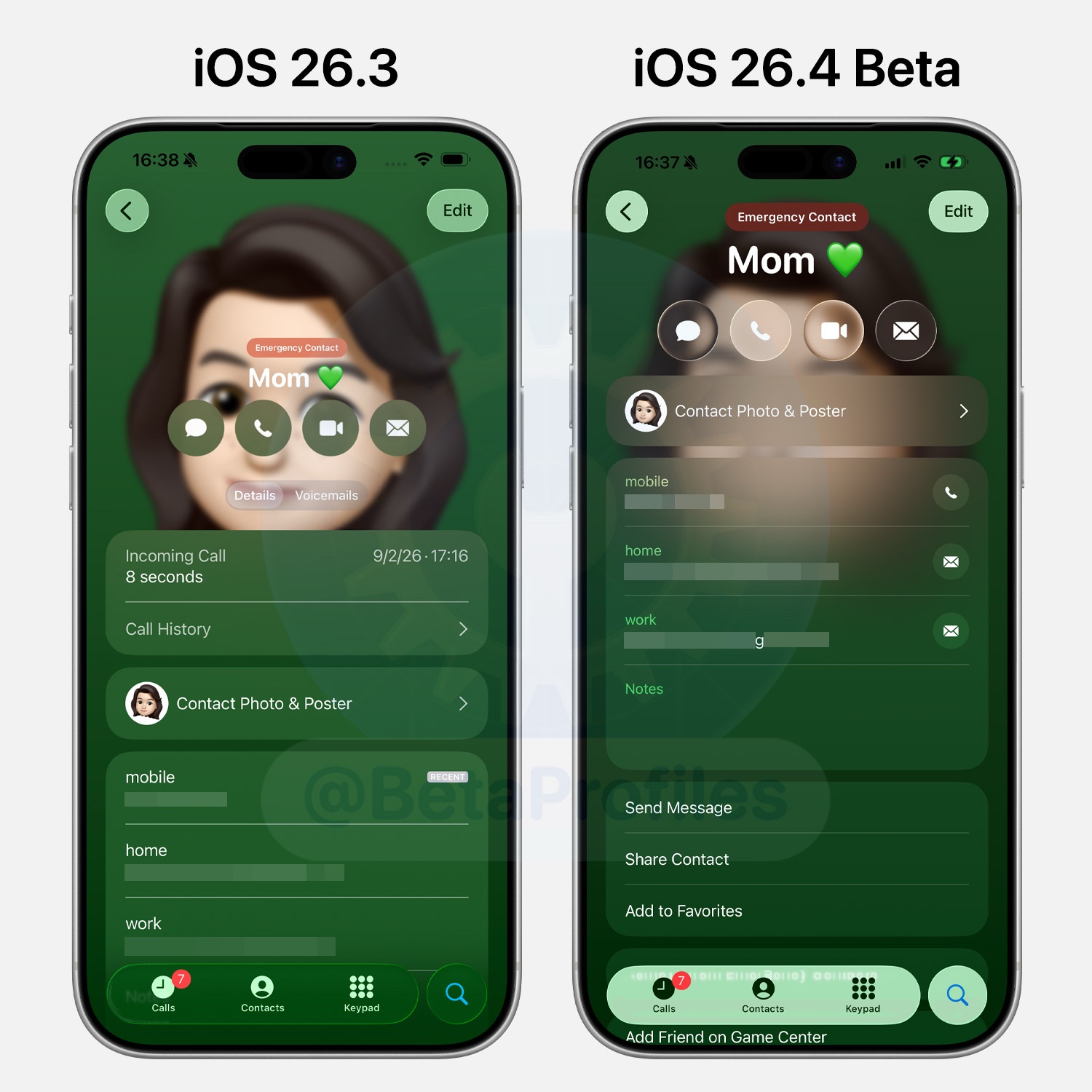
The Message, Phone, FaceTime, and Email buttons in the Phone app have been updated with the new Liquid Glass design. Additionally, details like phone numbers, email addresses, and directions now include icons on the right side.
Reminders
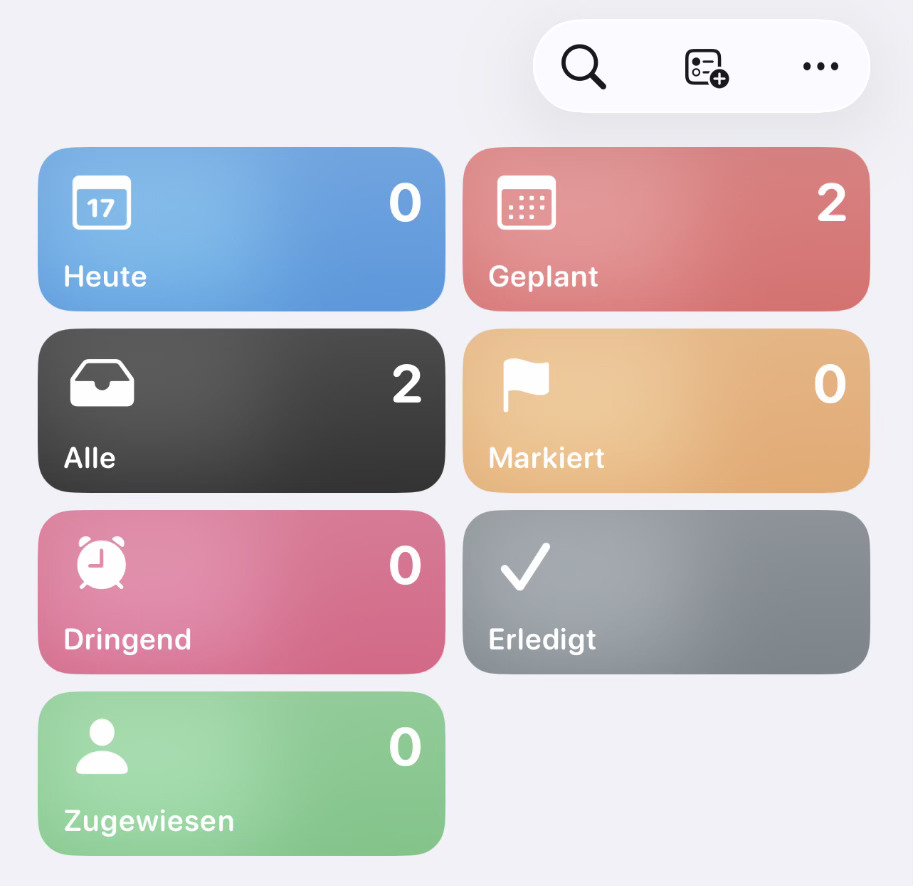
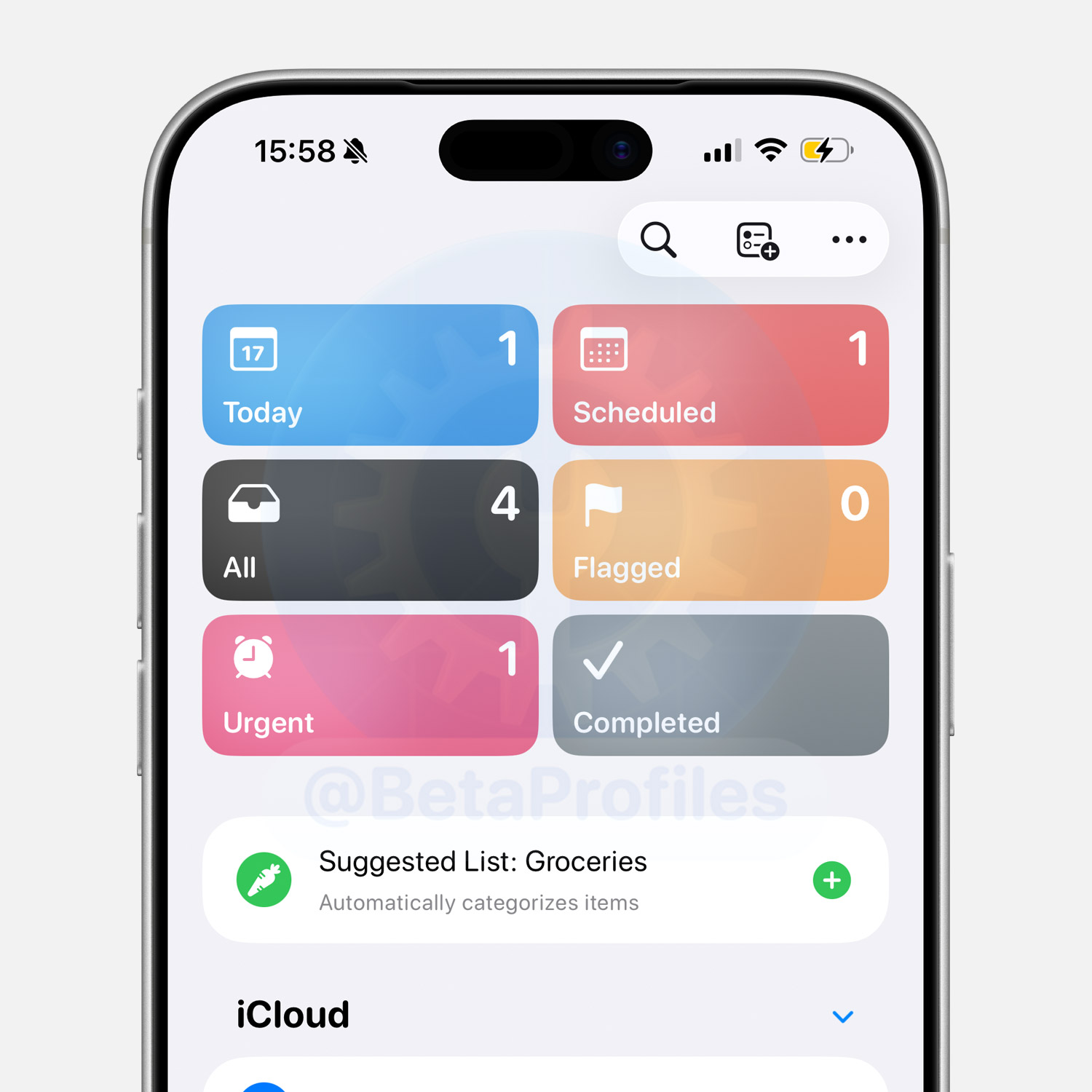
iOS 26.4 beta adds a new Urgent section in the Reminders app. This is where reminders marked as Urgent (a feature introduced in iOS 26.2) will appear.
App Store
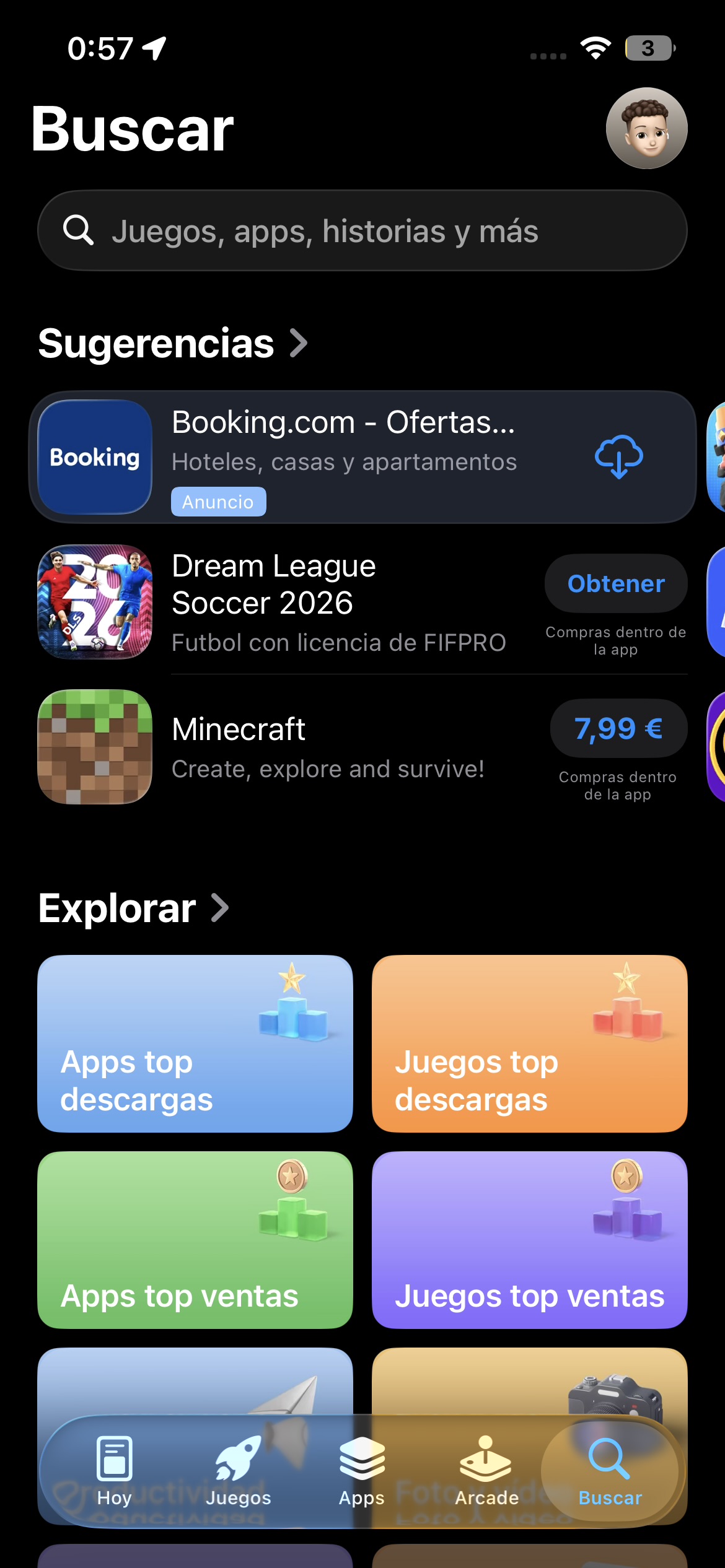
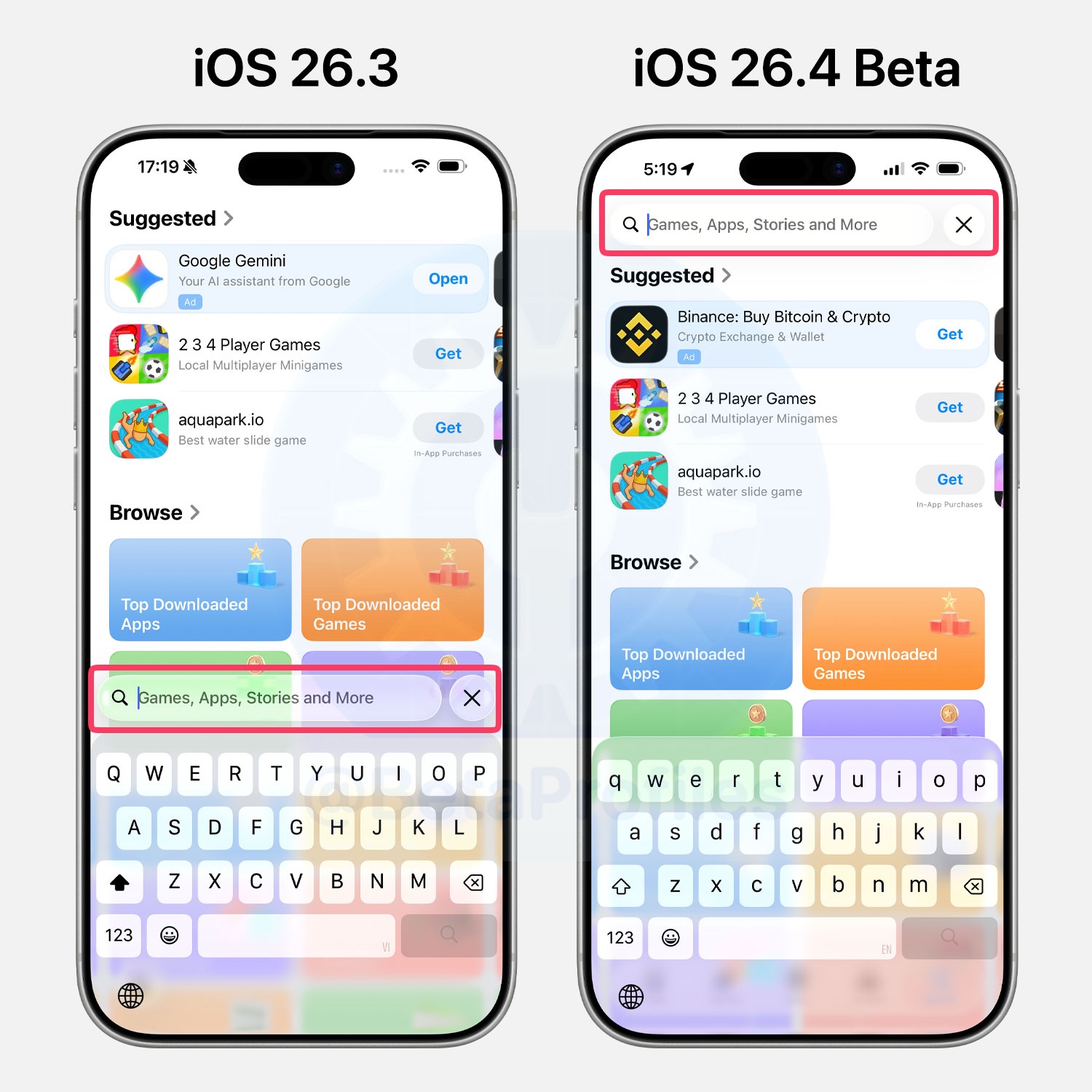
Search in the App Store is now integrated directly into the tab bar instead of being a separate button.
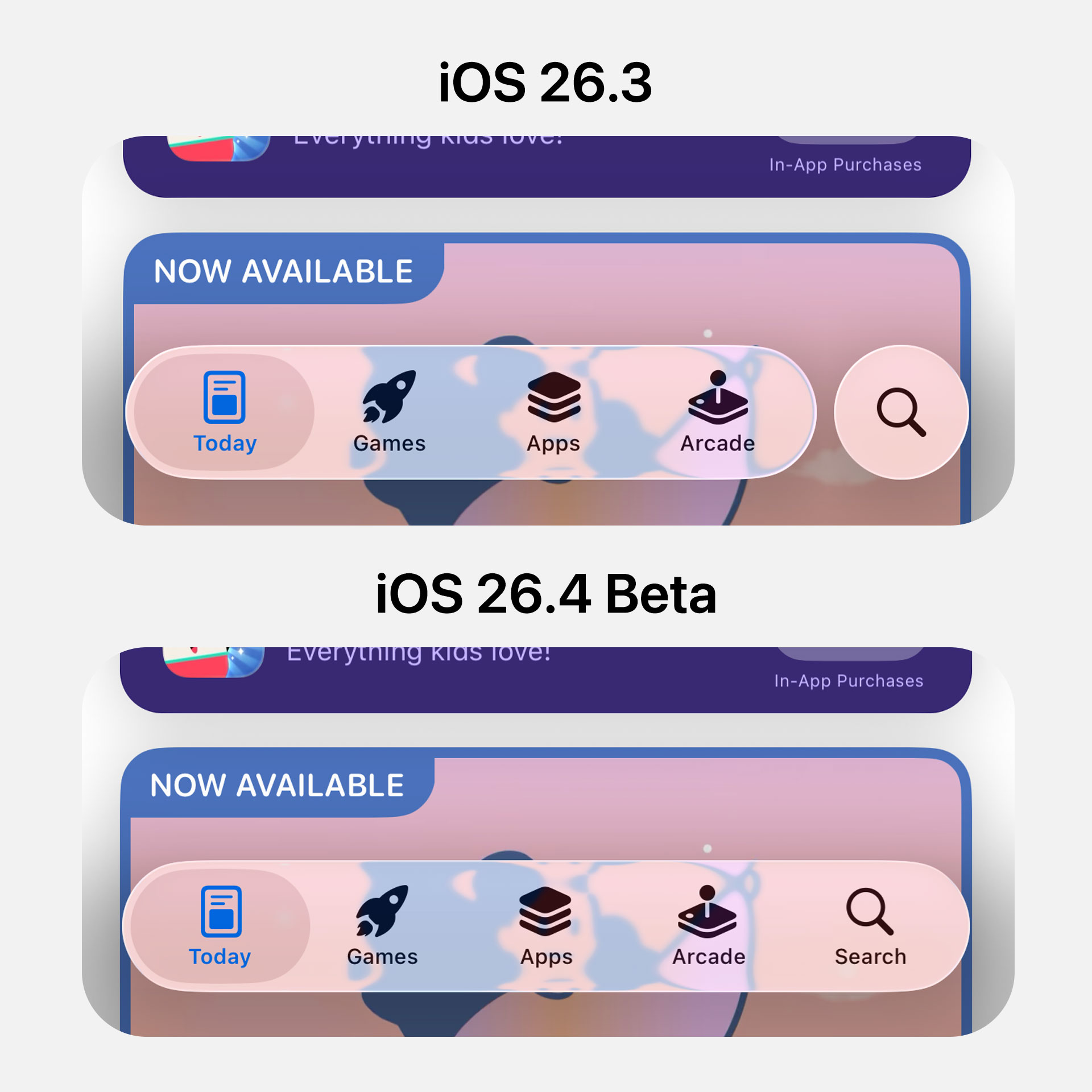
The App Store search bar in iOS 26.4 has also been moved to the top of the screen, rather than being positioned at the bottom.
New Shortcuts
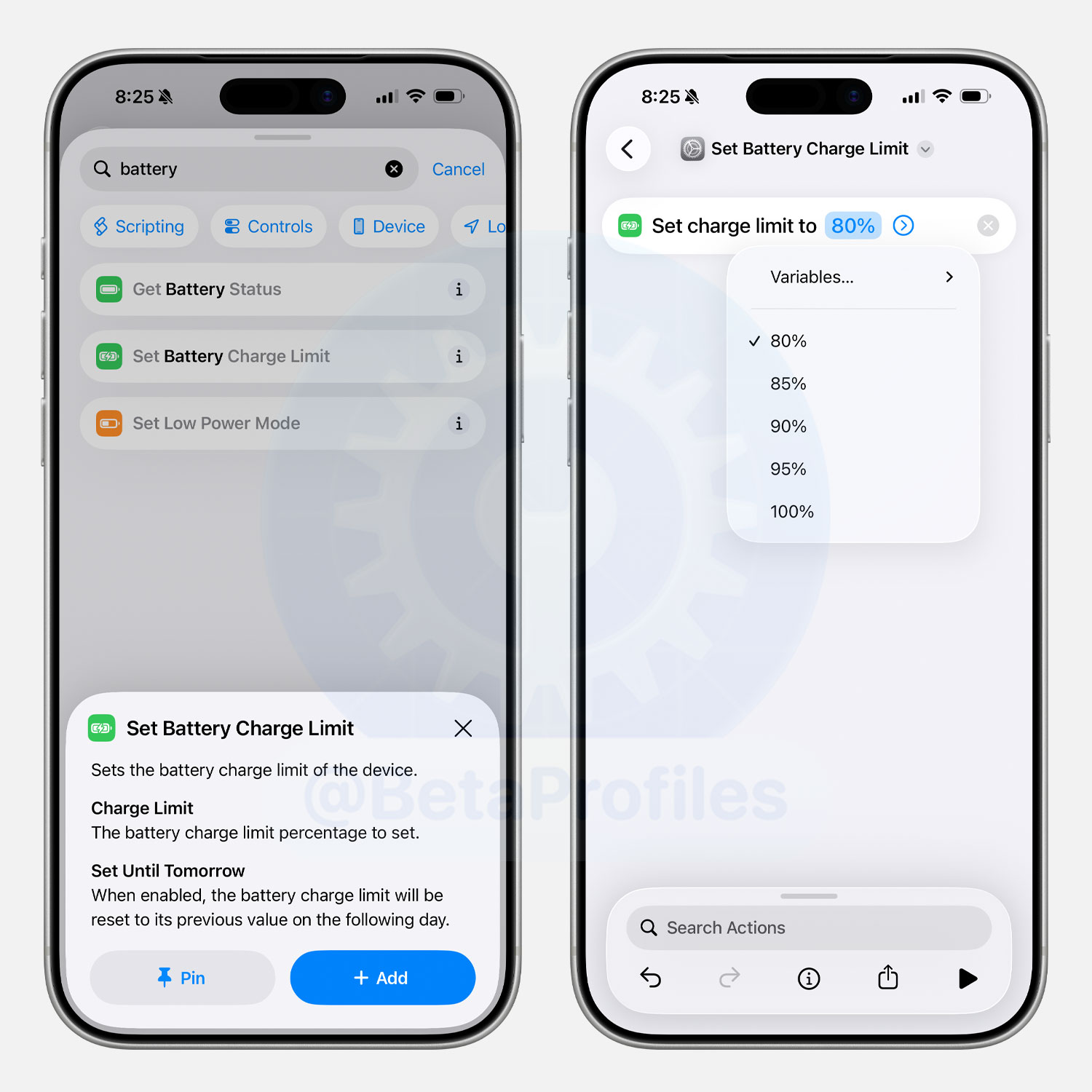
iOS 26.4 adds a new “Set Battery Charge Limit” shortcut action.
Build Number Visibility
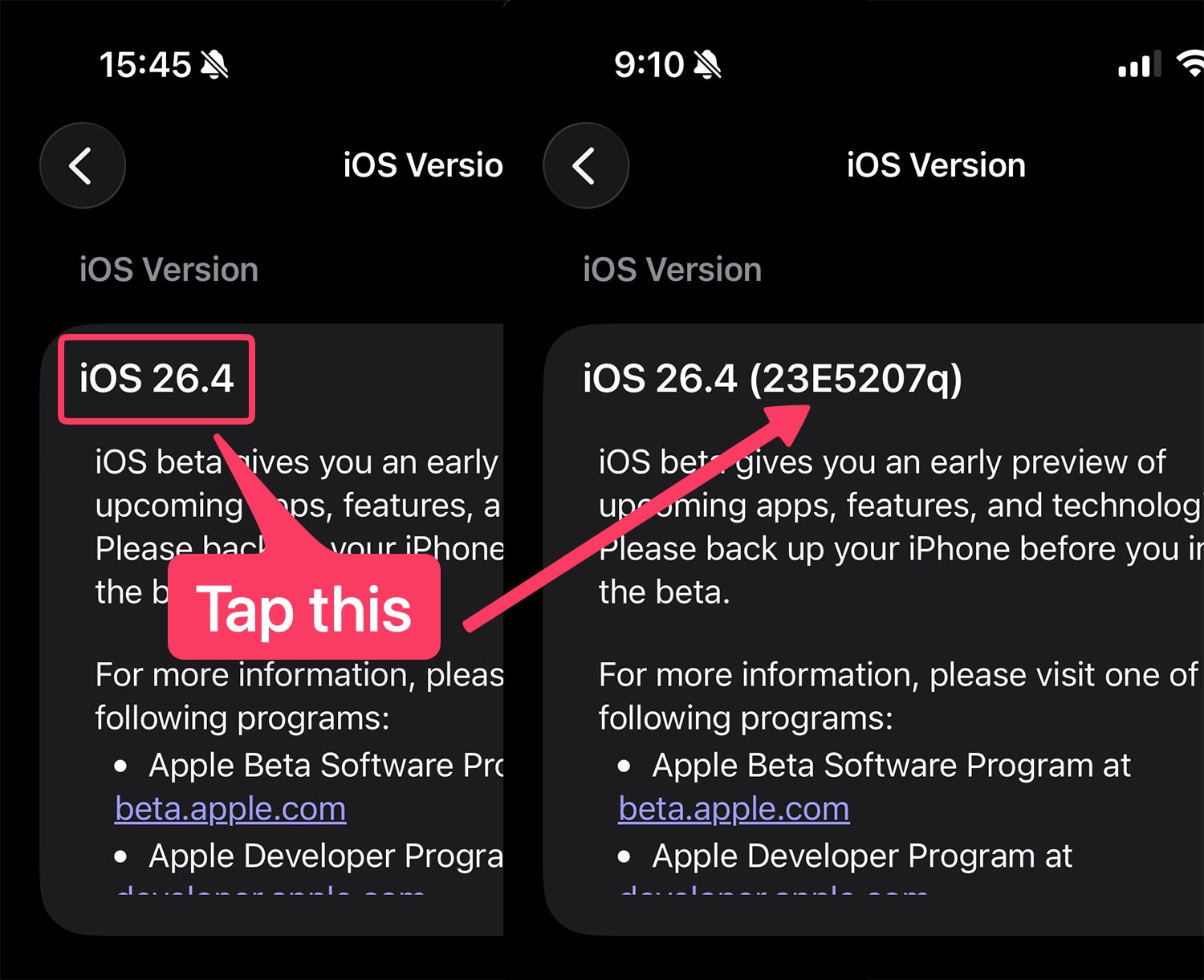
The build number is no longer shown by default in Settings > General > About > iOS Version. You now have to tap on the version number to reveal the build number.
Safari Compact Tab Bar on iPad
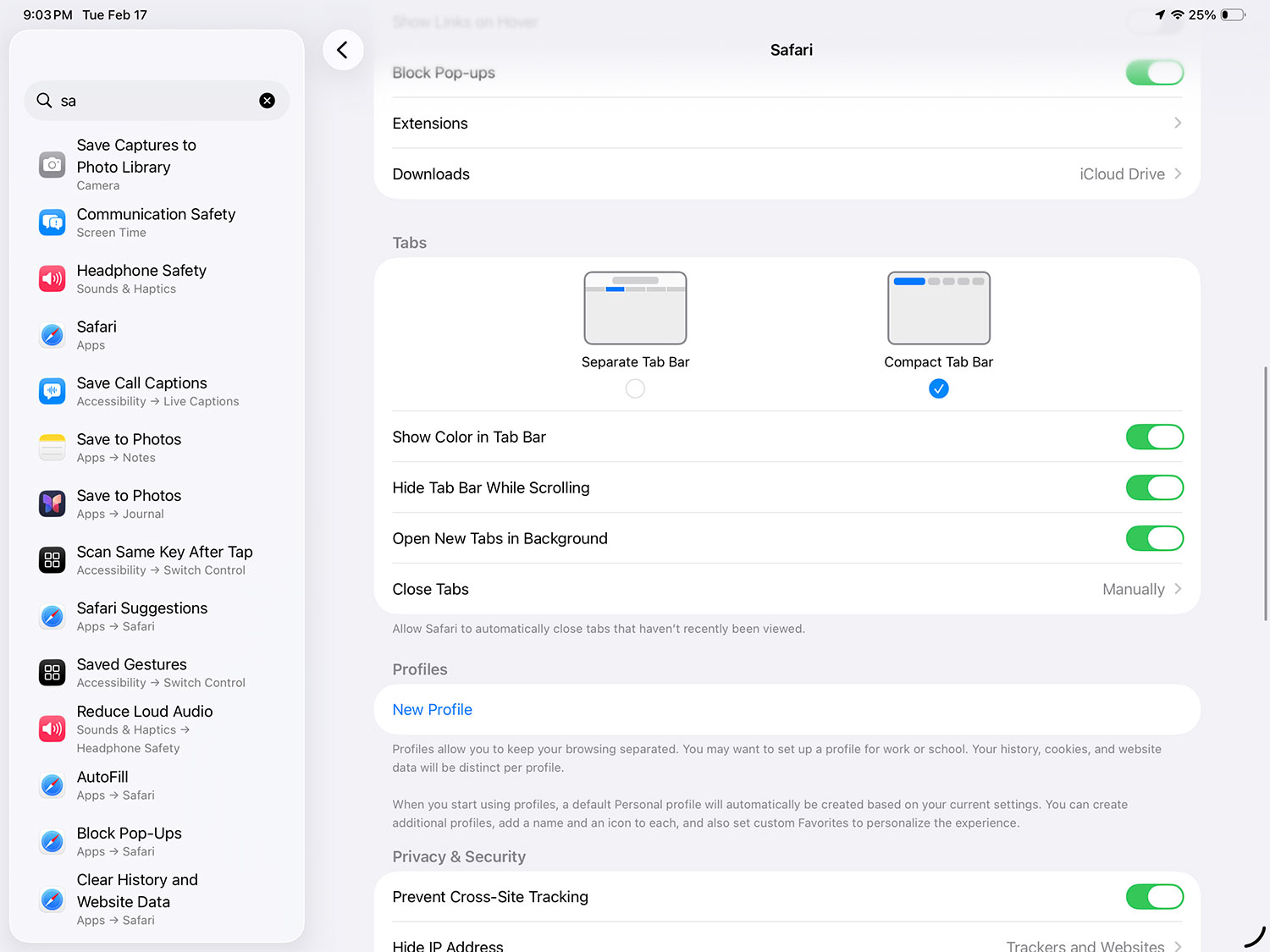
iPadOS 26.4 and macOS 26.4 have finally restored the Compact Tab Bar option in Safari.

Wallpaper Gallery and Face Gallery
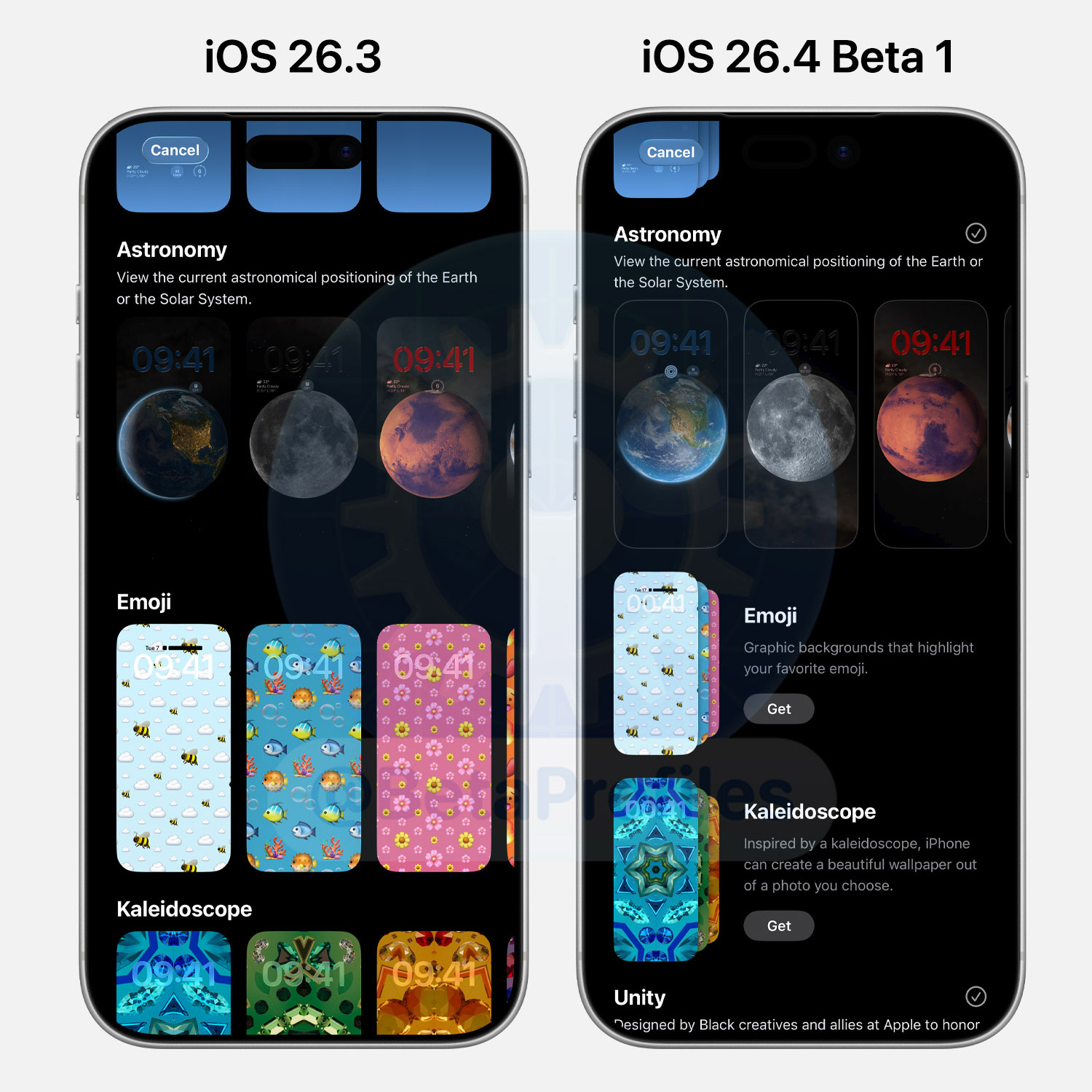
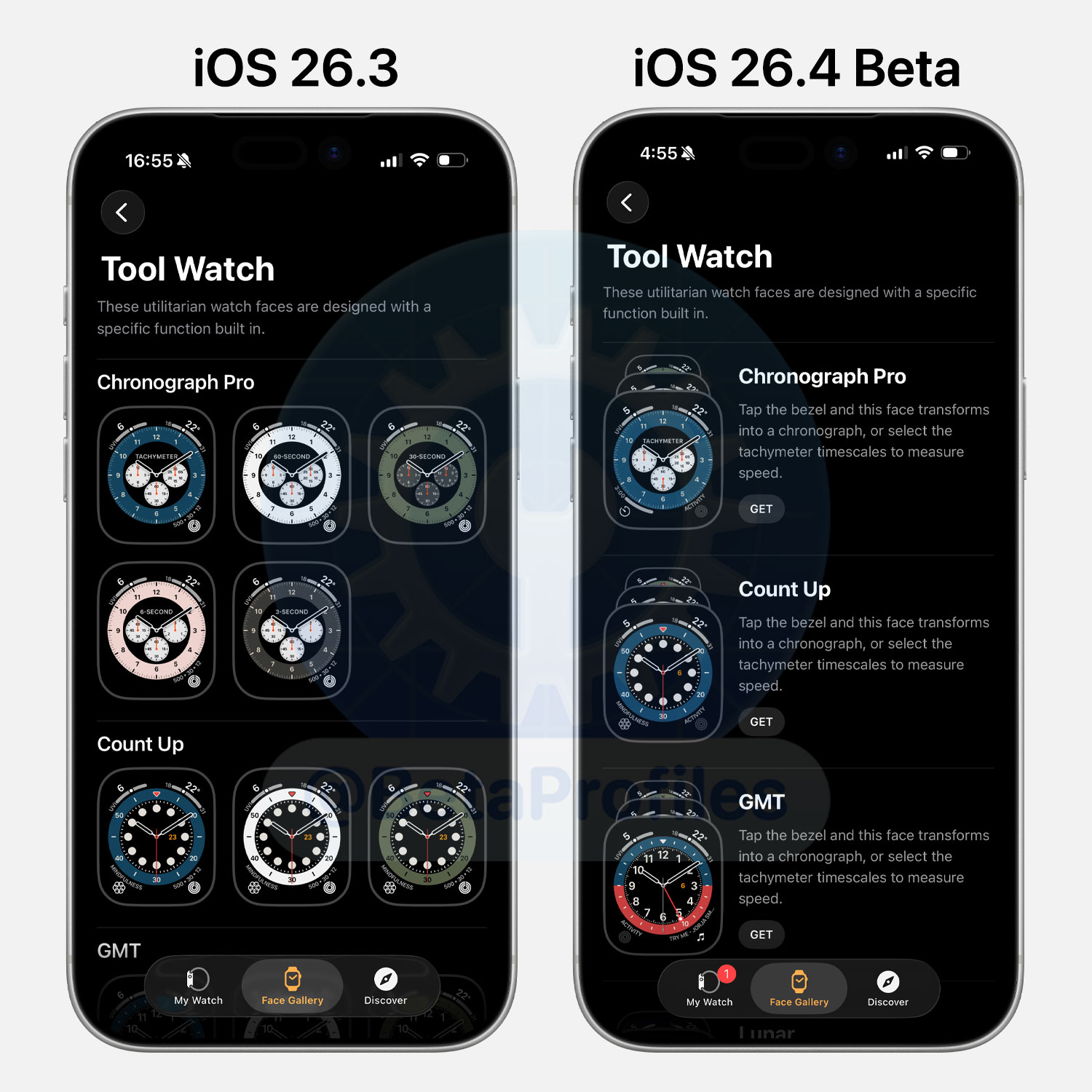
iOS 26.4 updates Wallpapers Gallery, allowing you to download wallpaper collections you want instead of having them preloaded on your device. You can also easily remove any collections you’ve added.
This change also applies to the Apple Watch Face Gallery.
Hotspot Data Usage
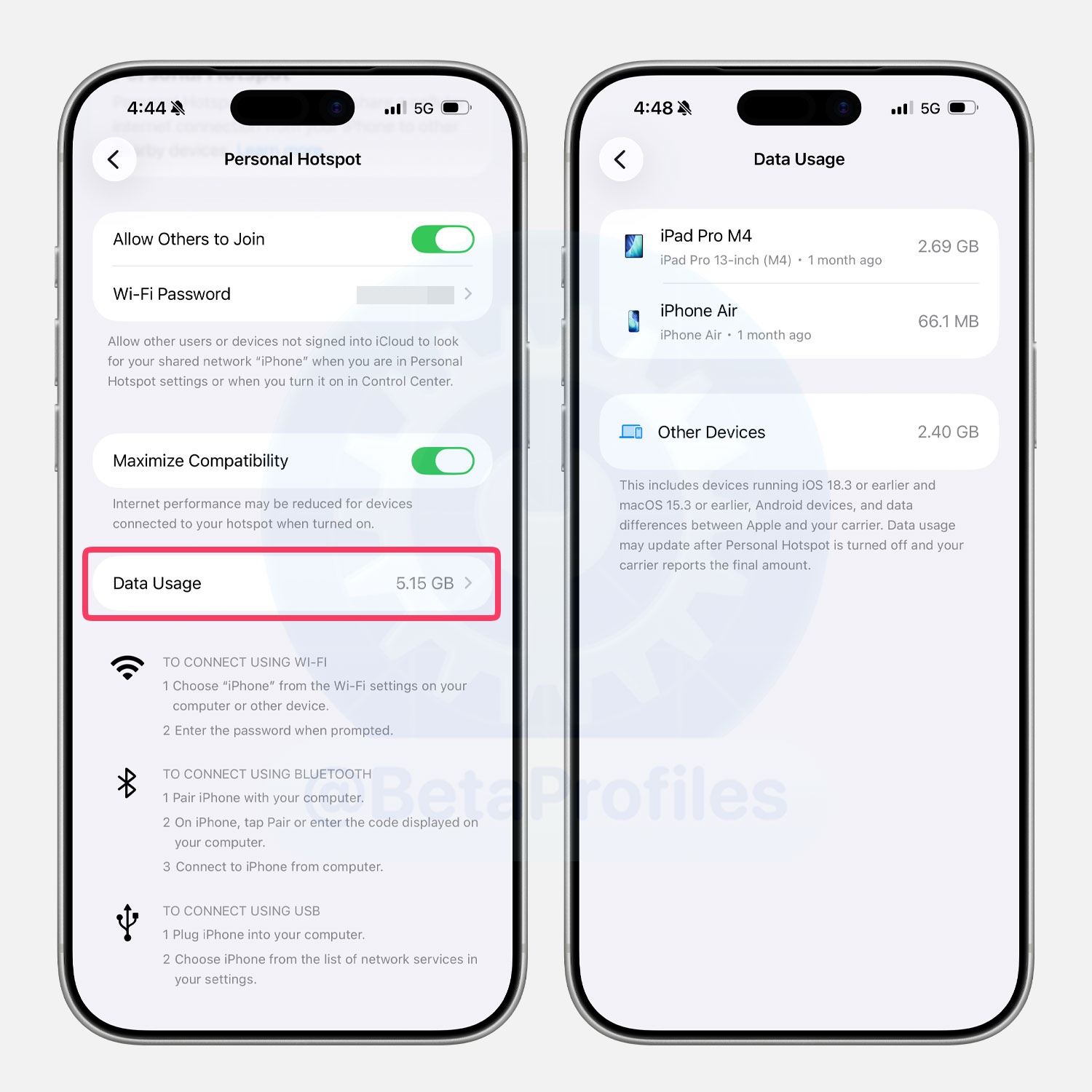
iOS 26.4 adds a new Data Usage option under Settings > Personal Hotspot, allowing you to see how much data has been used. This isn’t an entirely new feature, as a similar option was previously available in the Cellular settings.
Health App
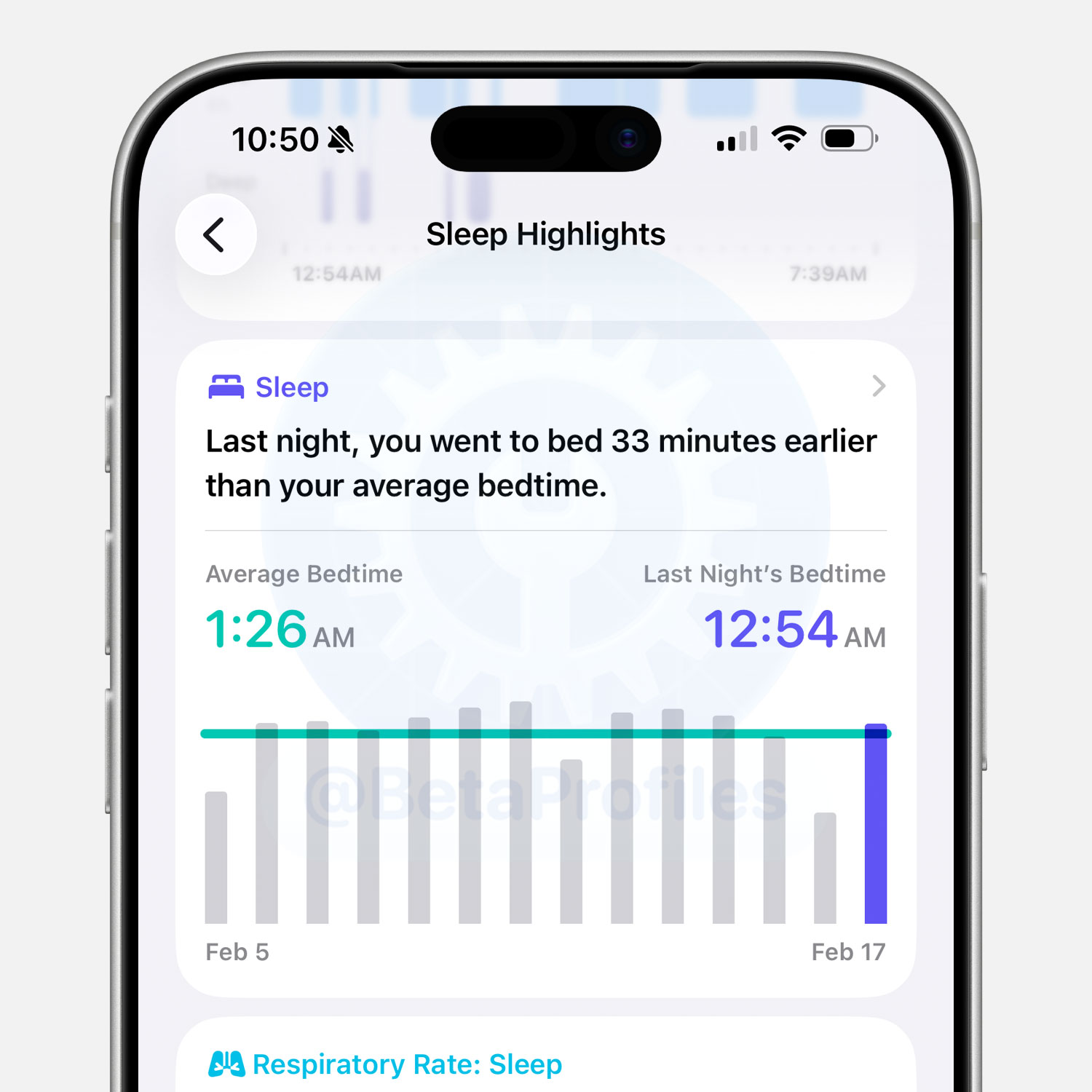
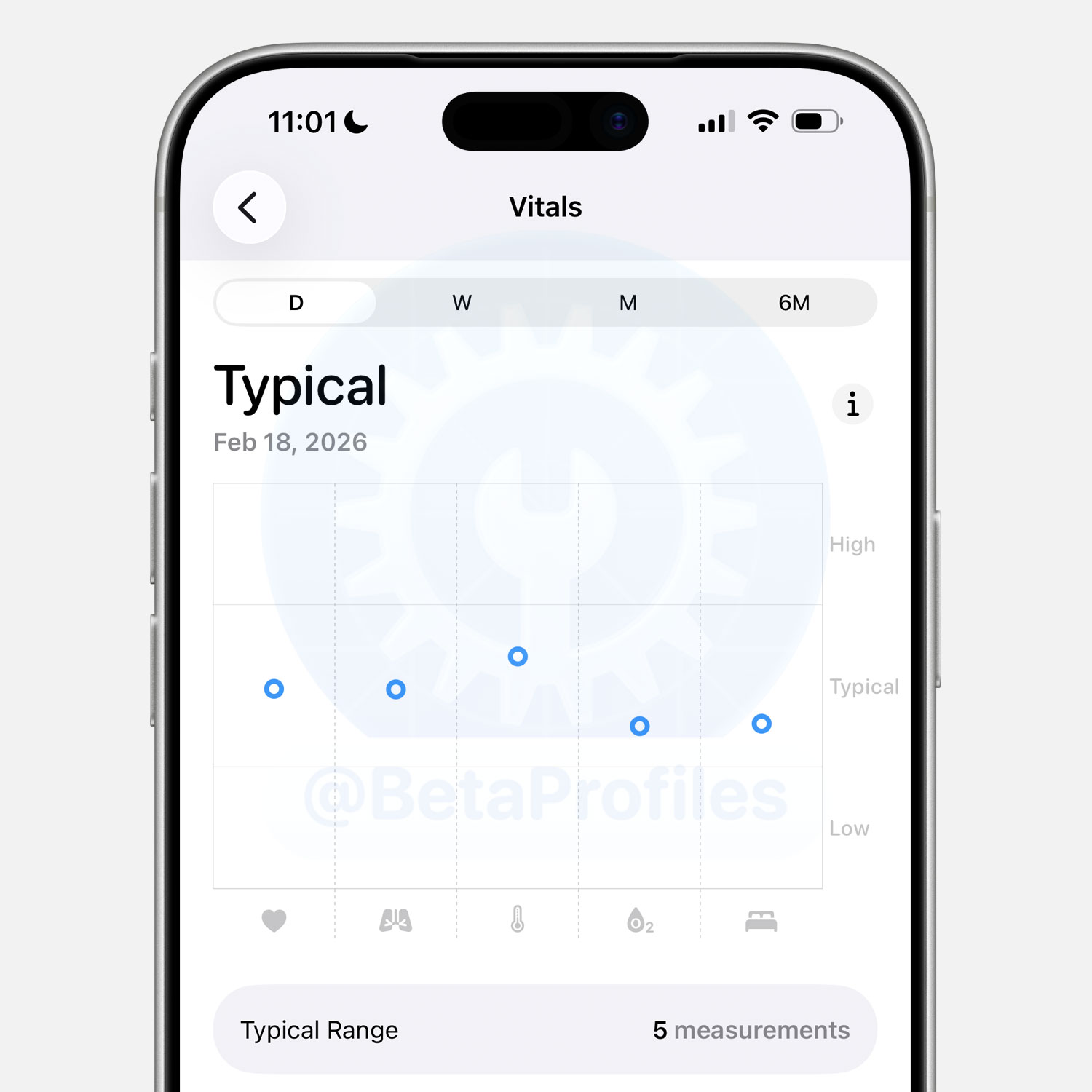
The Health app now adds an average bedtime metric to Sleep Highlights. This shows both your actual bedtime and your typical bedtime based on a two-week average.
iOS 26.4 also restores blood oxygen level in the daily overview chart for users in the U.S. This information had previously been removed due to Apple’s patent dispute with Masimo.
CarPlay
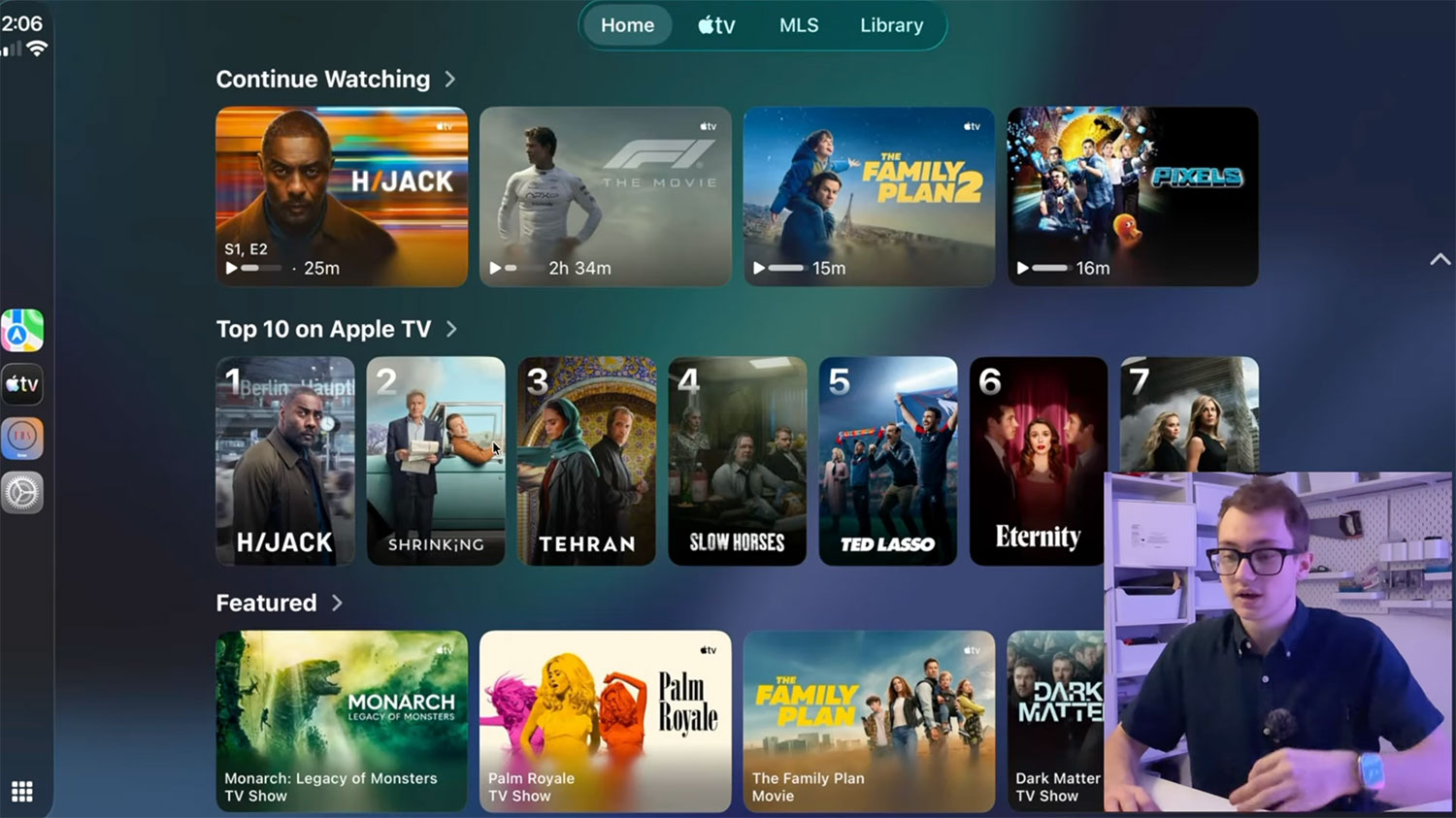
Code in iOS 26.4 Beta 1 includes support for watching Apple TV through CarPlay and playing videos via AirPlay. However, these features are not yet available to beta users at this time.
Developer Thomas Dye simulated CarPlay in a development environment to give us a first look at Apple TV on CarPlay. He also noted that video playback will only work while the vehicle is parked and will immediately stop once you start driving.
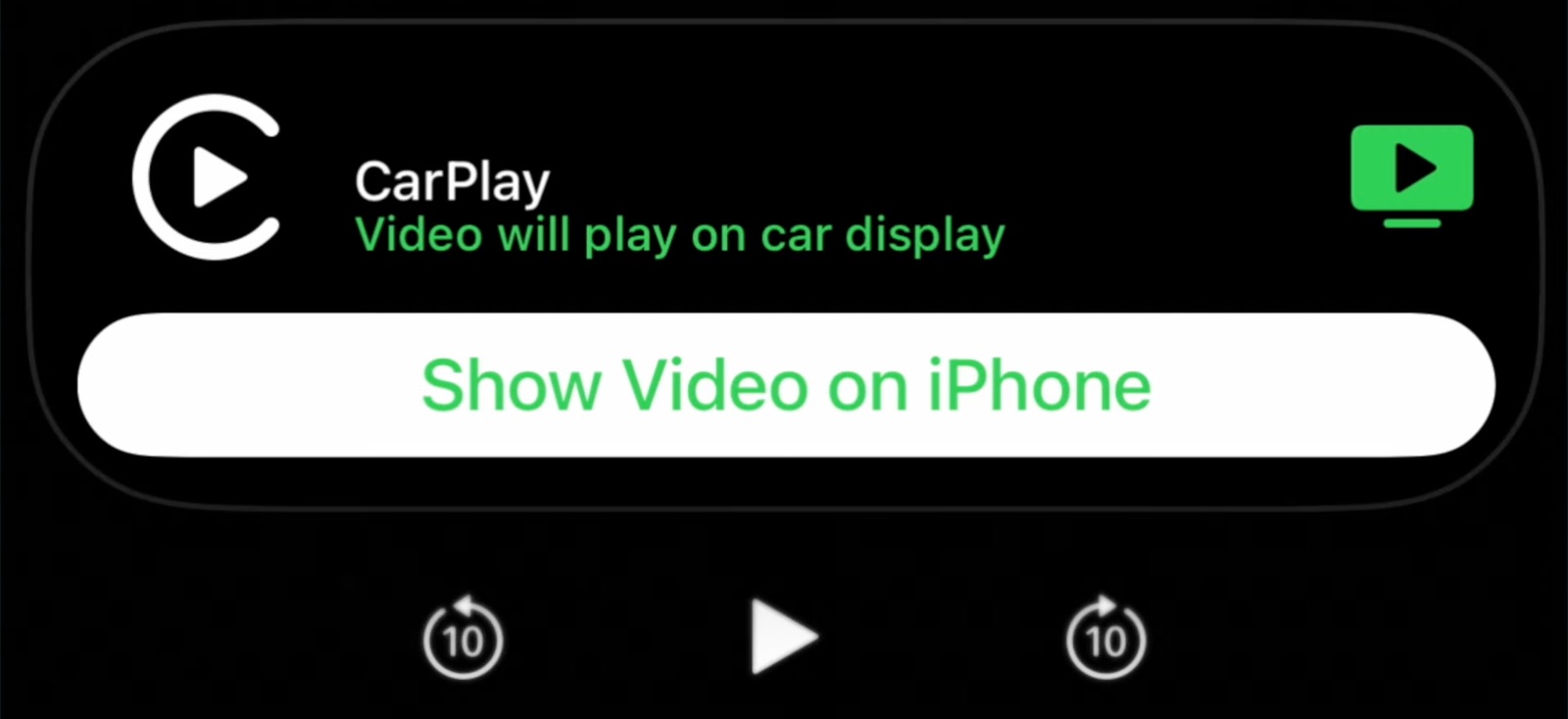
If you try to play video from an app that doesn’t support CarPlay, there’s an interface that lets you move the video between your iPhone and the connected CarPlay display.
Even more interesting, @tizian.ruck reports that Apple has reached out to CarPlay app developers to prepare for a new capability called Voice-Based Conversational, which is intended to allow apps like ChatGPT, Gemini, Grok, and others to make their voice modes accessible through CarPlay.
Camera
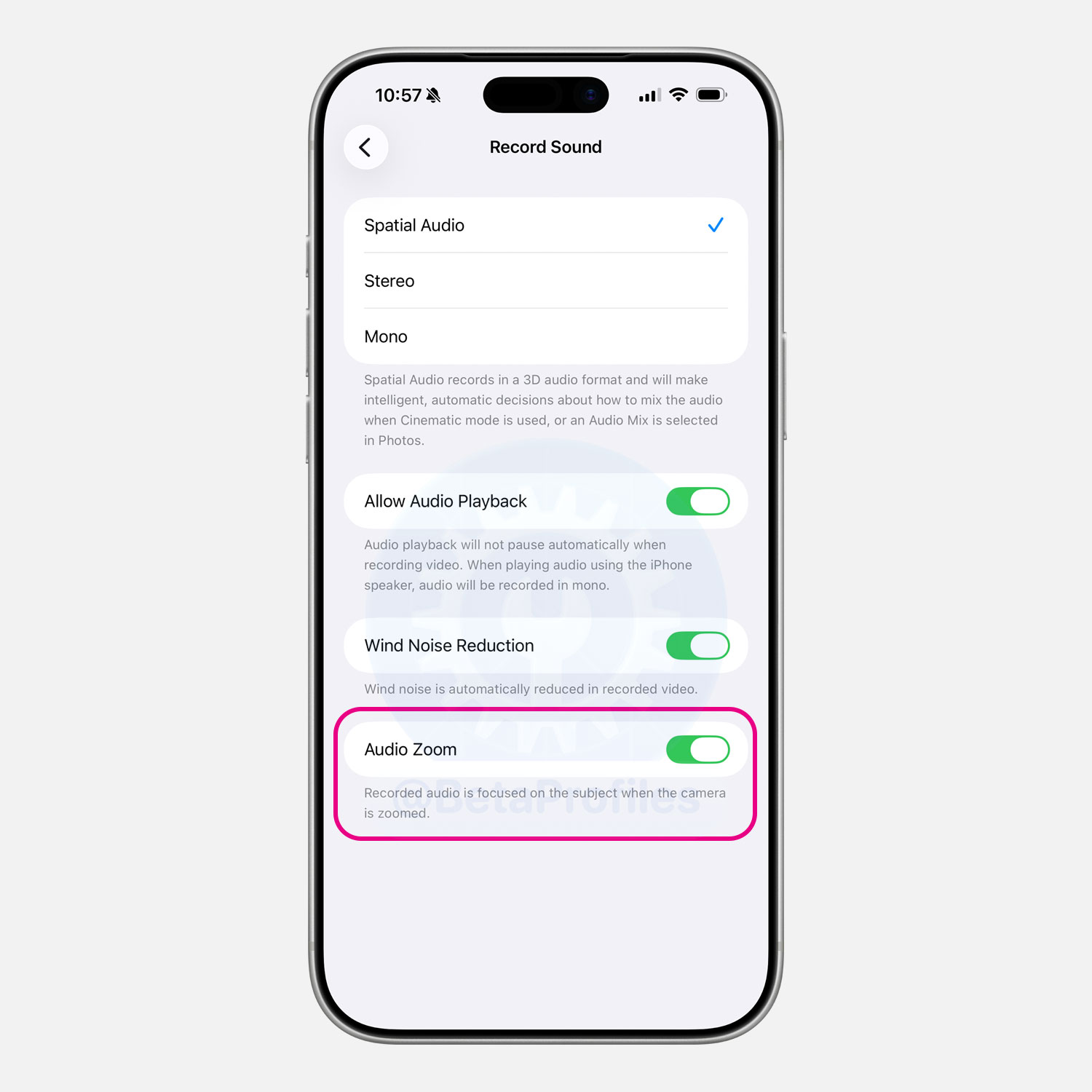
There’s a new Audio Zoom toggle in Settings > Camera > Record Sound, enabled by default. When turned on, it focuses the recorded audio on the subject as you zoom in while filming video.
I’ll keep adding more iOS 26.4 Beta 1 changes and new features here as I discover them. Stay tuned and follow @BetaProfiles on X or Threads!