iOS 26.2 Beta 3 has just been released today for developers. This update adds the new one-time code option for AirDrop sharing, along with minor Liquid Glass tweaks in the Measure app and smoother menu animations. Here’s everything new in iOS 26.2 Beta 3.
If you missed last week’s iOS 26.2 Beta 2 release, check out the post here: What’s New in iOS 26.2 Beta 2?
iOS 26.2 Developer Beta 3
Build: 23C5033h → 23C5044b
Released: November 17, 2025
AirDrop
iOS 26.2 Beta 3 adds a new option to pair AirDrop with other devices using a one-time code — no need to add contacts or switch AirDrop to “Everyone for 10 Minutes.”
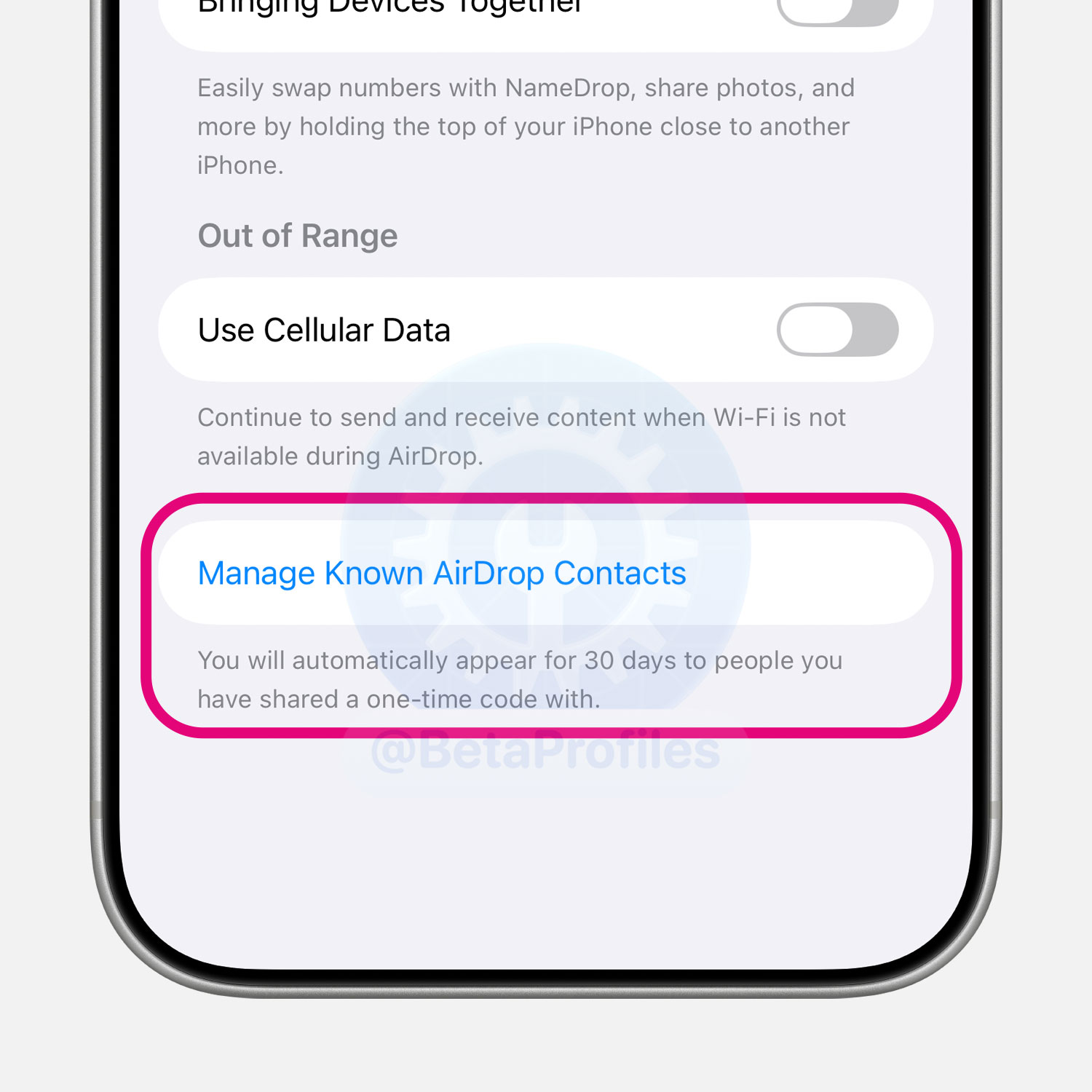
The feature creates a one-time AirDrop code for the other person to enter on their device. Once confirmed, both devices have AirDrop access for 30 days, and you can revoke it anytime from Settings → General → AirDrop.
Measure App
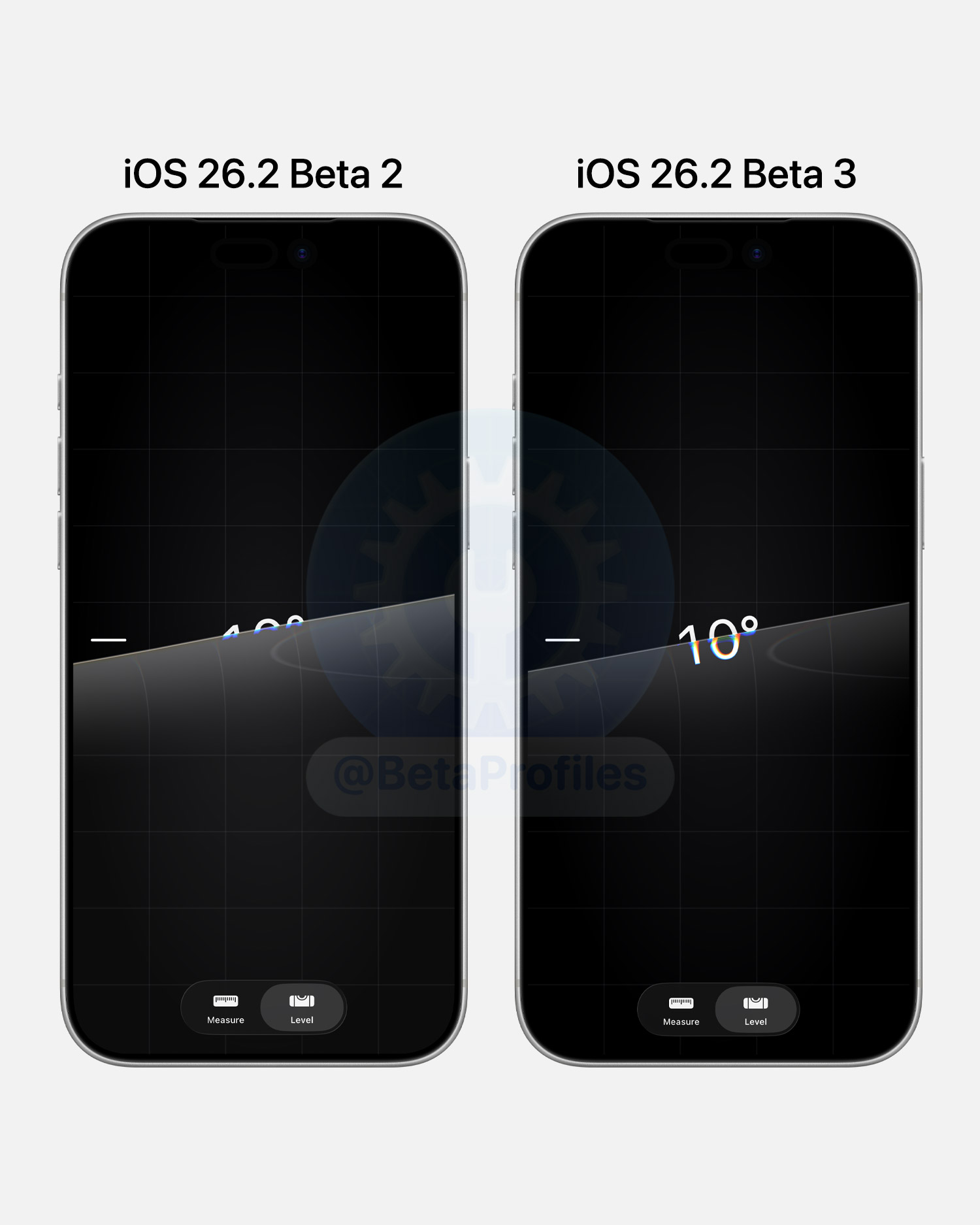
iOS 26.2 Beta 3 tweaks Liquid Glass chromatic aberration in the Level tool, making the numbers easier to read.
Apple TV
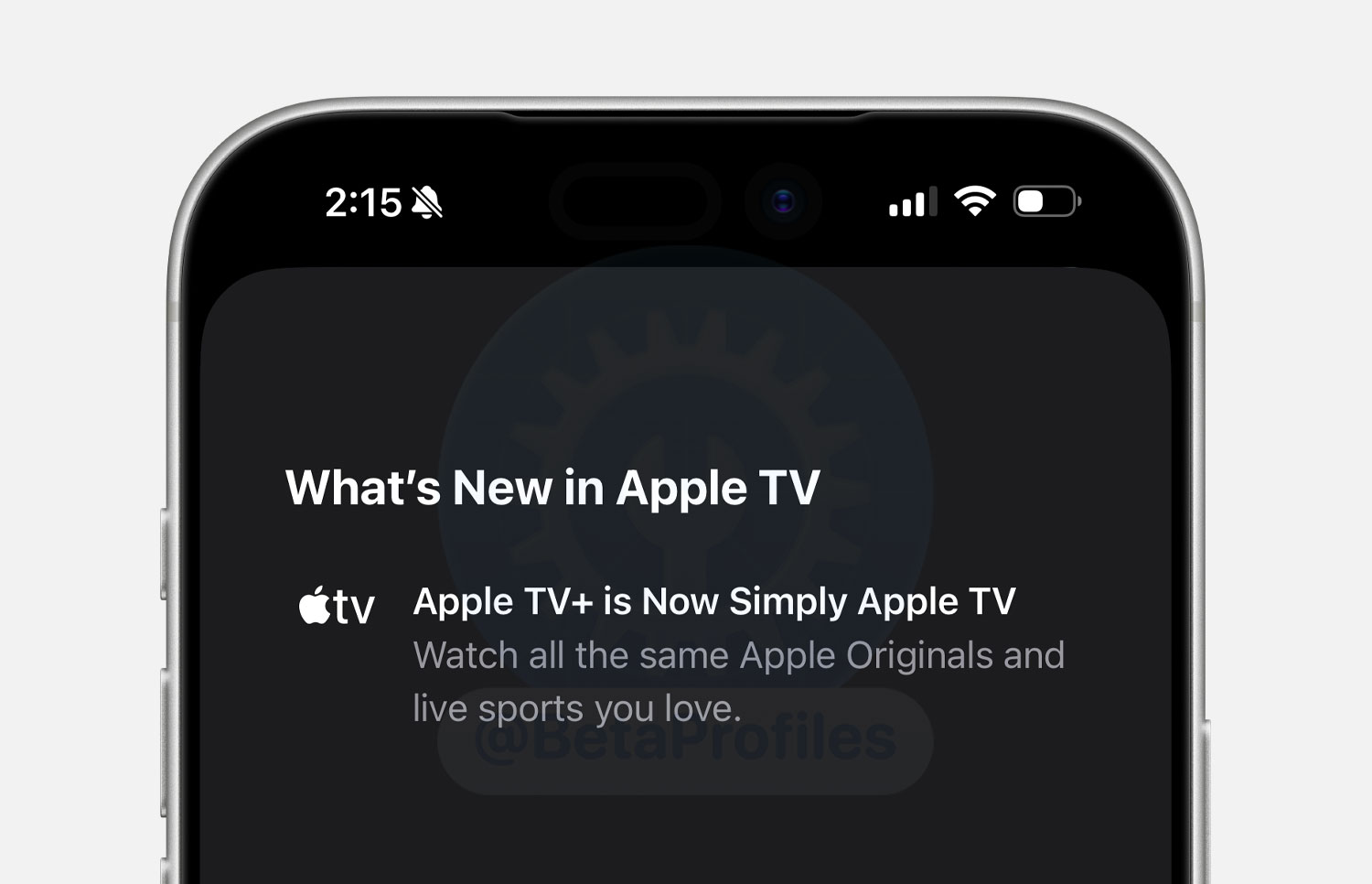
When you open the Apple TV app for the first time on iOS 26.2, there’s a splash screen saying that “Apple TV+ is now simply Apple TV”. I feel like this screen should’ve shown up in iOS 26.1, since Apple announced the change earlier in November.
Liquid Glass
iOS 26.2 Beta 3 tweaks the Liquid Glass menu animation, a bit smoother than Beta 2, but not a huge change.
https://x.com/BetaProfiles/status/1990516172396310861
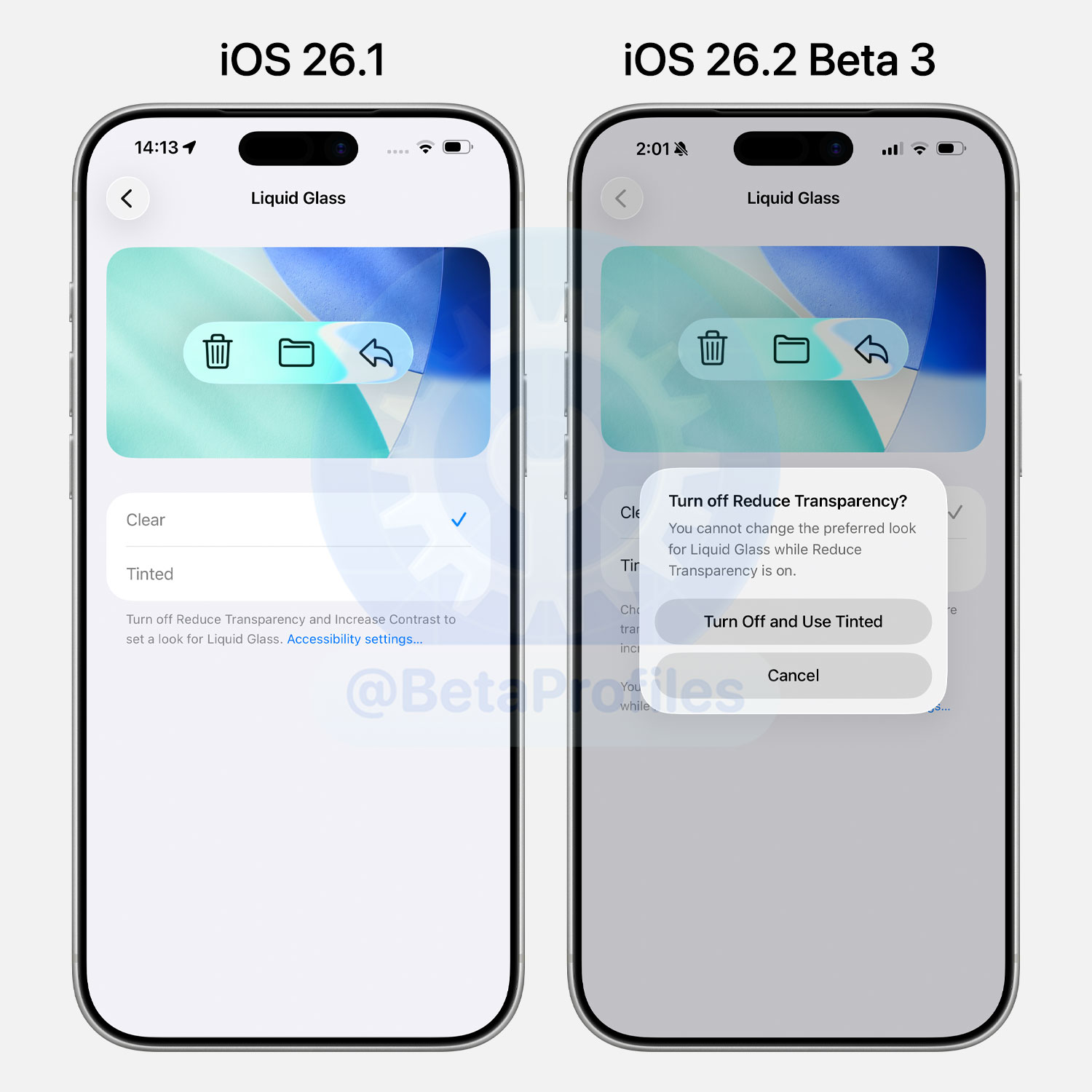
When you enable Reduce Transparency and/or Increase Contrast in Accessibility and then select Tinted under Settings → Display & Brightness → Liquid Glass, iOS 26.2 Beta 3 will warn you to turn off Reduce Transparency and/or Increase Contrast. It also provides a quick toggle to disable these options without needing to open Accessibility settings.
Apple Account
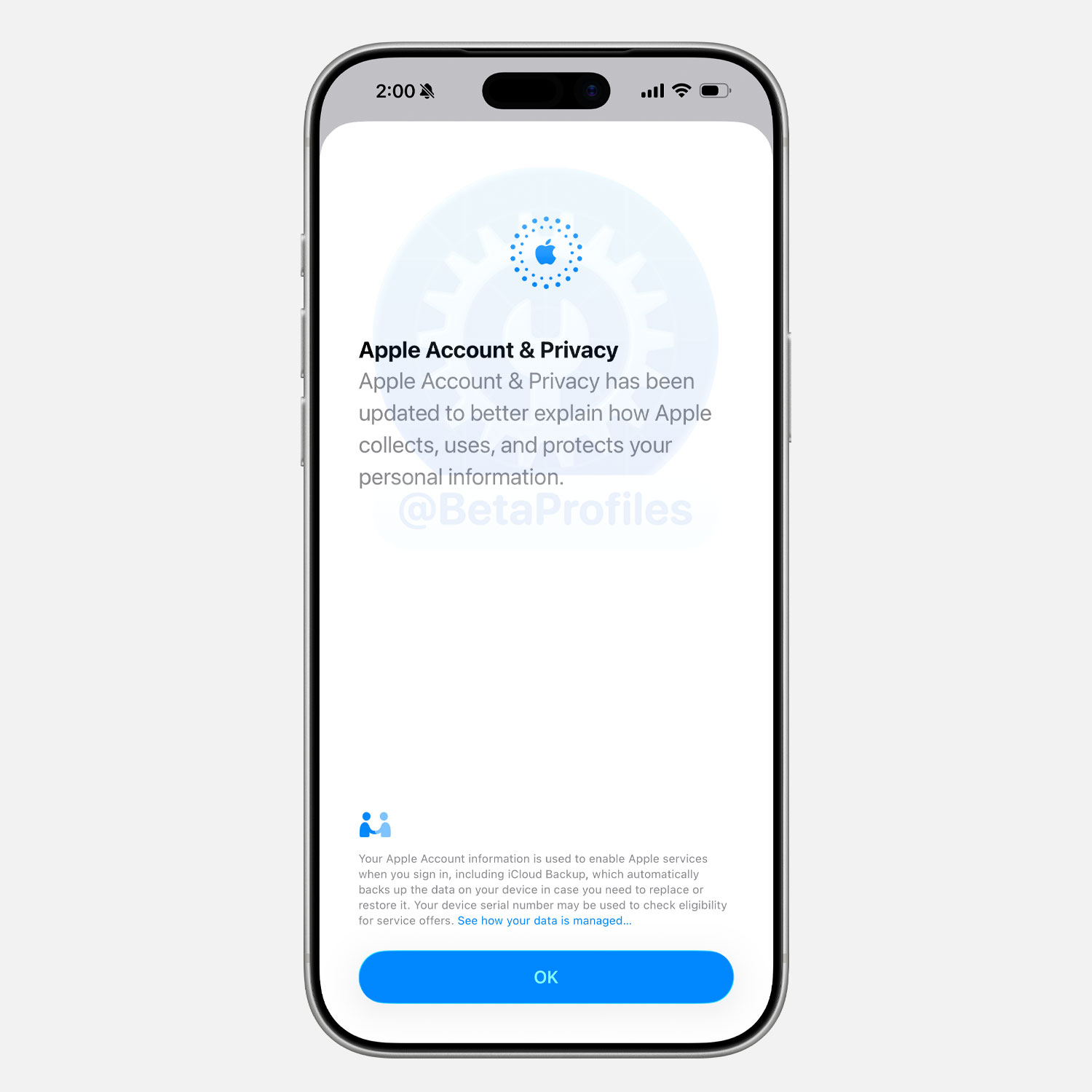
When you view your Apple Account settings for the first time in iOS 26.2 Beta 3, there’s a new “Apple Account & Privacy” splash screen.
Apple Account & Privacy has been updated to better explain how Apple collects, uses, and protects your personal information.
Multitasking on iPad
Good news for iPad users: iPadOS 26.2 Beta 3 brings back the ability to drag apps into Slide Over and Split View.
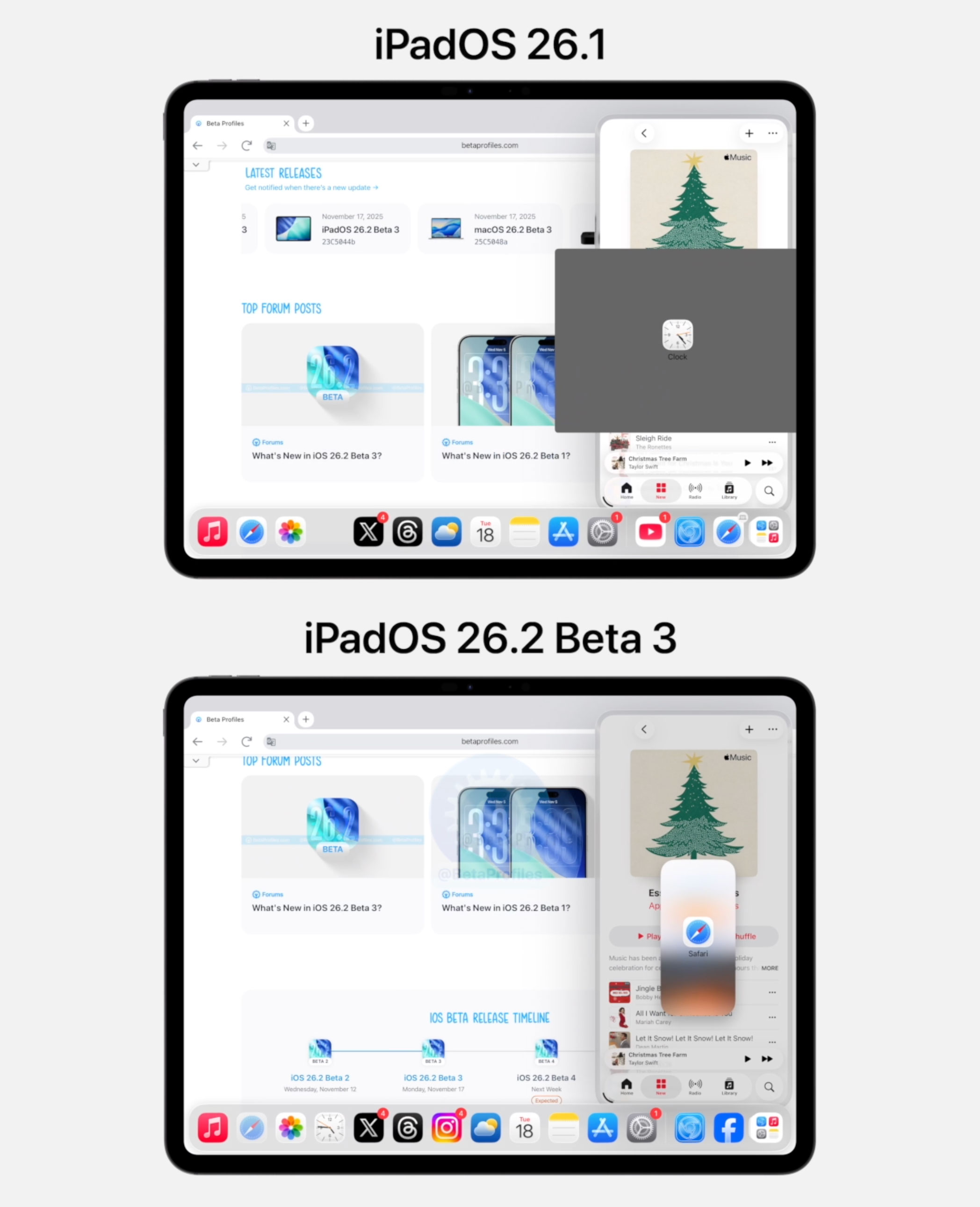
Apple removed several well-known iPad multitasking features in iPadOS 26.0 and it seems many iPad users were unhappy about it, myself included. iPadOS 26.1, released earlier this month, restored Slide Over, and the recent iPadOS 26.2 Beta 3 now brings back app drag and drop into both Slide Over and Split View.
Code References
Customizable Side Button
Code discovered in iOS 26.2 Beta 3 continues to highlight the upcoming customizable Side button on iPhone, a feature Apple has now confirmed will roll out in Japan first. Still, I believe it’s only a matter of time before it expands to the EU as well.
In short, users in Japan may be able to replace Siri when long-pressing the Side button with third-party voice assistants like Gemini or Alexa.
Here are some of the code snippets MacRumors found.
- Press and Hold to Speak is not available while the Side Button is assigned to %@.
- Side Button Settings
- Select Another Default Side Button App
- The default Side Button app cannot be hidden. You can change your default apps in Settings.
- The default Side Button app cannot be locked. You can change your default apps in Settings.
- %@ is no longer eligible for use with the Side Button. Contact the app developer for more information.
- %@ is not available for use with the Side Button in your region.
Macworld previously reported the same thing in iOS 26.2 Beta 1, but there weren’t many details about how the Side button would actually be used.
I’ll keep adding more iOS 26.2 Beta 3 changes and new features here as I discover them. Stay tuned and follow @BetaProfiles on X or Threads!