Just a day after iOS 26.1 went public, Apple is already rolling out the first iOS 26.2 beta to developers. This update introduces a new slider to adjust the transparency of the Lock Screen clock, adds several new features to Podcasts, and includes a few other nice enhancements—let’s take a look below.
Lock Screen
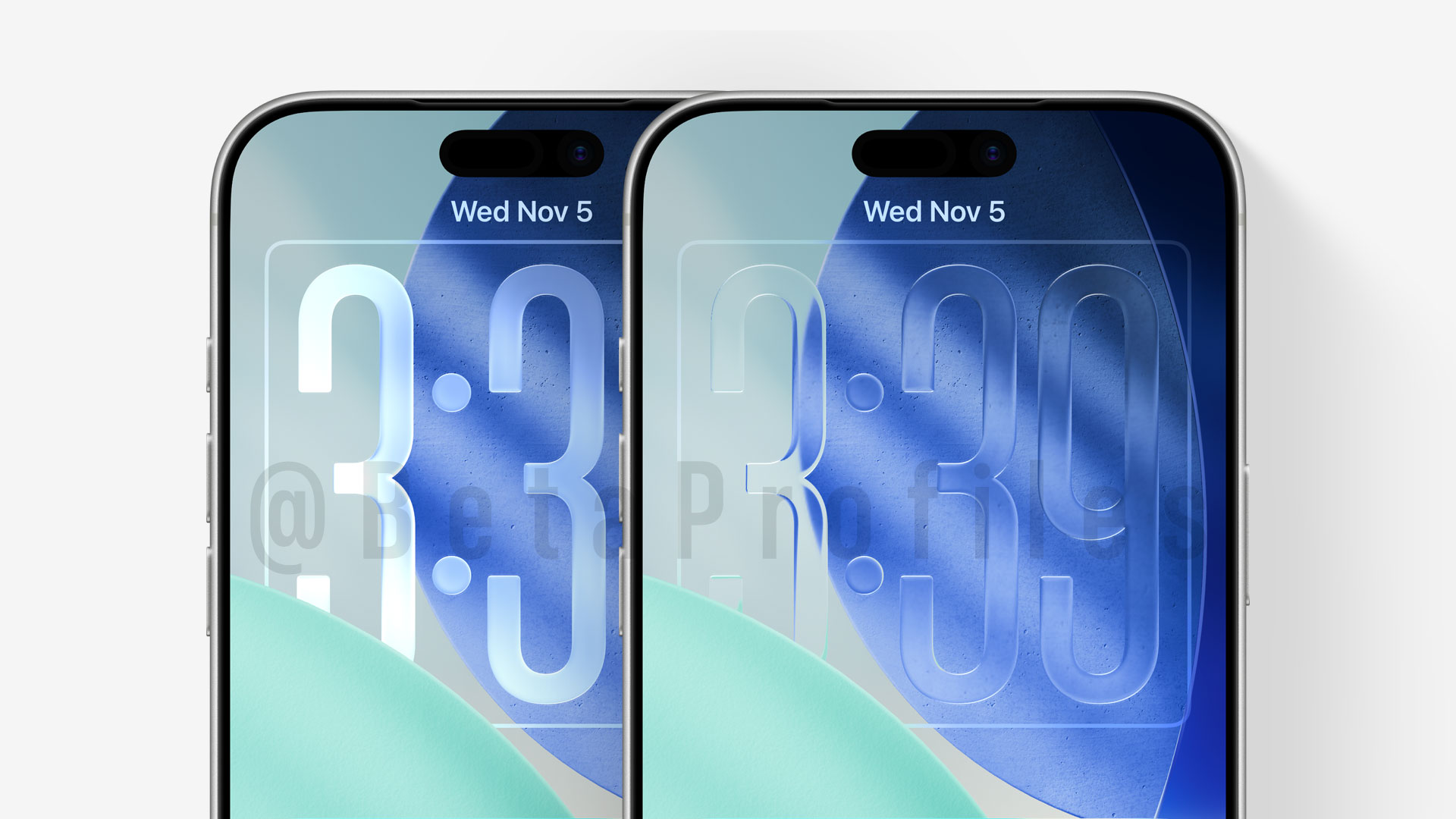
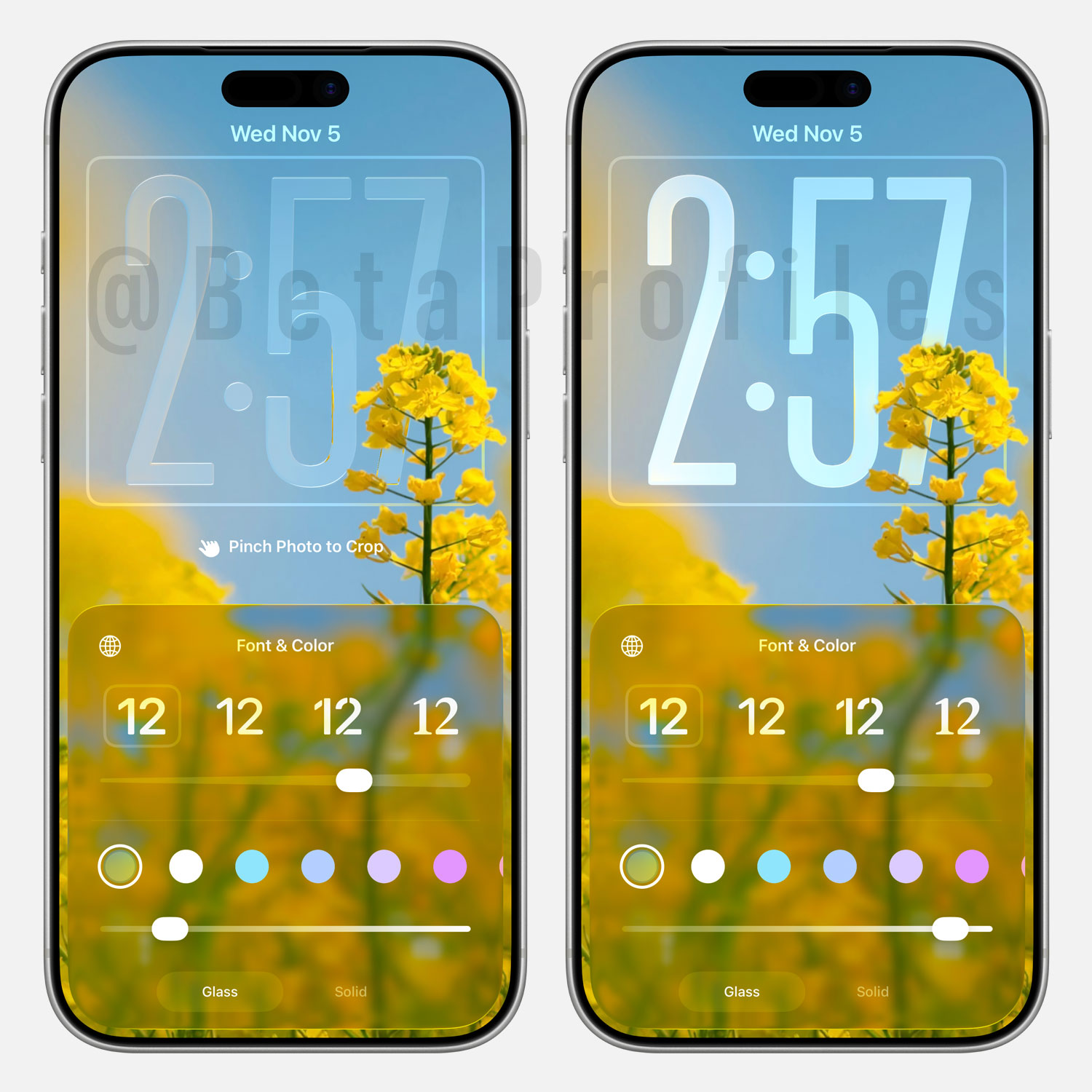
iOS 26.2 Beta 1 adds a new slider that lets you adjust the transparency of the clock directly from the Lock Screen.
Reminders
You can now create alarms directly from the Reminders app—just set a time and enable the “Urgent” option.
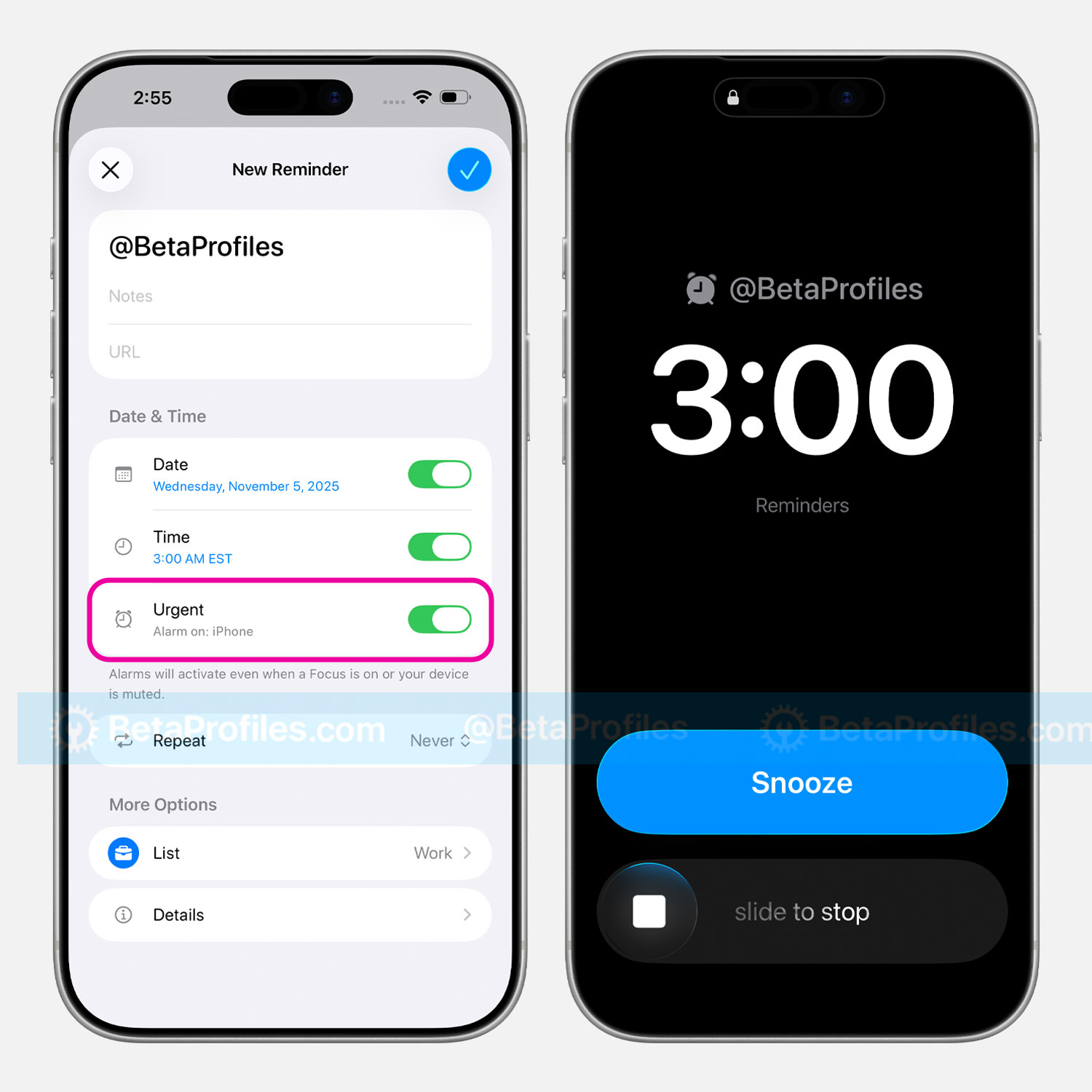
Under Settings → Apps → Reminders, there’s a new “Complete from Alarm” option that replaces the Snooze button with a Complete button, allowing you to instantly mark a reminder as done.
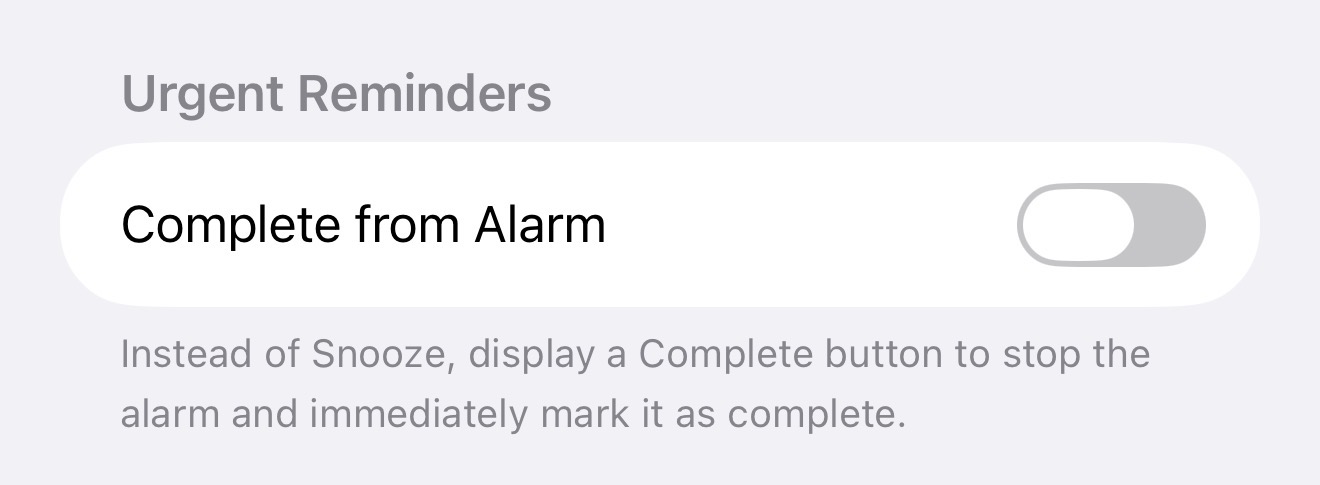
Alarms created from Reminders now feature blue Snooze/Complete buttons to distinguish them from Clock app alarms.
Podcasts
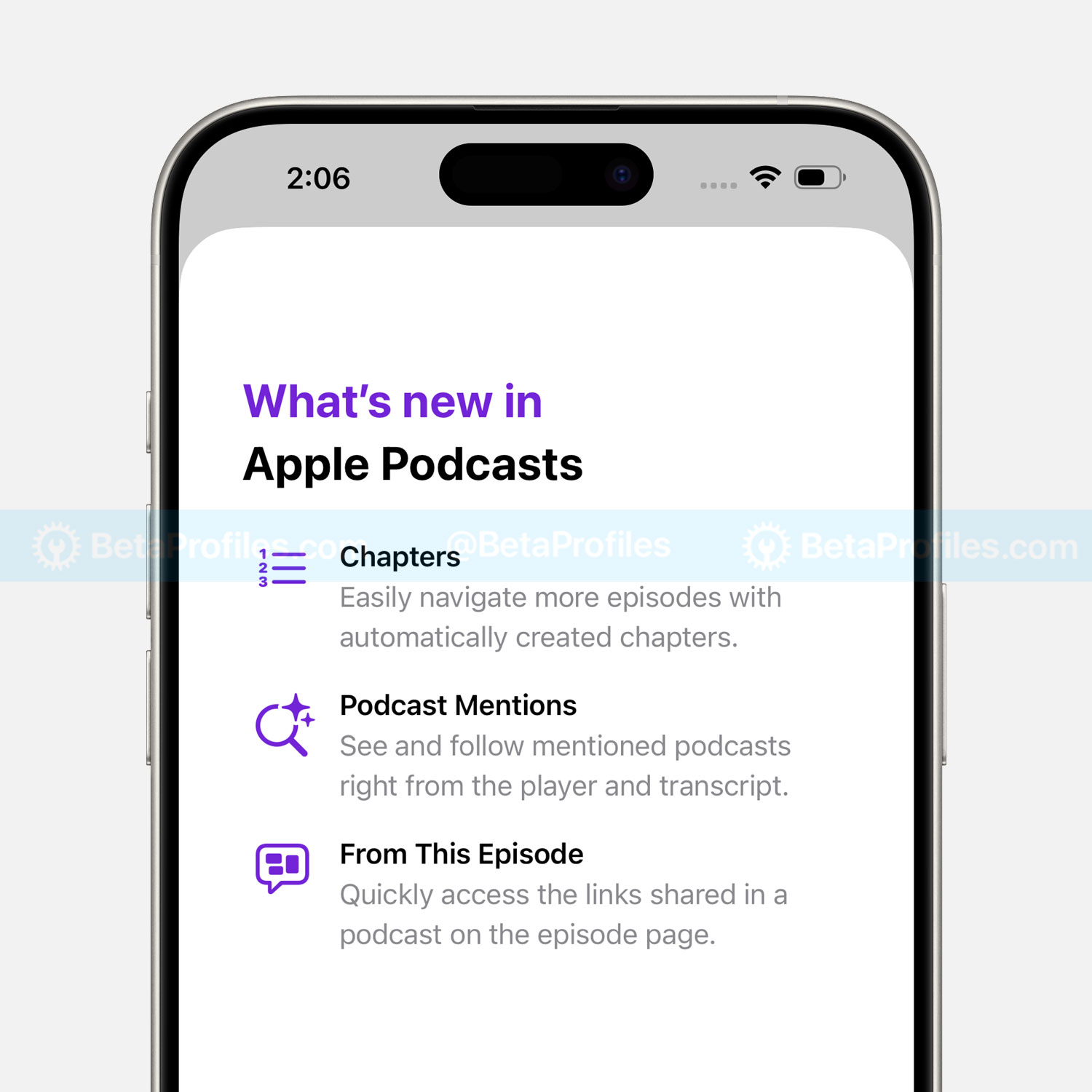
Apple Podcasts has been updated with the ability to automatically generate chapters for podcast episodes. It currently supports U.S. English–language episodes that are at least 10 minutes long.
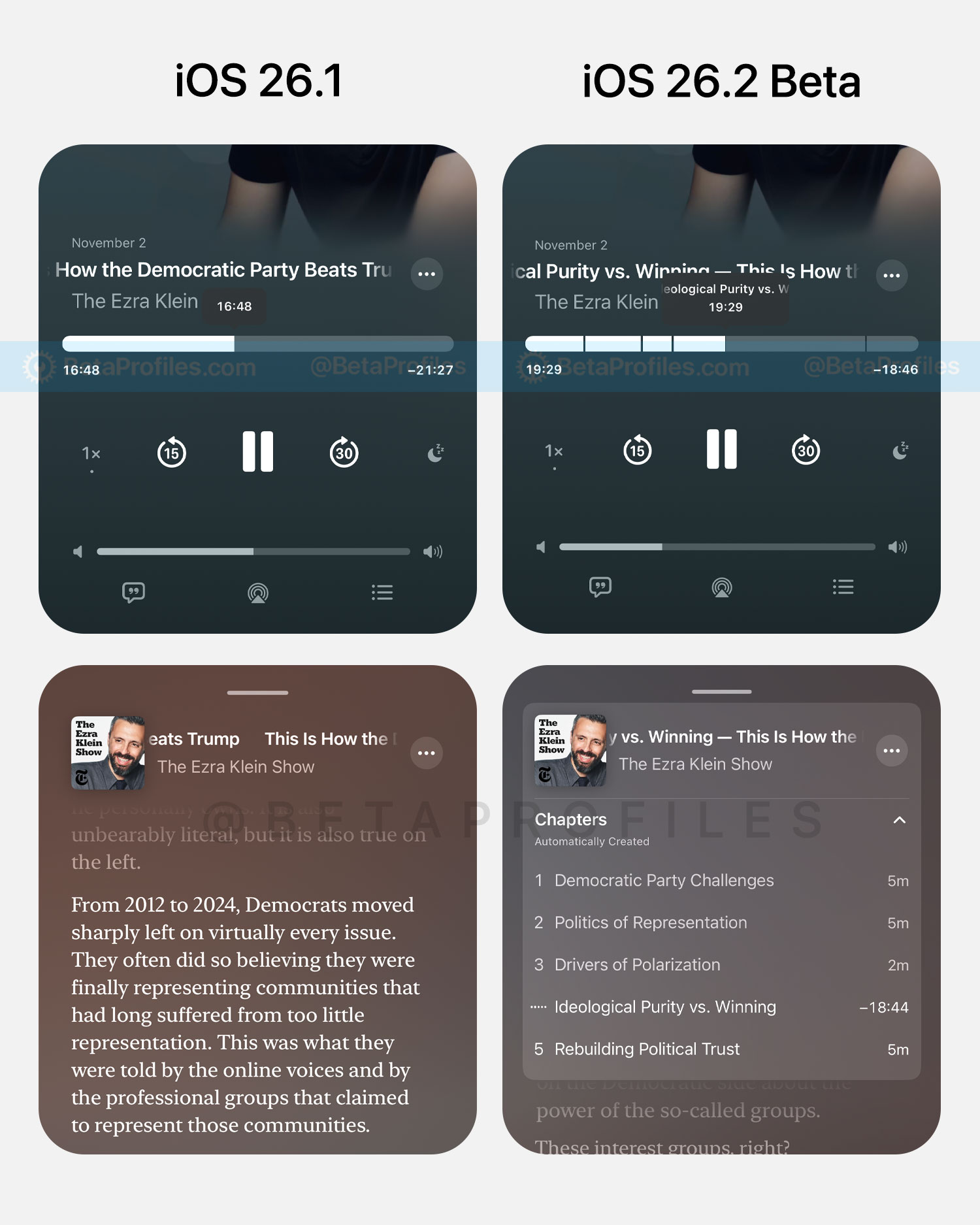
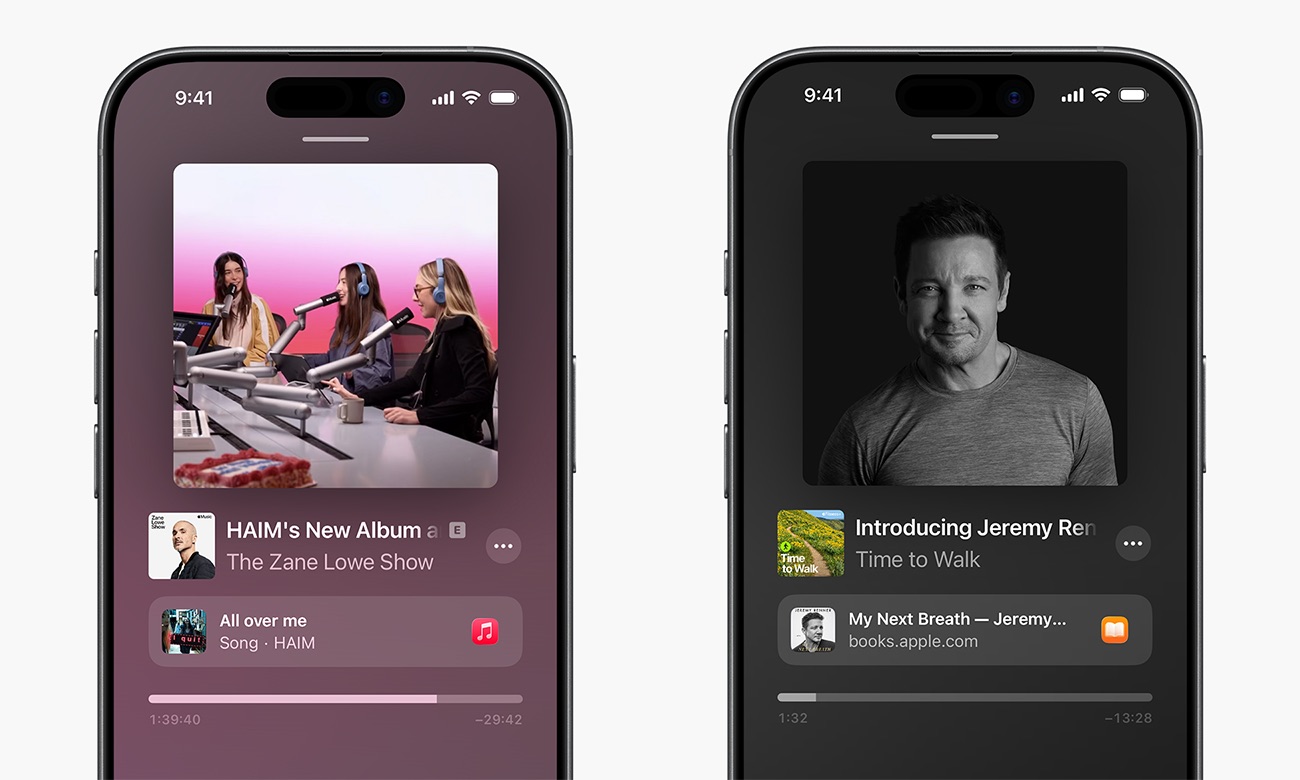
Additionally, you’ll now see certain content linked to specific timestamps within a podcast episode. These may come from Apple Music, Apple News, Apple Podcasts, or Apple TV, and more, provided by the creator or podcaster, or automatically generated by AI.
Apple News
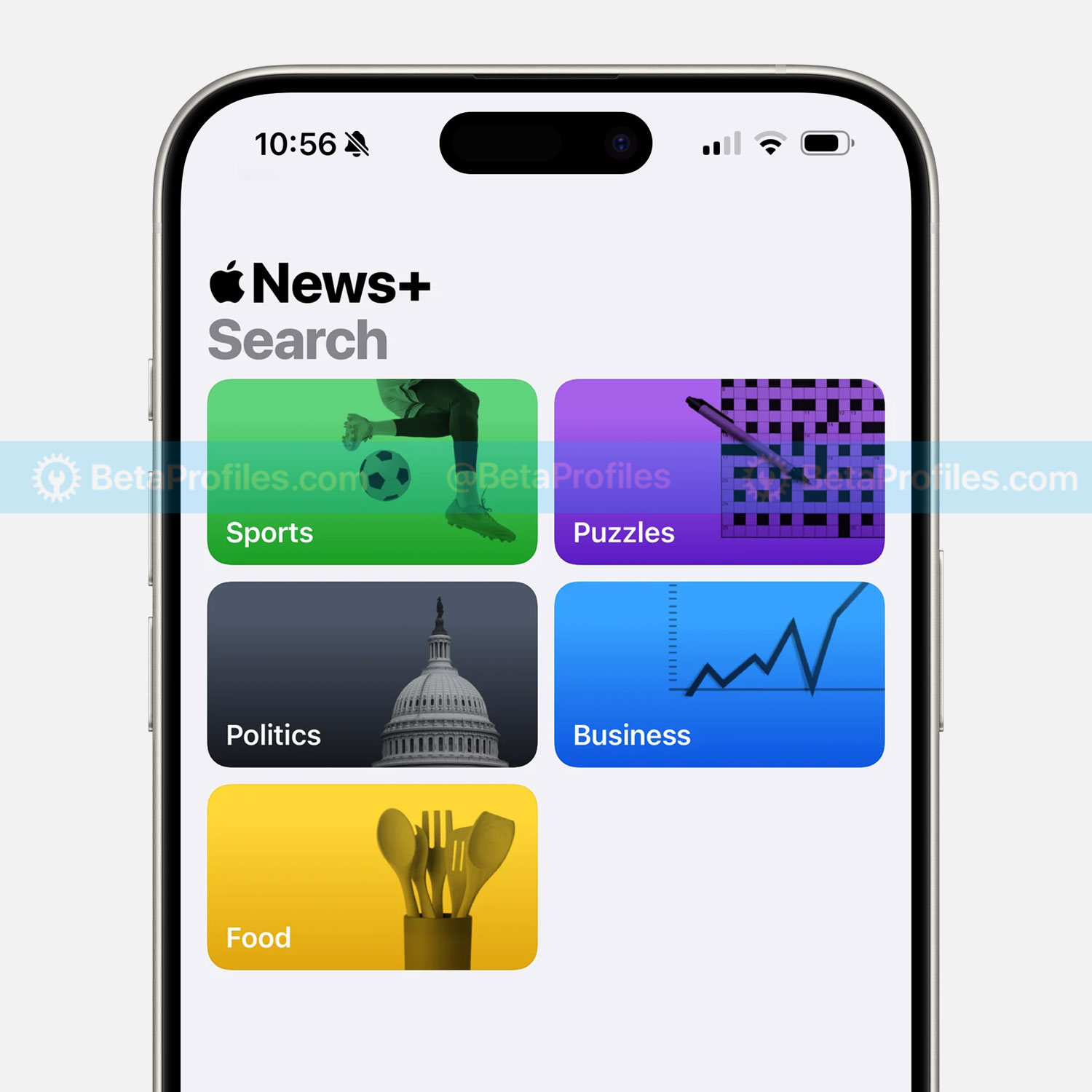
The Today tab in Apple News now includes shortcut links at the top of the app, making it easier to quickly access topics you care about most.
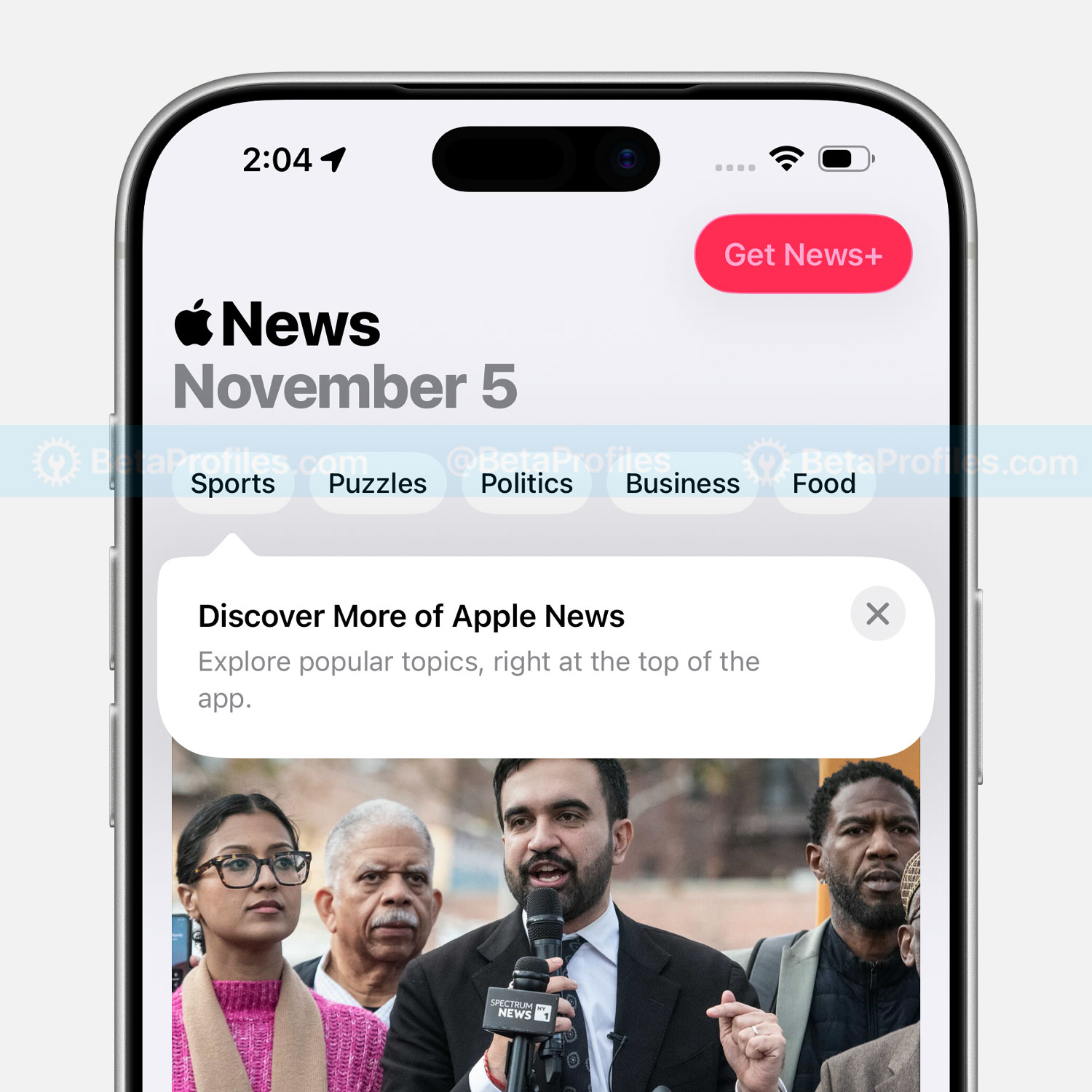
The Sports tab has been replaced with a Following tab, and the search button is now dedicated solely to search. You’ll also find search suggestions similar to those found in Apple’s other service apps like Music and TV.
Sleep Score
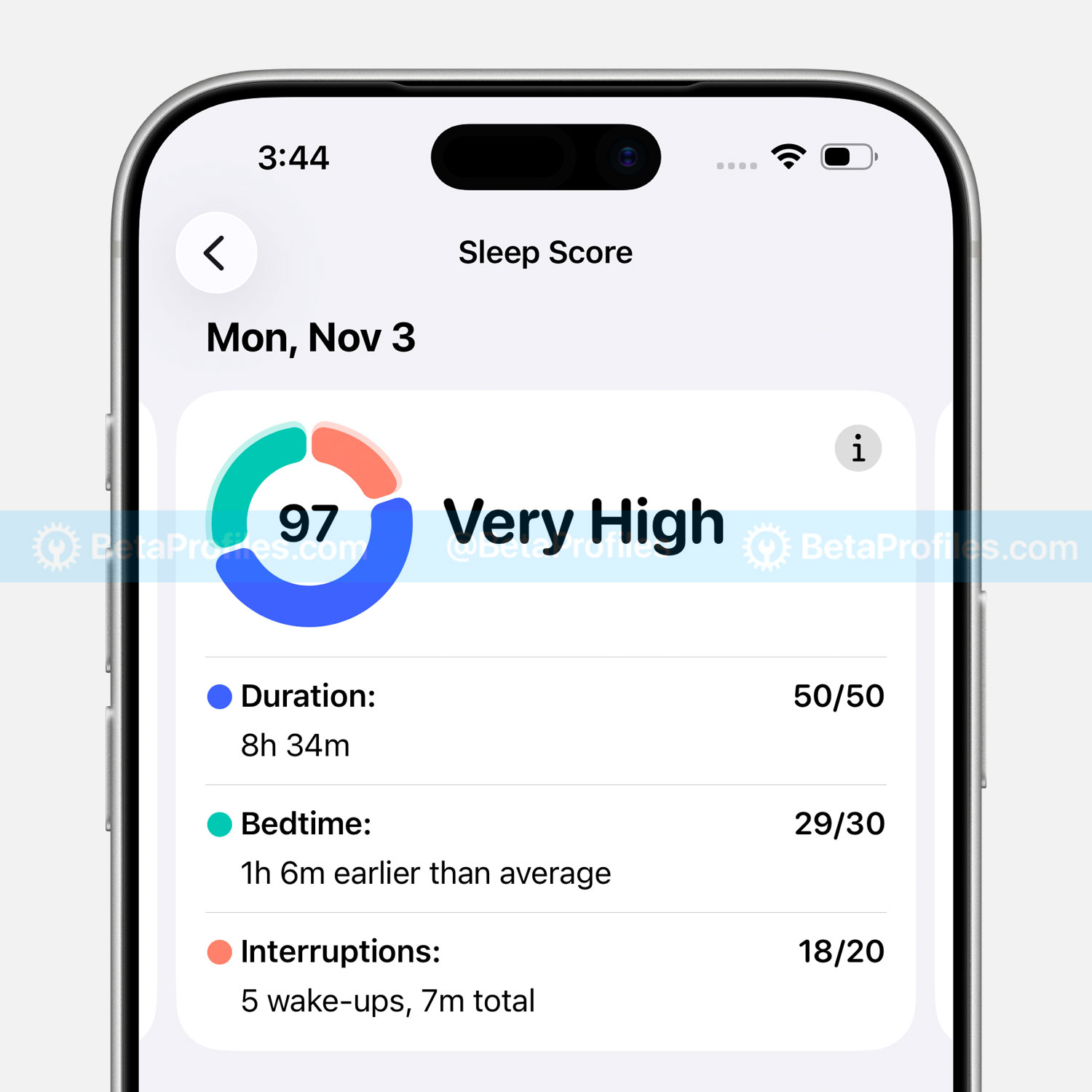
iOS 26.2 and watchOS 26.2 have adjusted the Sleep Score categories on Apple Watch as follows:
- Very Low - 0-40 (previously 0-29)
- Low - 41-60 (previously 30-49)
- OK - 61-80 (previously 50-69)
- High - 81-95 (previously 70-89)
- Very High (previously called “Excellent”) - 96-100 (previously 90-100)
Freeform
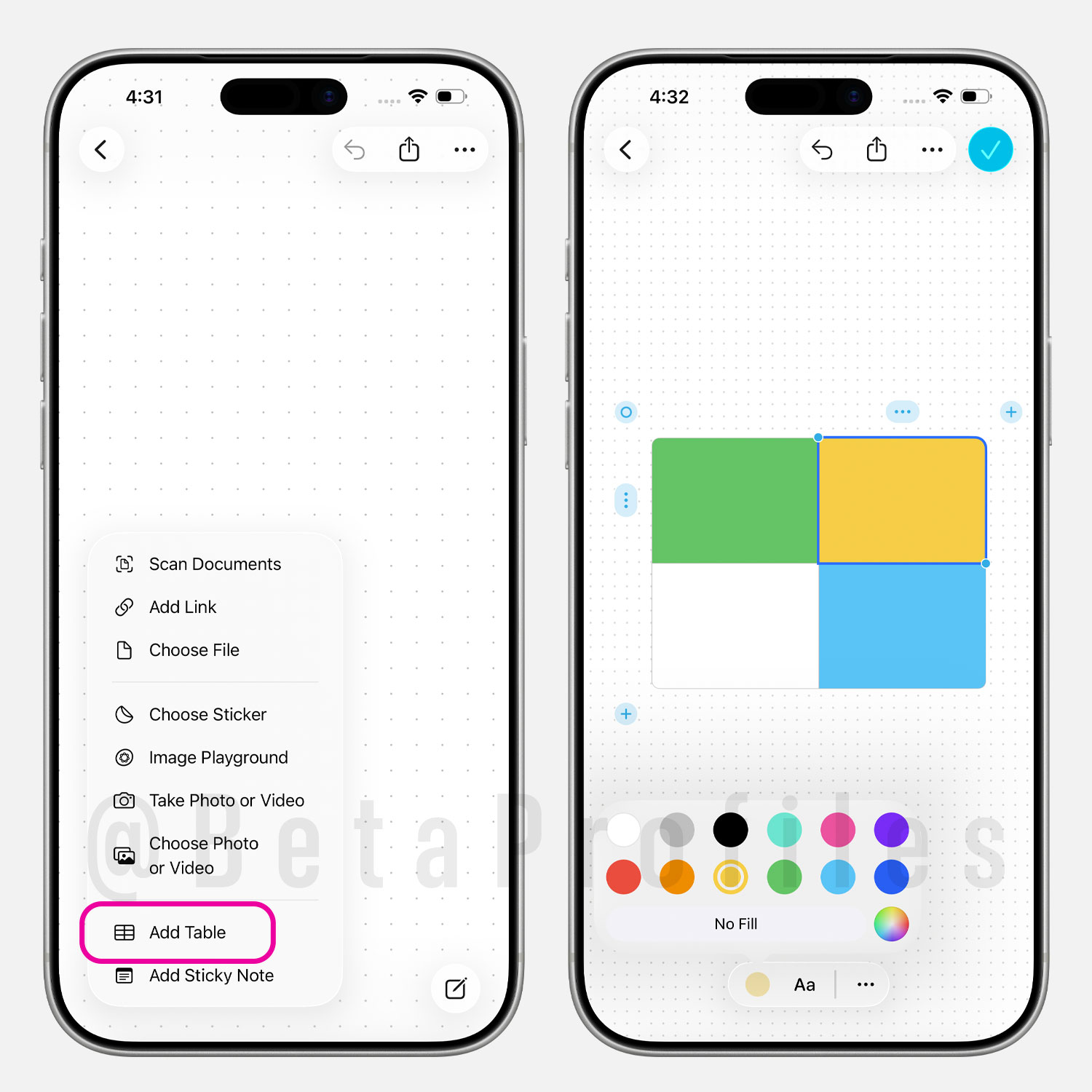
The Freeform app in iOS 26.2 now lets you add tables. You can resize them, fill each cell with color, add content, and insert or remove multiple rows and columns as needed.
Passwords
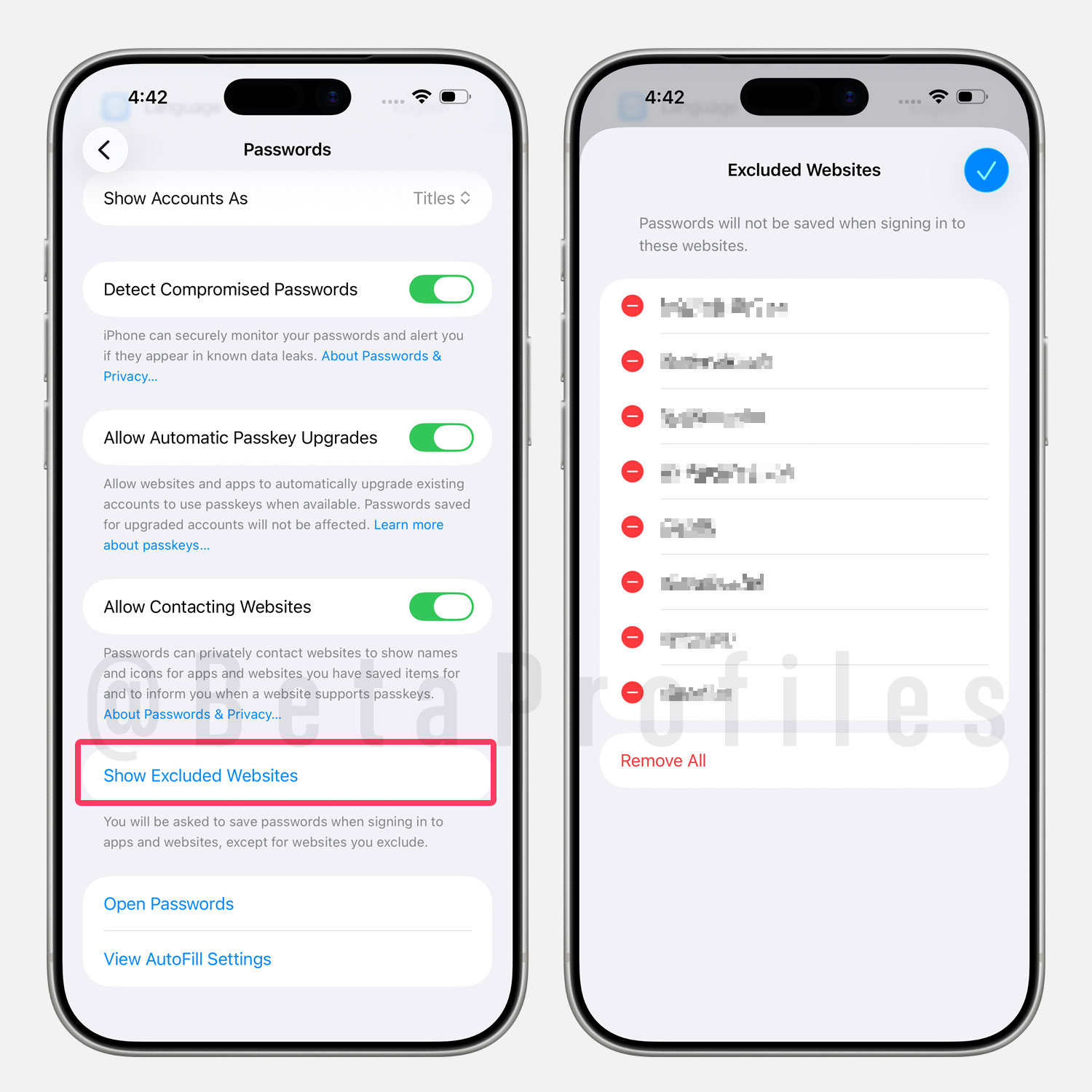
In Settings → Apps → Passwords, there’s a new option called “Show Excluded Websites” that lets you manage websites where passwords are not saved when signing in.
Enhanced Safety Alerts
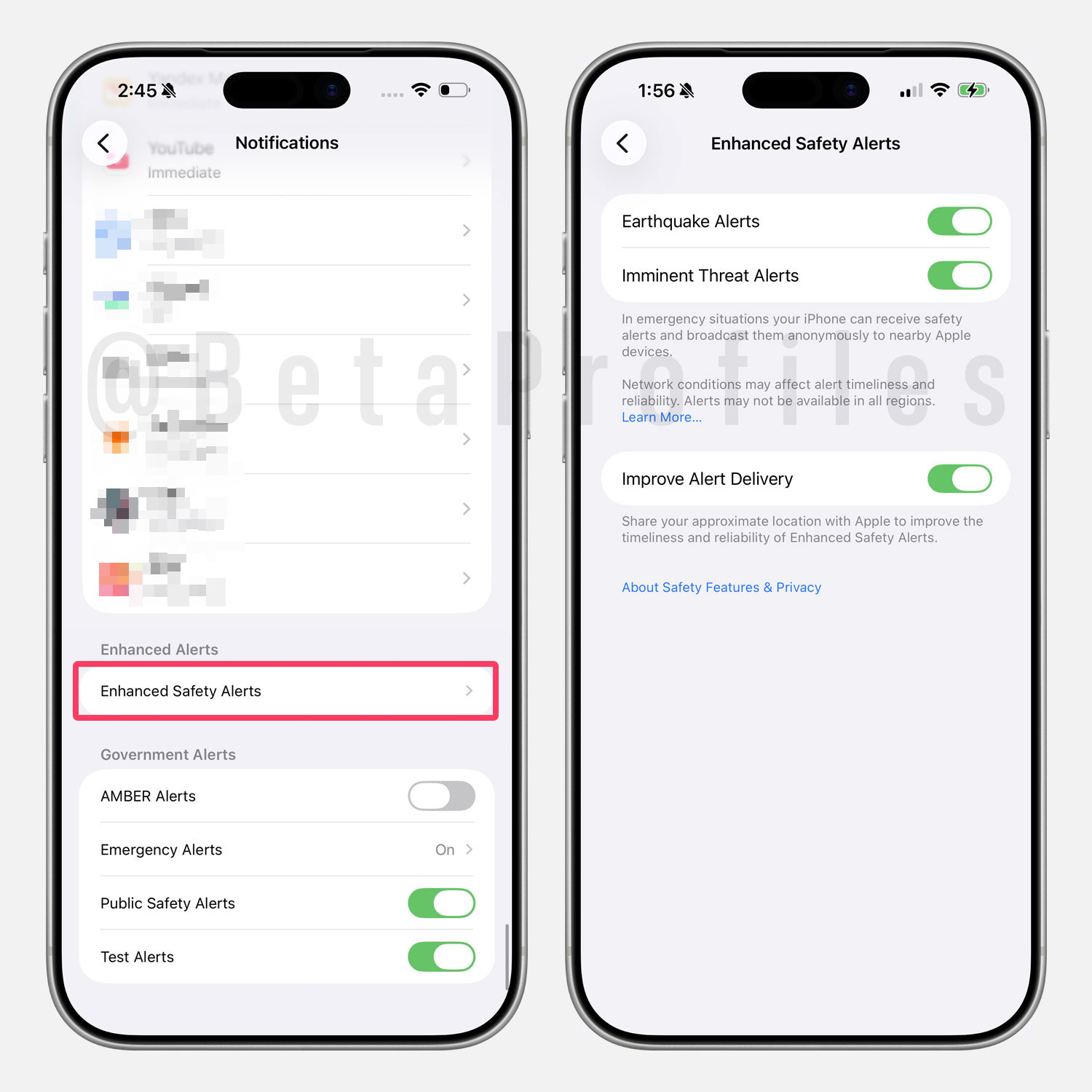
In Settings → Notifications, if you scroll to the bottom, you’ll also find a new “Enhanced Safety Alerts” option for warnings such as earthquakes or imminent threats.
Note that this setting is region-specific and may not be available to everyone.
Flash Screen for Alerts
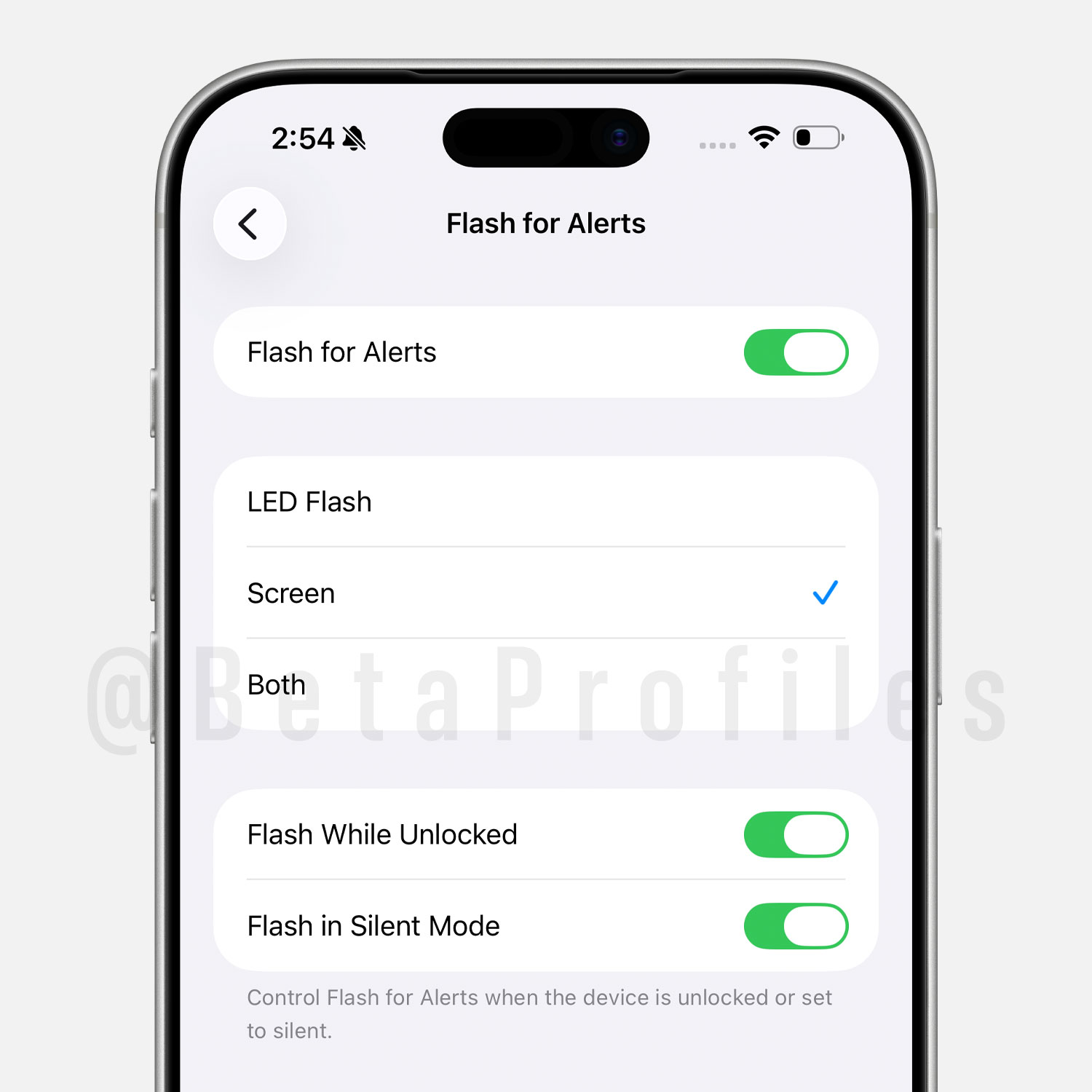
In Settings → Accessibility → Audio & Visual → Flash for Alerts, there are two new options — Screen and Both, that let you enable screen flashes for alerts. Previously, you could only use the LED flash on the back of the device.
AirPods Live Translation in EU
Apple has confirmed that Live Translation on select AirPods models will expand to the EU with iOS 26.2.
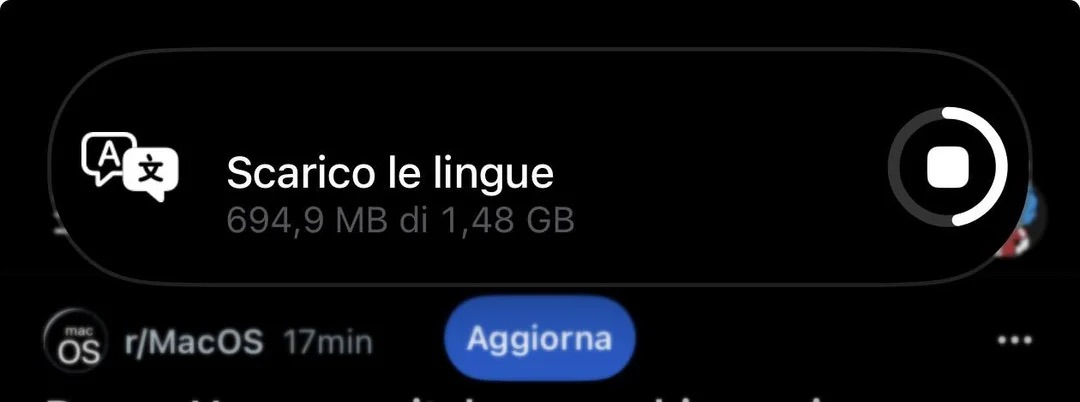
Image credit u/NeighborhoodFun9091
Live Translation requires AirPods Pro 3, AirPods Pro 2, or AirPods 4 with Active Noise Cancellation (ANC). The AirPods must be connected to an iPhone that supports Apple Intelligence.
Supported languages include English, French, German, Portuguese, Spanish, Italian, Chinese (Simplified and Traditional), Japanese, and Korean.
Apple Music
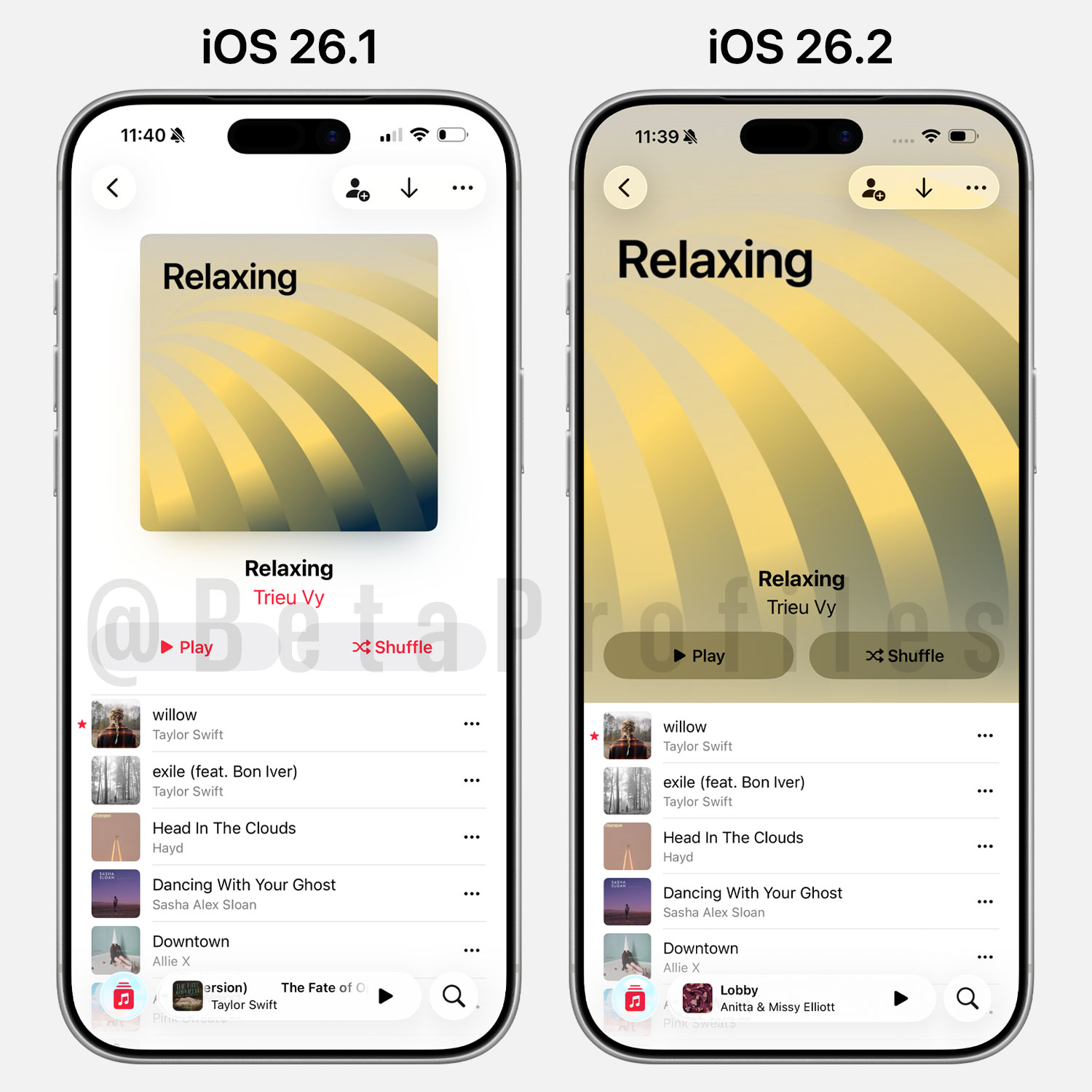
Covers for user-created playlists are now displayed in full. Note that this change only applies to playlists with automatically generated covers — custom images uploaded by users won’t be affected.
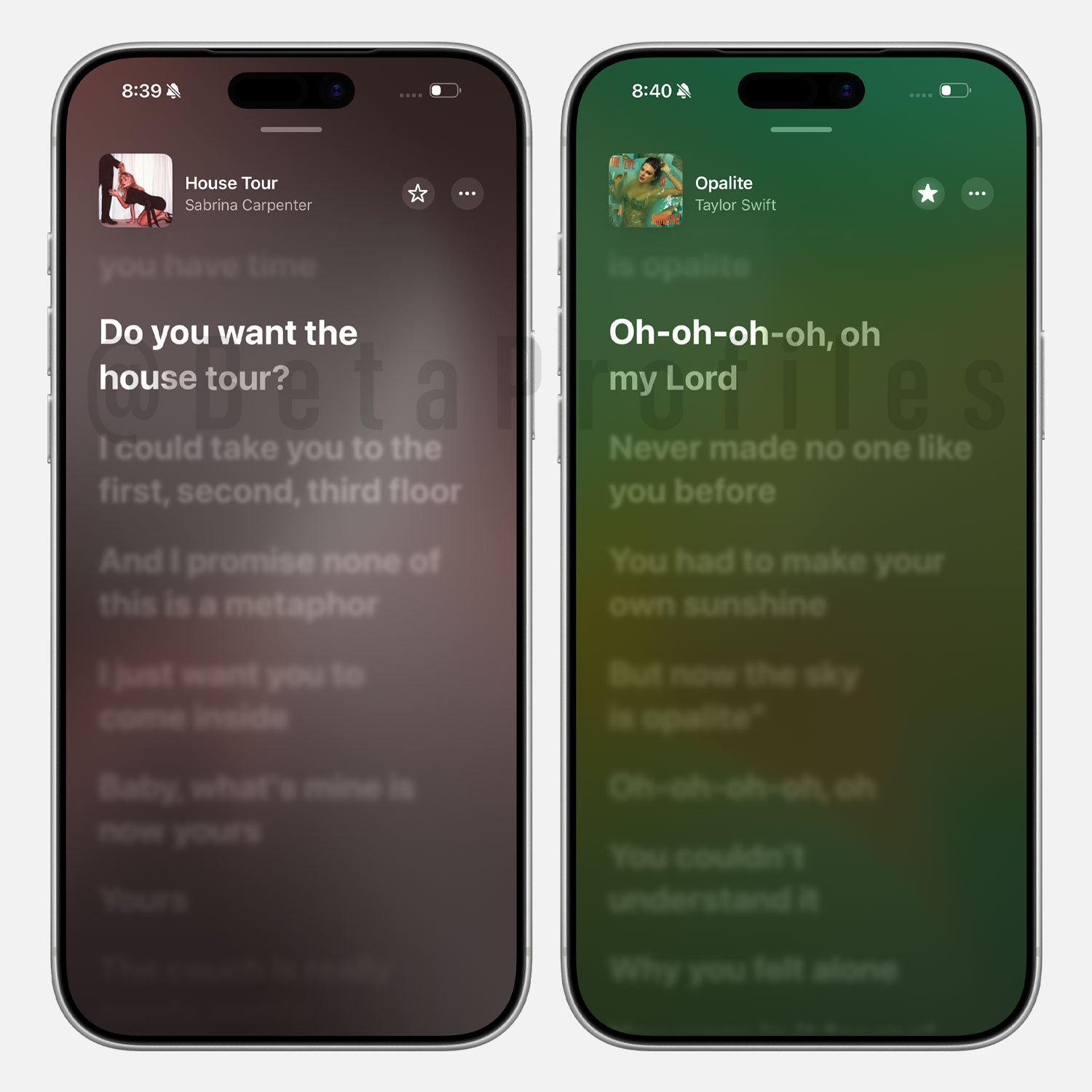
Songs you’ve downloaded from Apple Music now support offline lyrics as well. Previously, even if a song was downloaded, you could listen to it but couldn’t view the lyrics.
Changes in Japan 
Third-Party App Stores
Users in Japan can now install third-party app stores such as AltStore PAL and Epic Games Store in iOS 26.2 Beta.
This update complies with new Japanese regulations designed to limit the dominance of major tech companies like Apple.
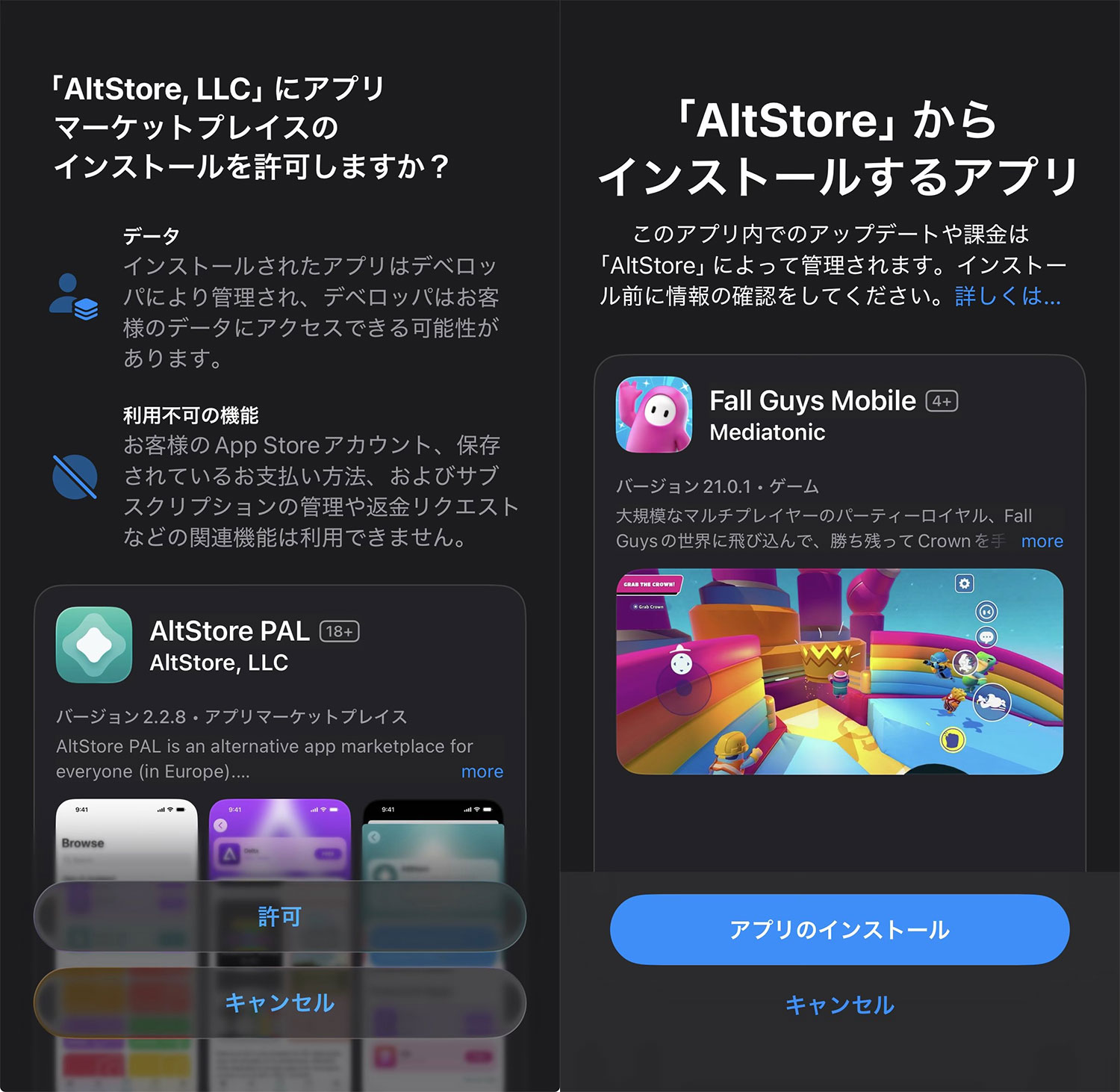
Image credit @Tzzlala
Previously, only the 27 EU countries were allowed to install third-party app stores beginning with iOS 17.4 and iPadOS 18, as part of compliance with the Digital Markets Act (DMA).
Safari
iOS 26.2 Beta also prompts users in Japan to choose their default search engine directly within Safari. Top options include Bing, Google, DuckDuckGo, Yahoo, and Ecosia.
This change follows new Japanese rules that require platforms to give users clear freedom to select their preferred search engine.
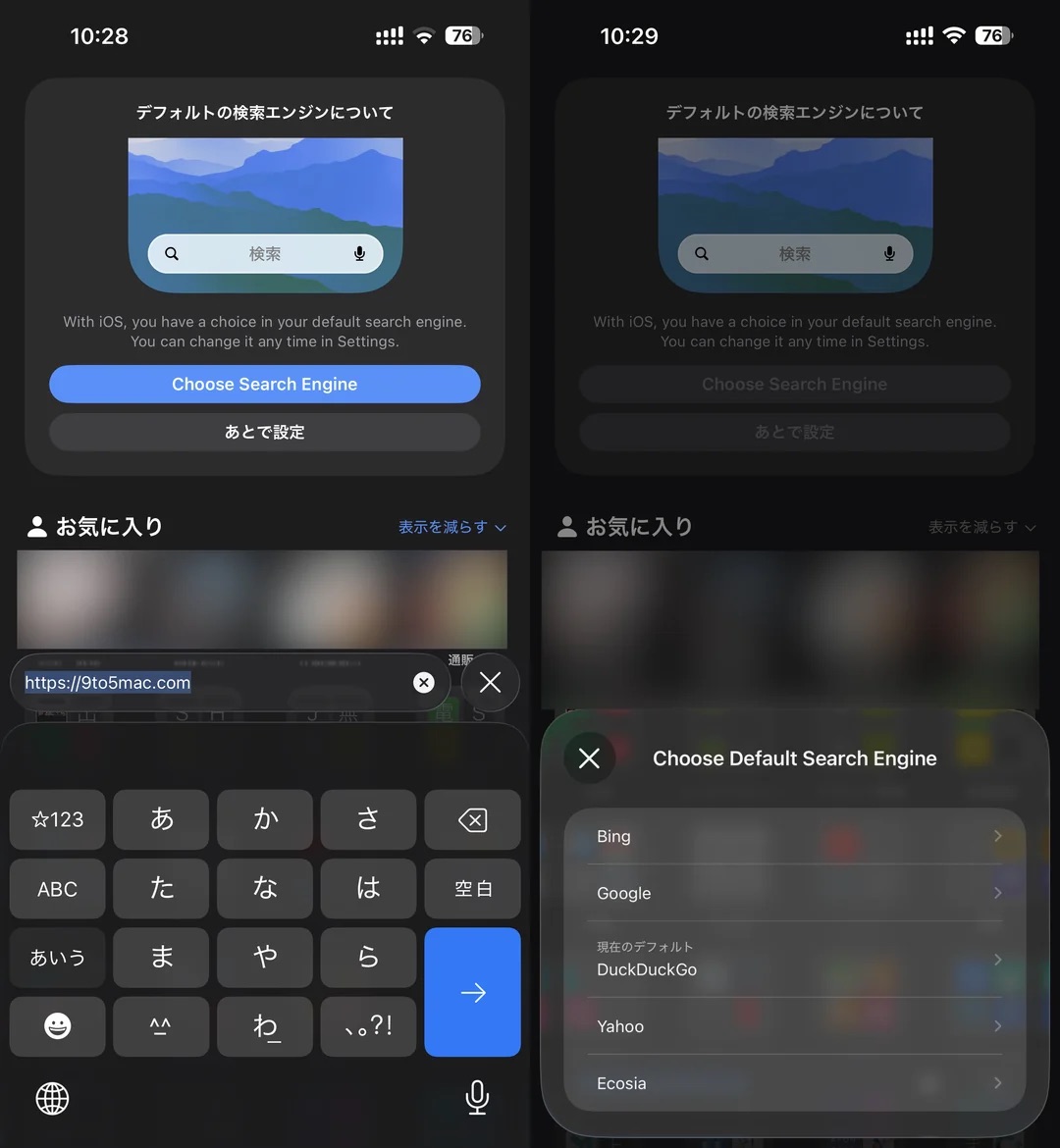
Image credit u/LunariSpring
For everyone else, you can always change Safari’s default search engine via: Settings → Apps → Safari → Search Engine.
Code Discoveries 
AirDrop
9to5Mac has discovered code within iOS 26.2 Beta 1 hinting at a potential new AirDrop feature that allows users to stay connected with someone for up to 30 days using a PIN code.
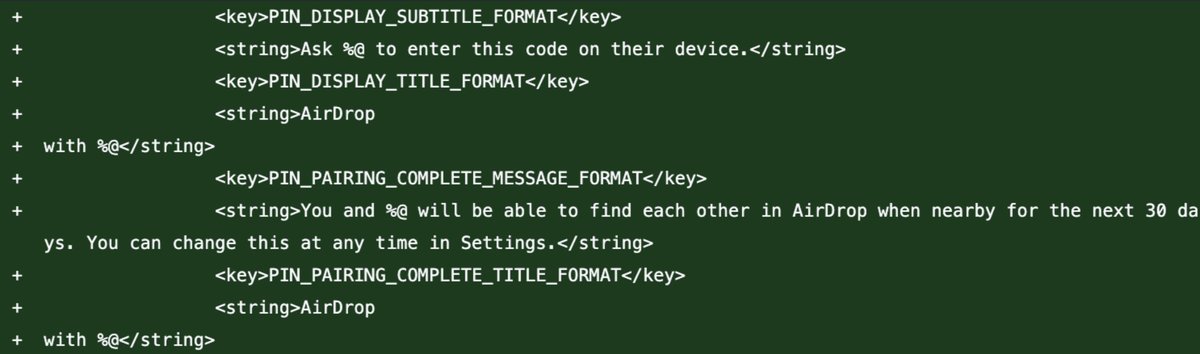
Image credit @aaronp613
Basically, you’ll be able to ask someone to enter the connection code displayed on your screen, and once linked, you’ll continue to see each other in AirDrop whenever you’re nearby for the next 30 days.
“Apple Creator Studio”
According to @aaronp613 on X, iOS 26.2 Beta 1 also references something called “Apple Creator Studio.” It’s not yet clear what this might refer to or how Apple plans to use it.
Customizable Side Button
Macworld has reported that Apple is testing the ability to customize the iPhone’s Side Button, based on internal code references found in iOS 26.2 Beta 1.
However, don’t expect the same level of flexibility as the Action Button. It’s likely that users will only be able to assign apps within certain categories — similar to how EU users can set up an alternative payment app to launch with a double-click.
I’ll keep adding more iOS 26.2 beta changes and new features here as I discover them. Stay tuned and follow @BetaProfiles on X or Threads!