Apple today seeded the fourth beta of iOS 27 to developers. Although this release introduces fewer significant changes, Apple is continuing to polish the overall user experience ahead of the public launch of iOS 27 in September. Below are the changes I’ve found in iOS 27 beta 4 so far.
In case you missed it, here’s everything added in beta 3: What’s New in iOS 27 Beta 3→
iOS 27 Developer Beta 4
Build: 24A5390f
Released: July 20, 2026
Siri AI
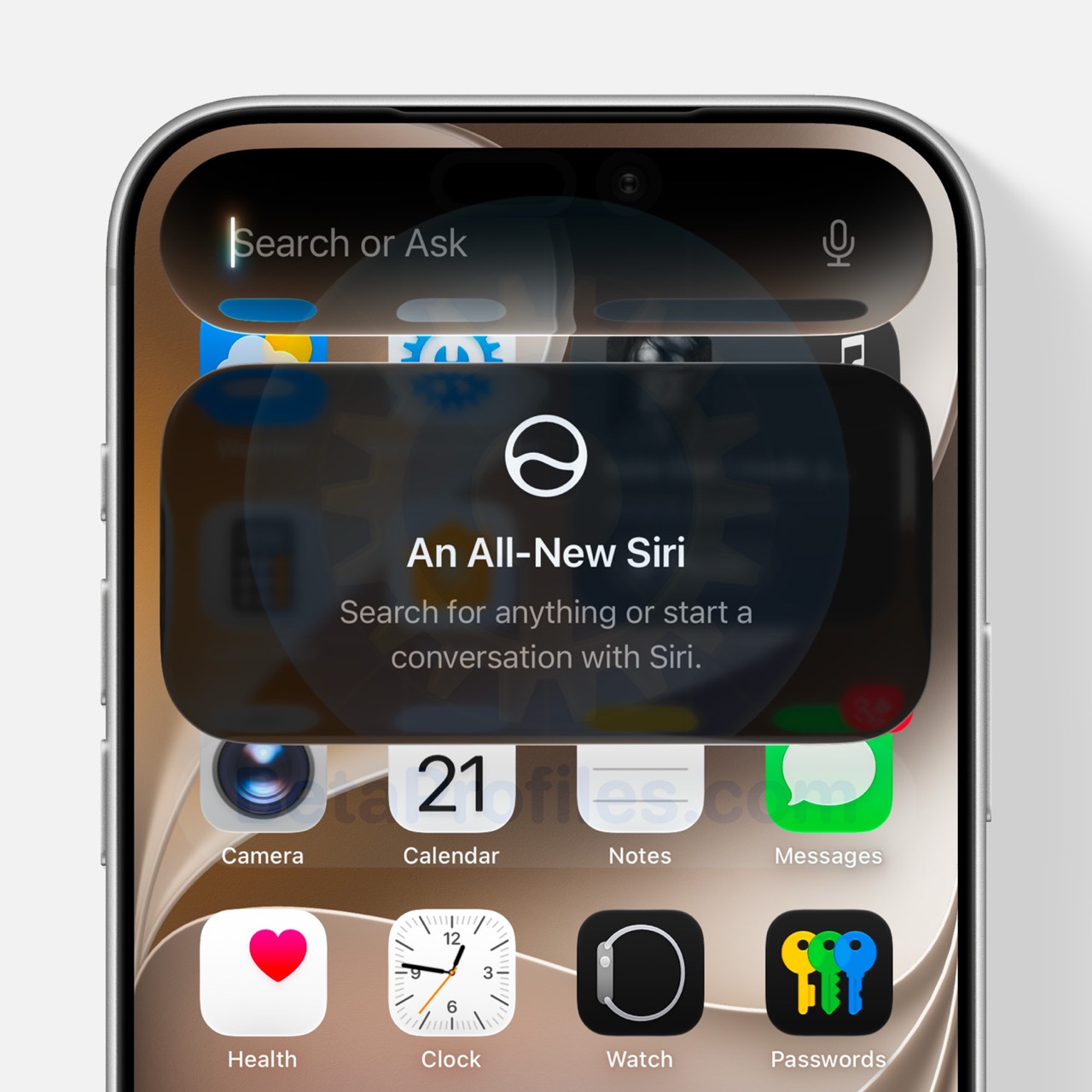
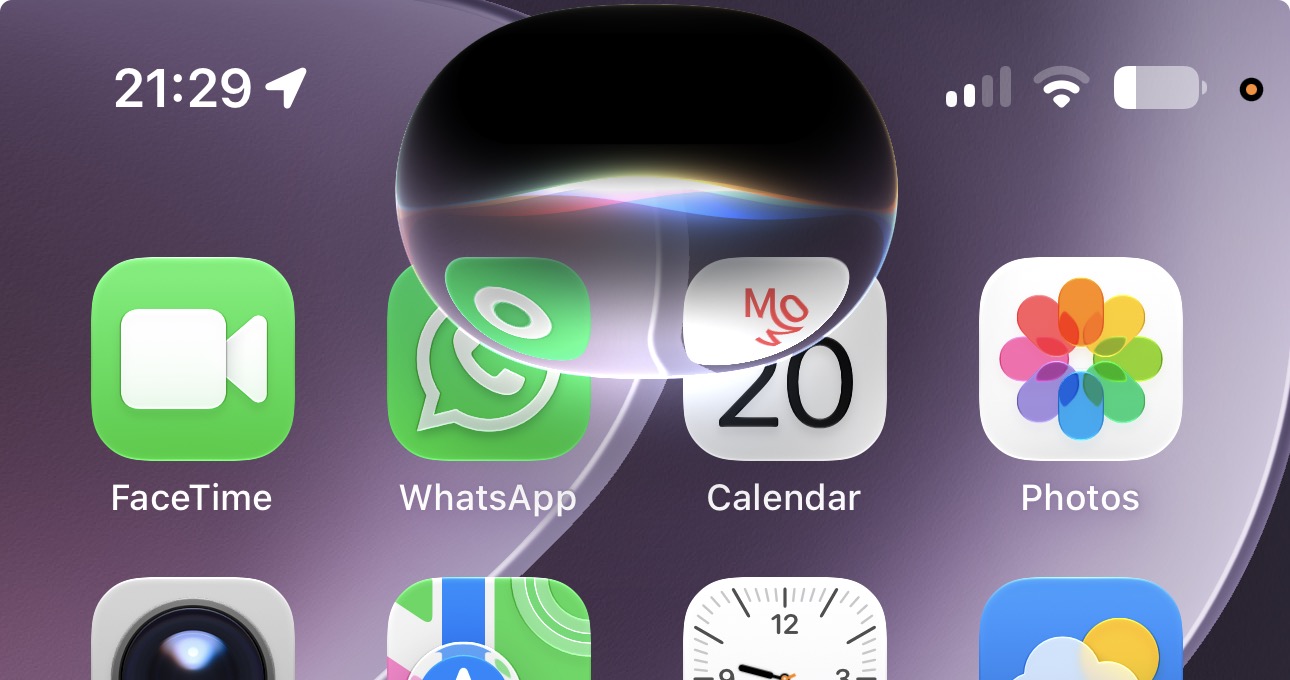
iOS 27 beta 4 adds a new “An All-New Siri” welcome screen that appears when you swipe down to launch Siri AI for the first time.
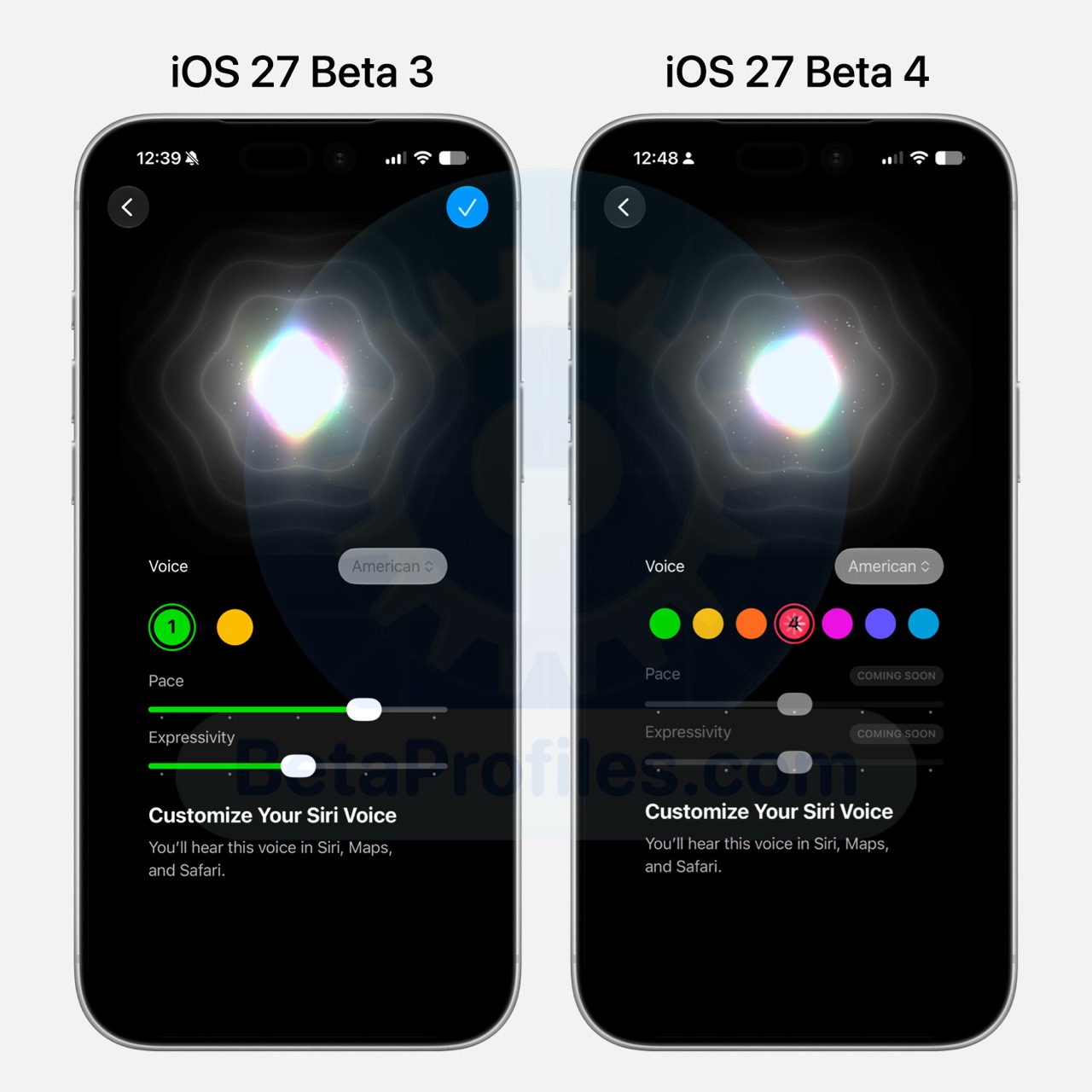
Apple has also added five new Siri voices with adjustable Expressivity and Pace, bringing the total to seven. However, only two of the new voices are currently available, while the remaining five are labeled “Coming Soon.”
Beta 4 also expands Siri’s English voice options by adding Australian, British, Indian, Irish, and South African voices alongside the existing American voice. However, these newly added voices do not support the Expressivity and Pace controls.
Bottom Lock Screen Control
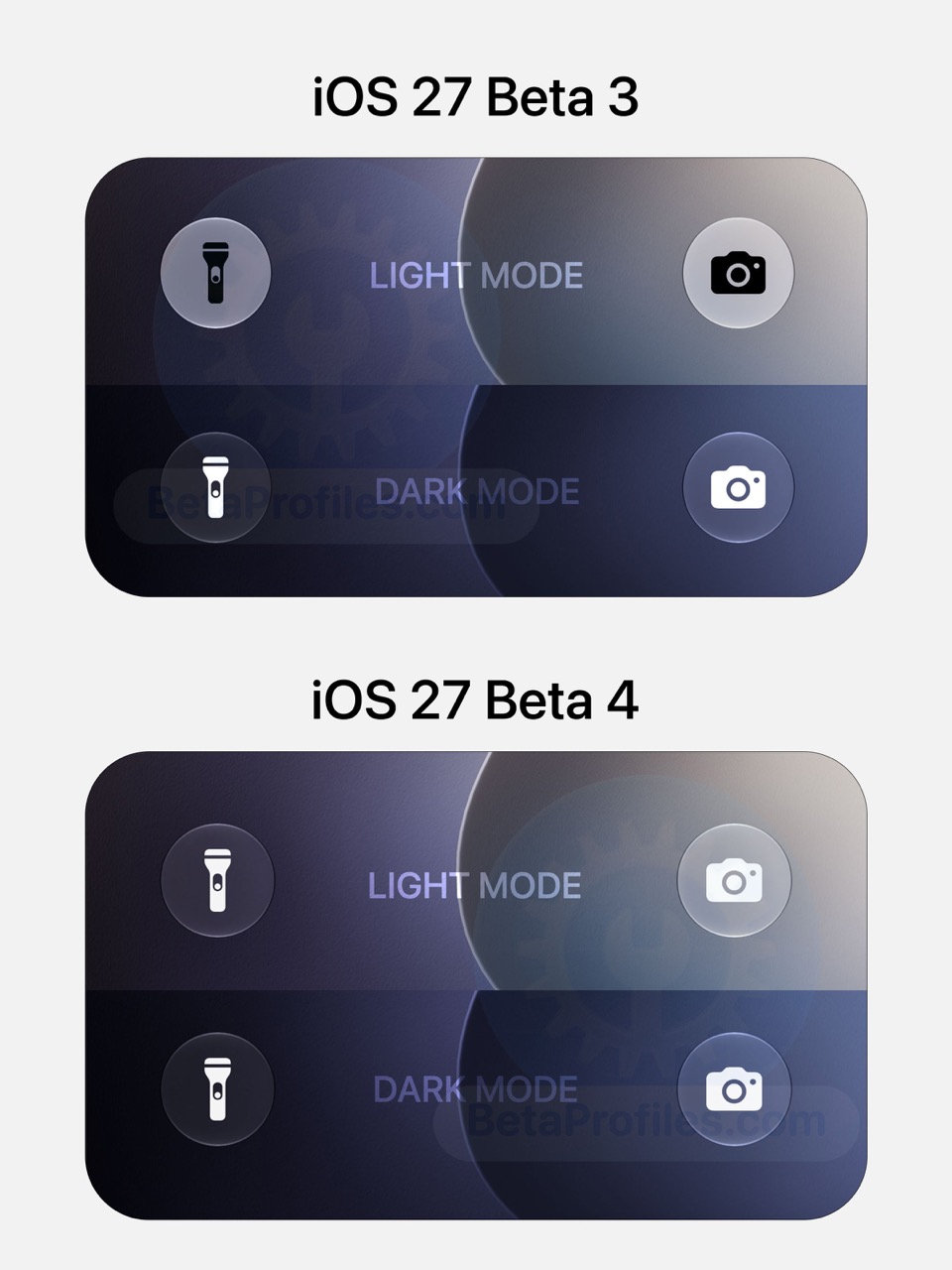
iOS 27 beta 4 brings back the white control buttons at the bottom of the Lock Screen in both light and dark mode.
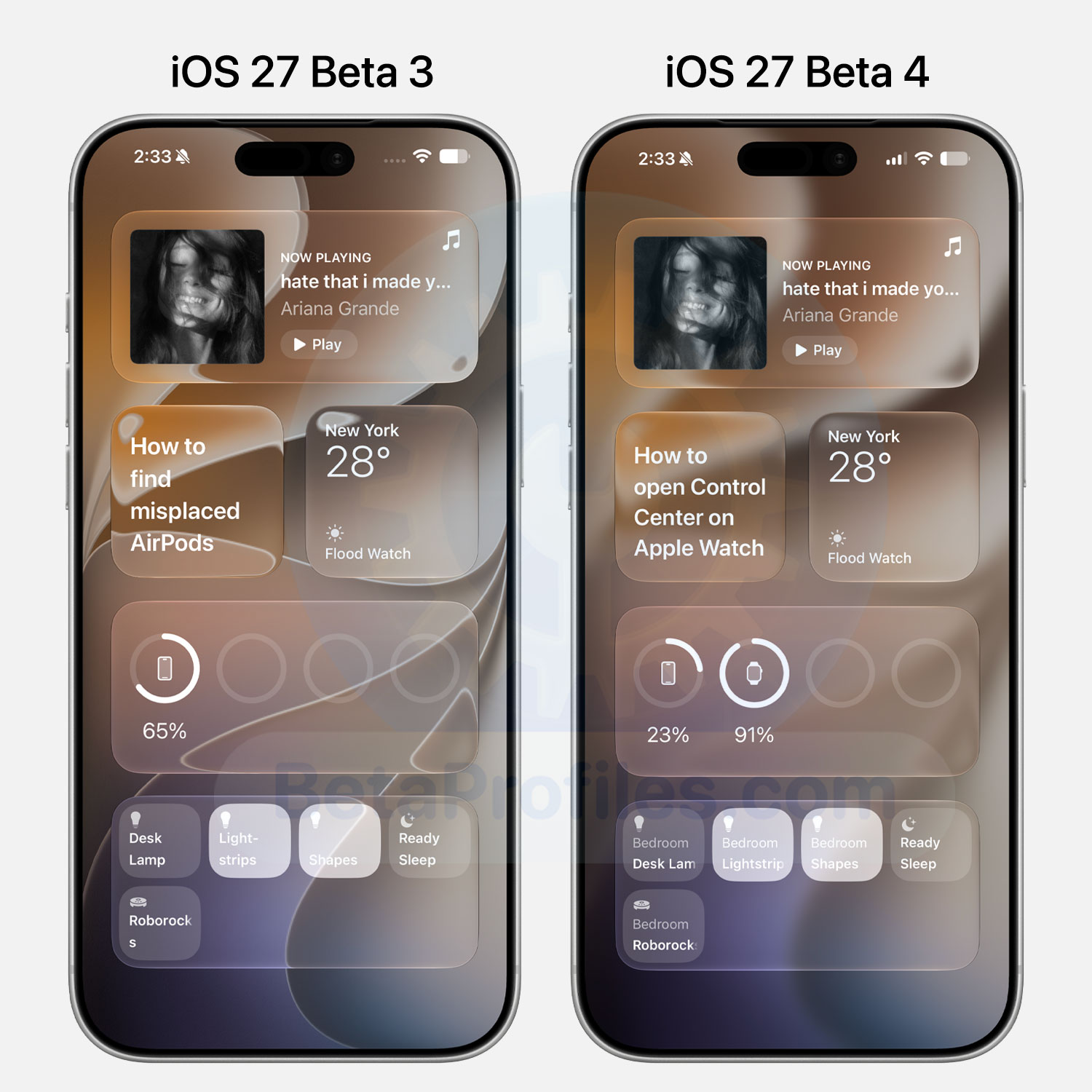
Today View
The blur effect has returned to the Home Screen’s Today View, just like in iOS 26.
Notification Center
The Depth Effect that appeared when opening Notification Center in Beta 3 is no longer present in iOS 27 Beta 4. It’s unclear whether this is an intentional change or simply a bug, as the effect disappeared just two weeks after it first appeared.
https://x.com/BetaProfiles/status/2079280143458316596
References to a Dual-Battery iPhone
Macworld spotted code in iOS 27 beta 4 that references an iPhone with two separate batteries, likely pointing to the rumored foldable iPhone Ultra. Here’s the relevant string found in the code:
The health of the batteries in this iPhone has significantly degraded, and one of the batteries could not be verified as a genuine Apple battery. An Apple Authorized Service Provider can replace the batteries to restore full performance and capacity.
According to rumors, the iPhone Ultra will pack two batteries rated at 1,921mAh and 2,962mAh, adding up to a combined 4,883mAh.
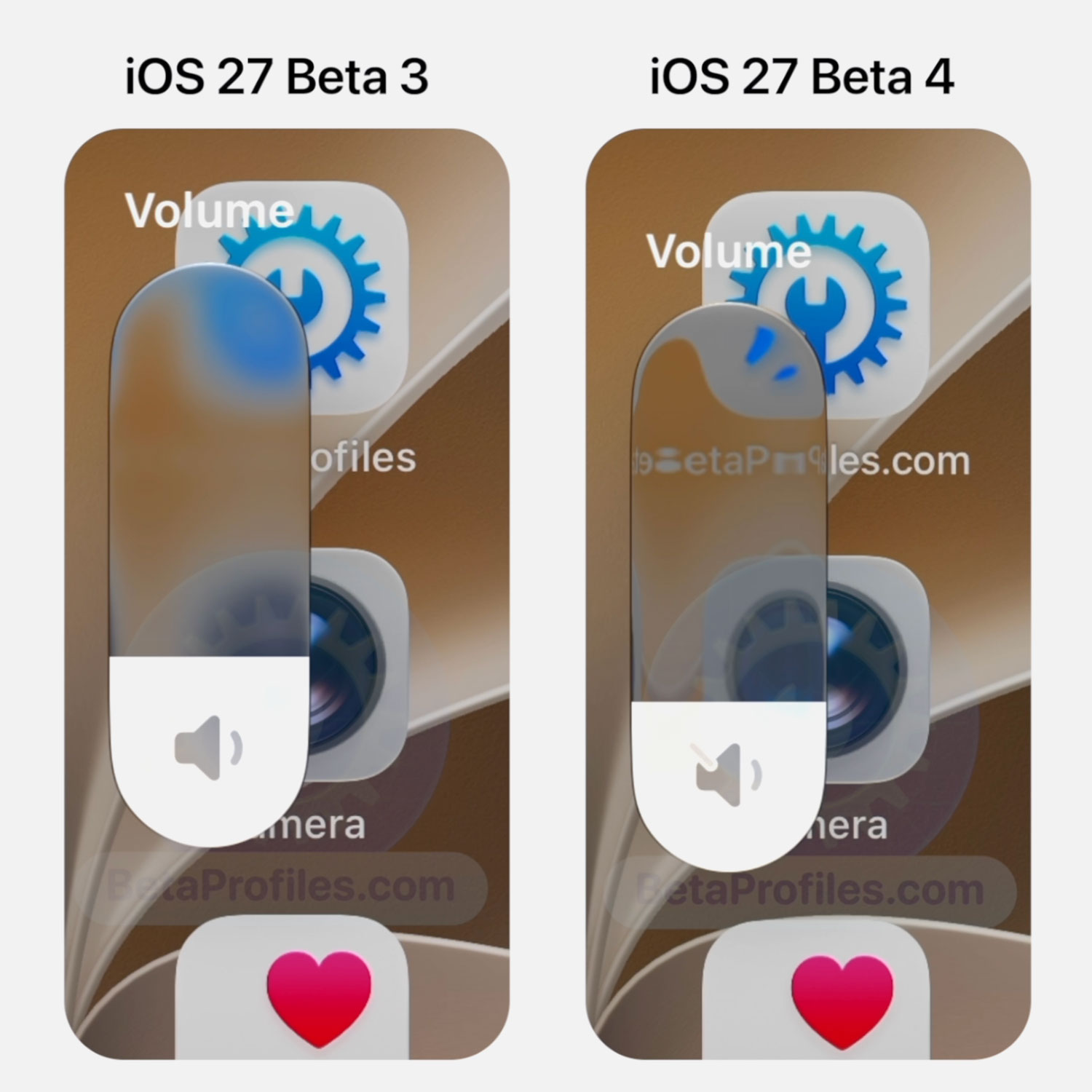
Volume Slider
The Liquid Glass volume slider is more transparent in iOS 27 Beta 4.
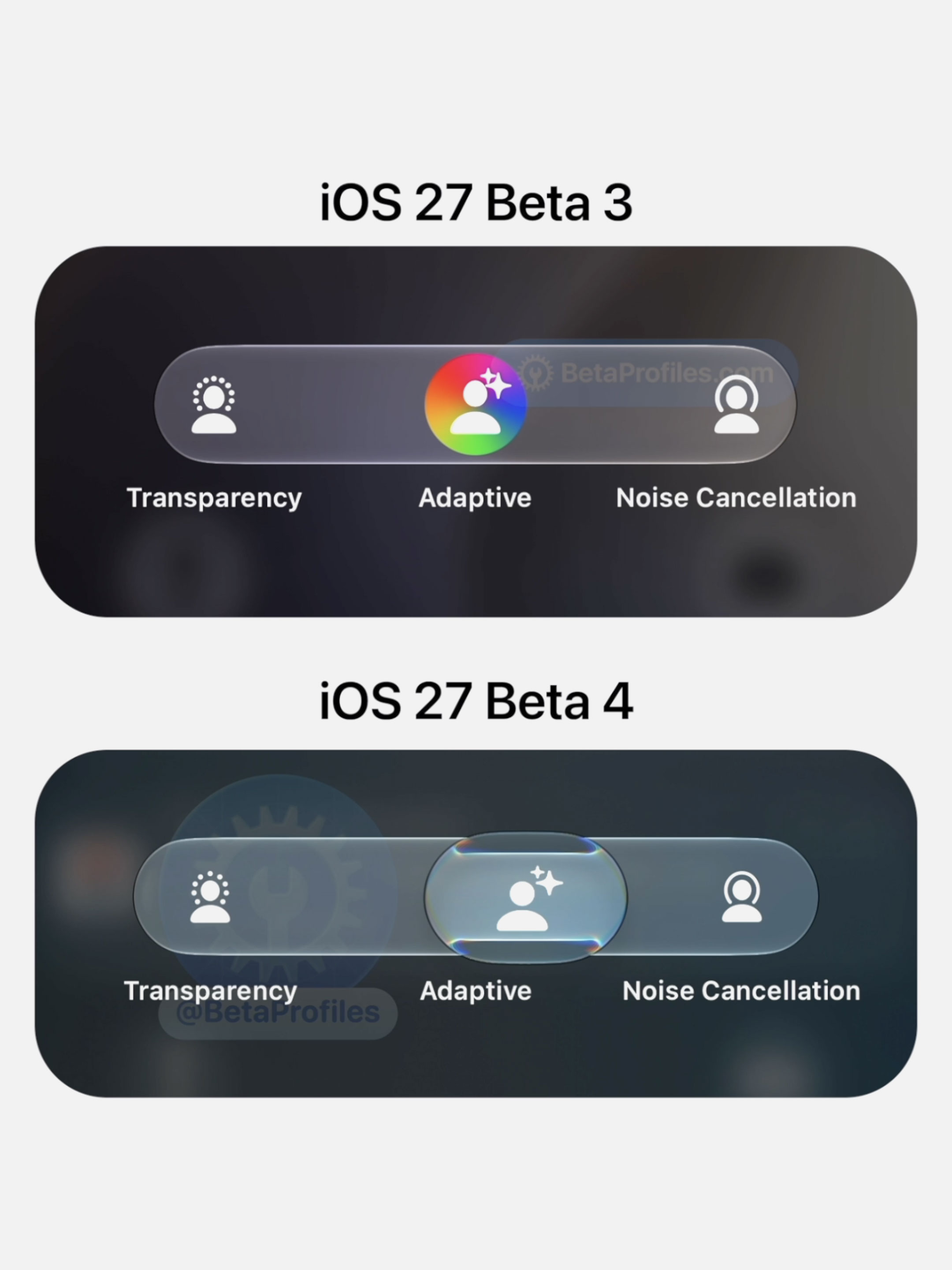
AirPods Slider
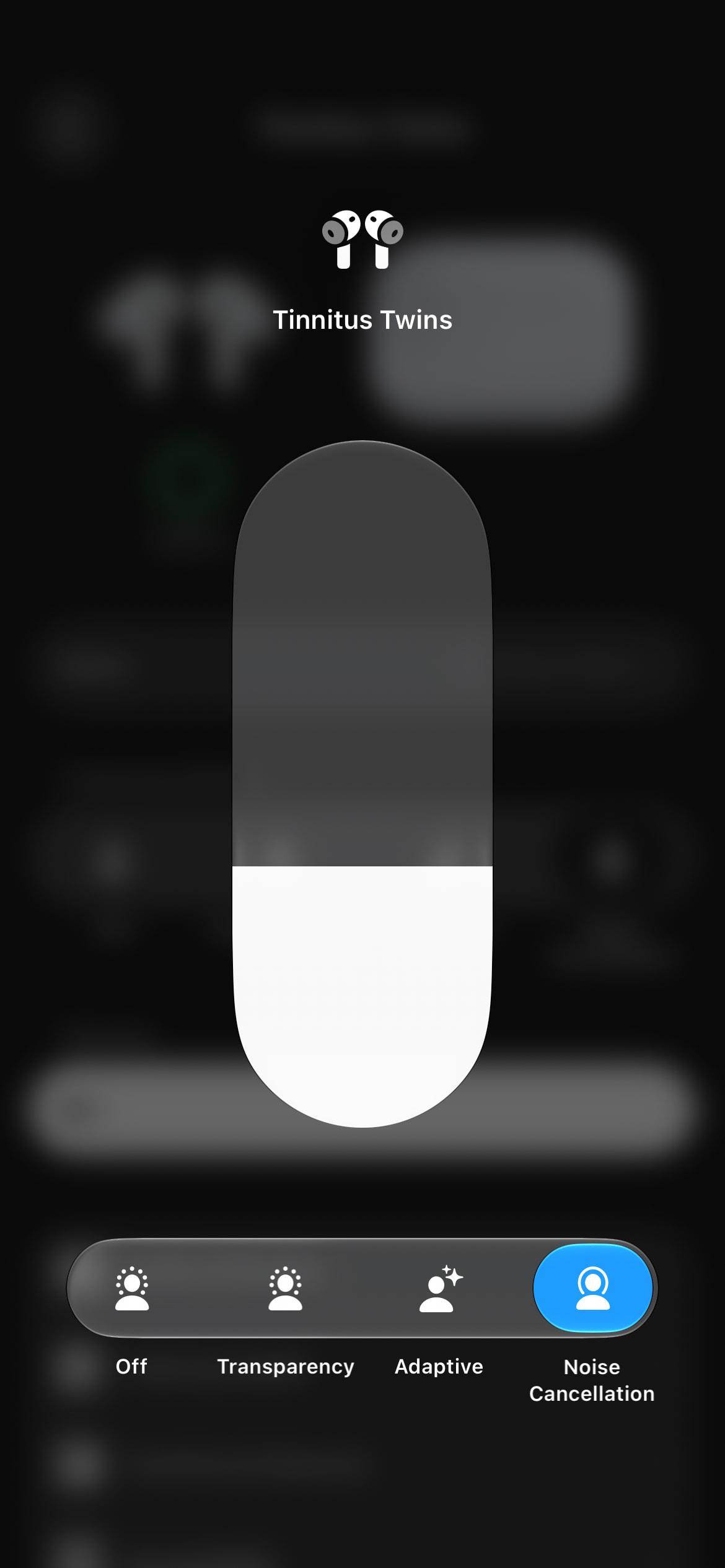
The AirPods controls in Control Center also get a major refresh. You can now press and hold to swipe between options with a smooth Liquid Glass animation.
https://x.com/BetaProfiles/status/2079324253187645596
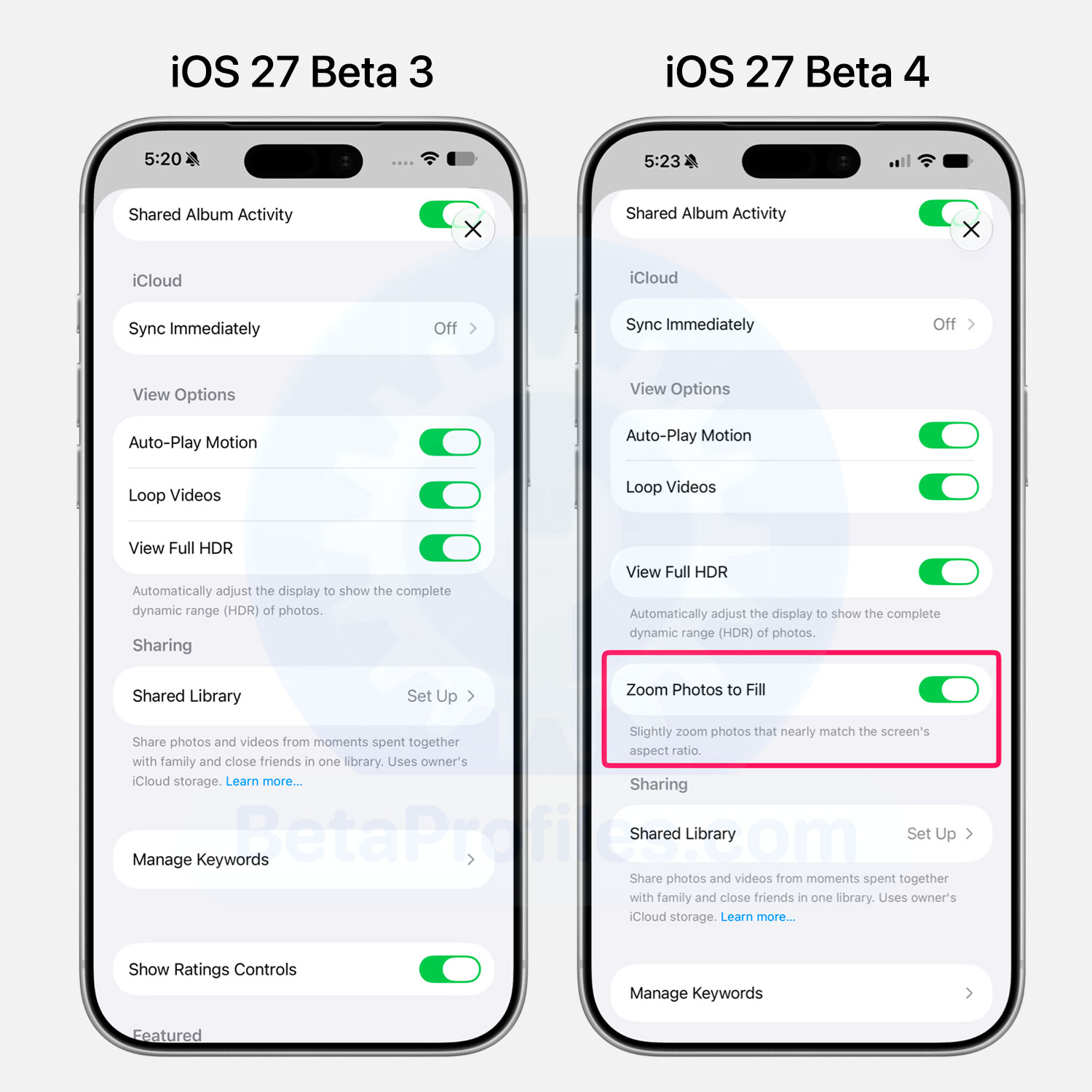
Zoom Photos to Fill
A new Zoom Photos to Fill option has been added to the Photos settings and is enabled by default. It slightly zooms in on photos to better match your iPhone’s display aspect ratio.
Siri App
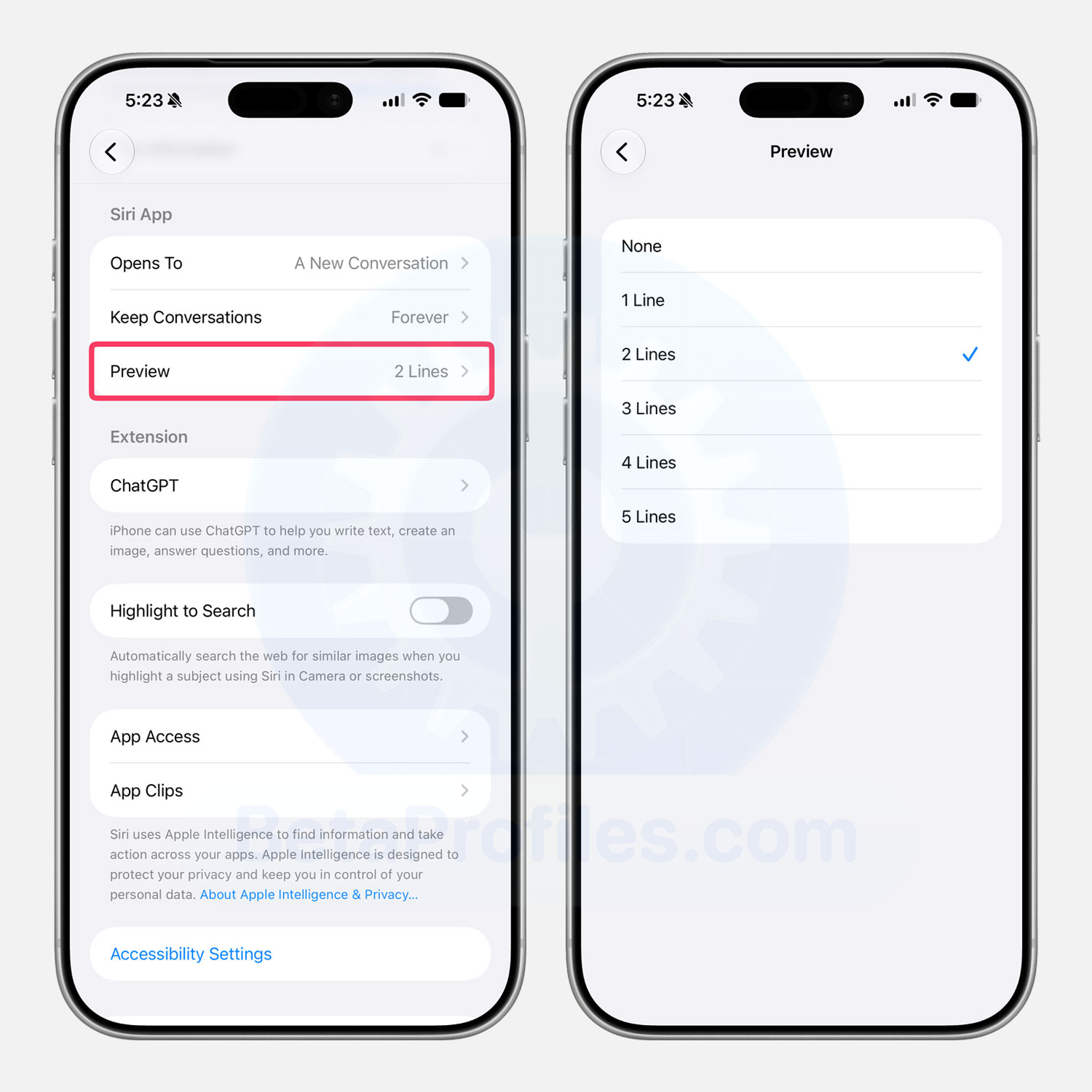
Under Settings → Siri, Apple has added a new Preview option that lets you choose how many lines are shown in Siri previews. You can select anywhere from 1 to 5 lines, or choose None to hide the preview entirely.
Camera Settings
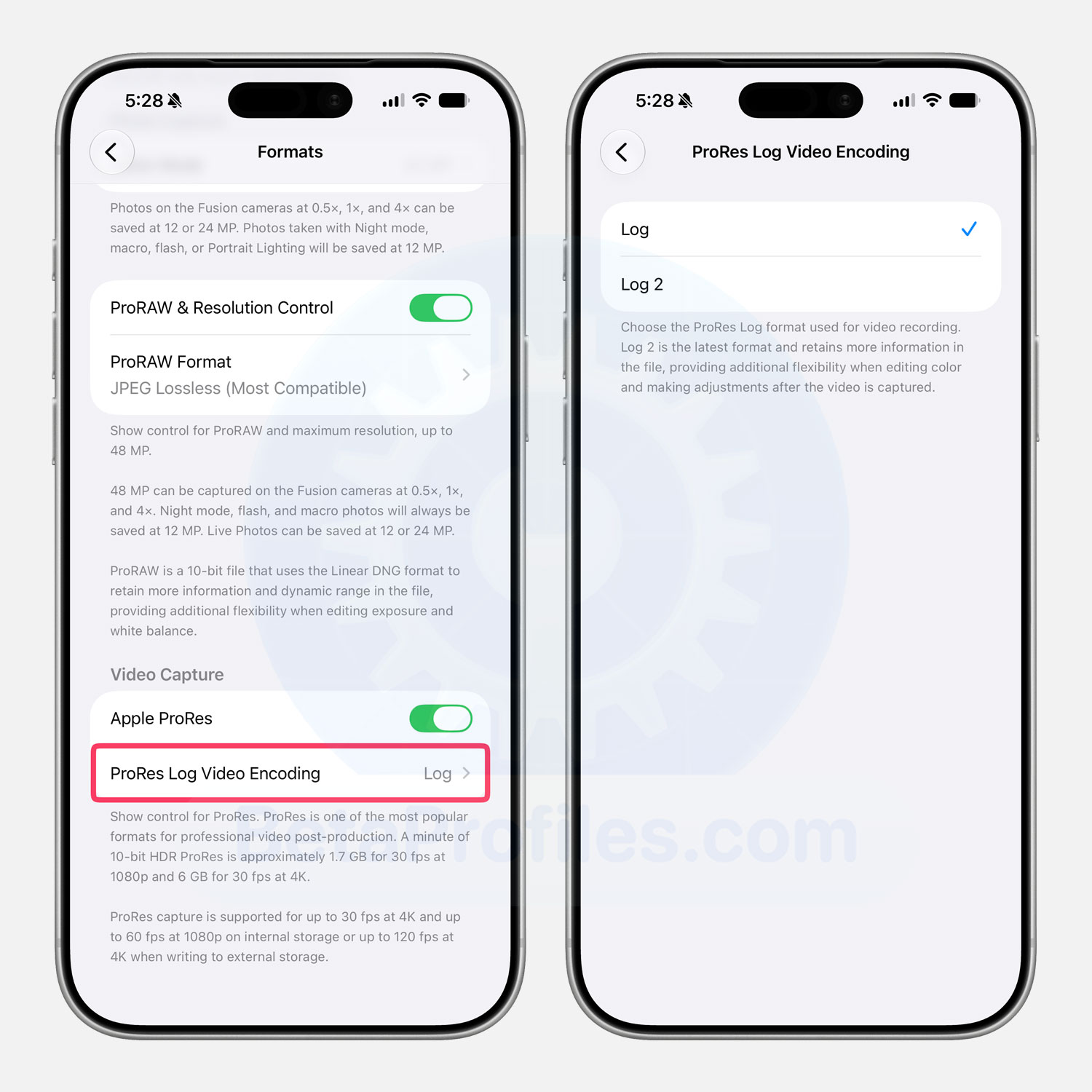
If Apple ProRes is enabled under Settings → Camera → Formats, a new ProRes Log Video Encoding option appears, letting you choose between Log and Log 2.
According to Apple, Log 2 preserves more image information in each video file, giving you greater flexibility when color grading and making adjustments during post-production.
Home App
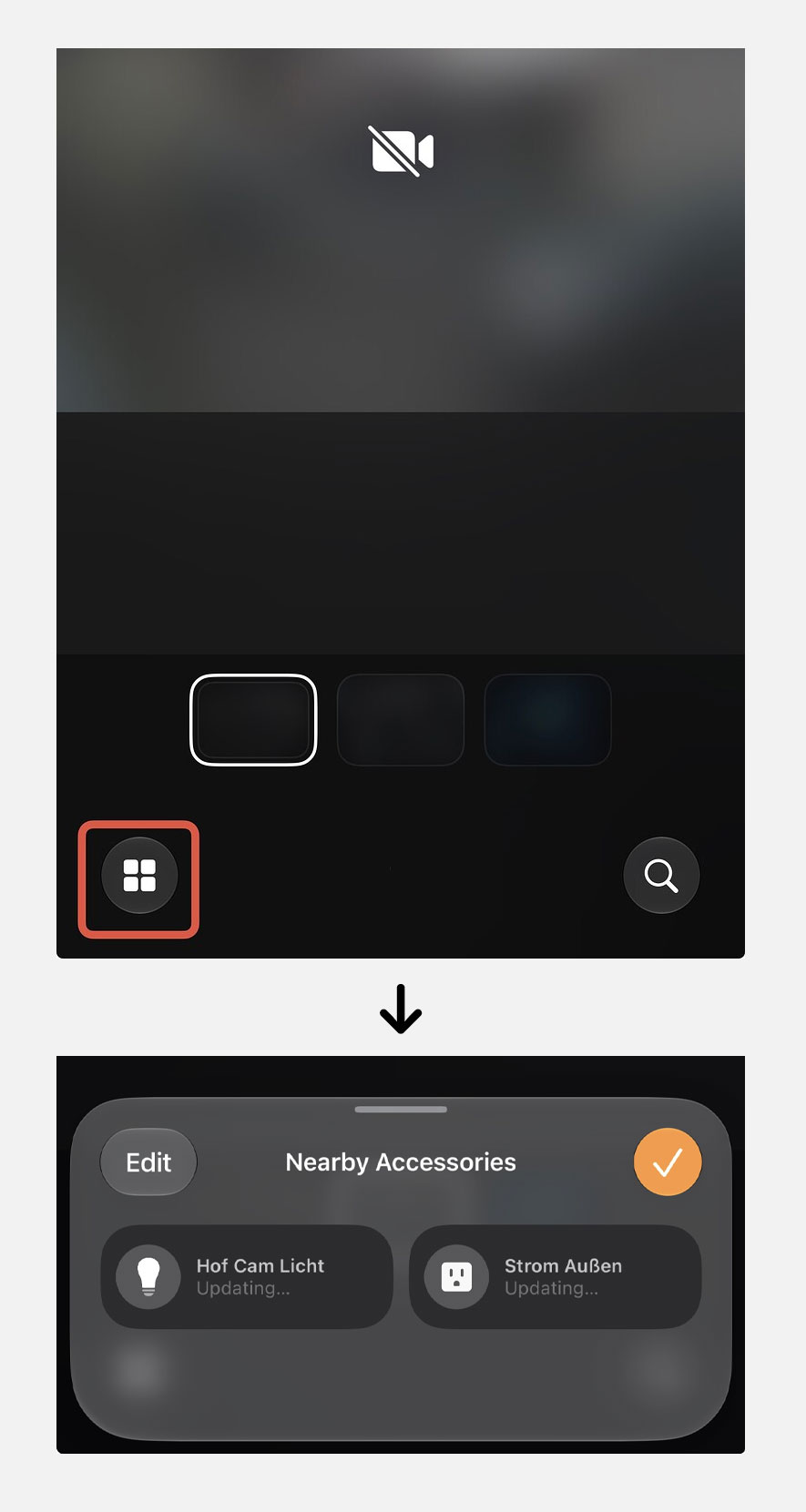
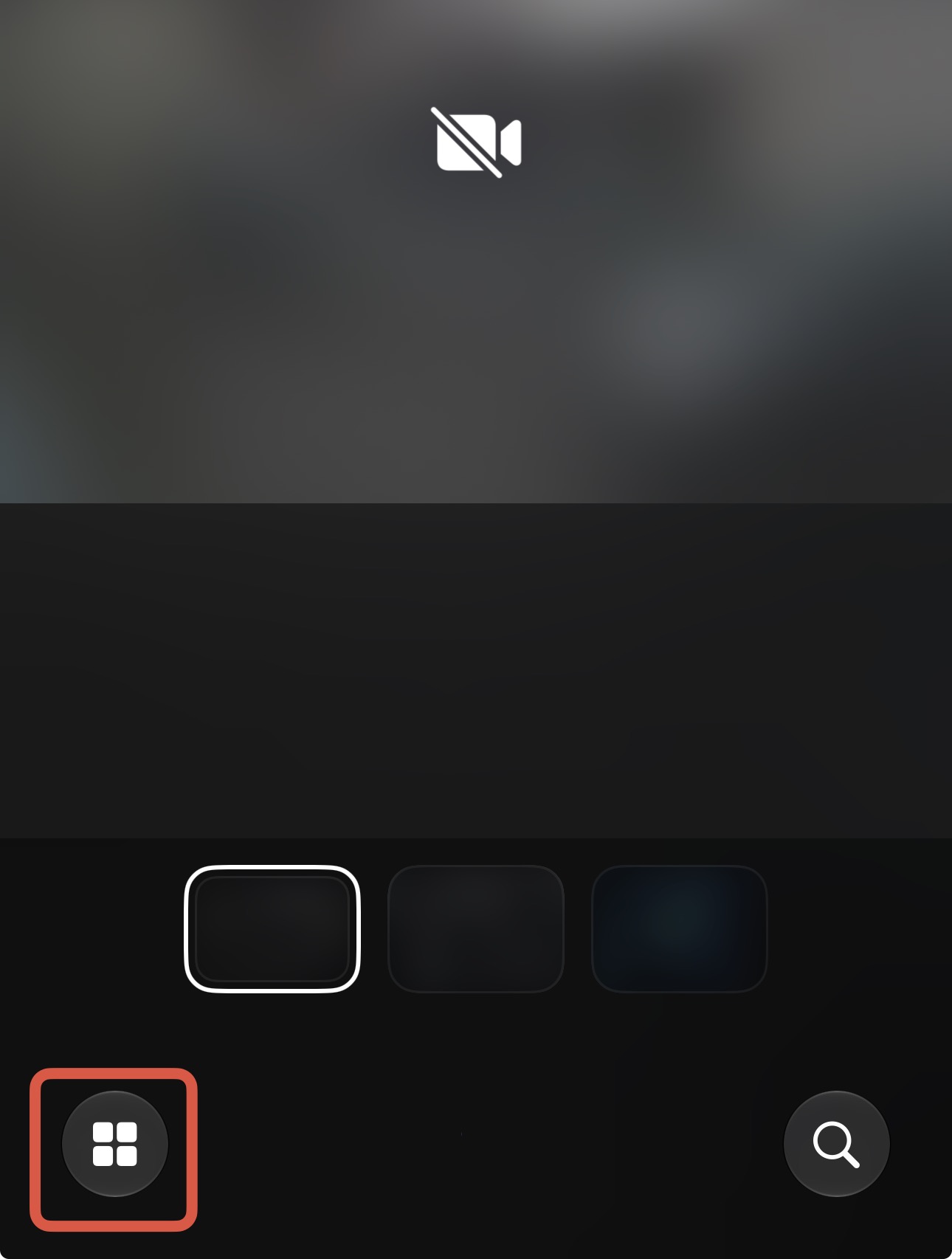
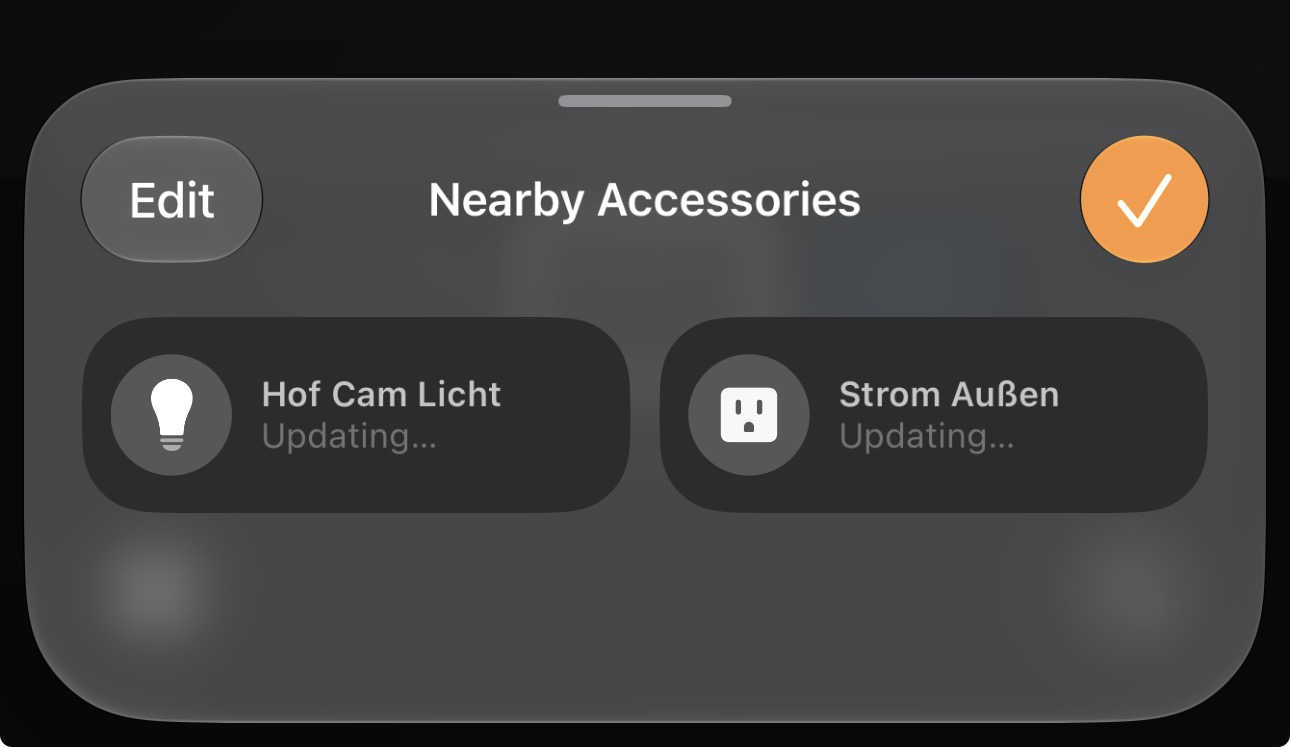
In Camera View, there is now a new button in the bottom-left corner that lets you quickly open the nearby accessories sheet.
Thanks to @KingDando
App Icon Tweaks
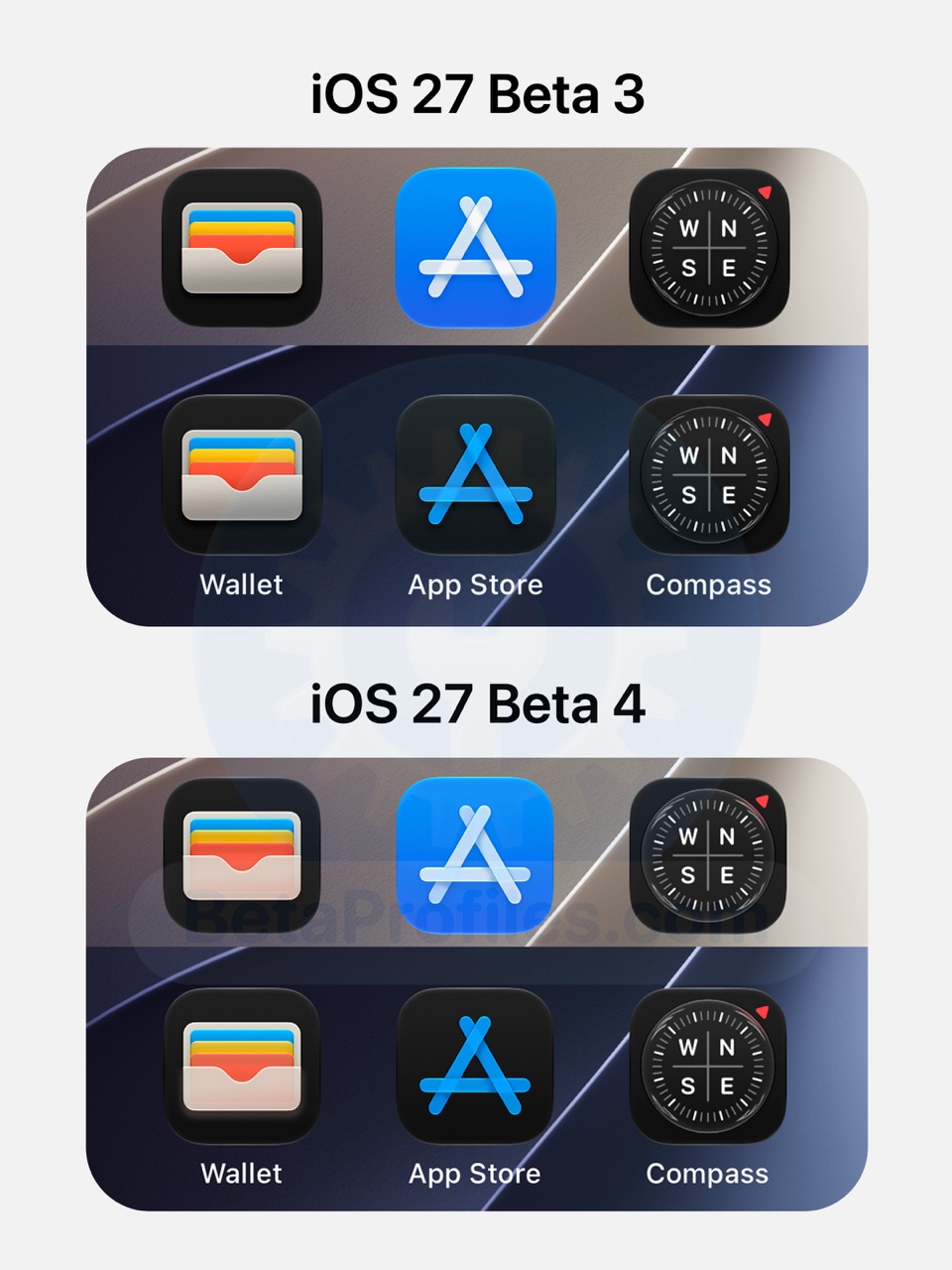
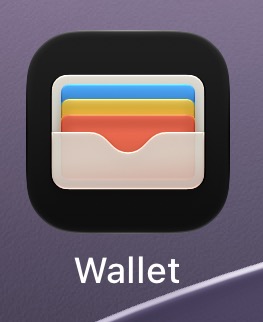
iOS 27 Beta 4 updates several app icons, including Wallet, App Store, and Compass. The Wallet icon is now more transparent, allowing the colored cards underneath to be visible. The App Store icon has reduced transparency, while the Compass icon now reflects the red triangle’s color onto the compass beside it.
Thanks to @KingDando and @Zagnut531
Messages
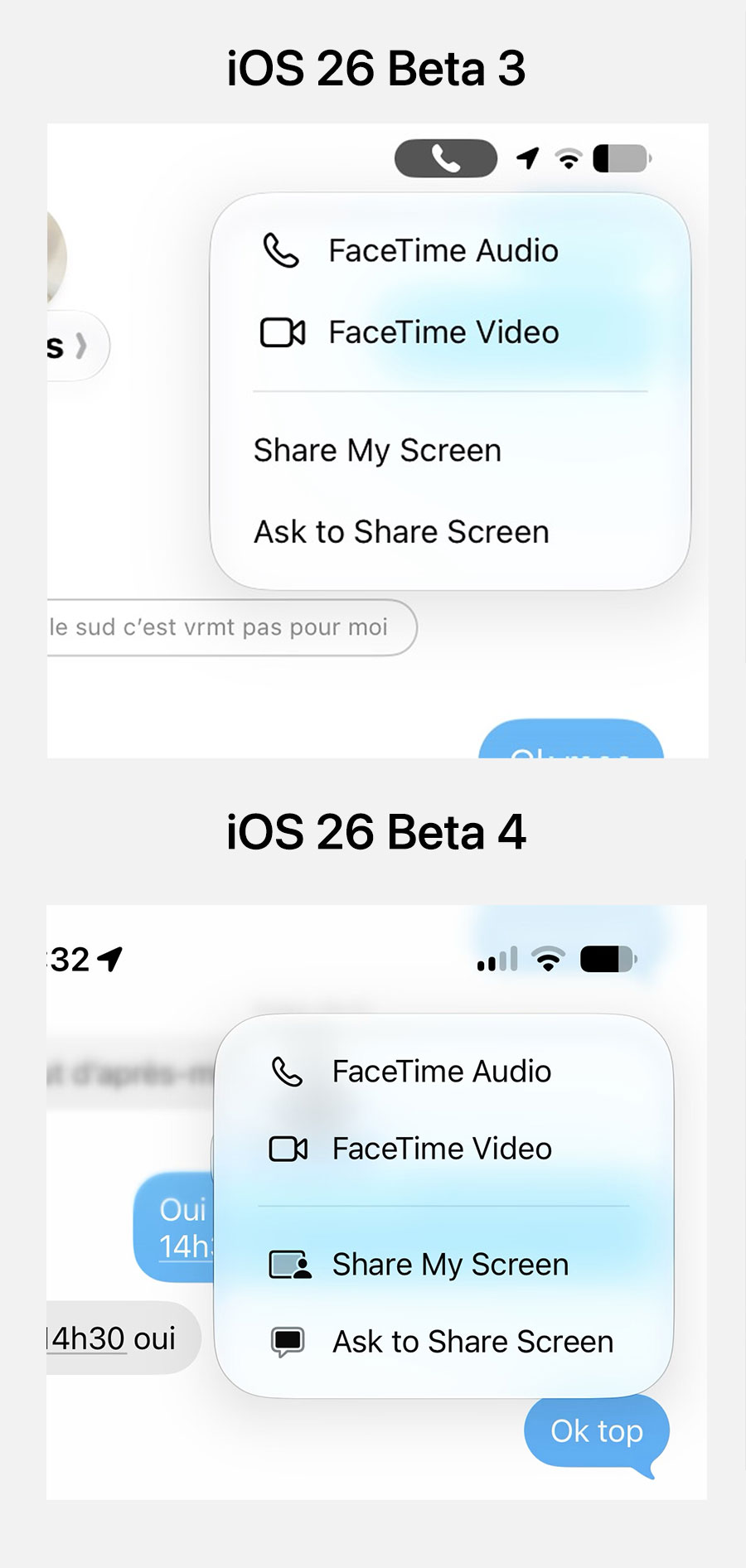
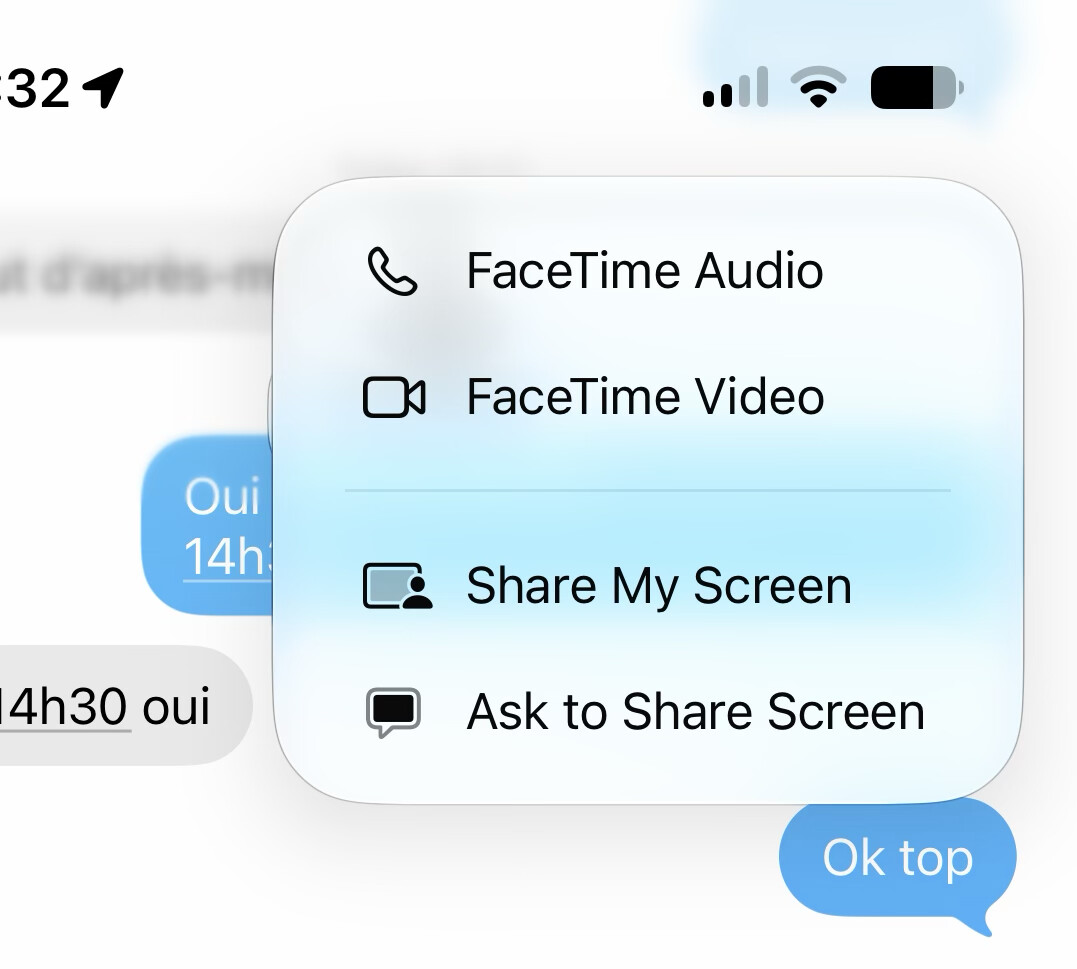
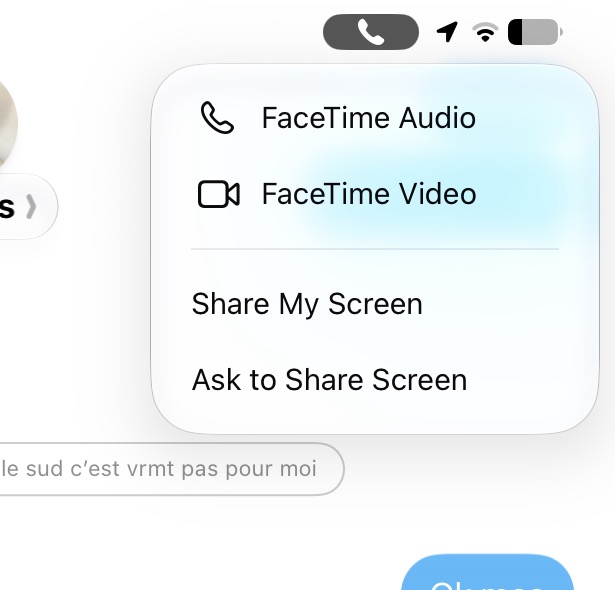
The FaceTime menu in Messages now shows icons next to options like Share My Screen and Ask to Share Screen.
Thanks to @Max1
Widgets
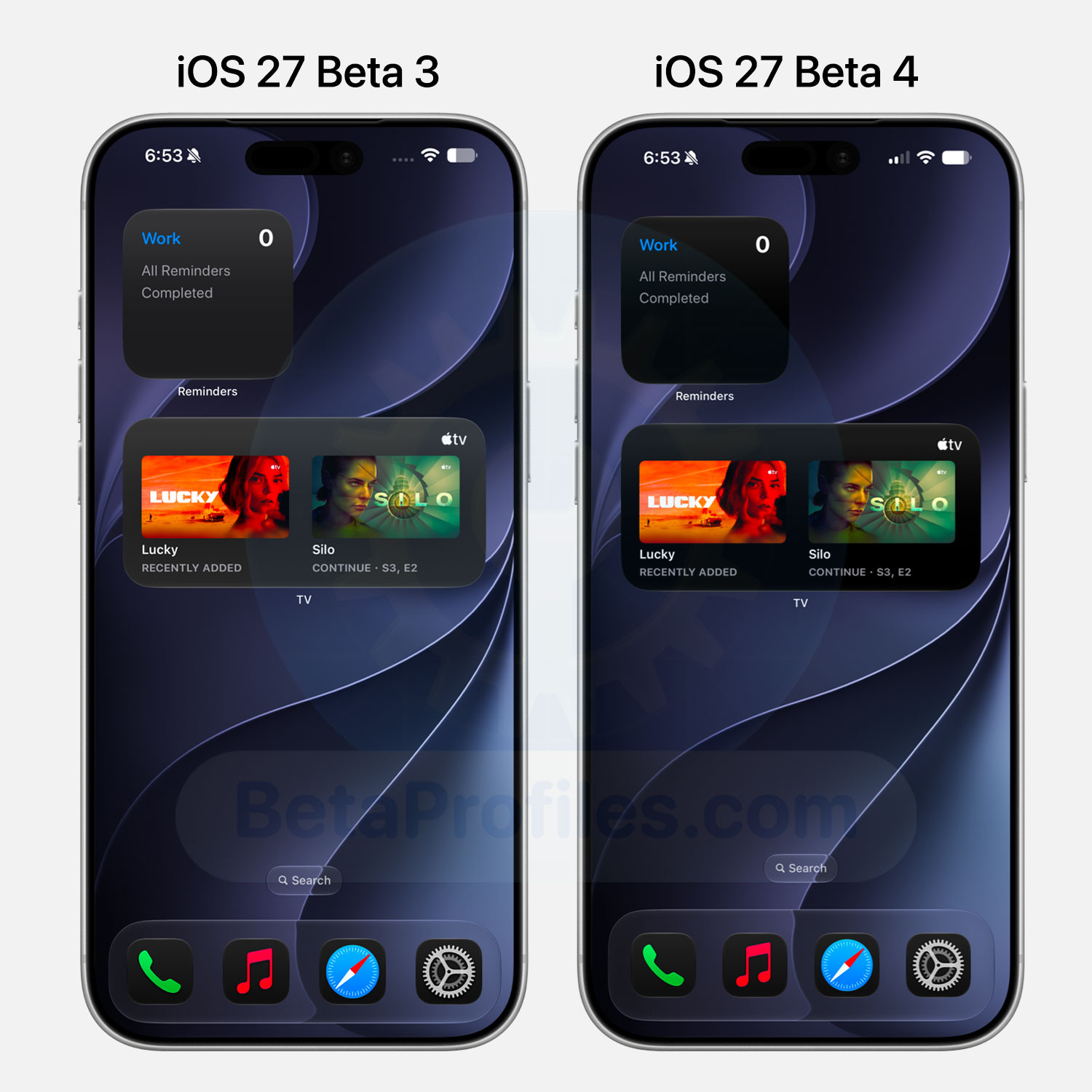
In Dark Mode, several widgets now have a much darker background. Instead of the previous gray appearance, they now look much closer to black.
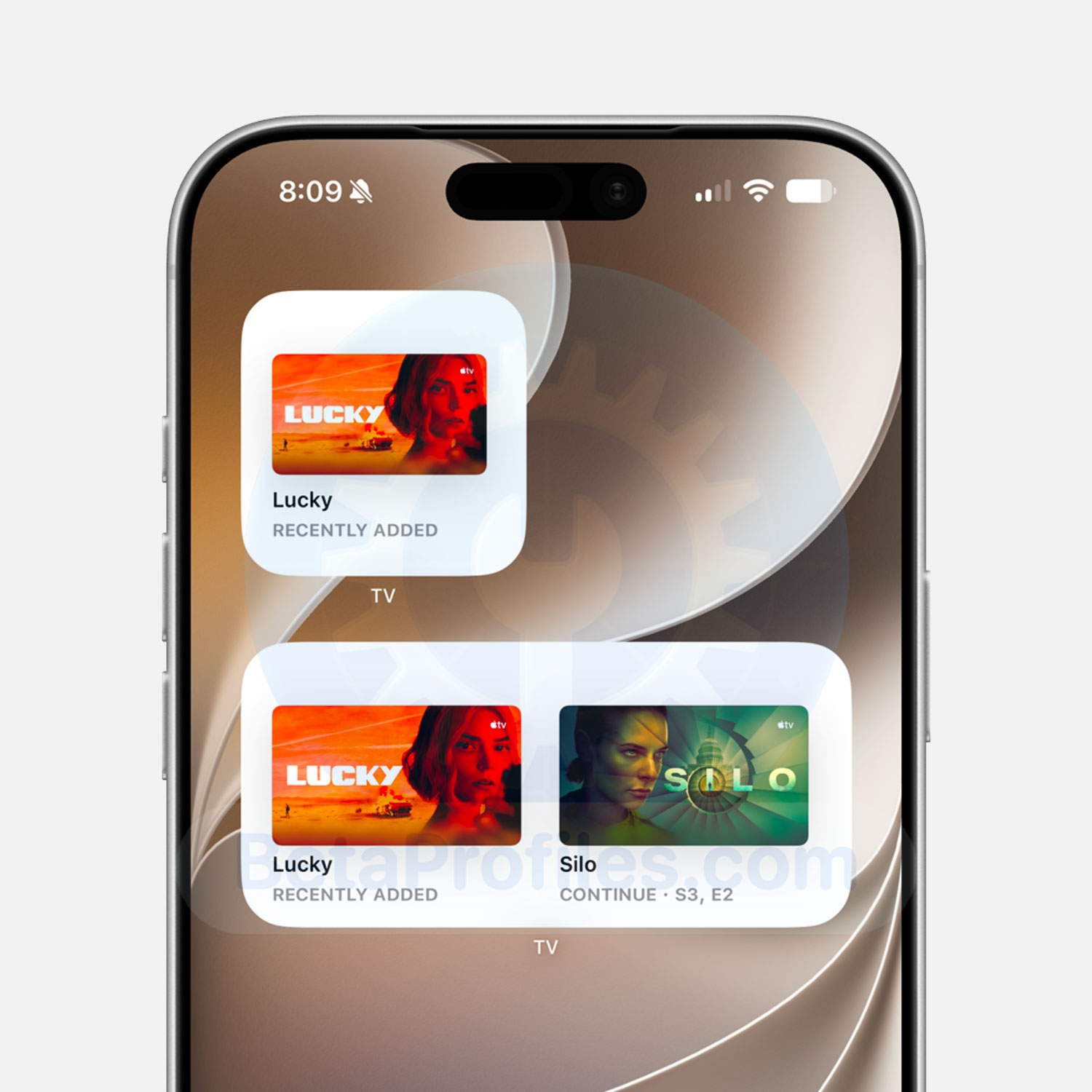
Additionally, Apple TV+ widgets now support Light Mode.
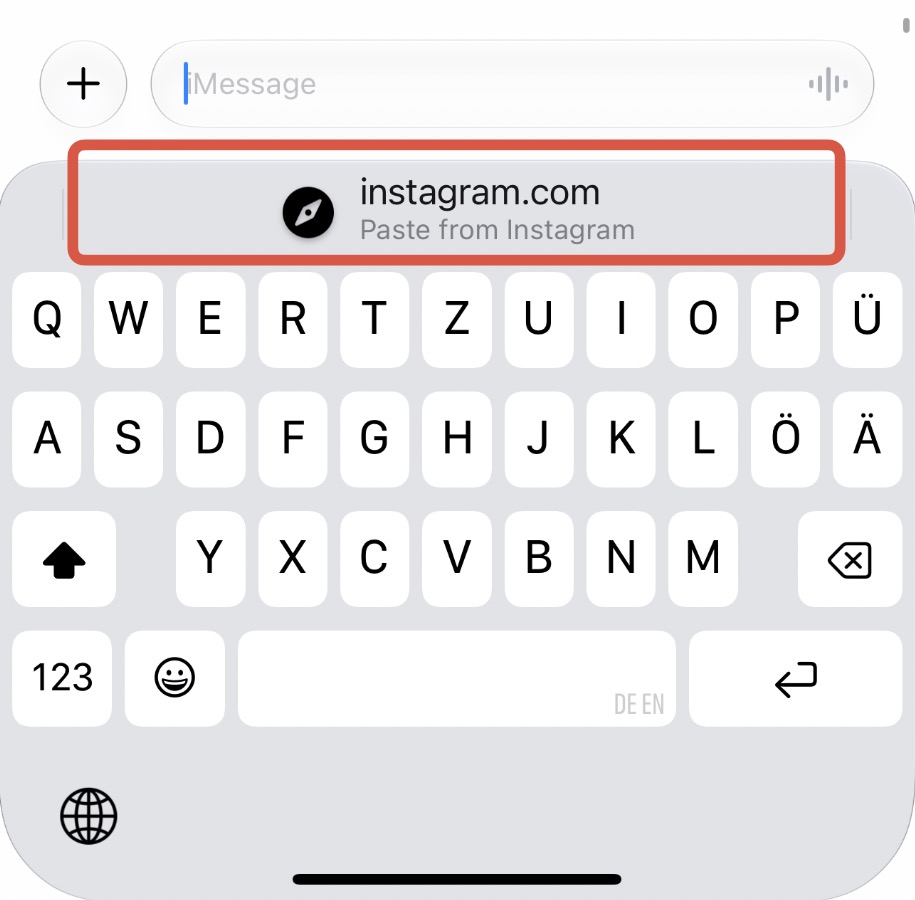
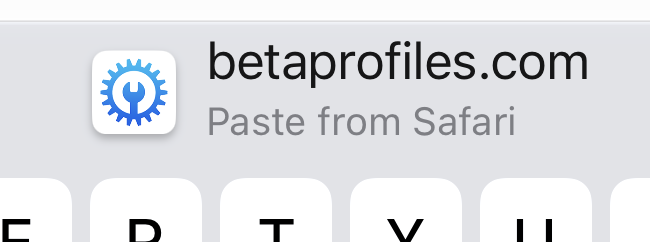
One-tap Paste
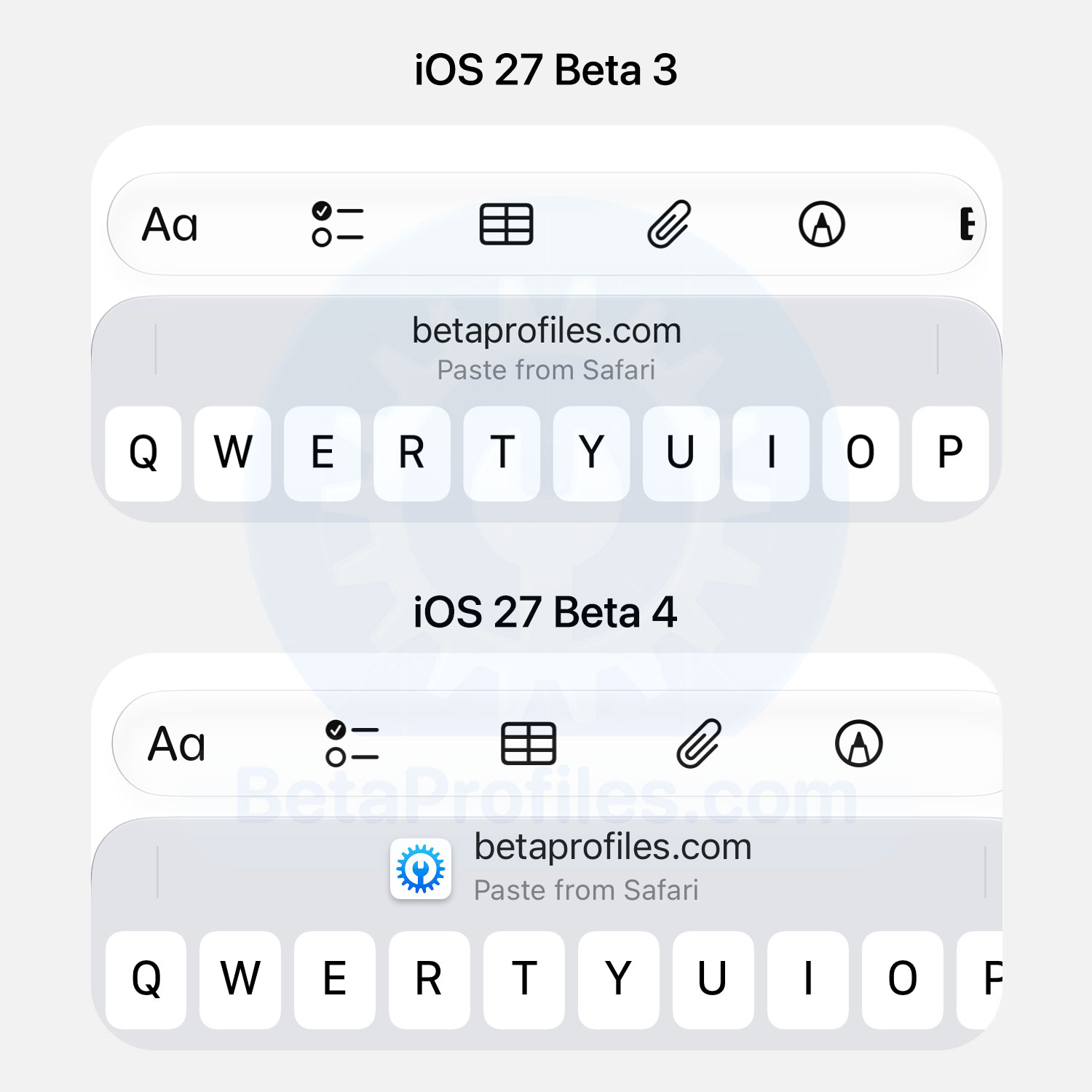
When you copy a link to the clipboard and open a text input field (such as in Notes or Messages), One-tap Paste now displays the website’s favicon next to the URL.
Find My
The Find My tab bar has been updated with a cleaner design by removing the overlapping Liquid Glass layer. It still keeps the Liquid Glass effect when you swipe between tabs, but the overall appearance is much cleaner.
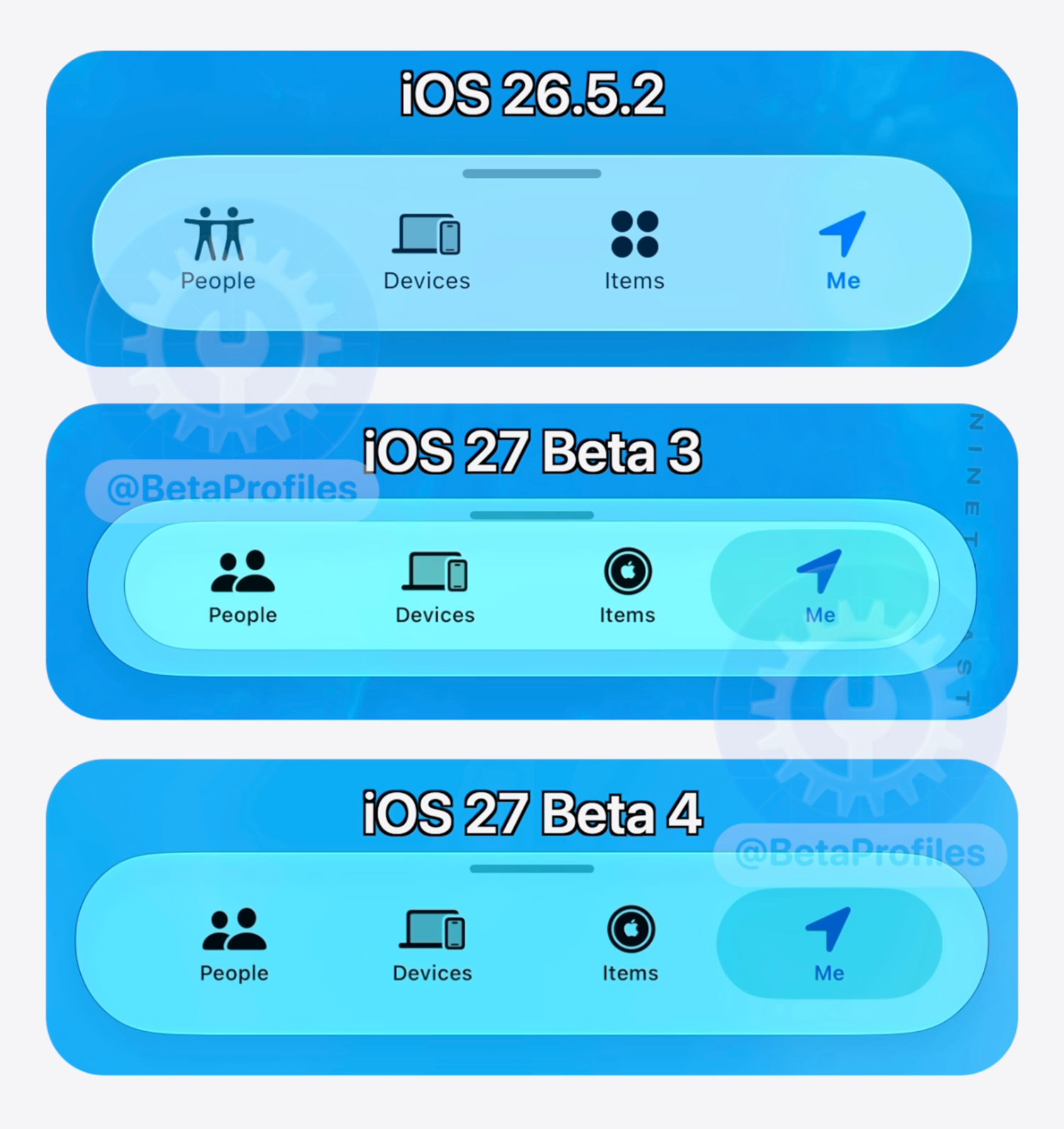
Also in Find My, @KingDando spotted another small change:
If a friend shares their location with you, but you don’t share your location with your friend (so only you can stalk him), it now shows the
location.slash.fillSF icon with a gray border. Similar to the favorite option but in gray instead of orange.
Spotlight
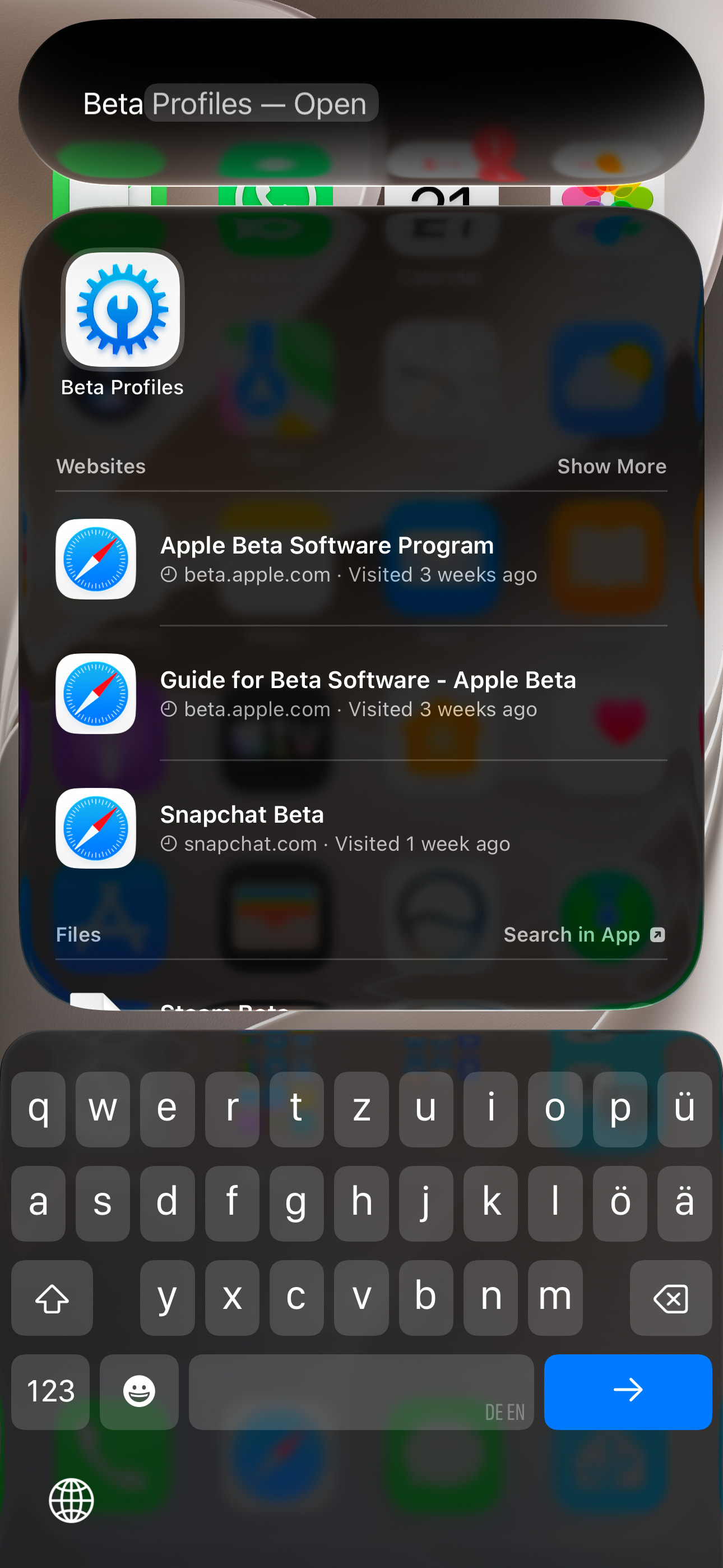
Spotlight once again remembers what you type in the search field in iOS 27 Beta 4, just like it did in iOS 26 and earlier versions. In iOS 27 Beta 1 through Beta 3, this behavior appeared to be broken.
https://x.com/BetaProfiles/status/2080309479837769843
If you’ve come across any other changes, drop them in the comments below 
I’ll keep adding more iOS 26 Beta 4 changes and new features here as I discover them. Stay tuned and follow @BetaProfiles on X or Threads!



 with the link domain and where you copied it for a short time. Then the “Write with Siri“ reappears.