Indexing
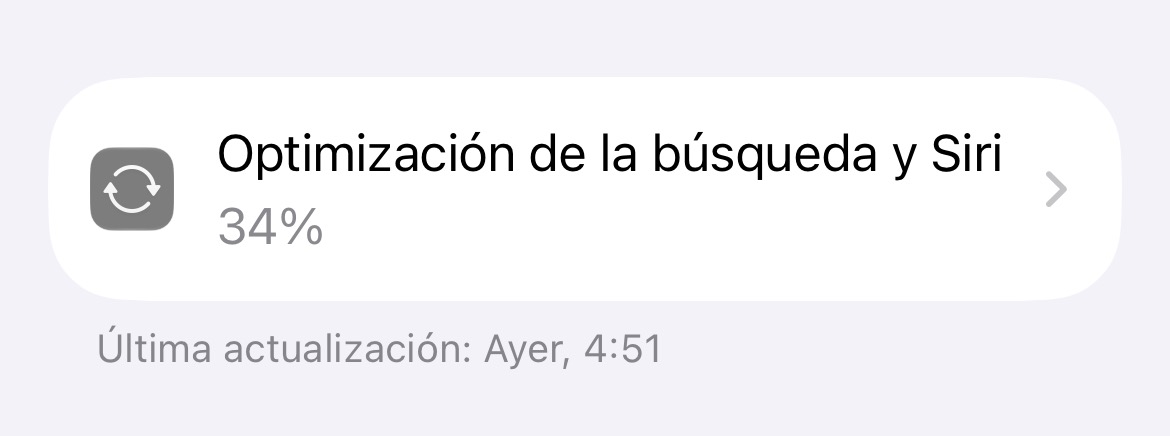
Now the Search and Siri optimization shows the progress and when was the last time the progress was updated.
Now the Search and Siri optimization shows the progress and when was the last time the progress was updated.
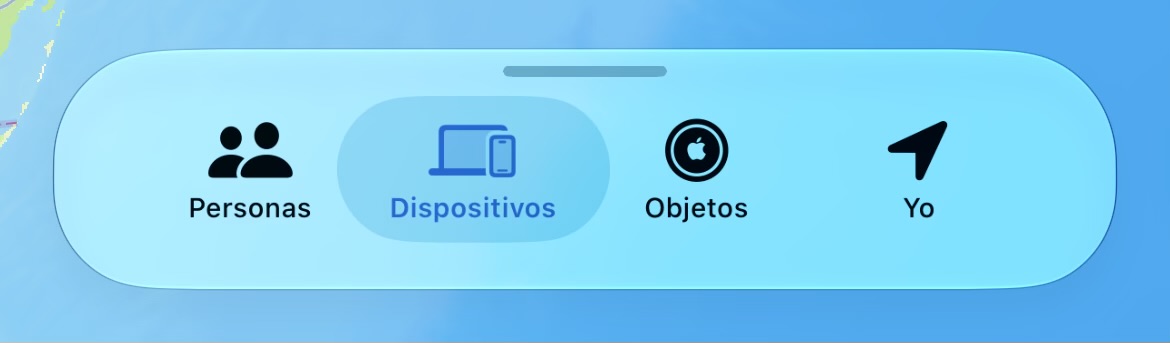
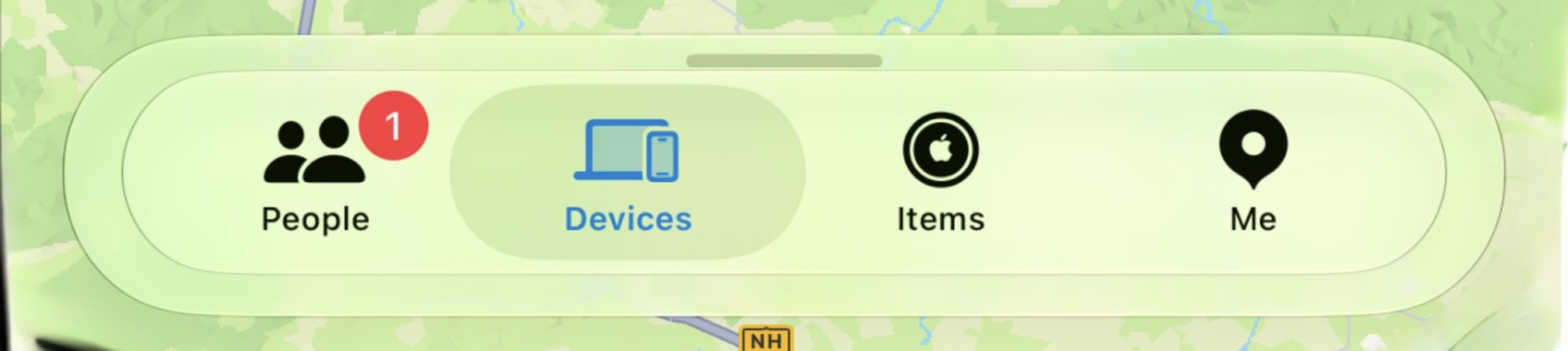
Instead of a stacked liquid glass effect, the bar now smoothly blends into the back window.
After:
Before:
Beta 4 looks much better 
I just checked, and it turns out it was already there in Beta 3. I’m not sure if it was added in Beta 2 or Beta 3.
The Home App got some more improvements. But unfortunately only for iPadOS… iOS didn’t got this feature:
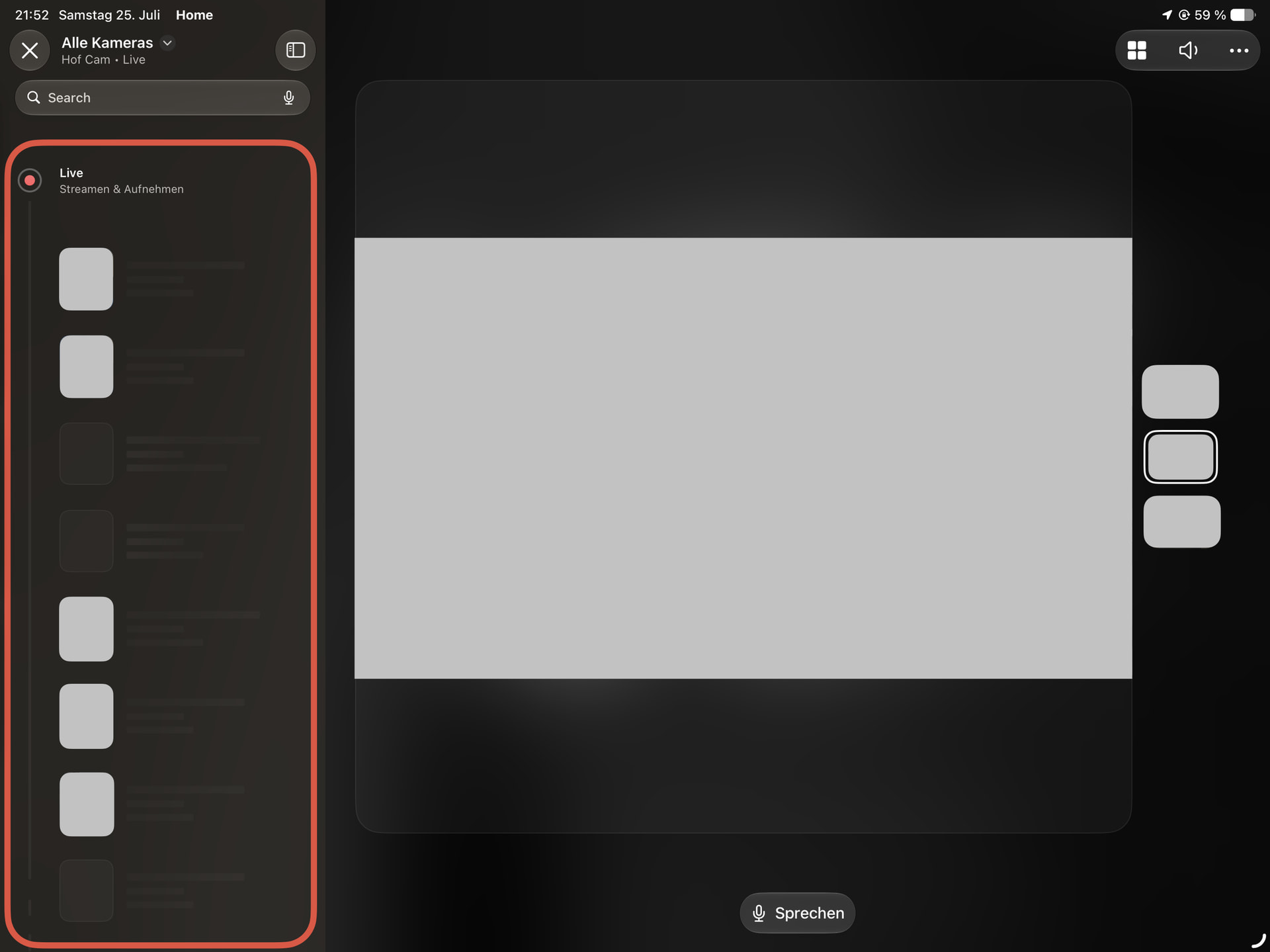
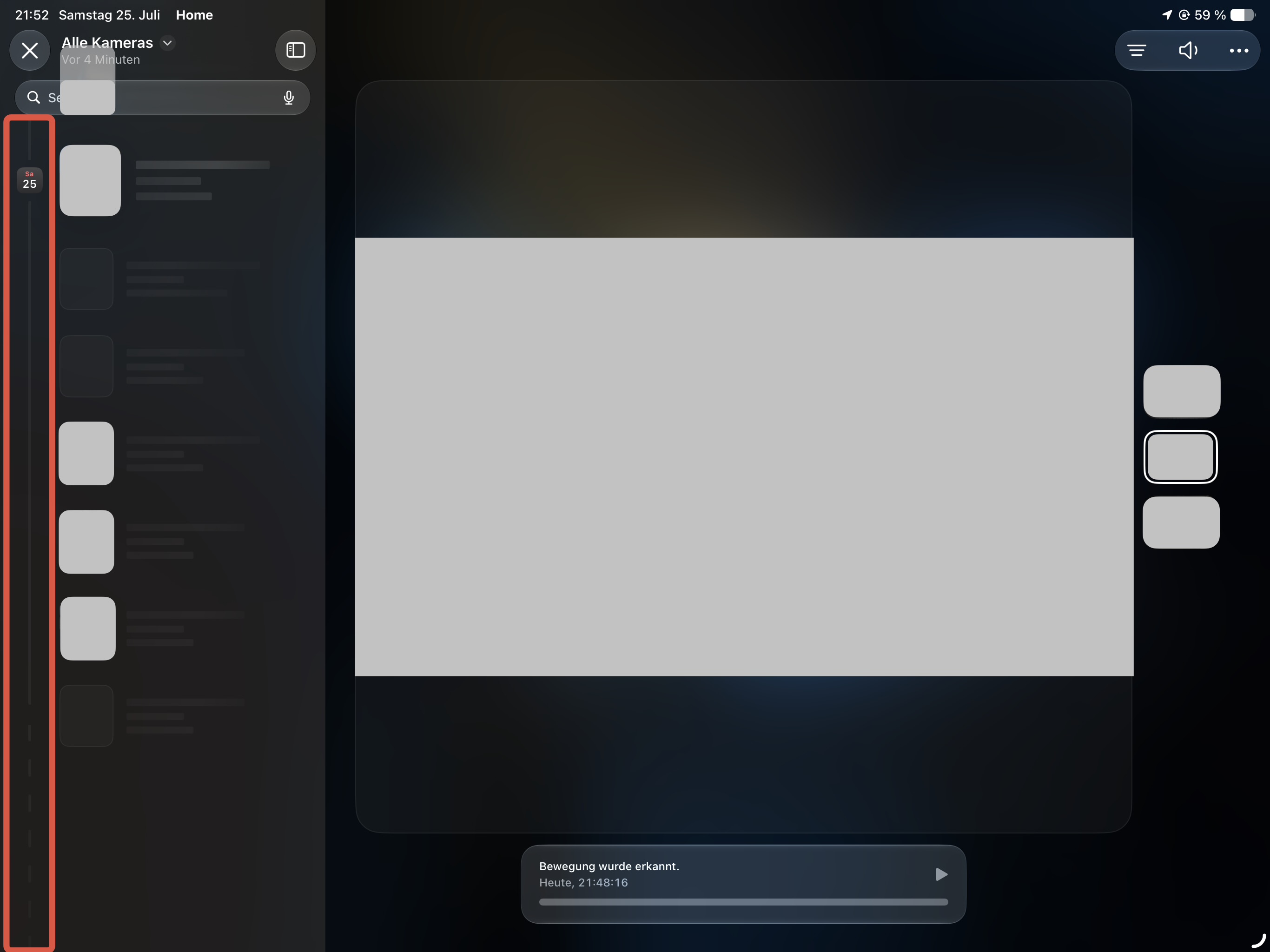
The Video Playback from HomeKit Secure Video got a redesign.
The “Live” button is no longer shown as a camera event but instead of an image with the text “LIVE”.
It now has the Live option with a different look and if you scroll down trough older camera events, captured by HKSV, it shows the date with the calendar app icon.
FindMy got another Update:
If a friend shares their location with you, but you don’t share your location with your friend (so only you can stalk him), it now shows the location.slash.fill SF icon with a gray border. Similar to the favorite option but in gray instead of orange.
(No image because I don’t want to leak my friends data)
Hi KingDando,
I really enjoy reading your comments, as well as the discoveries you make. I especially like the ones related to Siri. Since I’m in the EU, the implementation here is still very limited, so I haven’t been able to experience many of the new features yet.
I read all the posts and comments in this thread every day so that, when these features are finally rolled out here, I can compare my experience with yours.
A big hug! 


Thanks @jflechuga
That’s really nice to hear, that you like my comments.
I’m from Germany, which is unfortunately a member of the EU too, I can’t really test everything, like iPhone Mirroring. I hope Apple and the EU will agree soon, so everyone can use the new Siri AI… maybe it’s available in more languages then just English (US). But I found a way to use Siri AI in the EU. Unfortunately this does not work for everything, like iPhone Mirroring is still not available, but it works for the new Siri AI and most other features.
The only problem, if you don’t use Apple Pay (like me, because my bank says I need to be at least 18…) you can no longer pay with your iPhone. Outside the EU, Apple is not required to follow the DMA (Digital Marketing Act), so features like giving access to third-party apps to use the RFID chip for payments are missing.
I also visit this page nearly every day, to see if someone found something new  .
.
@jflechuga Feel you hugged too (and I wish you and your  and
and  the best
  ).
).
Also thanks to @betaprofiles for hosting this forum.
By the way, I found another change, but couldn’t report it, because I already had 3 comments in a row… but here it is: (just pasted the draft  )
)
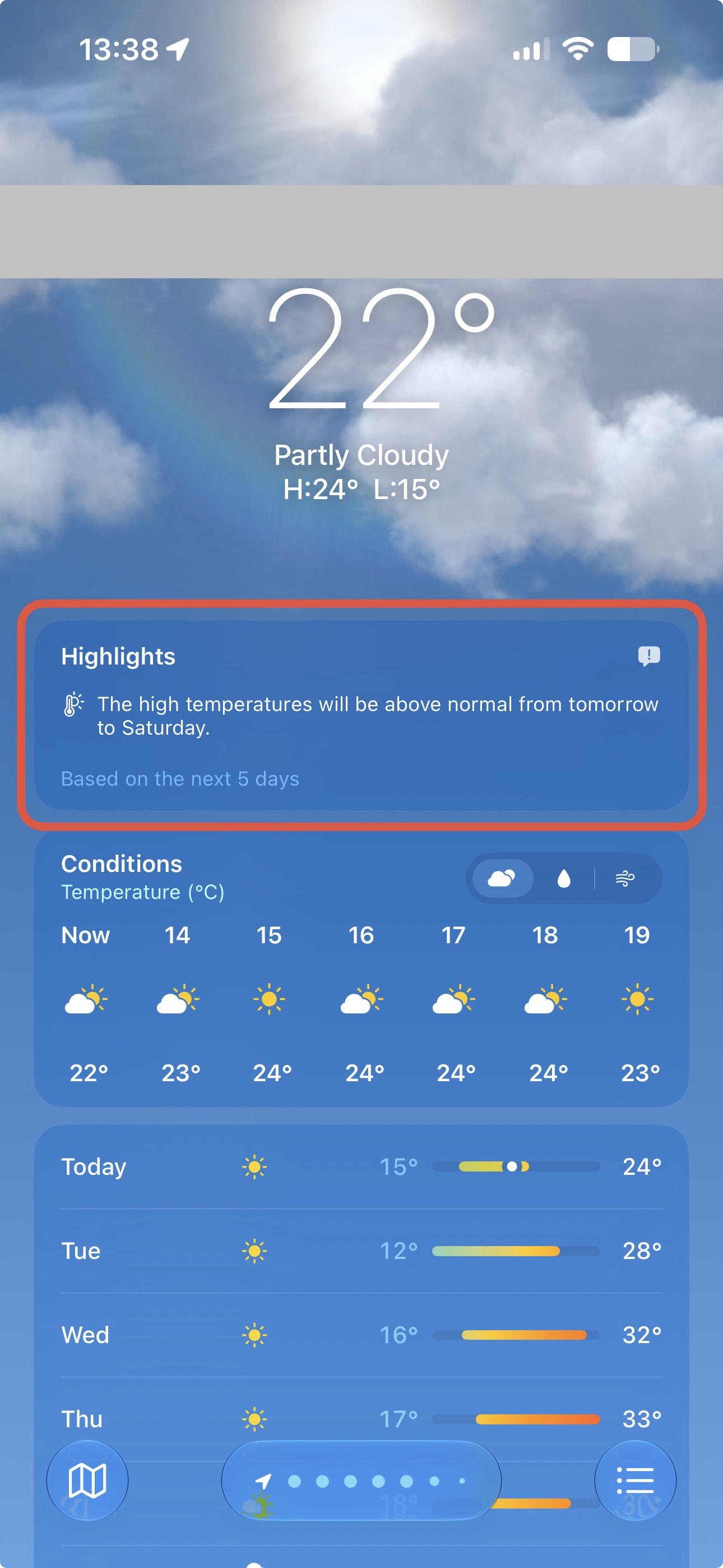
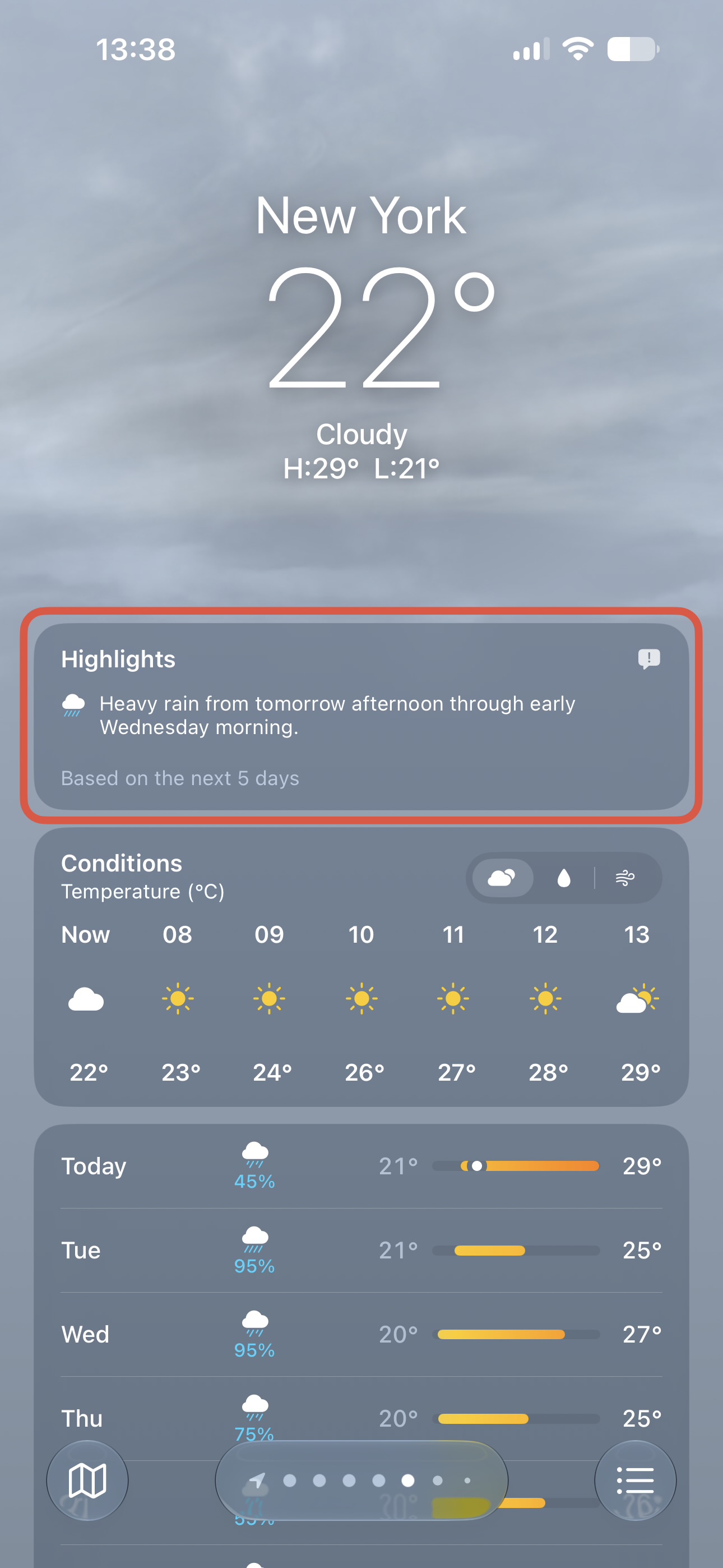
I think I found something new in the Weather App:
There is now a new Highlights Section at the top.
I think it’s generated by Apple Intelligence, because my iPad doesn’t have this new section.
Honestly, without people like you contributing here, this forum just wouldn’t be the same. Seeing everyone share feedback and join the discussions reminds me that people really care about what I’m doing here, and I genuinely appreciate that 
I actually noticed this feature back in Beta 2, and you’re absolutely right, it seems to depend on Apple Intelligence. There’s also a Feedback icon in the top-right corner that lets you report anything if the generated information isn’t accurate.
Hi @KingDando, that weather feature must be part of Apple Intelligence because it doesn’t appear on my iPhone 13.
Regarding the features in the EU (by the way, I’m from Spain), if you change your App Store account region to the US, you should get access to iPhone Mirroring. And if you also change your device region, device language, and Siri language to U.S. English, you should get Siri AI as well.
How did you manage to get Siri AI without getting iPhone Mirroring?
I still have the same issue. Even if I change my language and region settings, Apple still knows I’m located in the EU because of my Apple Account and Apple Pay. As a result, the Apple Intelligence features for Siri remain unavailable.
So, simply changing the language or region doesn’t seem to be enough if Apple determines your actual location through your account.
Hi!
That’s actually the issue I’m experiencing.
I already changed my App Store account region, my device region, my device language, and Siri language to U.S. English. However, because my Apple Account and Apple Pay are still associated with Spain (EU), Apple seems to recognize that I’m physically located in the EU, and Siri AI features remain unavailable.
So, in my case, simply changing the language and region settings isn’t enough.
Thanks for your suggestion!
I’ve seen that same Highlights section appear when rain was forecast — that’s when I first noticed it. I don’t have the full Siri AI features enabled either, only the limited EU version, so it doesn’t seem to require the complete Apple Intelligence rollout.
I don’t think it’s generated by Apple Intelligence, I have the Weather Highlights feature on my iPhone 12 Pro
Welcome to the community, @John_Doe, and thank you for your first contribution! I hope you receive as much from the forum as you share with it.
Hi @jflechuga, I forgot to mention one important detail: your App Store account needs to have a US billing address and a US payment method.
In my case, I didn’t add any payment method because I don’t live in the US, and I haven’t found a bank here that provides a US-issued card.
What I did instead was use a fake US billing address (just for the App Store region settings) and add balance to my Apple account using US Apple Gift Cards. With that balance, I was able to subscribe to services like Apple Music, for example.
Thanks for clarifying. I was already aware of those steps, including the use of a US billing address, US Apple Gift Cards, and an App Store account balance. However, I’d rather not force the setup or use fictitious account information, especially since Apple can also determine the actual location of the devices.
My interest doesn’t really go beyond understanding how these features work officially in my own region and native language, while comparing the EU rollout with what is currently available in the US.
I created a new post with a detailed description:
Found another change for Apple Home with anyAppleOS 27. But I don’t know in which beta version they added it.
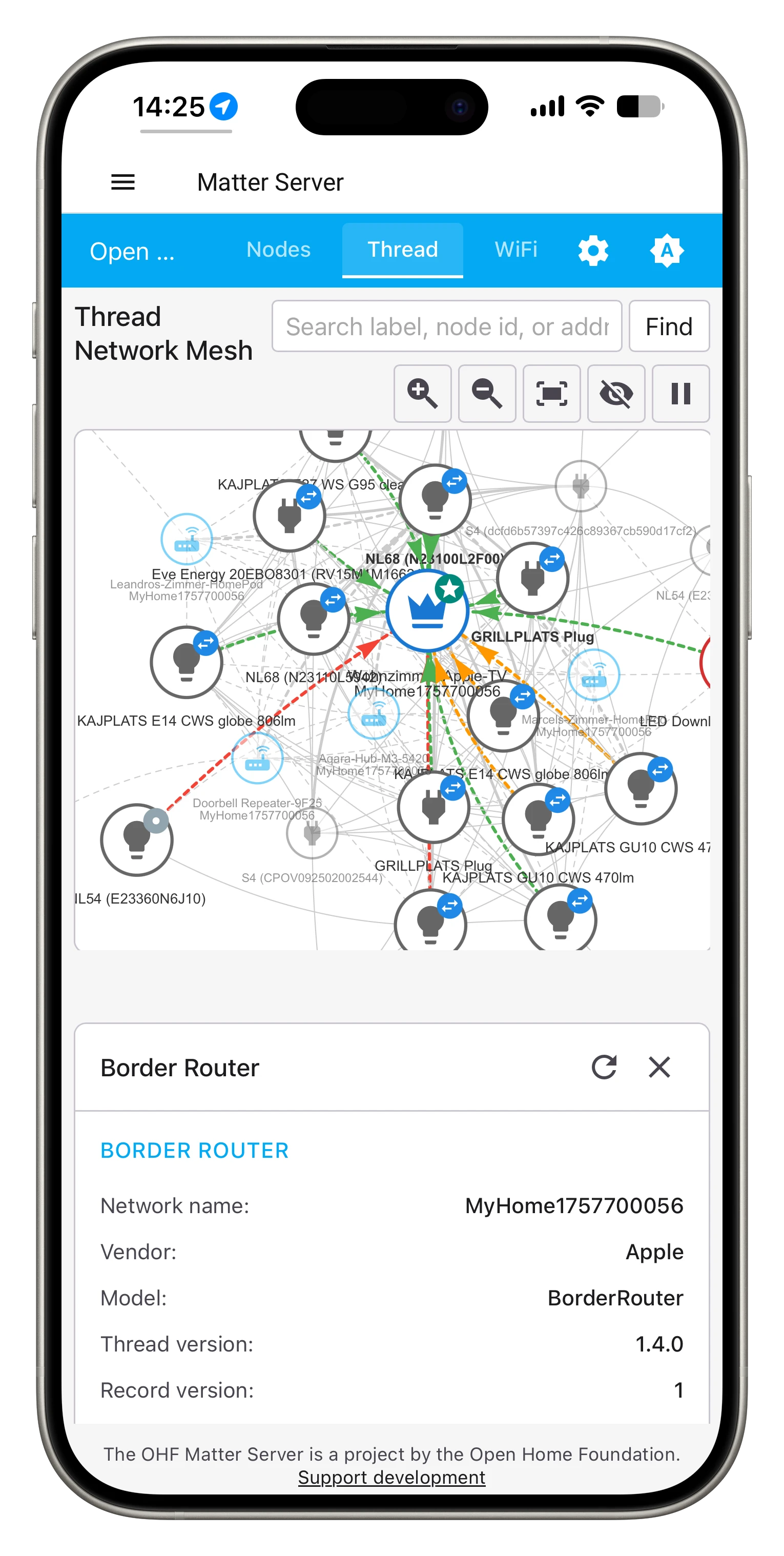
It looks like Apple updated their Apple Home Hubs from Thread 1.3.0 (with tvOS 26) to Thread 1.4.0 .
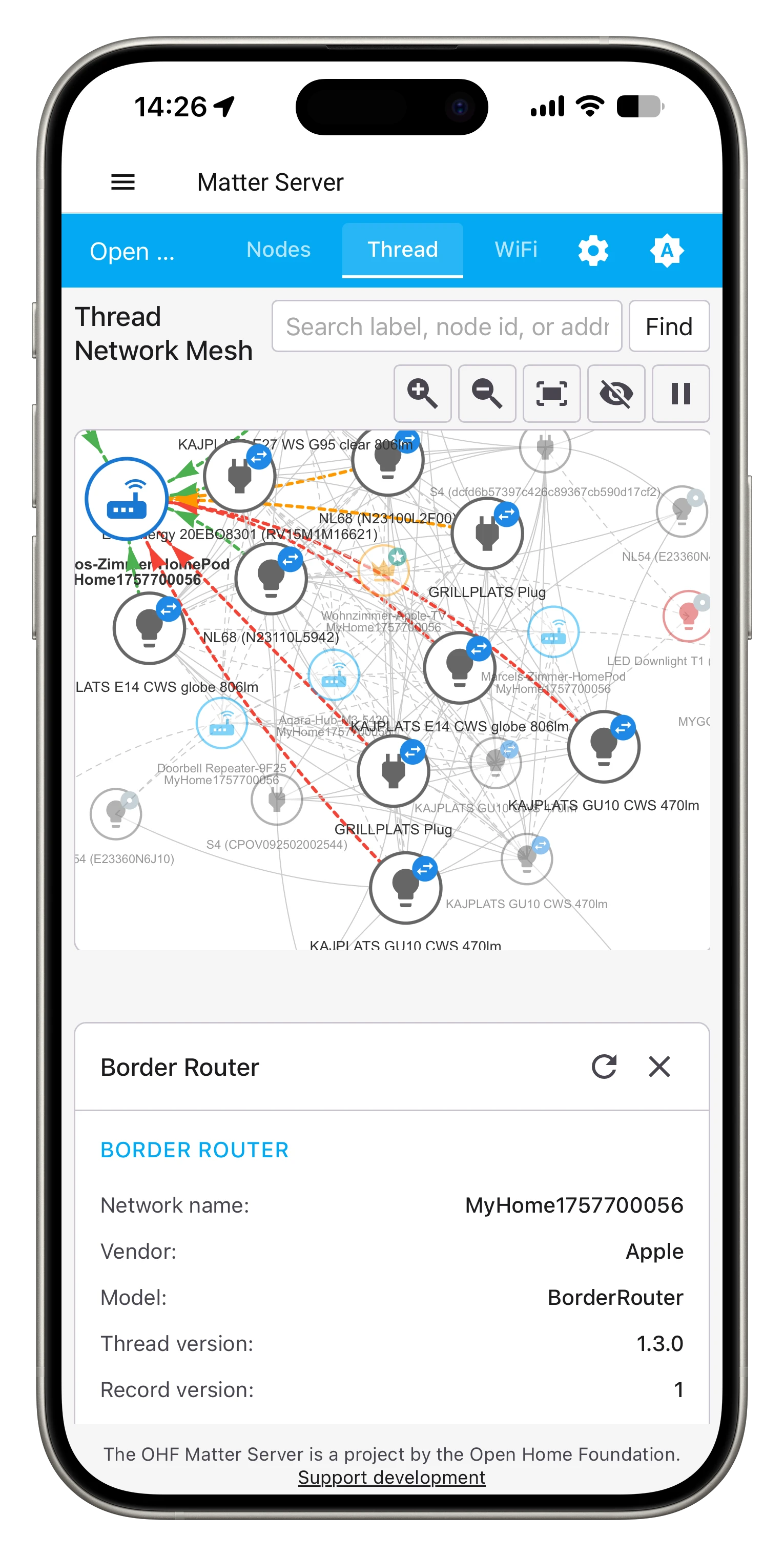
After looking into my Thread Mesh (with the Home Assistant Matter SDK) I found out, that my Apple TV 4K, running tvOS 27, uses Thread 1.4.0 but my HomePod mini, running HomePod Software 26, still uses Thread 1.3.0
Thread Mesh, showing details of HomePod mini, running HomePod Software 26 .
Thread Mesh, showing details of Apple TV 4K, running tvOS 27 .
(Hopefully I didn’t leaked my whole smart home details…)
So I guess, they also updated the Thread Chips in our iPhones and other iDevices but I don’t tell..
It was already there in Beta 1. I remember reading that tvOS 26 would get Thread 1.4 support around September last year, but Apple didn’t end up rolling it out until tvOS 27, nearly a year later.