Apple today released the first iOS 27.3 beta to developers. This update brings the redesigned Health app, the new StandBy mode, iPhone Duo refinements, and Siri AI upgrades. Let’s take a look at what’s new so far.
iOS 27.3 Beta 1
Build: 24C5037i
Released: November 3, 2026
iOS 27.3 Release Next Month
Apple has confirmed that iOS 27.3 will be released to the public in December, possibly in the middle of the month.
Health App
The redesigned Health app is back in the iOS 27.3 beta, and Apple has confirmed the new design will ship with iOS 27.3 next month.
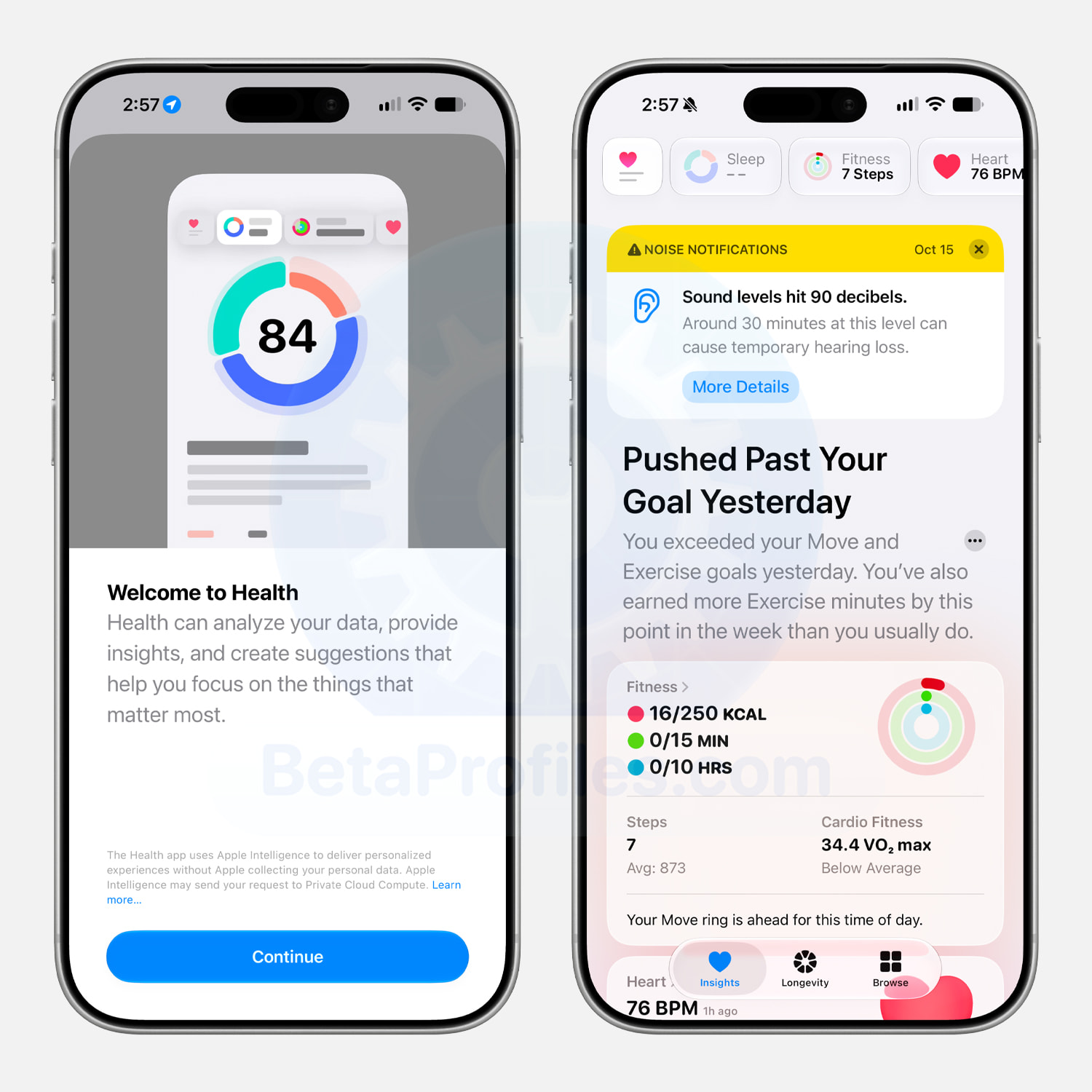
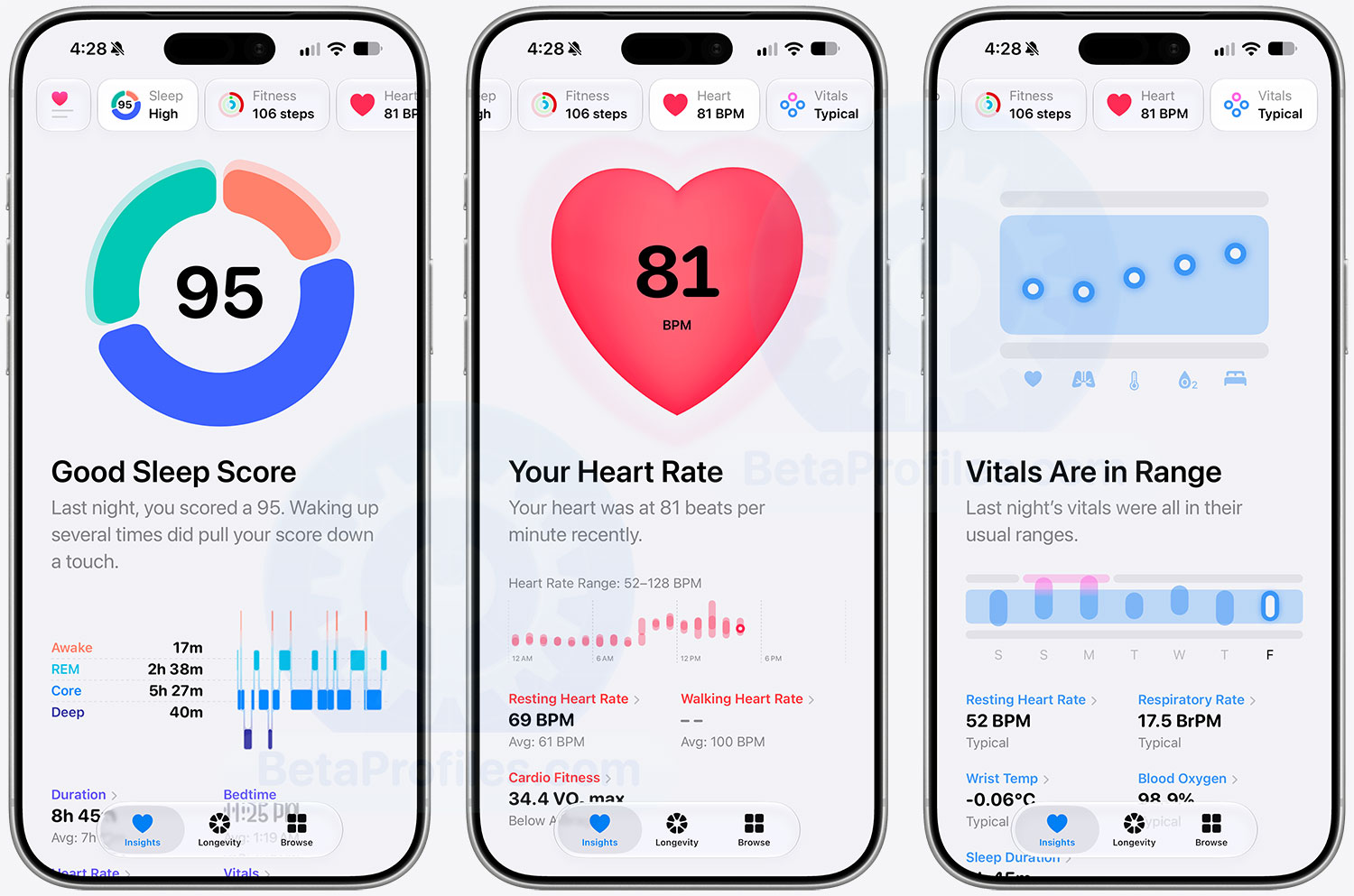
Apple tested it earlier in iOS 27.2 beta 1 through 3. It leans harder on Apple Intelligence to give you more personalized insights into your health and fitness metrics.
At launch, the new Health app will support global English, Chinese (Simplified and Traditional), French, Japanese, Korean, Norwegian, Portuguese, Spanish, Turkish, and Vietnamese.
Safari
Vertical Tabs
There is a new option in Safari settings that enables a vertical tab design, similar to desktop browsers. Instead of showing tabs along the top edge of the screen, the new option moves them to the side. By default the tabs show website icons, but you can adjust the width of the vertical tab bar to display page titles.
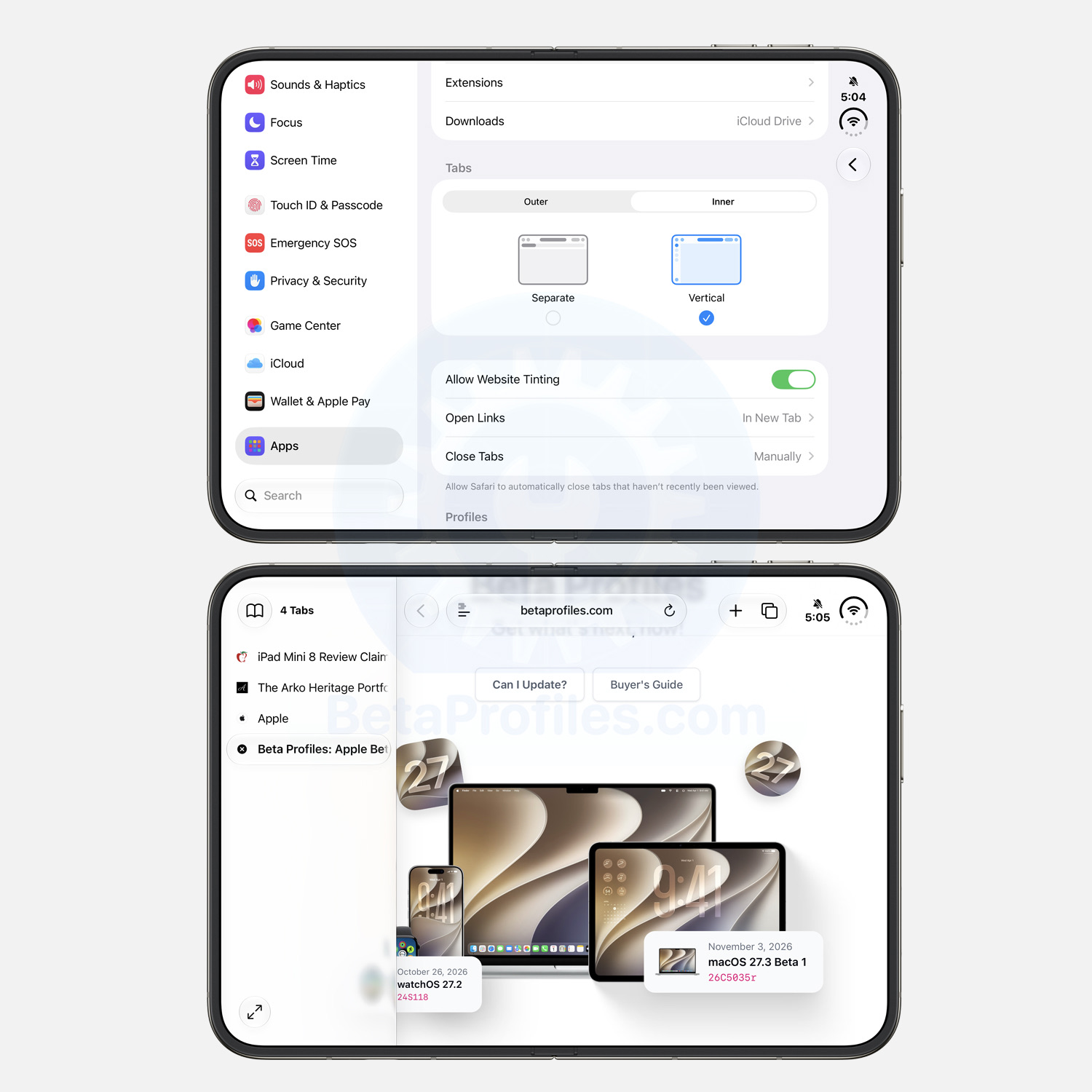
The Vertical Tabs option is currently only available in Safari on Mac, iPad and iPhone Duo (inner display only).
Adaptive Dark Mode
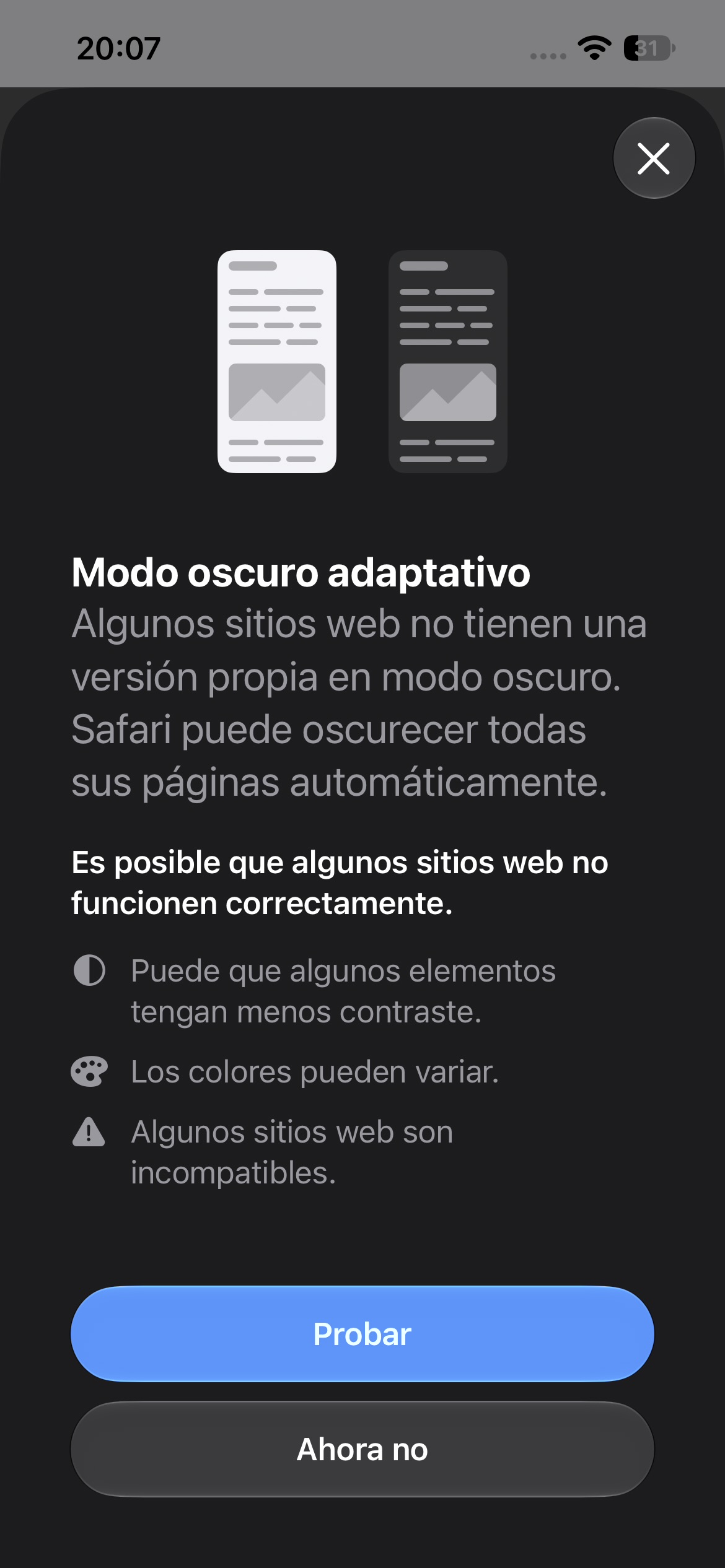
iOS 27.3 beta adds a new Adaptive Dark Mode option that automatically applies dark mode to websites that don’t have their own dark mode.
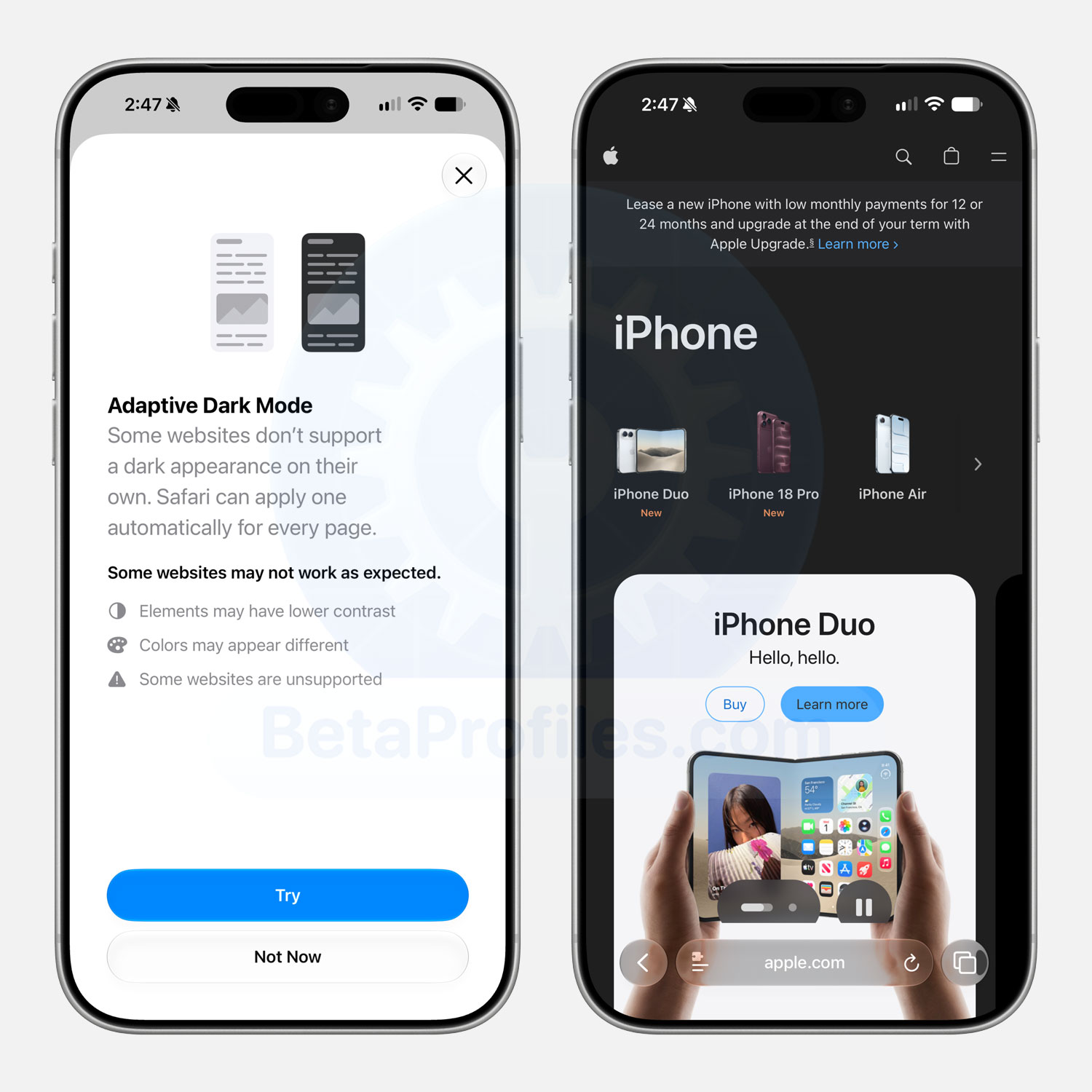
To enable Adaptive Dark Mode, tap the icon that appears before the website address, scroll down, and select Adaptive Dark Mode. You can turn it on automatically or use it on individual websites.
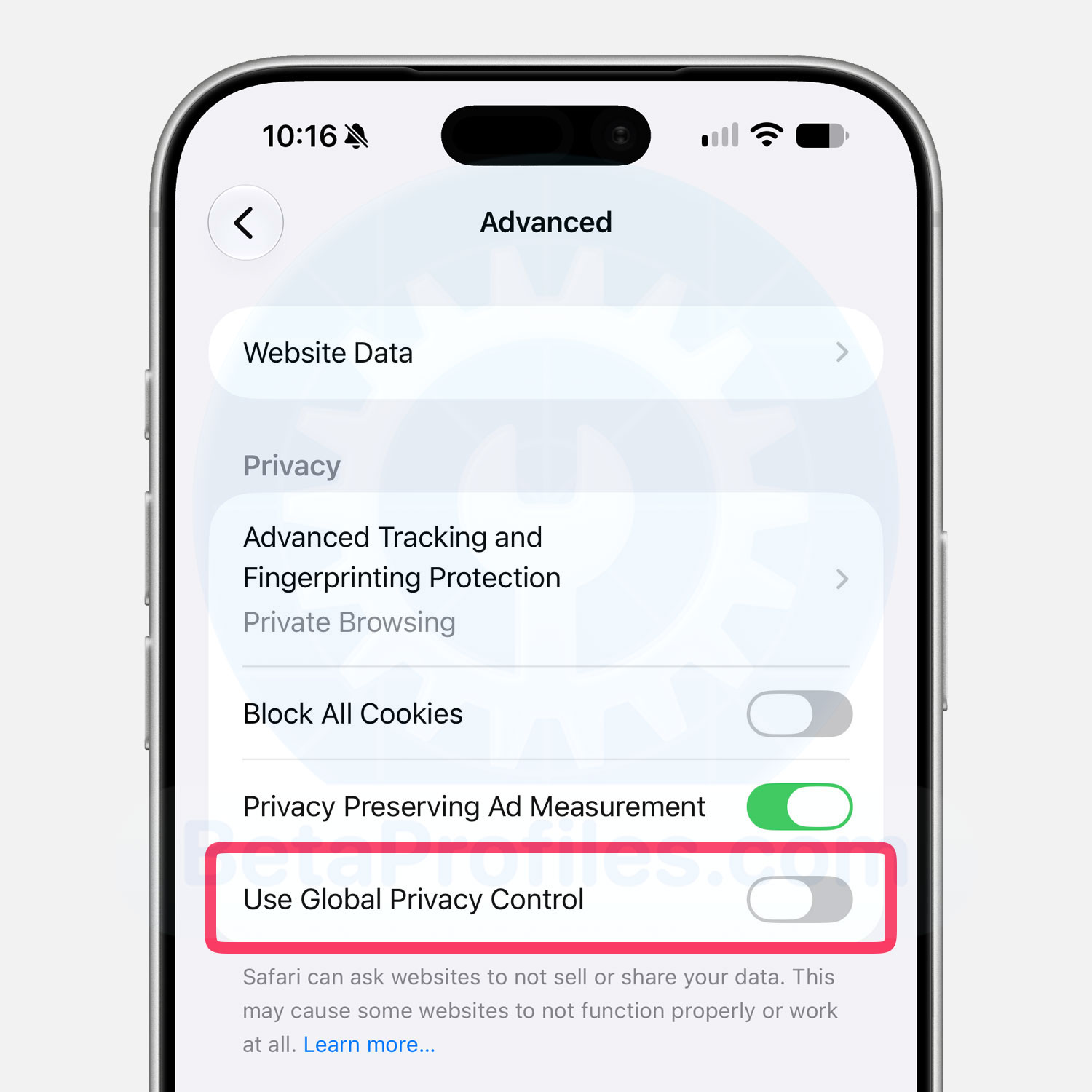
Global Privacy Control
Safari now has a Use Global Privacy Control option under Settings > Apps > Safari > Advanced. Once it’s on, your choice on cookie consent banners is applied automatically. If you decline data sharing on one banner, any website that supports the Global Privacy Control standard will honor that choice and stop asking you again.
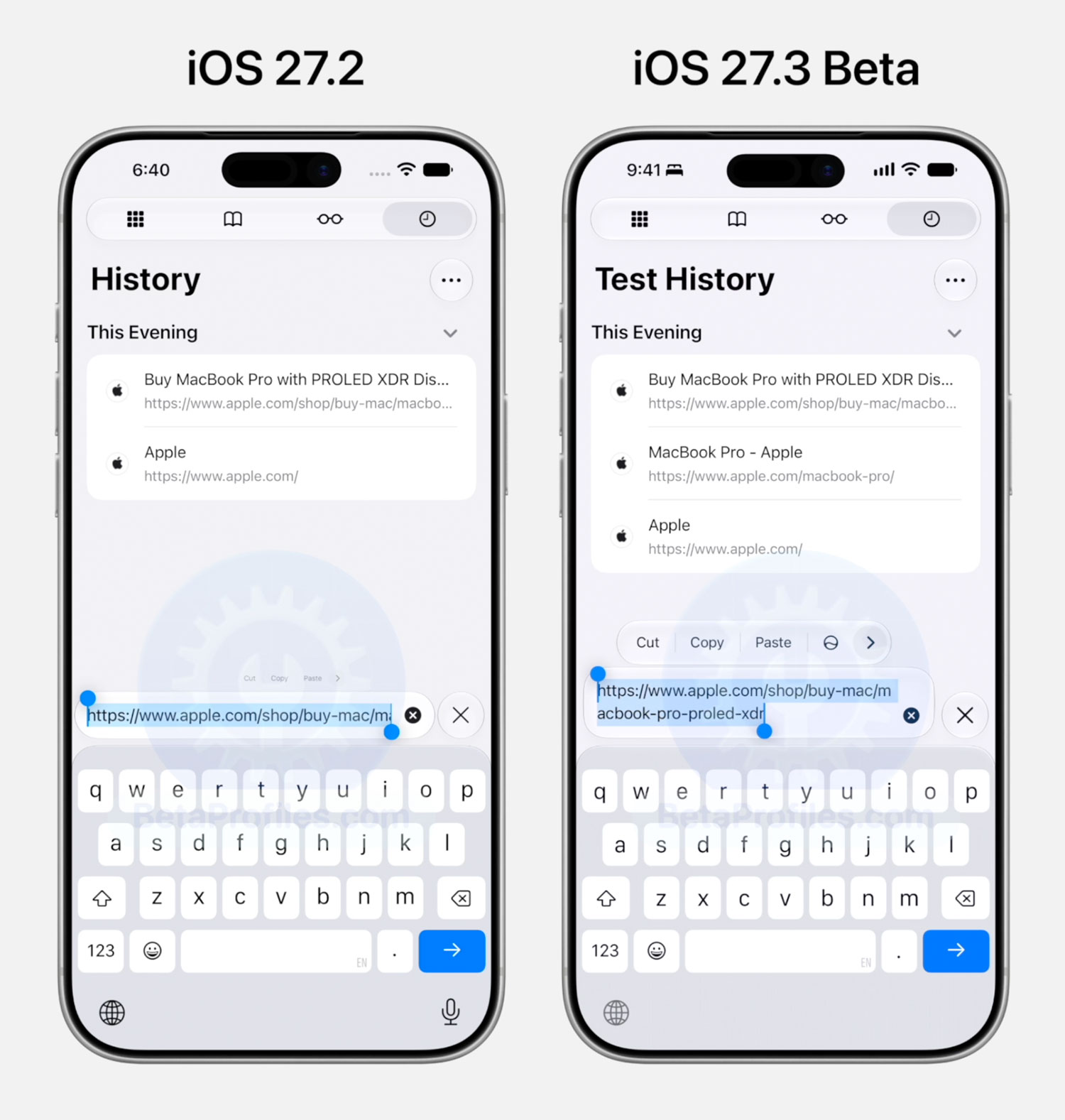
Show Full Website Address
Safari in iOS 27.3 beta adds a small but very useful change related to website addresses. Now when you tap Safari’s address bar, the full website address appears instead of being cut off. Before, there was no way to see the full address other than copying it and pasting it into another app.
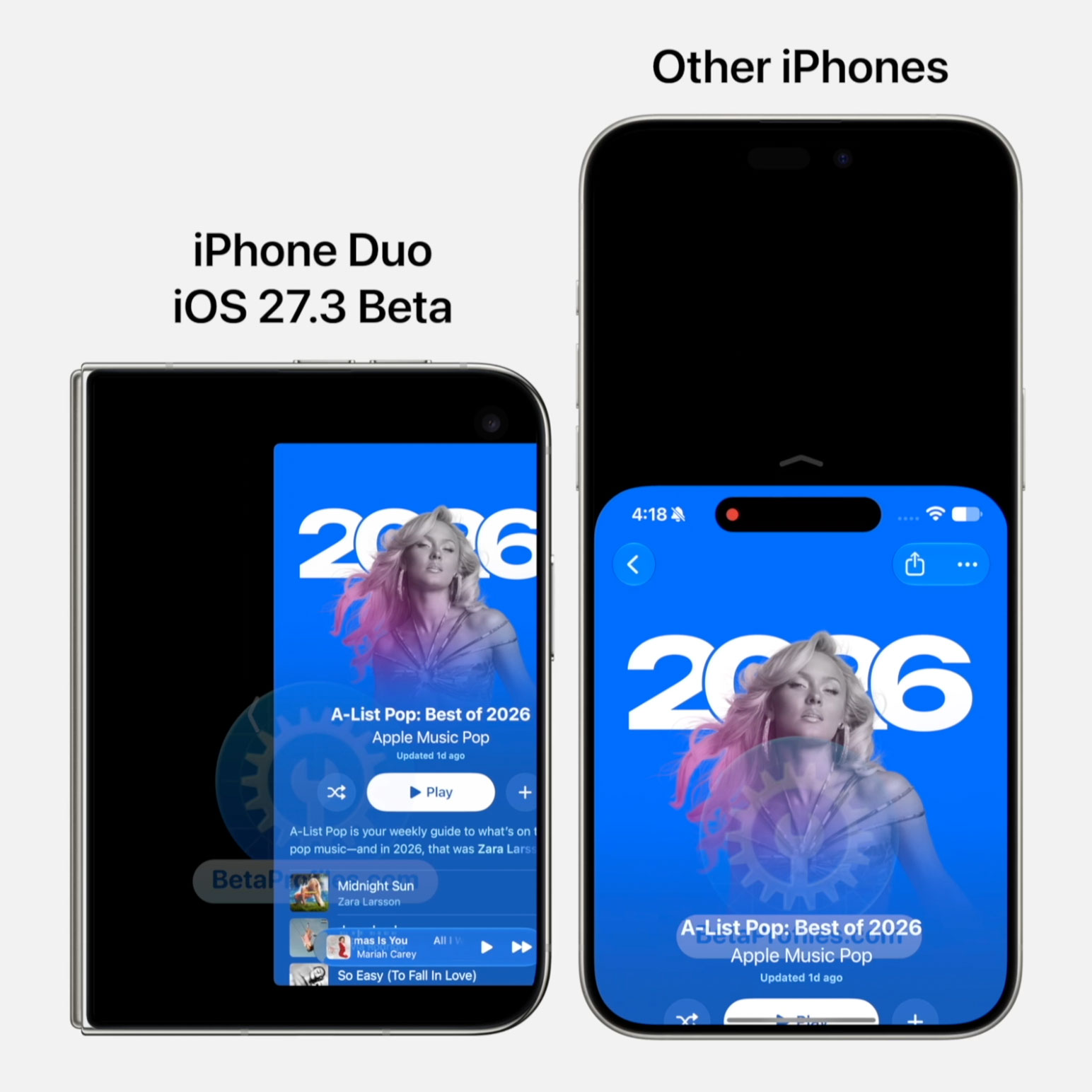
Reachability for iPhone Duo
Reachability was missing when iPhone Duo launched, but iOS 27.3 beta adds it. It works differently from other iPhone models: you gently swipe left or right on the screen to shift everything to that side.
https://x.com/BetaProfiles/status/2117737448386314619?a=HjecmuQZZJXebAUiDko&s=20
New StandBy Mode
The StandBy mode on iPhone Duo has now been extended to other iPhones compatible with iOS 27.3, including iPhone 11 and later.
The new StandBy mode includes new analog and digital clock faces with expanded customization options similar to iPhone Duo. It also adds support for Shared Albums in the Photos clock face.
https://x.com/BetaProfiles/status/2117724458651918787
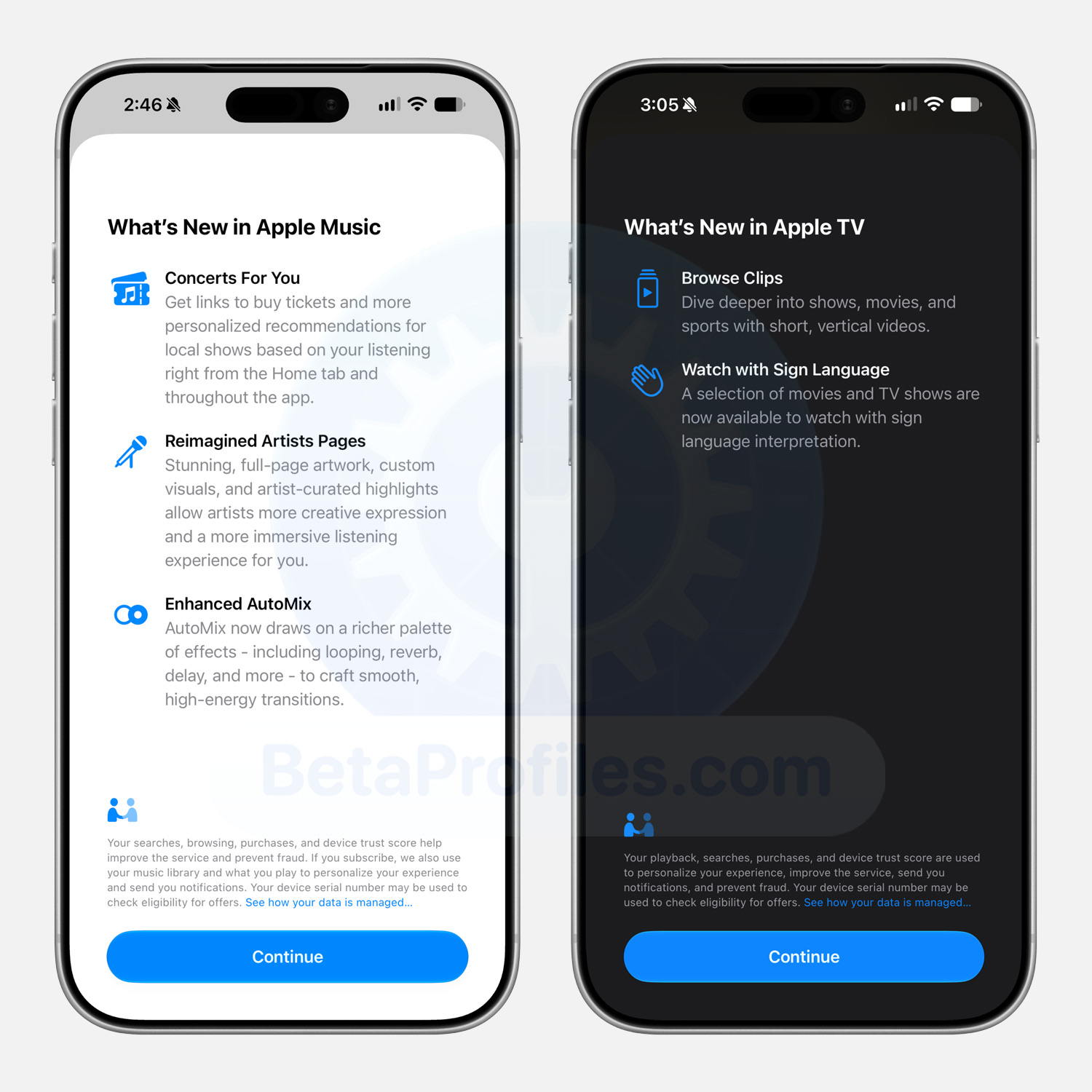
What’s New Splash Screens
Two new “What’s New” splash screens have been added to iOS 27.3 beta for Apple Music and Apple TV.
App Library
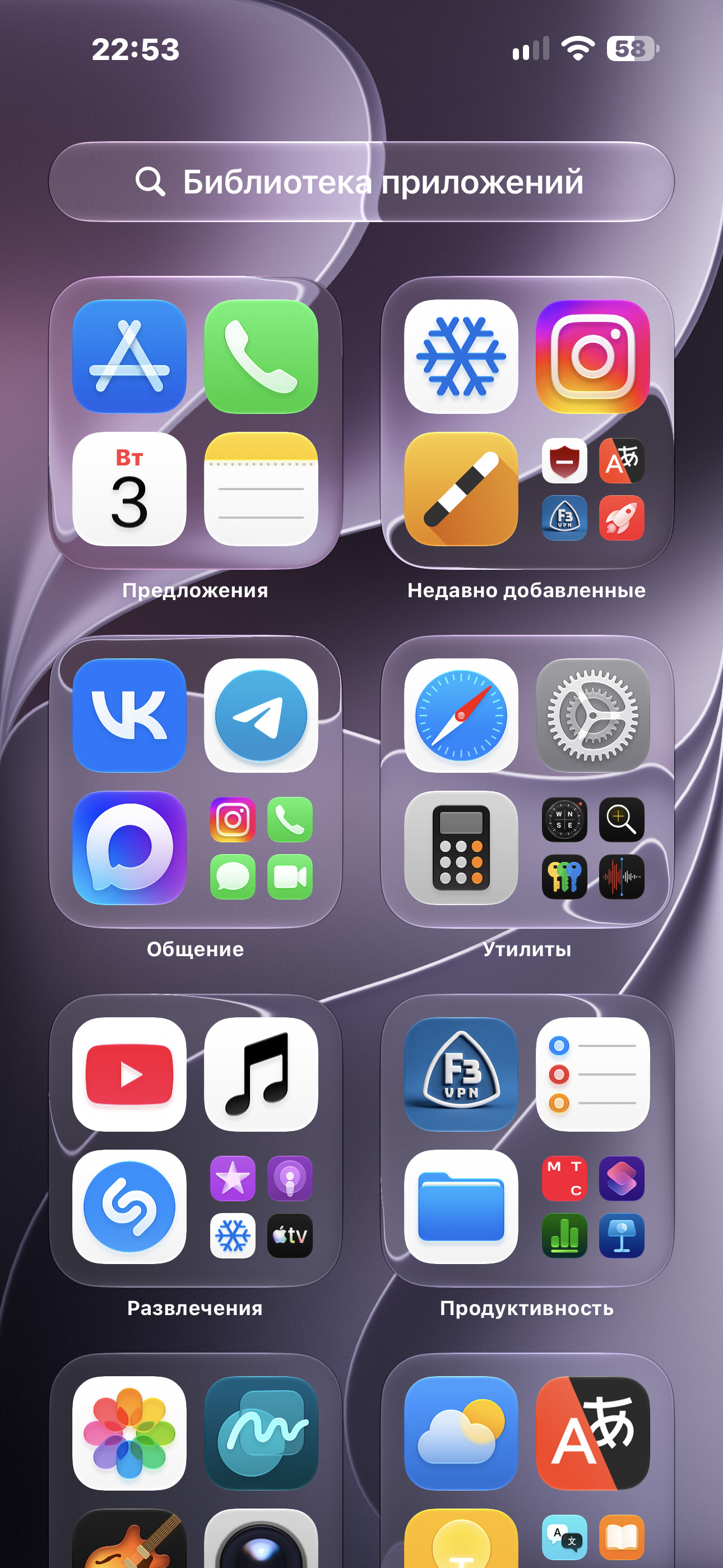
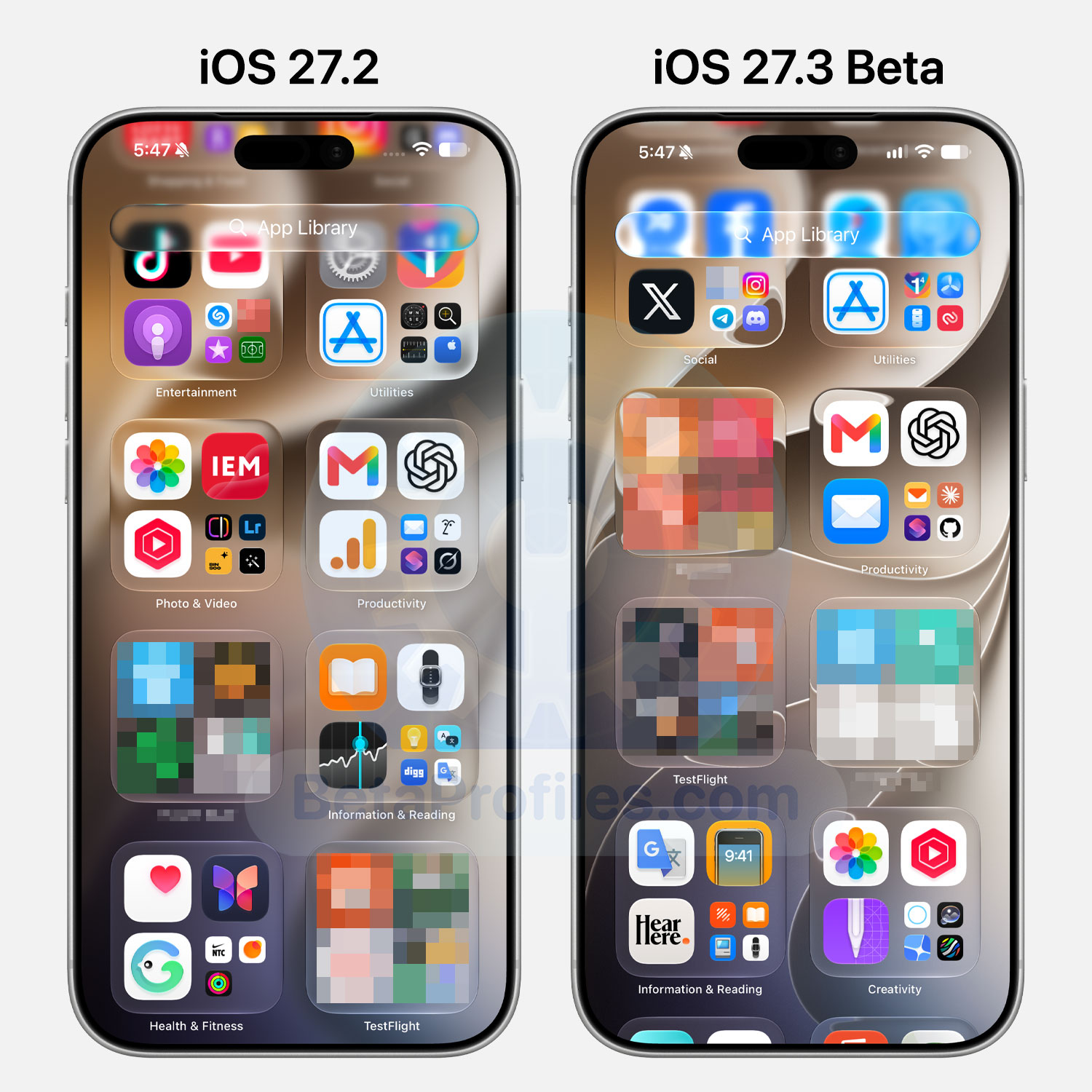
App Library no longer has a blurred background.
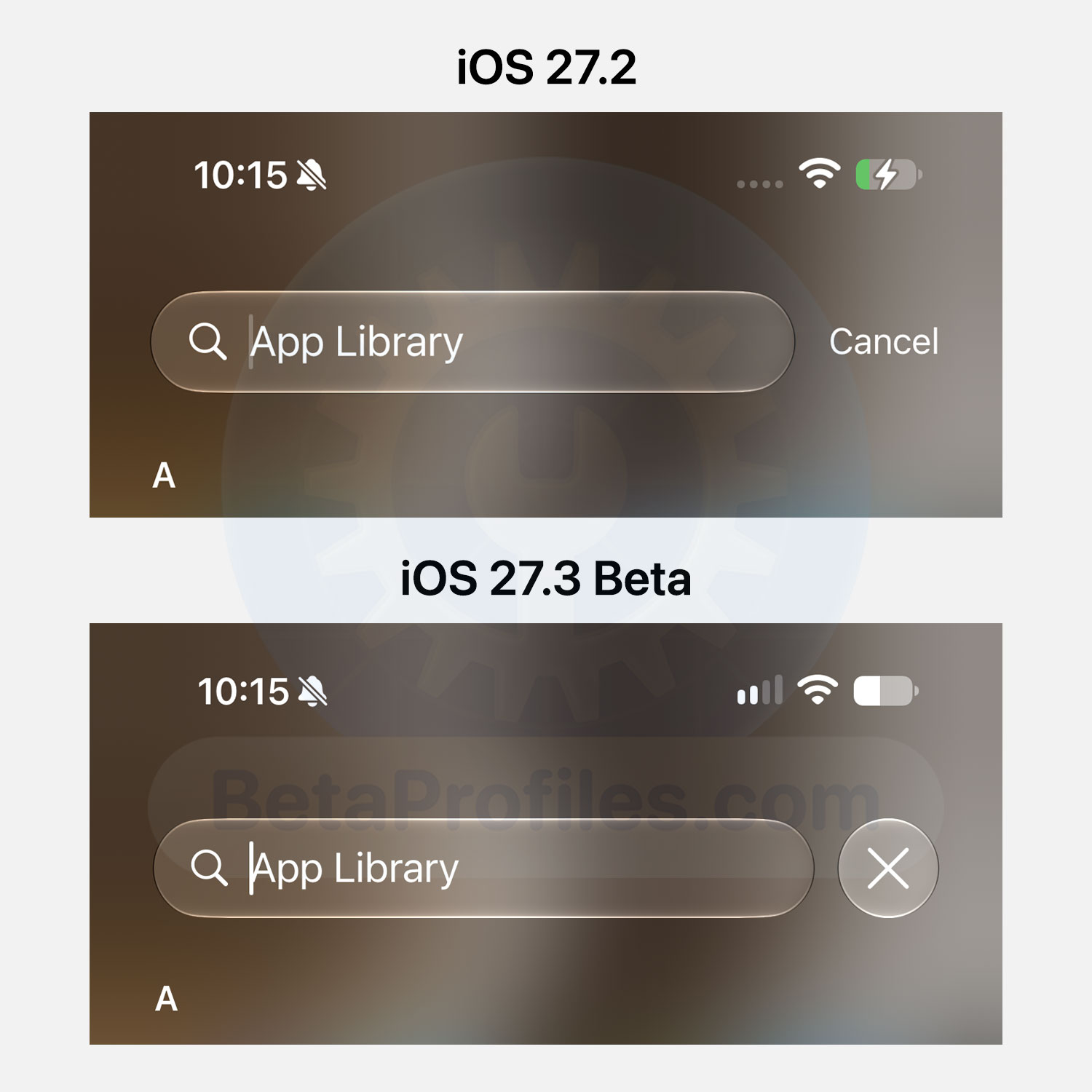
The Close text that appeared next to the search field in App Library has been replaced with an “X” button.
Apple Fitness+
Apple has added new Gym Strength workouts for Apple Fitness+ subscribers in this beta. These workouts can be customized to your preferences and the equipment you have available, and each session can run from 20 to 60 minutes depending on the number of exercises.
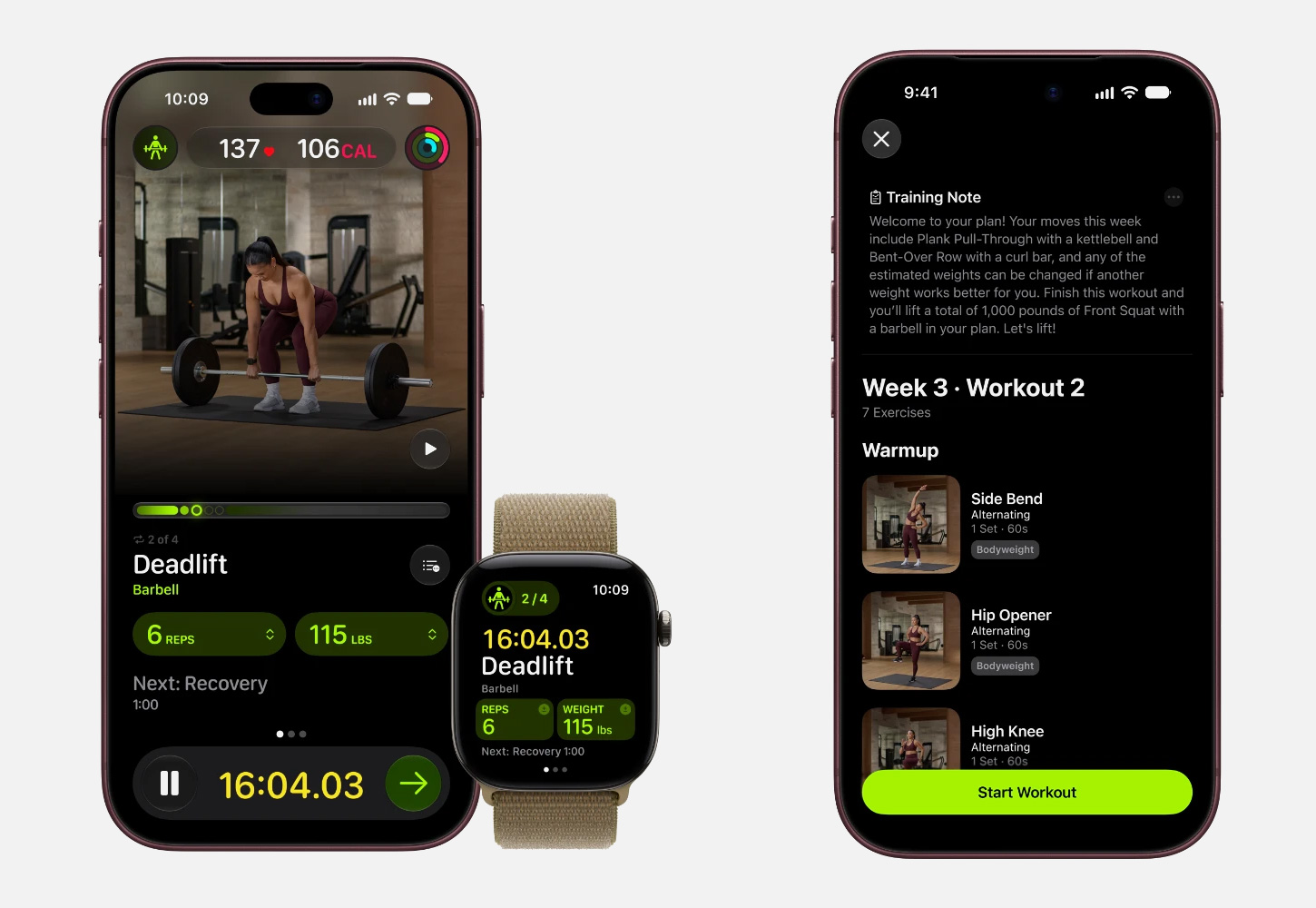
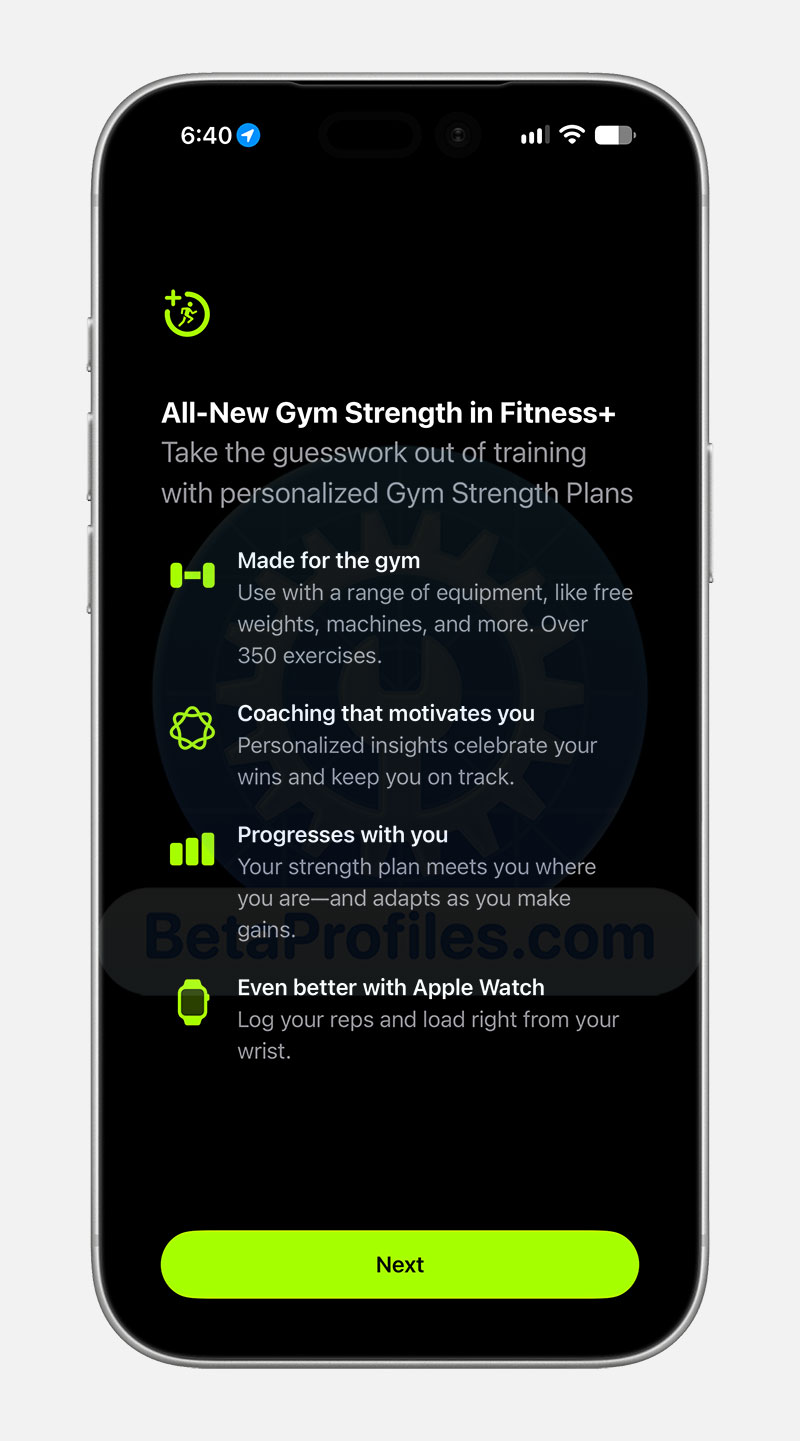
This feature requires an Apple Fitness+ subscription and an Apple Watch running watchOS 27.3 beta paired with an iPhone running iOS 27.3 or later, or an iPad.
Siri AI
More Language Support
Siri AI in iOS 27.3 beta now supports these languages:
- Chinese (Traditional)
- Vietnamese
- Turkish
- Norwegian
More Capabilities
Siri AI can now do more across a wider range of apps, including:
- Calendar: create events with invitees, locations, links, and more
- Files: view file contents, create files and folders, delete files, organize, rename, and more
- Finder
- Journal
- Maps
- Messages: schedule iMessages to send later, reply with emoji reactions
- Music: ask Siri to create playlists and save them to your library
- Notes: compose new notes with rich text formatting, organize note folders
- Photos: mark favorite photos, edit photos, rename tagged people in photos
- Preview
- Reminders: ask Siri to create urgent reminders
- Safari: create tab groups from a list of URLs, organize tabs, clear browsing history, and more
- Shortcuts
- Weather
Apple says third-party apps can also bring their content and actions directly into Siri AI through App Intents.
So people can just ask for help in their own words, and Siri AI carries out any custom action you’ve built, from checking a delivery to booking a reservation to placing an order. For complex requests, we’re also introducing skills to let you teach Siri AI how to combine several actions into a single experience. And Siri AI can now surface any entity in the Spotlight semantic index, not just the ones that fit an existing schema.
Apple Intelligence in China
Users in China can now use Apple Intelligence features after updating to iOS 27.3 beta, such as Writing Tools, Visual Intelligence, email summaries, Clean Up, Genmoji, and more.
Note that Siri AI hasn’t launched in this country yet. Features that require deeper processing will be handled by Alibaba’s Qwen model instead of ChatGPT.
Apple Music
Selfie Sing
Apple Music subscribers can try the new Selfie Sing feature, which lets you record a video of yourself singing karaoke for up to 60 seconds.
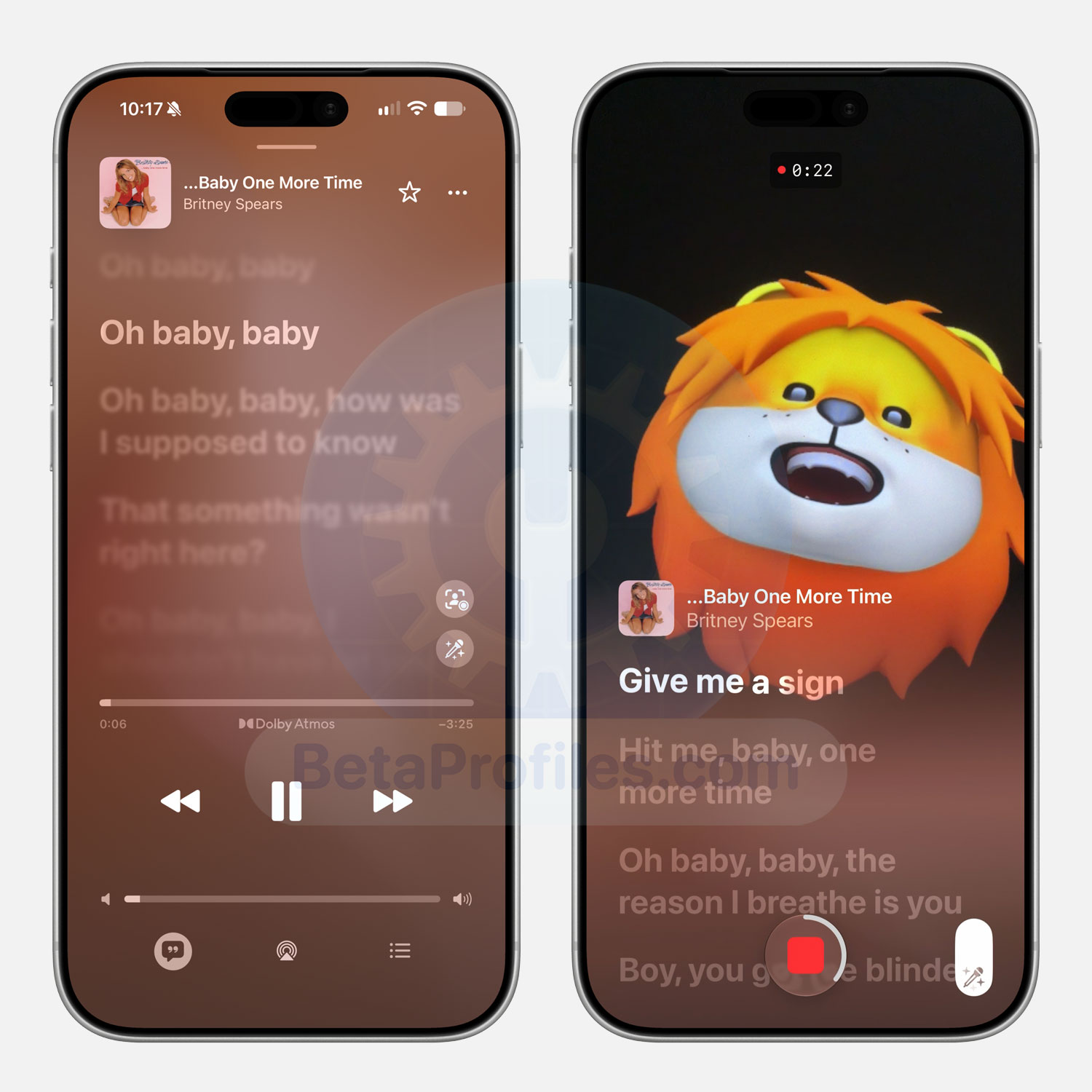
You can try it by finding the “Sing” playlists in the Search tab or tapping here for quick access. Pick a song, tap the lyrics icon, then tap the camera icon to start recording.
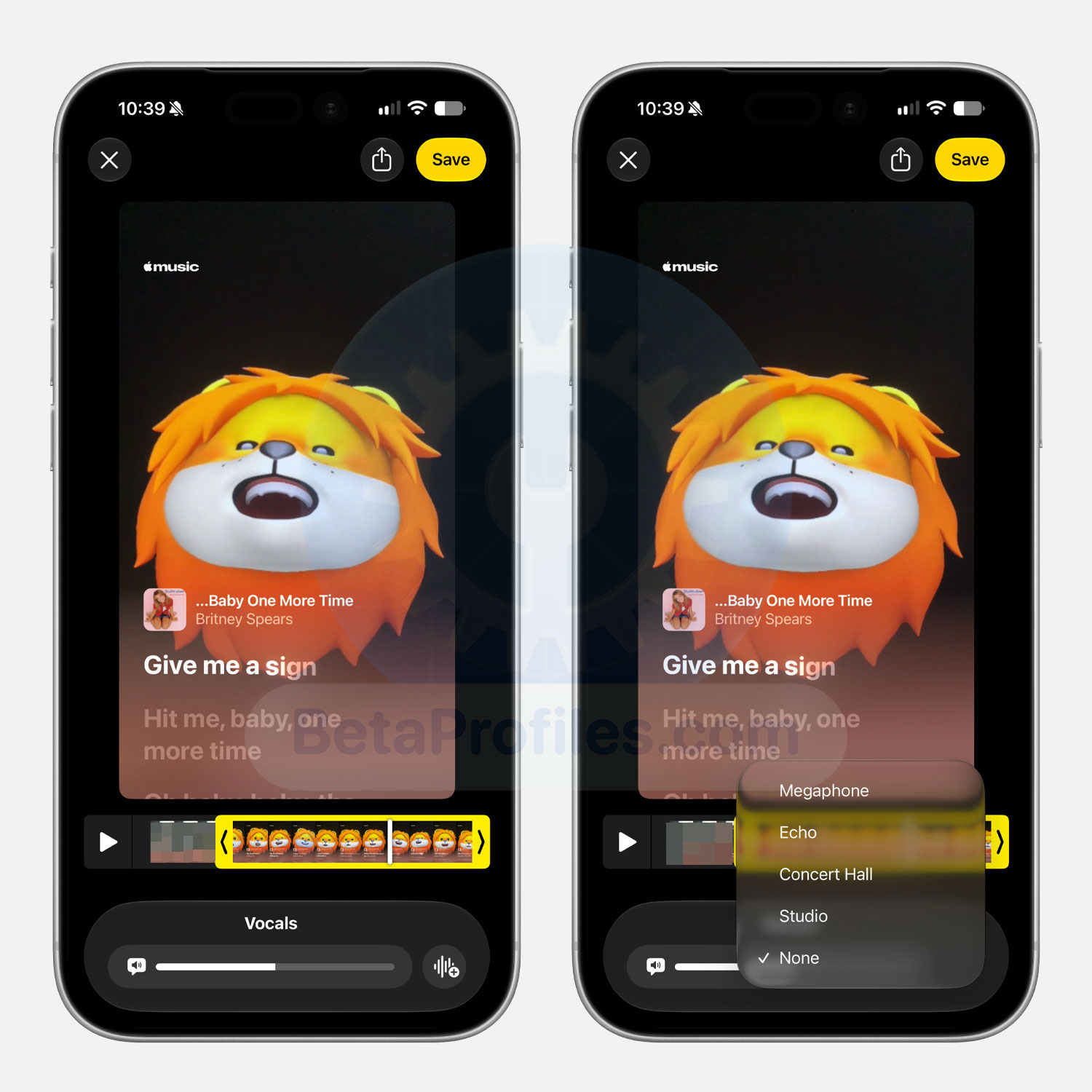
Once you’re done recording, you can trim the video or adjust the vocals, with options like Studio, Concert Hall, Echo, and Megaphone.
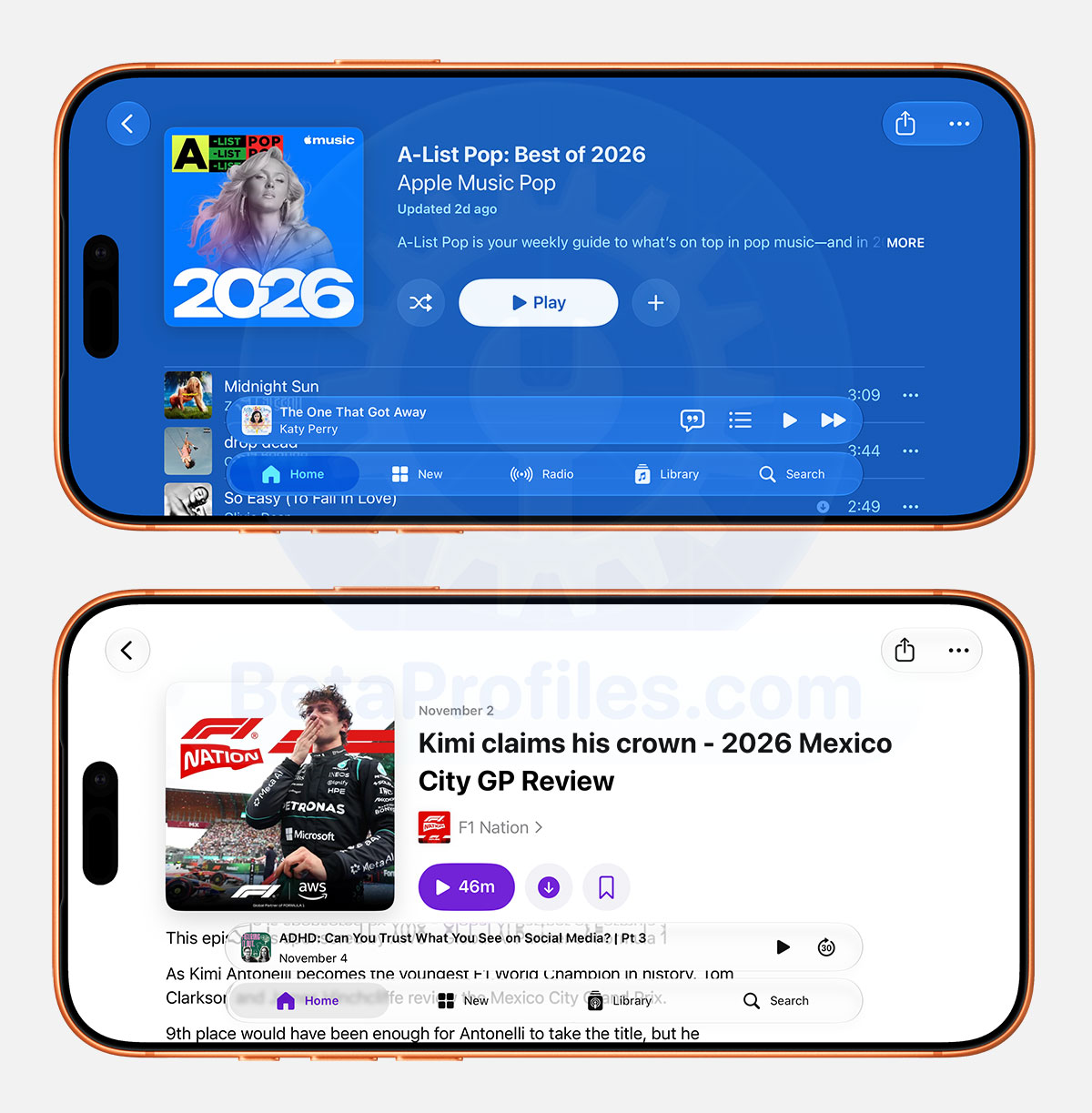
Animated Artwork in Landscape Mode
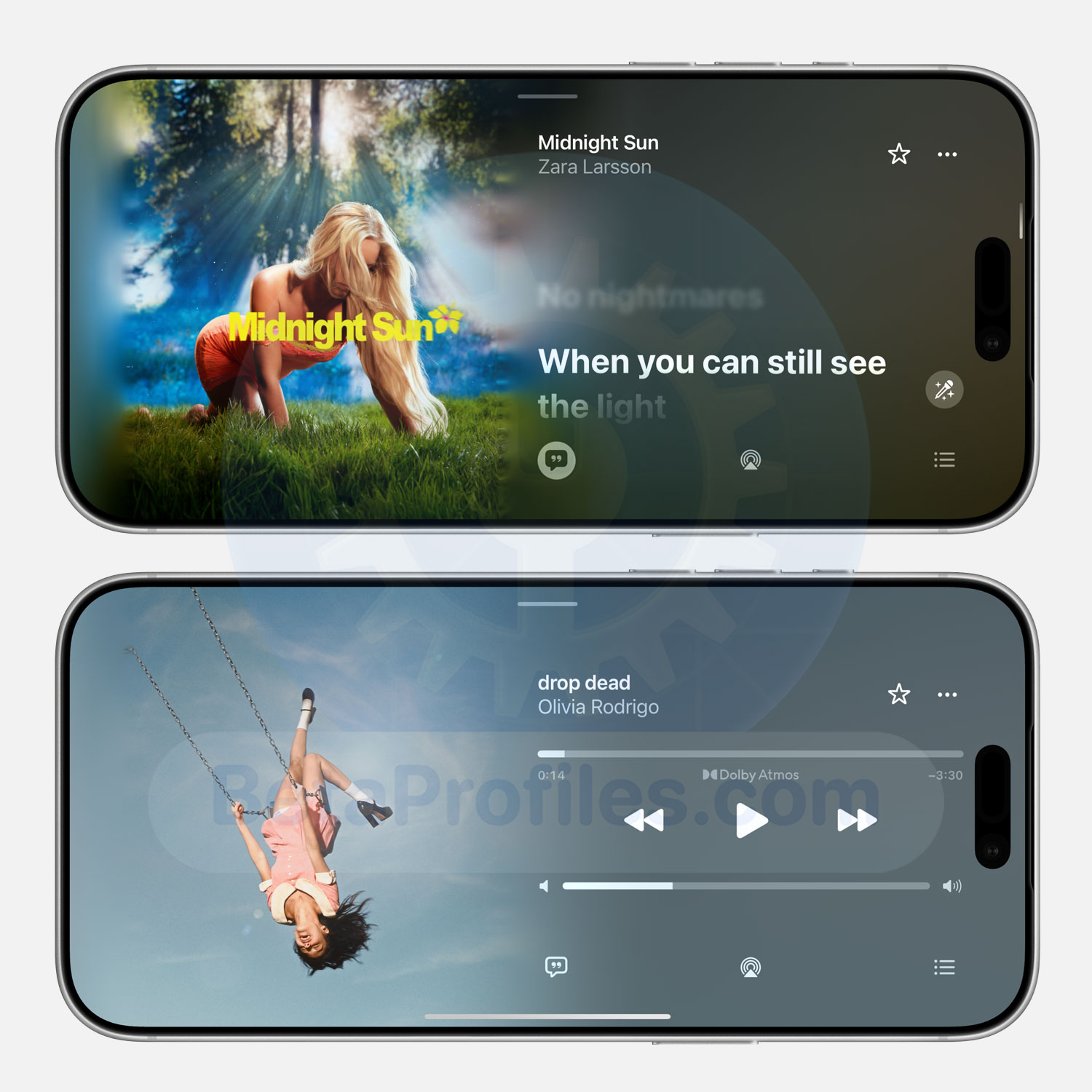
Apple Music player in landscape mode now supports animated artwork, just like on iPhone Duo. Instead of showing the cover art in a square, the animated artwork blends smoothly into the player’s background.
Weather
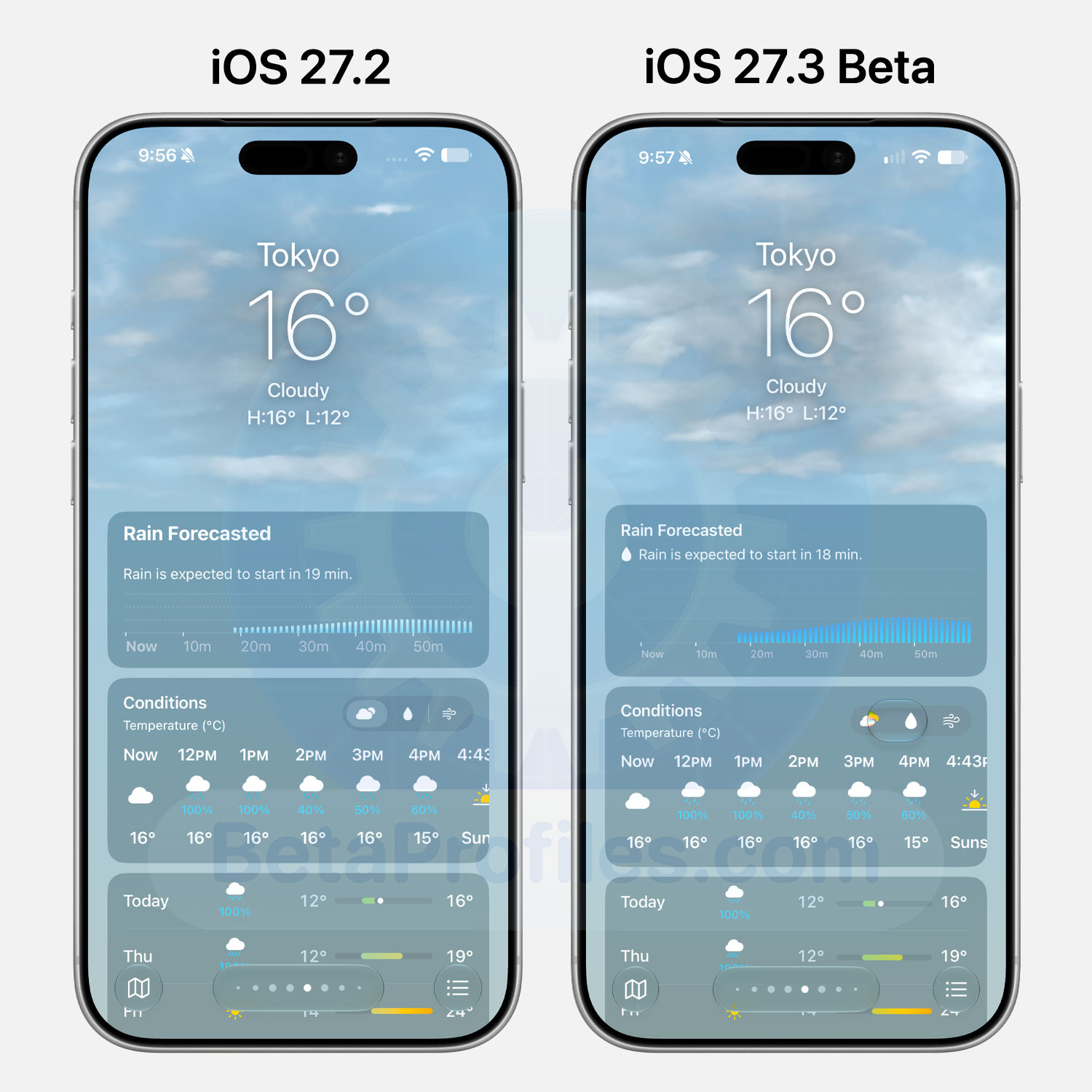
Weather app gets a small tweak to the Next-Hour Precipitation section at the top of the page. The icons on the small slider for switching between Conditions and Precipitation now have color and a Liquid Glass effect when tapped.
Freeform
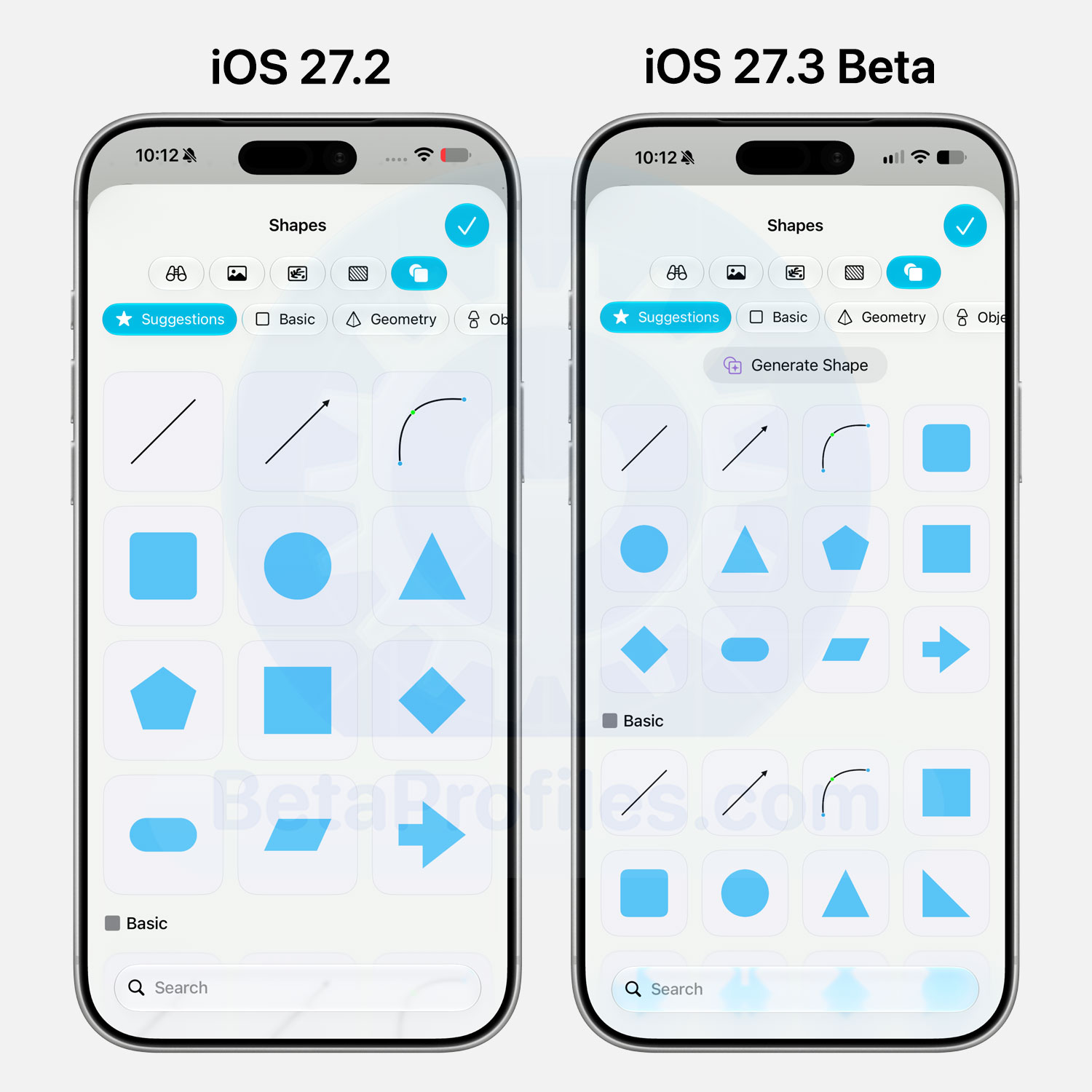
Freeform adds a Generate Shape option for Apple Creator Studio subscribers, letting you create and edit custom shapes using text descriptions. The Shapes page has also been made smaller, showing 4 shapes per row instead of 3.
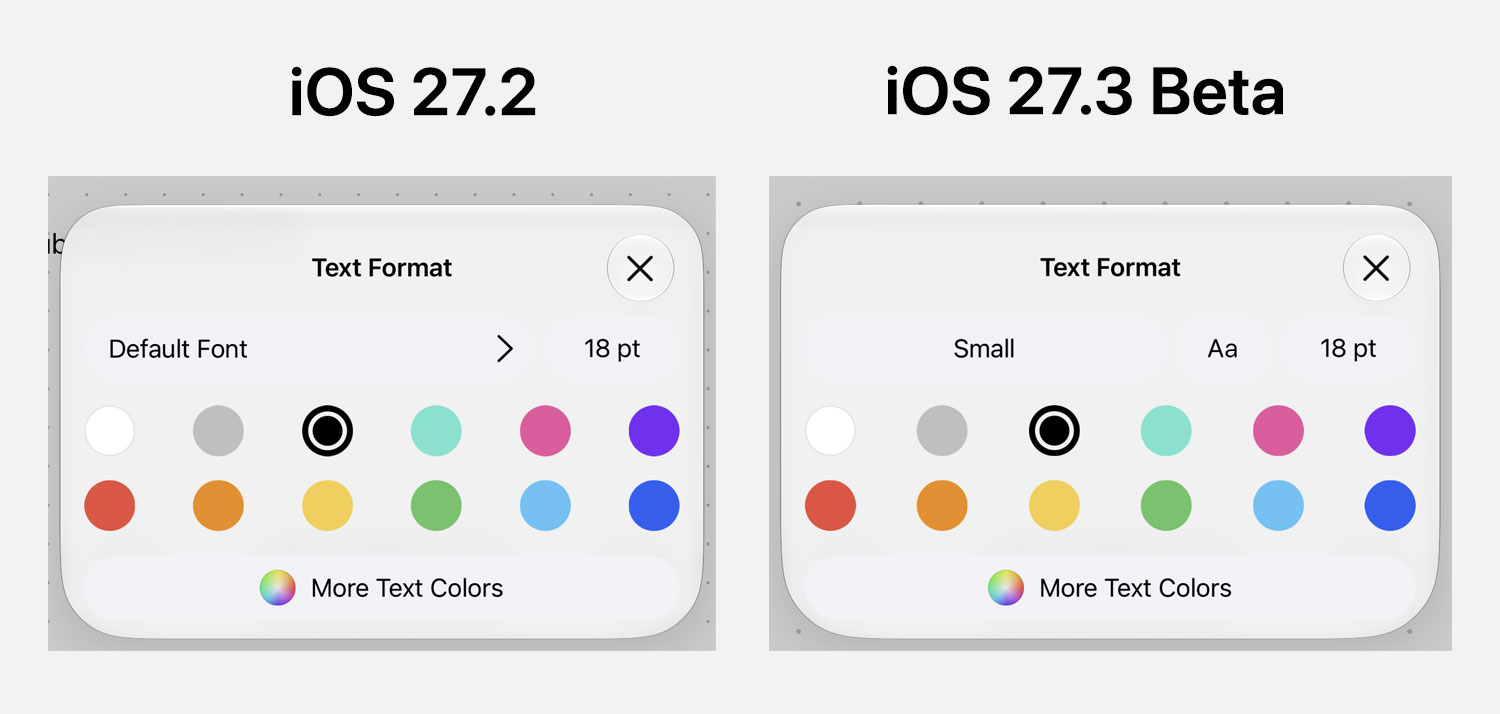
Text Format option also gets new text style choices: Small, Medium, Large, Extra, and Giant.
Control Center
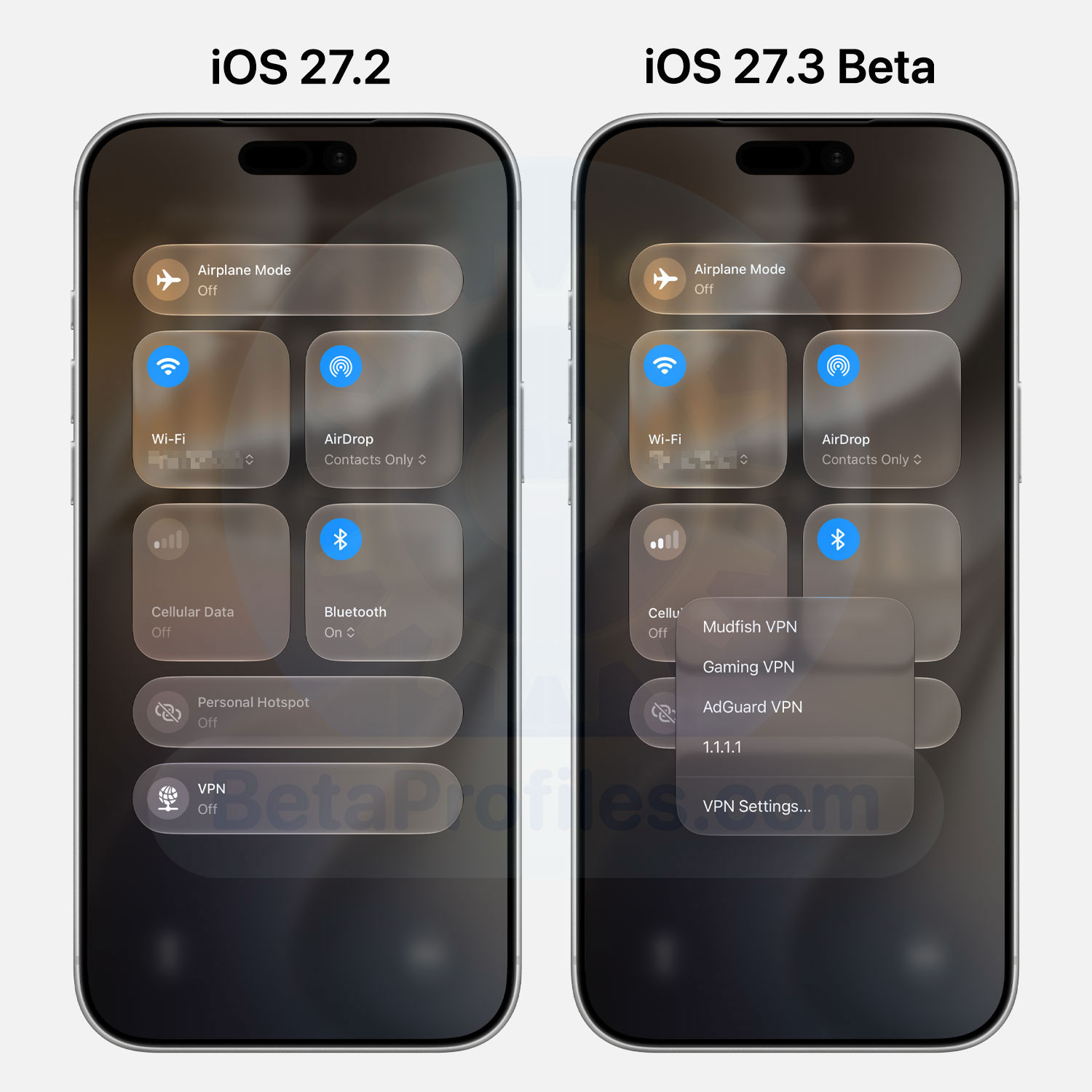
You can tap the VPN control in Control Center to quickly switch between VPNs.
[Apple Watch] Live Rewind and Siri Recap
Live Rewind and Siri Recap, shown off at the Apple Watch Series 12 and Ultra 4 event, are now available in iOS 27.3 beta.
Live Rewind records the last 15 seconds of a conversation so you can listen back later, while Siri Recap listens to conversations throughout the day and creates a summary of the key points.
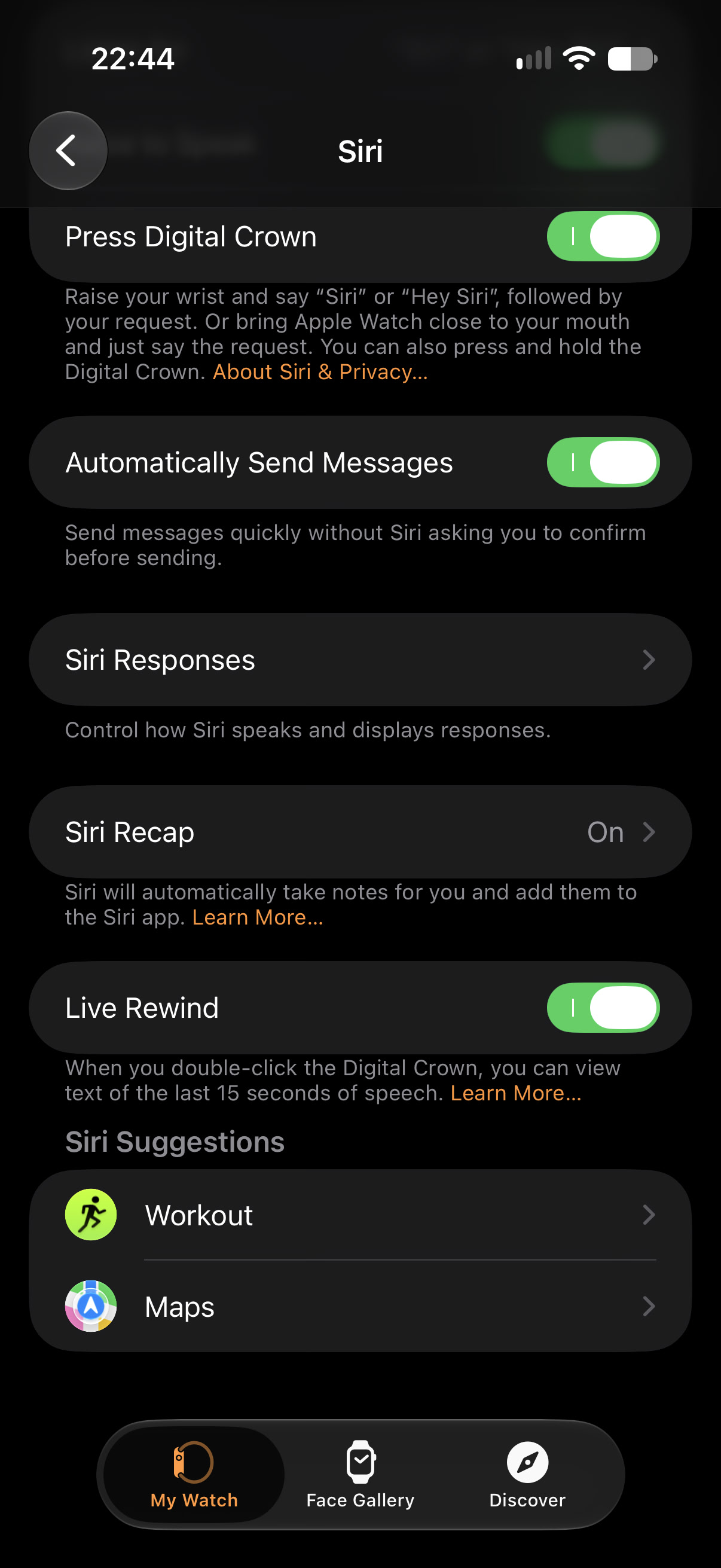
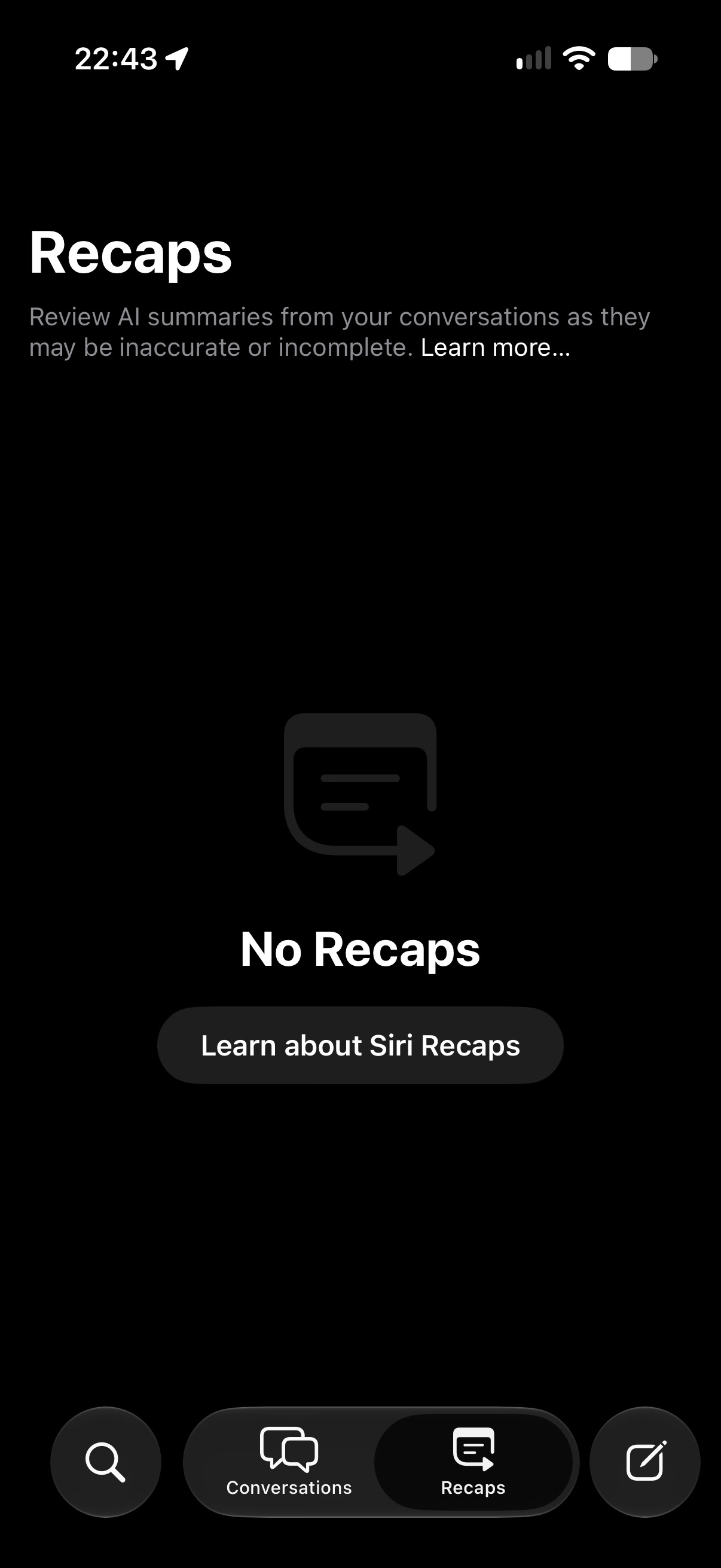
Image credit @mbirth.uk
Both features require an Apple Watch Series 12 or Ultra 4 running watchOS 27.3 beta, and an iPhone 16 or later running iOS 27.3 beta with Apple Intelligence and Siri AI. They’re currently available in English only, and you must be over 13 to enable them.
New Widgets
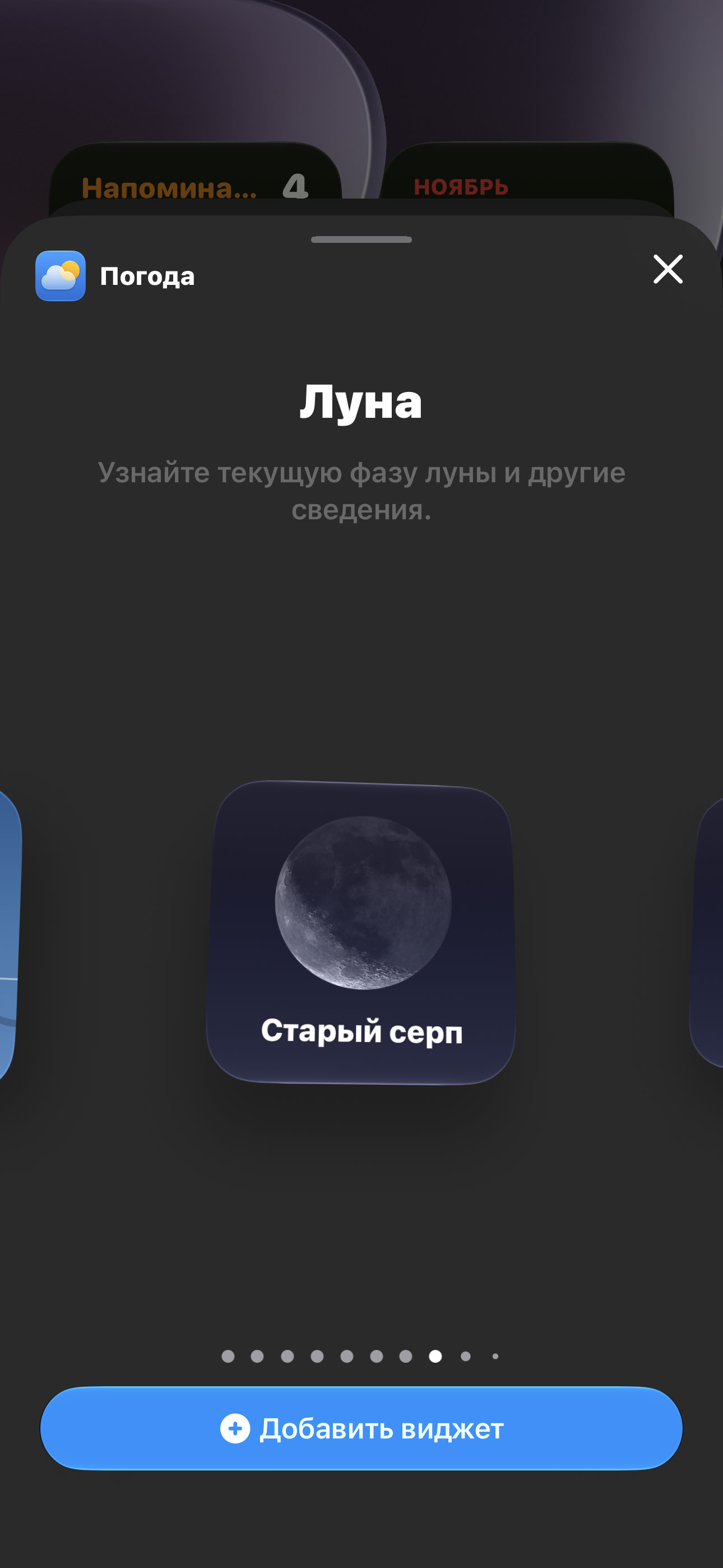
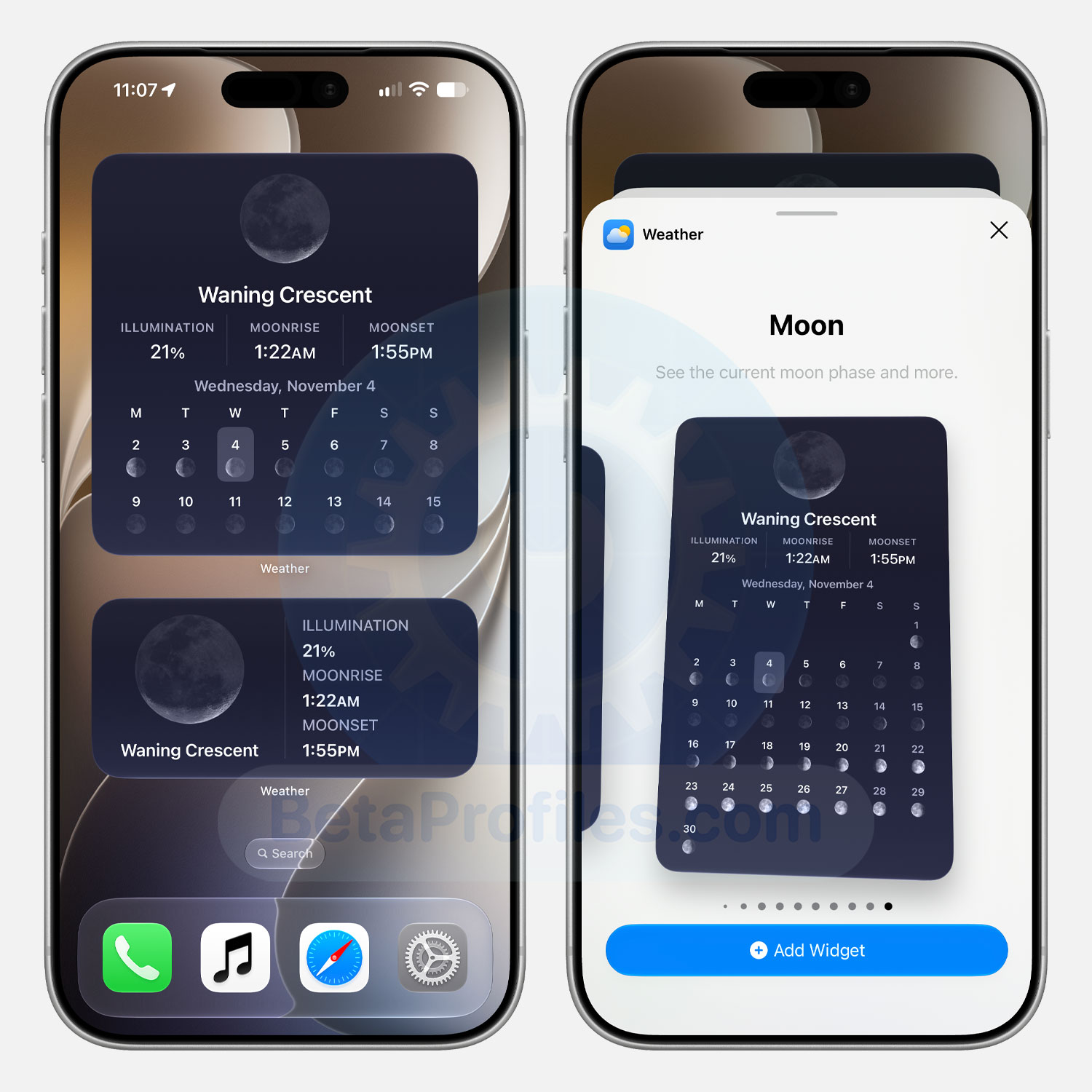
Weather app adds a new Moon widget so you can track moon phases from the Home Screen. The Moon widget comes in four sizes: 2x2, 2x4, 4x4, and 4x6.
Thanks to @Daniil
Siri Indexing
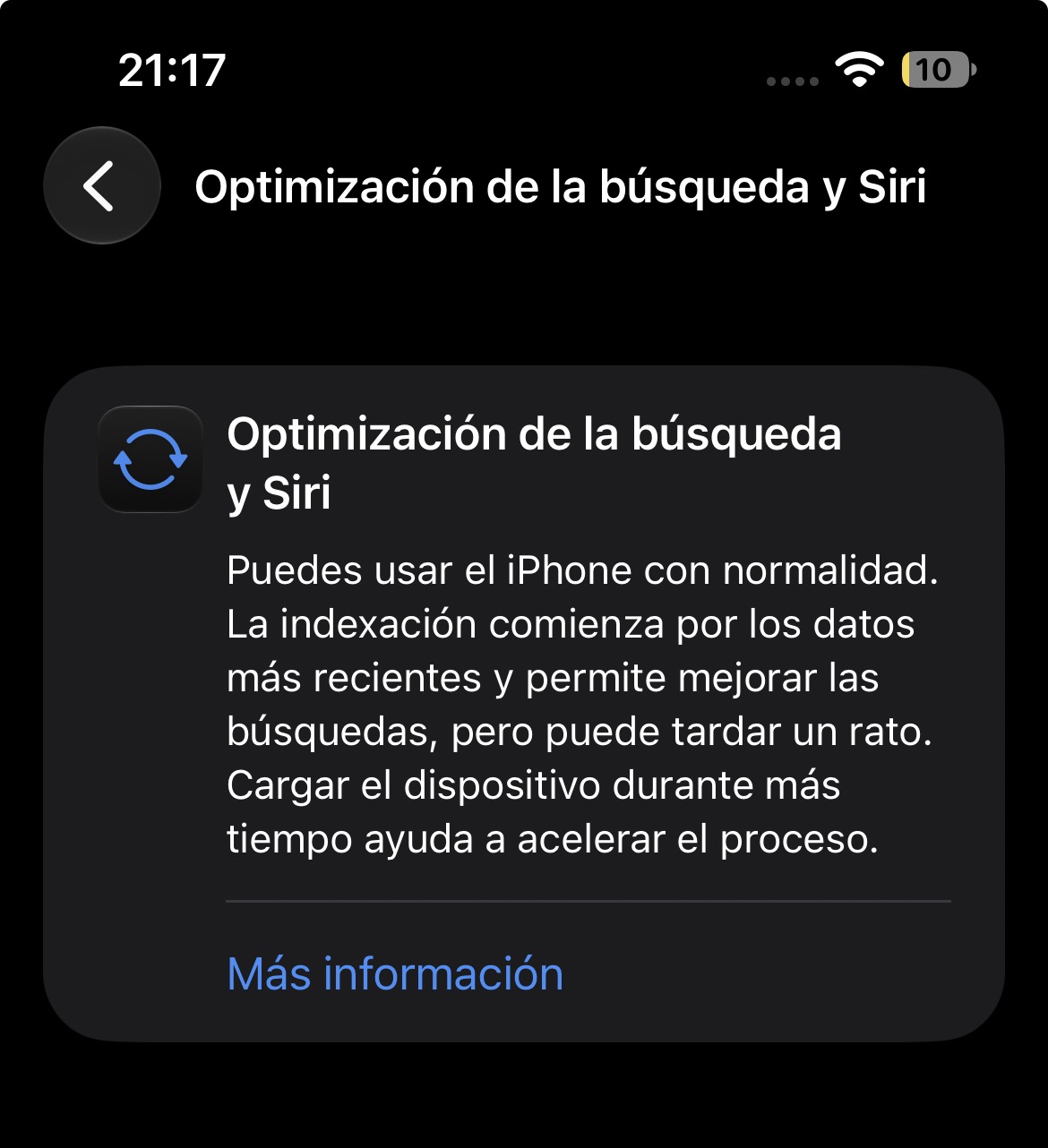
After updating to iOS 27.3 beta, the system keeps indexing to optimize Search and Siri. That makes sense, since Siri AI is adding new languages and third party app support in this update.
Photos Settings
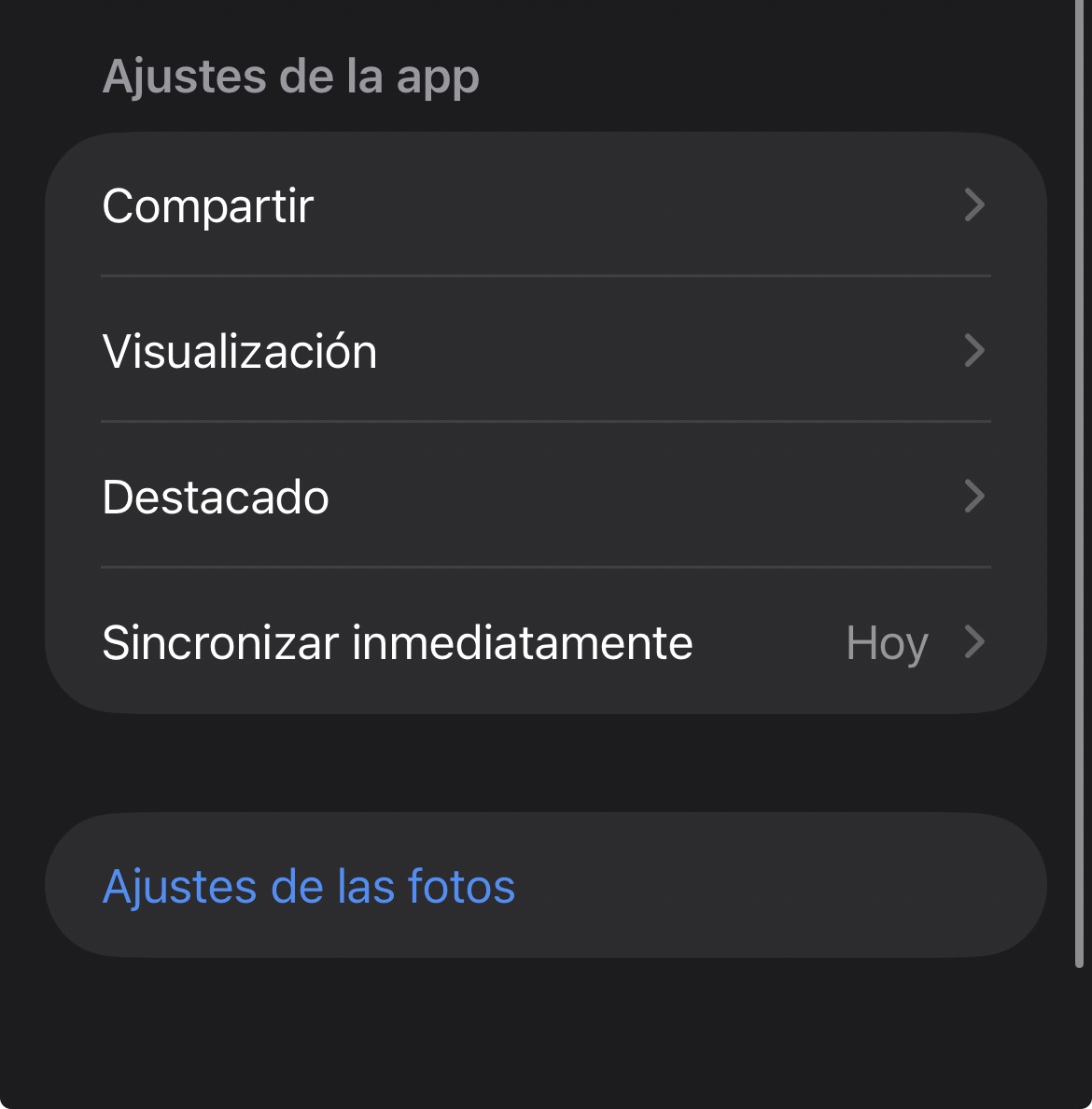
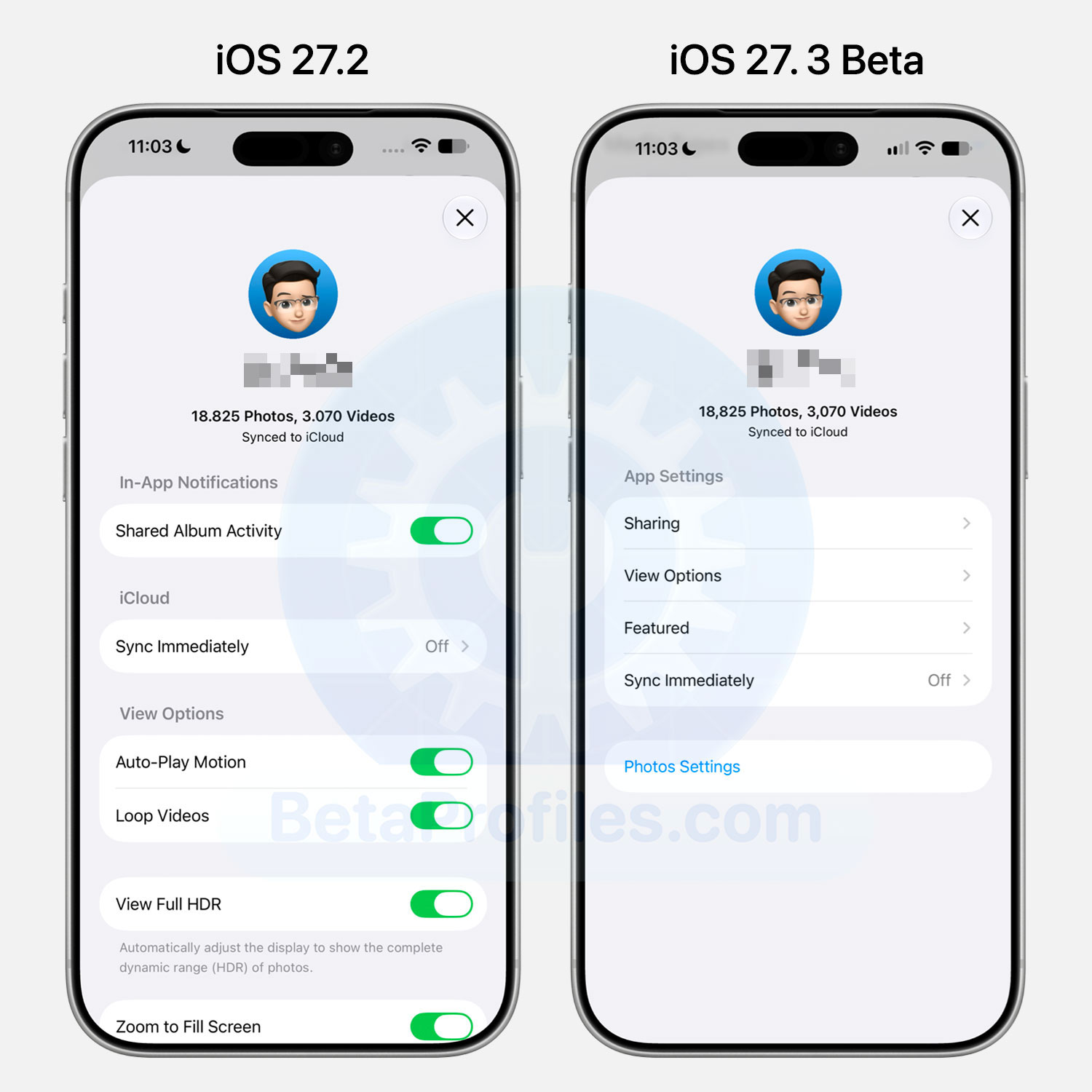
When you tap your profile picture in the Collections tab of the Photos app, the settings page is now streamlined to just four main items and an option to open Photos Settings. Before, the list of settings looked quite cluttered.
Thanks to @javisx
Profile Picture
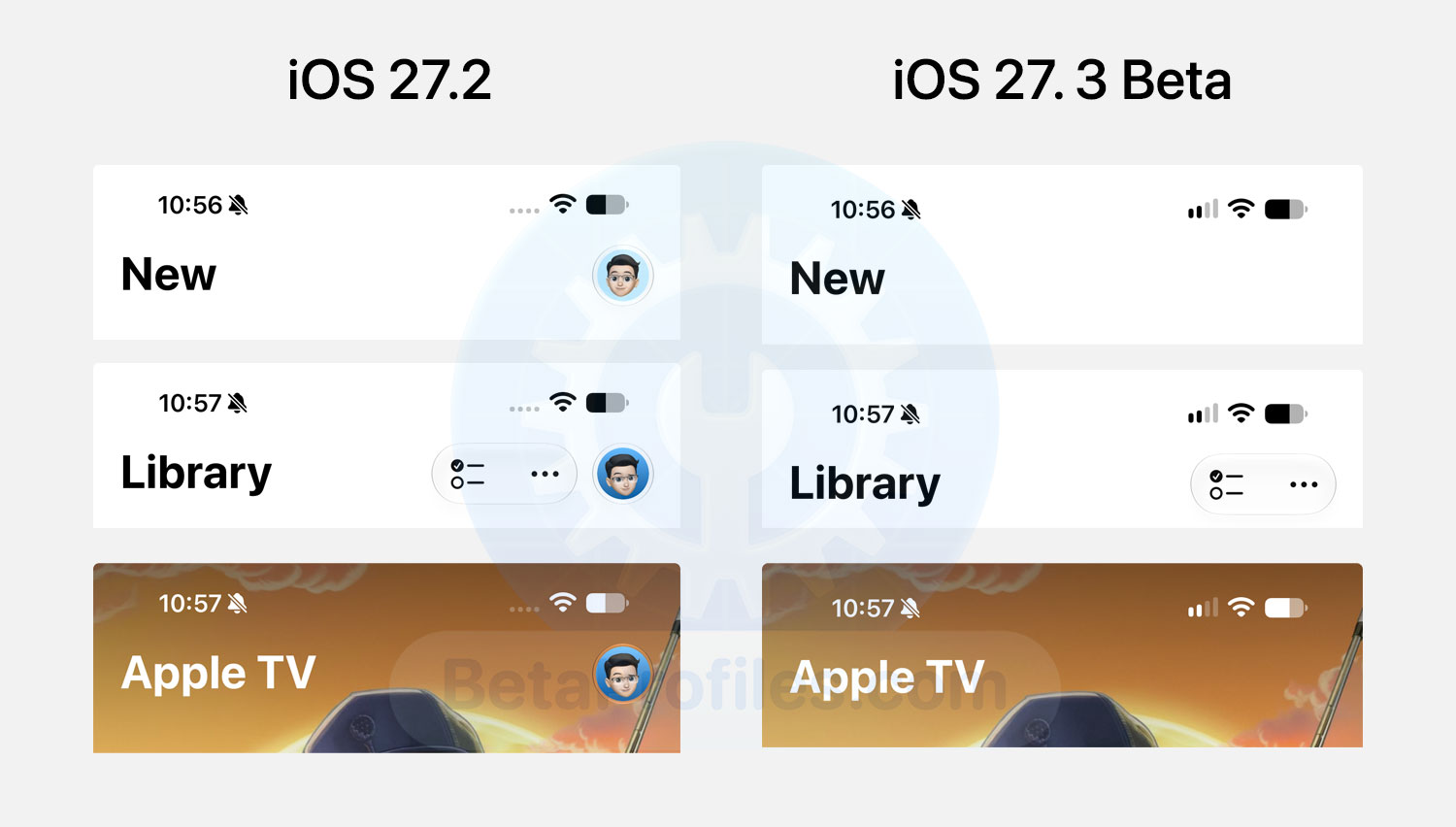
In apps like Music, TV, and Podcasts, the profile picture now only appears on the Home tab. The other tabs no longer show the profile picture in the top right corner of the screen.
Thanks to @Ricapple
Wallpaper Zoom Is Back
The wallpaper zoom-out effect when closing apps is back in iOS 27.3 beta. It disappeared after iOS 26, and it has finally returned.
Thanks to @Zagnut531
https://x.com/BetaProfiles/status/2118375381841711354?a=nCBo-vwgcuQUfiVqPAI&s=20
More Apps Now Support Landscape Mode
The App Store now supports landscape mode on iPhone, and so does Apple Podcasts. Apple Music expands landscape mode to the entire app instead of just the music player.
Keyboard
iOS 27.3 beta also tweaks the iPhone virtual keyboard. On iPhone Duo’s outer display, the keyboard has narrower keys and a smaller font. On iPhone SE, the keyboard is raised, leaving a gap below it just like iPhones without a Home button. Finally, on other iPhones, the characters on the keys are more centered.
https://x.com/BetaProfiles/status/2118407846140530873
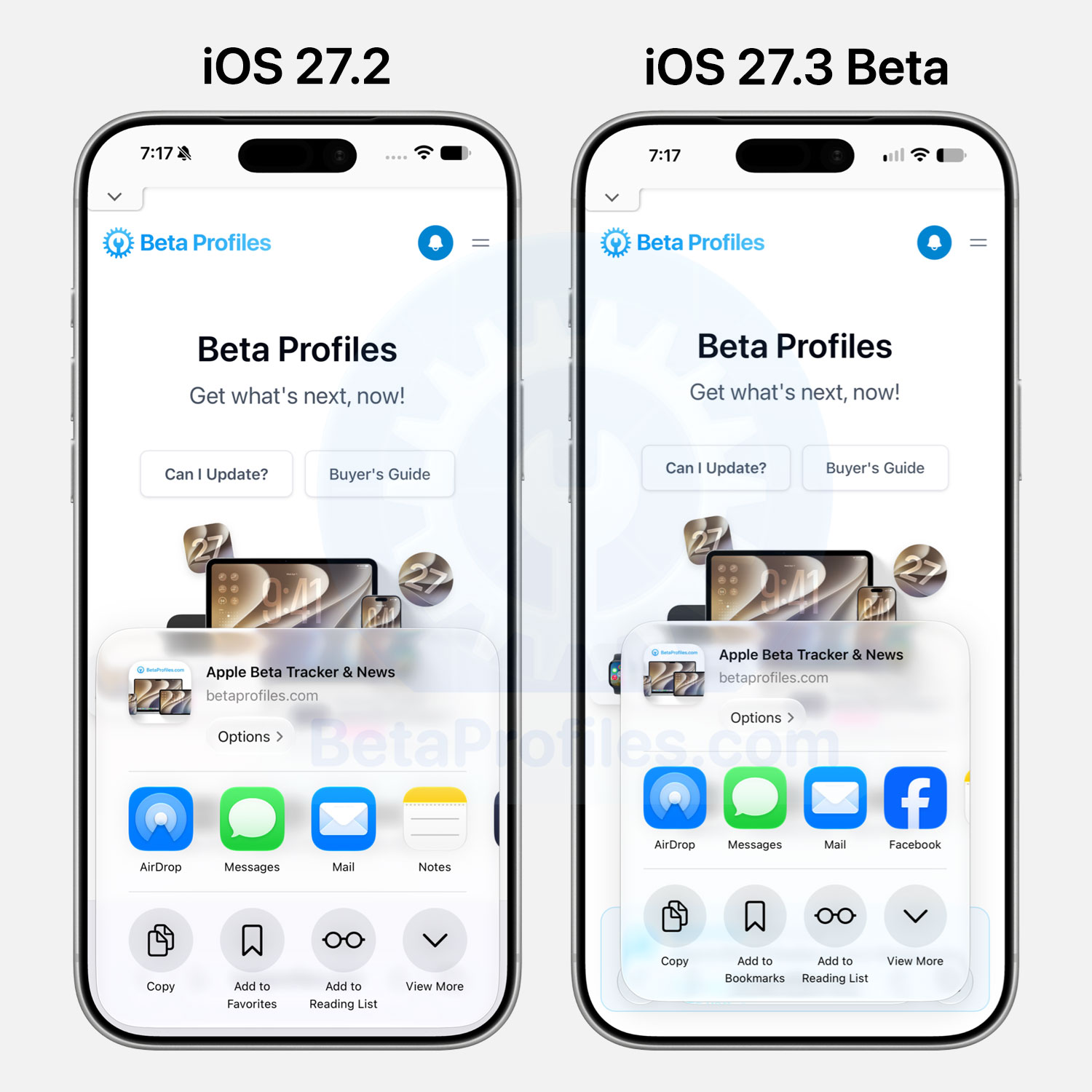
Share Sheet
iOS 27.3 beta comes with a smaller share sheet compared to previous versions.
Thanks to @hisrdusr
Lock Screen
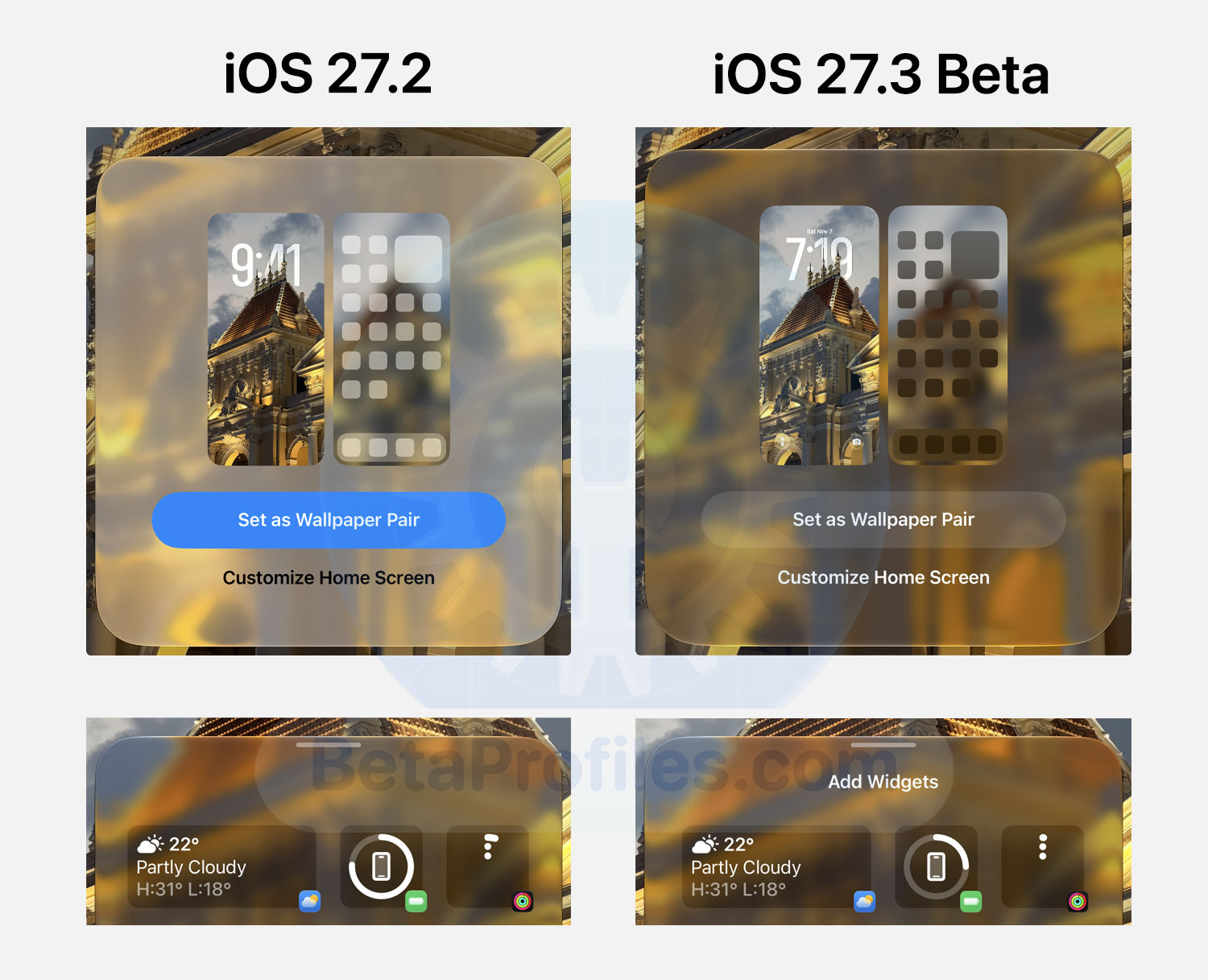
Lock Screen customization has received a few minor tweaks. The Wallpaper Pair setup sheet now features a darker Liquid Glass background, while the “Set as Wallpaper Pair” button is no longer blue.
“Add Widgets” has also returned to the widget picker after disappearing in iOS 27.2.
Thanks to @javisx
I’ll keep adding more iOS 27.3 Beta 1 changes and new features here as I discover them. Stay tuned and follow @BetaProfiles on X or Threads!