Apple today released the first iOS 27 beta for developers. This major update introduces a wide range of new features and improvements, including the all-new Siri, system-wide optimizations, and plenty of other changes across the operating system. Here’s everything new in iOS 27 beta 1 so far.
If you’re not familiar with how to update beta releases on your device, please refer to the tutorial:
iOS 27 Developer Beta 1
Build: 24A5355q
Released: June 8, 2026
Siri
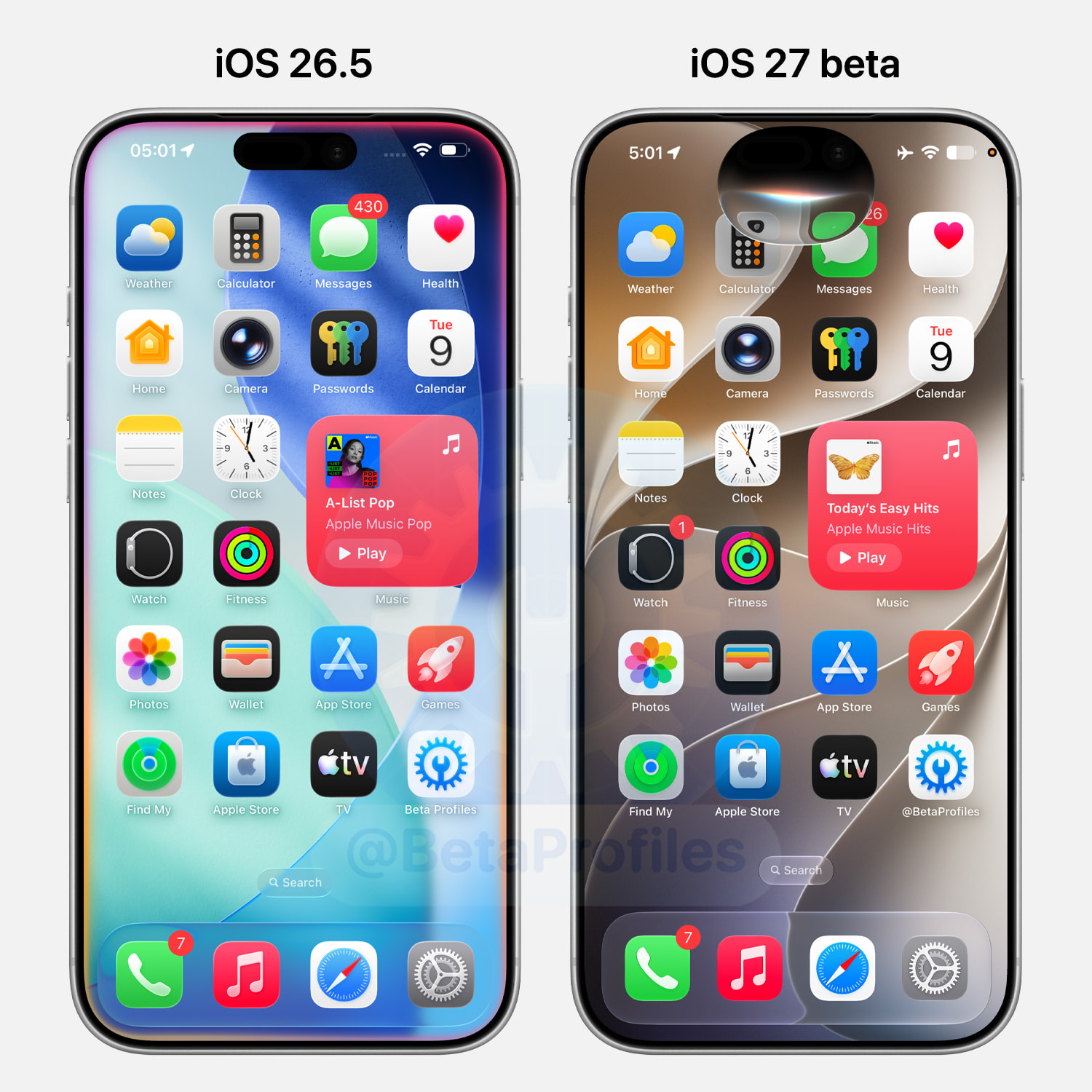
iOS 27 finally brings the Siri interface into the Dynamic Island. The new Siri design drops the colorful glowing border effect that Apple first introduced in 2024 with iOS 18. Siri now appears as an oval at the top edge of the screen with a Liquid Glass design.
Search
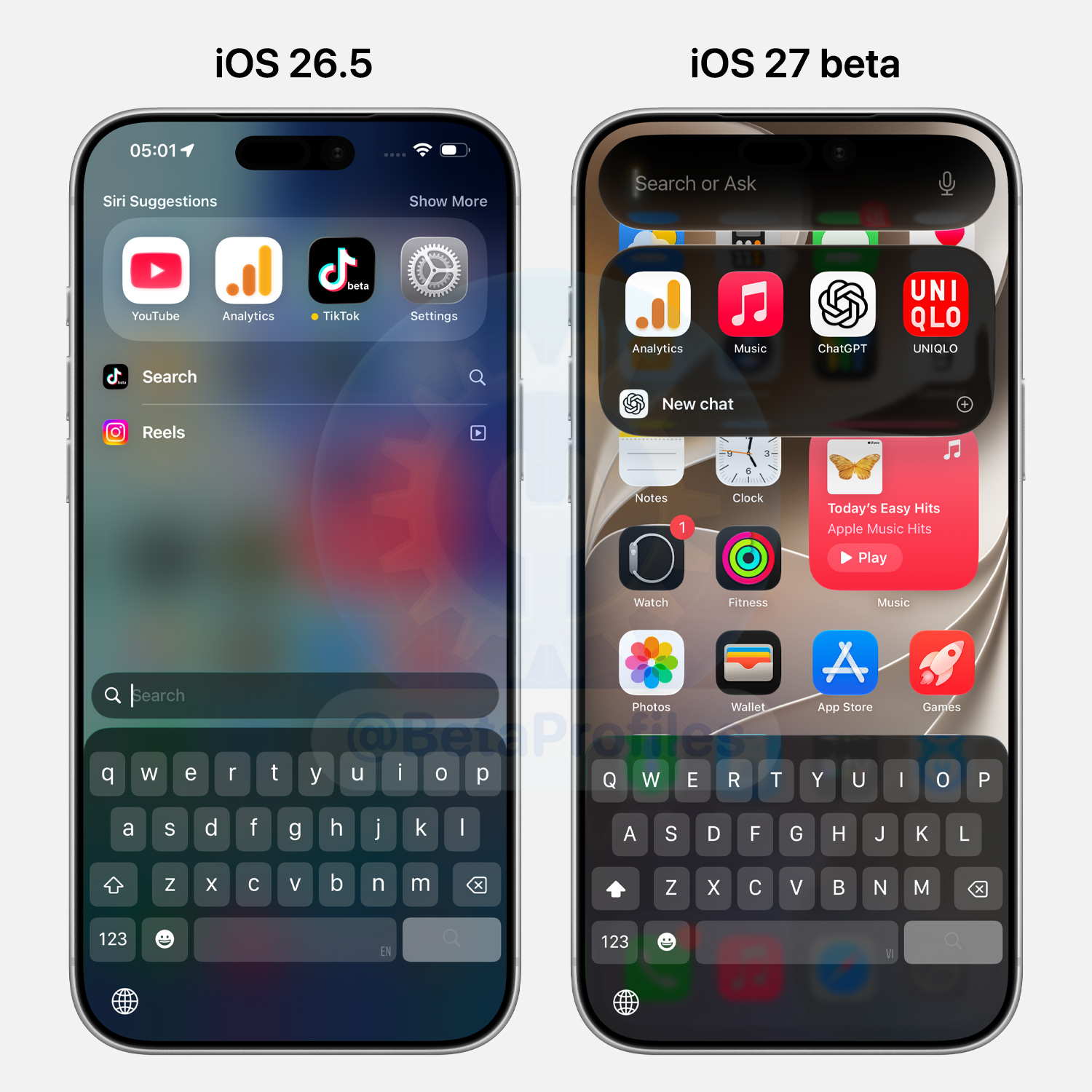
Swiping down on the iOS 27 home screen now brings up a redesigned search experience. The search bar pops up inside the Dynamic Island with Liquid Glass styling, with app and action suggestions displayed in a distinct rectangle underneath.
Liquid Glass Update
New Liquid Glass Slider
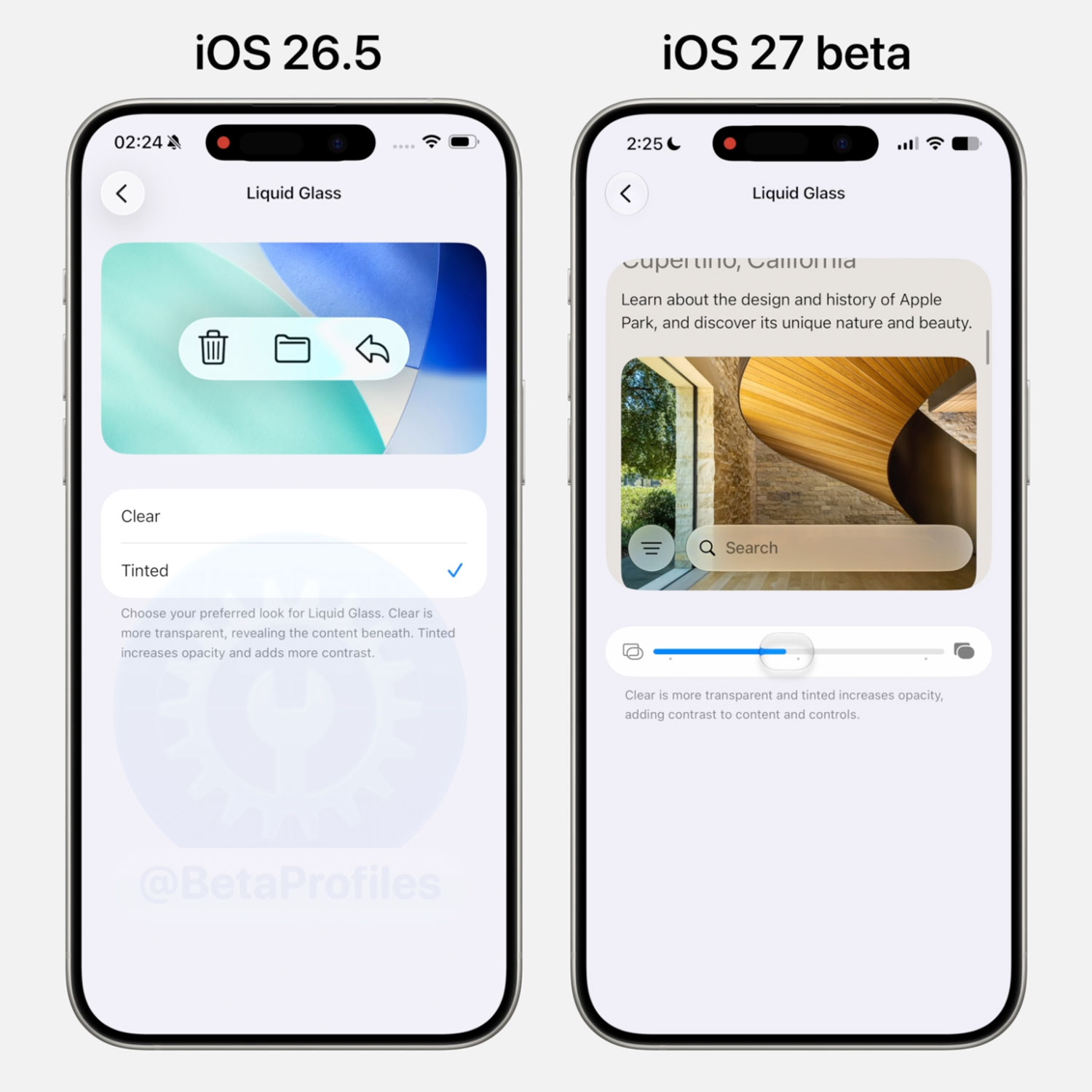
In Settings > Appearance > Liquid Glass, iOS 27 gives you a new slider to control how opaque Liquid Glass appears. It does what the Clear and Tinted options did in iOS 26, but in a much more flexible way.
https://x.com/BetaProfiles/status/2064070190686761144
Specular Highlights Removed
Specular highlights are the glowing edges around Liquid Glass elements that used to react to how you moved your device. In the iOS 27 beta, that effect is gone on the Home Screen and Control Center, and you’ll notice the bright edges now stay fixed along the top and bottom.
https://x.com/BetaProfiles/status/2064174319547359633
Liquid Glass Tab Bar
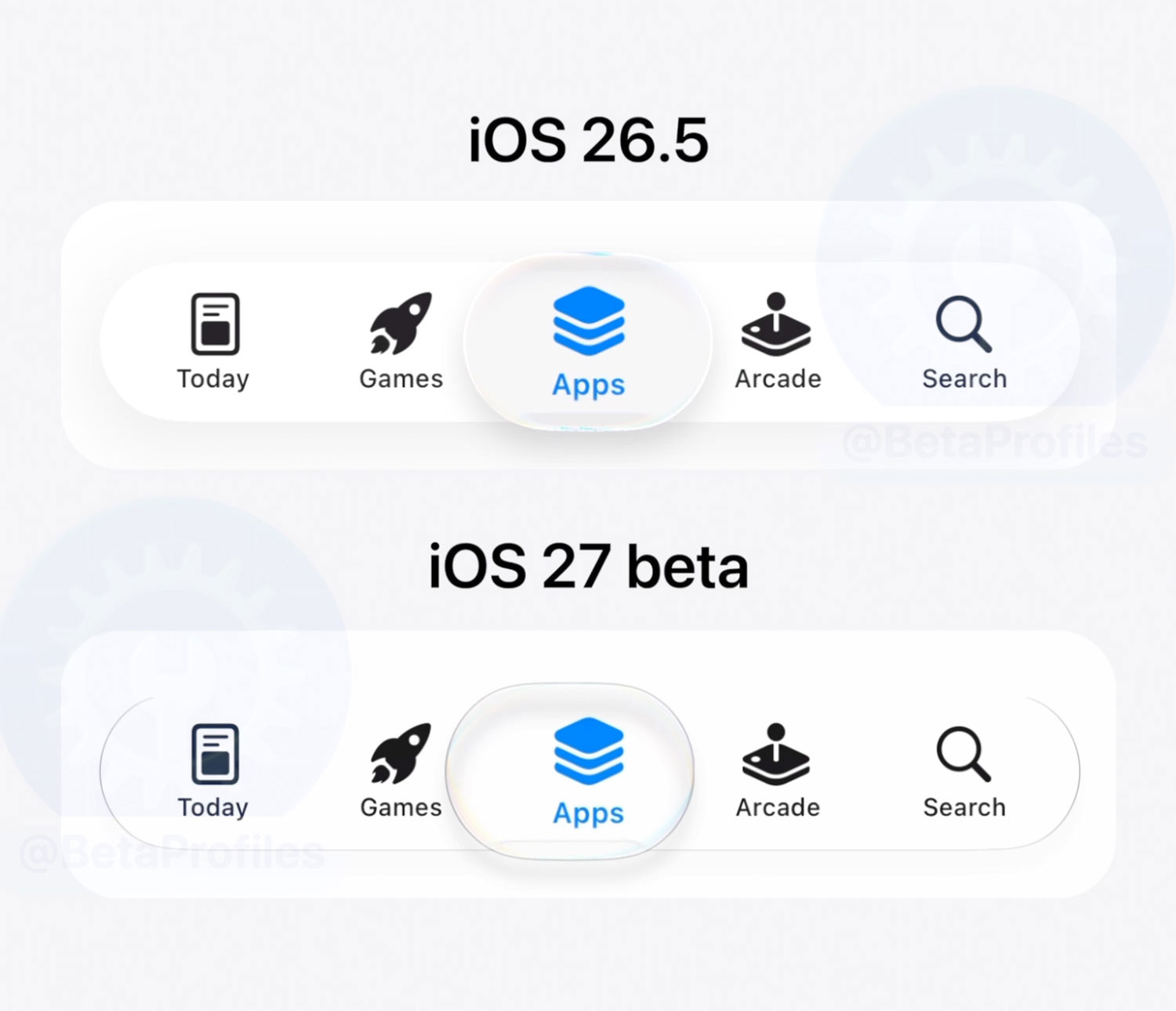
iOS 27 fine tunes the Liquid Glass tab bar to look even more like real glass. The shadow under the selected item now barely peeks out at the edges, and the chromatic aberration leans into noticeably more pale yellow and blue tones than in iOS 26.
https://x.com/BetaProfiles/status/2065445844619506165
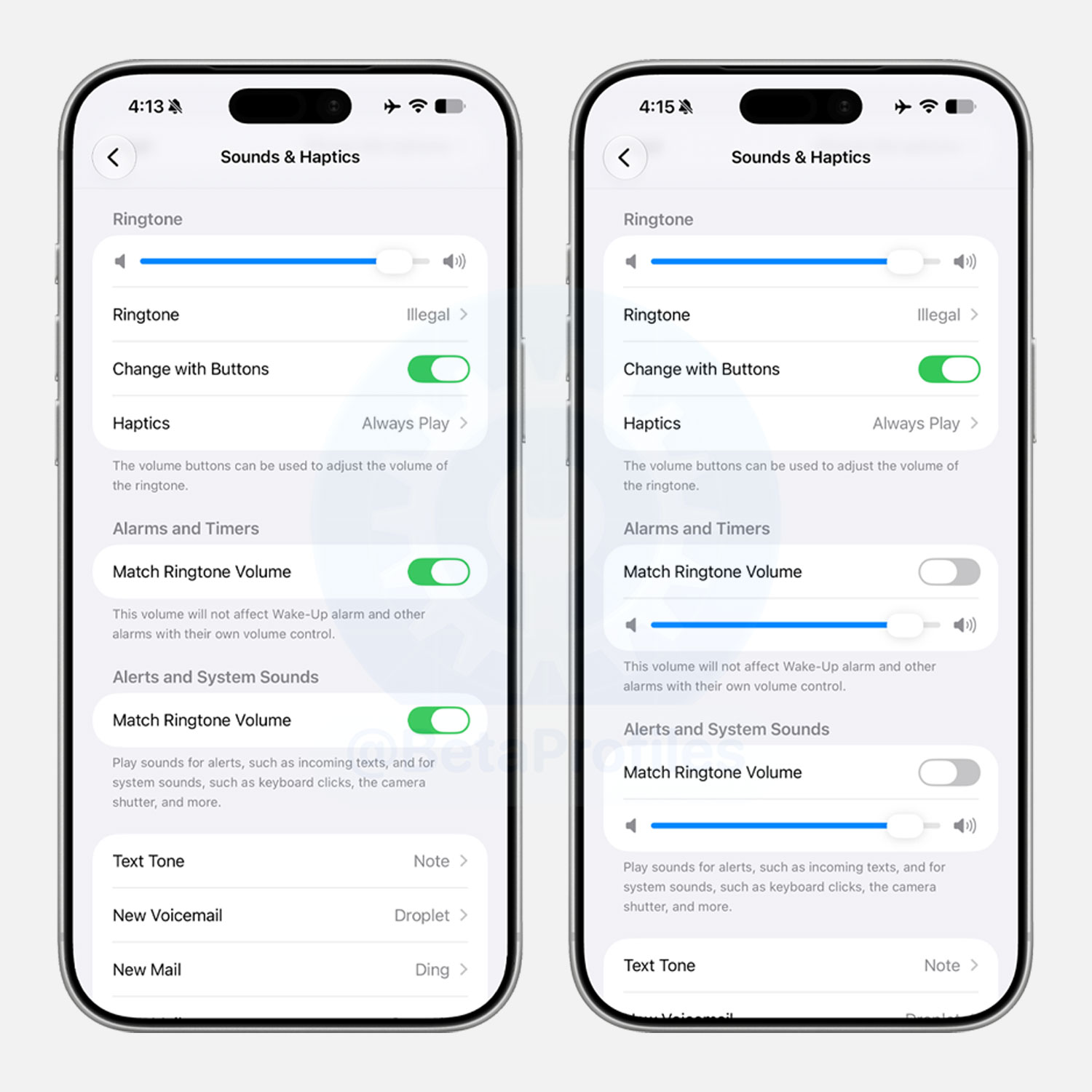
Seperate Volume Sliders
You can now control Ringtone, Alarms/Timers, and Alerts/System Sounds independently with 3 separate sliders in Settings > Sounds & Haptics.
Notification Animations
Notifications now slide in from the top left corner of the screen instead of sliding in from the center. You can also only access Notification Center by swiping down from the top left edge of the screen. Previously you could also swipe from the center, but now swiping down in that area brings up the Search or Ask panel instead.
https://x.com/BetaProfiles/status/2064099234568413248
Apple Music
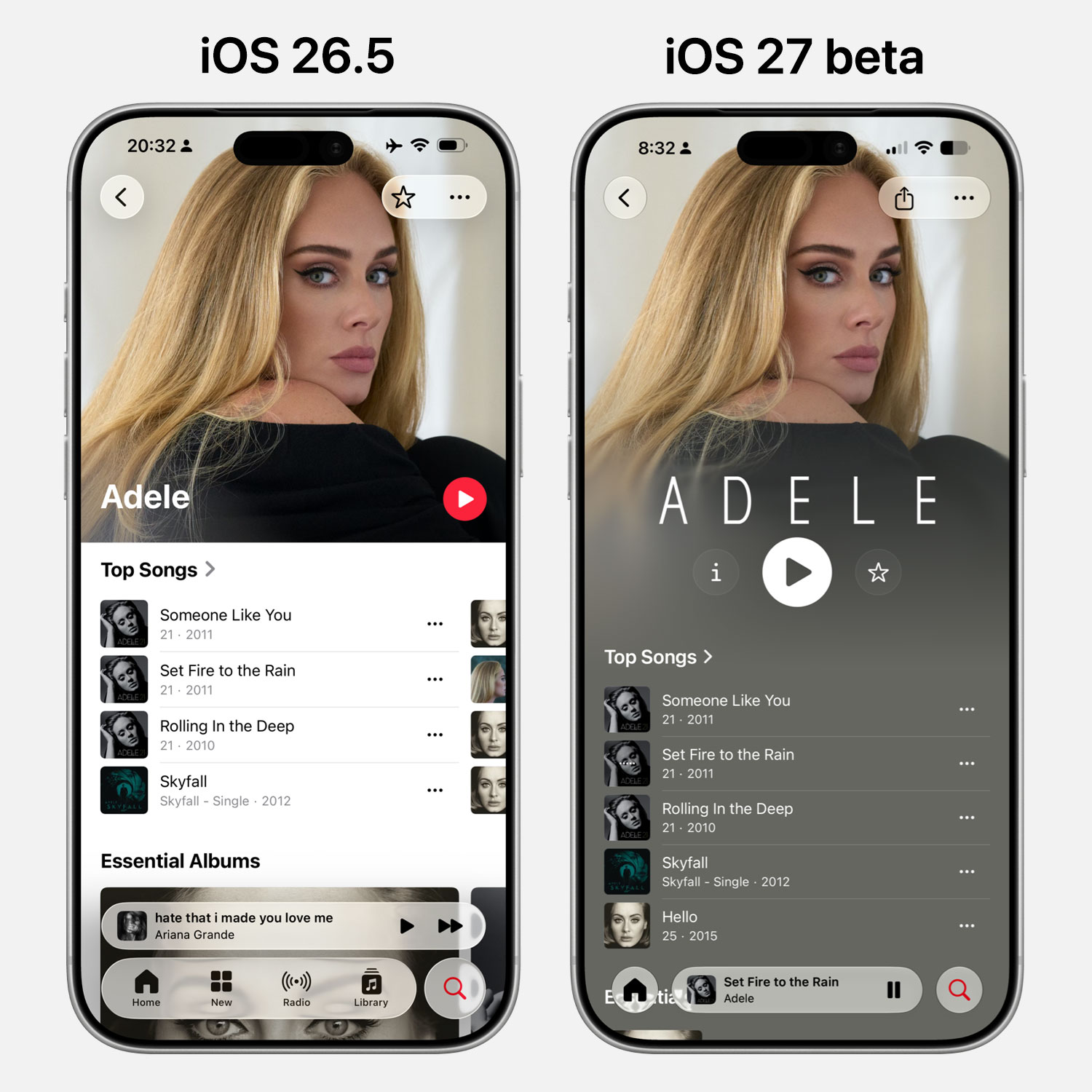
Artist Page Redesigned
iOS 27 redesigns the artist page in Apple Music, featuring the artist’s name logo with a custom font, a centered play button alongside a new info button and a Favorite button.
The artist page background also changes to match the accent color of the featured image chosen by the artist.
https://x.com/BetaProfiles/status/2064399829489607112
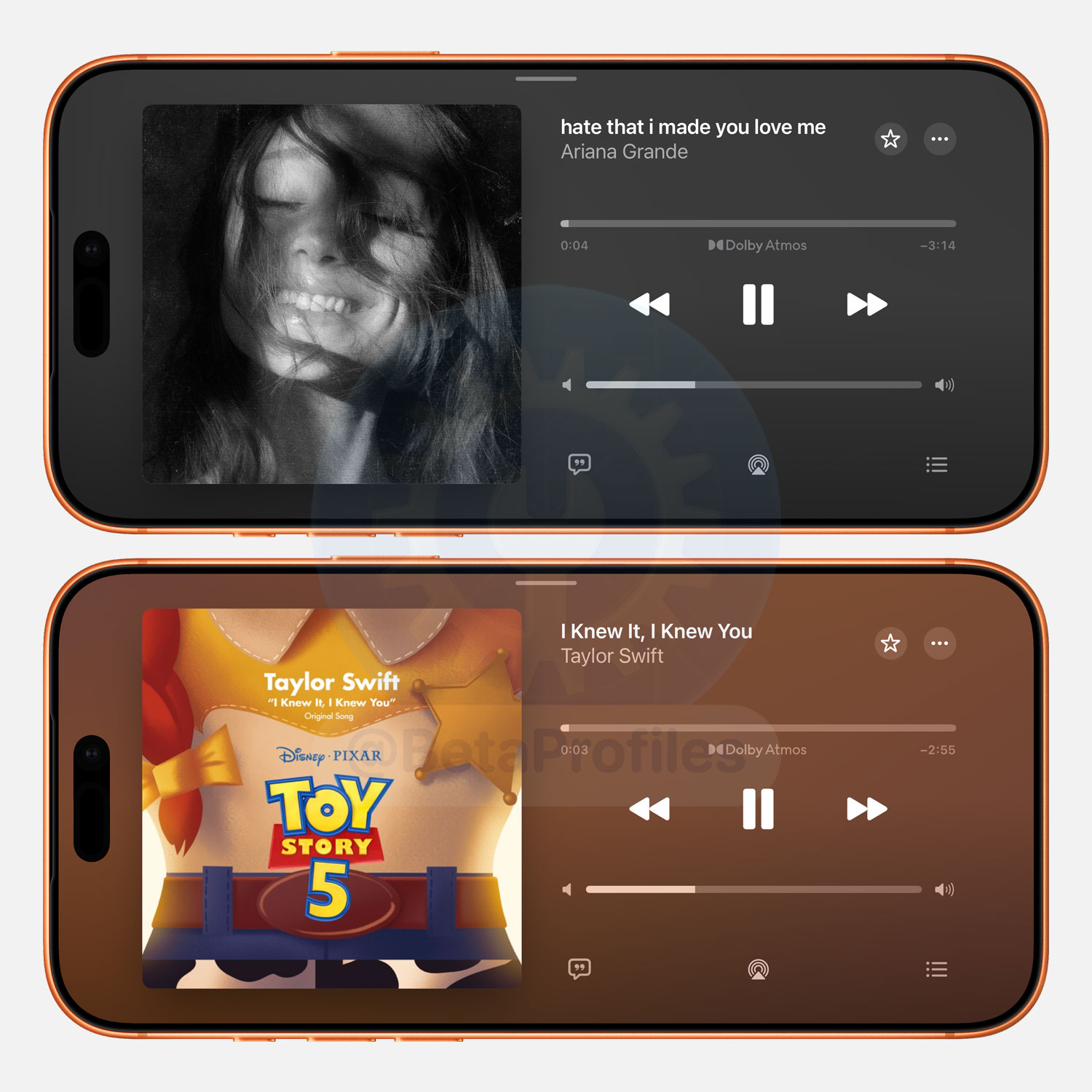
Landscape Mode
The music player now works in landscape mode too.
AutoMix Update
Apple says AutoMix features “even smoother transitions,” delivering a “more energetic and engaging listening experience.”
More Lyrics Translation Languages
iOS 27 expands Apple Music’s lyrics translation to more languages. Here’s what’s newly supported:
- English to French
- English to German
- English to Italian
- English to Korean
- English to Spanish
- French to English
- Japanese to English
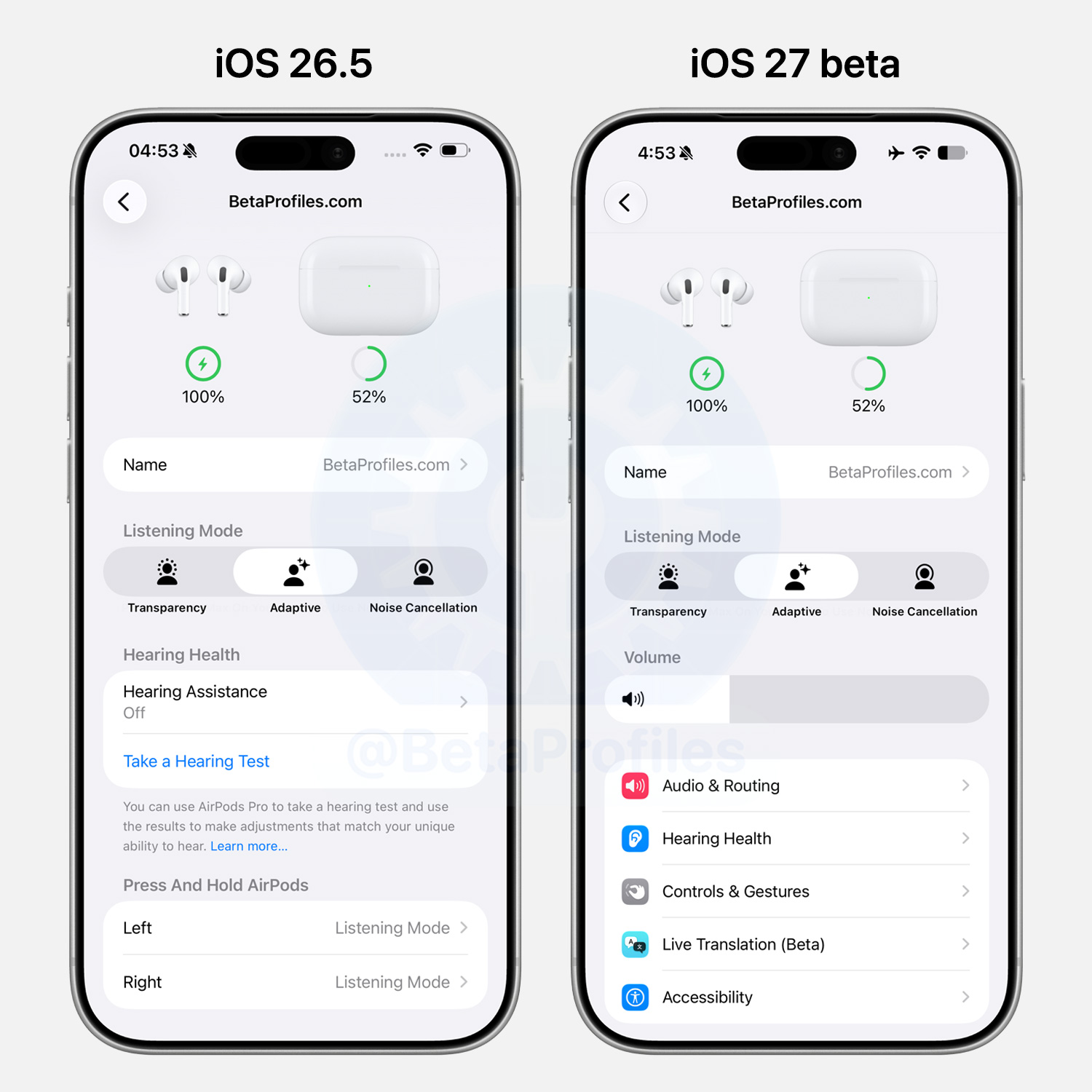
AirPods Settings
iOS 27 refreshes the AirPods settings, with the cluttered options now reorganized into a cleaner, simpler menu layout.
Control Center
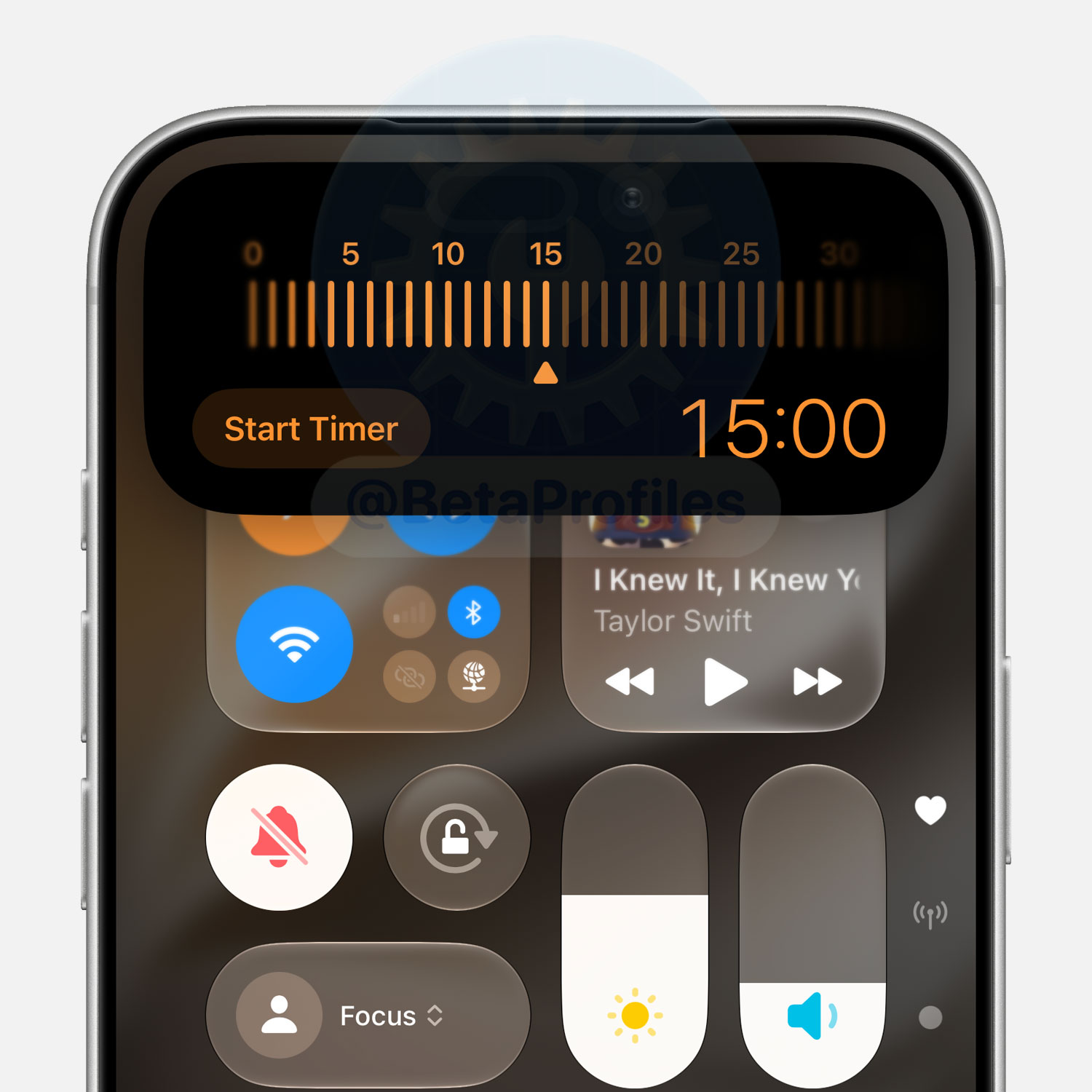
Tapping the Timer control in Control Center now opens it in the Dynamic Island instead of launching the Clock app.
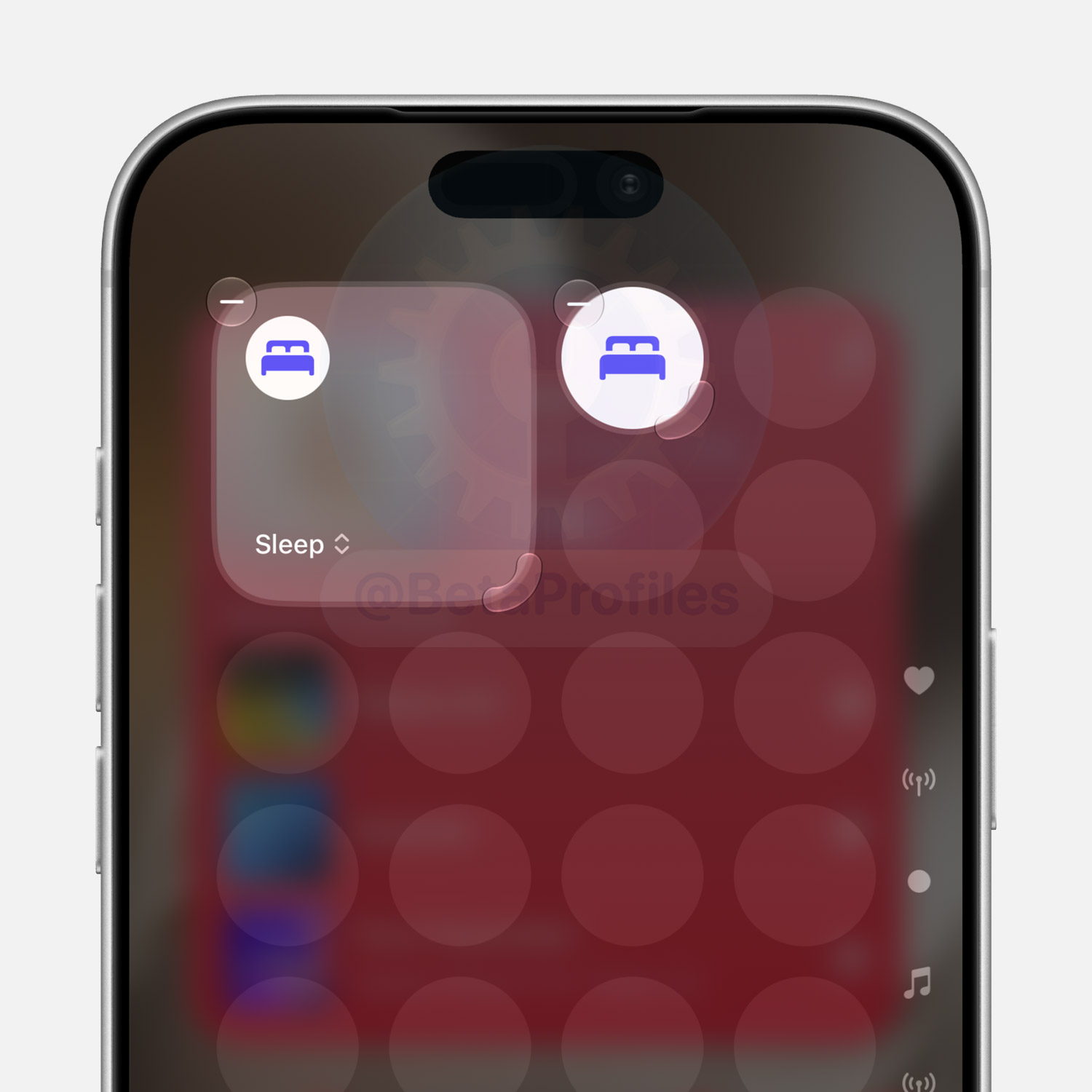
The Focus control can now be resized to 4x4 and 1x1, instead of being limited to a single 2x1 size as before.
Lock Screen
Smaller Clock
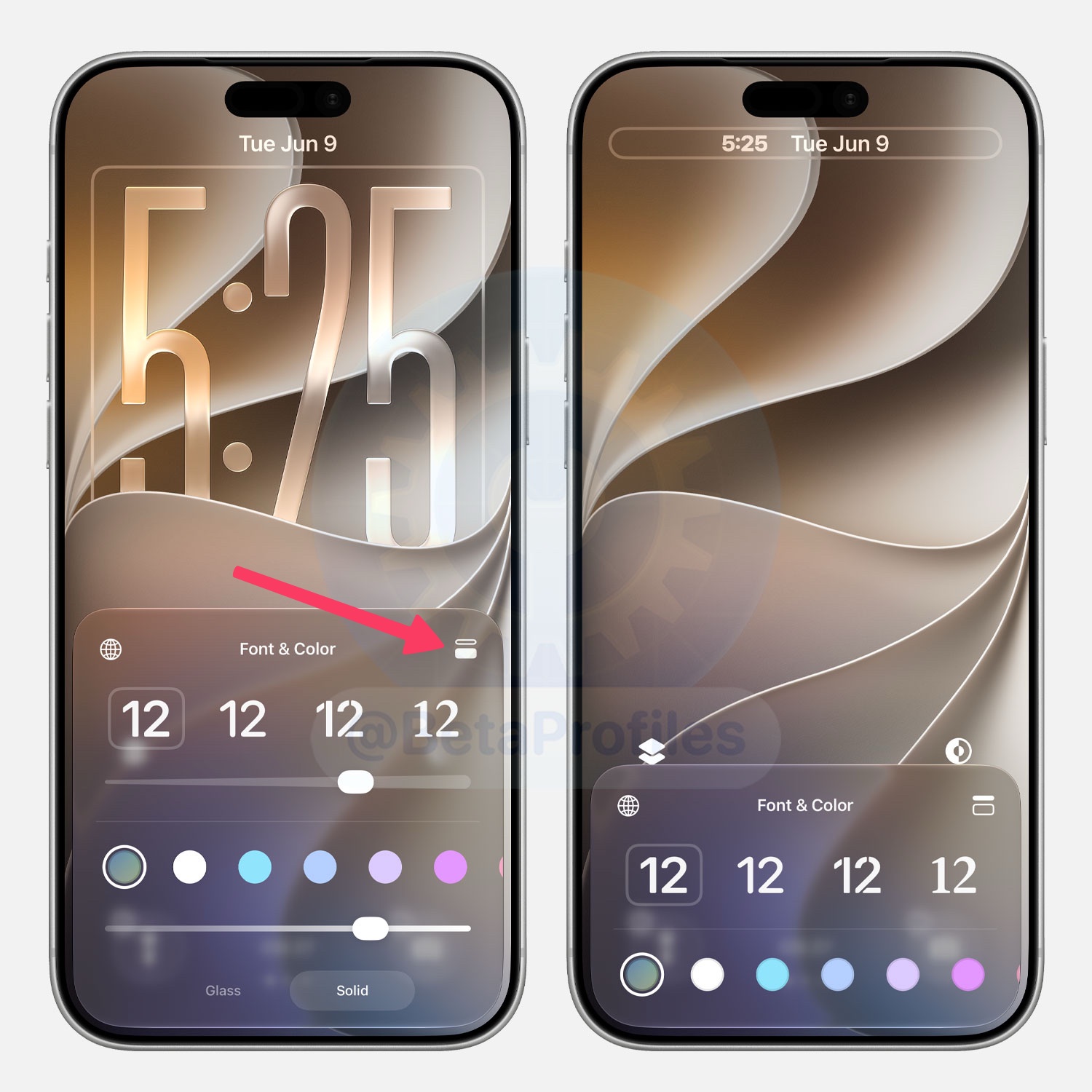
There’s a new toggle in the Lock Screen clock editor that lets you make the clock smaller and align it with the date at the top of the screen.
Clear Playing Controls
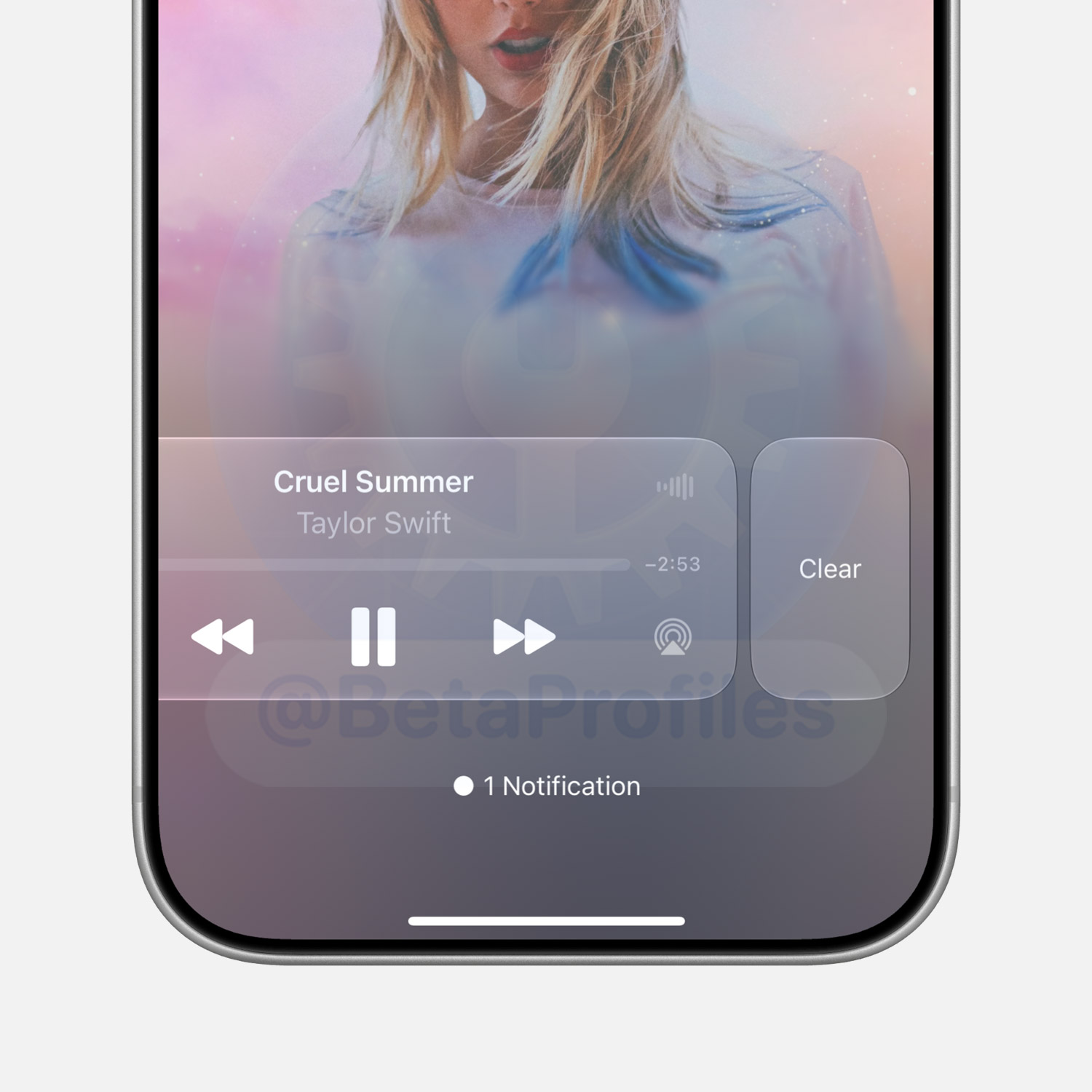
When media is playing and showing on the Lock Screen, you can swipe left on the playing controls to clear it from the Lock Screen while the audio continues playing. This option works independently per app, so clearing Spotify’s controls won’t affect YouTube or Apple Music, for example.
However, in iOS 27 beta 1, there doesn’t seem to be an official way to bring the playing controls back, so I’d recommend not trying it since I haven’t figured out how to restore it yet.
Update: turns out the playing controls reappear automatically. I didn’t have to do anything.
AI Wallpaper Generation
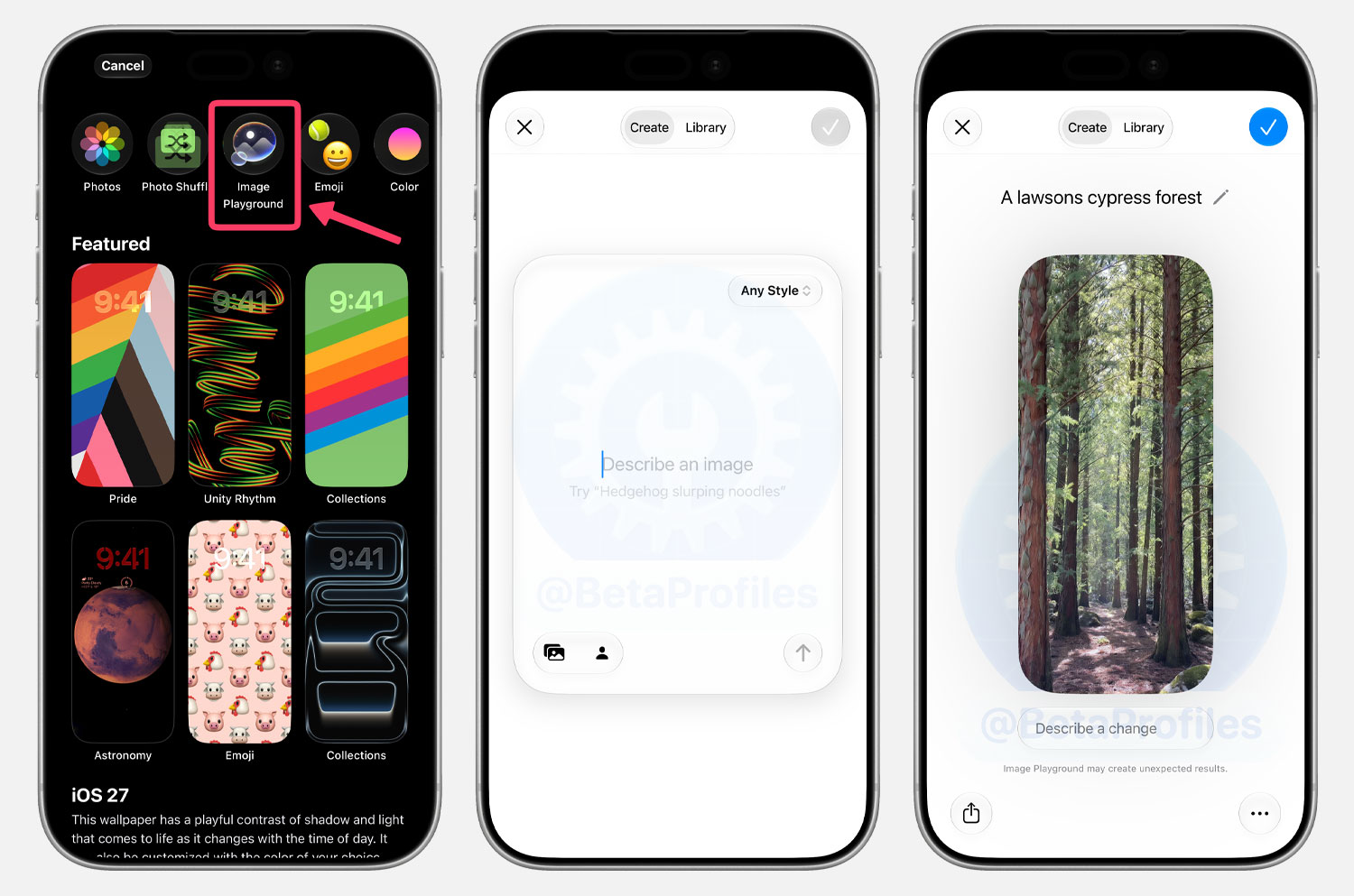
iOS 27 lets you generate wallpapers with AI right from the wallpaper picker. Just describe your idea through Image Playground and it creates one you can set immediately, with support for Animation, Illustration, and Sketch styles.
Extend Wallpaper
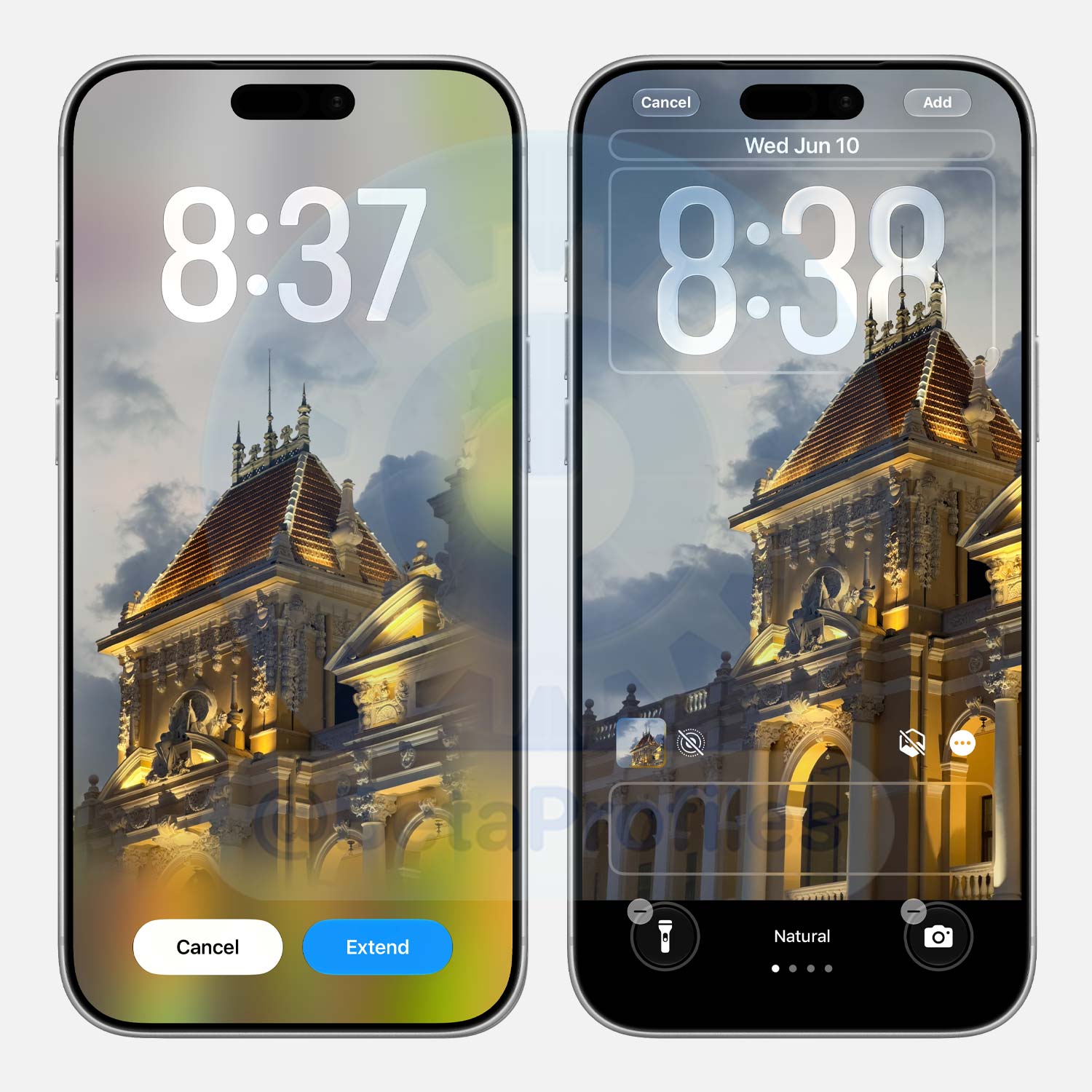
While adjusting a wallpaper from the Lock Screen, you can zoom out and an Extend button will appear, letting you expand the wallpaper using AI.
Faster AirPlay and AirDrop
Apple says system wide improvements in iOS 27 make AirDrop transfers faster and device discovery quicker too. AirPlay to Apple TV and HomePod also gets a speed boost.
Extra Large Widgets
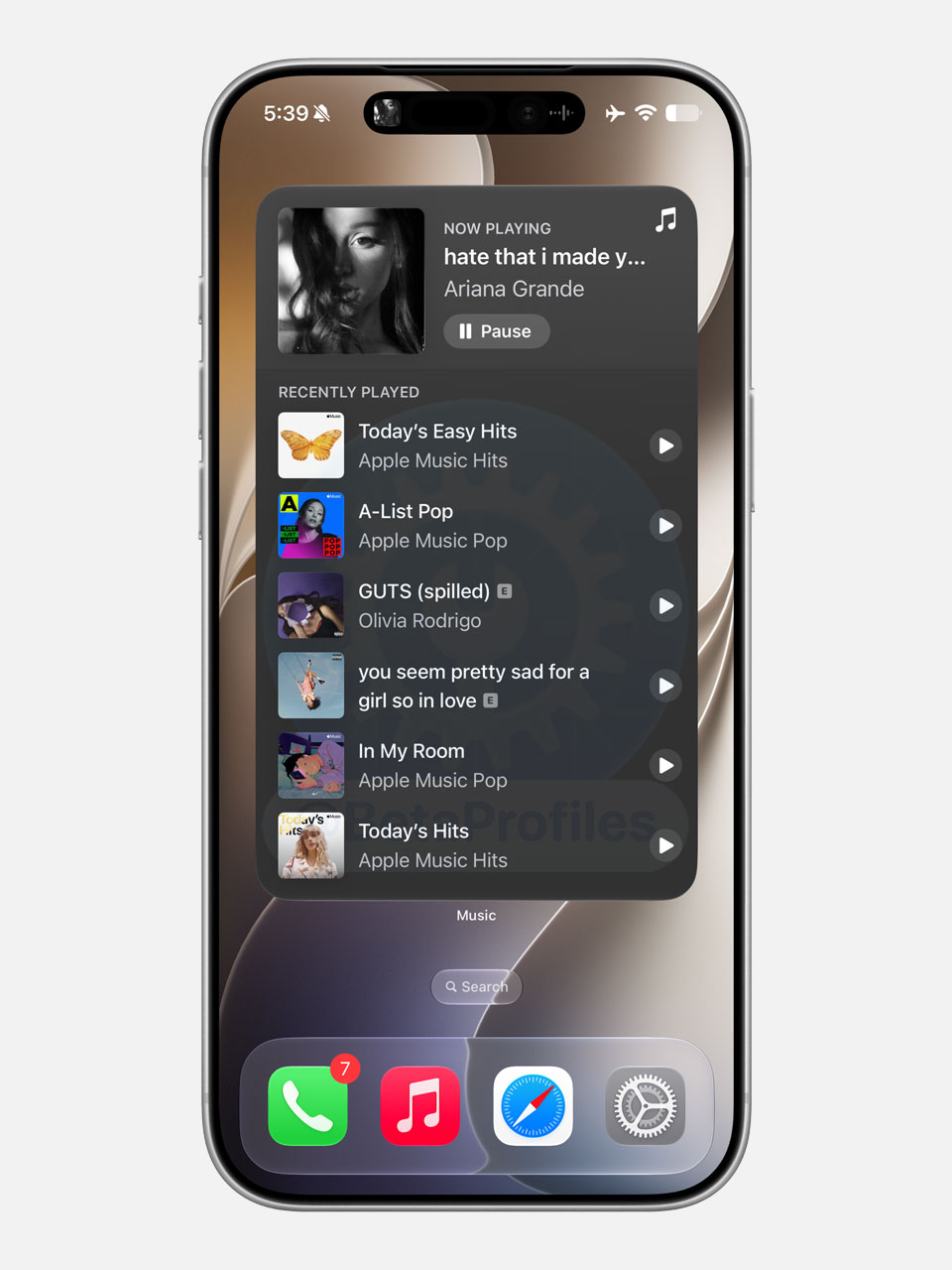
Apps can now have Extra Large widgets on the Home Screen, taking up an entire page and displaying more information. You can try it out with the Apple Music widget.
Apple Pay Checkout
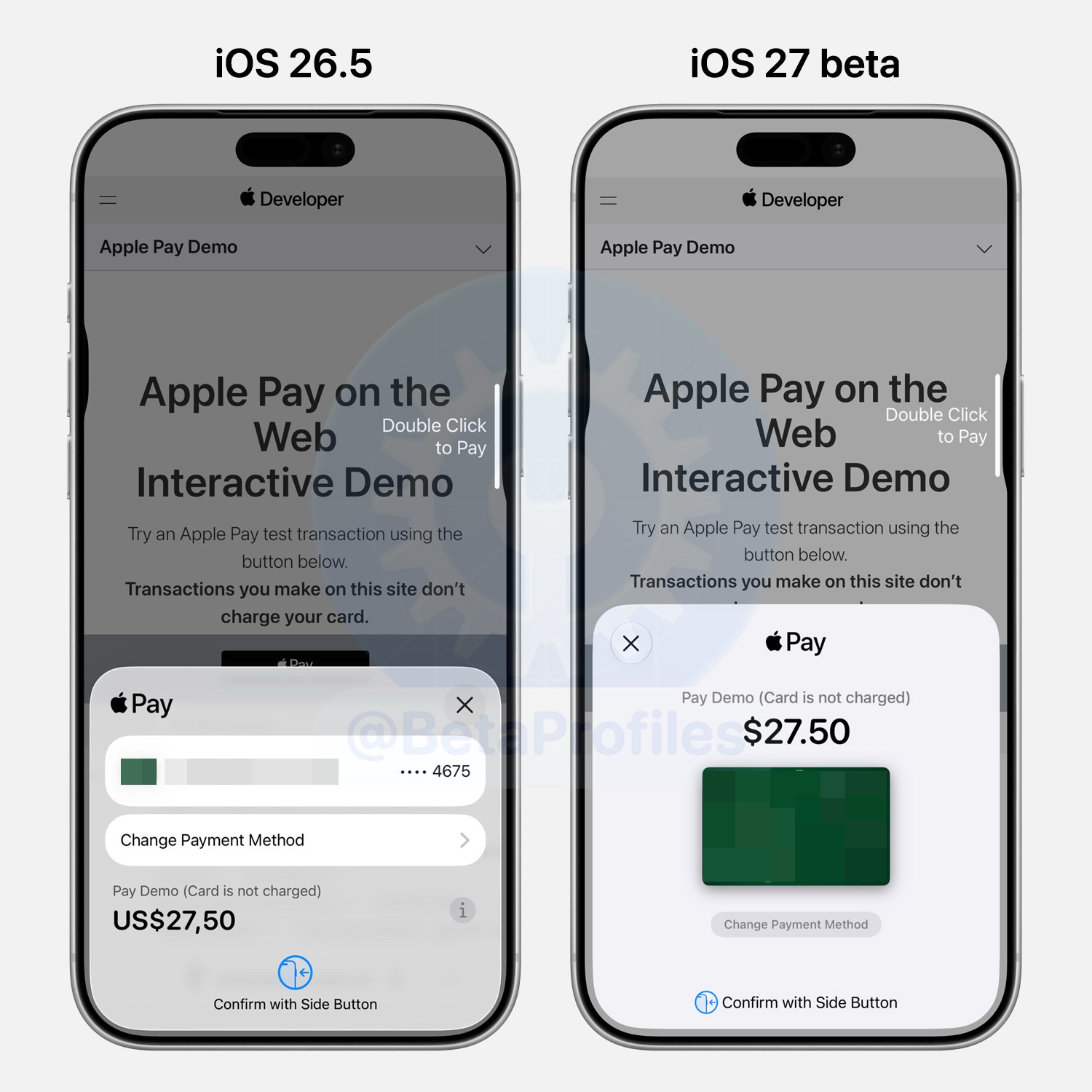
The Apple Pay checkout screen gets a redesign in iOS 27, with a bigger focus on your payment card.
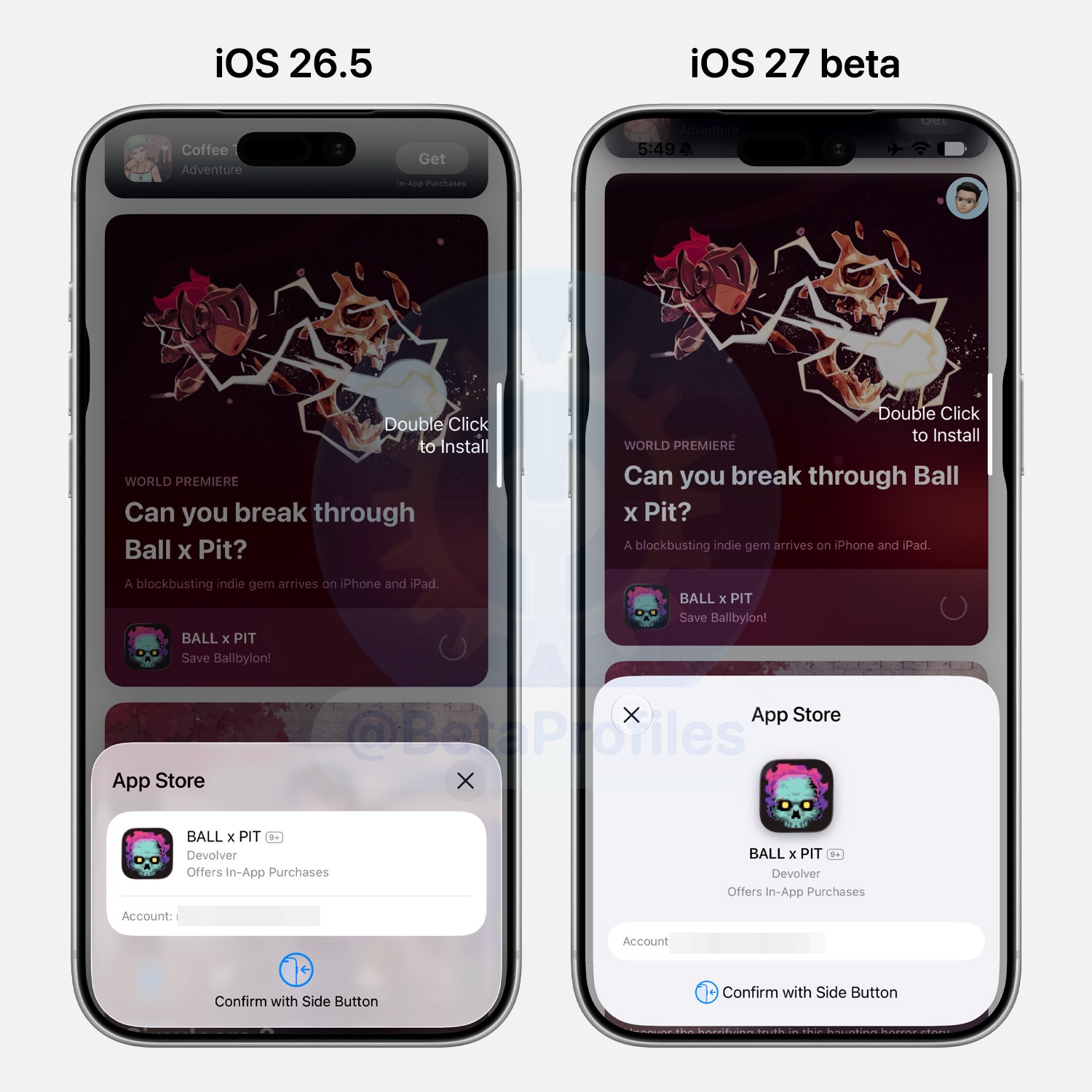
Redesigned App Store Purchase Confirmation
When purchasing or downloading a new app from the App Store, the confirmation sheet has been redesigned. Apple no longer uses a Liquid Glass background, replacing it with a gray one instead. App details like the icon, name, developer, and in-app purchase offer are now centered as well.
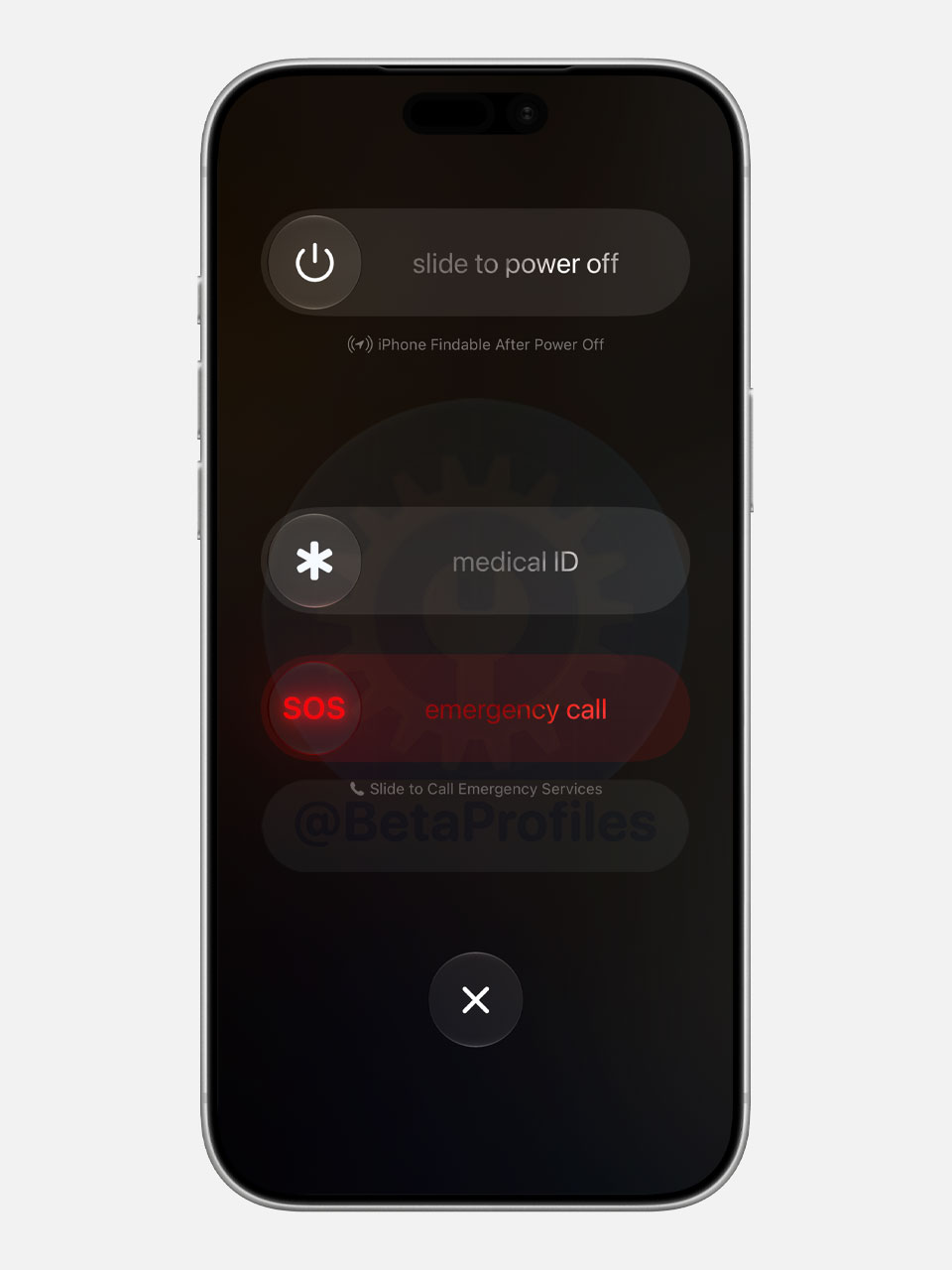
Power Off Slider
When holding the side button and volume up, the power off slider now features a Liquid Glass design, similar to the “slide to stop/snooze” slider for the Timer on the Lock Screen.
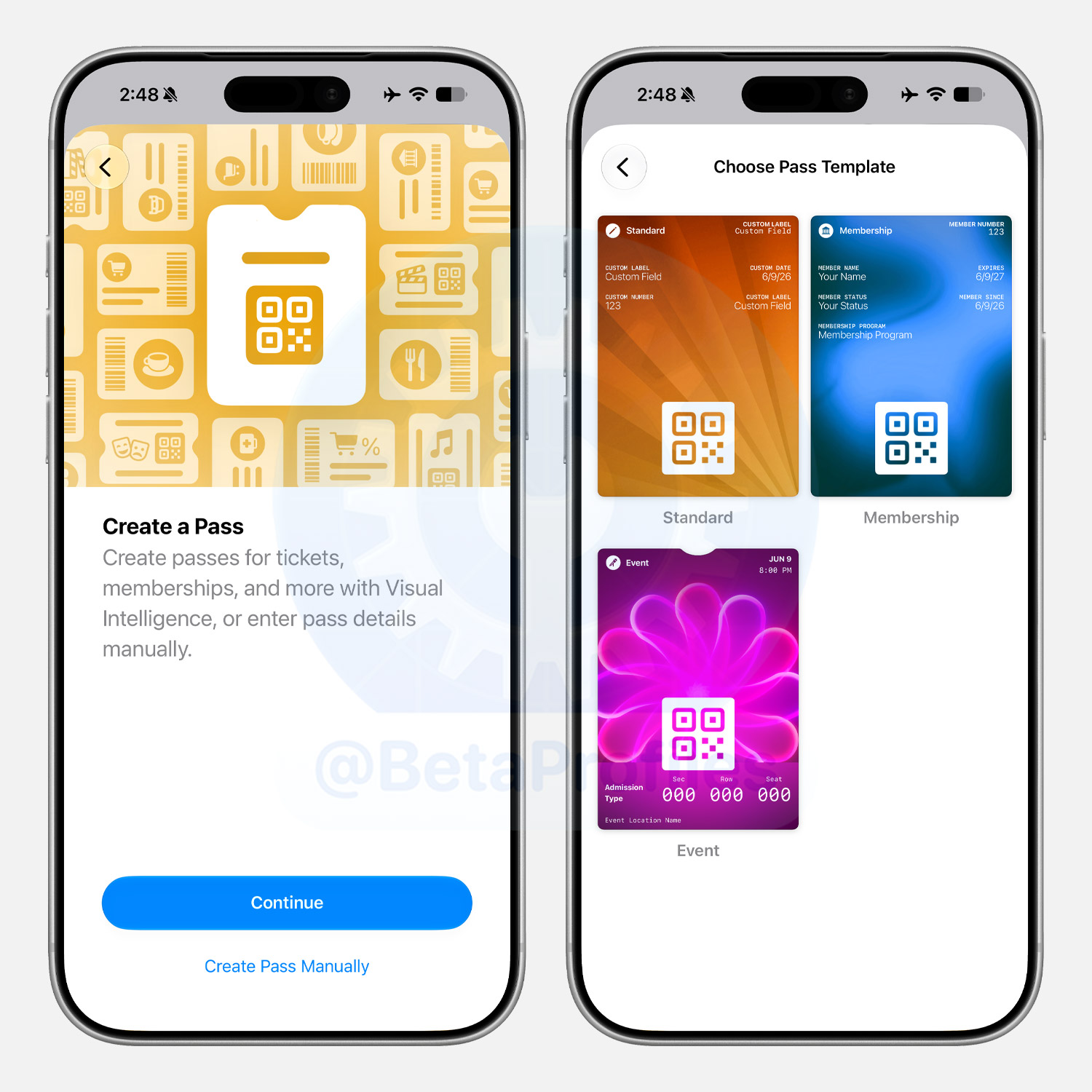
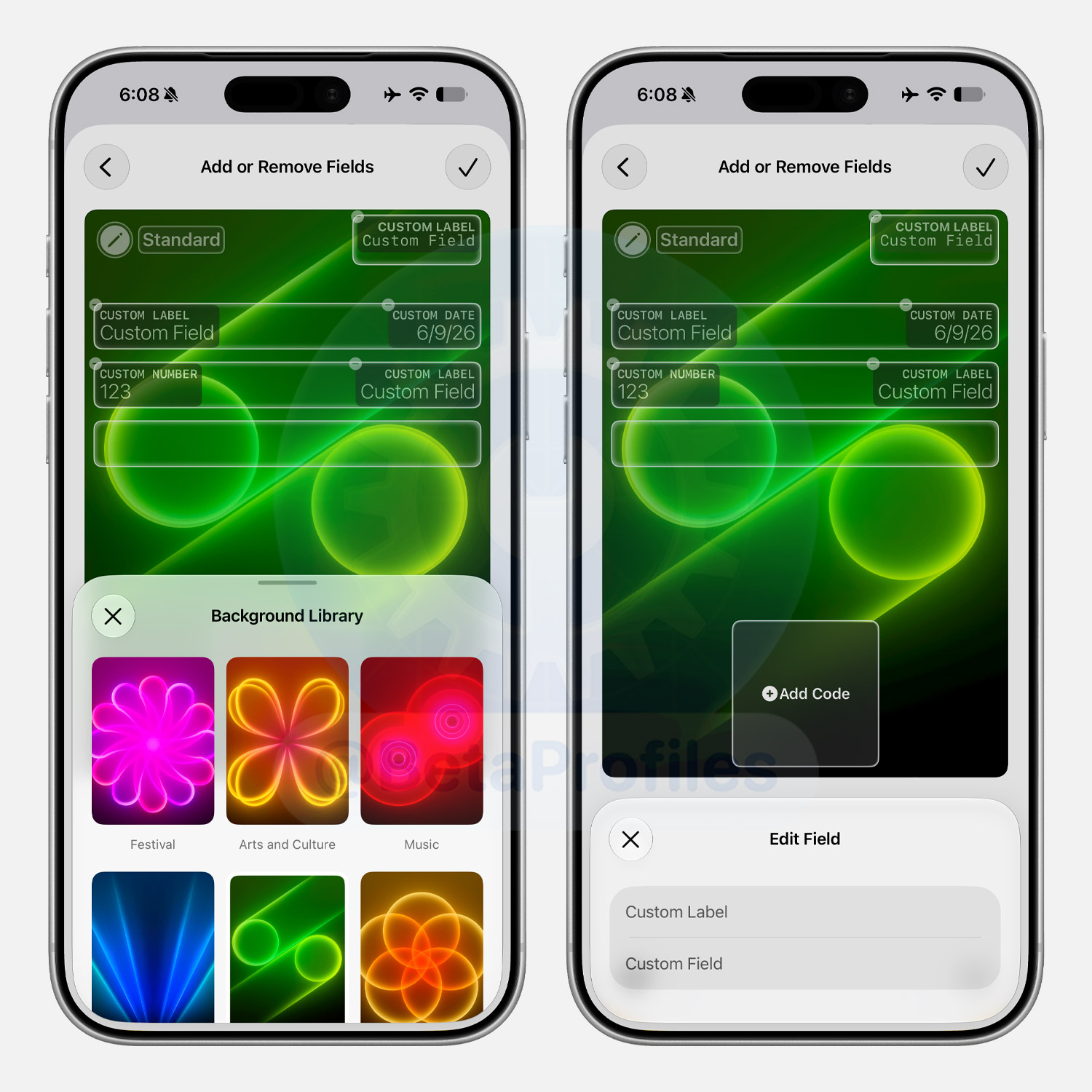
Wallet
The Wallet app now lets you create custom passes in iOS 27, whether by scanning a ticket or card with Visual Intelligence or building one manually with Standard, Membership, or Event templates. Customize everything from colors and labels to discount codes and card numbers.
Fitness
Workout UI Redesigned
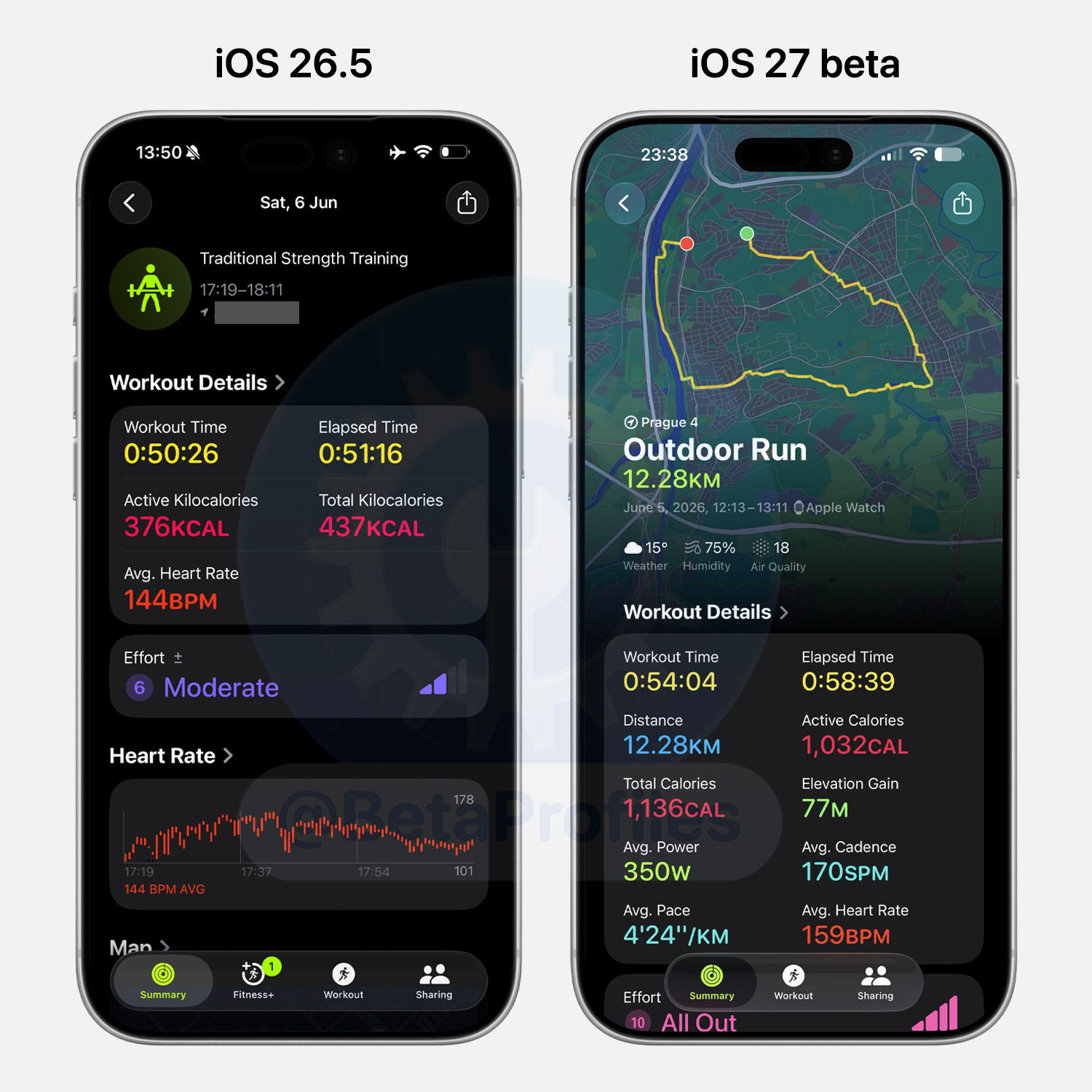
The Workout screen gets a fresh layout in iOS 27, with the map now taking the top spot and showing more detailed information than before.
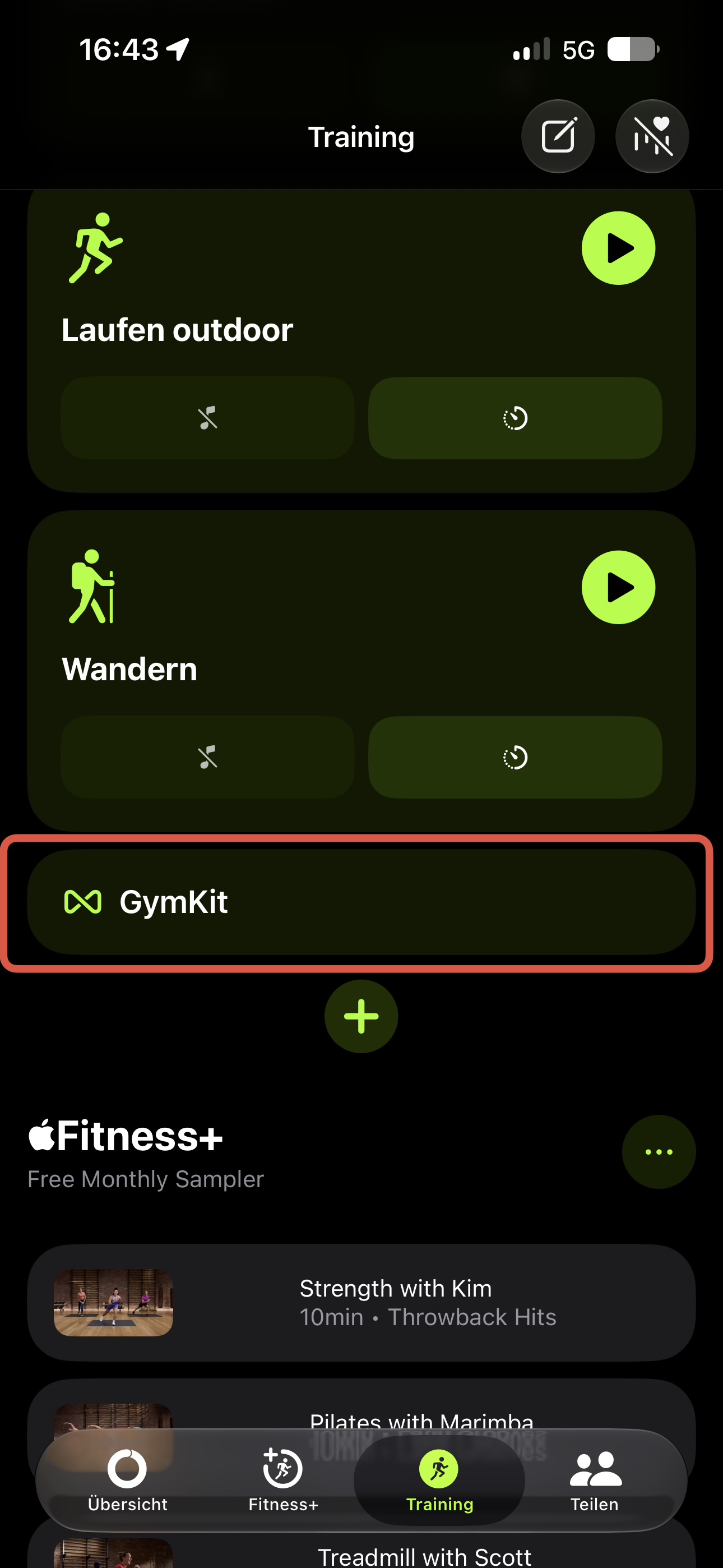
GymKit Support
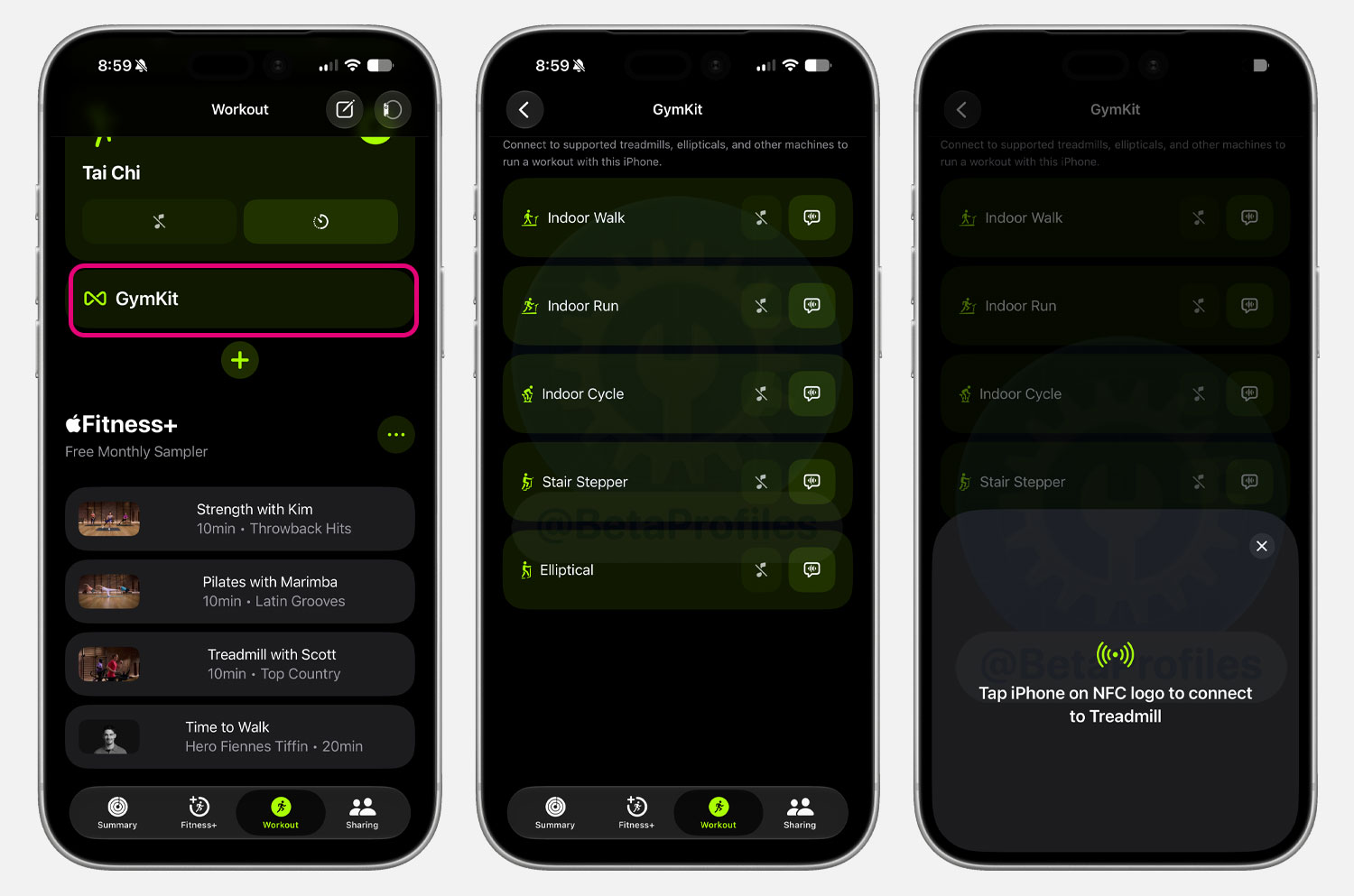
Scrolling to the bottom of the Workout tab reveals a GymKit option that lets you connect to treadmills, ellipticals, and other supported equipment via NFC.
Thanks to @KingDando
Keyboard
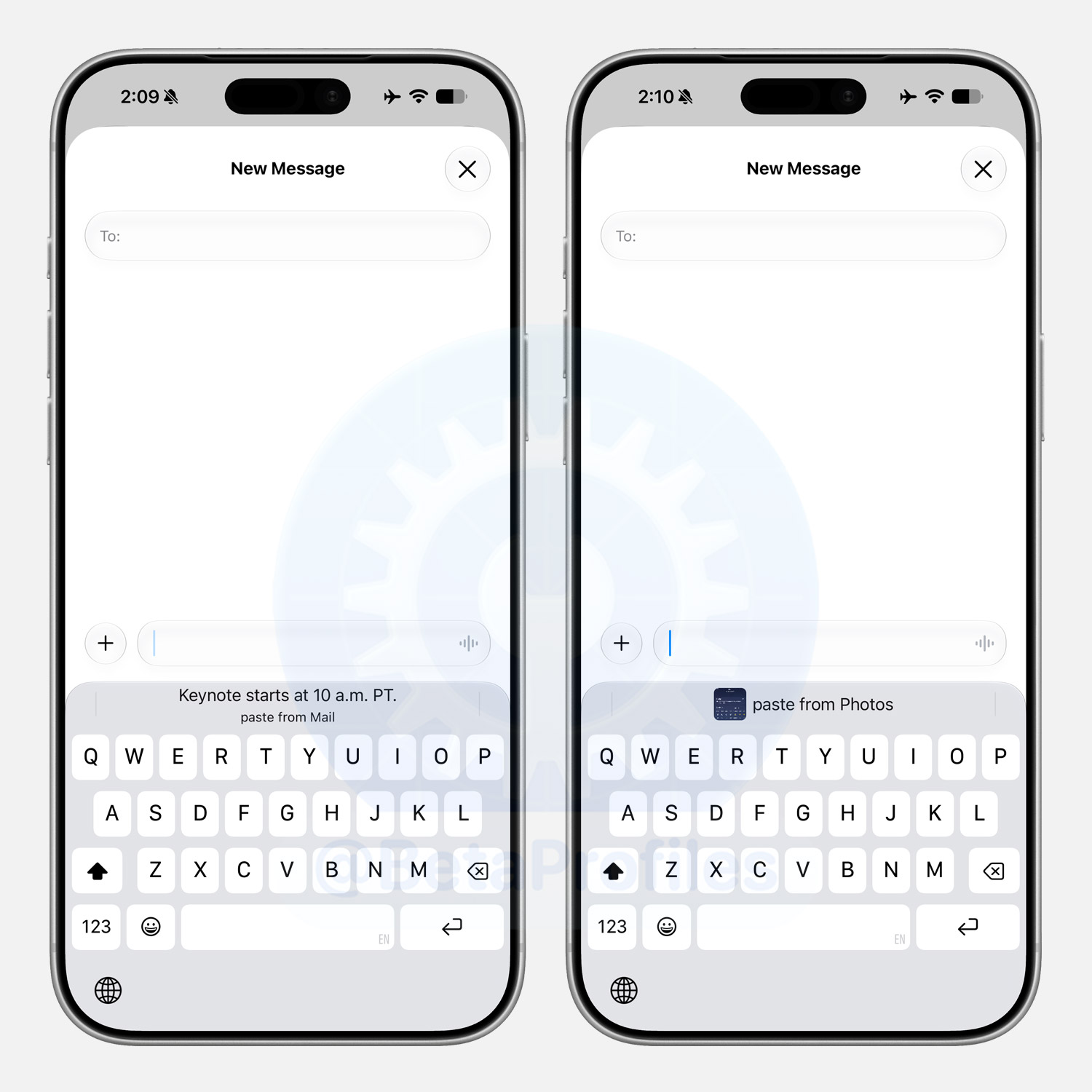
The iOS 27 keyboard can now suggest a quick tap to paste when you copy text or an image and then select a text field. Previously you had to tap the text field to bring up the paste menu, but now the keyboard can suggest it for you.
Note that you need to enable Predictive Text in Settings > General > Keyboard for this feature to work.
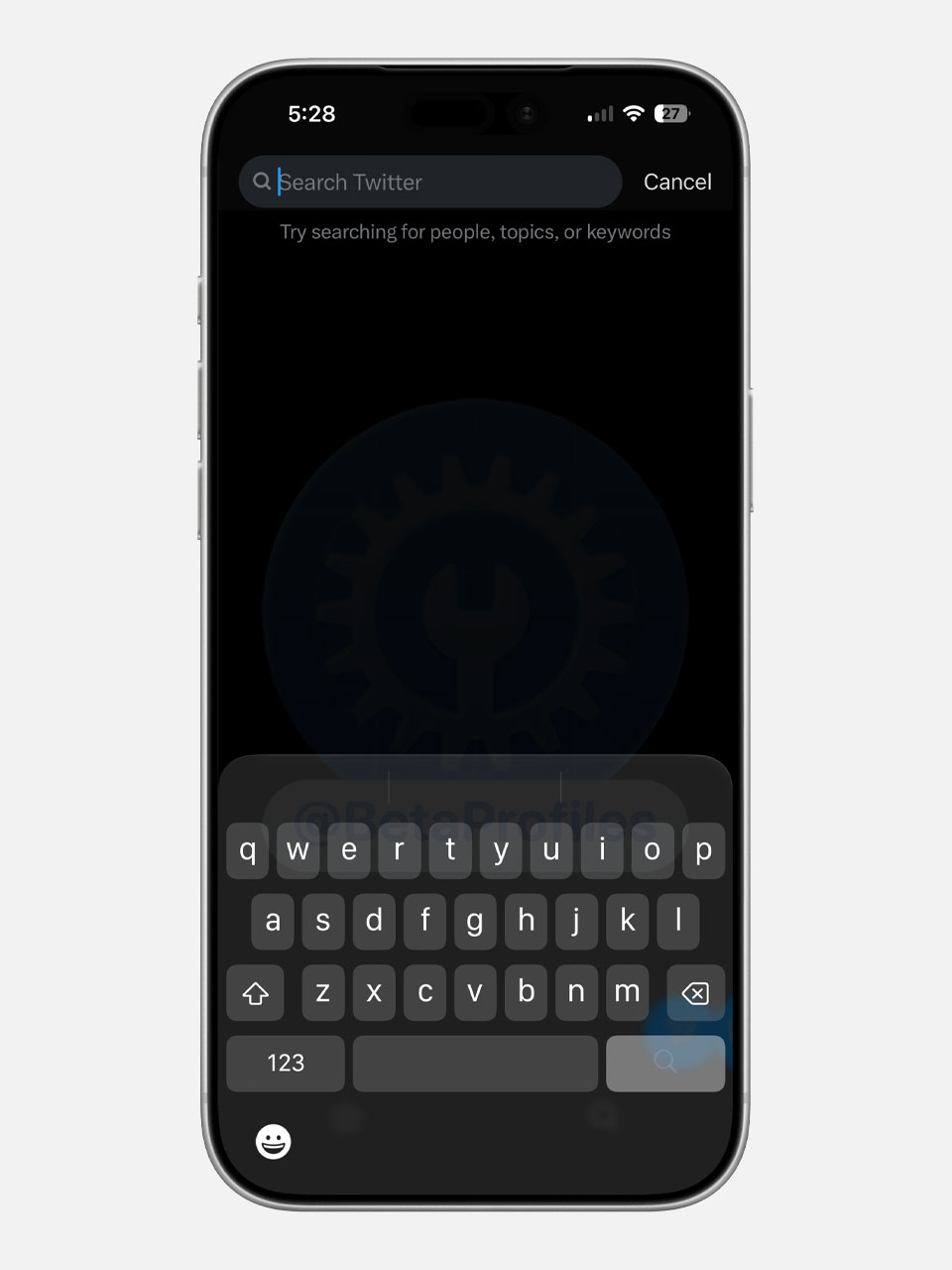
Third-party apps that haven’t been updated with the iOS 26 SDK are also forced to use the Liquid Glass keyboard.
Passwords
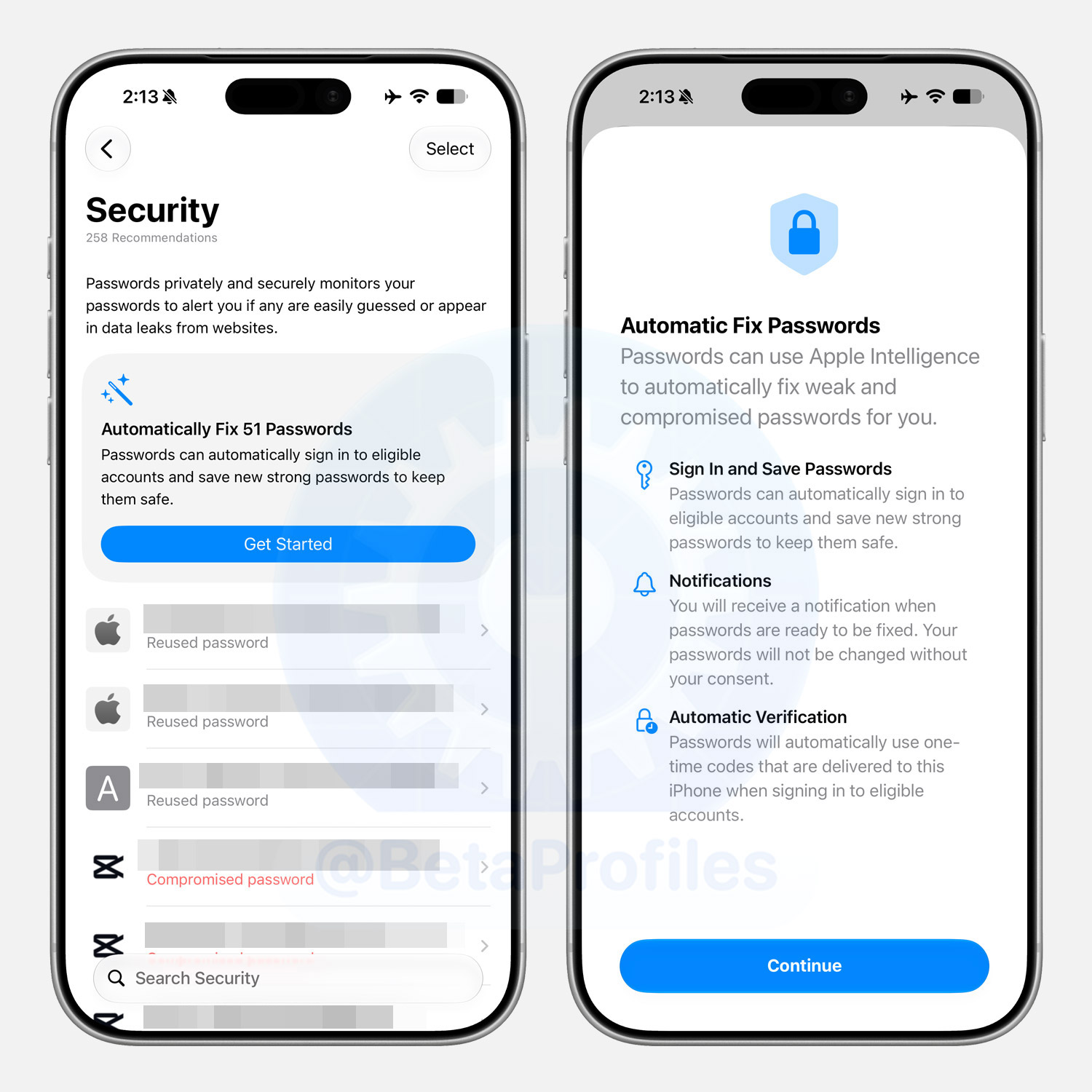
The Passwords app in iOS 27 can now automatically fix weak or compromised passwords for you. Powered by Apple Intelligence and Safari, it navigates to the site, updates your password to a stronger one, and saves it, all with just a single tap to kick things off.
Weather
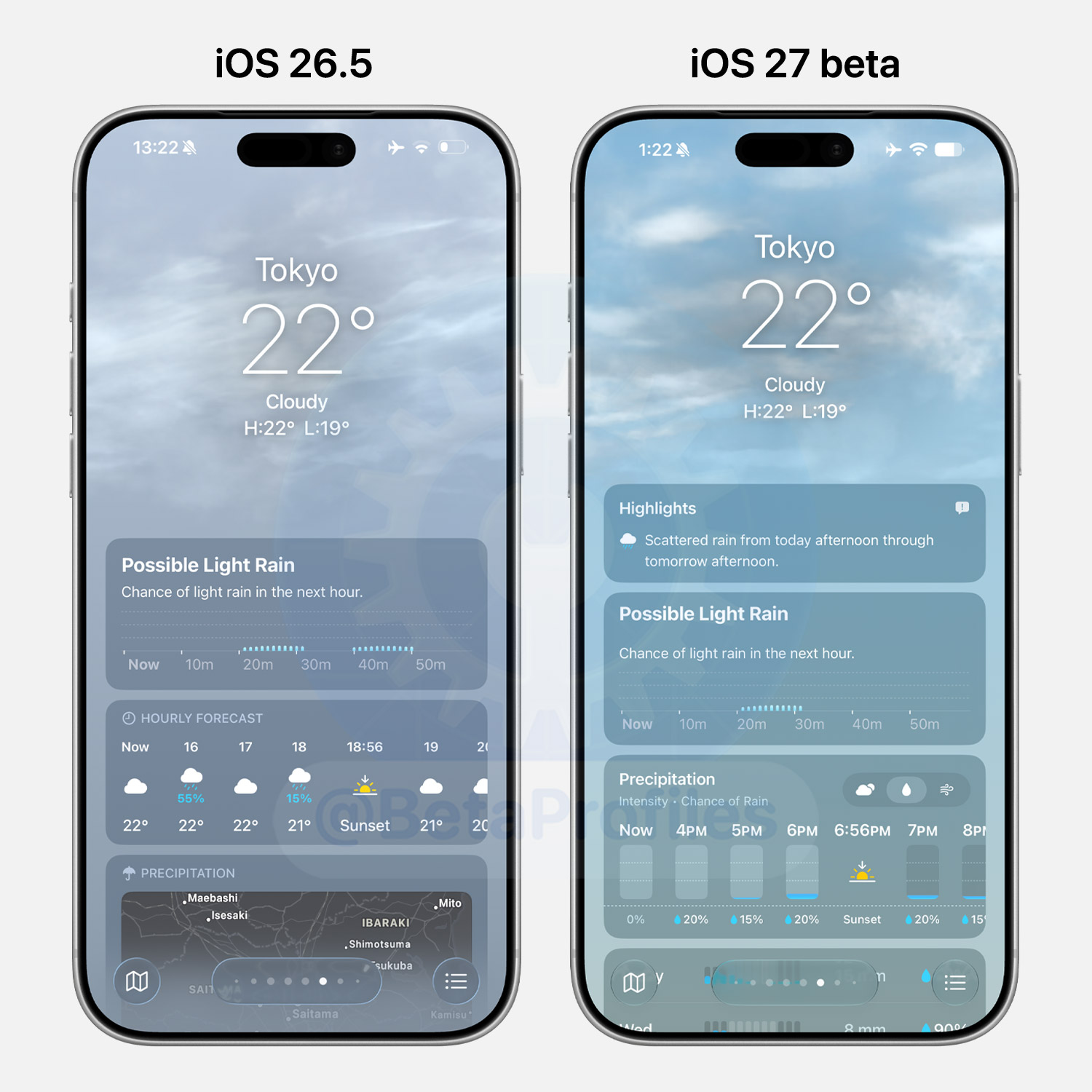
iOS 27 gives the Weather app a small but nice visual tune up, with richer colors and a new Highlights section for quick glanceable info. Conditions, Precipitation, and Wind are now tab based with better charts, making it easier to jump between them.
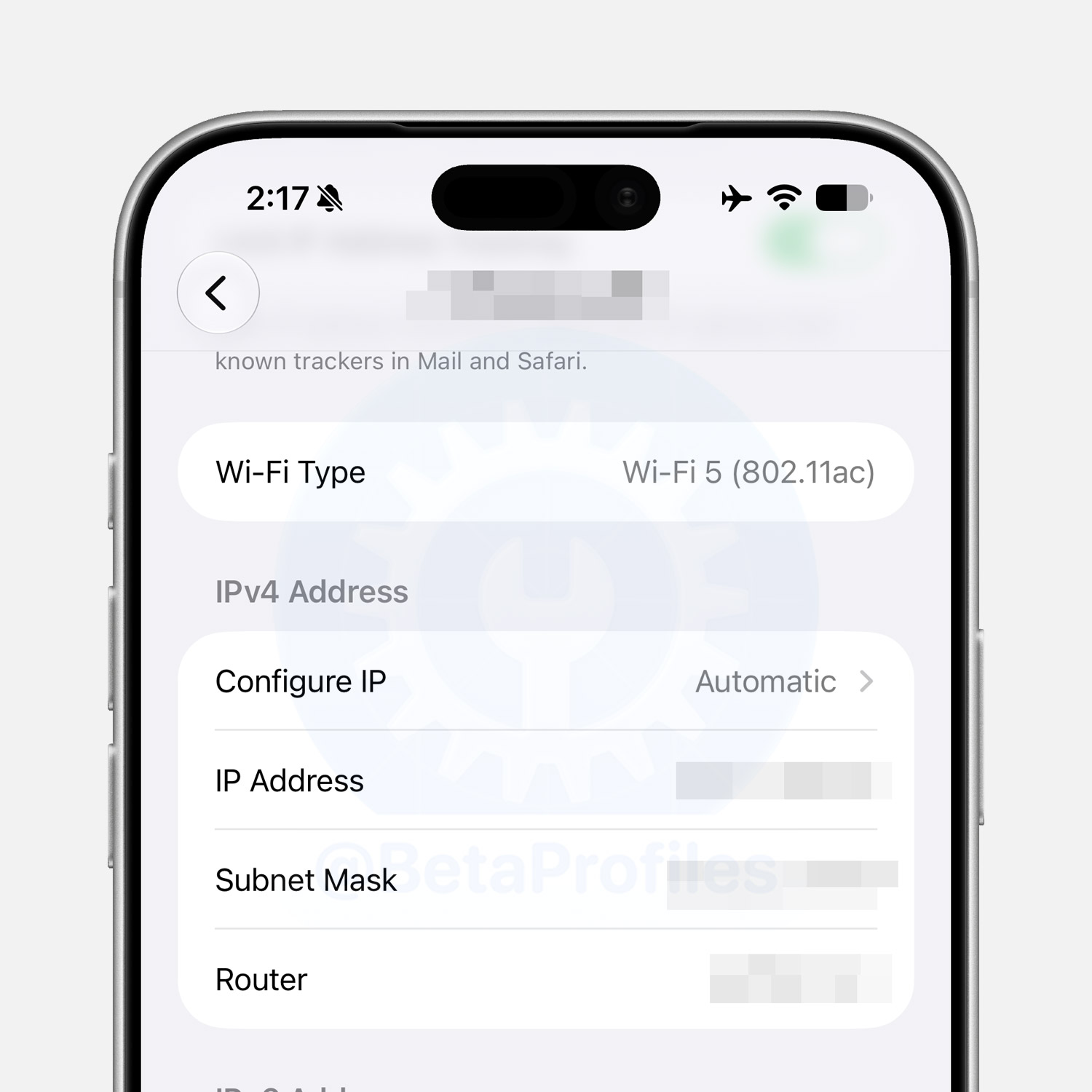
Wi-Fi Setting
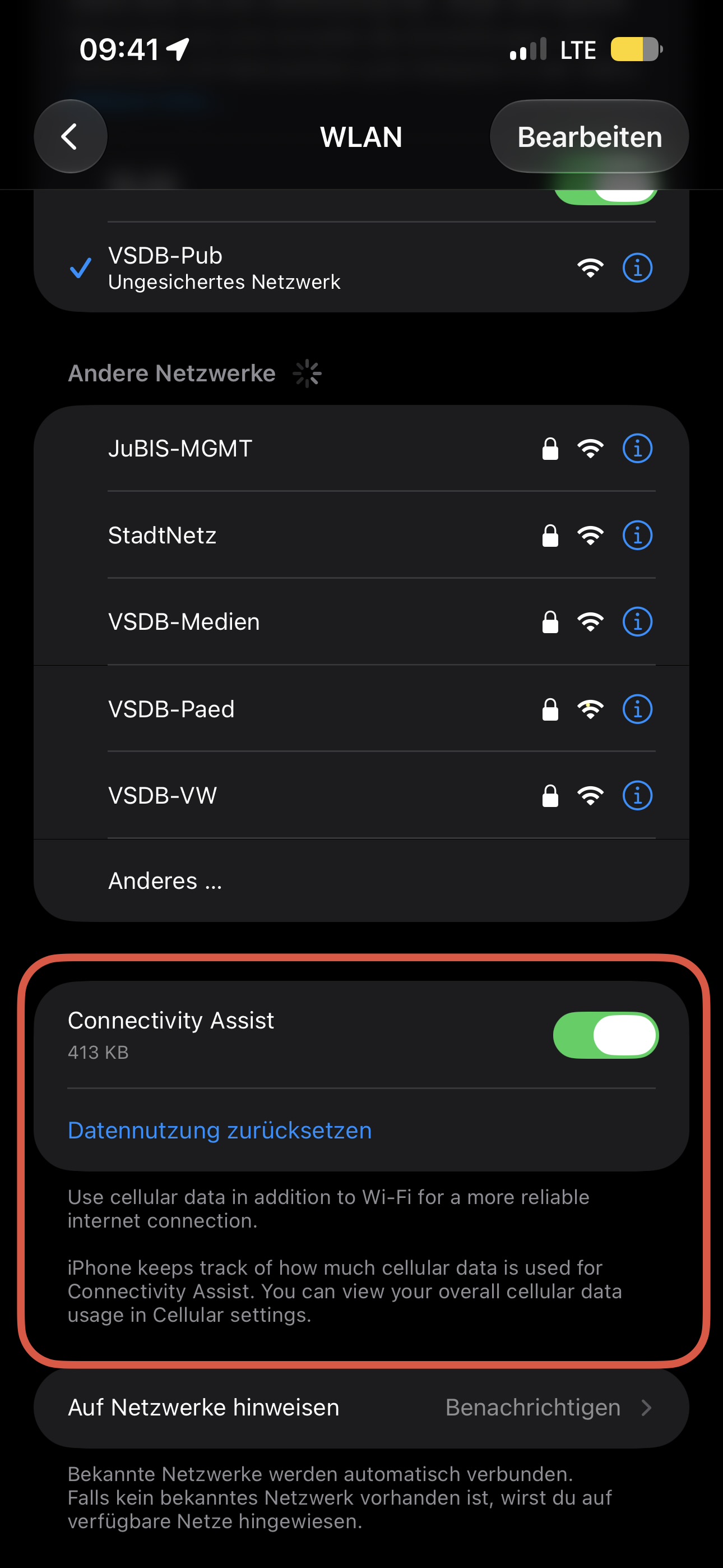
When tapping the Info icon next to the name of the Wi-Fi network you are connected to, there is a new Wi-Fi Type info.
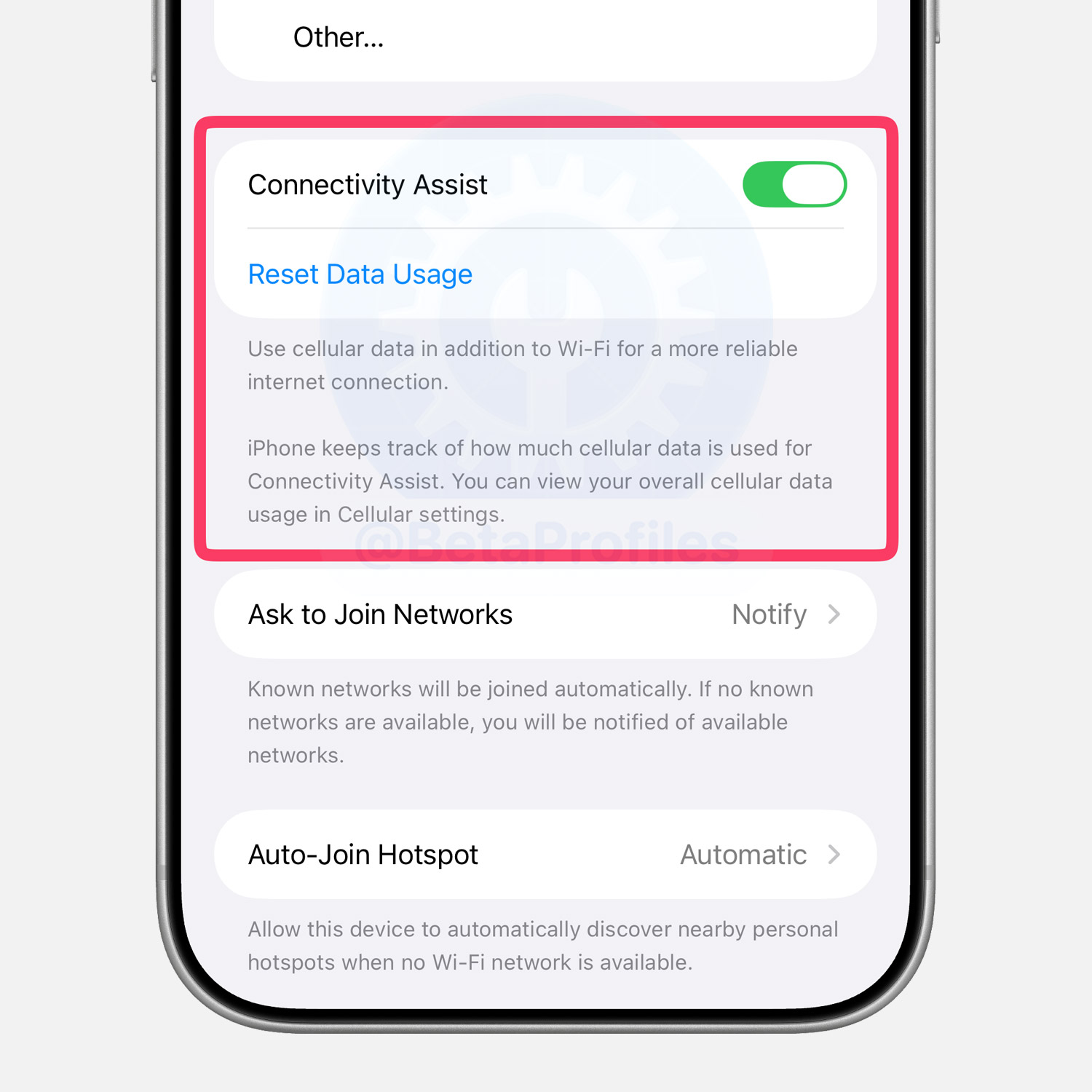
In Settings > Wi-Fi, there is a new Connectivity Assist option that is enabled by default. Here is a detailed description of the feature:
Use cellular data in addition to Wi-Fi for a more reliable
internet connection.iPhone keeps track of how much cellular data is used for Connectivity Assist. You can view your overall cellular data usage in Cellular settings.
Thanks to @KingDando
Photos
Extend
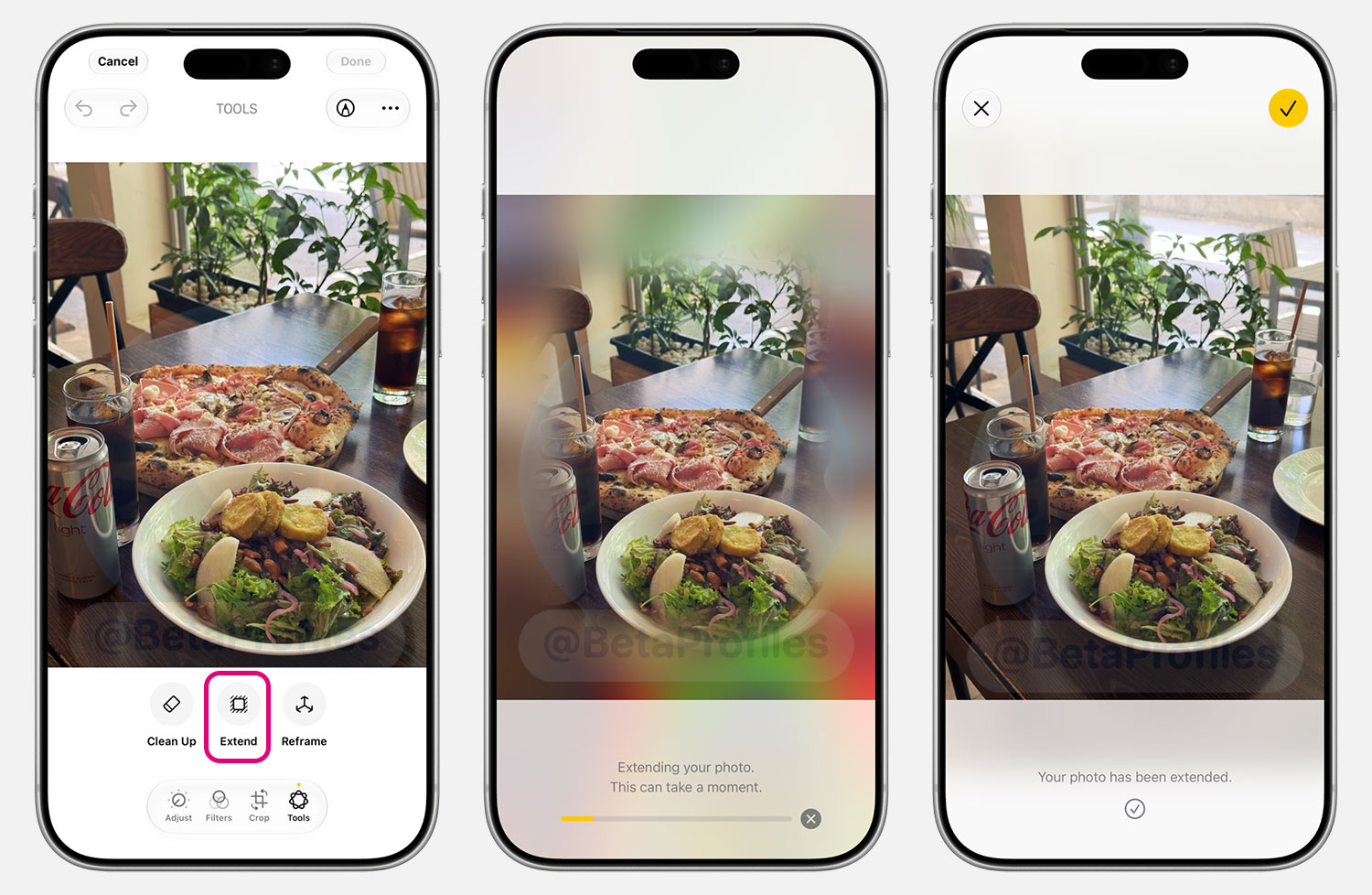
There is a new Tools option in the Photos app image editor, which includes a new Extend feature that uses AI to expand the frame of your photo. In my testing, the extended areas look quite natural and blend well with the original photo.
Reframe
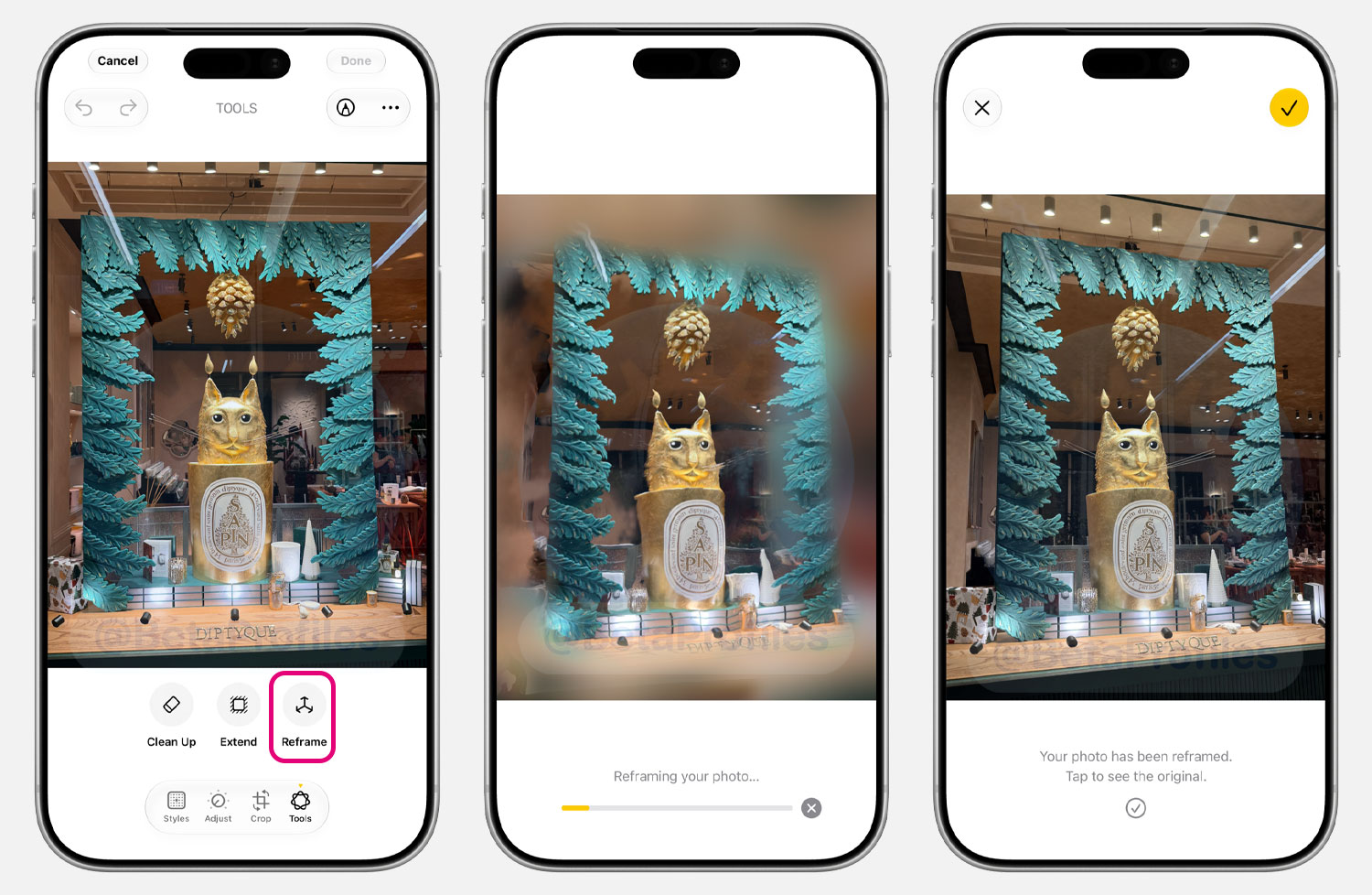
Similar to Extend, Reframe is also a new AI feature for photos that lets you change the perspective of your photo as you like. This feature particularly surprised me with how well it handles distorted details when the frame is changed. However, the reframed photo looks noticeably more washed out compared to the original.
Clean Up Update
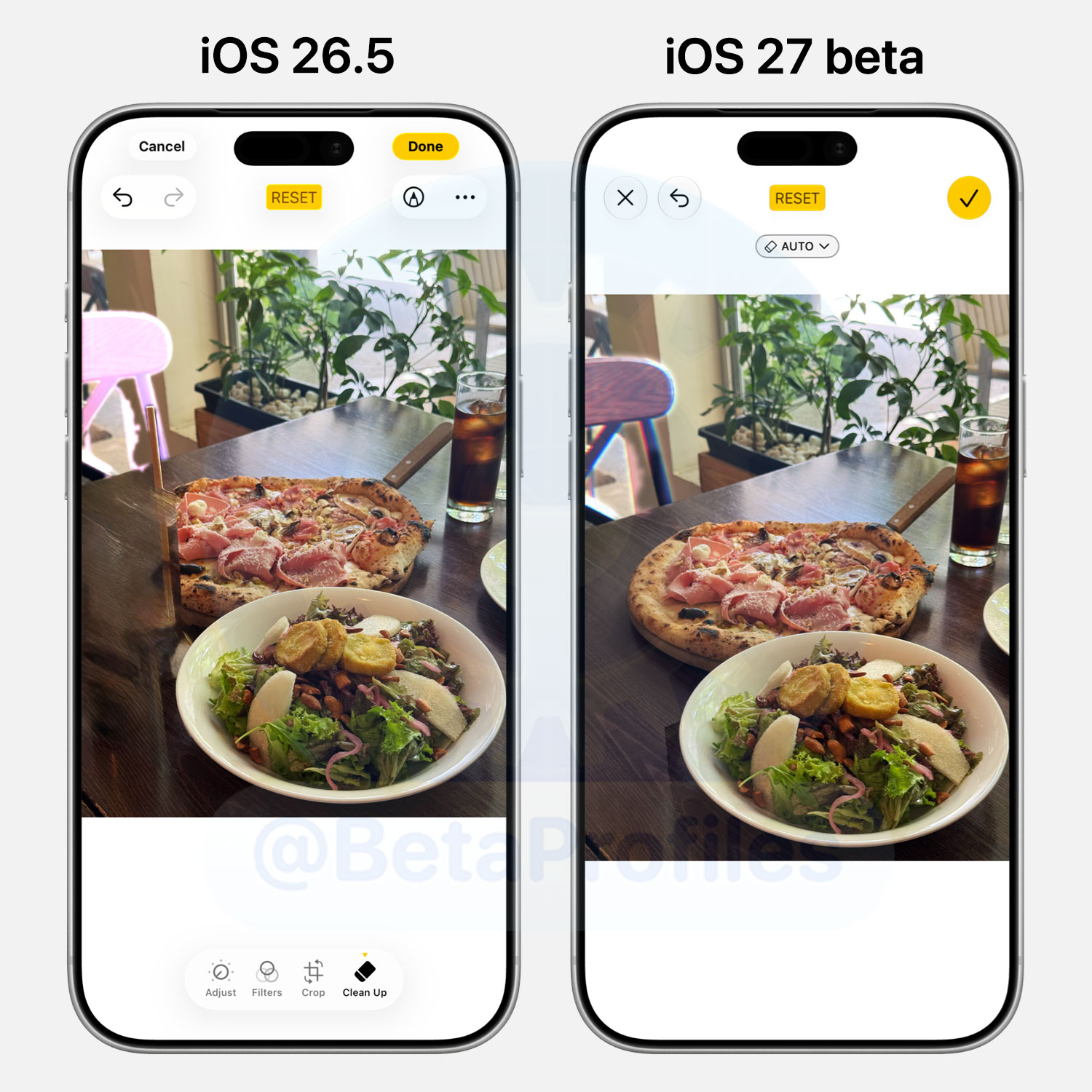
The Clean Up feature, which has been available since iOS 18.1, also receives an update to how it handles unwanted objects in photos. In iOS 27, it works significantly better than before, with cleaned up areas looking more natural and the ability to handle more complex object removals without ruining the photo.
Look Up Nutrition
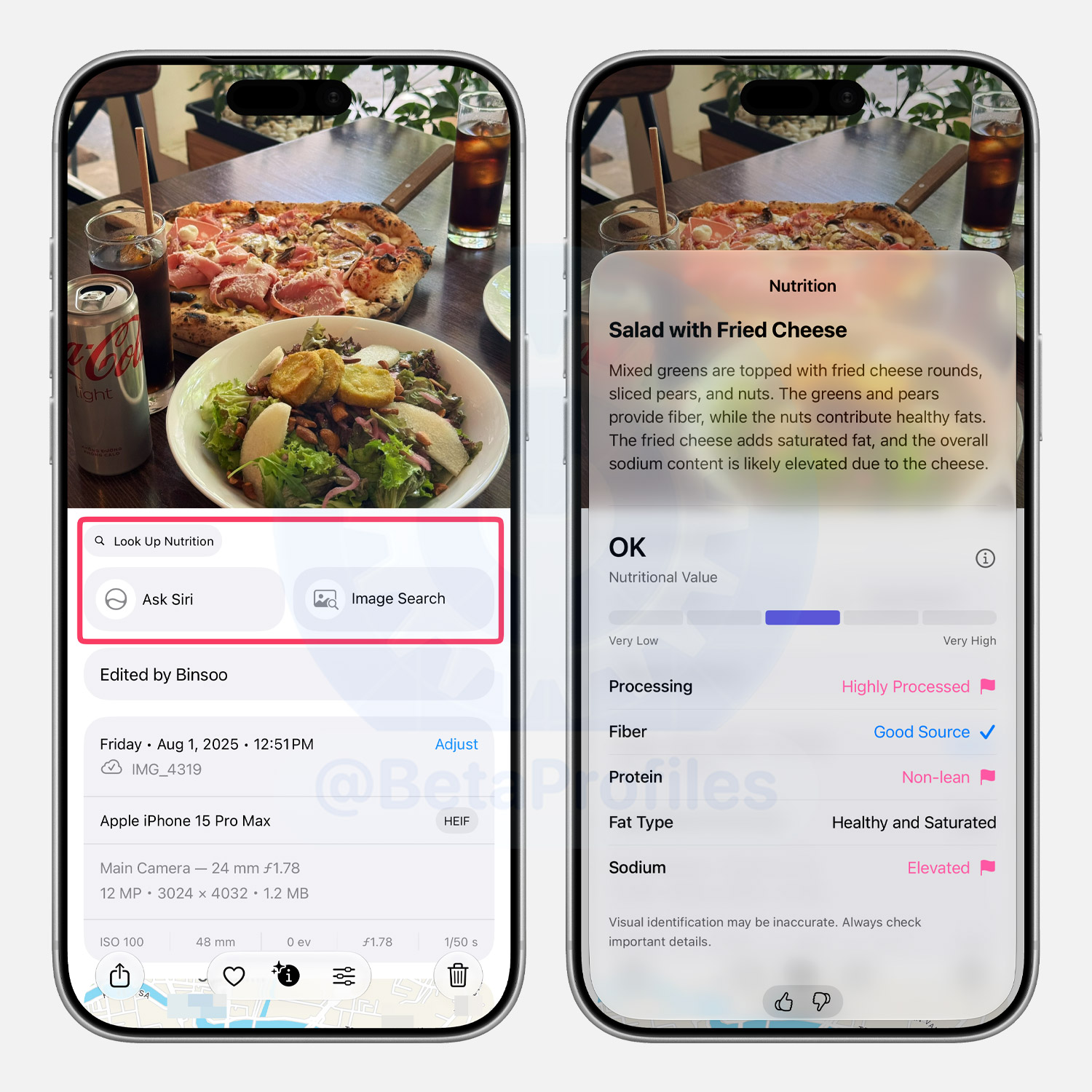
For photos of food, there is a new Look Up Nutrition option that displays nutritional information about the dish.
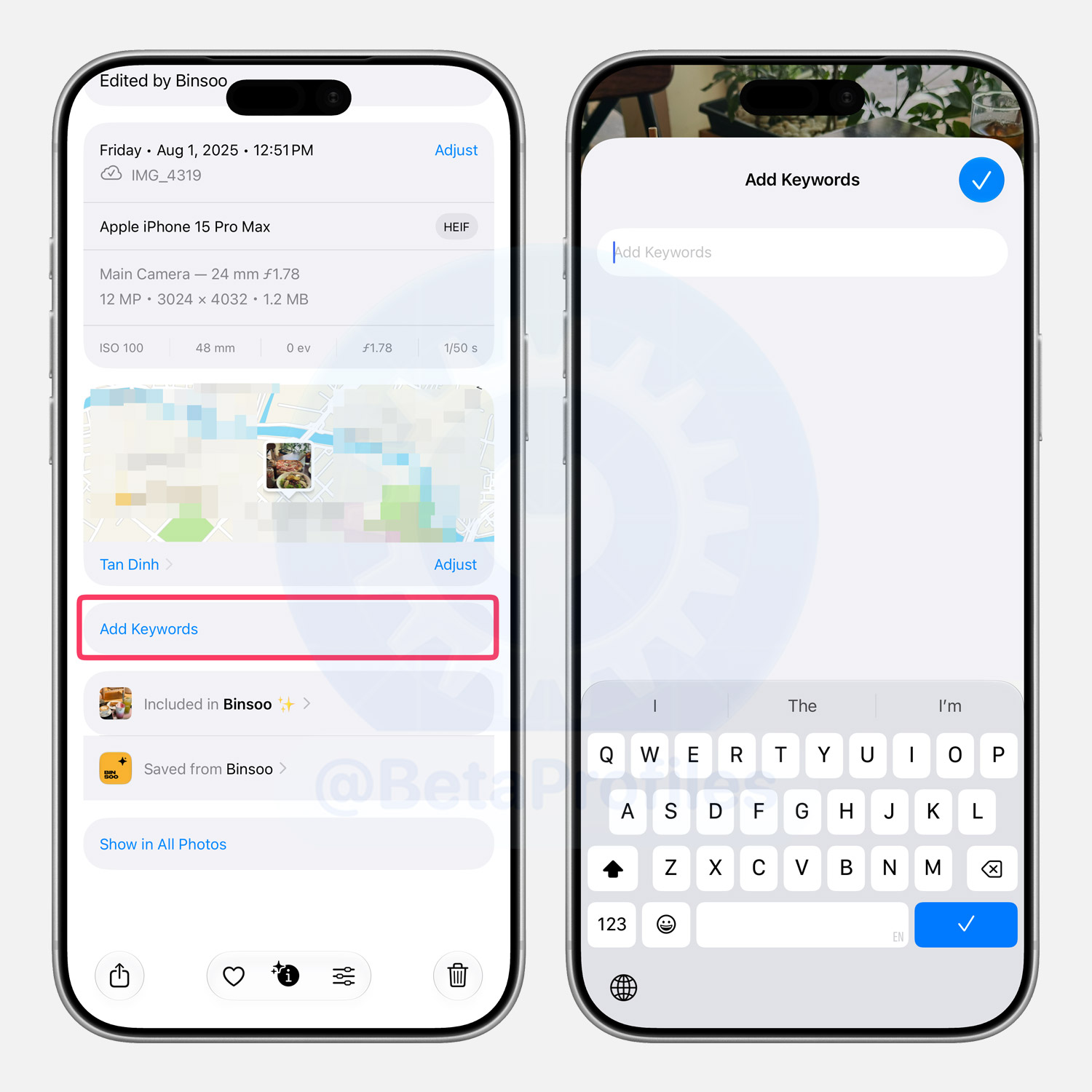
Add Keywords
You can now tag your photos and videos with custom keywords in the iOS 27 Photos app.
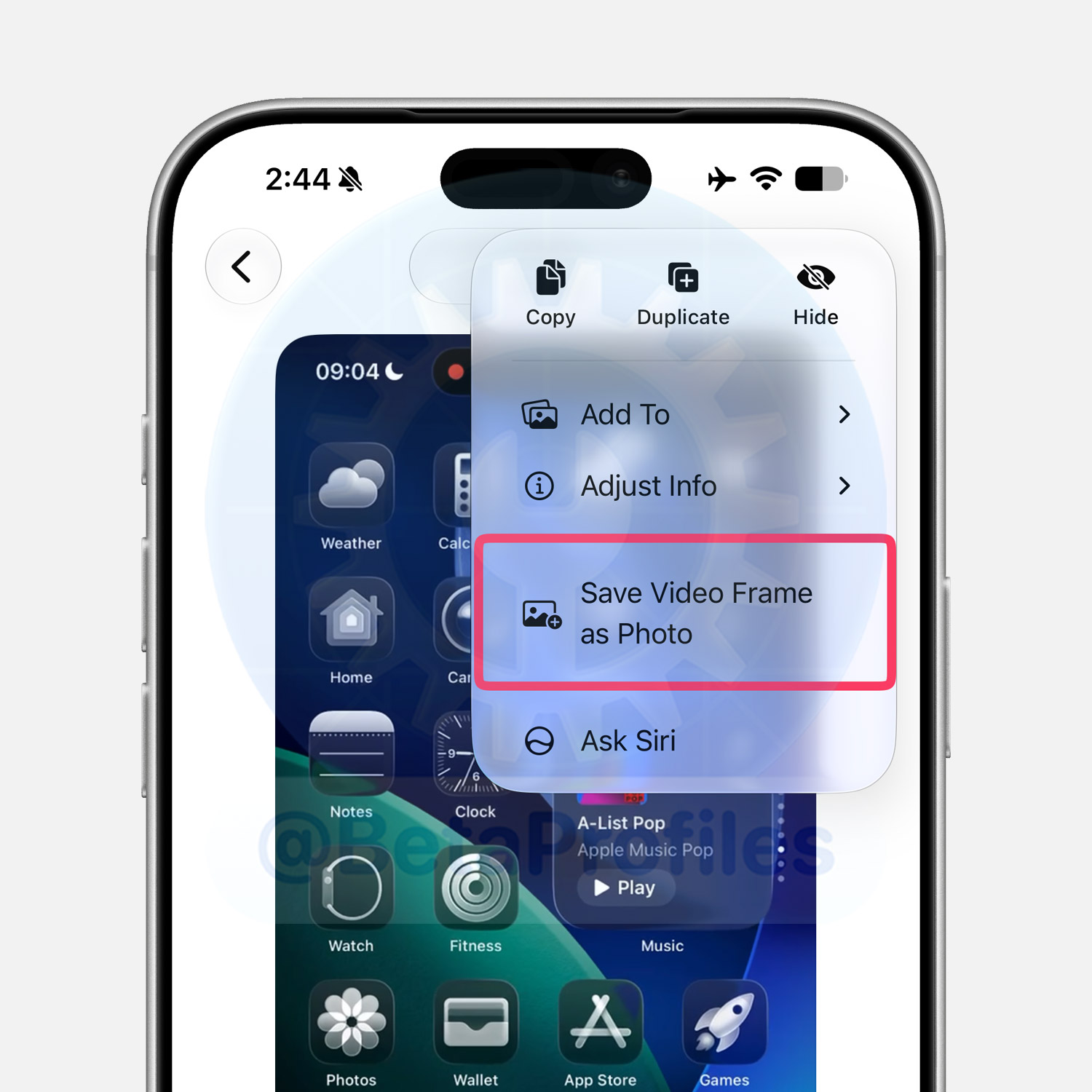
Save Video Frame as Photo
iOS 27 lets you save a frame from a video as a photo via a new “Save Video Frame as Photo” option in the three dot menu at the top right while browsing a video.
iCloud Shared Albums
The iCloud Shared Albums feature in Photos now supports cross-platform sharing with full resolution and more file types. Non-Apple users can also join and contribute photos to these shared albums via iCloud on the web.
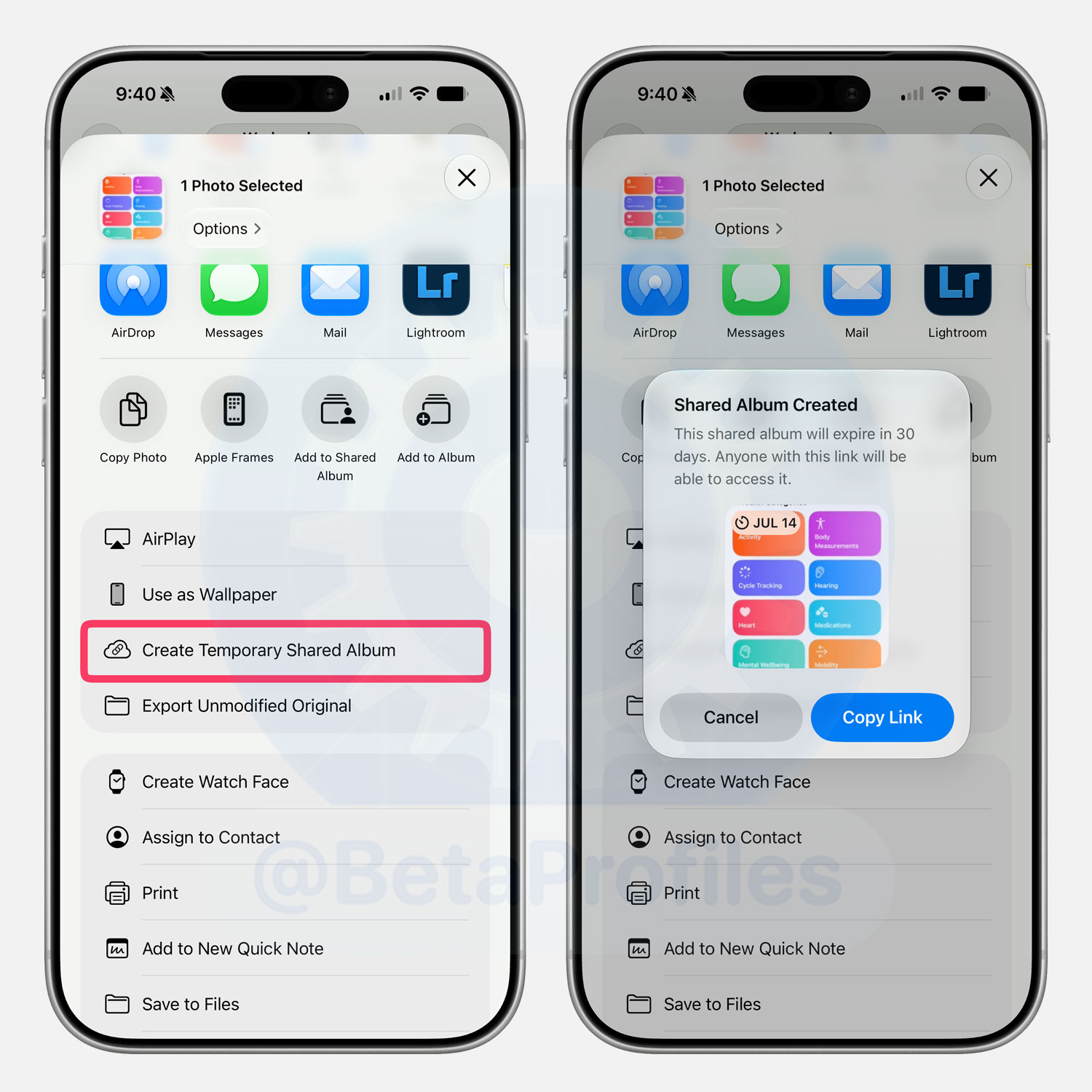
Create Temporary Shared Album
There is a new Create Temporary Shared Album option in the photo or video share sheet in Photos. It works similarly to iCloud Shared Albums, except these shared albums expire 30 days after creation.
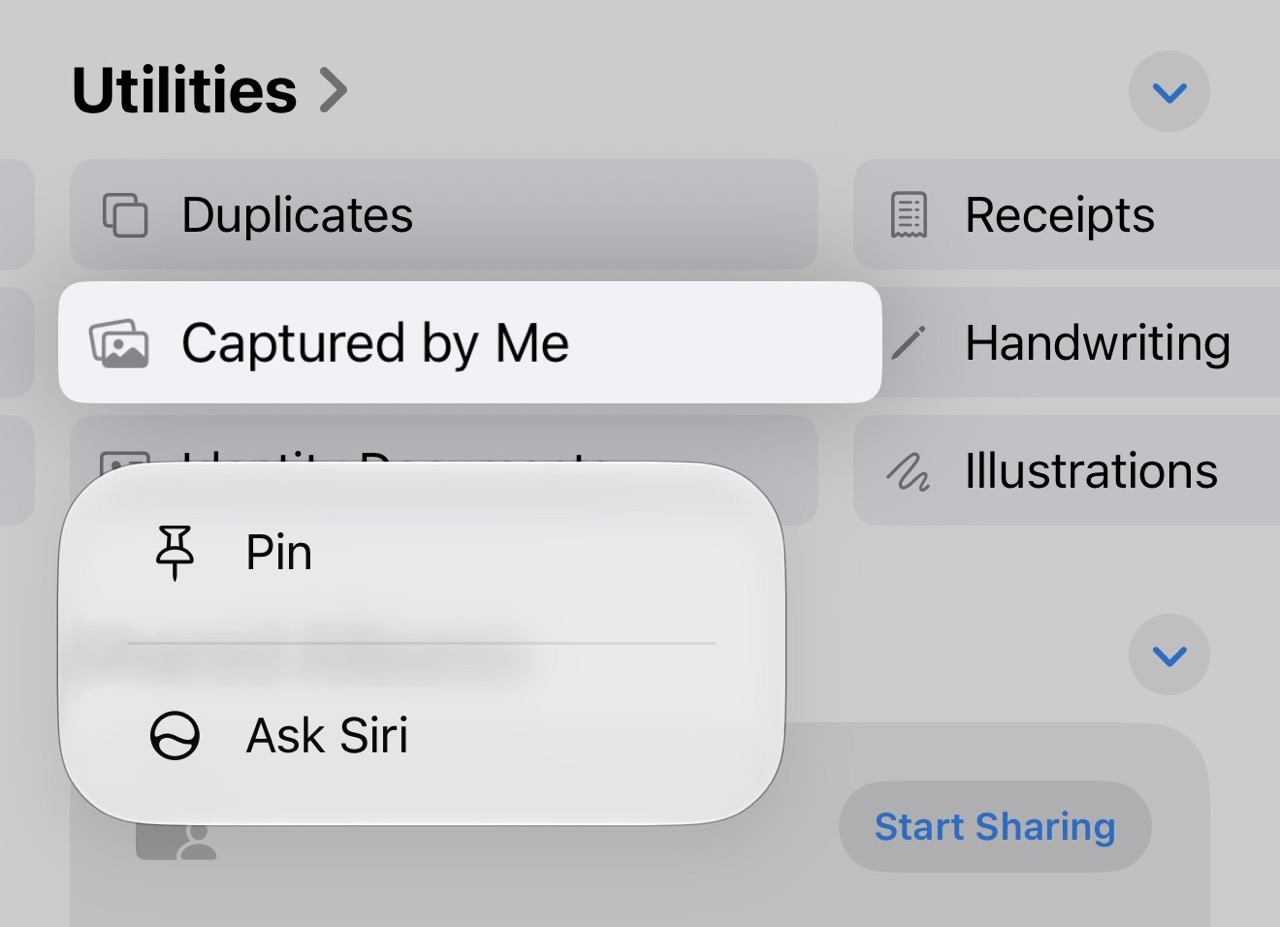
Captured By Me Album
The Photos app adds a dedicated Captured By Me album. As the name suggests, this album contains all the photos you’ve taken yourself.
Previously, you had to search for your iPhone model (like iPhone 15 Pro) in your photo library to see the photos you captured, but that could sometimes get mixed up with photos taken on the same model that others AirDropped to you.
Redesigned Photo/Video Info Interface
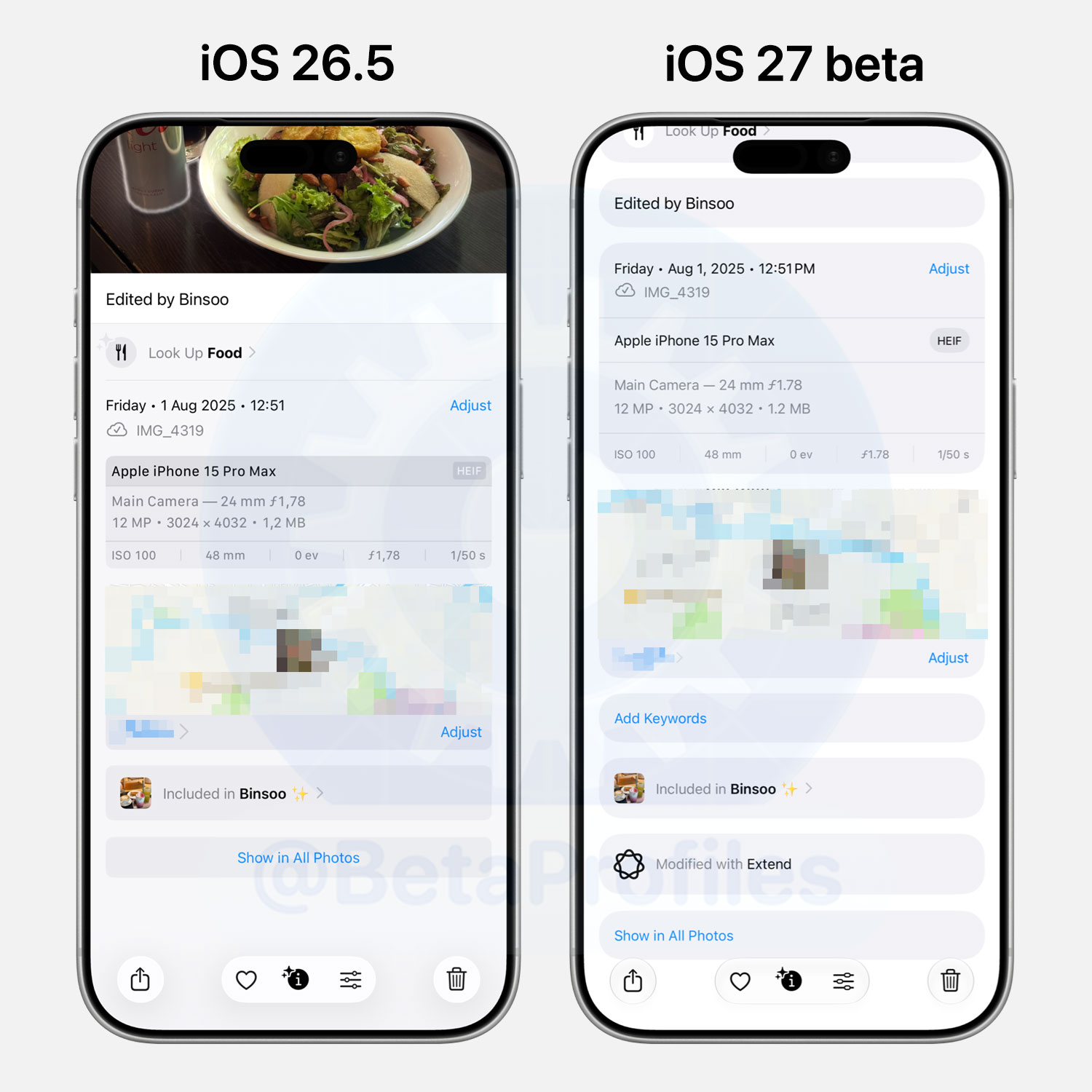
The photo/video info interface has been redesigned, using more rounded corners and more spacing between the information.
Calendar
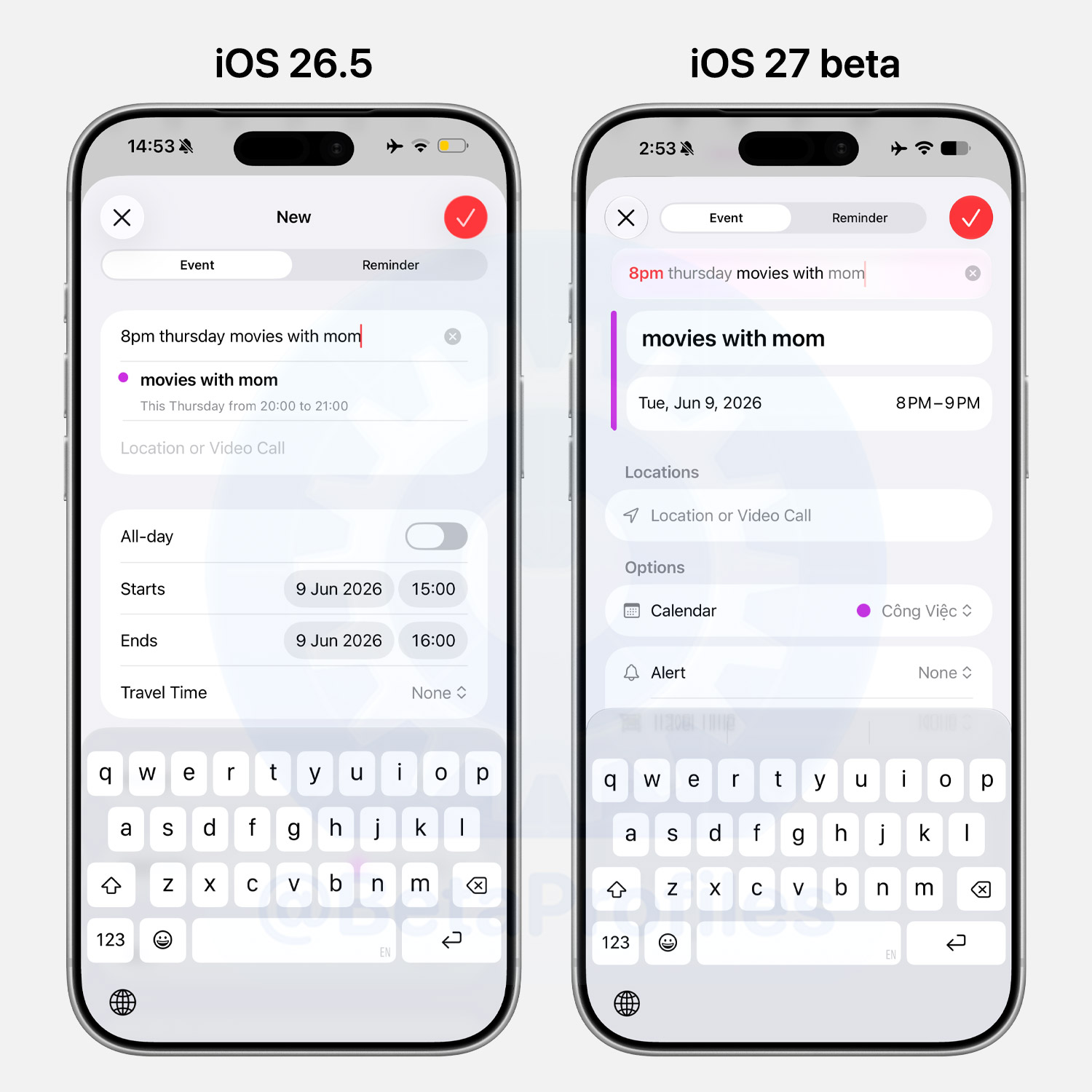
Calendar now understands natural language. Just type something like “8pm Thursday movies with mom” and it’ll suggest the event for you to confirm, no manual date picking needed.
Reminder
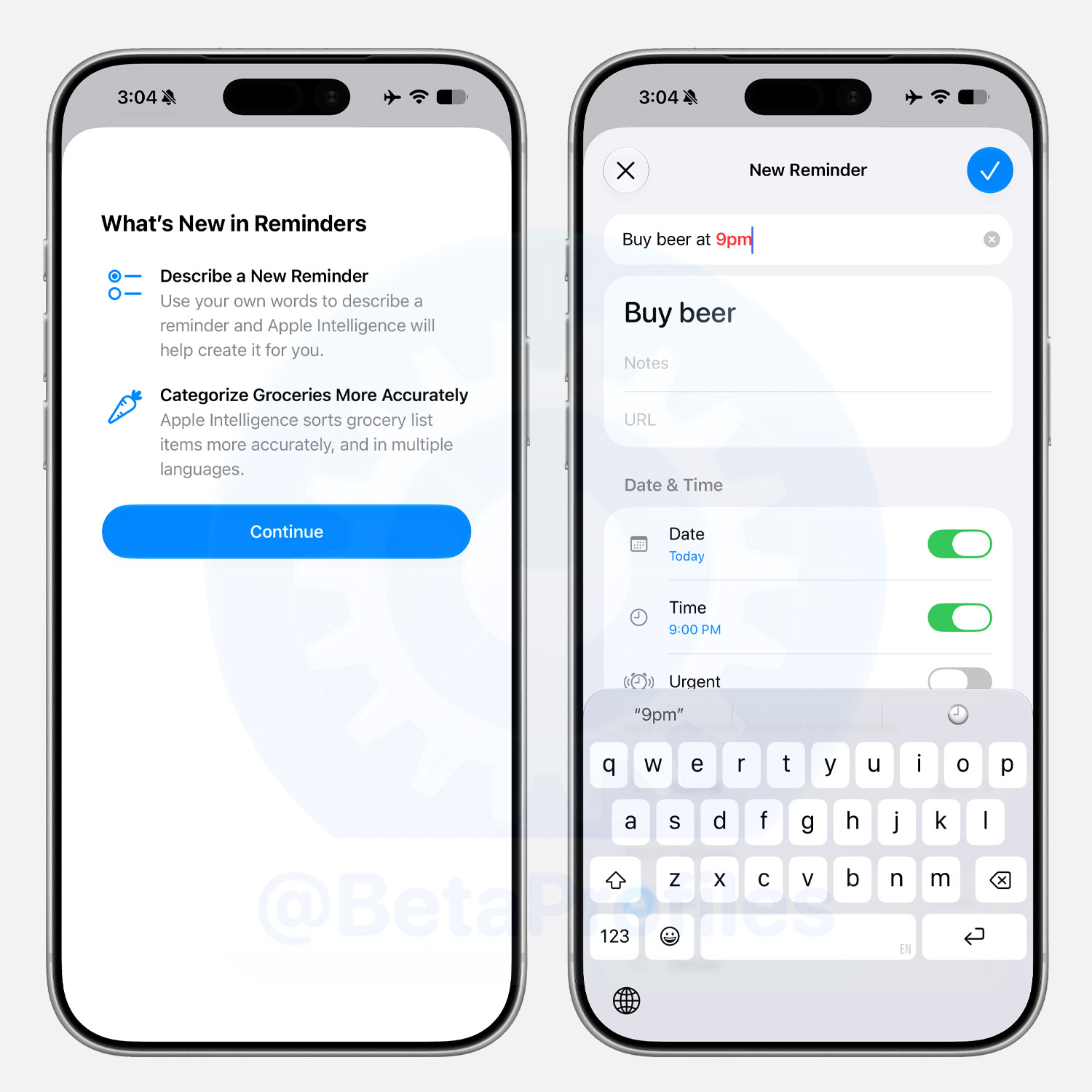
Reminders gets natural language input too, so you can add reminders just by typing how you’d normally say them. Additionally, Categorize Groceries is now more accurately sorted thanks to Apple Intelligence.
Messages
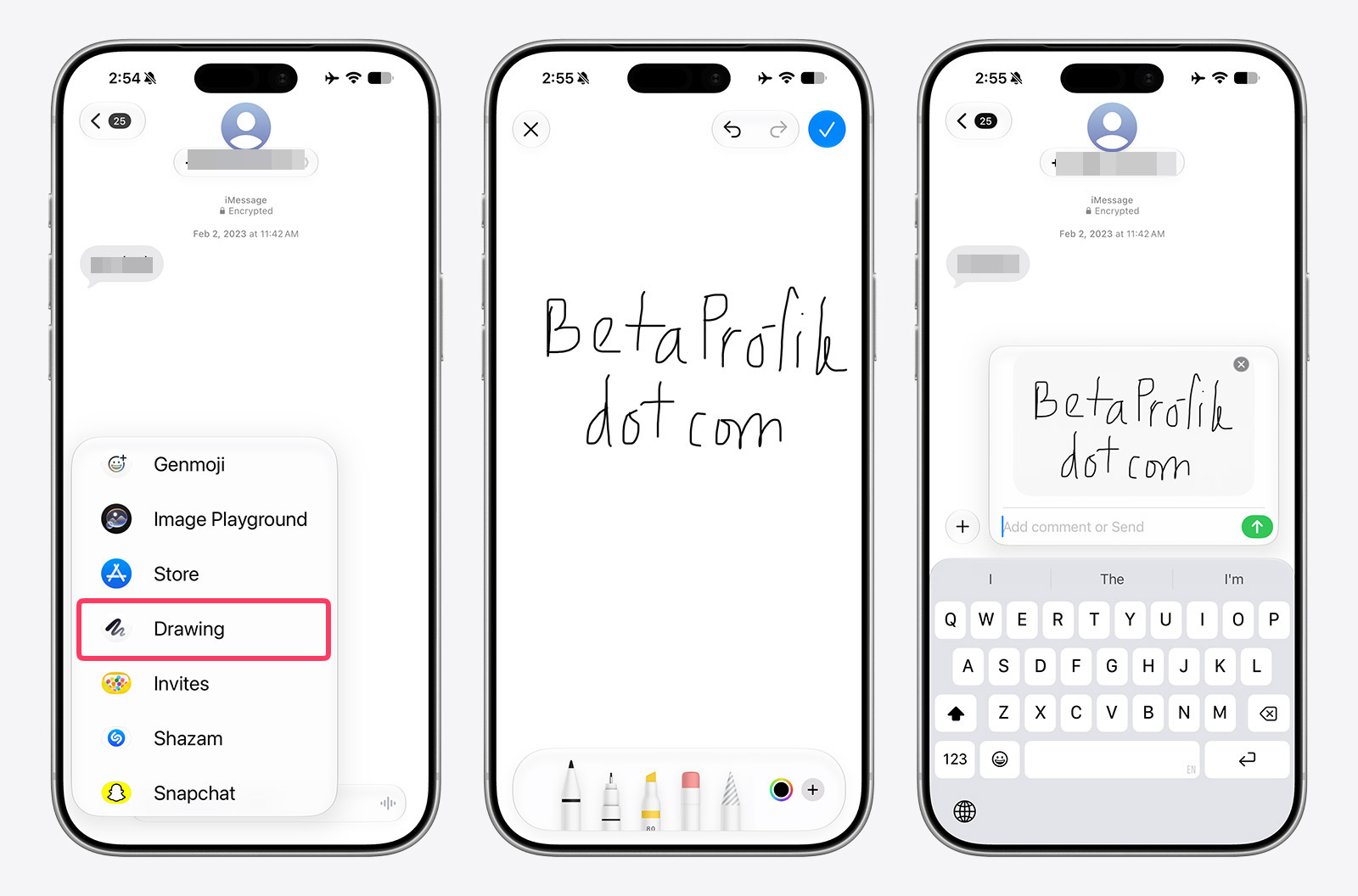
’Drawing’ iMessage app
There is a new iMessage app called Drawing in Messages.
Message Draft Preview
The Messages conversation view will now show when there is a draft in a conversation.

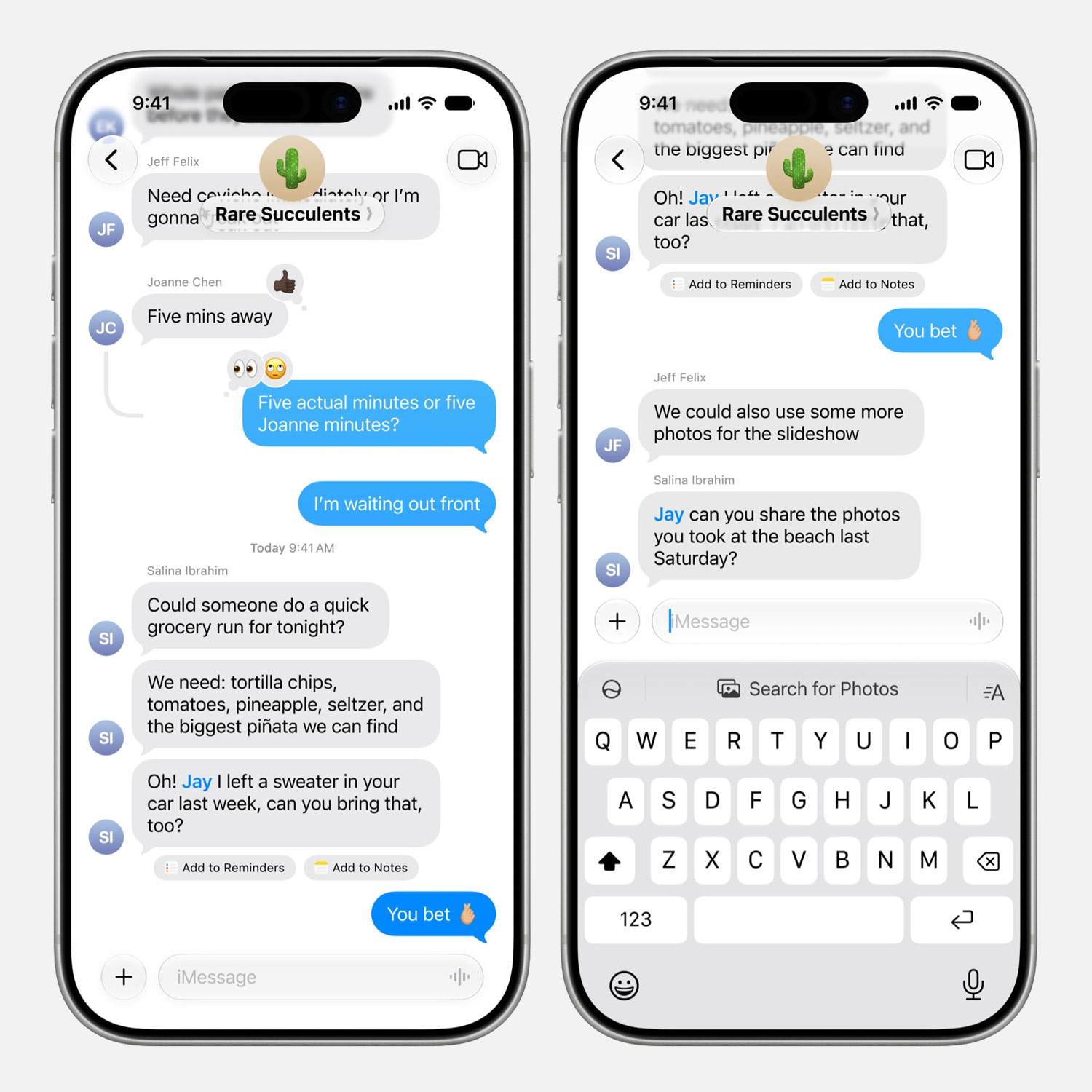
One-tap Suggestions
iMessage in iOS 27 surfaces one-tap suggestions based on your conversation context, saving you time on common actions. They show up right below the relevant message and just above the keyboard.
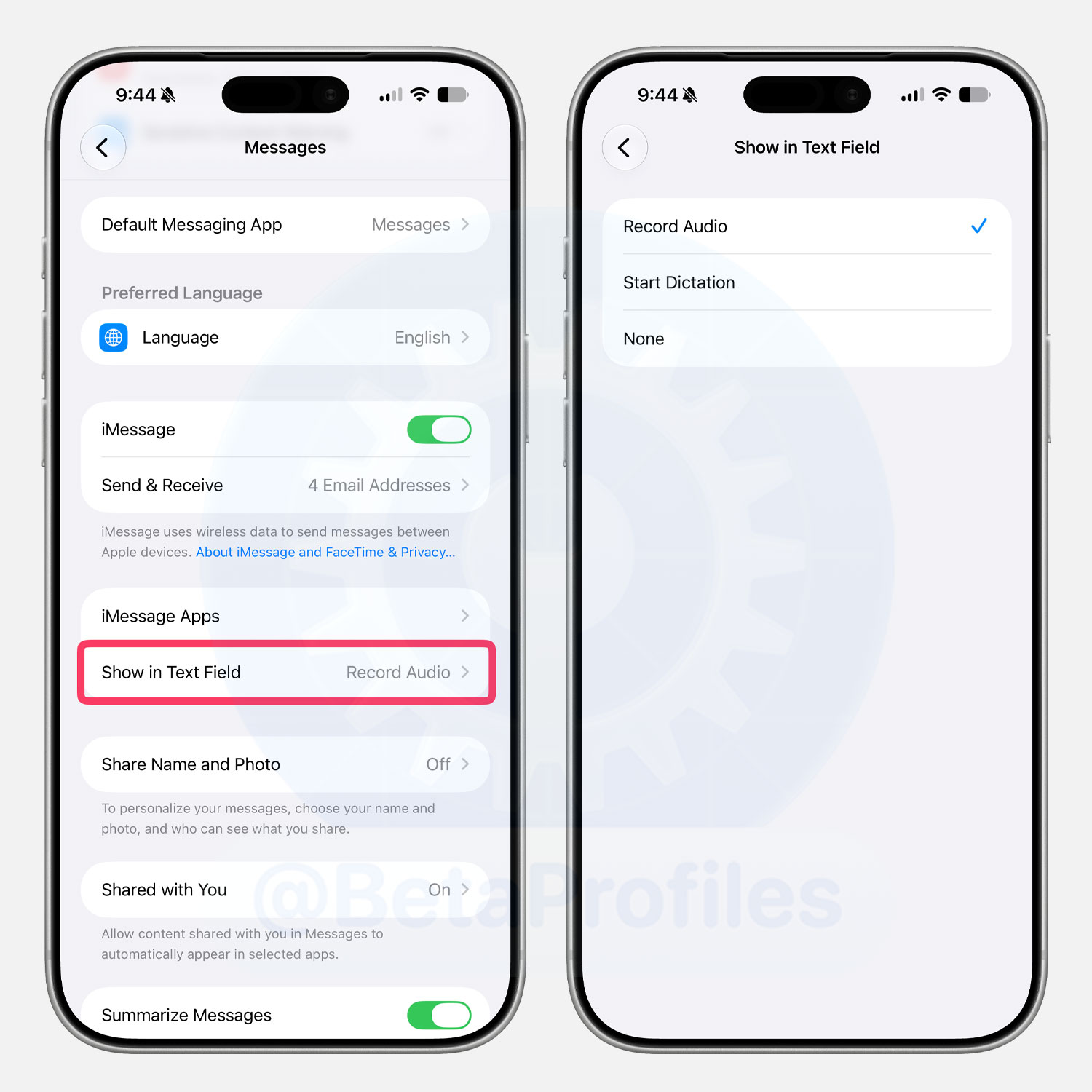
Disable Audio Button
There is a new Show in Text Field option in Settings > Apps > Messages to disable the dictation button in the message input field.
Many people (including Justin Bieber) have complained about accidentally tapping the dictation button after sending a message, and Apple has addressed this in iOS 27.
Audio Message Playback Speed
When playing an audio message, there is a button to adjust the playback speed, including 1x, 1.25x, 1.5x, and 2x. In iOS 26 and earlier, this feature appeared when you long pressed the play button.
More Messages Upgrades
Here are some of the other meaningful upgrades Apple made to Messages in iOS 27:
- Large photos and videos display as thumbnails while uploading, keeping the conversation uninterrupted.
- Unsent messages are automatically resent without any action needed from you.
- Cross device message syncing is faster.
- Messages load more quickly overall.
Find My
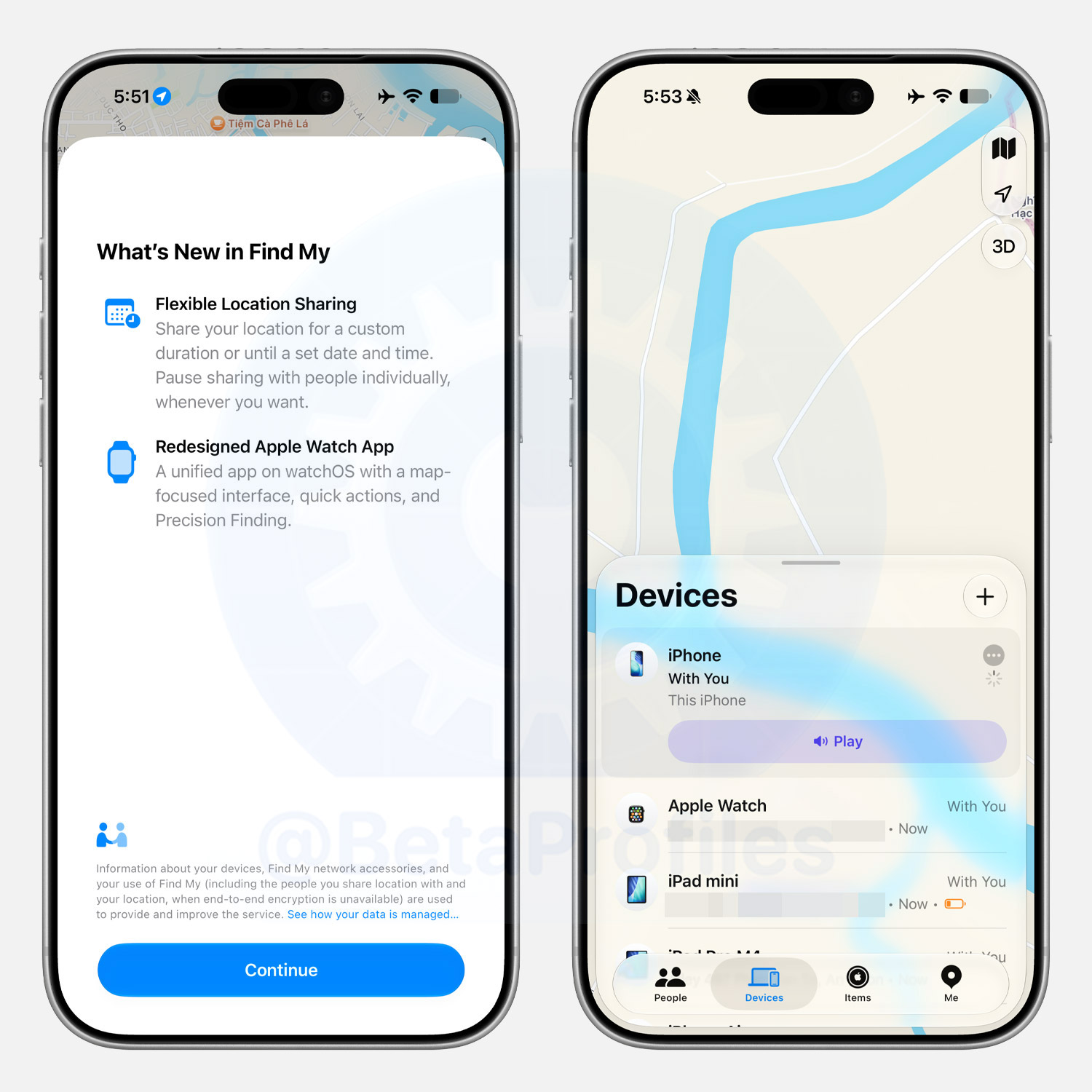
Find My adds the ability to share your location for a custom duration or until a specific time you set.
The Find My interface has also been refined, tapping an item now shows options like Play Sound and Directions almost instantly.
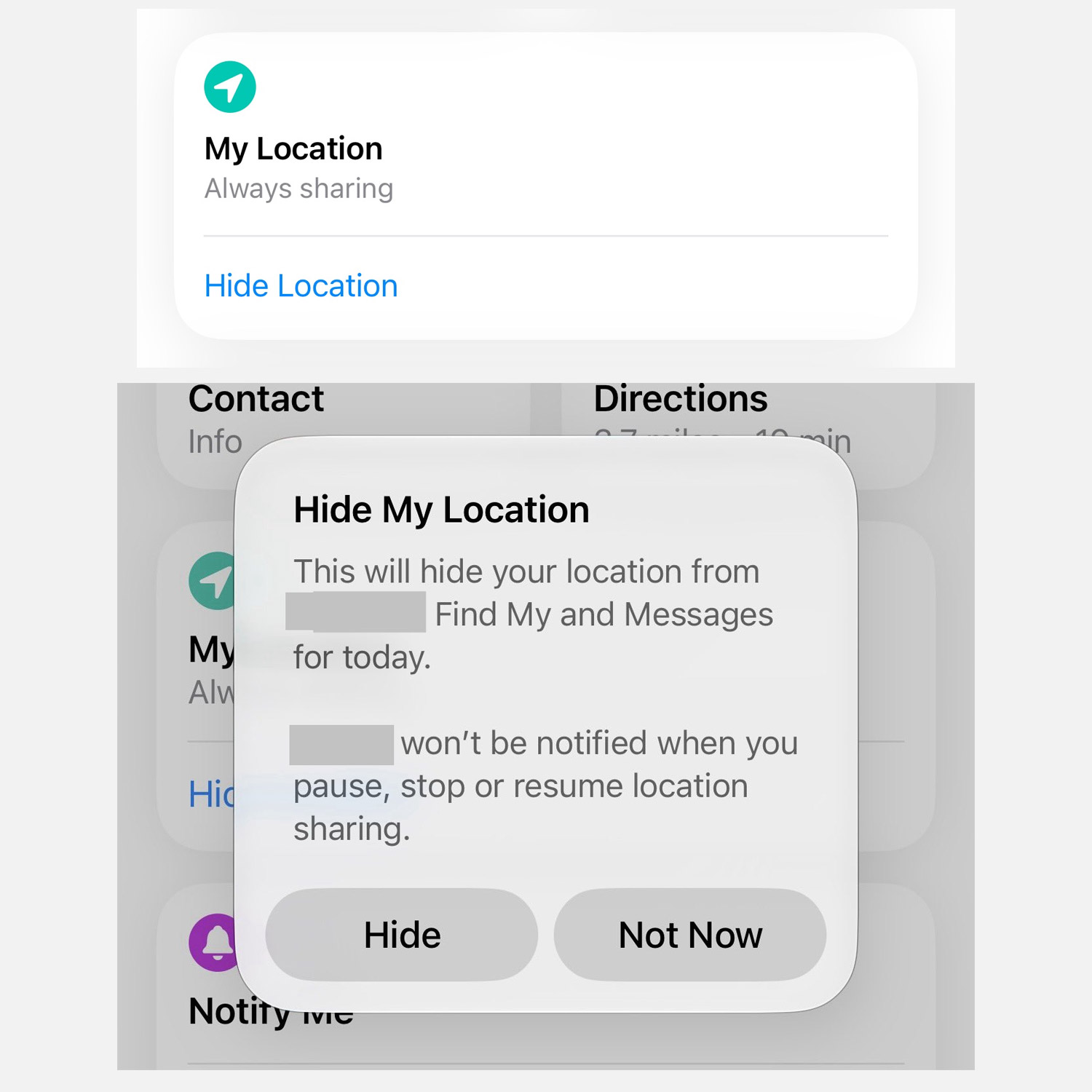
There is also a Hide Location option for contacts you are sharing locations with. This hides your location from the other person’s Find My and Messages apps. Notably, this option does not send a notification to the other person when you pause, stop, or resume sharing your location.
Safari
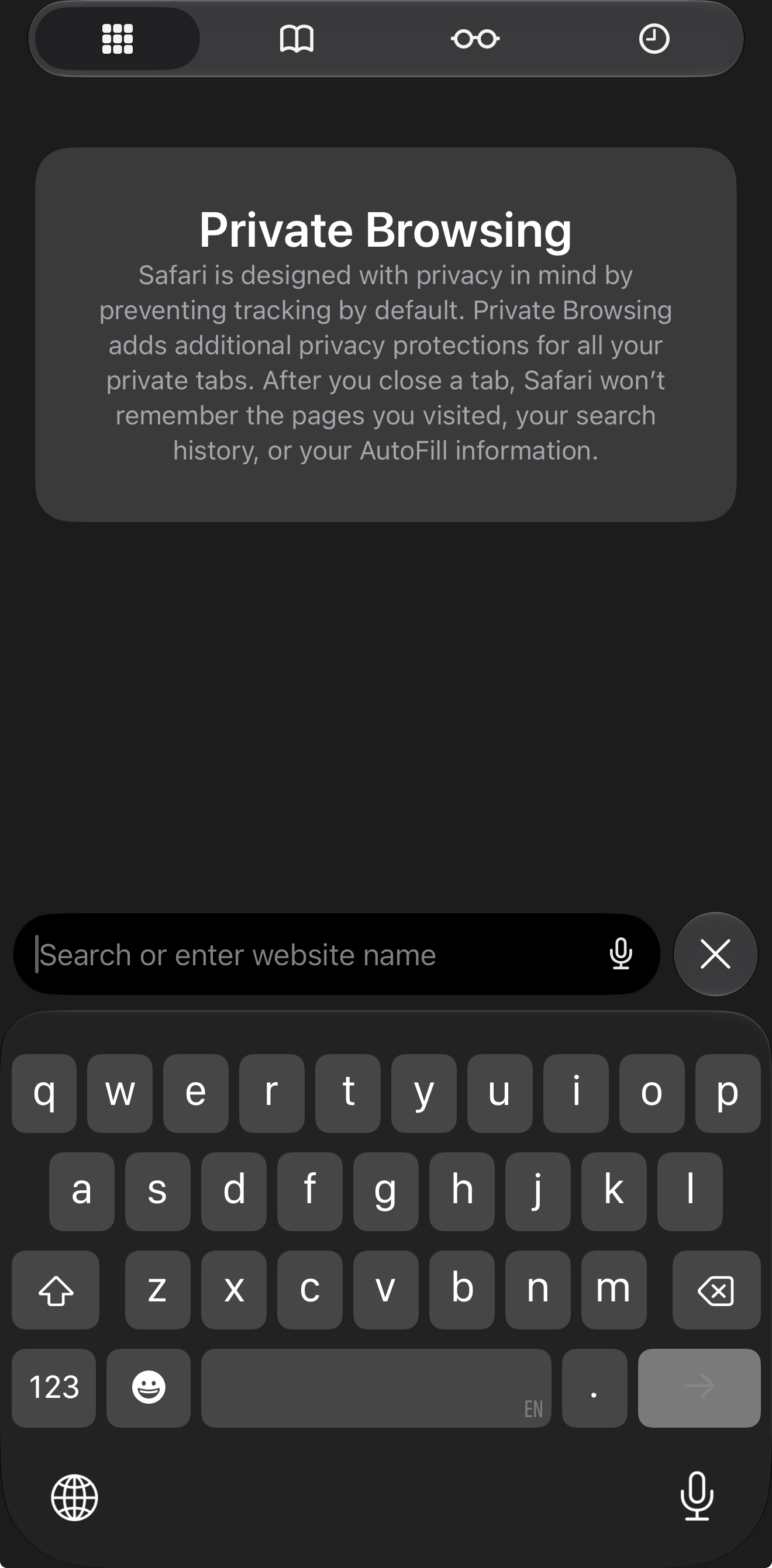
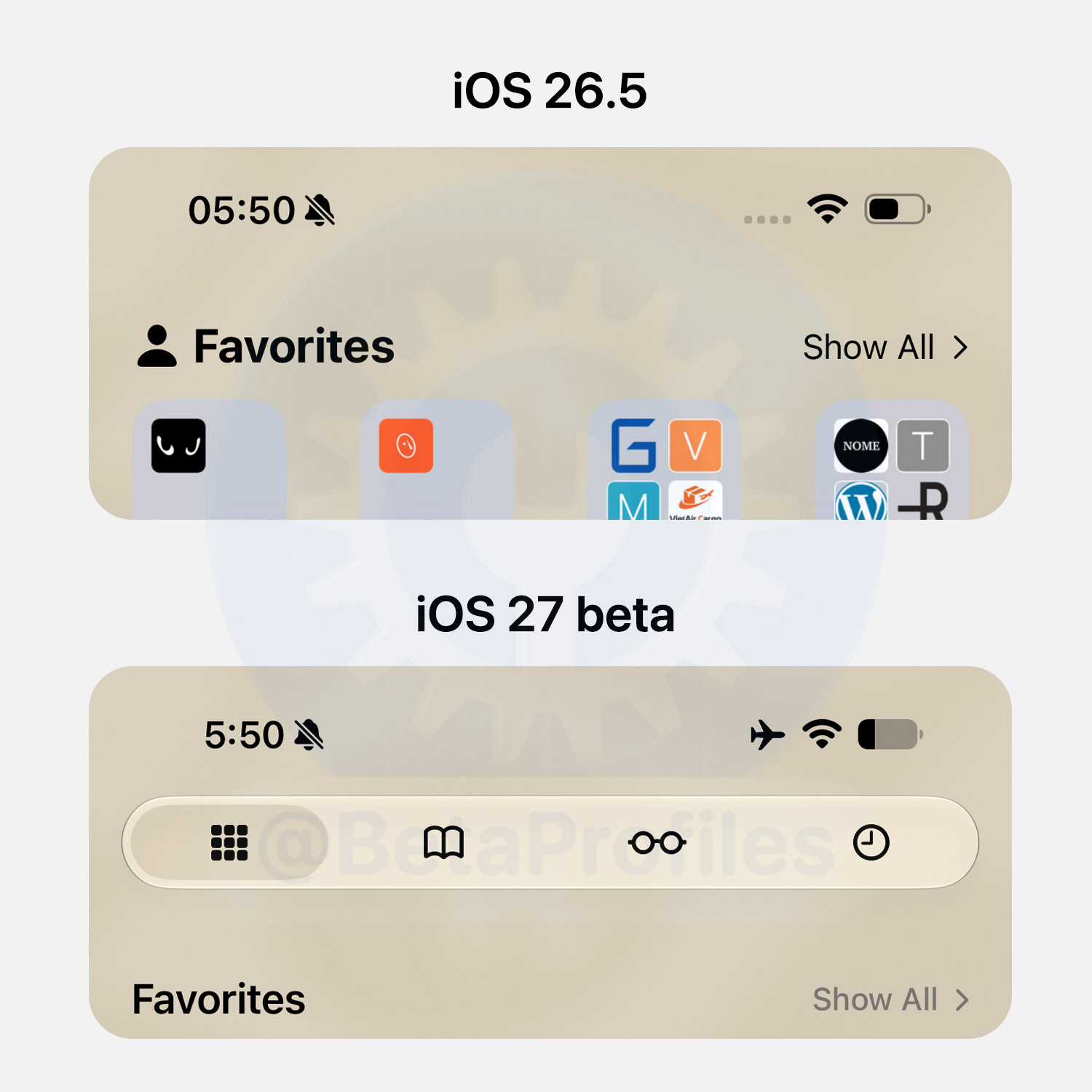
Tabs for the Start Page
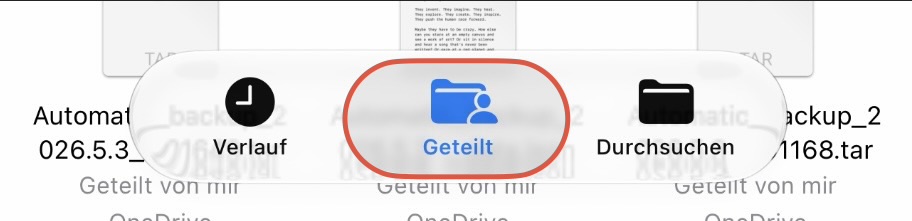
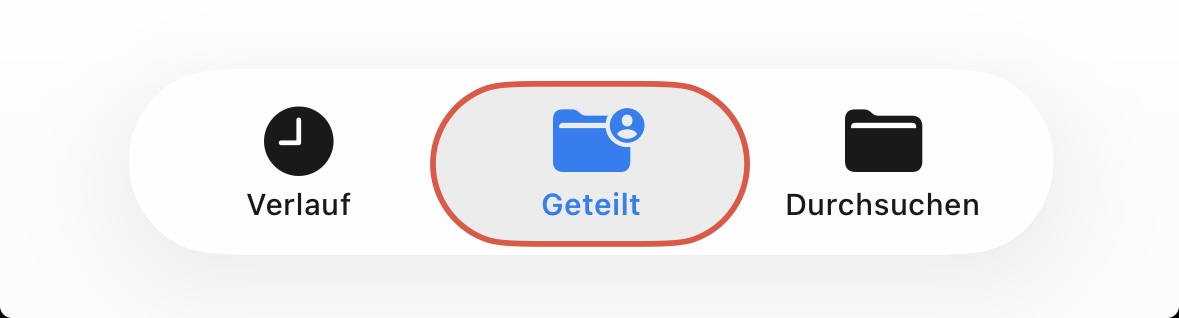
iOS 27 adds four quick access tabs to Safari’s Start Page: Start Page, Bookmarks, Reading List, and History.
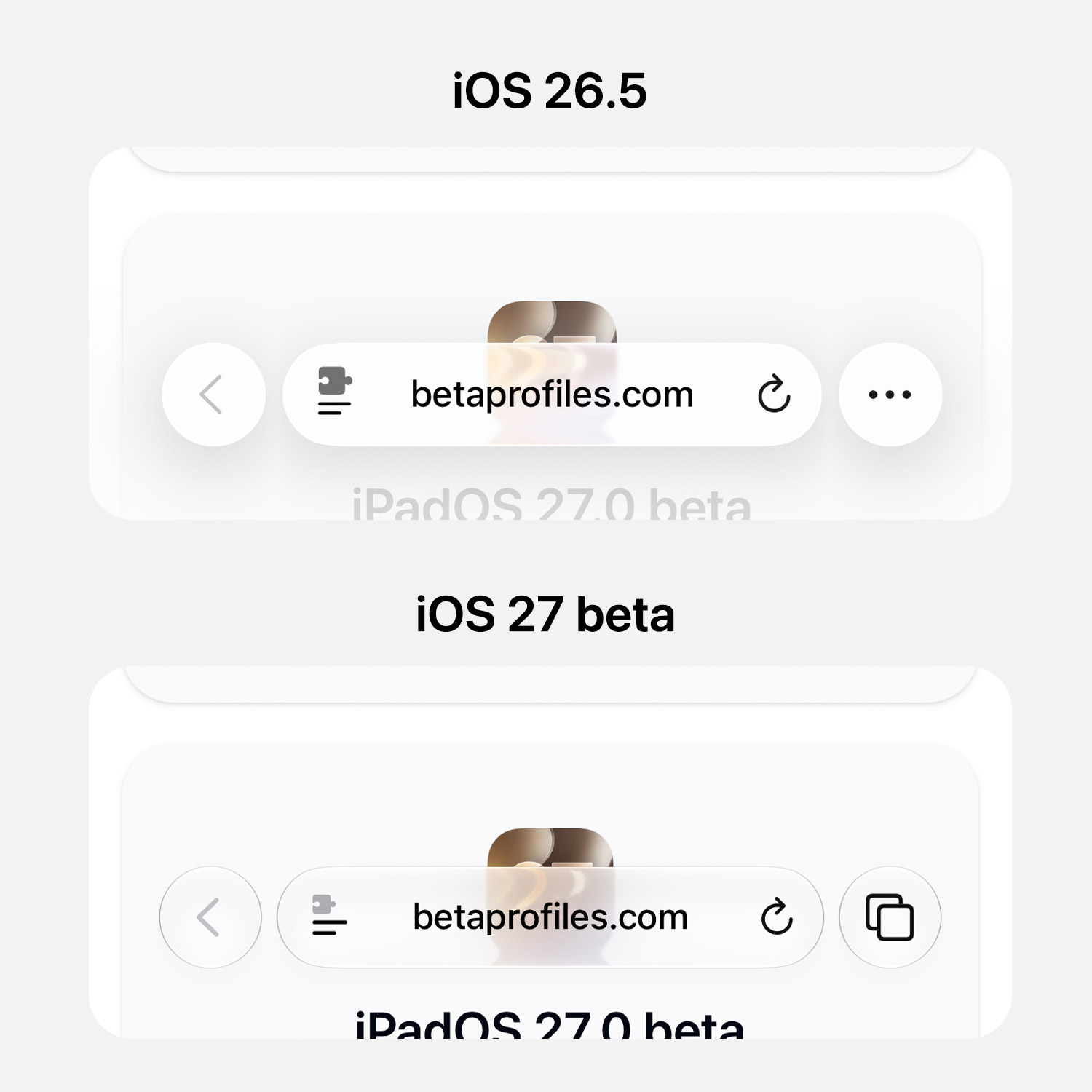
Compact Tab Bar Update
The three dot button in Compact tab view has been swapped out for a tab switcher.
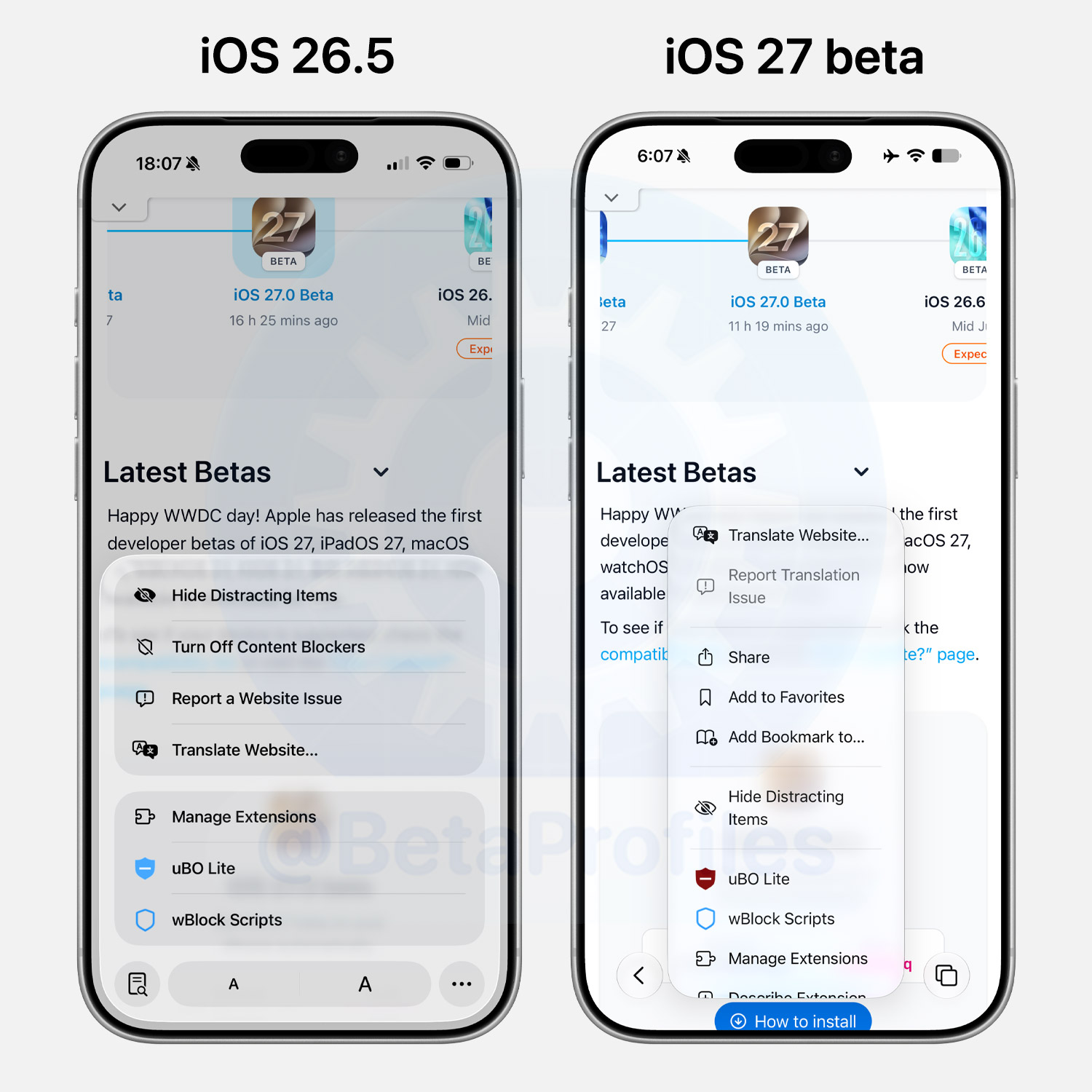
Website Settings
Website settings are now grouped into a single scrollable menu.
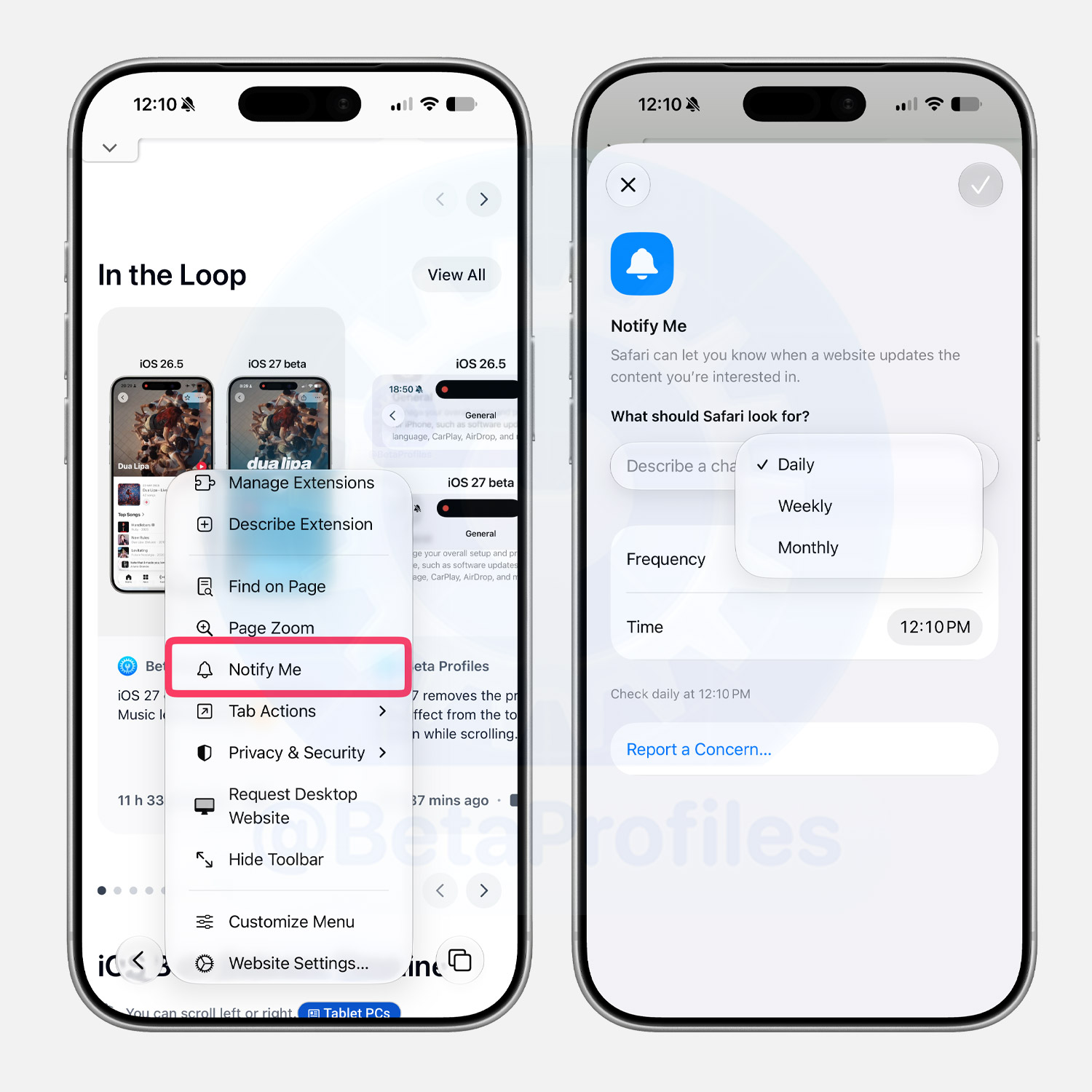
Website Change Notifications
iOS 27 adds one of Safari’s most useful features yet: webpage change notifications.
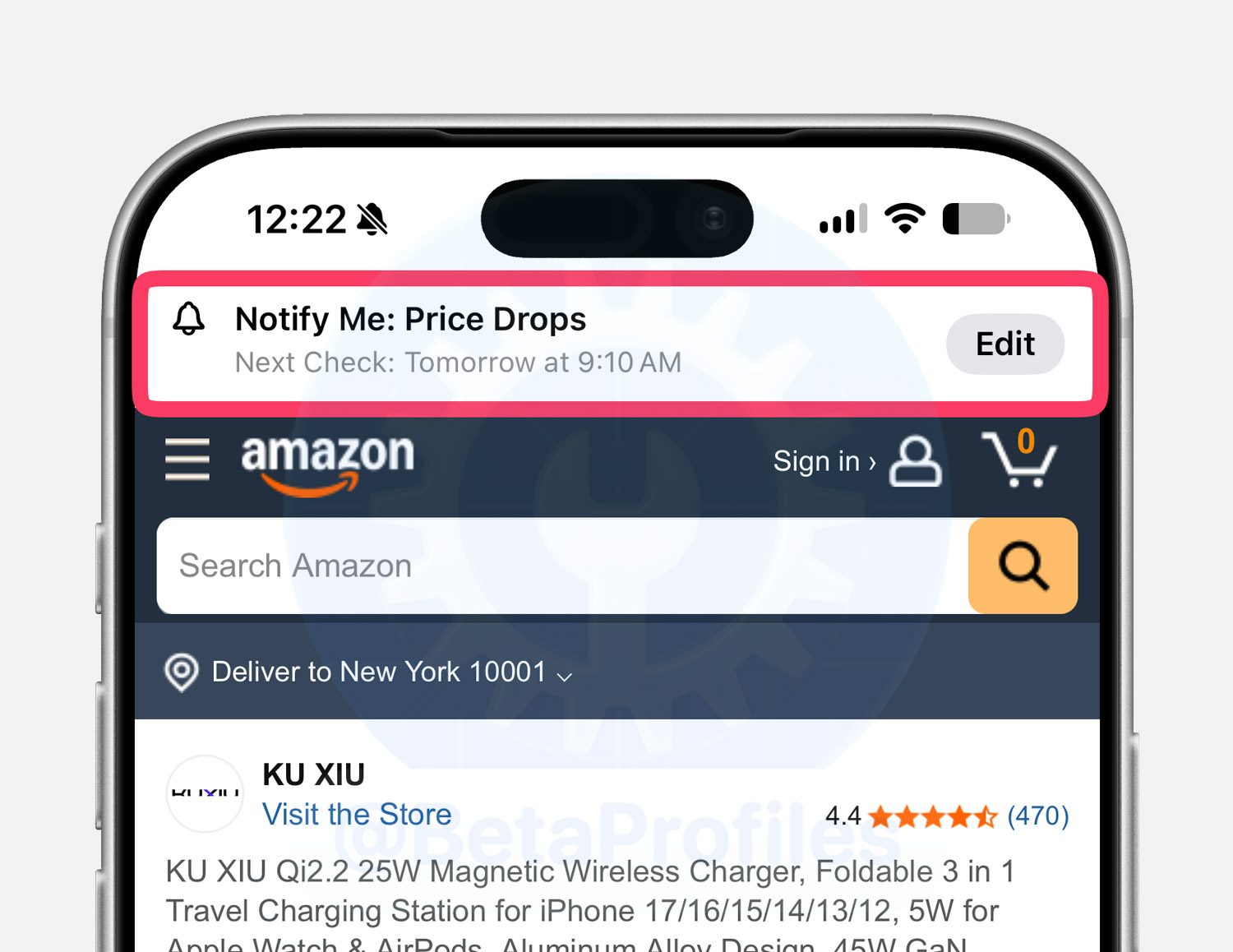
In the website settings menu, there is a Notify Me option. Tapping it lets you enter the content you want Safari to notify you about when it changes, such as a price drop from the current price. Safari offers Daily, Weekly, and Monthly check intervals as well as a custom time.
If a website has notifications enabled, you will see a banner at the top of the screen showing what is being monitored and when the next check is scheduled.
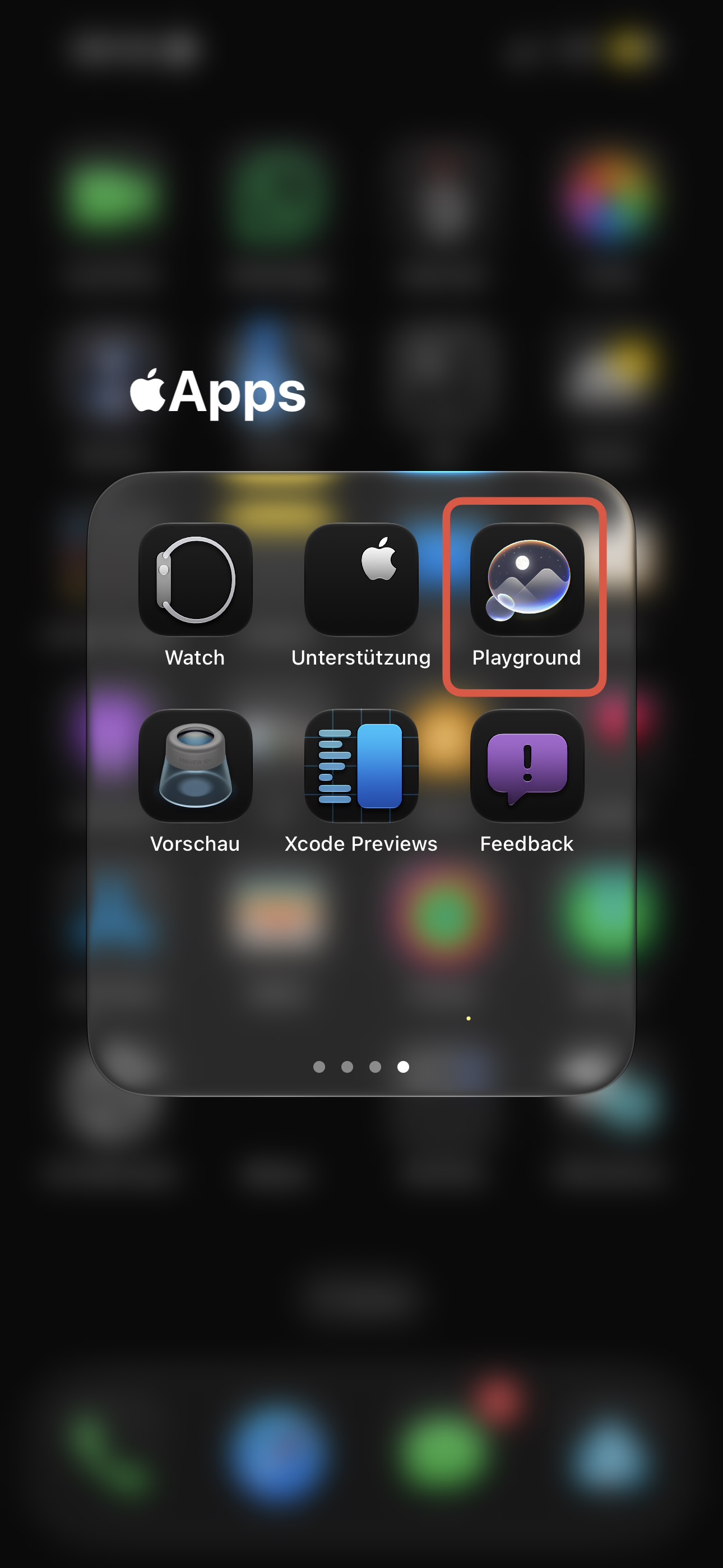
Preview App
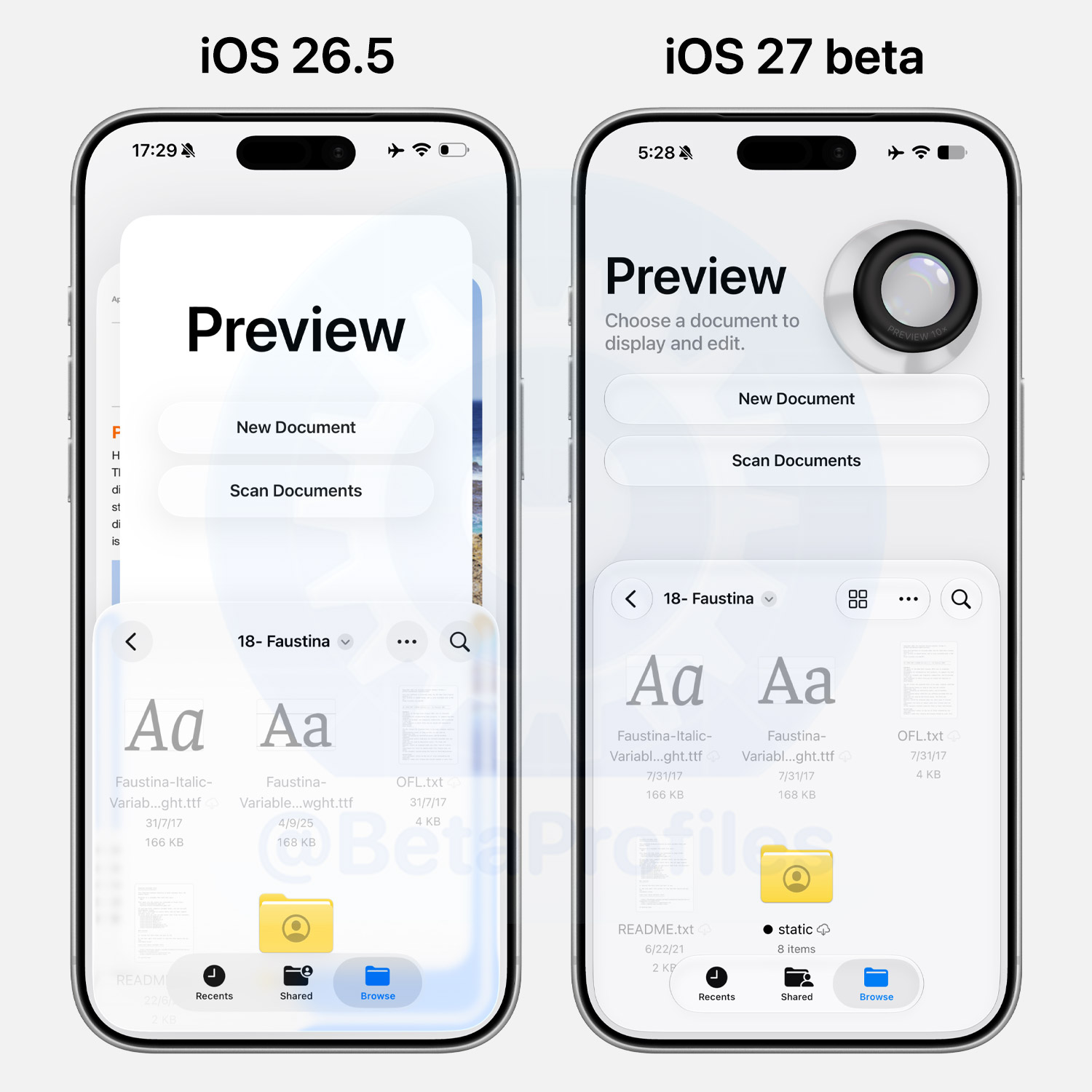
The Preview app has received a redesigned main interface, now also including a simulated magnifier similar to the Preview app on iPadOS 26.
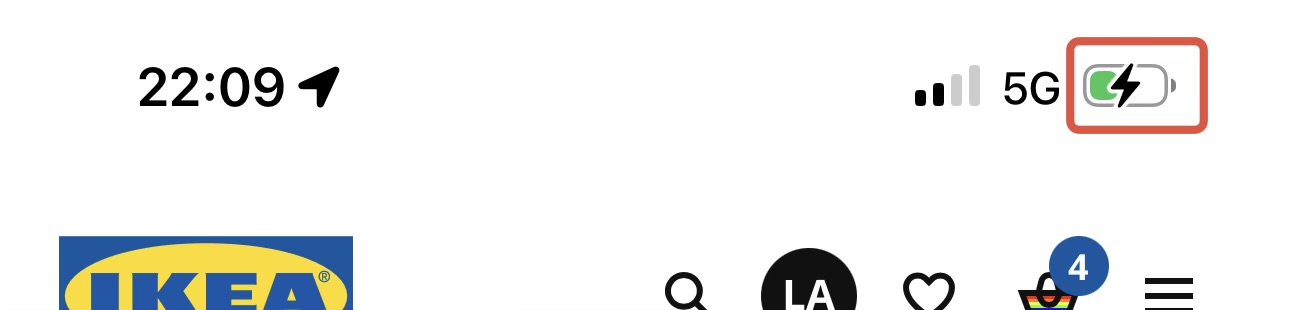
New Battery Icon
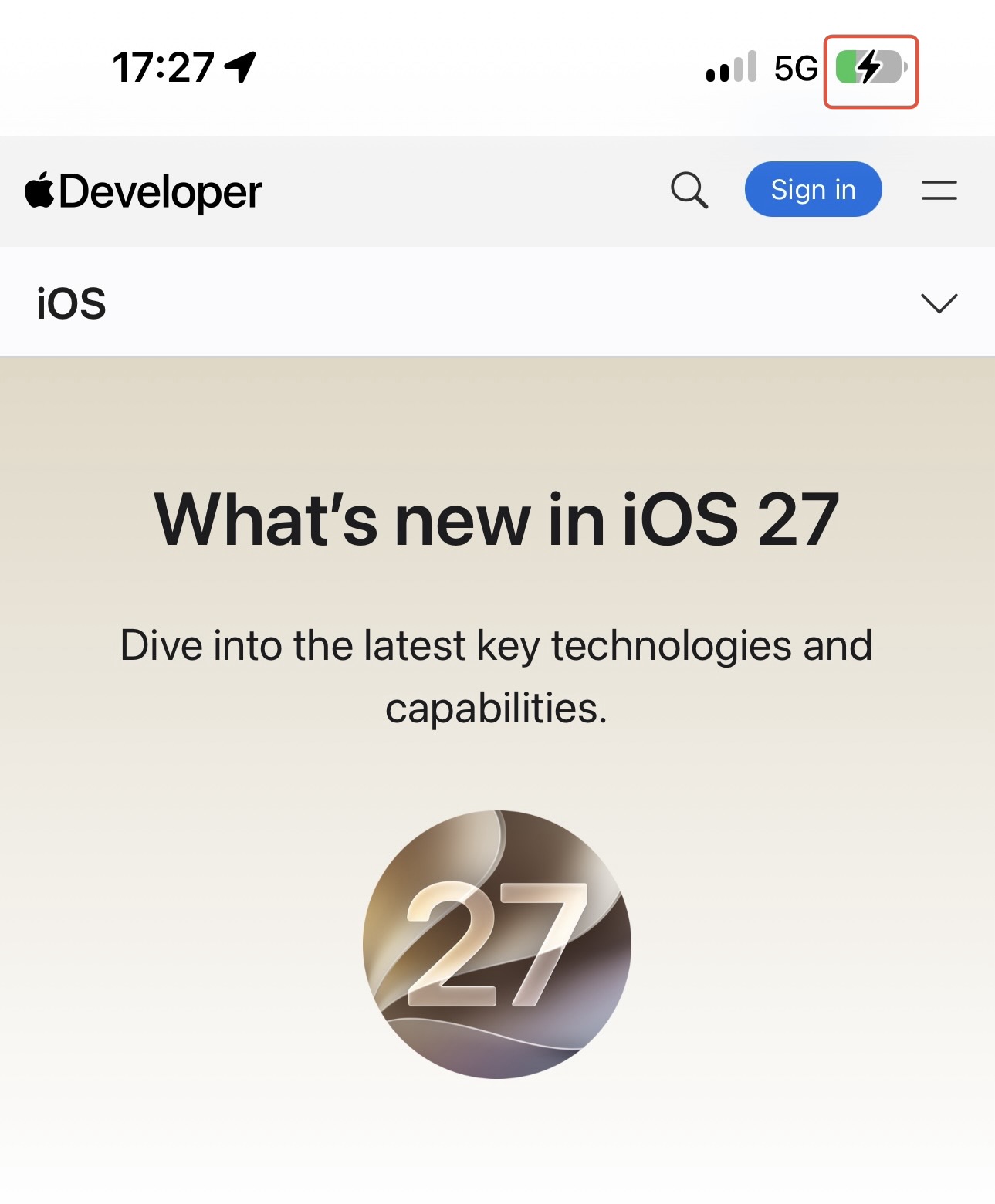
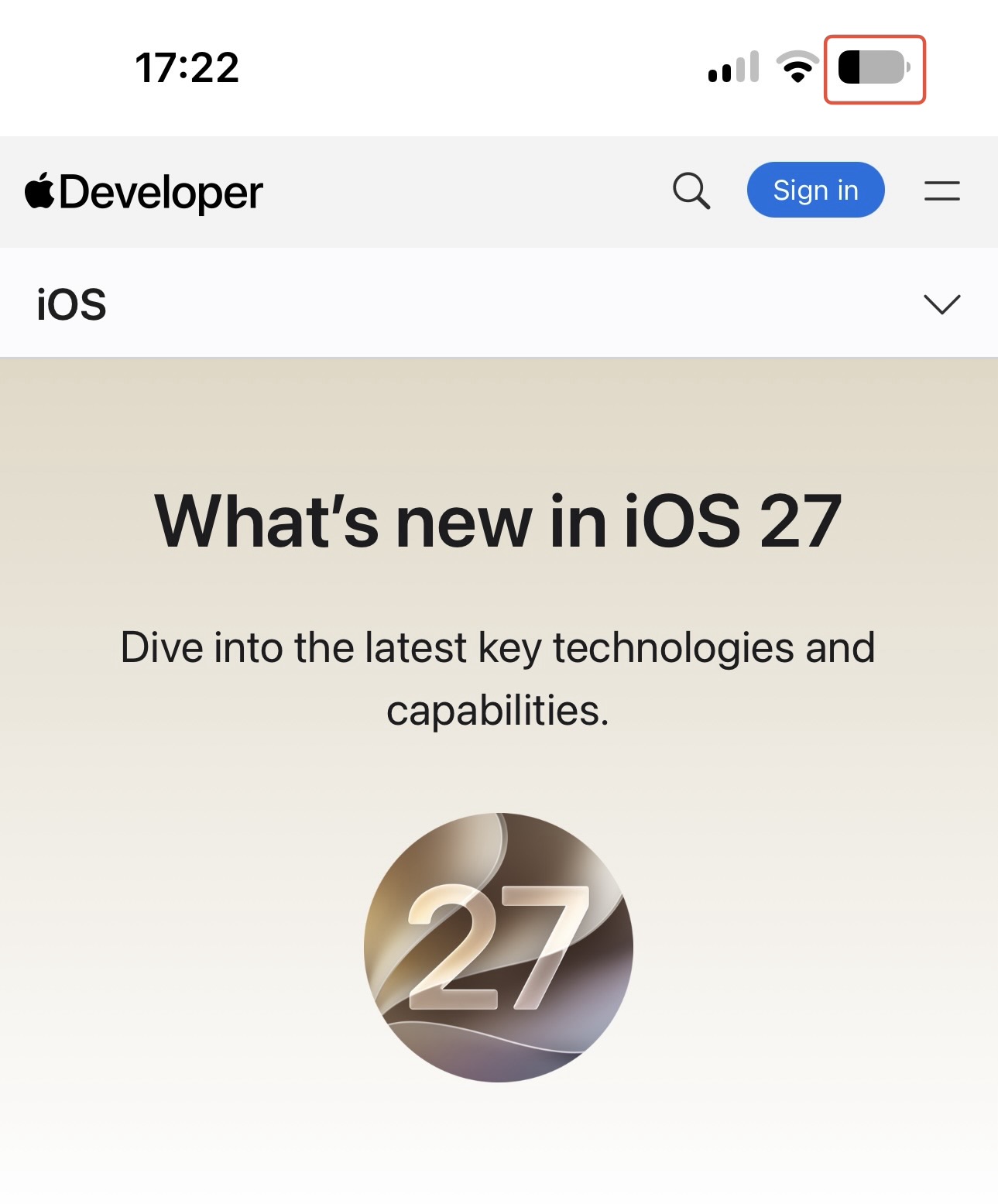
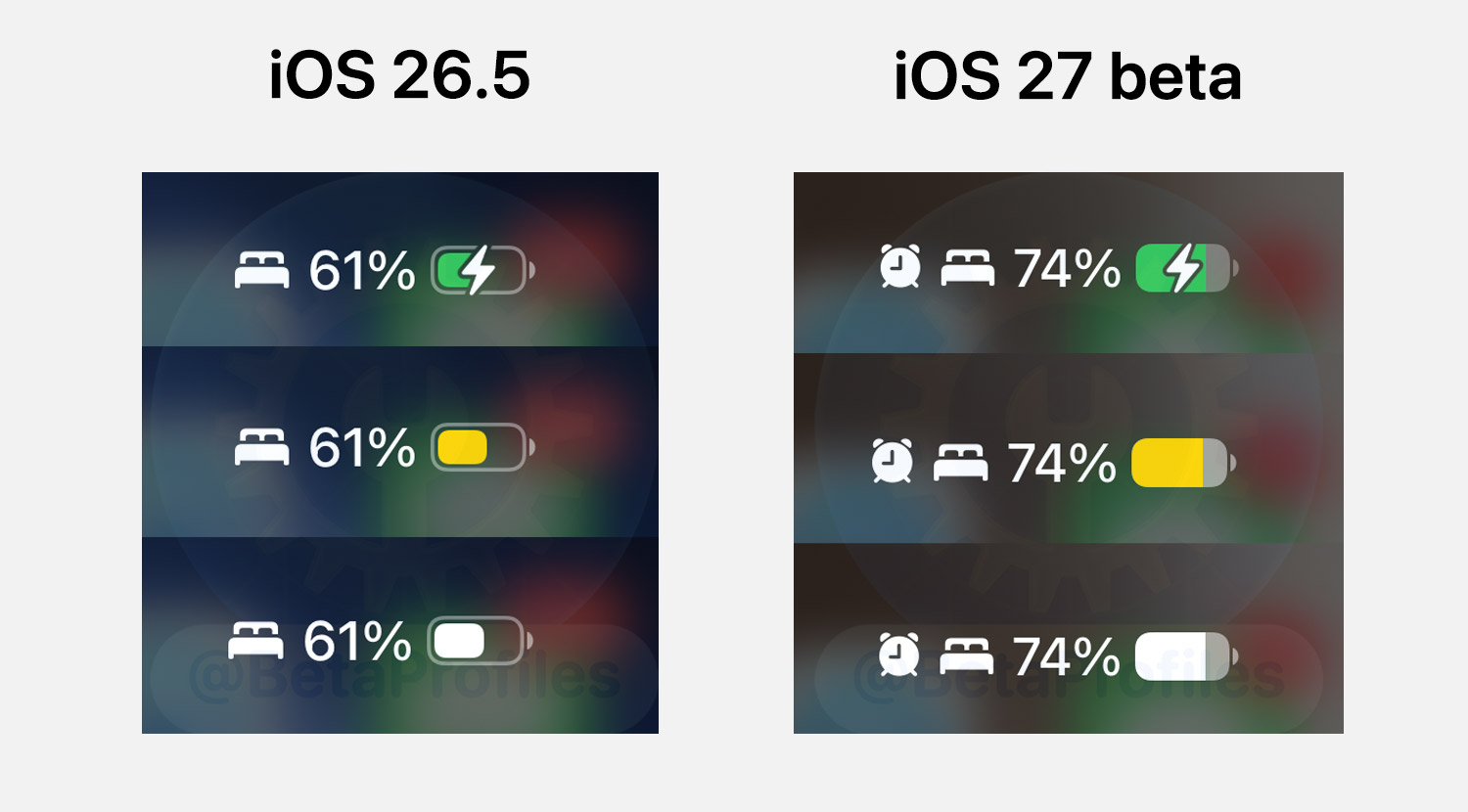
iOS 27 removes the border around the battery icon in the status bar for a cleaner, more consistent look.
New Recover Options
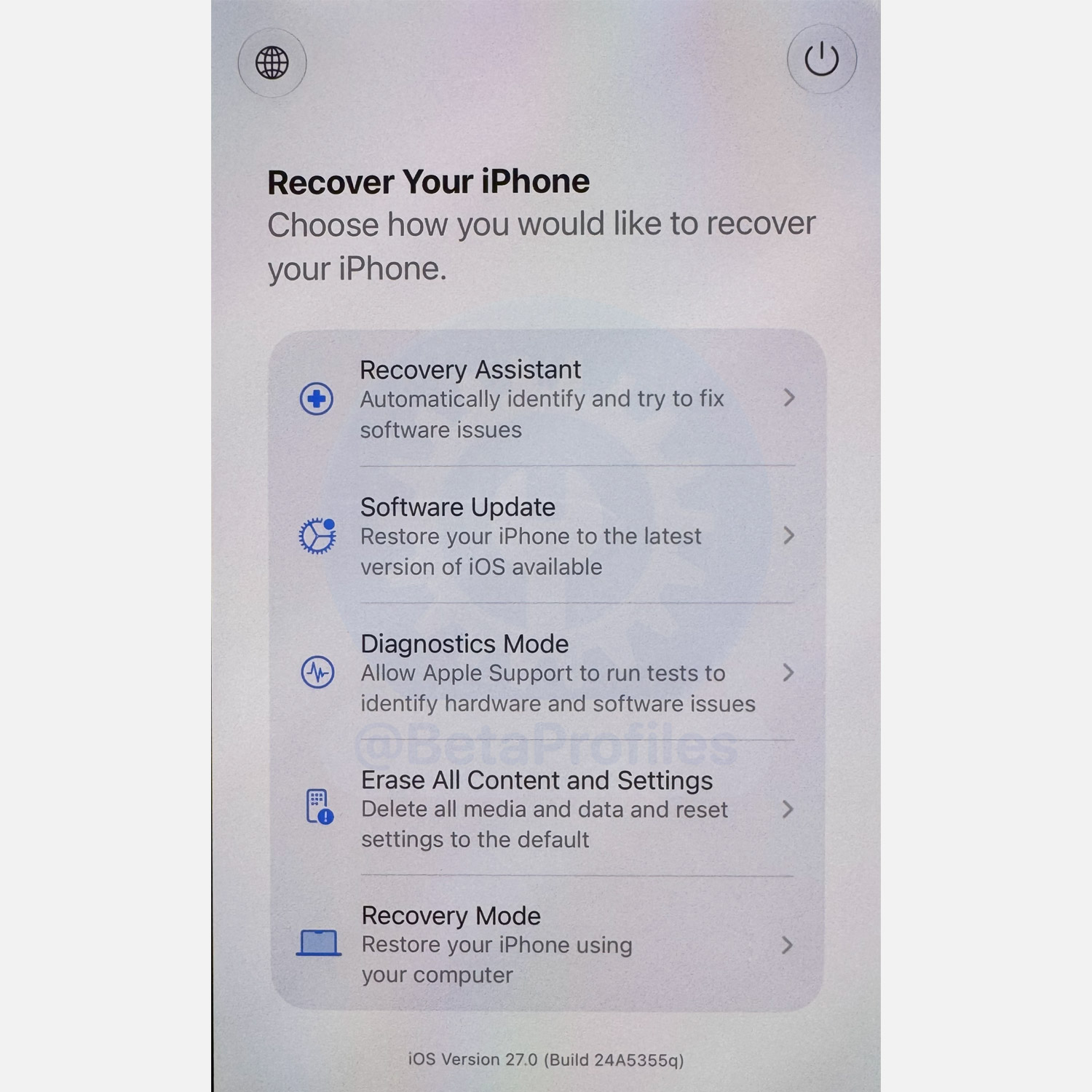
iOS 27 brings Mac-like recovery capabilities to iPhone. To enter recovery mode, simply hold the Side button while the iPhone restarts and keep holding until you see the Recover Your iPhone screen appear.
Recovery options include:
- Recovery Assistant: Automatically identify and try to fix software issues
- Software Update: Restore your iPhone to the latest version of iOS available
- Diagnostics Mode: Allow Apple Support to run tests to identify hardware and software issues
- Erase All Content and Settings: Delete all media and data and reset settings to the default
- Recovery Mode: Restore your iPhone using your computer
Thanks to @multchrome
Health App
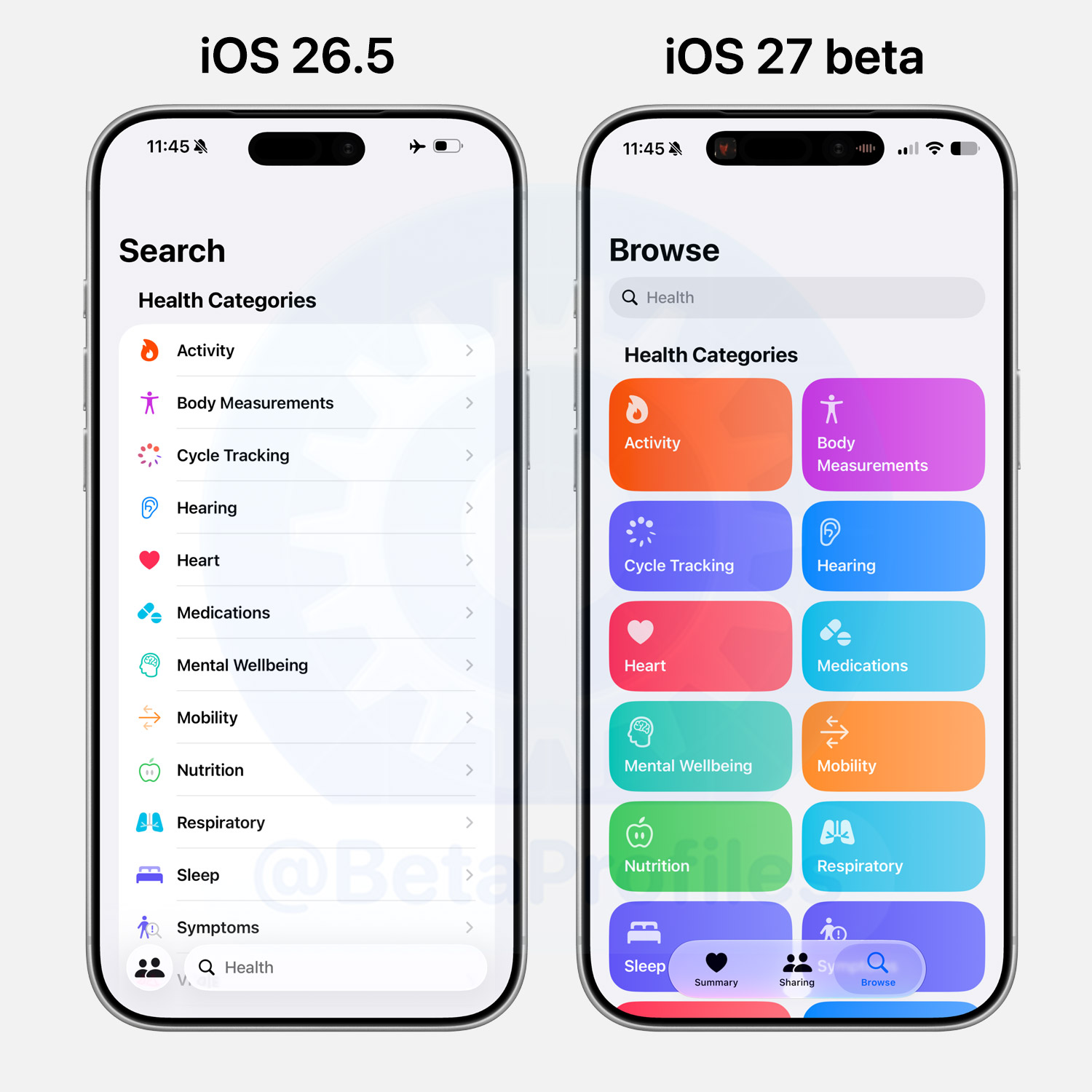
The Health app renames the Search tab to Browse in iOS 27 and gives it a fresh grid layout with colorful category cards. It actually reminds me a lot of the Shortcuts app.
Shortcuts
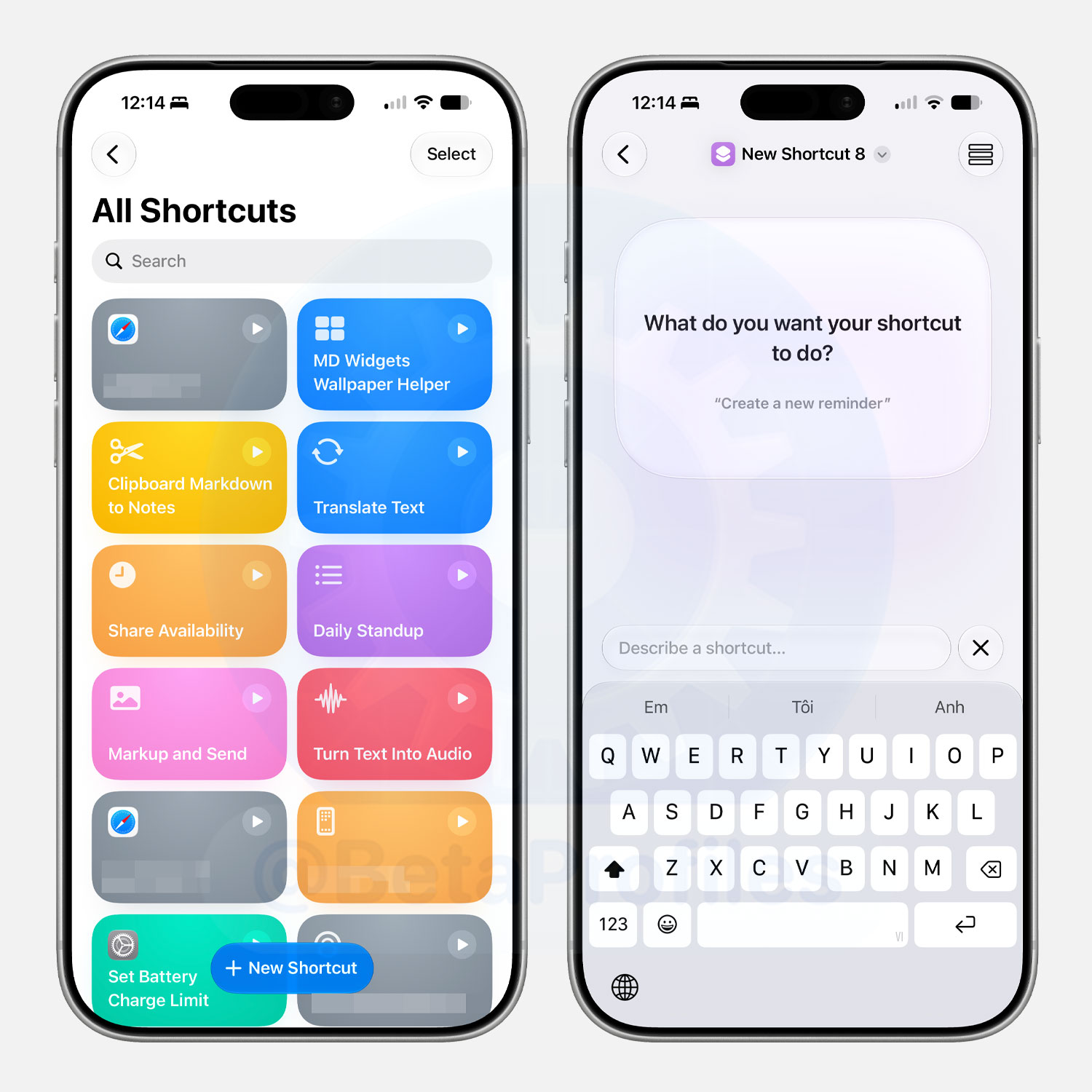
The Shortcuts app removes the tab bar at the bottom and replaces it with a New Shortcut button. Tapping it lets you describe the shortcut you want and Apple Intelligence will automatically add the necessary actions to make it work as intended.
You can switch between the AI shortcut creation interface and the traditional custom action interface via a toggle in the top left corner of the screen.
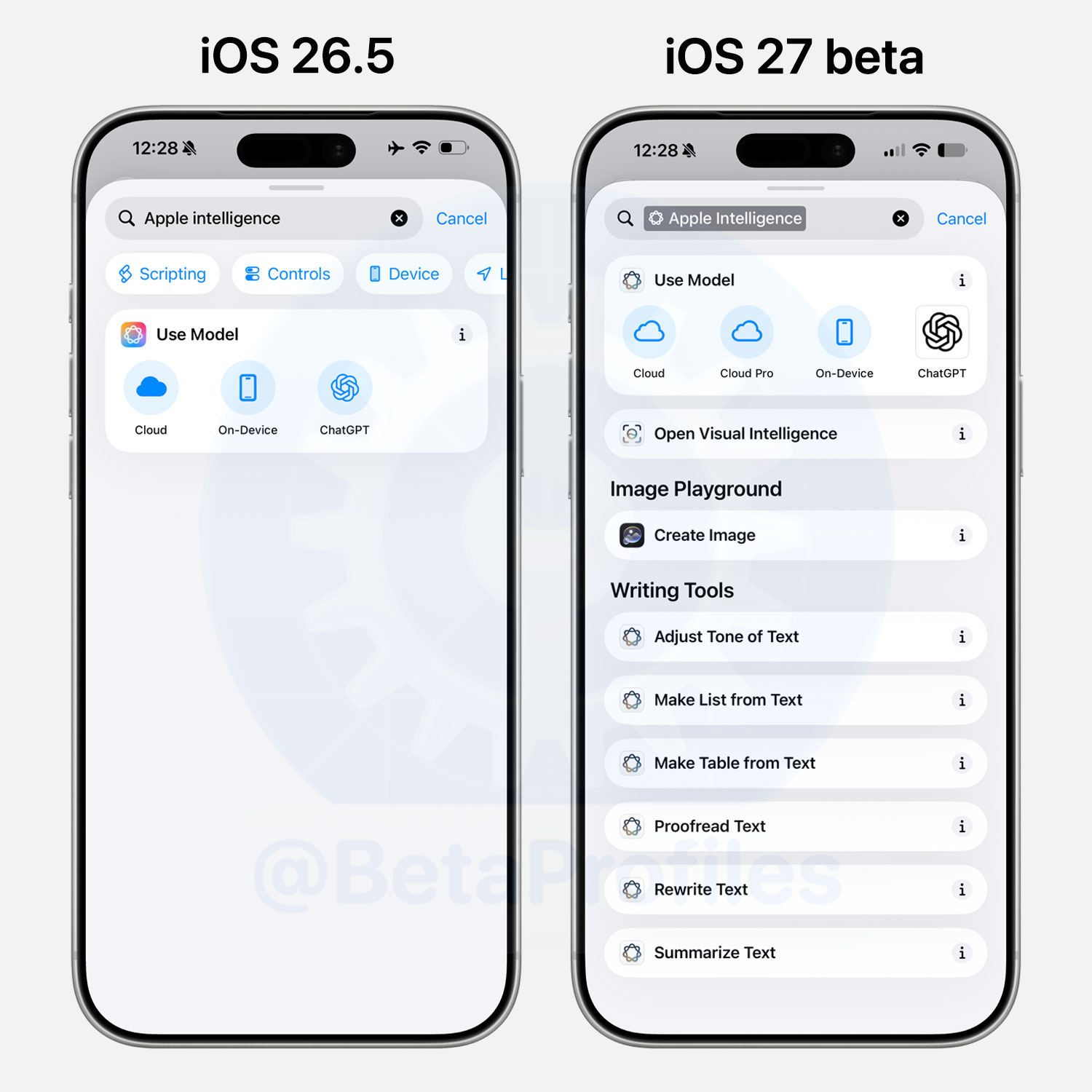
iOS 27 also adds more Apple Intelligence actions to Shortcuts, including Writing Tools, Create Image via Image Playground, and Open Visual Intelligence. Apple also adds Cloud Pro to the Use Model action.
Updated App Icons
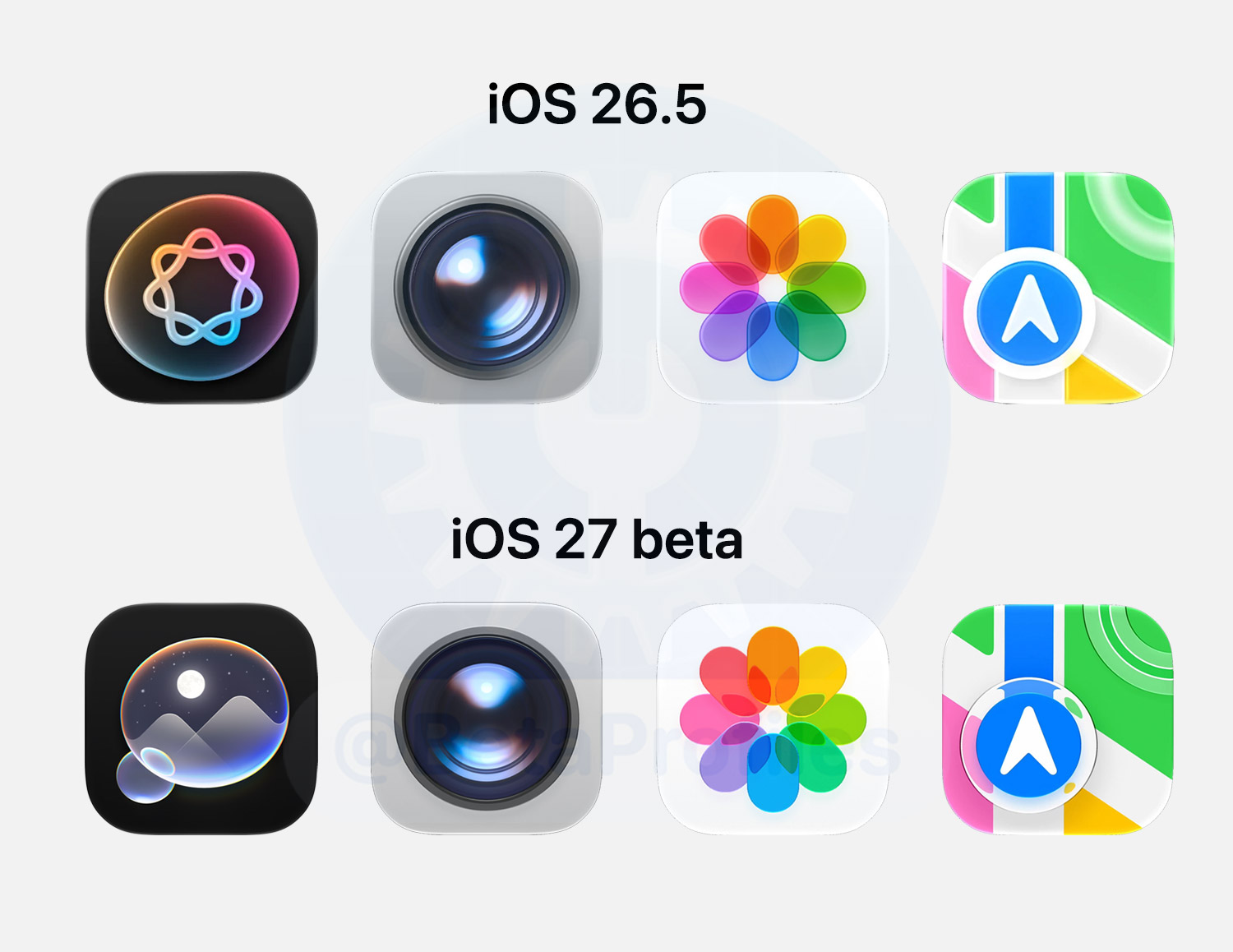
Apple says iOS 27 app icons now have Liquid Glass layers built right into them. The refraction between those layers gives the icons a noticeably sharper and more defined look.
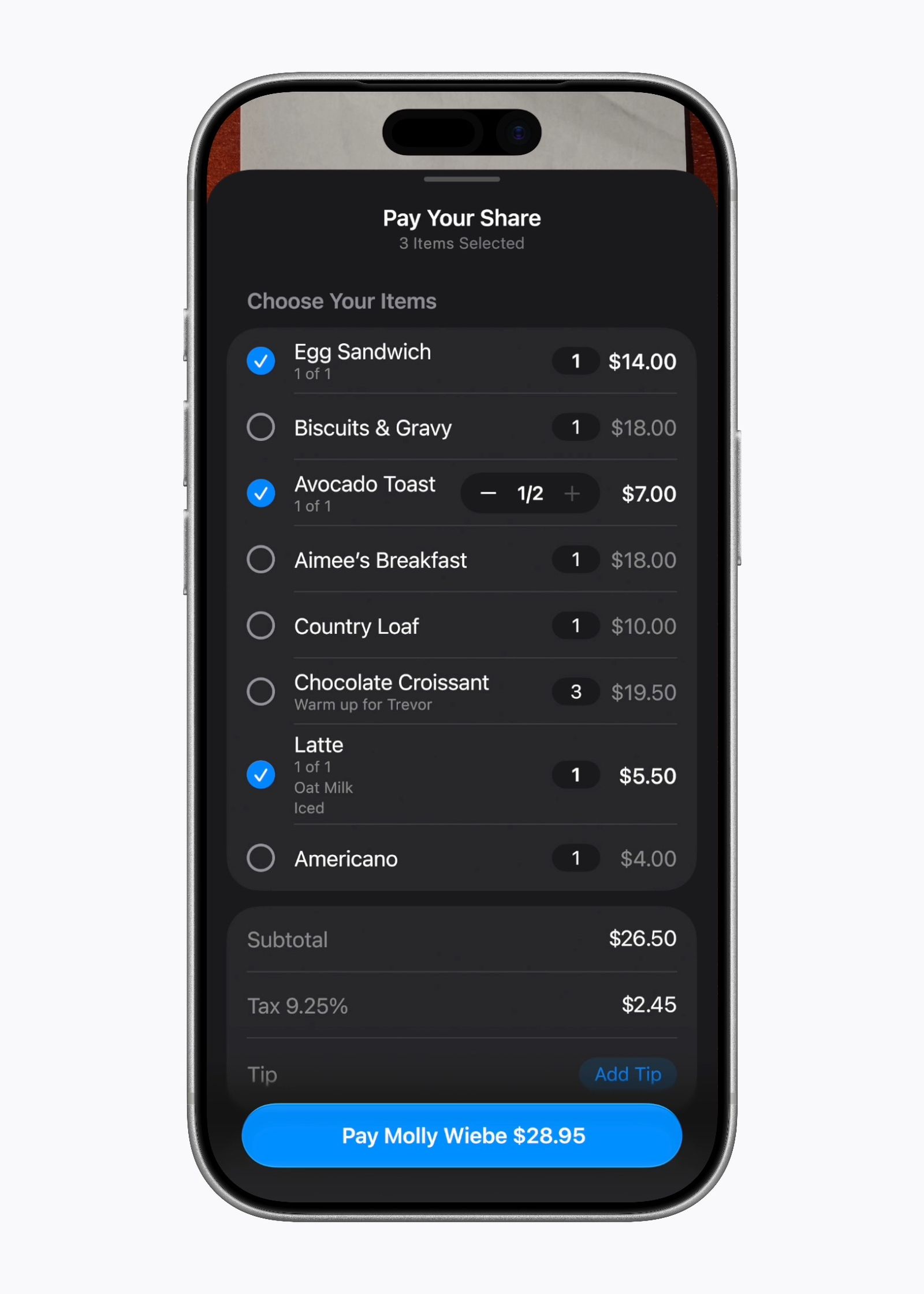
Bill Splitting
iOS 27 integrates a bill splitting feature into Messages, Apple Wallet, and Siri mode in the Camera app.
Simply select a photo of a receipt or point the camera in Siri mode at a bill and it will automatically identify the items on the receipt. The amount owed is then calculated, including tax and tip, so everyone can pay exactly what they owe using Apple Cash.
This feature is currently only available in the US.
Phone App
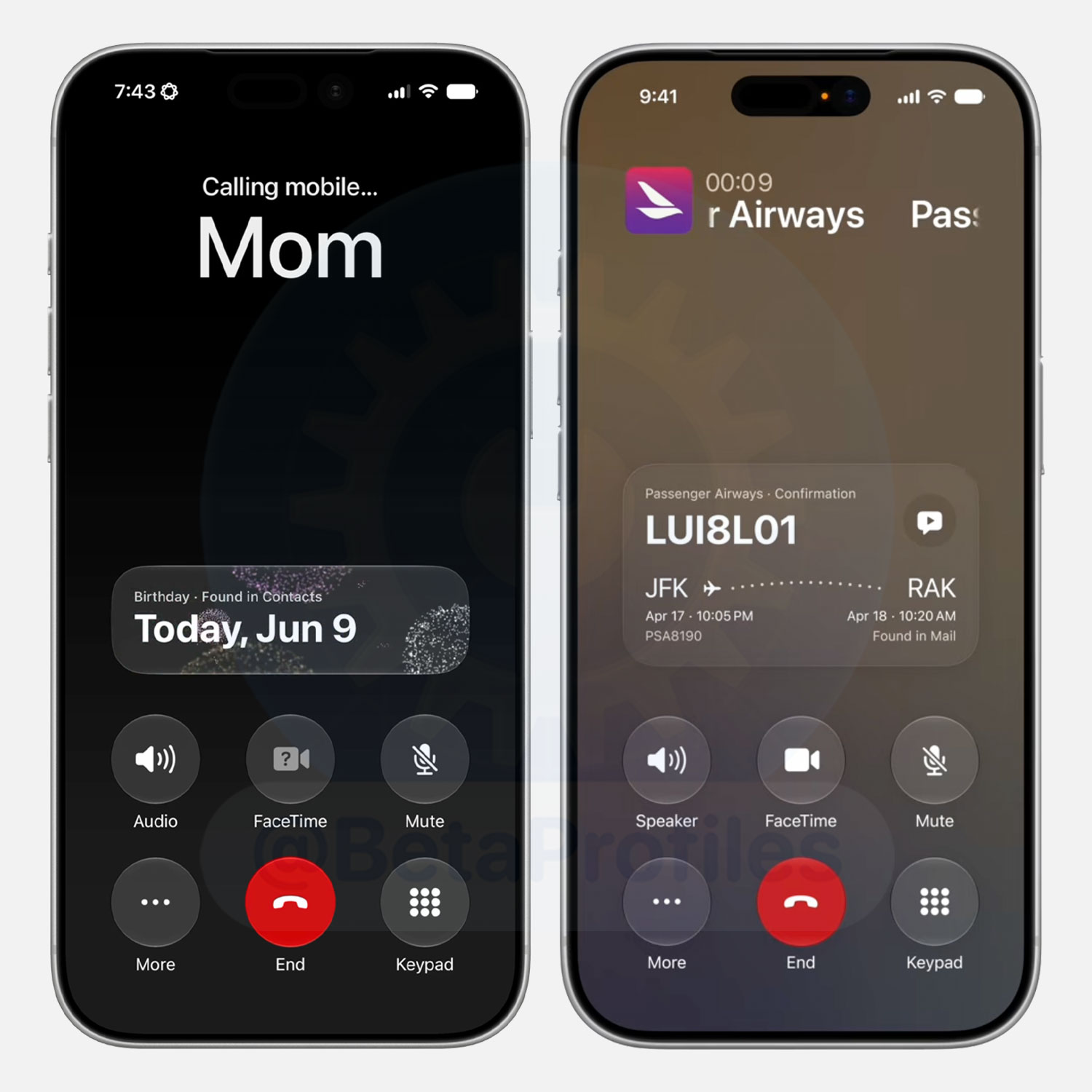
Show Relevant Information
The Phone app can now proactively surface relevant information from your other apps during a call.
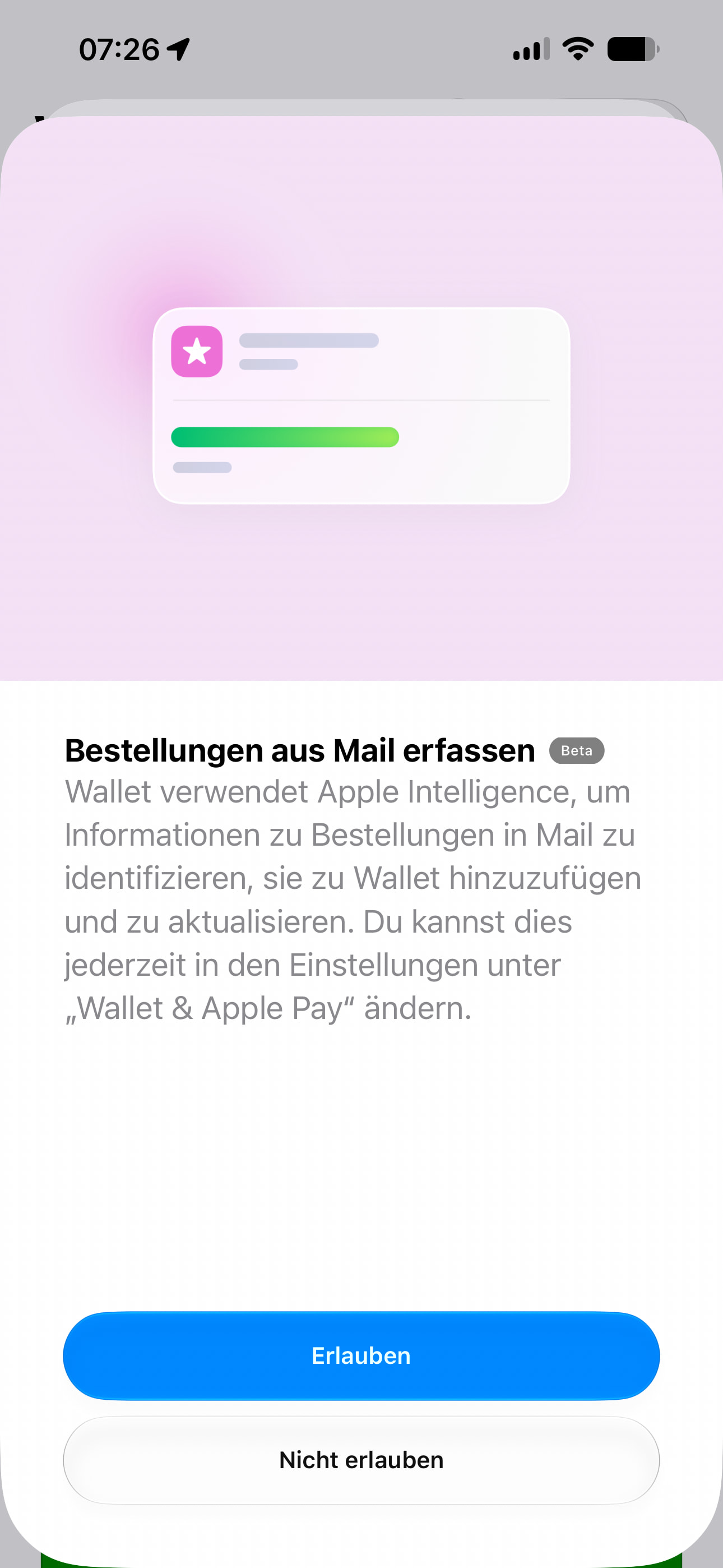
For example, if you call an airline to change a flight, the app will automatically look up your confirmation code in Mail so you have the necessary information ready as soon as the call begins. This feature runs entirely on device to ensure privacy.
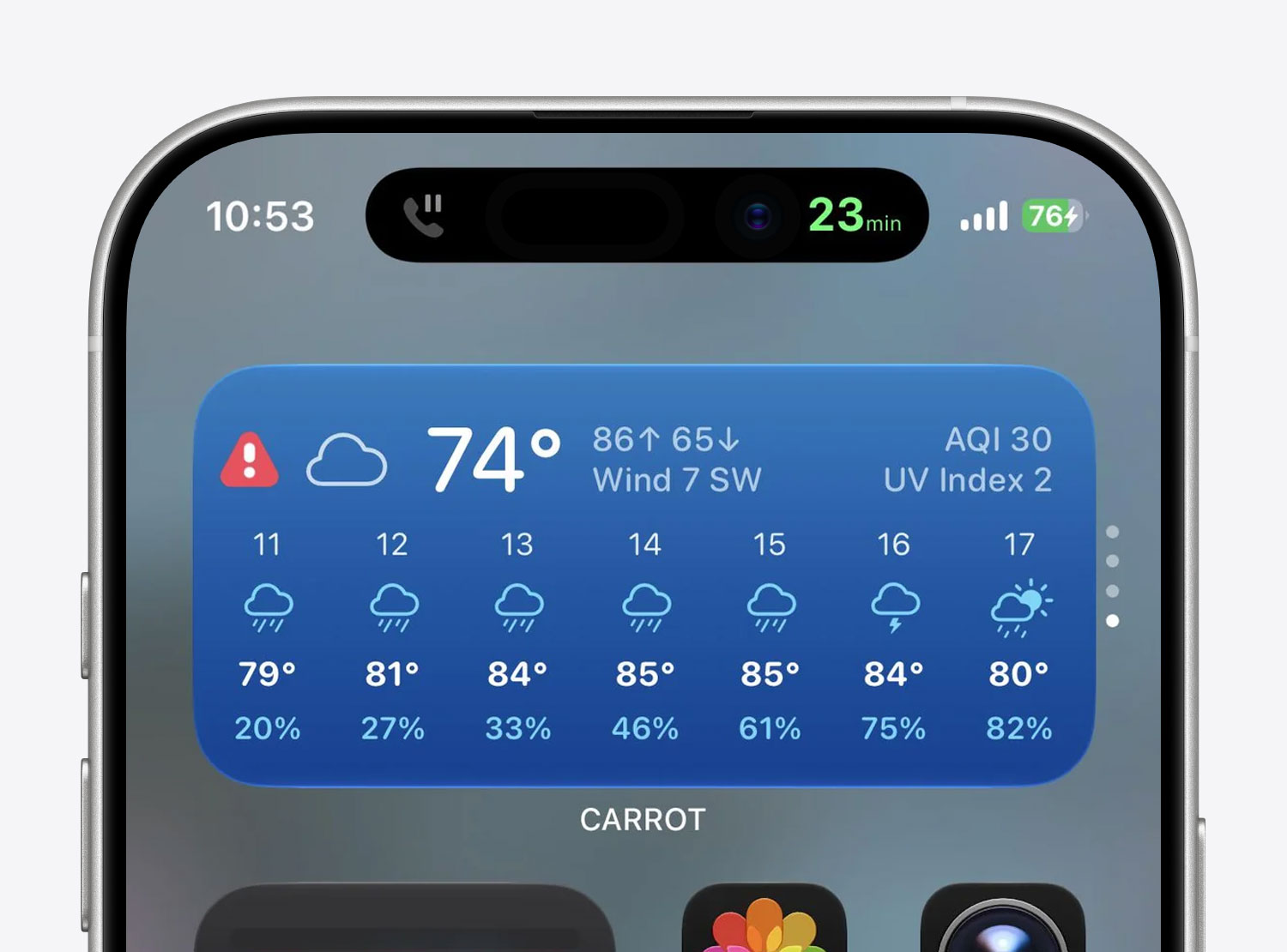
Hold Assist Update
Last year’s Hold Assist feature now predicts your estimated hold time in iOS 27 and keeps you posted via the Dynamic Island while you wait.
Thanks to u/cbro2afutk
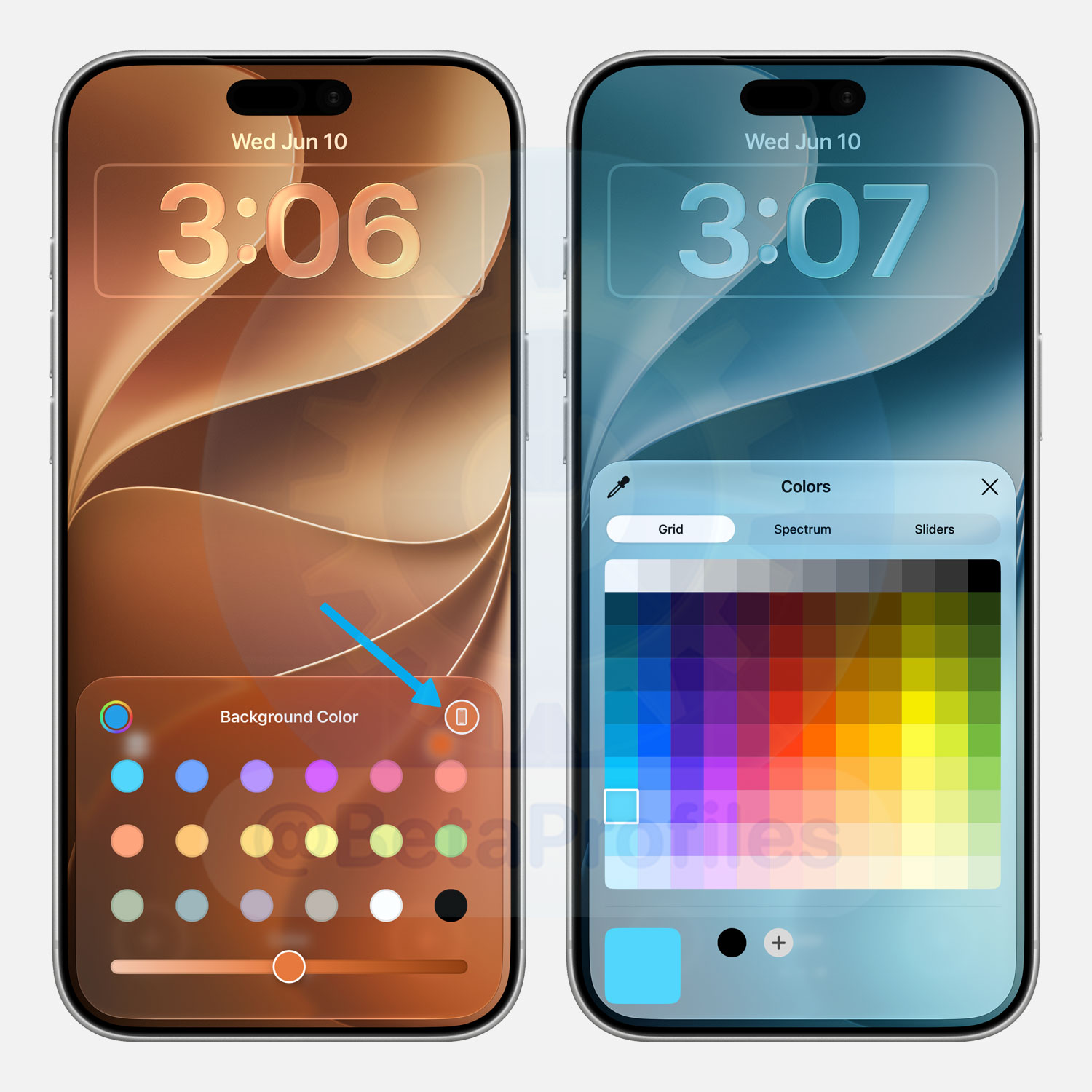
iOS 27 Wallpaper
The new iOS 27 and iPadOS 27 wallpapers come in a Color version that reflects your device’s physical color. It also supports full color customization if you want to make it your own.
Notes
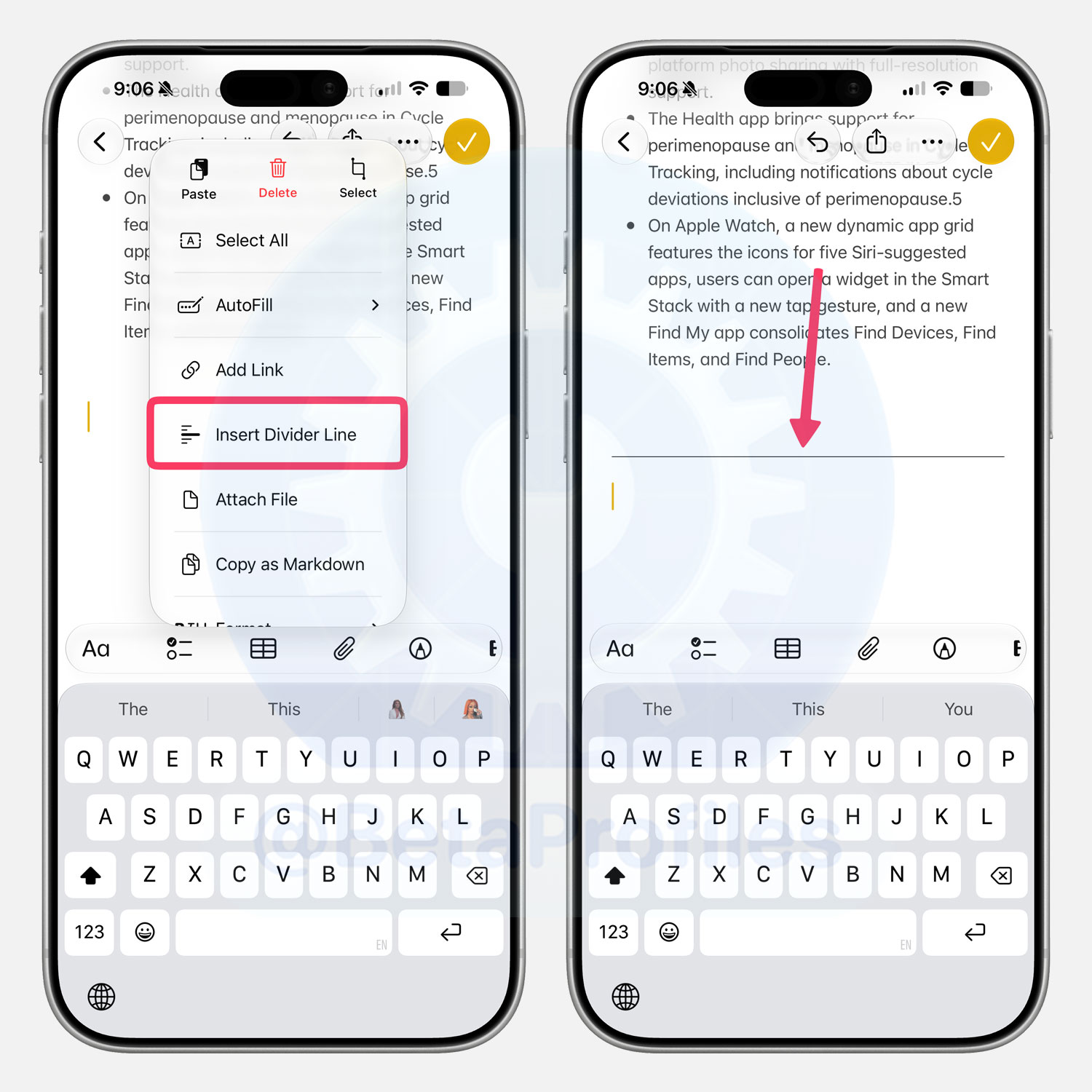
Insert Divider Line
A new Insert Divider Line option shows up in the Notes app’s Paste, Delete, Select menu in iOS 27.
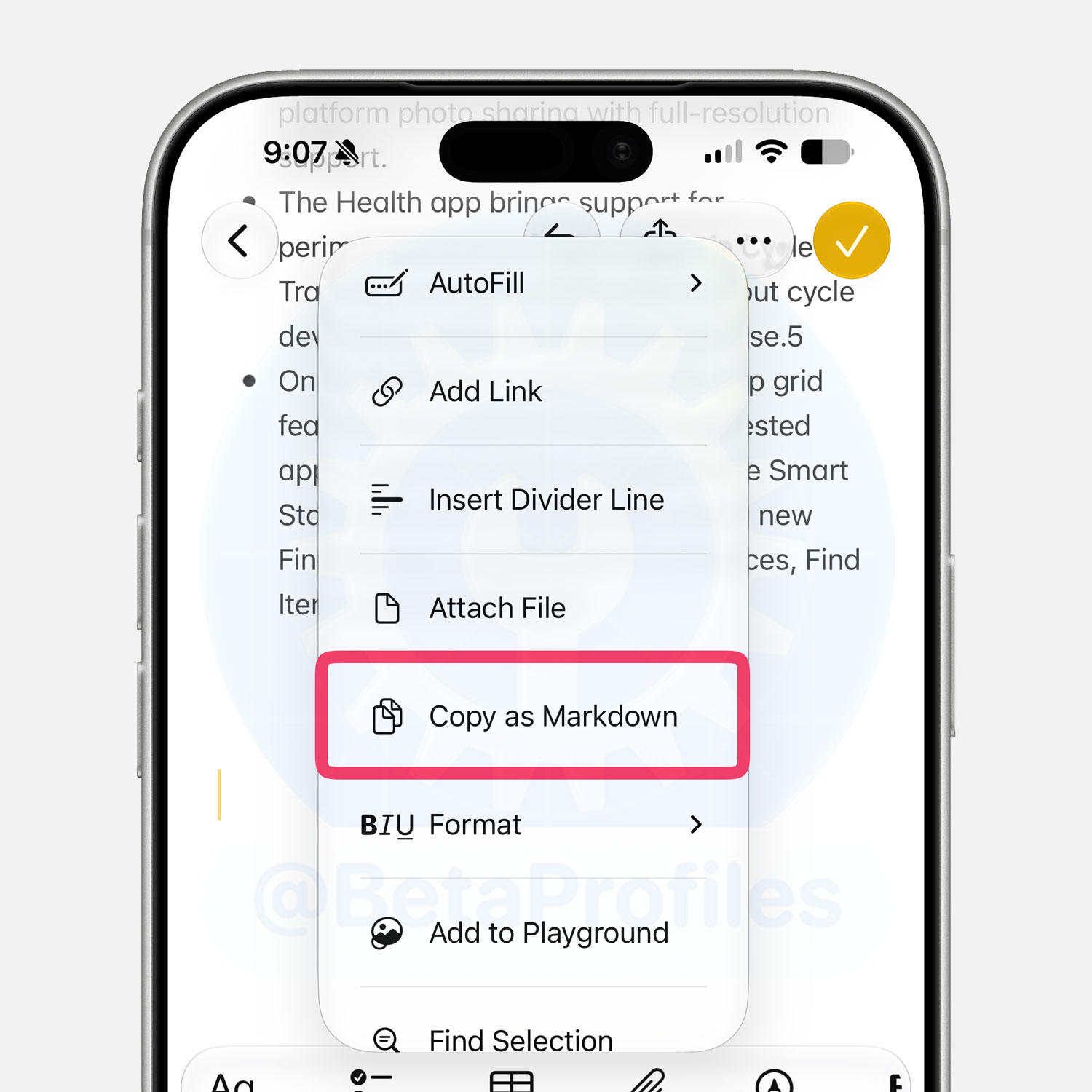
Copy as Markdown
You can now copy content from a note in markdown format. Additionally, pasting content from markdown format into a note gives you a fully formatted view.
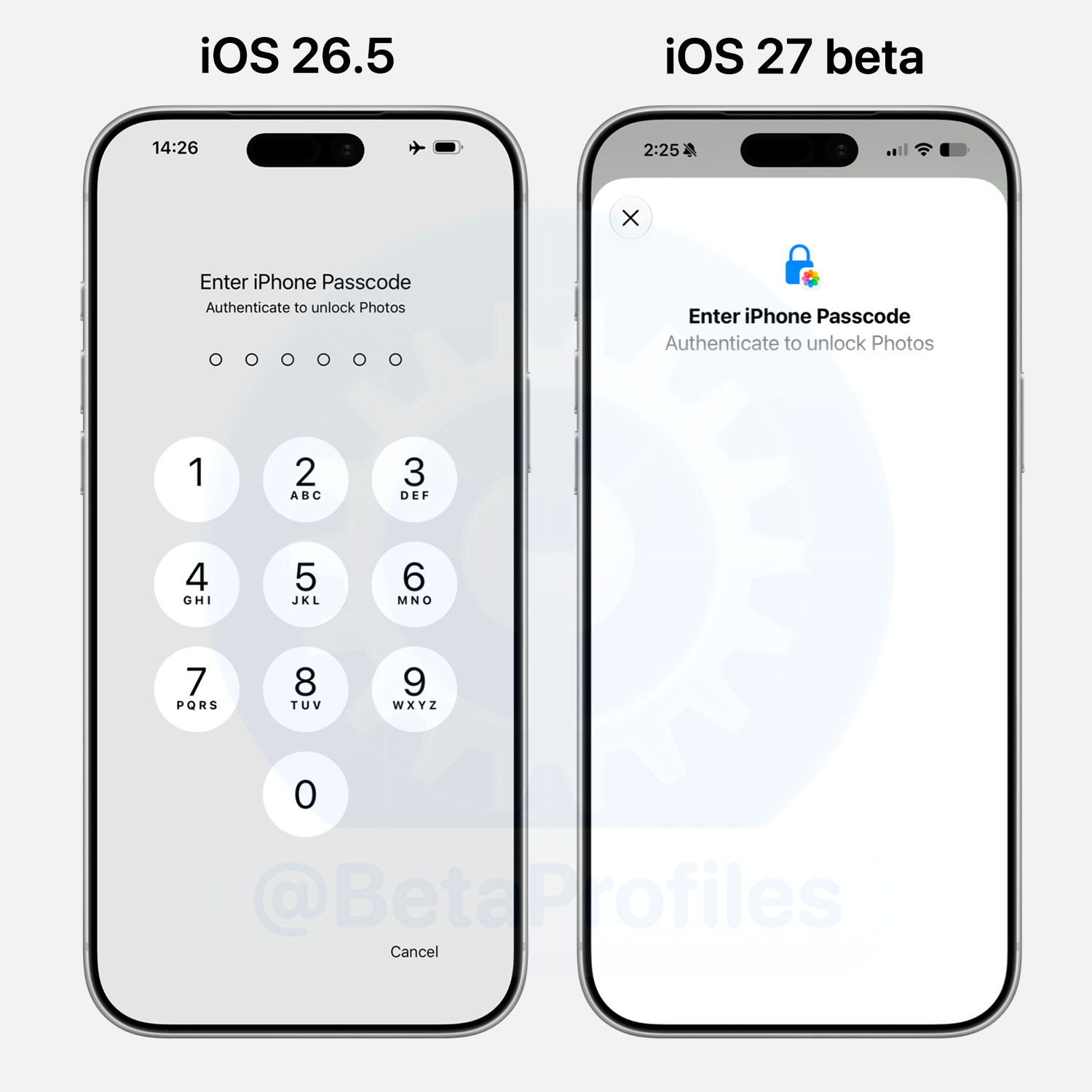
Locked App Passcode Screen
- iOS 27 redesigns the passcode screen for locked apps. When Face ID doesn’t recognize you, the new screen now shows a lock icon along with the app’s icon.
The iOS 27 beta passcode screen also automatically hides the number pad when I take a screenshot.
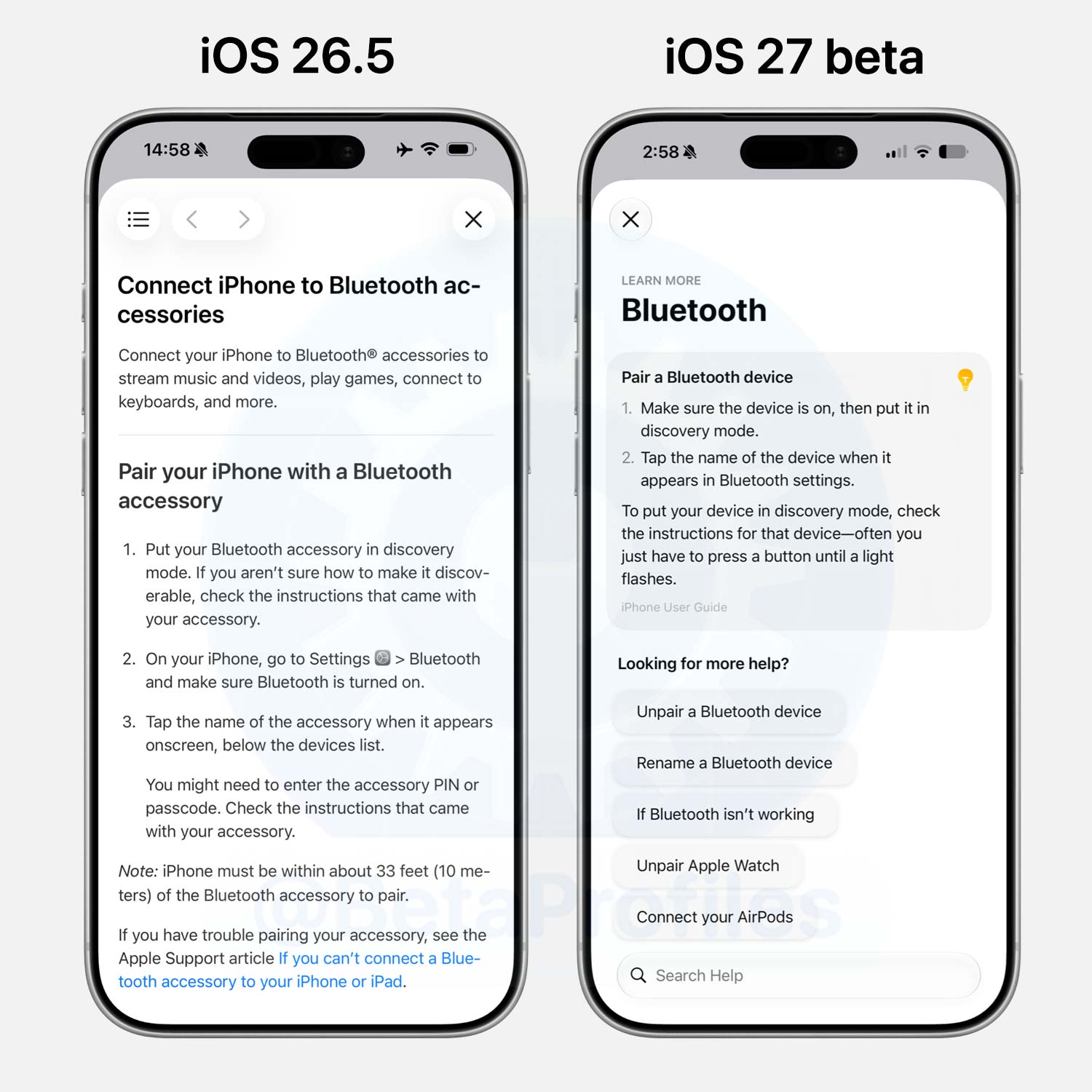
Learn More Links in Settings
Some settings pages like Wi-Fi, Bluetooth, Cellular, Accessibility, Siri, and more have a Learn more link at the top of the page. Tapping these links provides simplified guidance content and suggests related questions.
That said, as @javisx pointed out, this change is exclusive to Apple Intelligence devices.
Thanks to @multchrome!
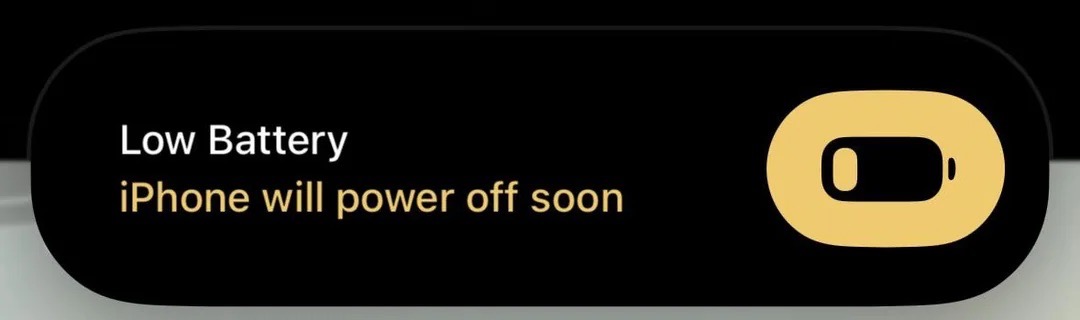
1% Battery Alert
In addition to the 20% and 10% low battery alerts, iOS 27 now also displays a low battery warning when your iPhone reaches 1%, letting you know it will shut down soon.
Thanks to u/nonotdoingone
Apple Maps
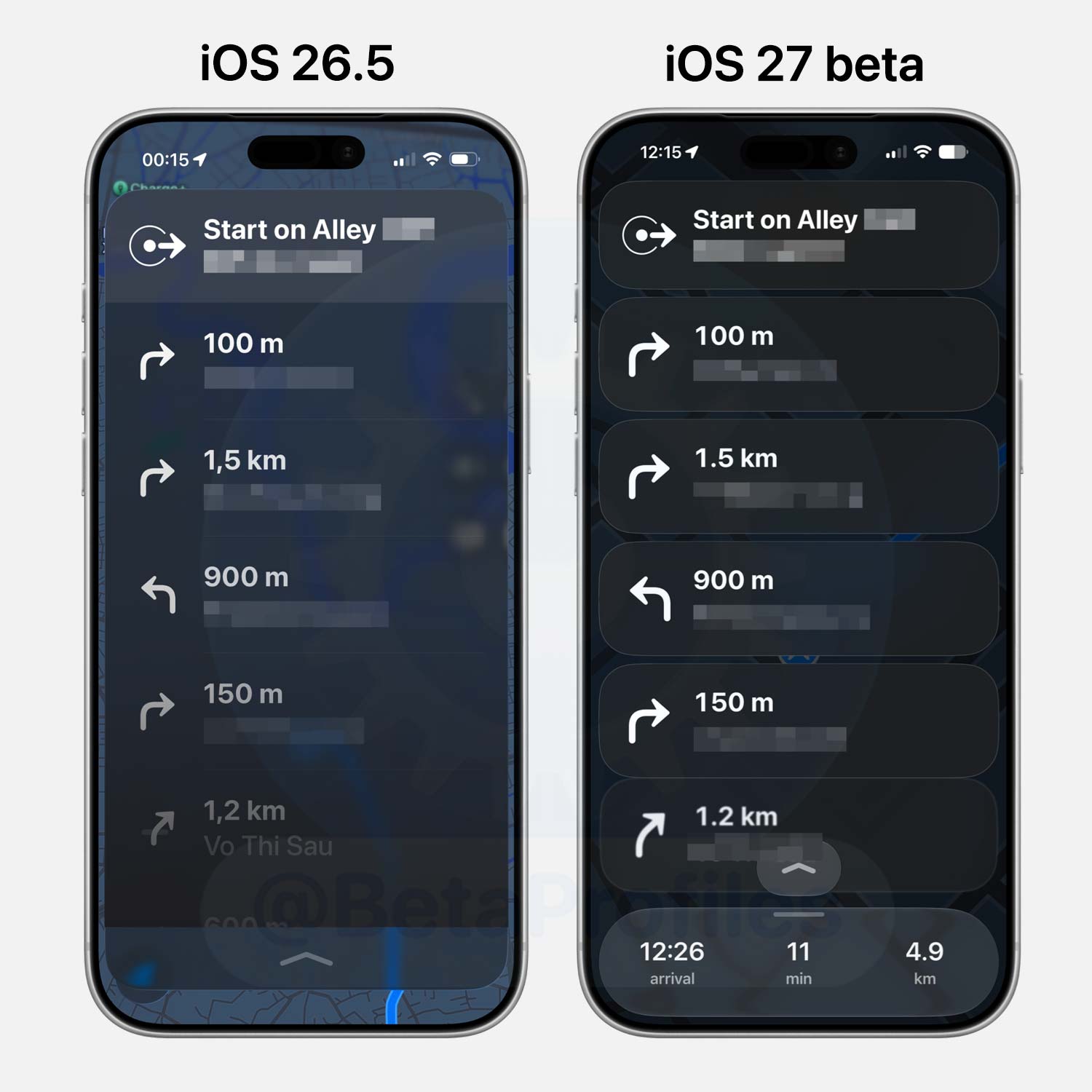
Route guidance in Maps has now been updated with Liquid Glass. The interface also looks darker to make the directions stand out more.
Thanks to @KingDando
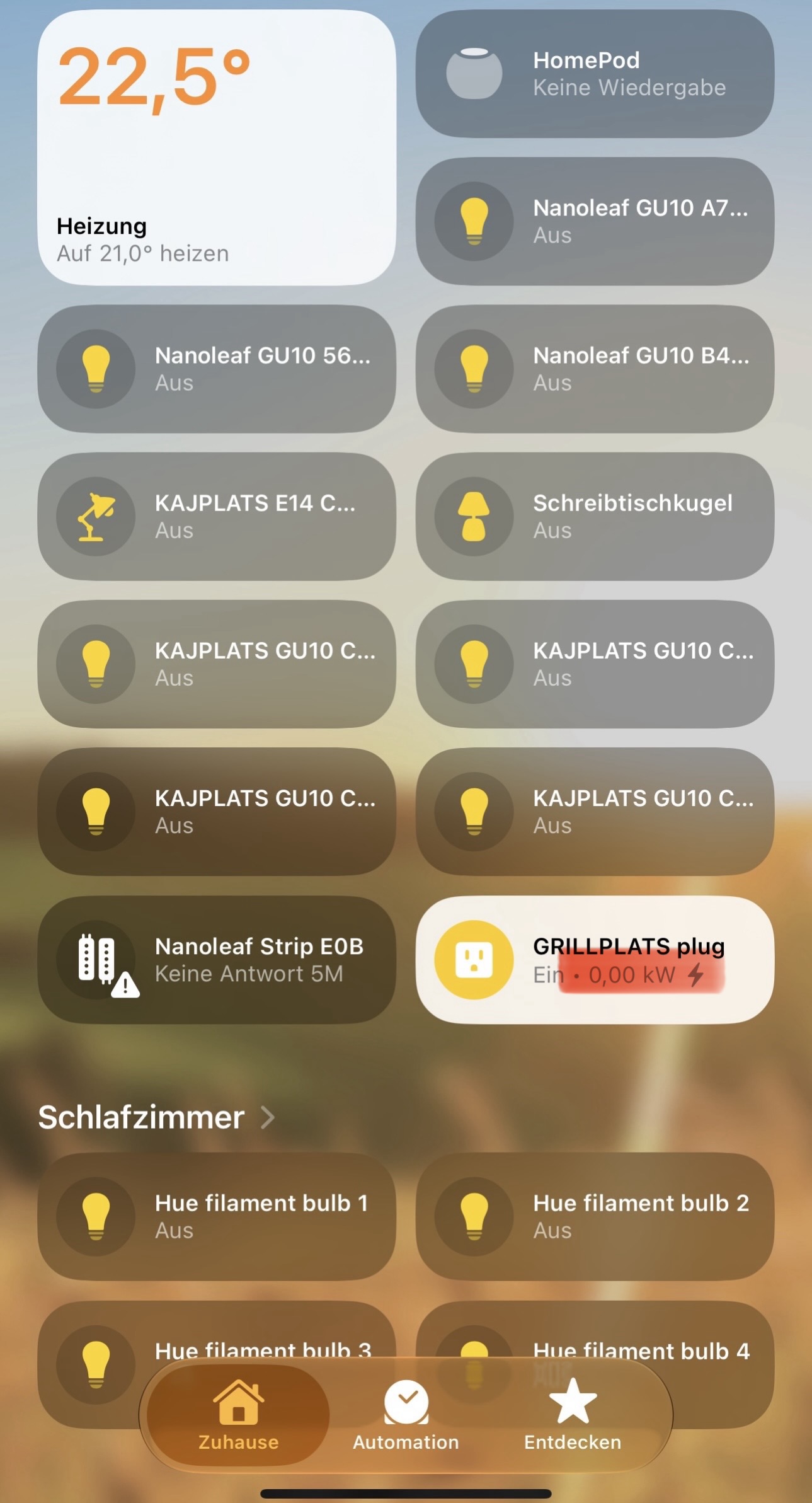
Home App
4K Video
The Home app in iOS 27 finally supports 4K playback for recorded clips on compatible cameras, lifting the old 1080p cap.
Smarter Accessory Notifications
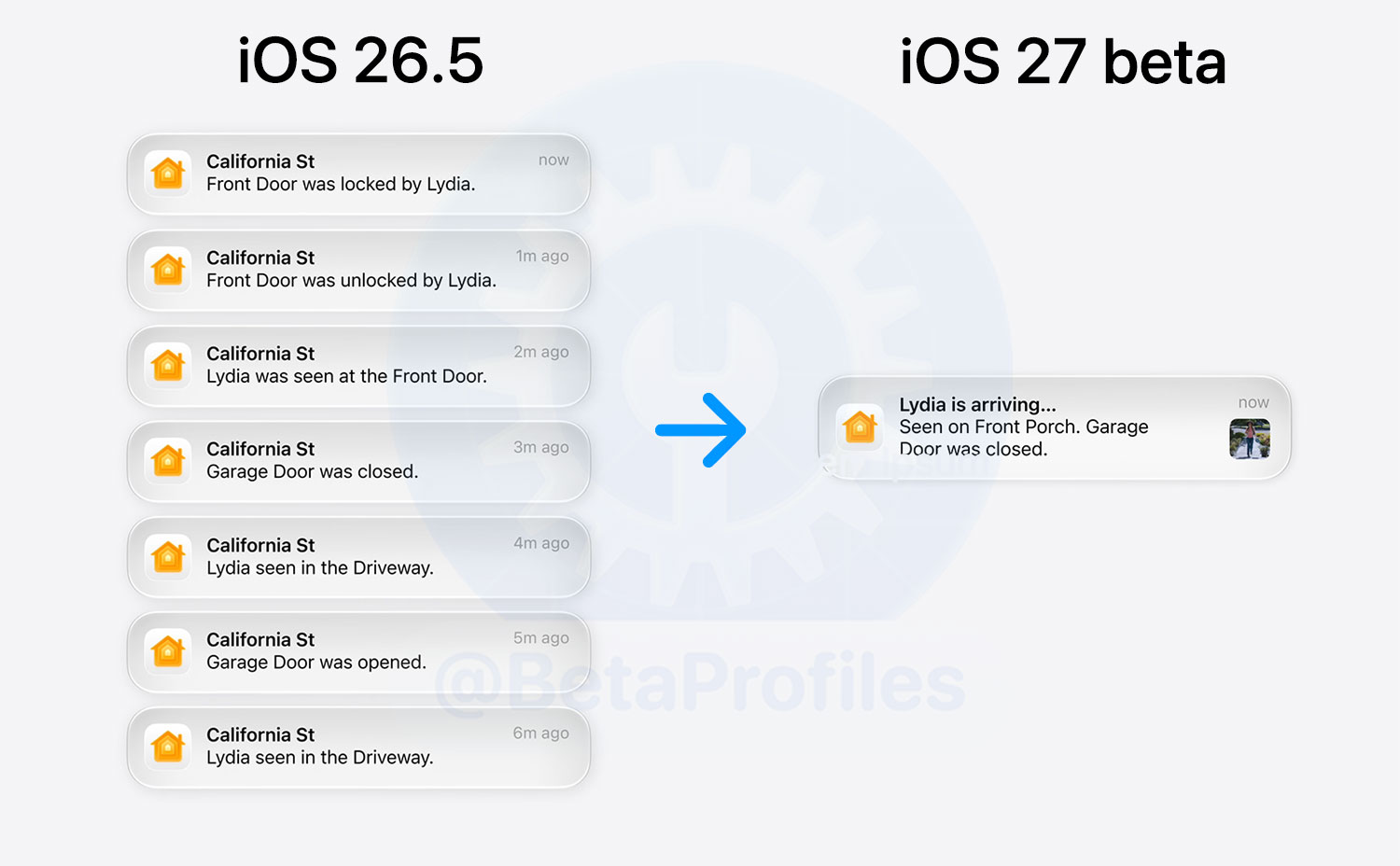
Apple also integrates Apple Intelligence into the Home app to group related notifications in real time into a single notification, reducing notification clutter and letting you catch up on everything with just one alert.
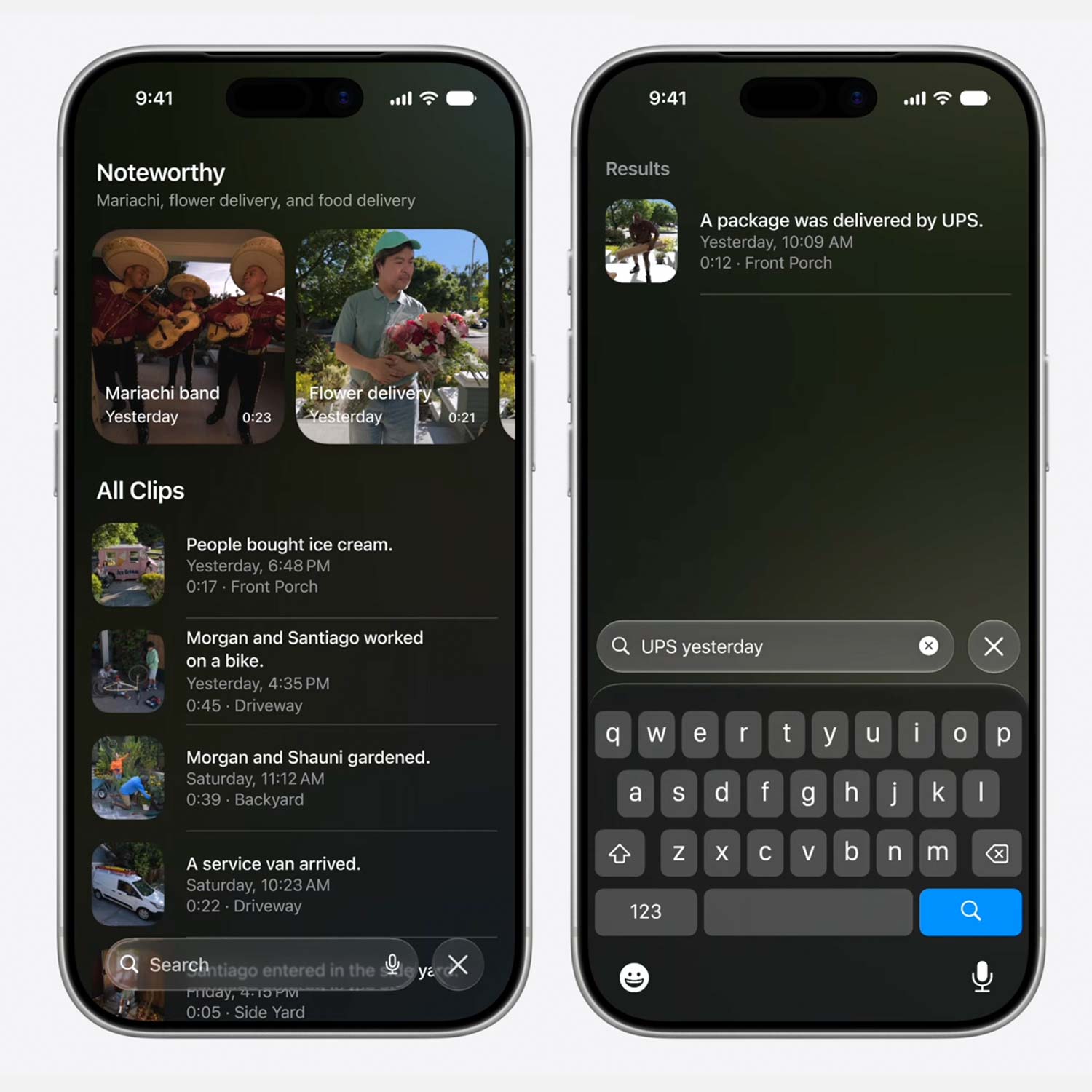
Generated Video Descriptions
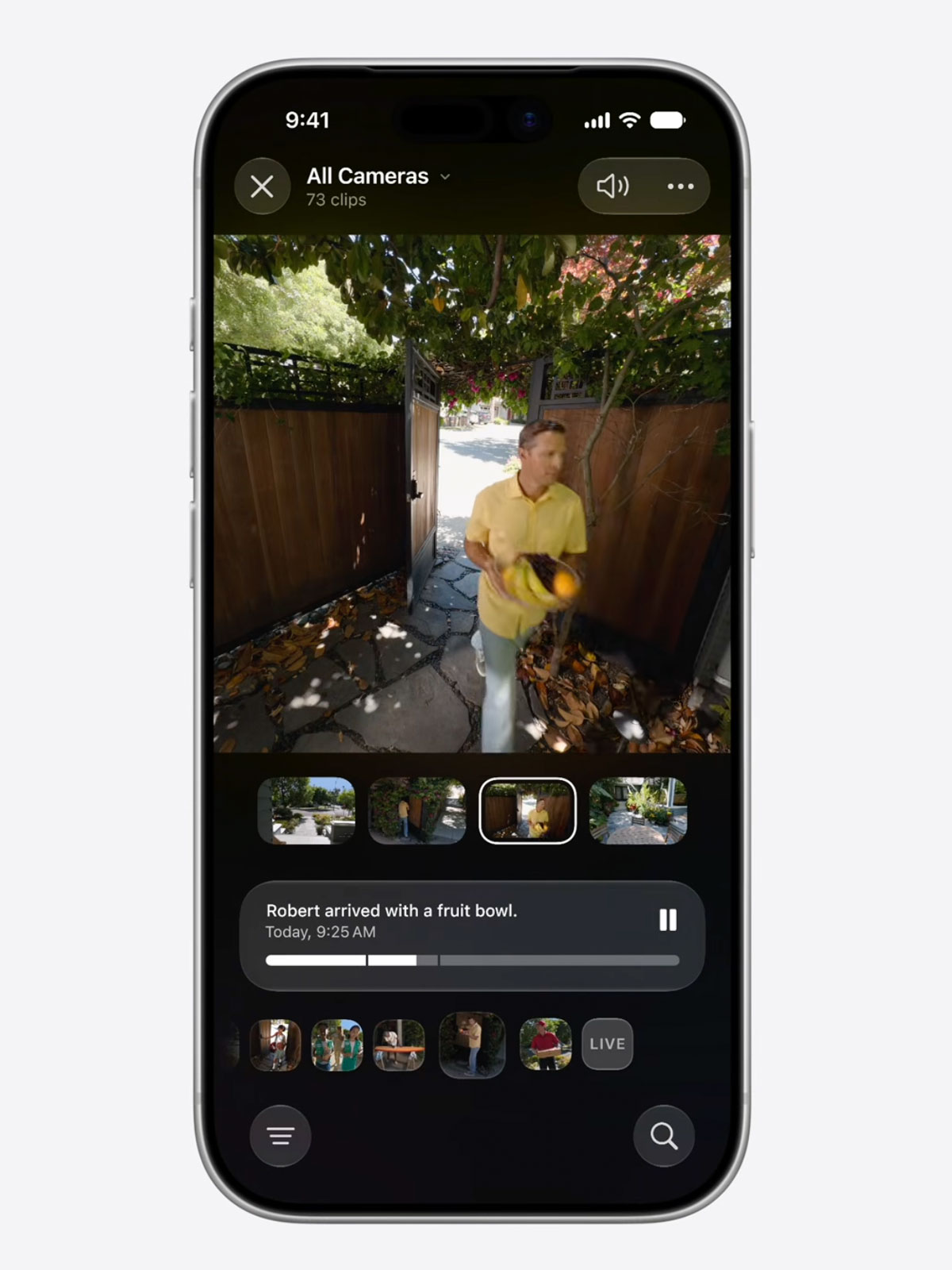
The Home app can now analyze footage from compatible cameras and generate automatic descriptions, so you know what happened without watching every clip.
Search in Clips
Those auto generated descriptions also make camera clips searchable. Looking for that package delivery? Just search for it. The Search page even surfaces key moments at the top that you might want to look back on.
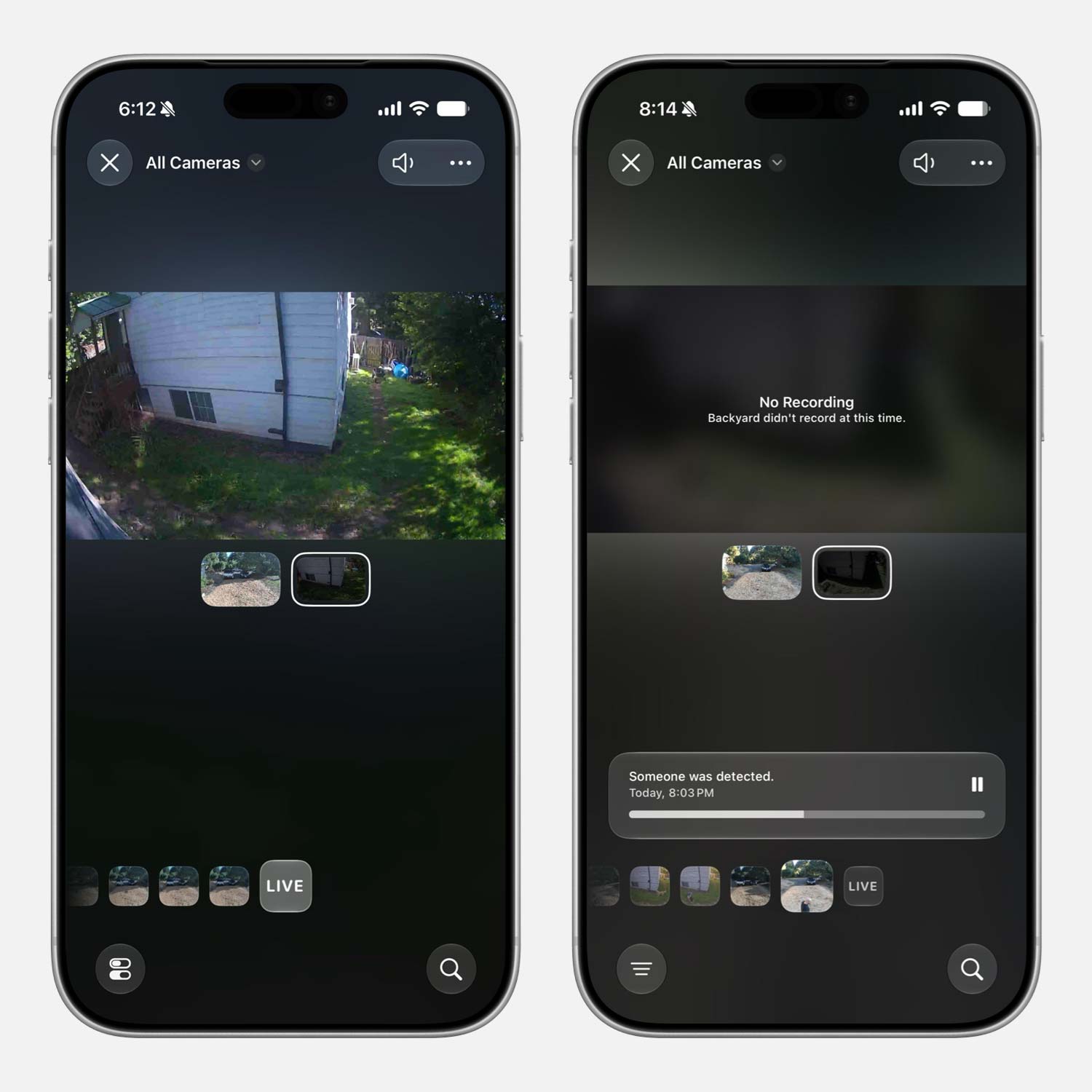
New Video Interface
The HomeKit camera viewing interface has also been updated, with recordings from all your cameras merged into a single timeline. It also links all your cameras together so you can see whether they captured footage at the same time.
Thanks to u/JoshTylerClarke
Standalone Remote App
The Remote app can now be added to the Home Screen. Previously, you could only find it through Spotlight search or open it via the Remote control in Control Center.
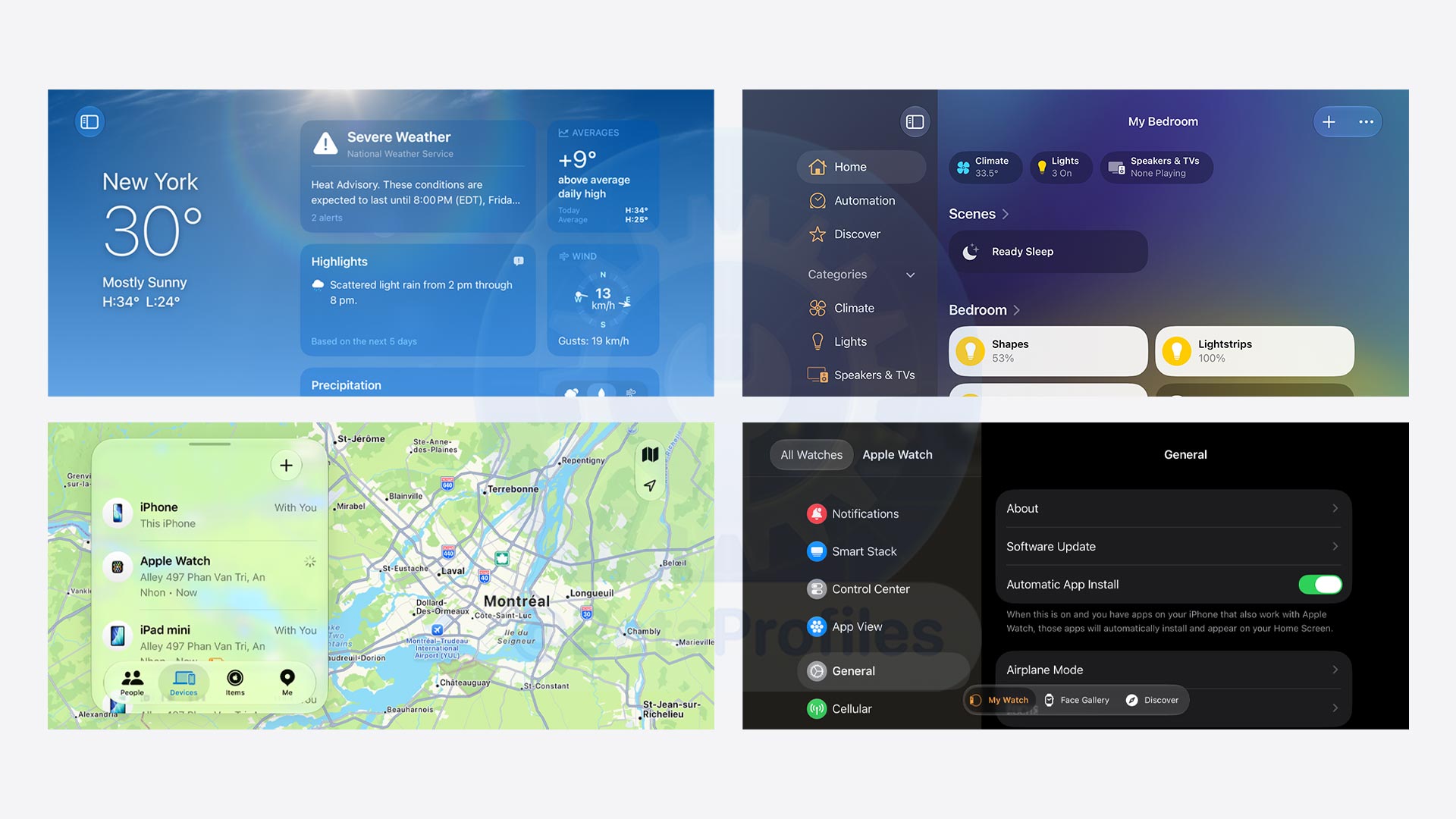
Landscape Mode Comes to Many Apps
A ton of Apple apps gain landscape and sidebar support on iPhone with iOS 27: Weather, Health, Home, Passwords, Apple Watch, Fitness, Find My, Shortcuts, Reminders, Voice Memos, Apple TV Remote, and the now playing interfaces in Apple Music and Podcasts, among others.
You can even adjust sidebar widths in supported apps. Try it in Messages and you’ll see how flexible it is.
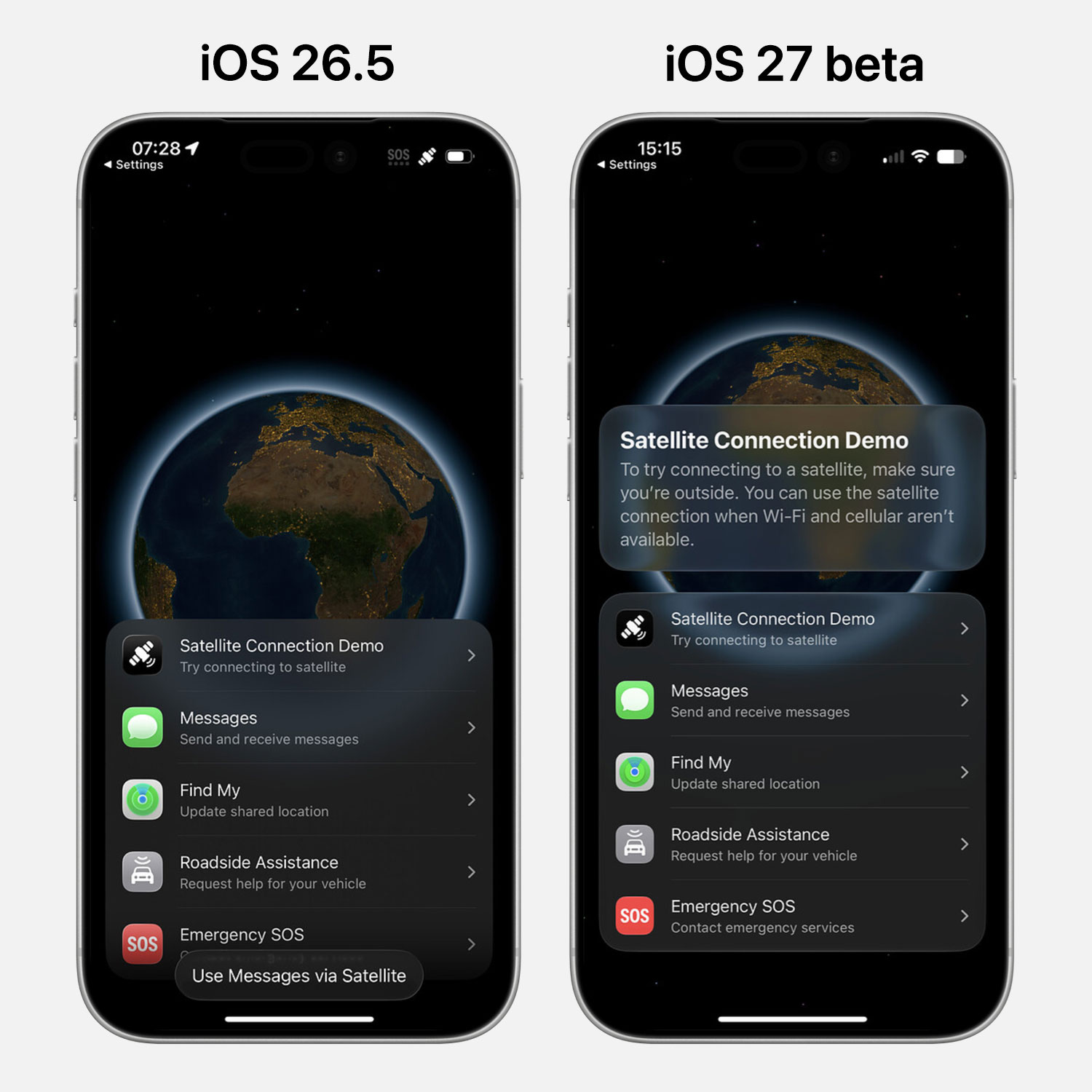
Satellite Connection
The Satellite Connection interface has been updated with Liquid Glass.
Thanks to @Zagnut531
Dual Camera FaceTime
iOS 27 finally lets you use both the front and rear cameras at the same time during a FaceTime video call. This feature requires both devices to be updated to iOS 27.
I’ll keep adding more iOS 27 beta 1 changes and new features here as I discover them. Stay tuned and follow @BetaProfiles on X or Threads!

 Some users on Reddit report that this might be tied to indexing, yet others report that they have “New Siri” with indexing still in progress. Personally, I didn’t even get indexing in my settings app