Apple today released the first iOS 27.2 beta to developers. Yes, you read that right: it’s iOS 27.2 beta, not iOS 27.1 beta. This is the next major update following iOS 27, which just shipped. Here’s everything new in iOS 27.2 beta 1 that I’ve found so far.
iOS 27.2 Developer Beta 1
Build: 24B5084k
Released: September 16, 2026
Why Is There No iOS 27.1 Beta?
Apple surprised everyone by releasing the iOS 27.2 beta without an iOS 27.1 beta first. It seems odd, but there’s a reasonable explanation.
iOS 27.1 definitely exists. Apple has confirmed the iPhone Duo will ship with it when the phone arrives on October 23. Putting out an iOS 27.1 beta now would risk exposing code tied to unannounced iPhone Duo features.
Apple might end up merging iOS 27.1 and iOS 27.2 sometime after the iPhone Duo launches to keep things from getting confusing. That’s just speculation on my part though, so we’ll have to wait and see.
Update: Apple details iOS 27.1 for the iPhone Duo
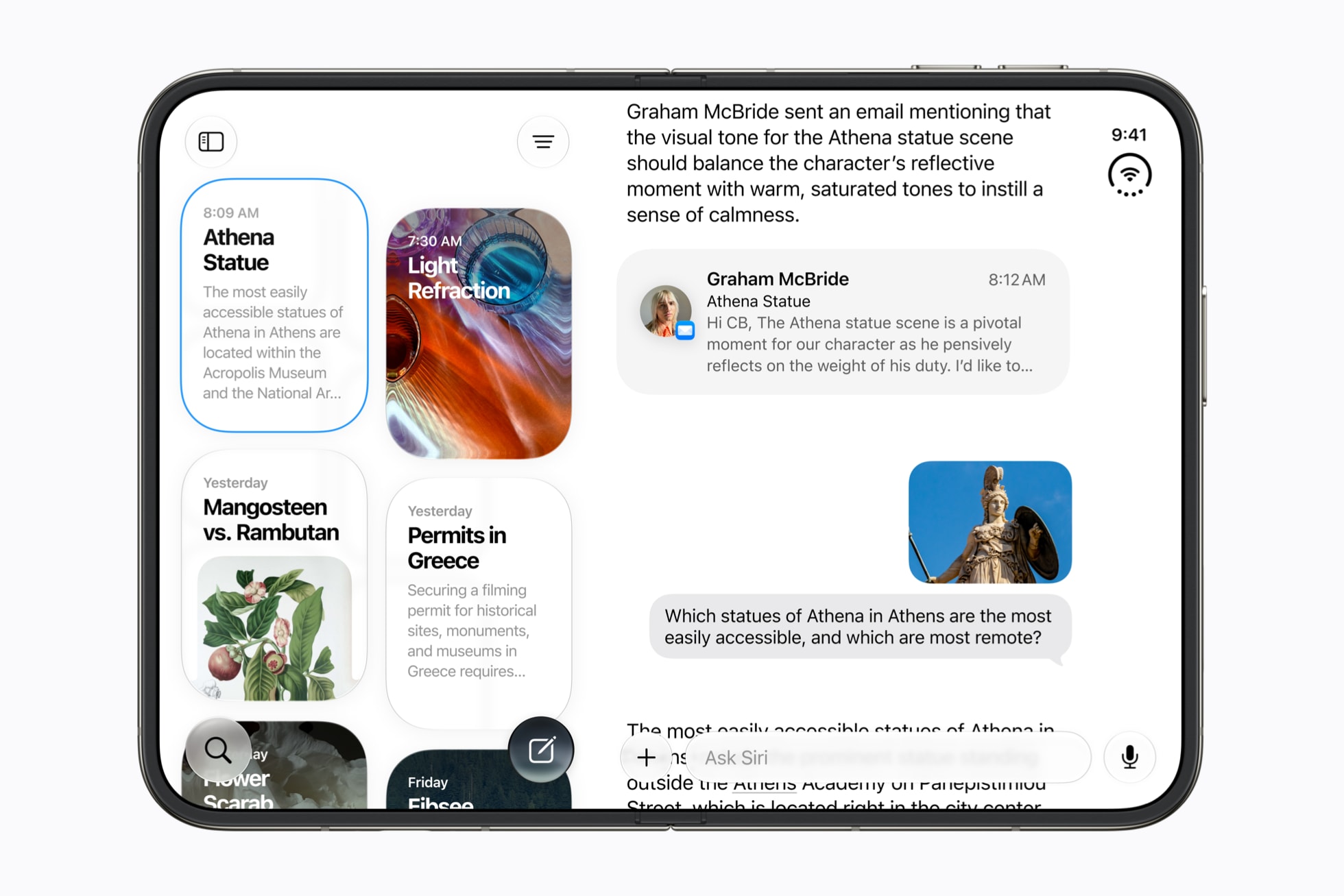
When iPhone Duo becomes available on October 23, it will run iOS 27.1. This version builds on the foundation of iOS 27 and introduces features that were purpose-built for the new foldable design.
Xcode 27.1 will add development support for iPhone Duo. This includes updated SDKs and a simulator that supports the all-new poses and orientations of iPhone Duo. A beta version will be available later this month.
Apple TV
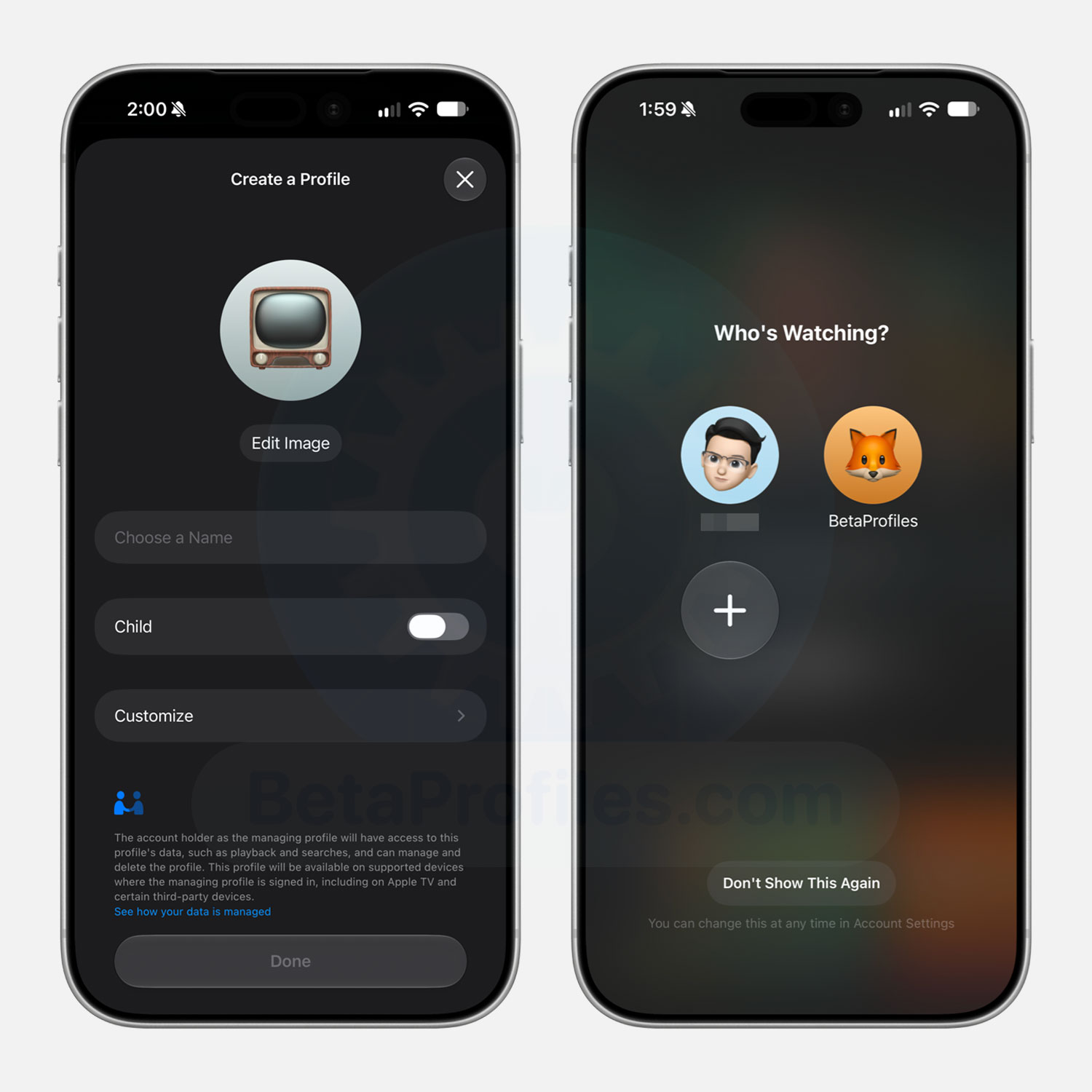
Similar to other streaming services like Netflix and HBO Max, the Apple TV app in iOS 27.2 beta 1 now supports creating separate user profiles.
You can create profiles for users without an Apple Account, such as children, and Apple TV will only show TV shows and movies matching the content rating you’ve allowed.
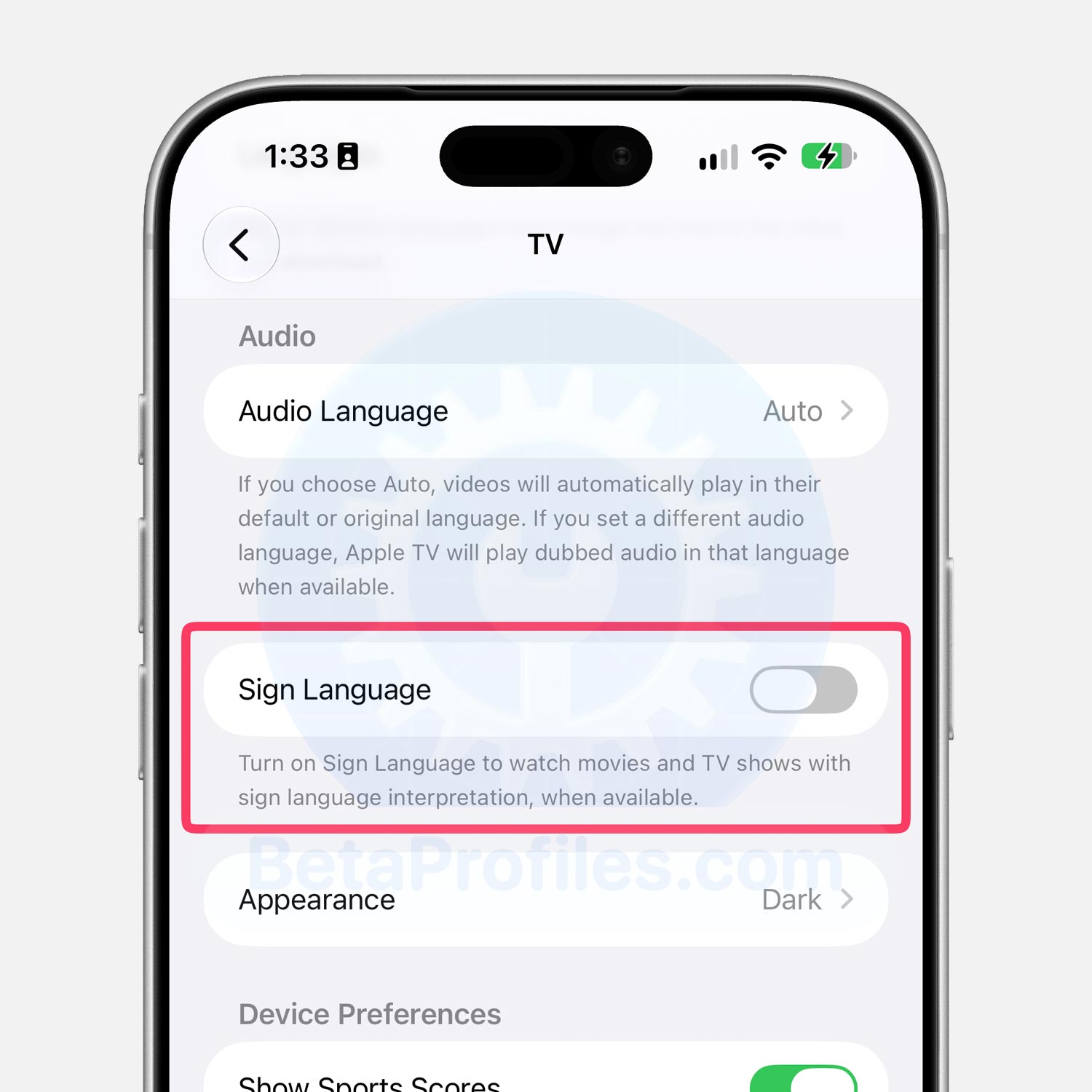
There’s a new Sign Language option in Settings > Apps > TV that enables sign language interpretation while watching movies and TV shows. Testing it on shows like Ted Lasso and Silo didn’t show anything different yet, though it could become active once iOS 27.2 reaches the public.
Thanks to @Ricapple
Health App
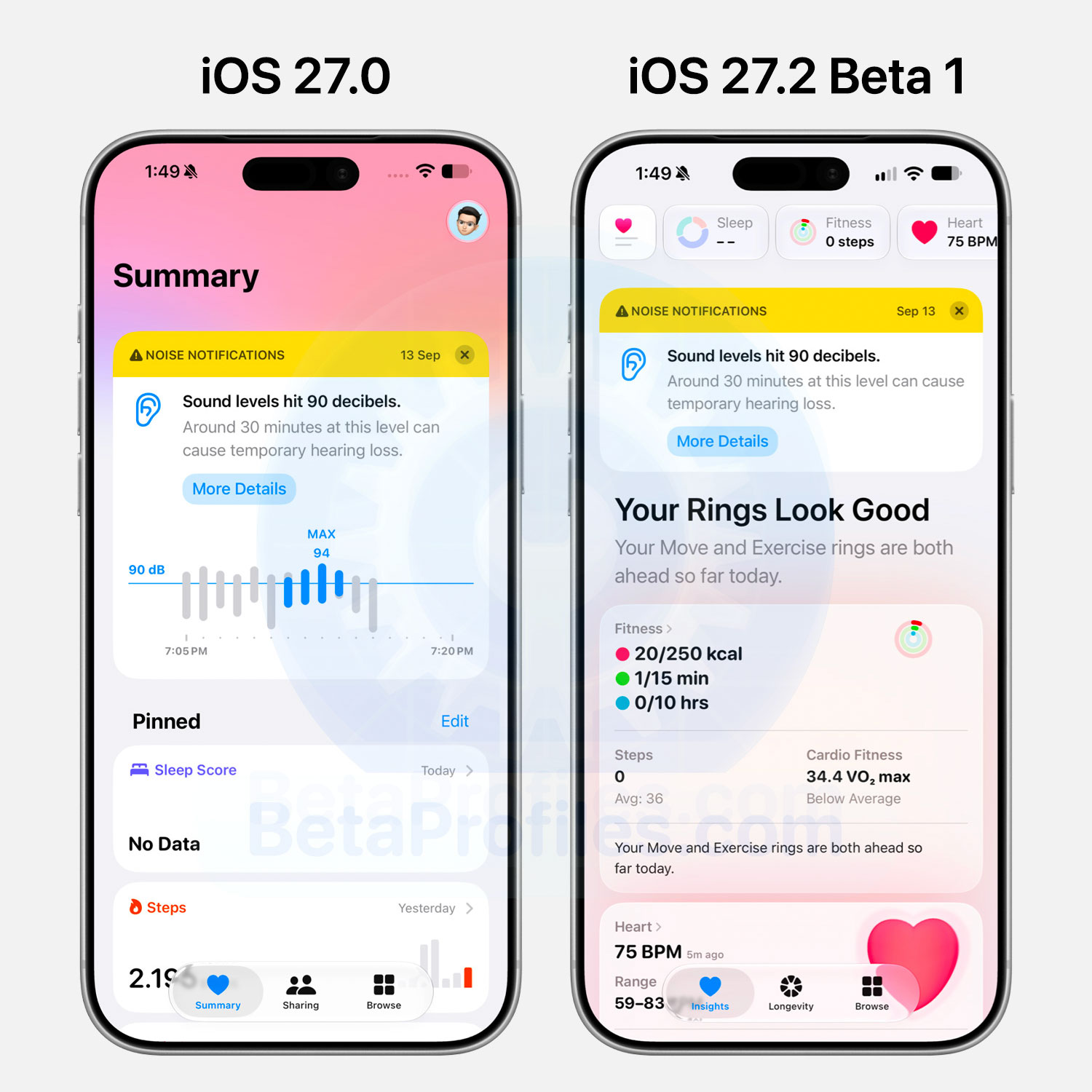
iOS 27.2 beta 1 redesigns the Health app with deeper Apple Intelligence integration for a more personalized experience. You can read Apple’s full announcement on the redesigned Health app and how it calculates your data here.
That said, it won’t ship with iOS 27.2 itself. Apple plans to add it in a separate update later this year.
Keep in mind that these new health features may require an Apple Intelligence capable iPhone paired with a newer Apple Watch.
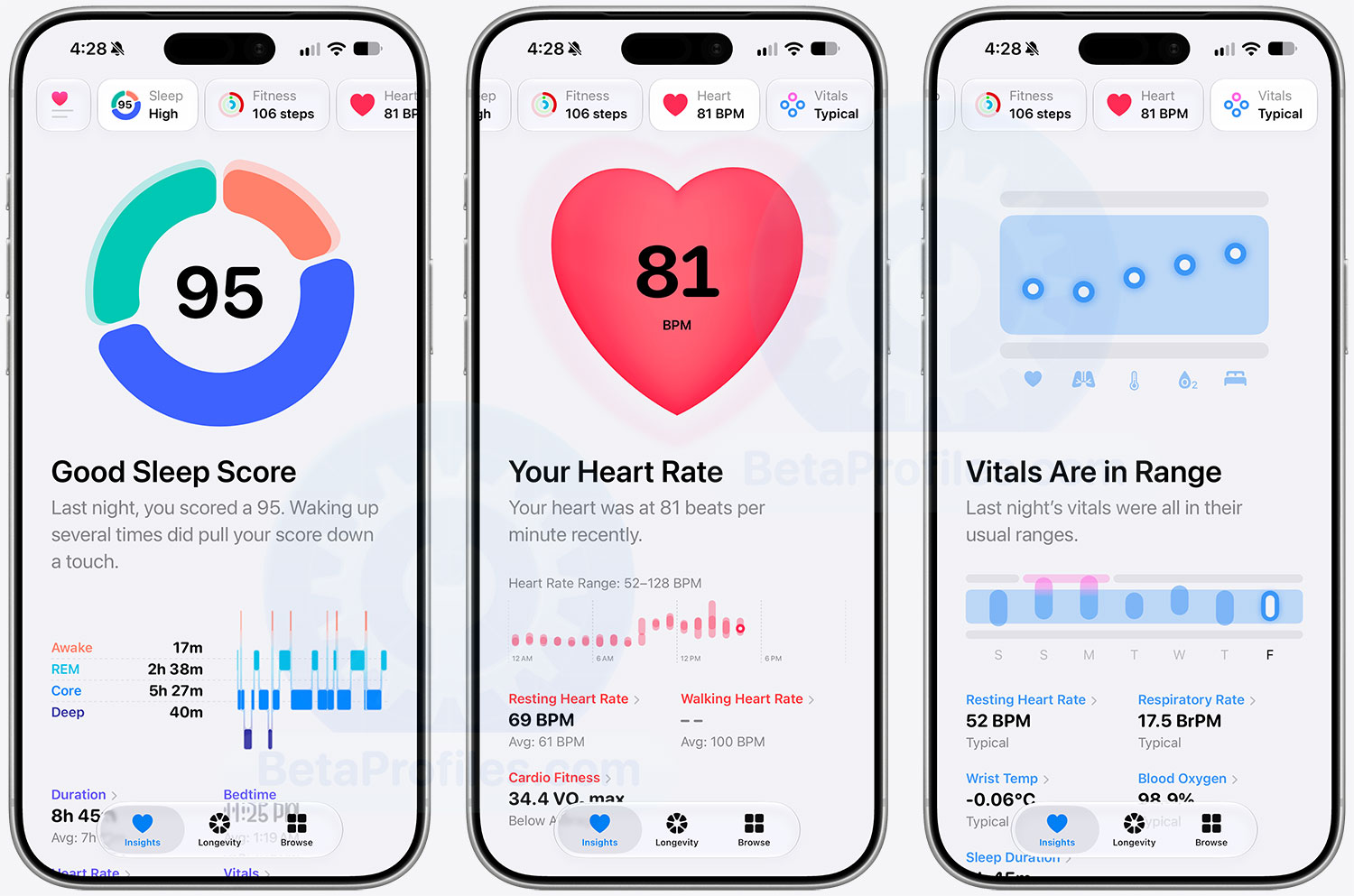
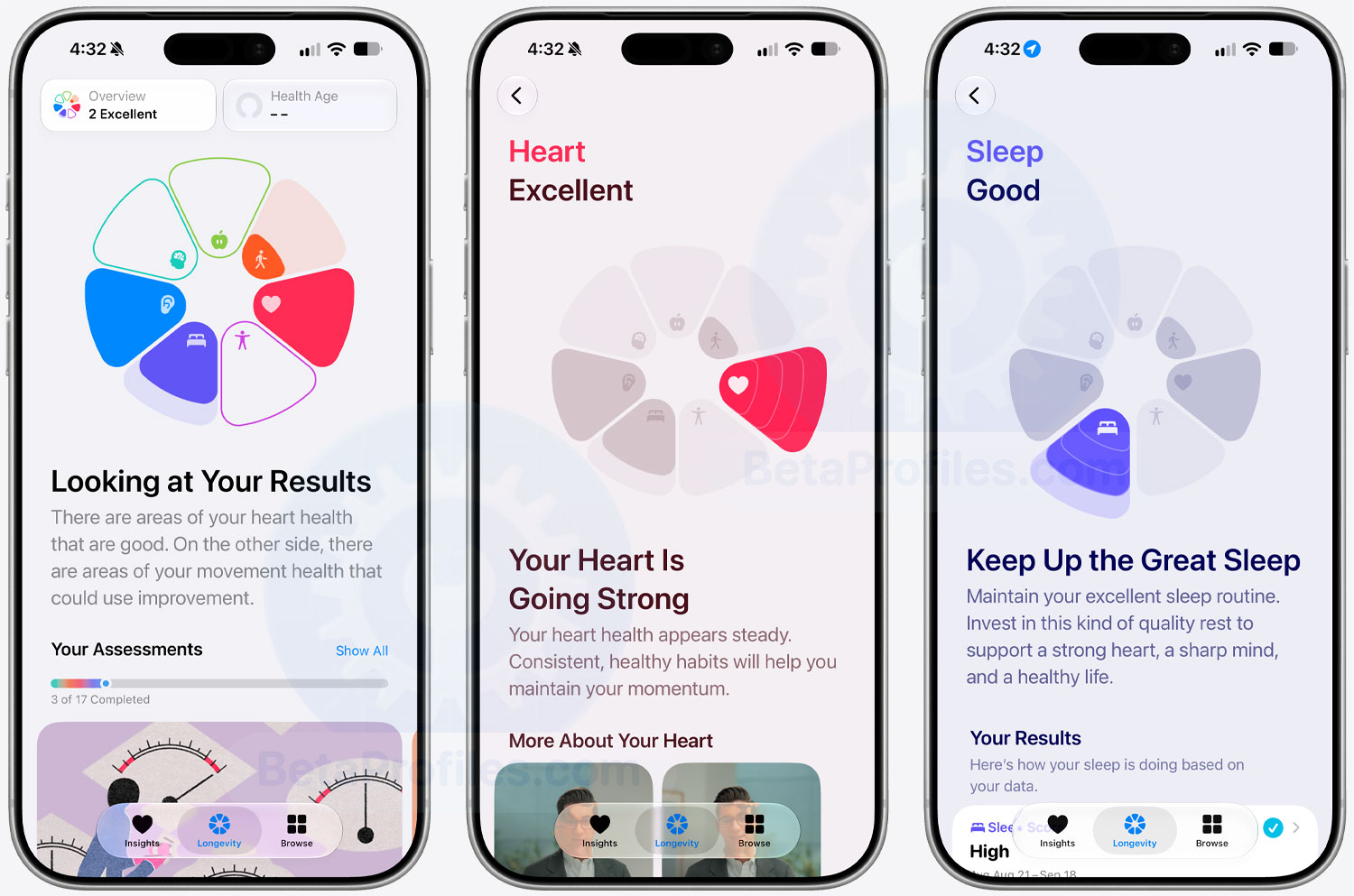
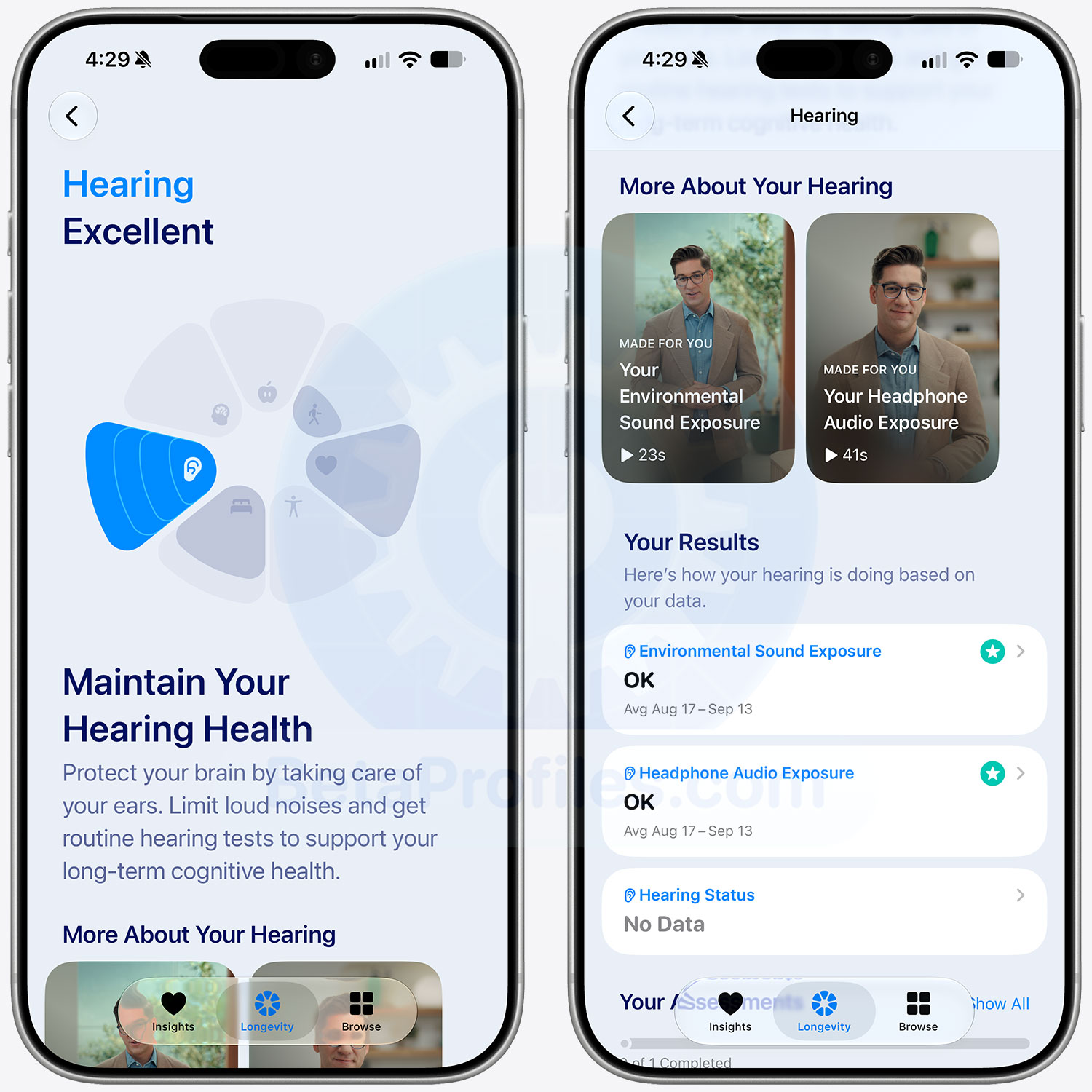
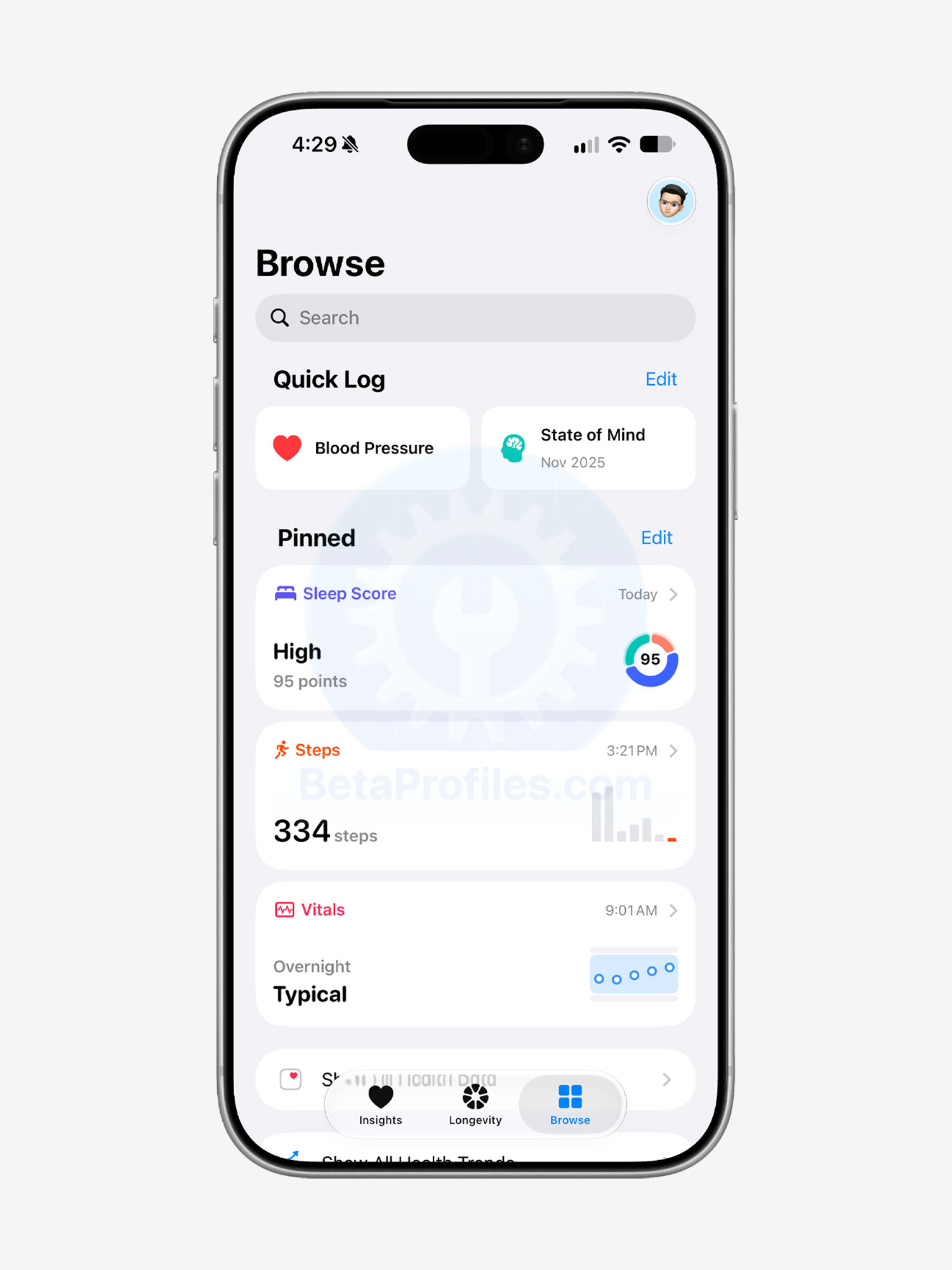
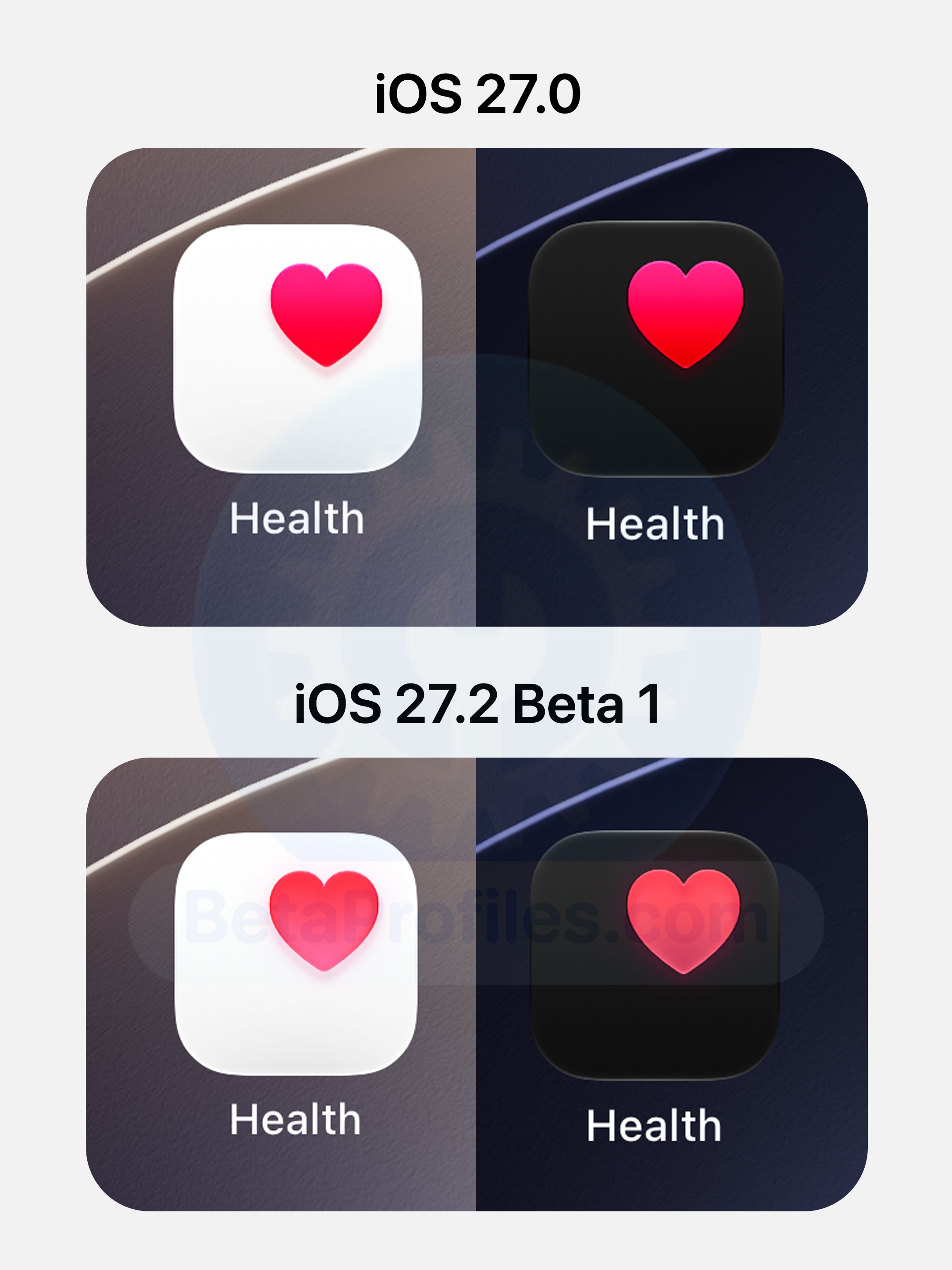
Additionally, the Health app icon has received a slight color update, with the gradient in the heart icon appearing lighter toward the bottom.
Siri AI
iOS 27.2 beta 1 expands language support beyond English, adding:
- French
- Japanese
- Korean
- Portuguese
- Spanish
FaceTime
Dual capture now works during FaceTime group calls in iOS 27.2 beta 1.
Apple Podcasts
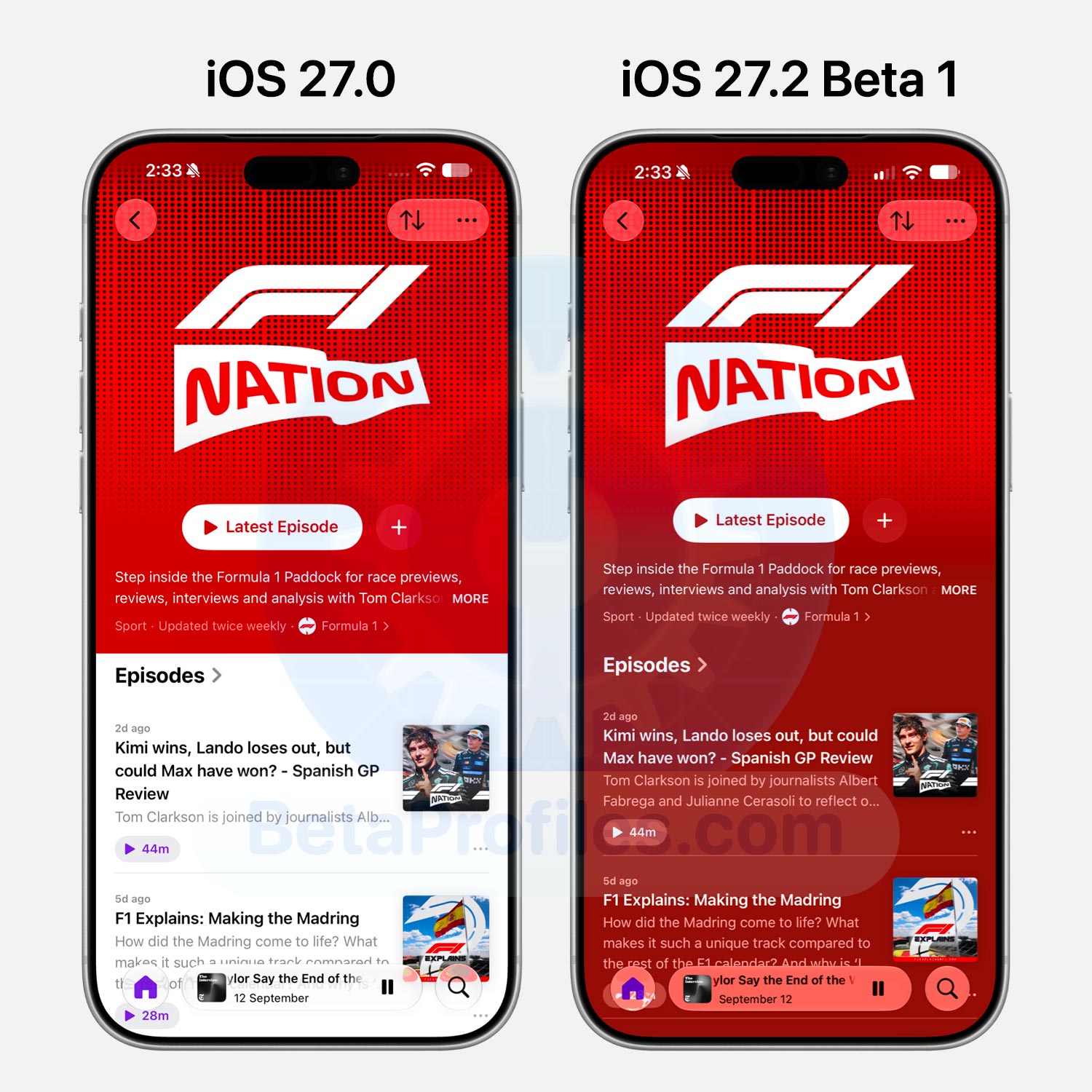
Show pages in the Podcasts app now feature full page colors matching the show’s cover artwork, similar to albums in Apple Music.
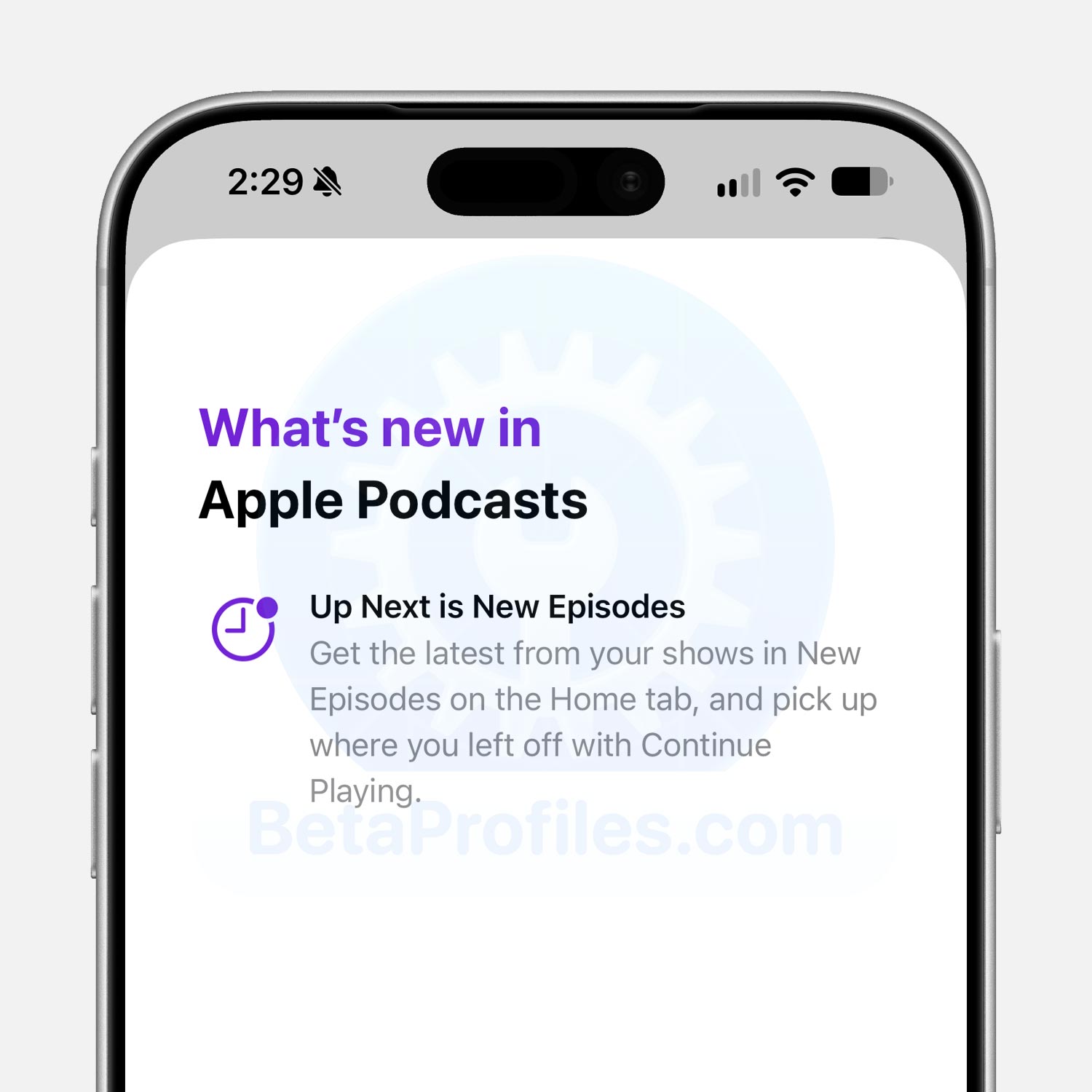
A What’s New splash screen also appears the first time you open the Podcasts app in iOS 27.2 beta. The screen reads as follows:
- Up Next is New Episodes: Get the latest from your shows in New Episodes on the Home tab, and pick up where you left off with Continue Playing.
Apple Music
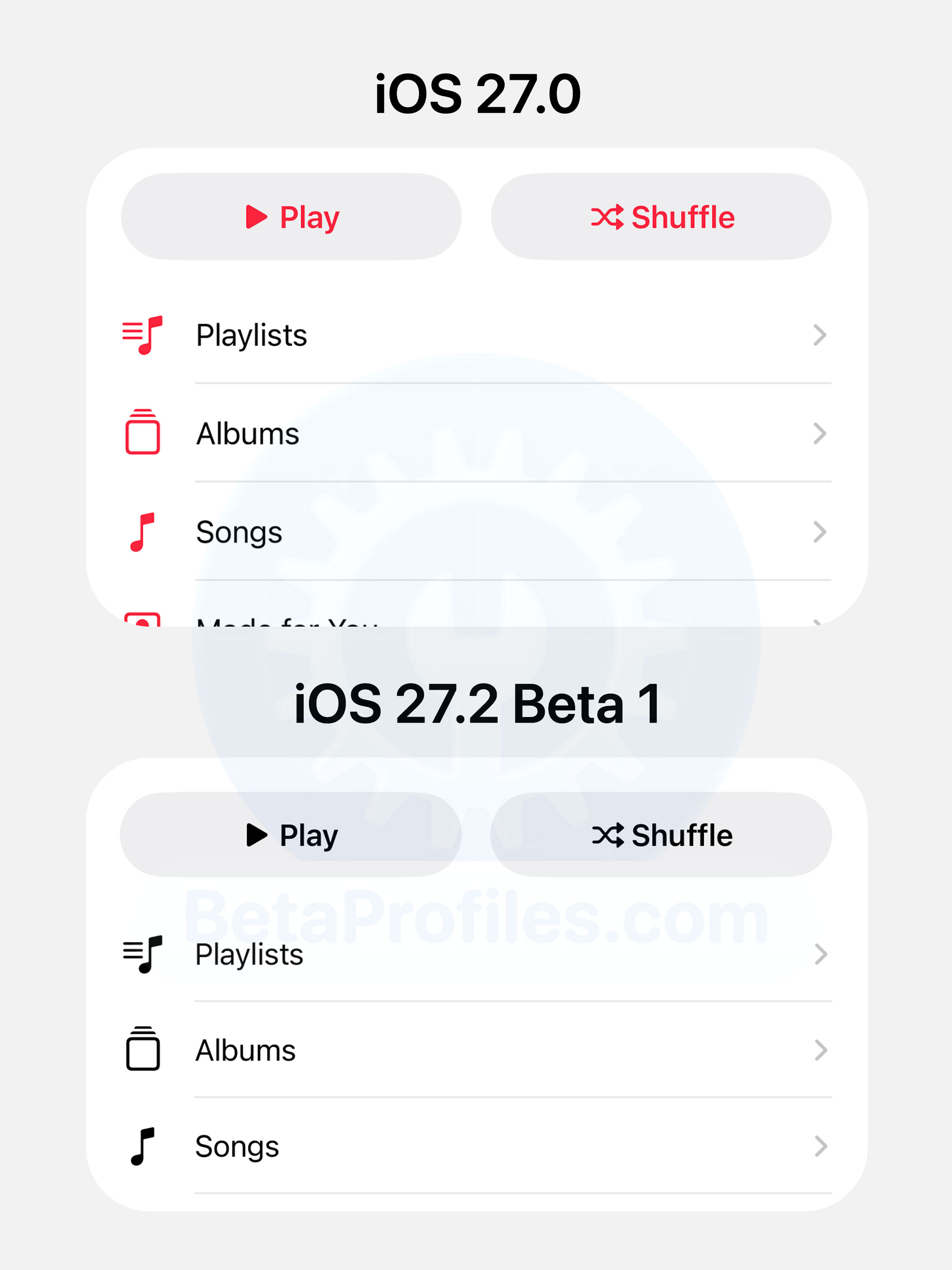
Apple Music’s icons used to pop with red, matching the app’s signature color. In iOS 27.2 beta, they’ve been toned down to plain black and white.
Phone
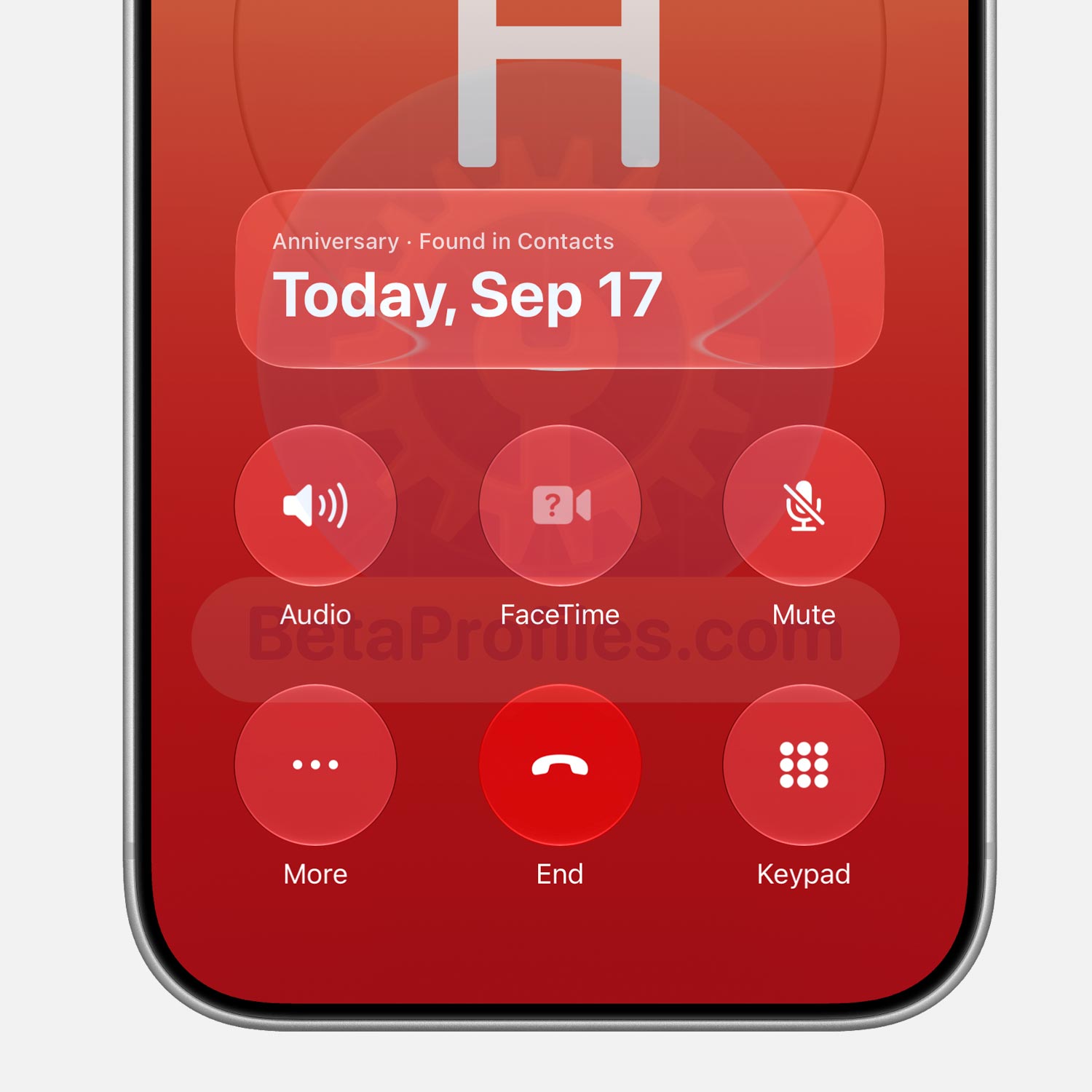
Call Context, introduced in iOS 27, shows useful information during a call. In the Phone app, it can display the birthday of whoever you’re calling.
iOS 27.2 beta expands this to anniversary dates, like a wedding anniversary. To set it up, open the contact, tap “Edit” in the corner, then tap “add date” and pick Anniversary, which shows up as the first suggestion.
Clock
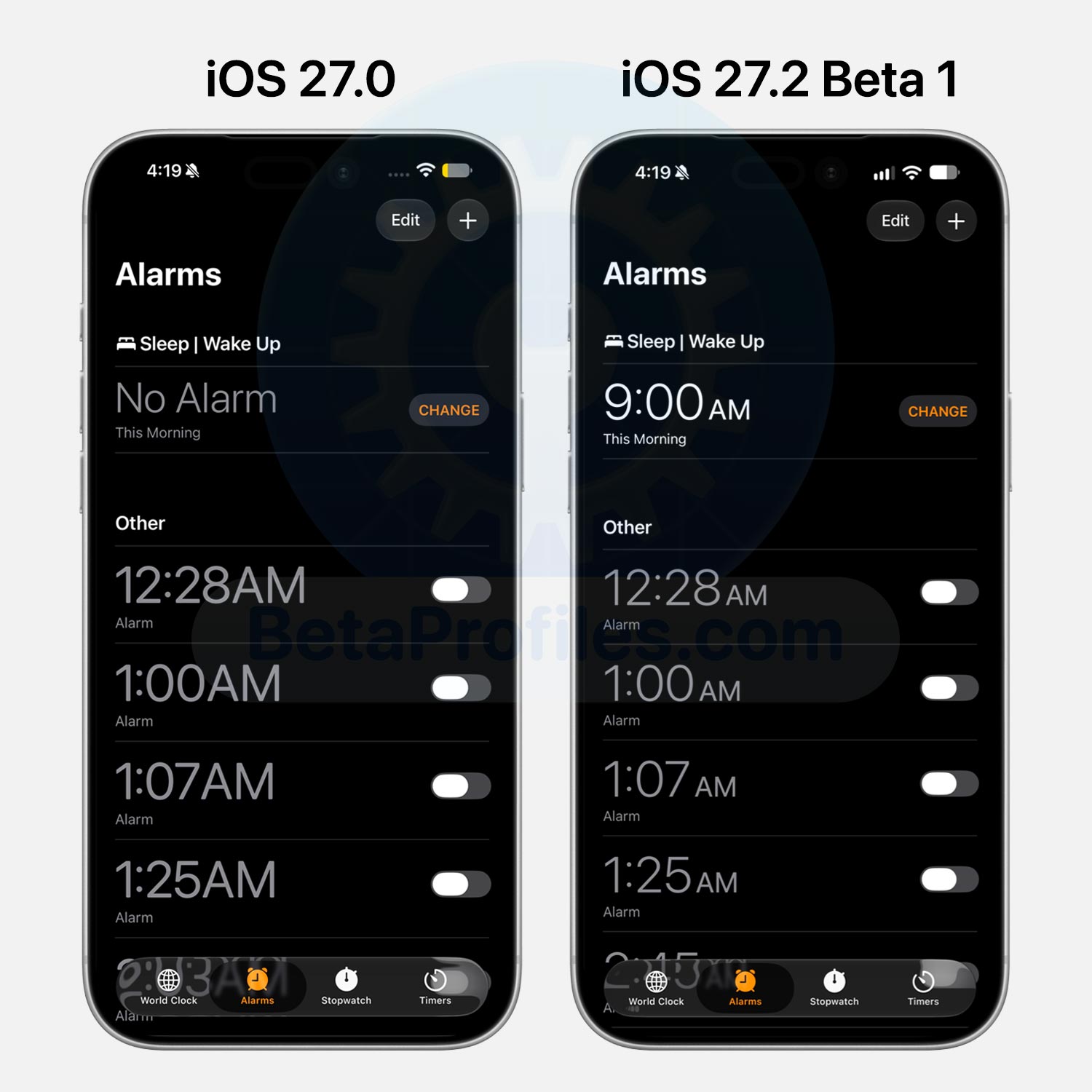
The font in the Clock app’s Alarm and Timer tabs is thinner now, closer to how it looked in iOS 26 and earlier. The “AM” and “PM” labels next to the time are smaller too, whereas they matched the time’s size in iOS 27.0.
Personally, I’m a fan of this change. The thinner font makes the numbers much easier to read.
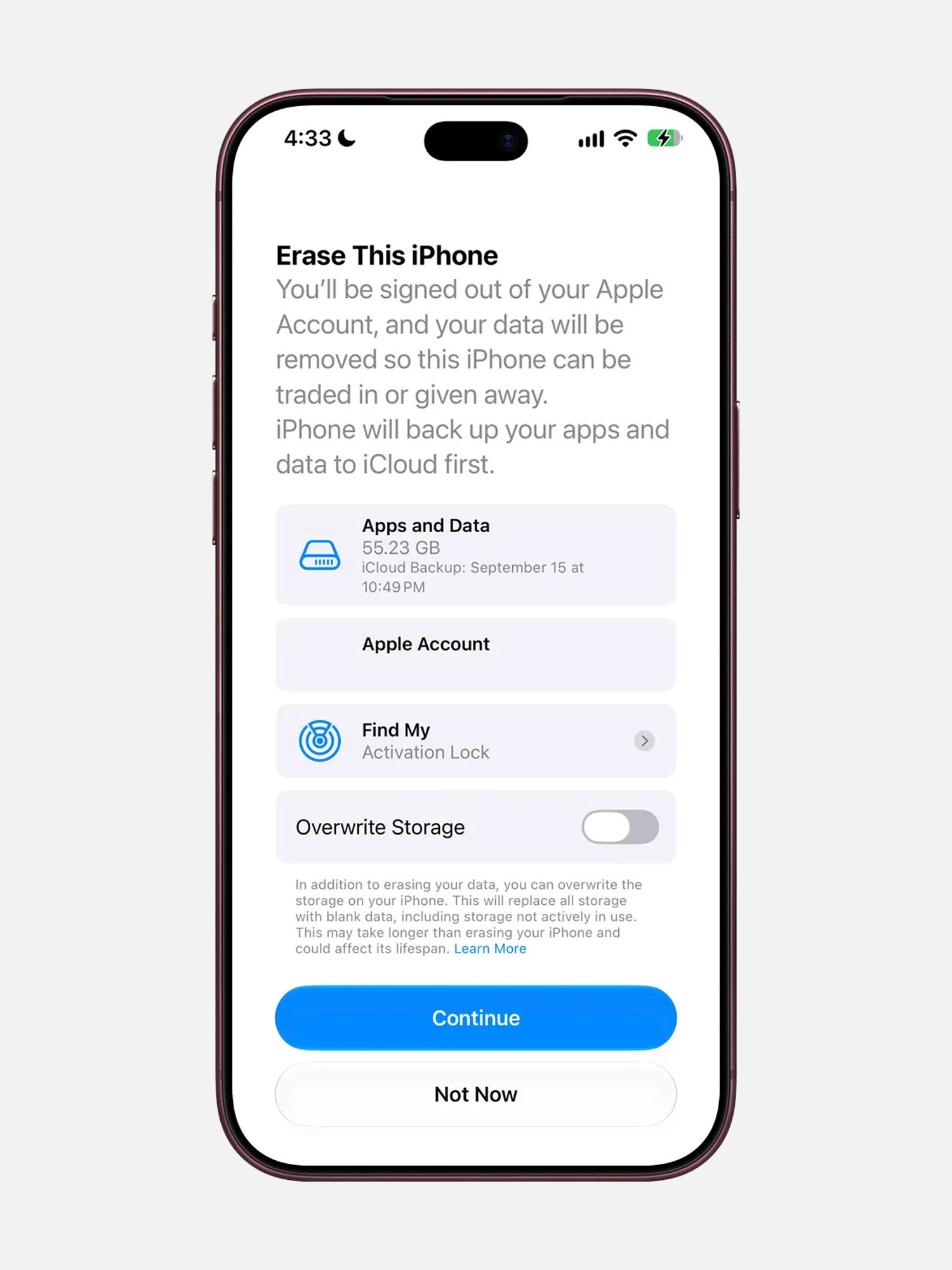
Overwrite iPhone Storage
9to5Mac found references in the iOS 27.2 beta code to a new option that wipes iPhone data more thoroughly during a full device erase. It looks to be limited to iPhone models sold in China, likely because Apple is complying with a new Chinese data erasure standard that kicks in on January 1, 2027.
Apple warns that this process takes longer than a standard erase and may impact the device’s lifespan.
App Tracking Transparency
Following agreements with several European competition authorities, Apple is rolling out an alternative, more detailed App Tracking Transparency prompt for EU users.
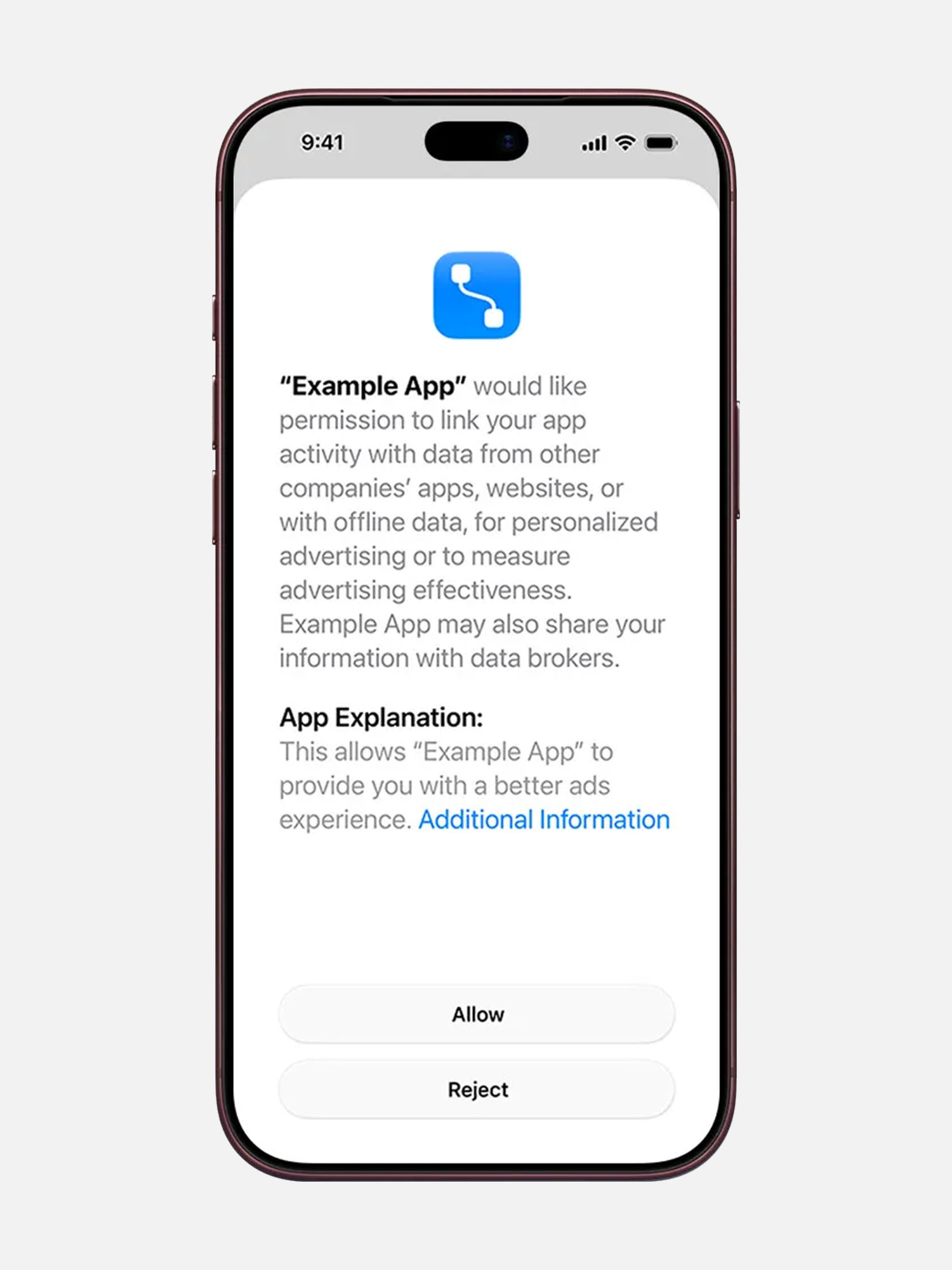
This version adds an “Additional Information” button that explains more about the request to link user or device data gathered from third party apps with your data. More details can be found on the Apple Developer site.
According to Apple, this prompt is required for users in France, Germany, Italy, Poland, and Romania.
Siri
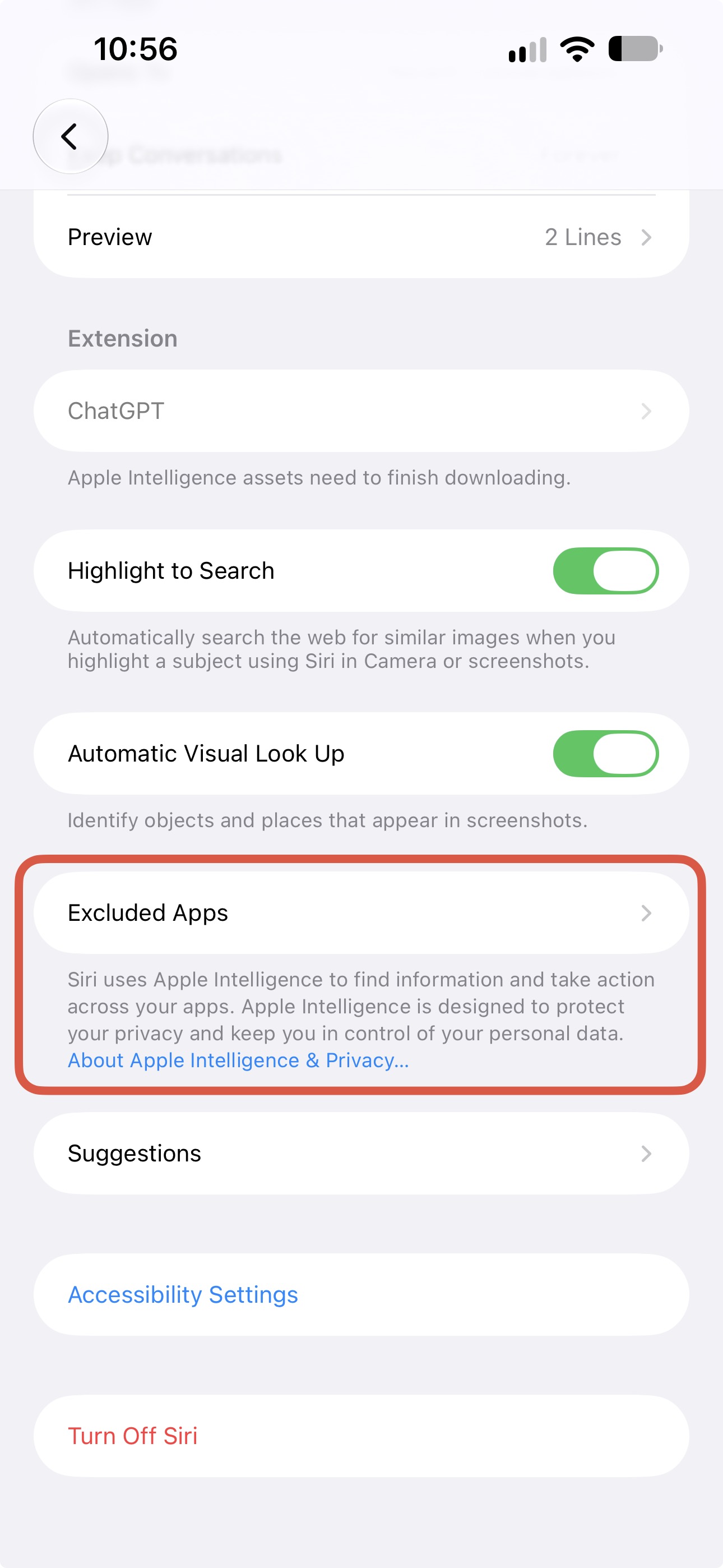
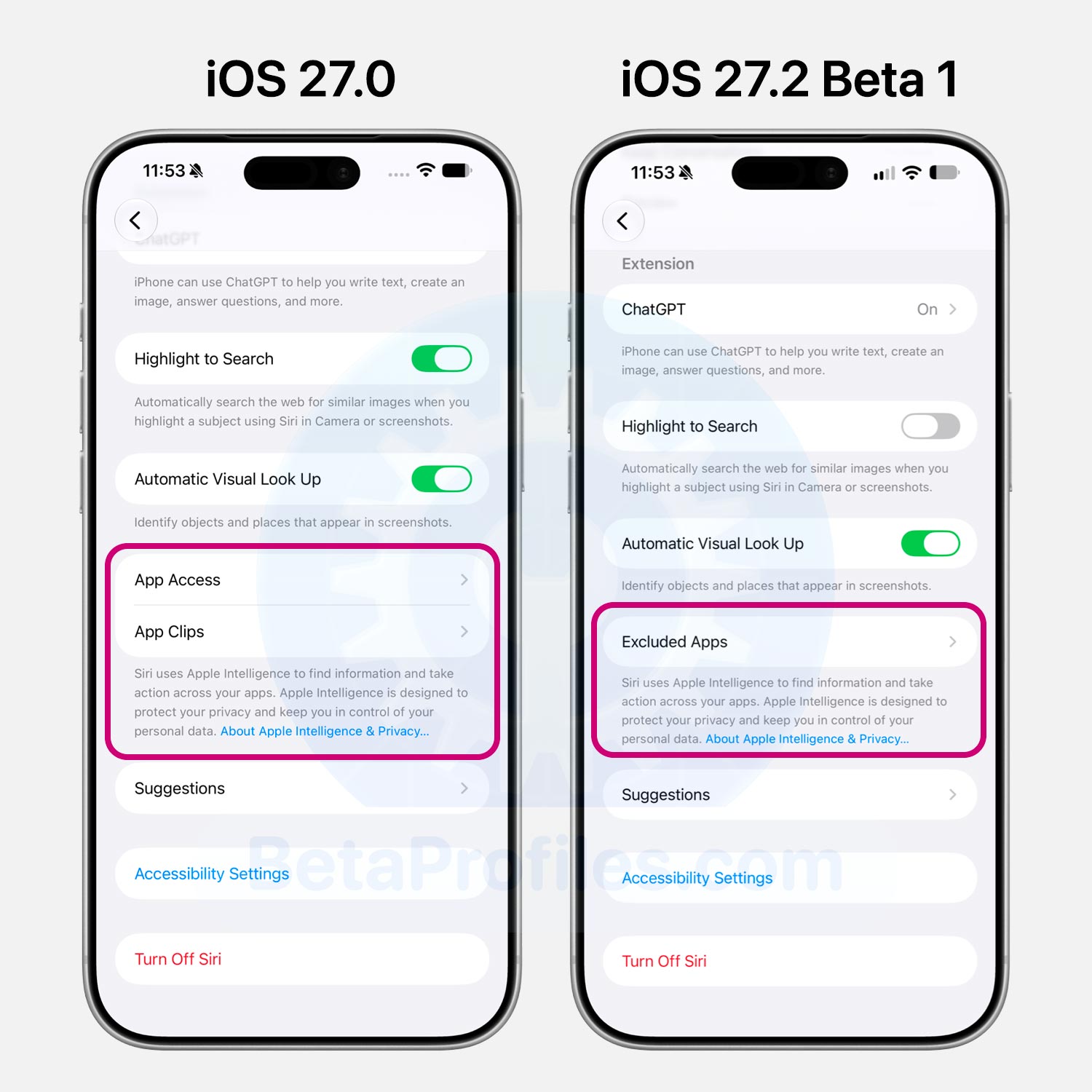
The App Access and App Clips options in Settings > Siri are now replaced by Excluded Apps. Tapping Add Apps opens a picker showing your installed apps, and you can choose multiple at a time. Apps added here are hidden from Siri, Search, and suggestions.
Thanks to @KingDando
Siri App
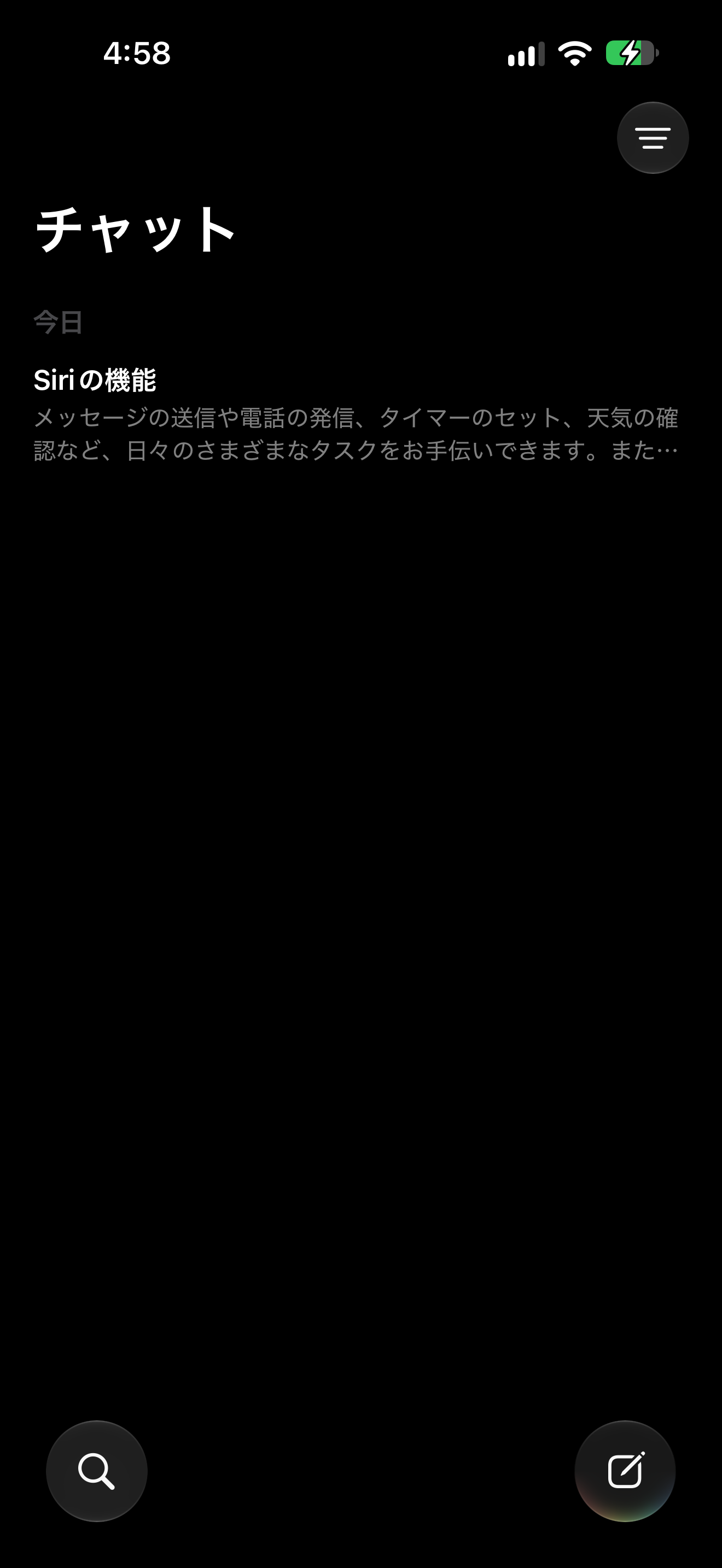
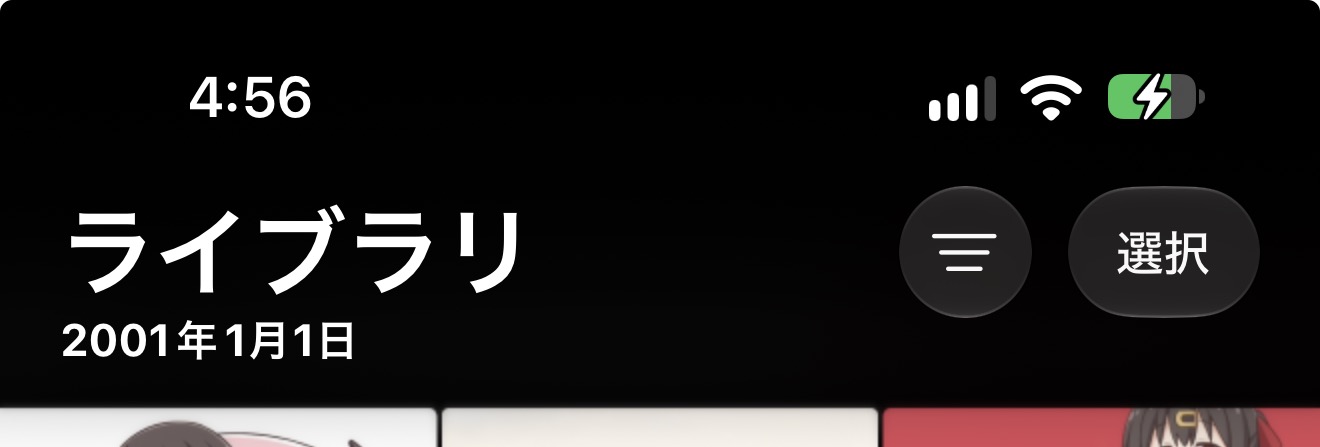
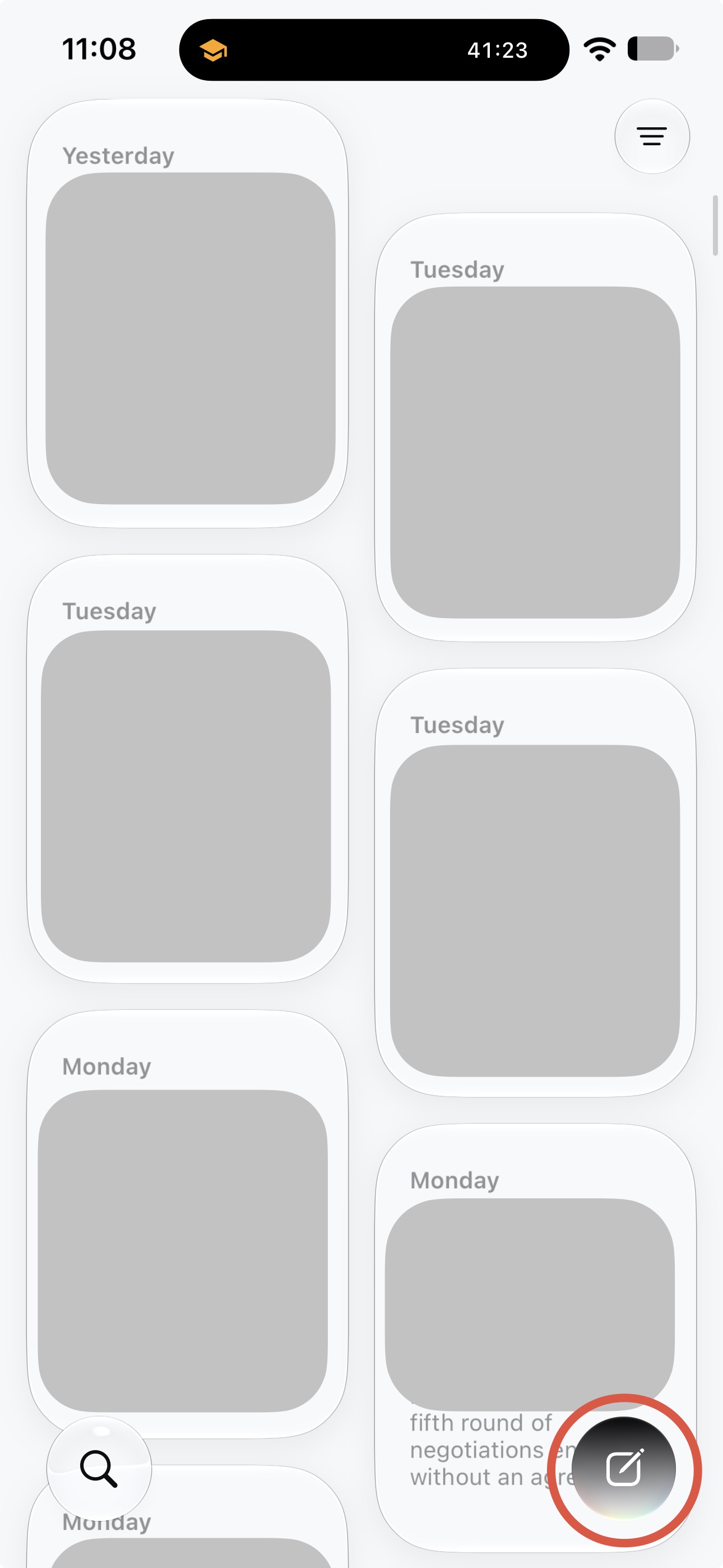
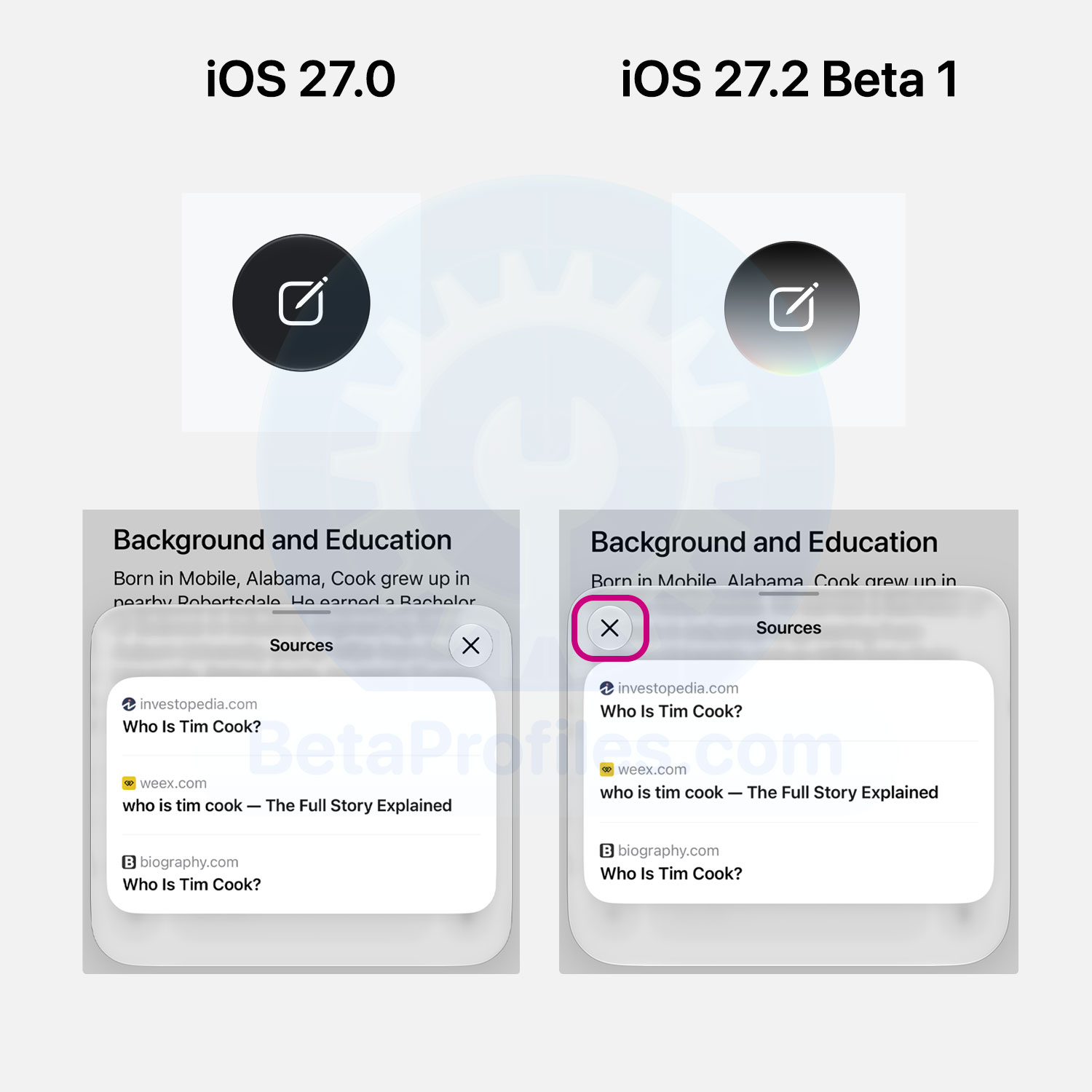
The new conversation button in the Siri app now sports a gradient background matching the Siri orb effect, replacing the previous black background.
Additionally, when tapping the source websites Siri pulls information from, the “X” button used to close the source sheet has moved from the top right corner to the top left.
Thanks to @KingDando
Appearance Settings
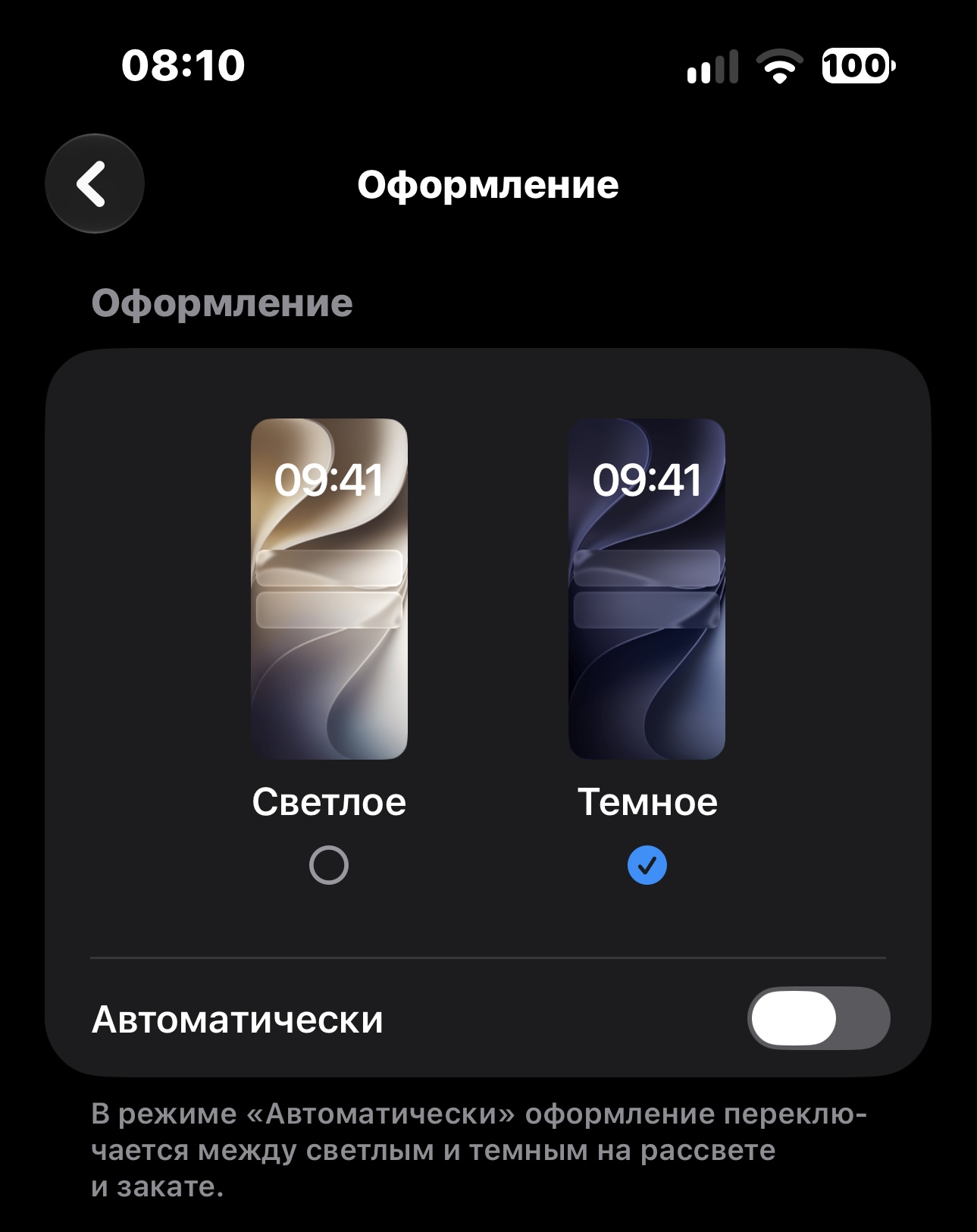
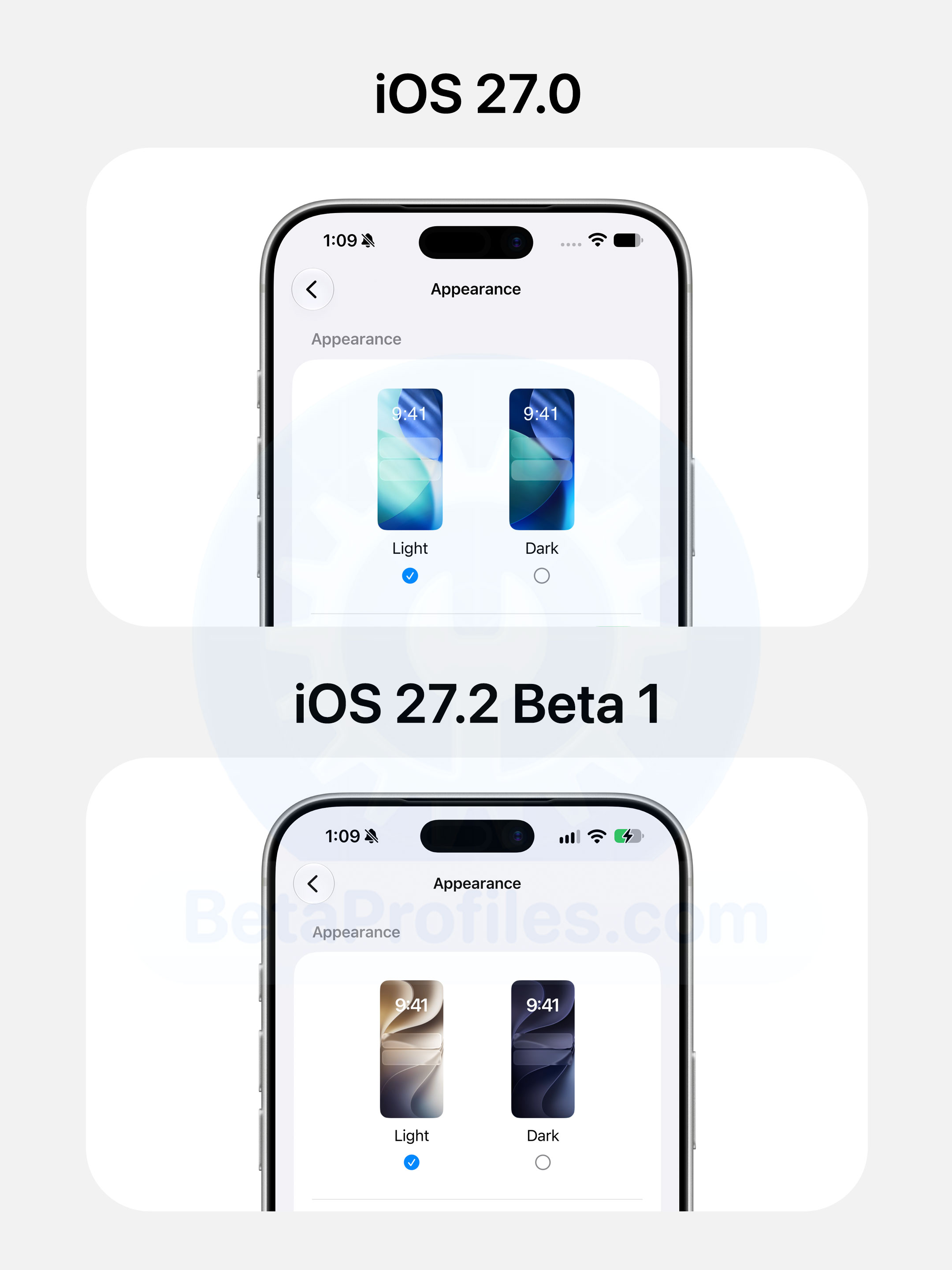
The wallpaper preview in Settings > Appearance now uses the iOS 27 default wallpaper in both light and dark modes. In iOS 27.0, this page was still showing the iOS 26 default.
Thanks to @Daniil
Safari
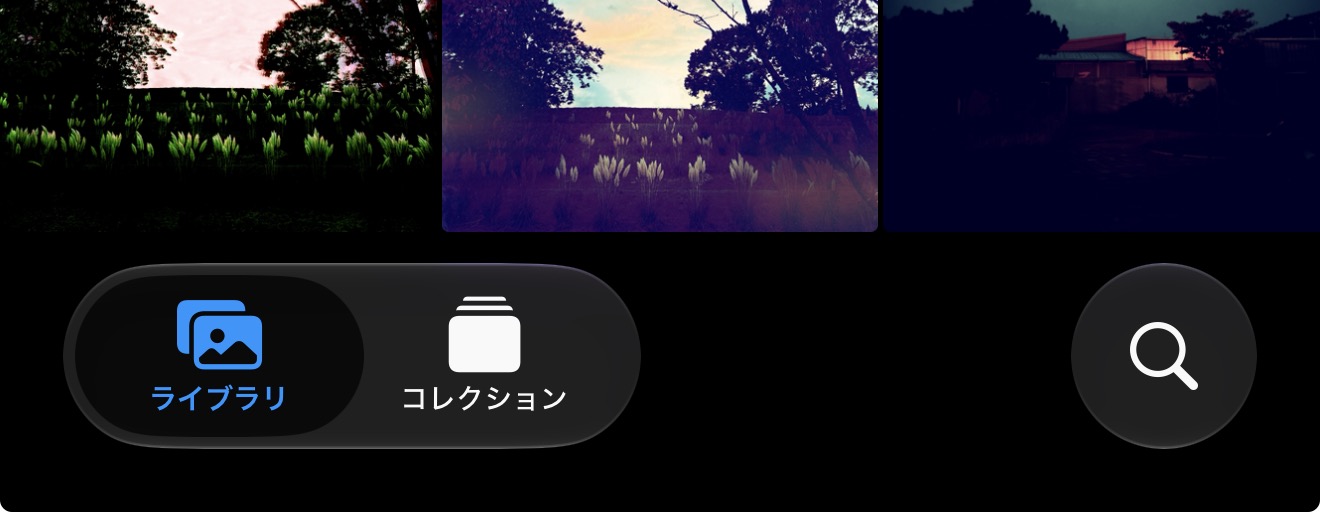
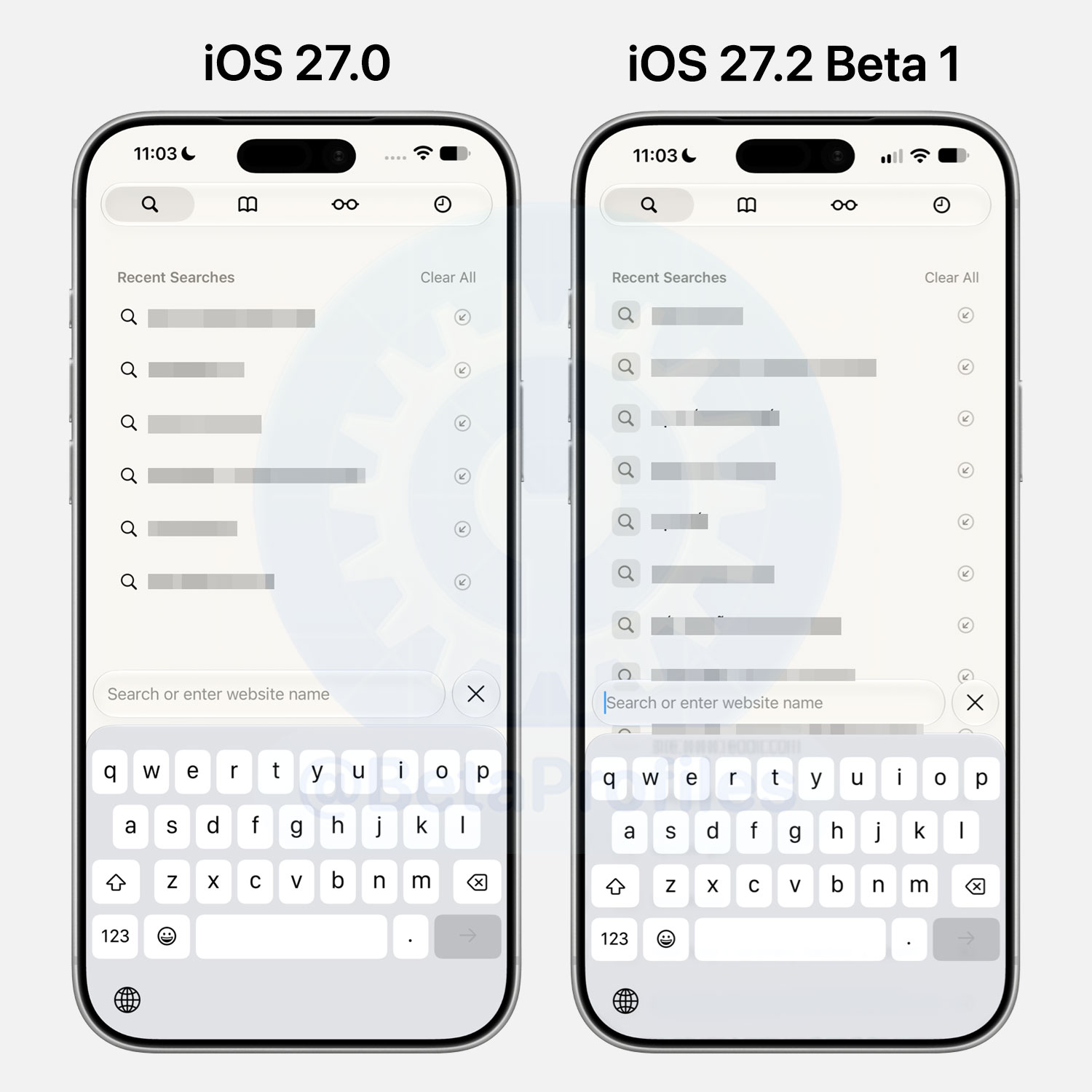
The magnifying glass icon next to recent searches in Safari now has a square background around it.
Thanks to @KingDando!
Control Center
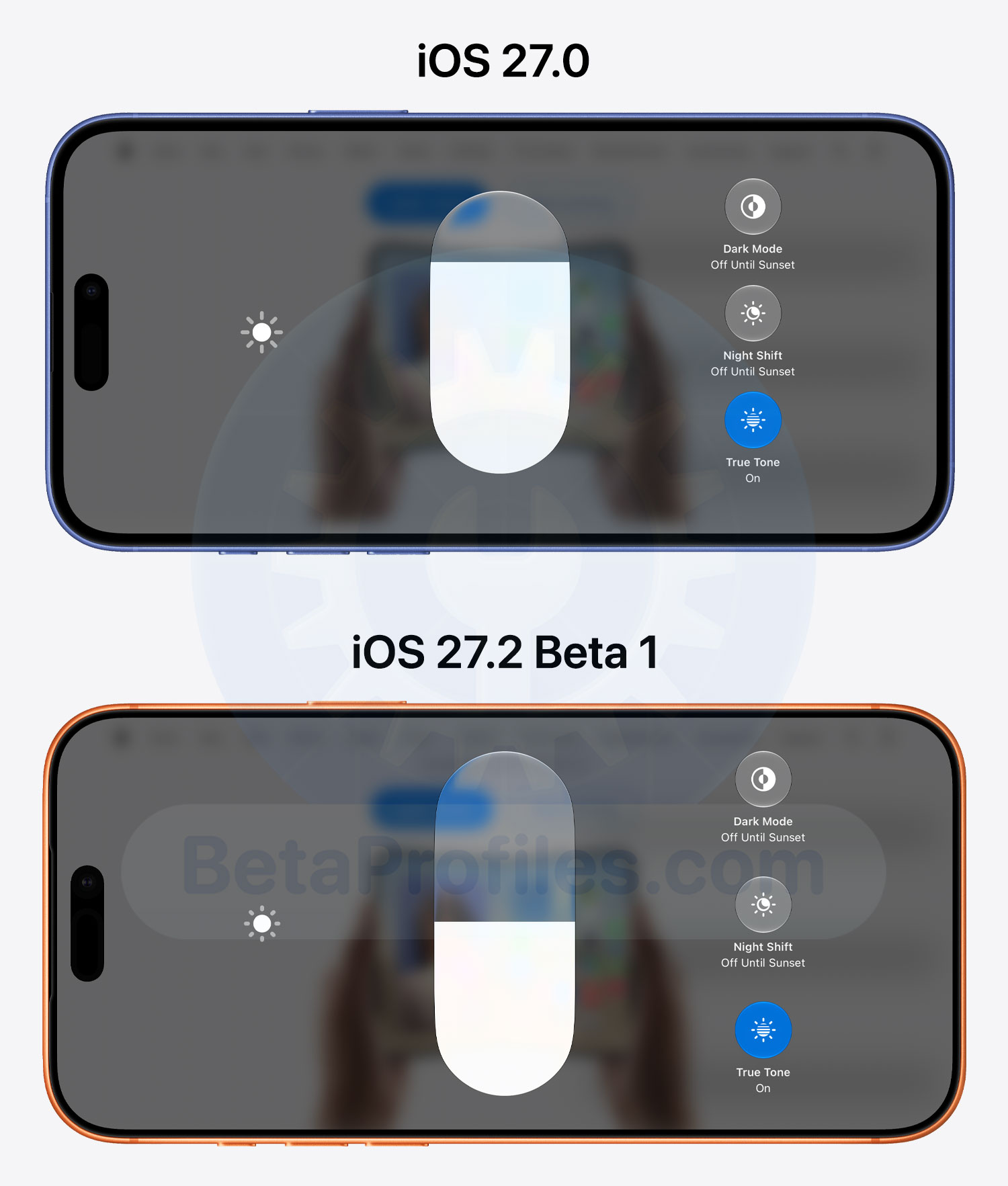
When long-pressing the Brightness and Volume controls in landscape Control Center, the sliders now appear taller.
Thanks to @Daniil
More iOS 27.2 beta 1 changes will be added here as I discover them. If you come across anything else, let me know in the comments!