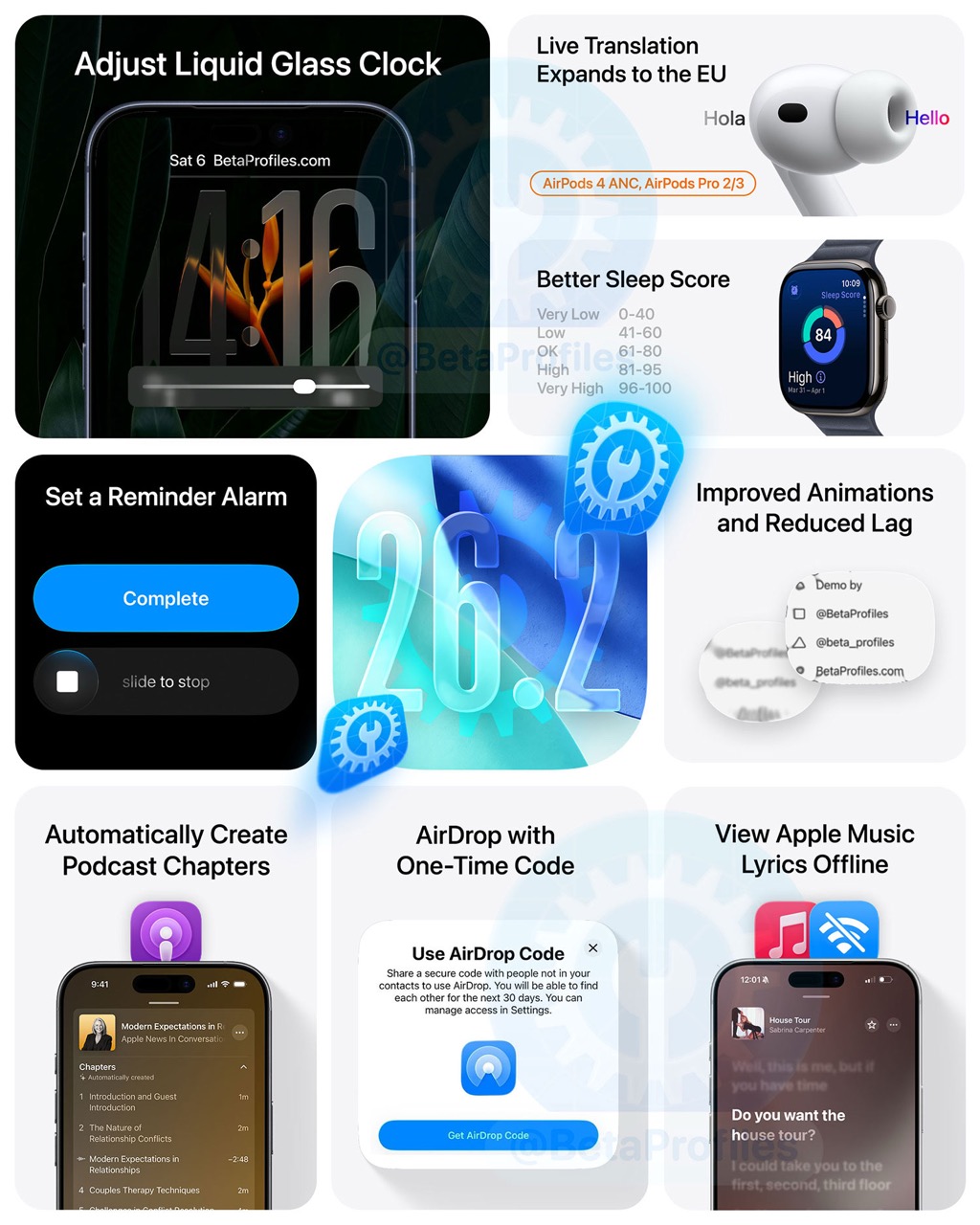
iOS 26.2 is now available for iPhone users. This update brings changes to Lock Screen Clock, Apple Music, Reminders, Podcasts, AirDrop, Games, and more! Below is everything that’s new and changed in iOS 26.2 compared to iOS 26.1.
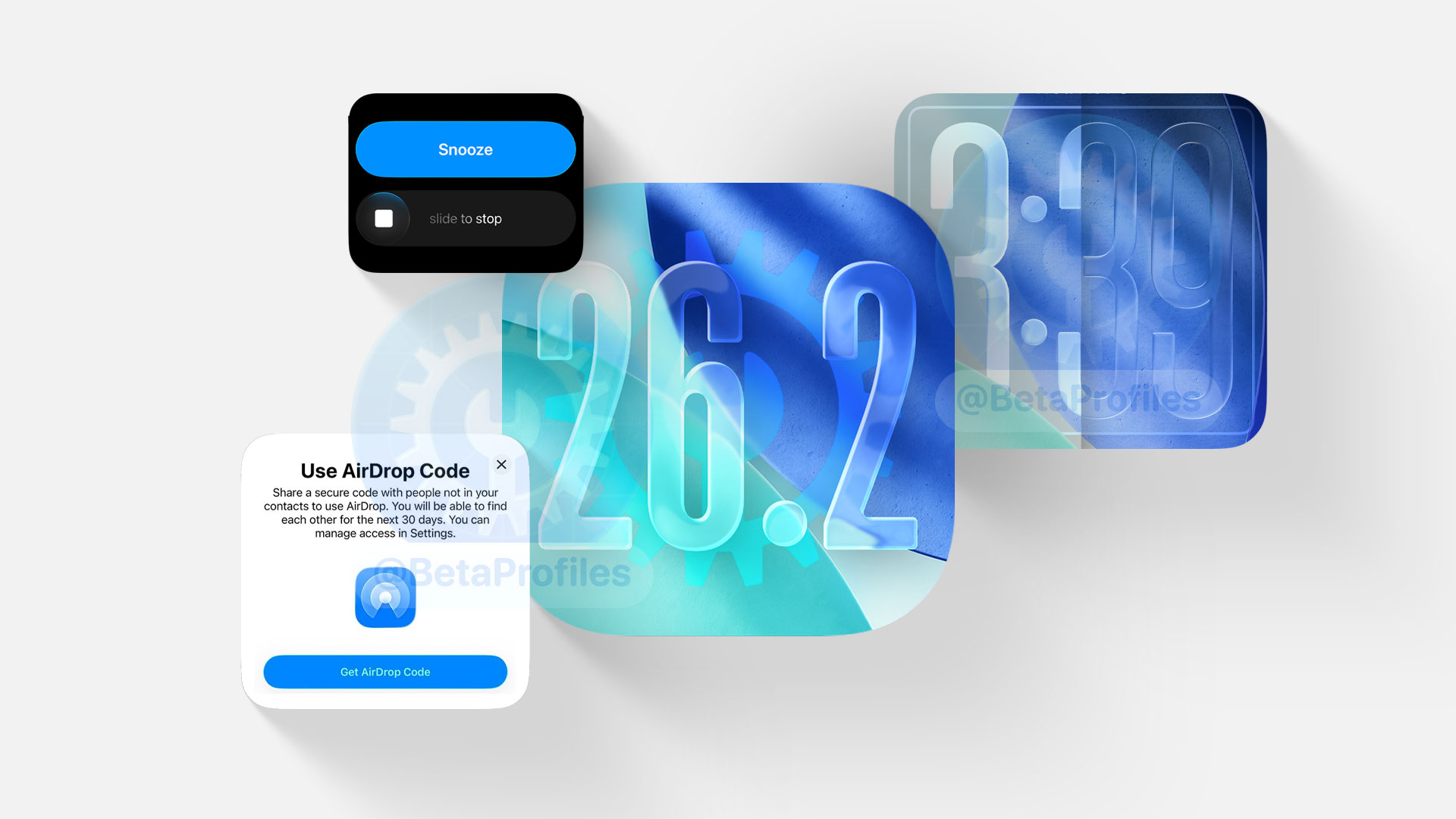
iOS 26.2 will also be the last major update of the year, as we shouldn’t expect anything significant including iOS 26.3 until the first iOS 26.4 beta arrives sometime around February next year.
Liquid Glass
Liquid Glass continues to receive refinements in iOS 26.2 as Apple moves closer to the animations showcased at WWDC25. Below is every change and improvement related to Liquid Glass.
Lock Screen Clock
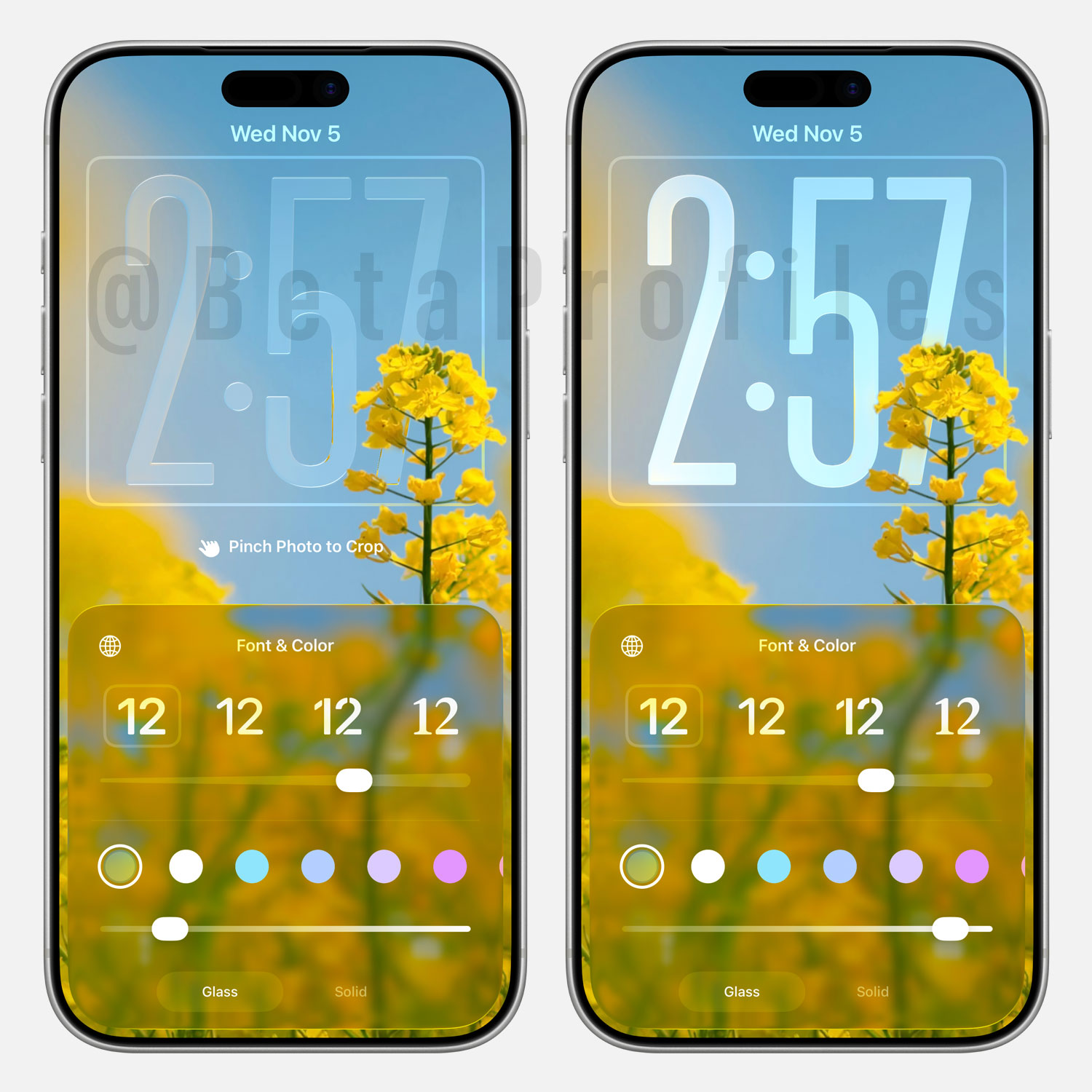
iOS 26.2 adds a new slider when customizing the Lock Screen to adjust the transparency of the clock.
Menu Animation
When you tap a button that opens a secondary menu, the open and close animations have been updated in iOS 26.2 to look smoother and better aligned with the Liquid Glass style. It now matches the animation Apple demonstrated at WWDC25 back in June.
Measure App
The Measure app in iOS 26.2 has updated the Level tool with Liquid Glass. Now, when you tilt your iPhone or place it horizontally, a chromatic aberration effect appears as the level indicator crosses the horizon line.

Notifications Center
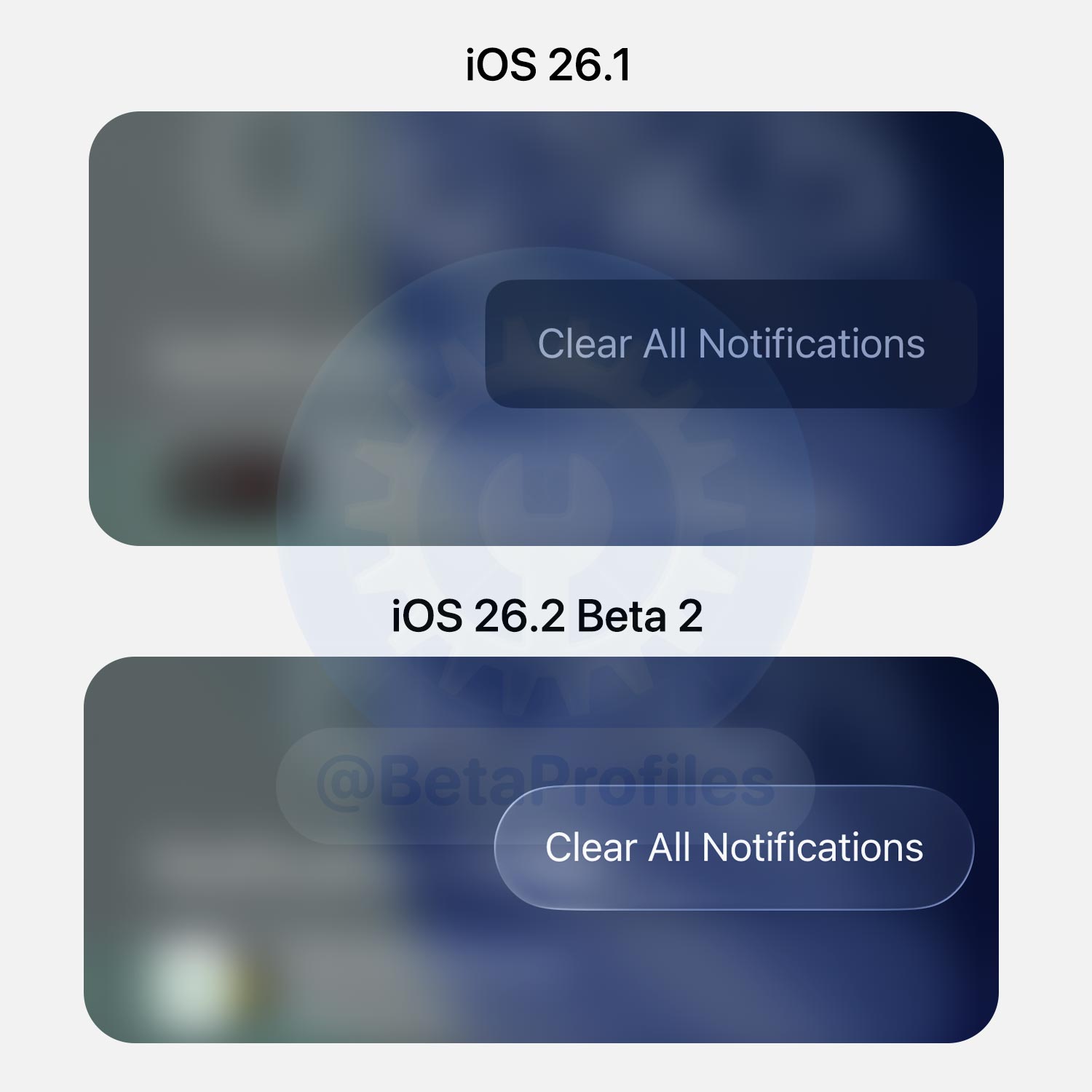
The “Show Less” and “Clear All Notifications” buttons in Notifications Center have now been updated with Liquid Glass.
Silent Mode
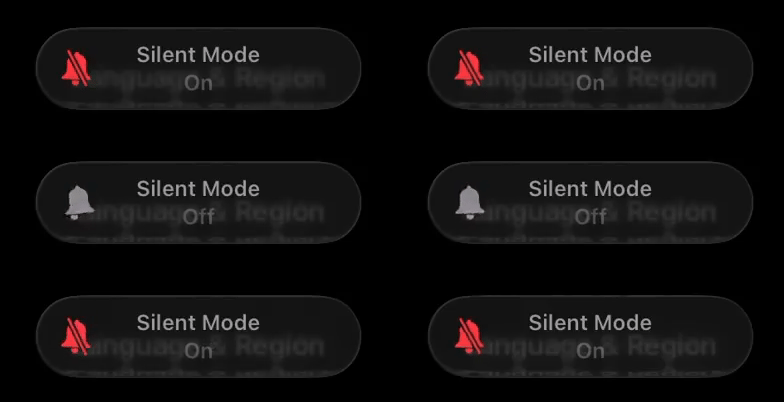
On iPhones with notch instead of Dynamic Island, the Silent Mode indicator now features Liquid Glass.
Liquid Glass Setting
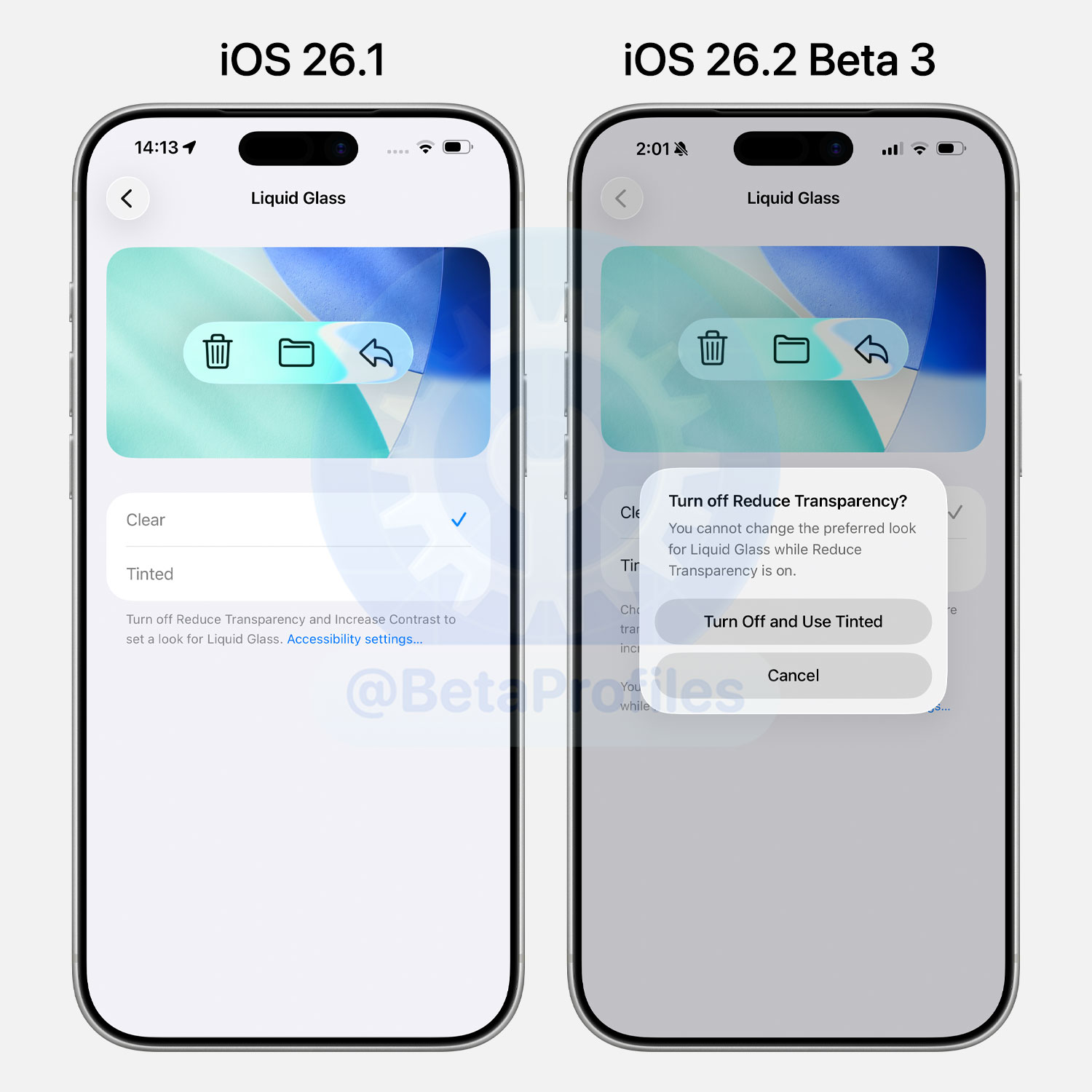
When you enable Reduce Transparency and/or Increase Contrast in Accessibility and then select Tinted under Settings → Display & Brightness → Liquid Glass, iOS 26.2 will warn you to turn off Reduce Transparency and/or Increase Contrast. It also provides a quick toggle to disable these options without needing to open Accessibility settings.
AirDrop
iOS 26.2 adds a new option to pair AirDrop with other devices using a one-time code — no need to add contacts or switch AirDrop to “Everyone for 10 Minutes.”
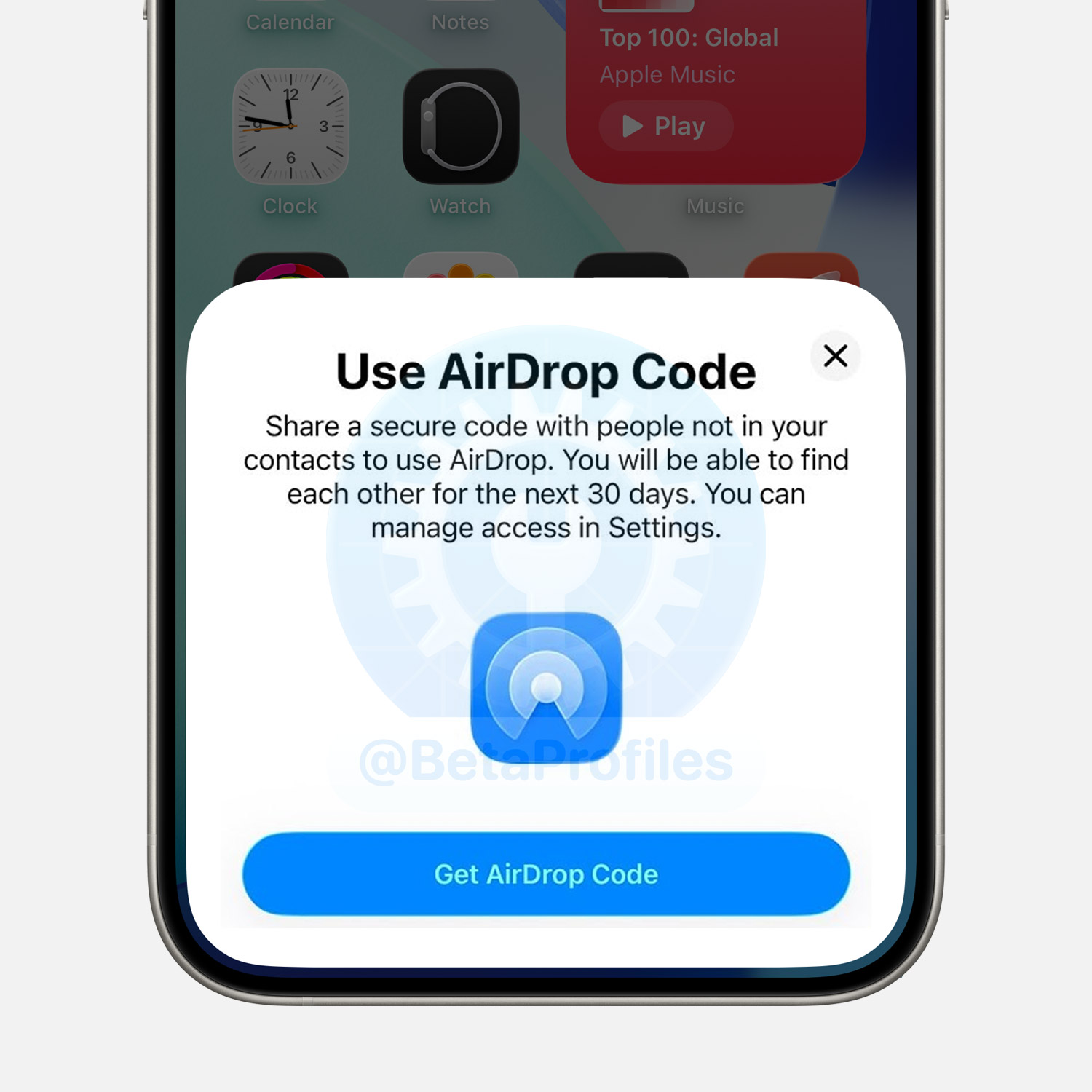
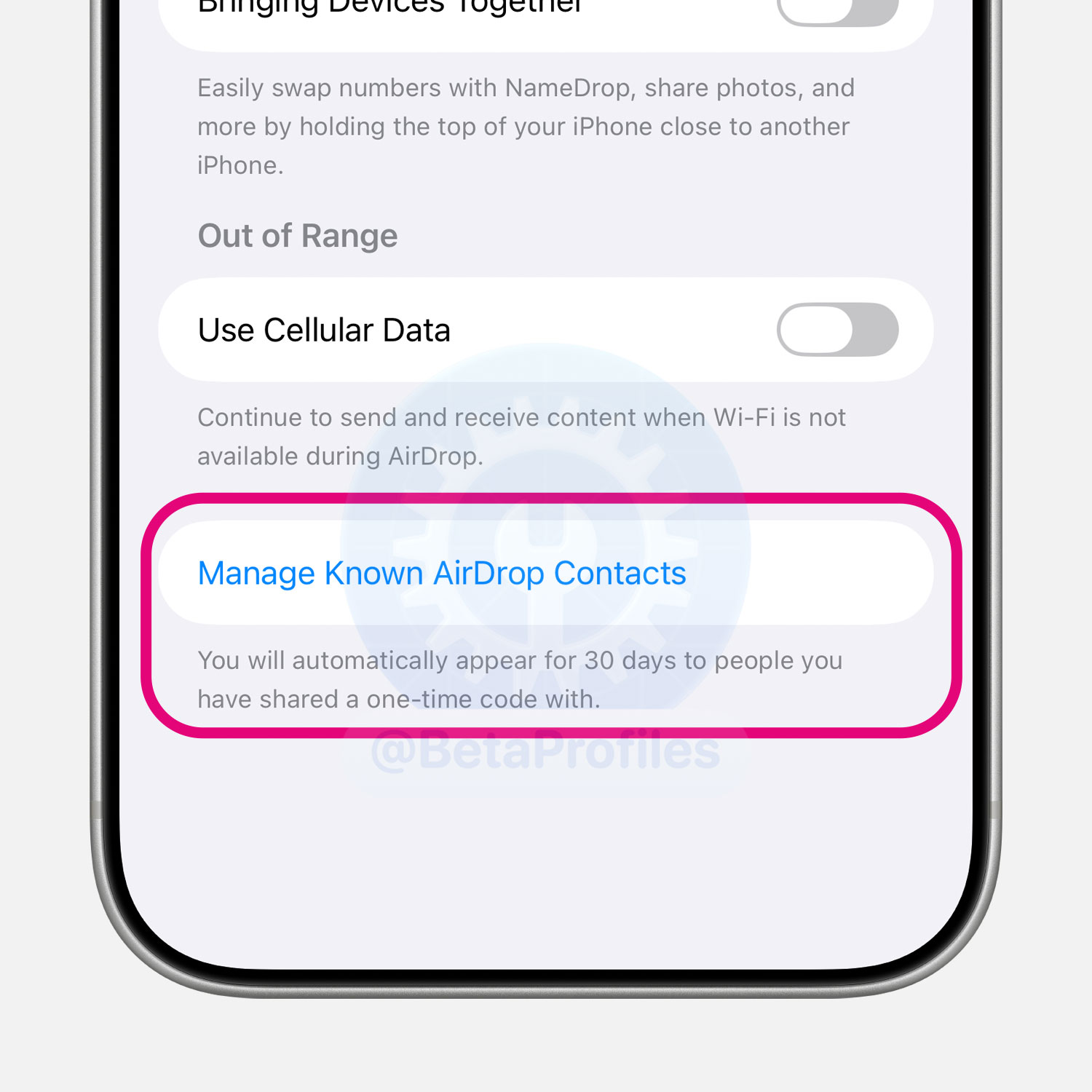
The feature creates a one-time AirDrop code for the other person to enter on their device. Once confirmed, both devices have AirDrop access for 30 days, and you can revoke it anytime from Settings → General → AirDrop.
Reminders
The Reminders app has added the ability to create alarms directly from a reminder. All you need to do is set the time and enable the Urgent option in the New Reminder screen.
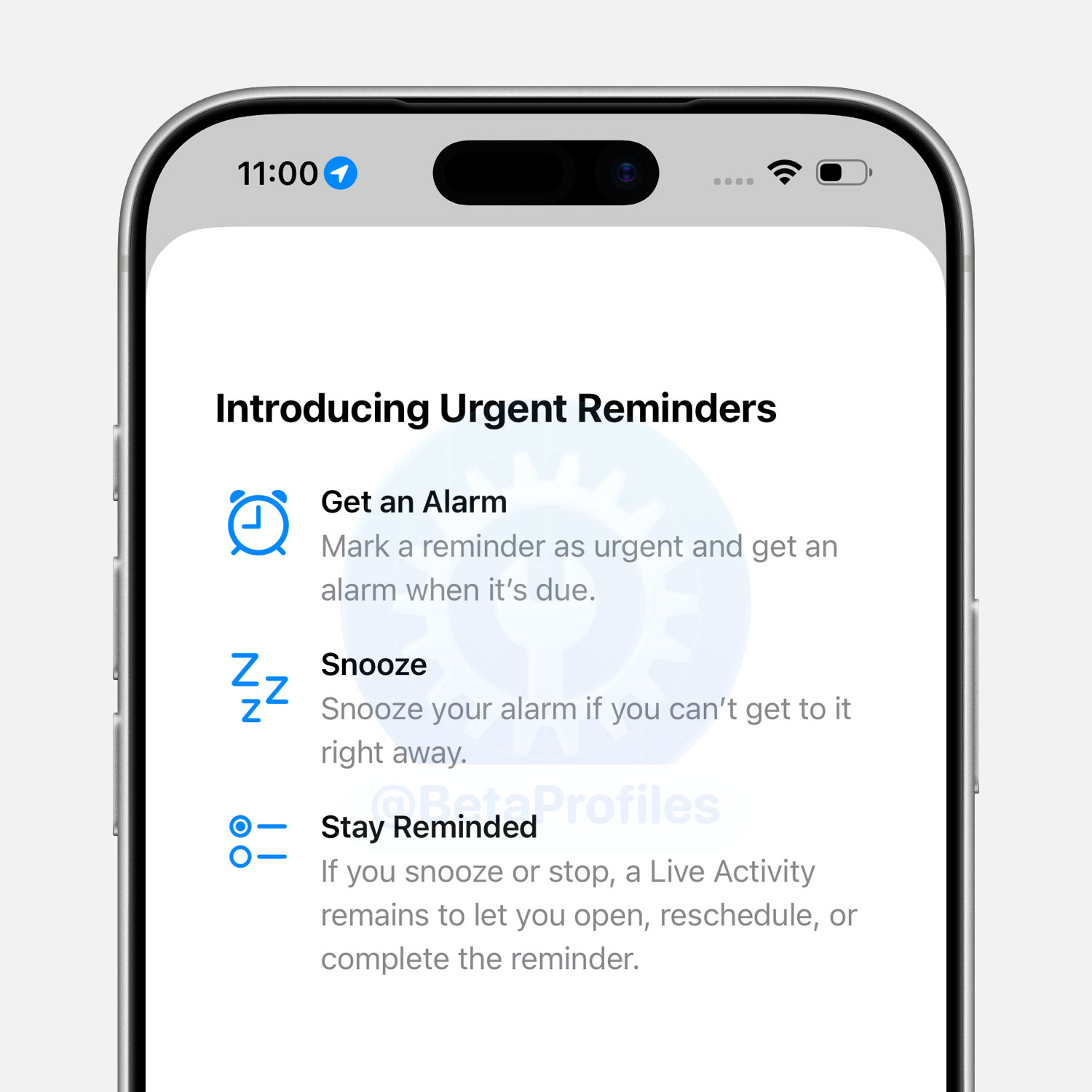
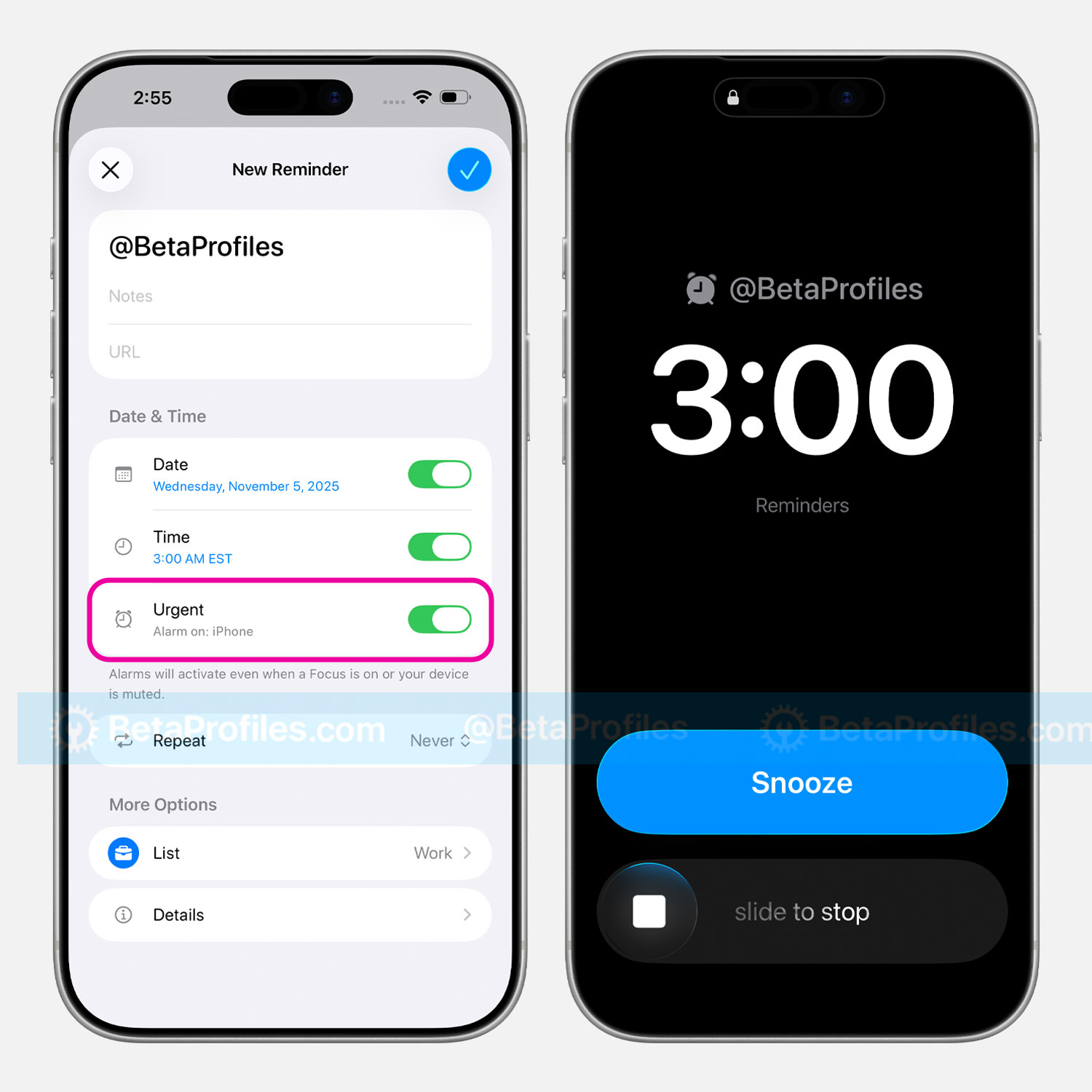
Alarms created from Reminders now have blue Snooze and Complete buttons to distinguish them from alarms created in the Clock app.
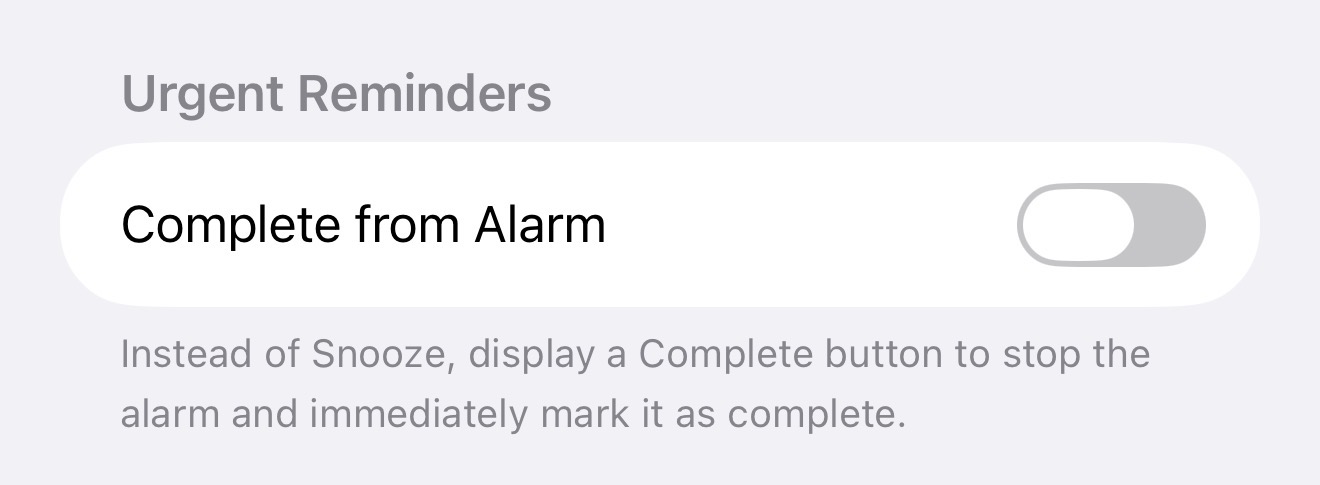
Under Settings → Apps → Reminders, there’s a new “Complete from Alarm” option that replaces the Snooze button with a Complete button, allowing you to instantly mark a reminder as done.
Apple Podcasts
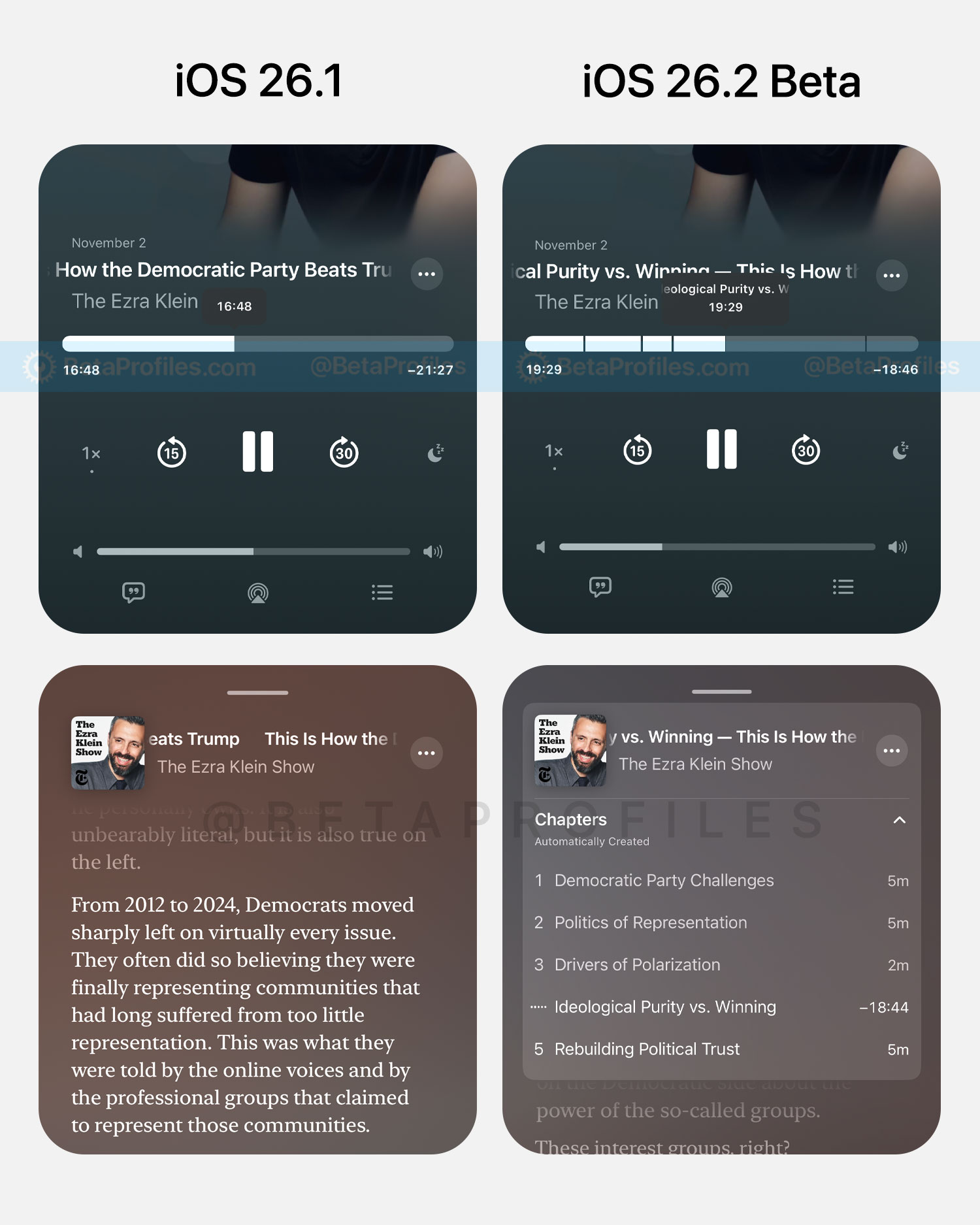
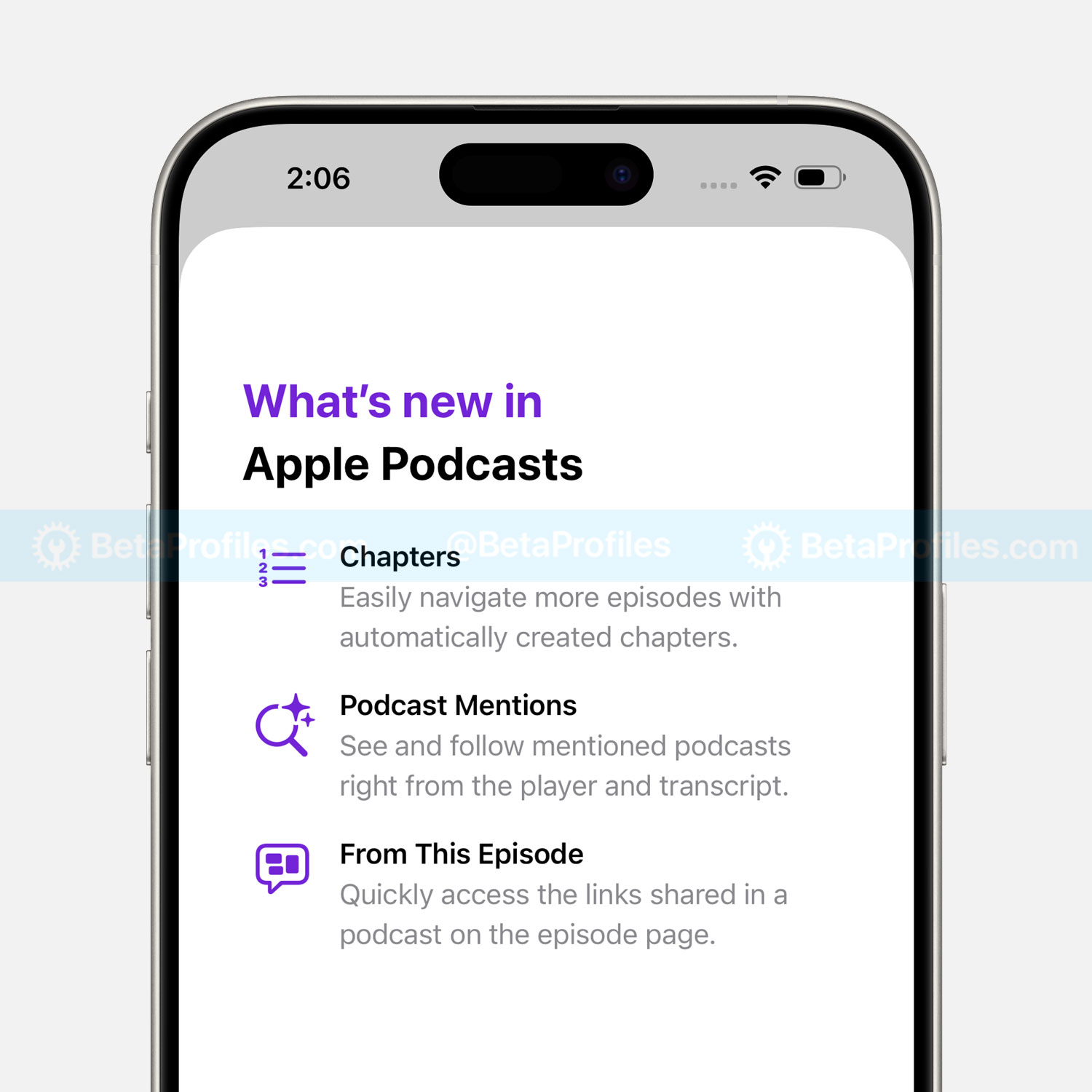
Apple Podcasts has been updated with the ability to automatically generate chapters for podcast episodes. It currently supports U.S. English–language episodes that are at least 10 minutes long.
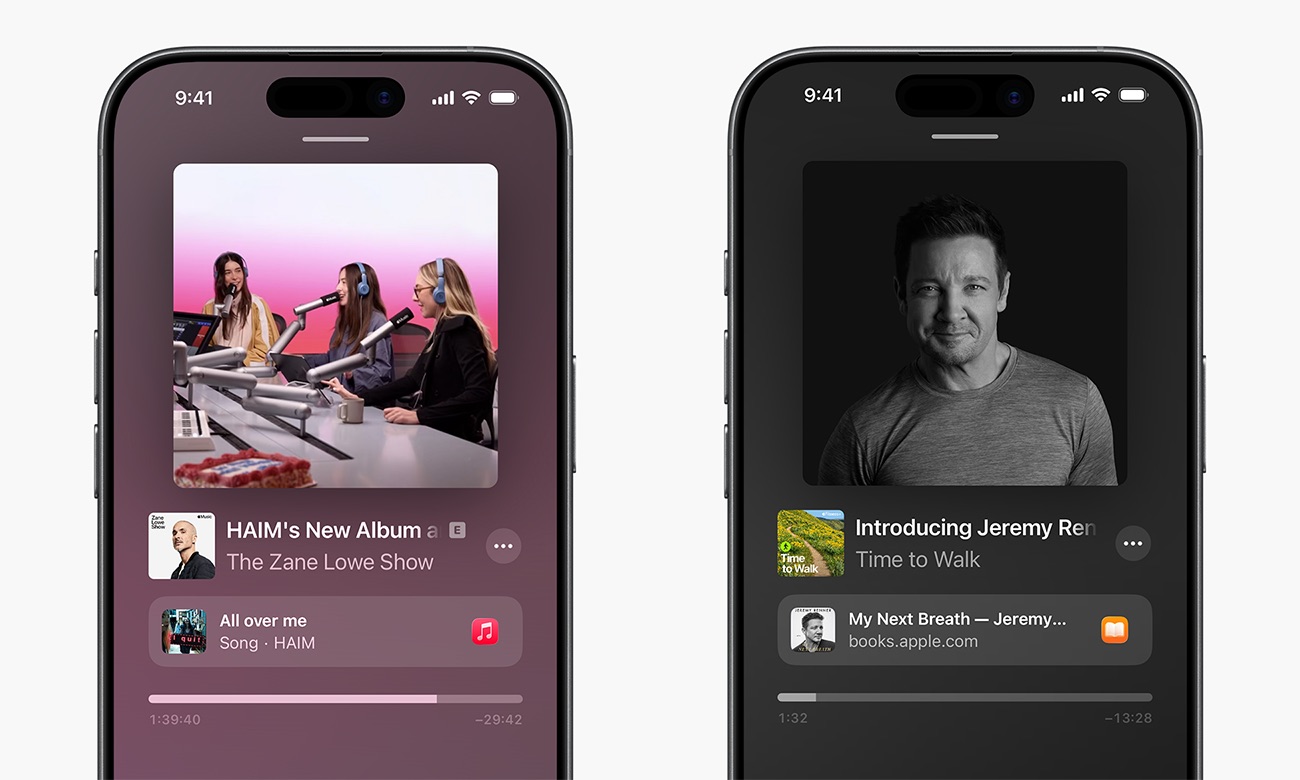
Additionally, you’ll now see certain content linked to specific timestamps within a podcast episode. These may come from Apple Music, Apple News, Apple Podcasts, or Apple TV, and more, provided by the creator or podcaster, or automatically generated by AI.
Apple News
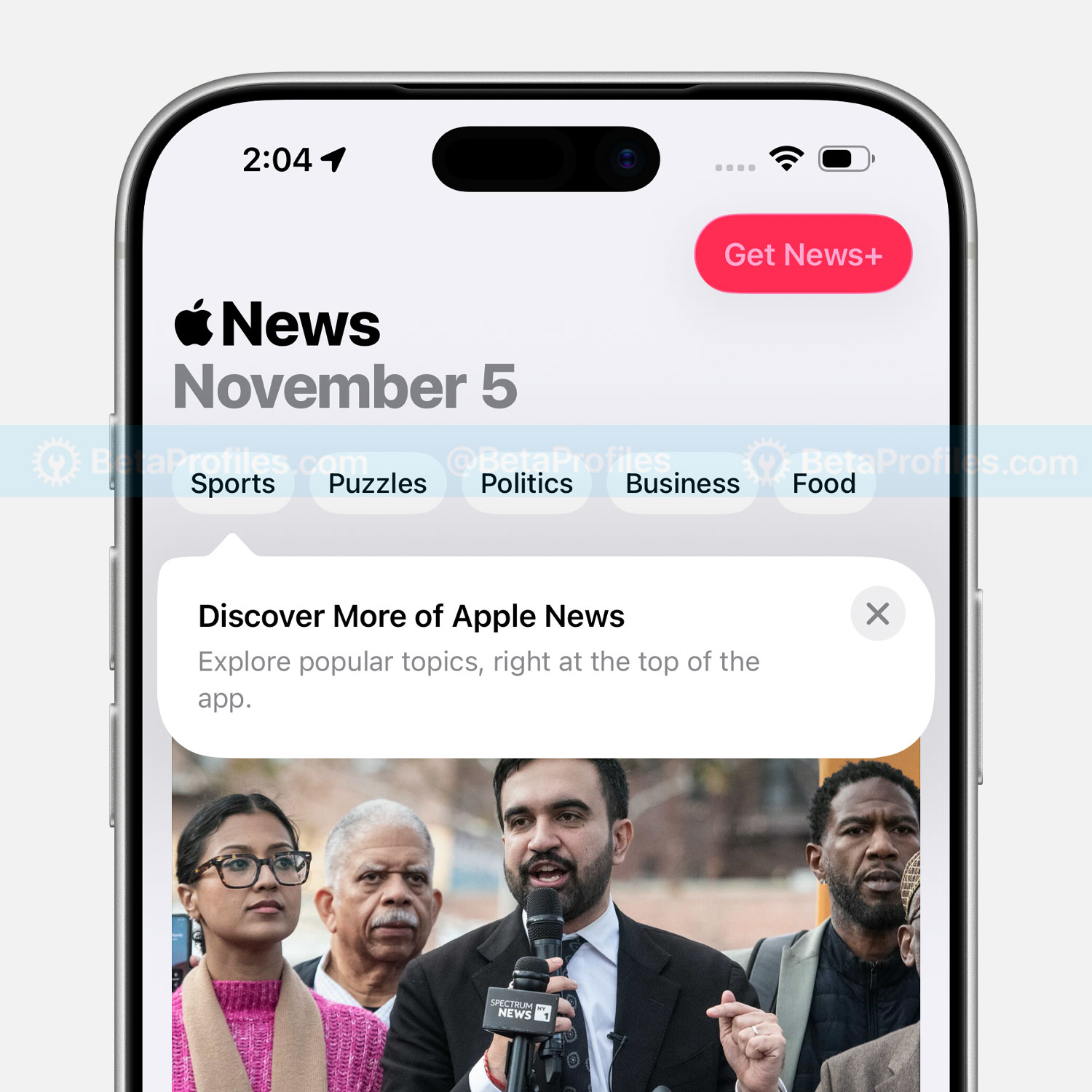
The Today tab in Apple News now includes shortcut links at the top of the app, making it easier to quickly access topics you care about most.
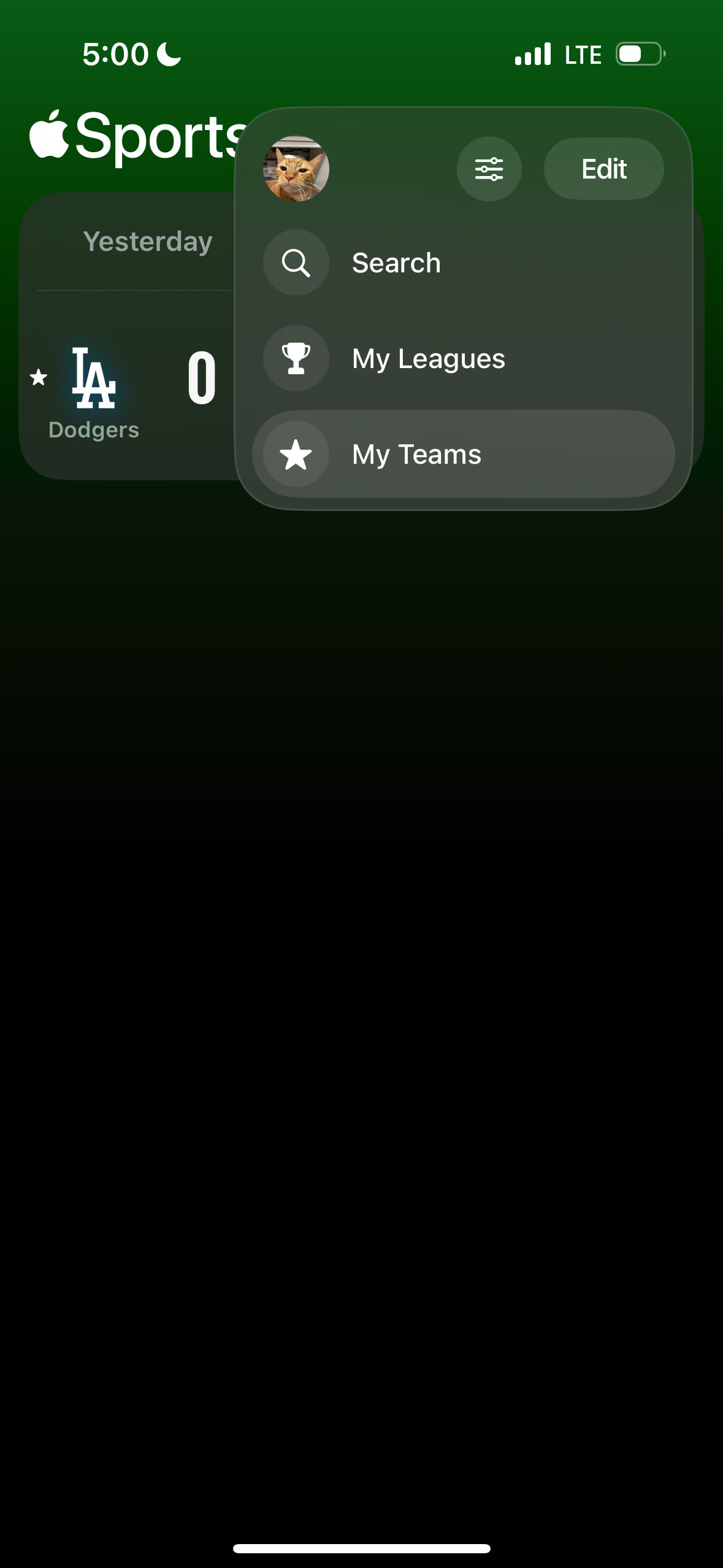
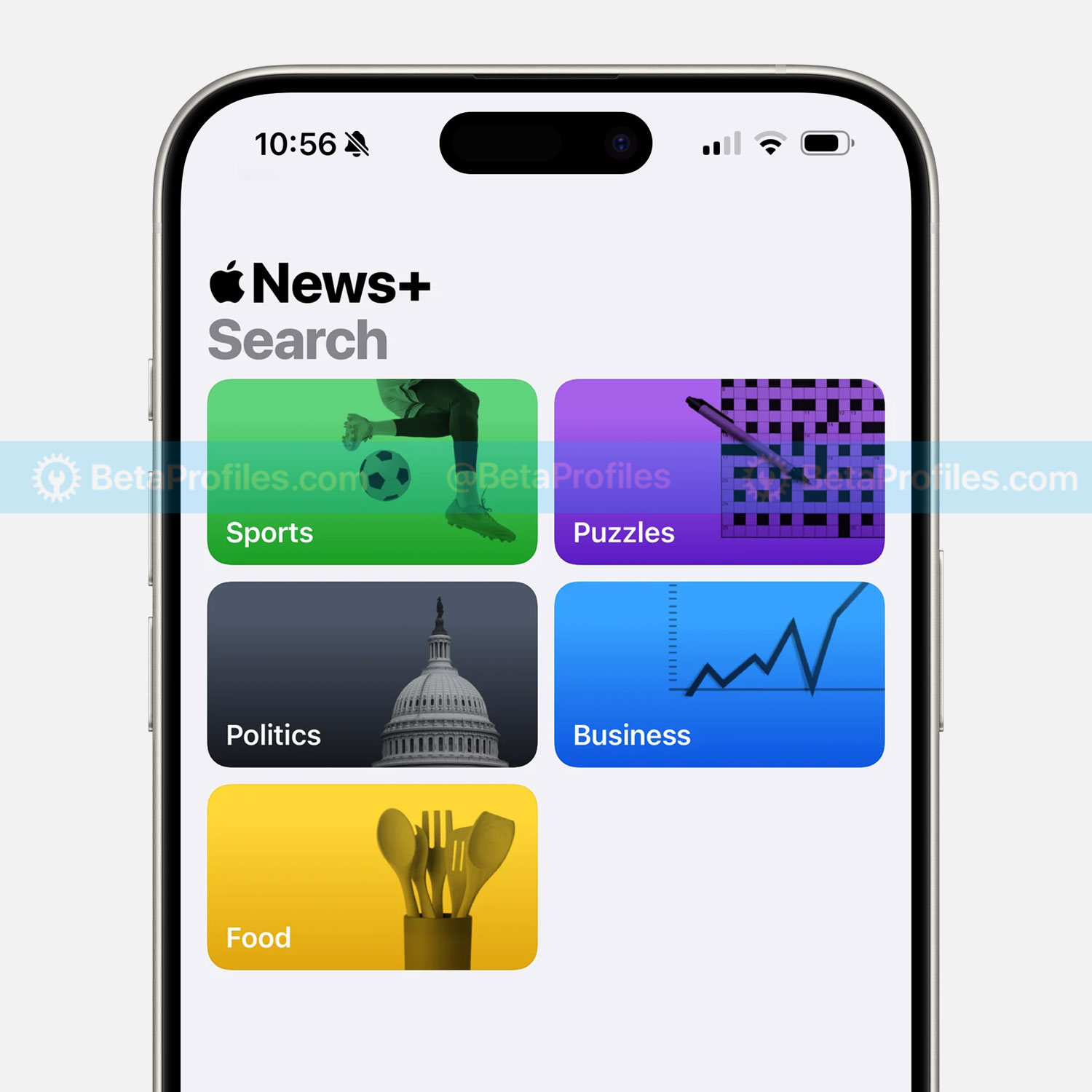
The Sports tab has been replaced with a Following tab, and the search button is now dedicated solely to search. You’ll also find search suggestions similar to those found in Apple’s other service apps like Music and TV.
Apple Music
Songs you’ve downloaded from Apple Music now support offline lyrics as well. Previously, even if a song was downloaded, you could listen to it but couldn’t view the lyrics.
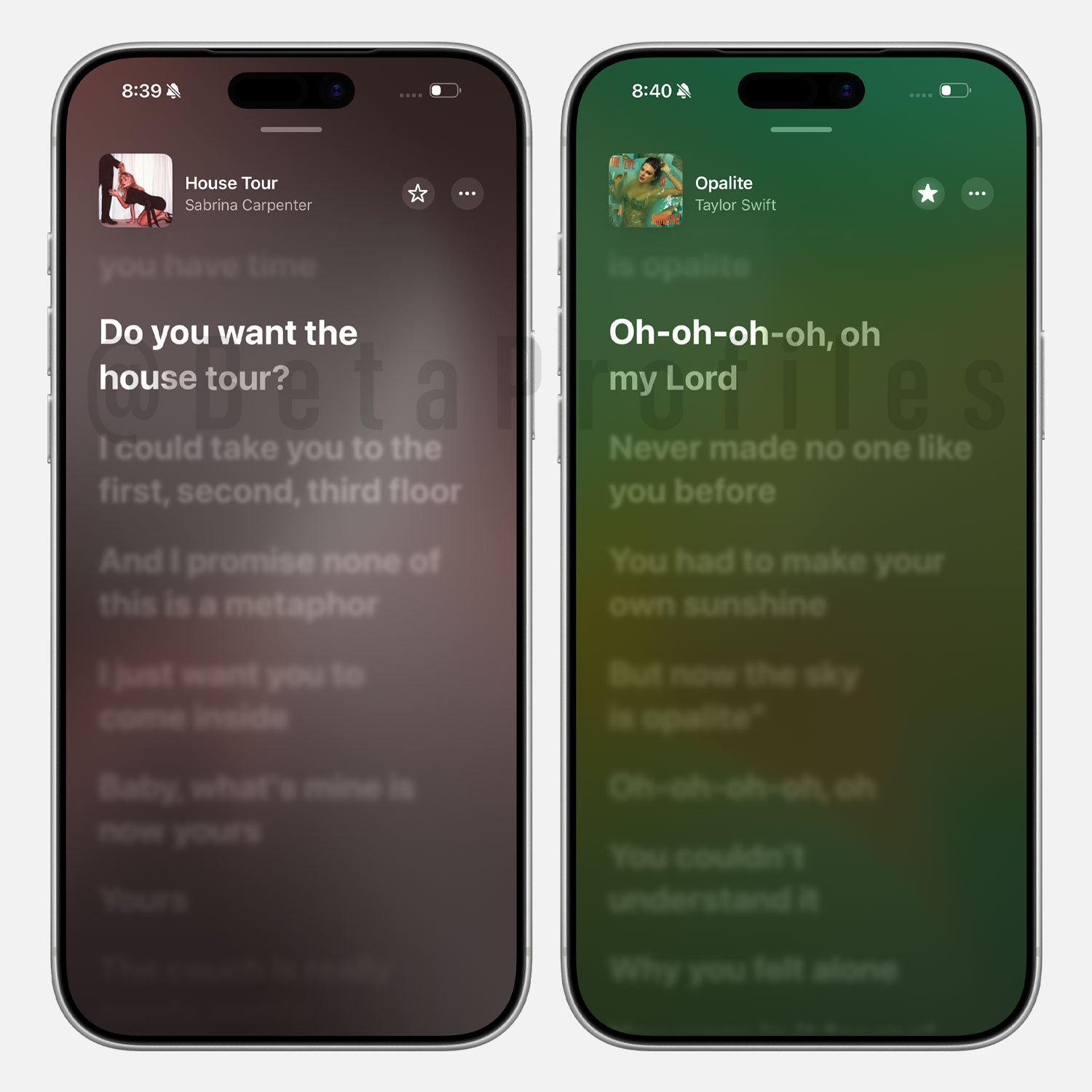
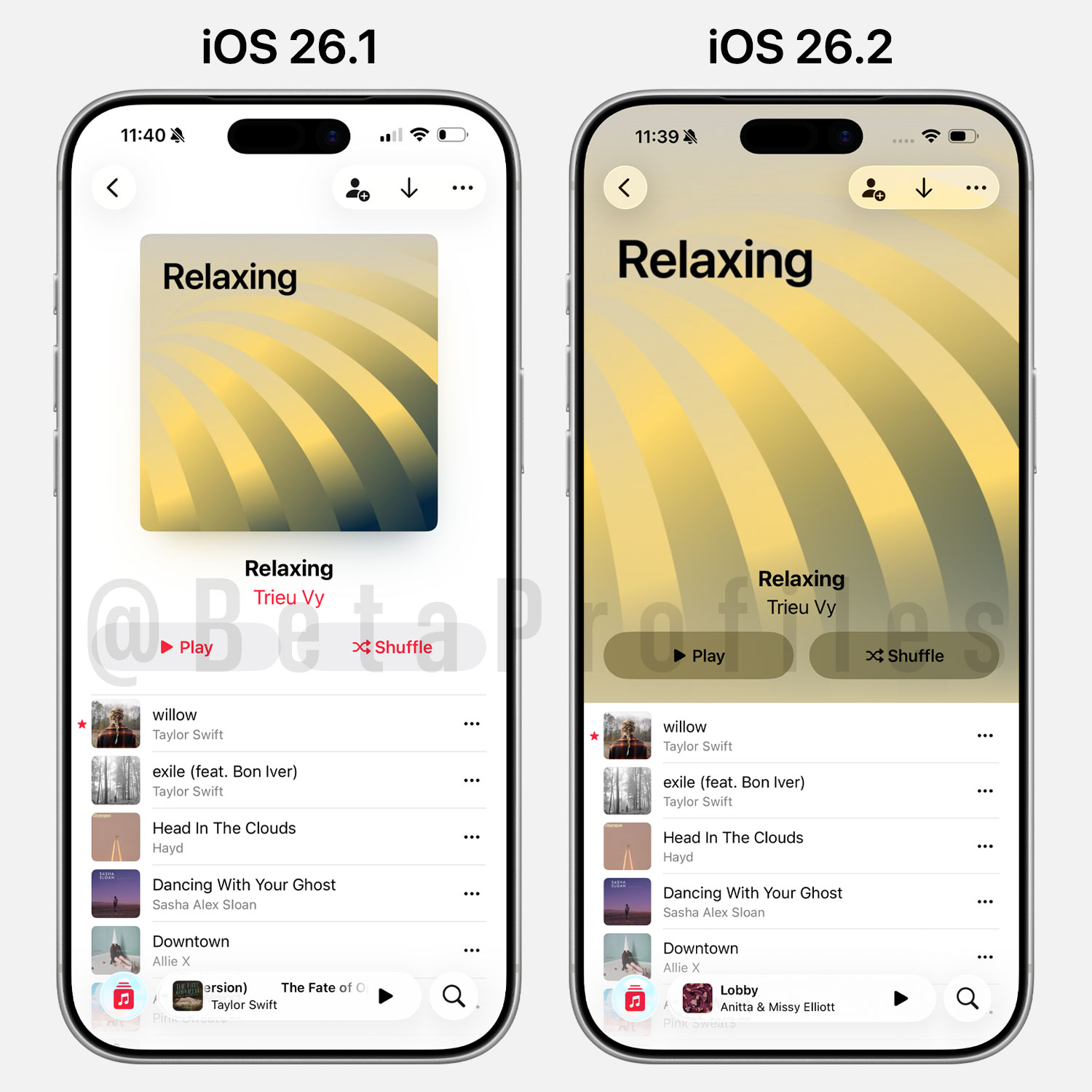
Covers for user-created playlists are now displayed in full screen. Note that this change only applies to playlists with automatically generated covers, custom images uploaded by users won’t be affected.
Freeform
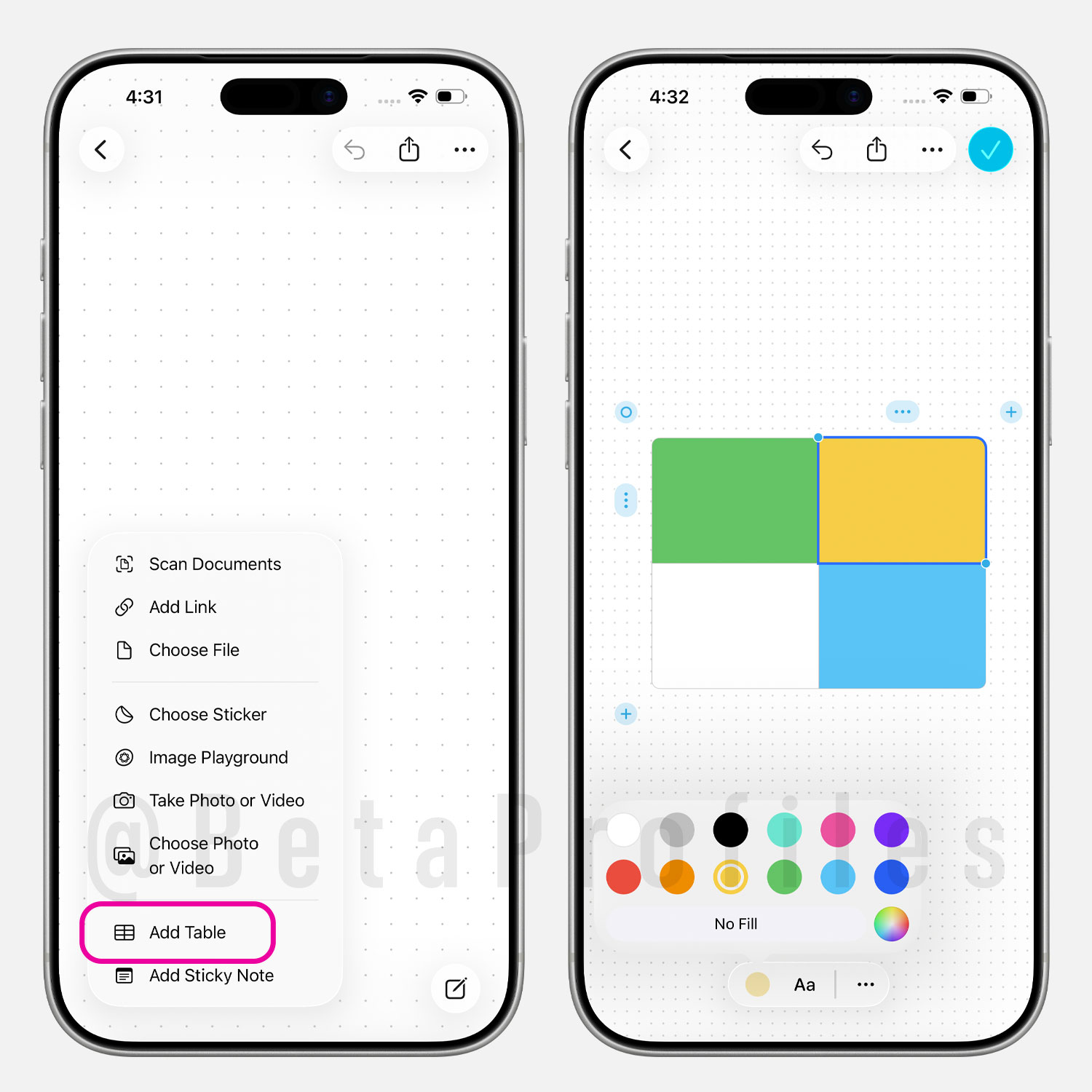
The Freeform app in iOS 26.2 now lets you add tables. You can resize them, fill each cell with color, add content, and insert or remove multiple rows and columns as needed.
Passwords
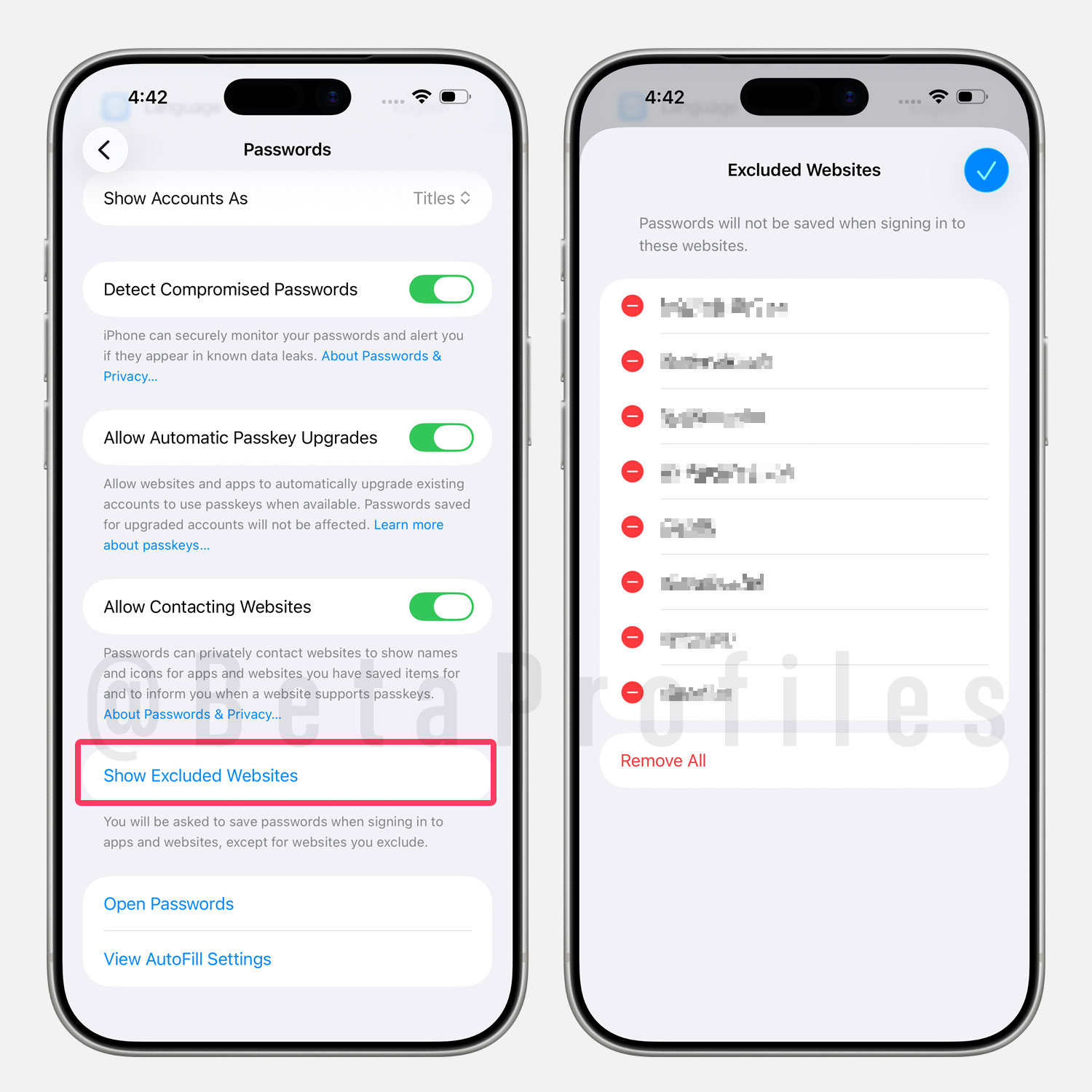
In Settings → Apps → Passwords, there’s a new option called “Show Excluded Websites” that lets you manage websites where passwords are not saved when signing in.
Games App
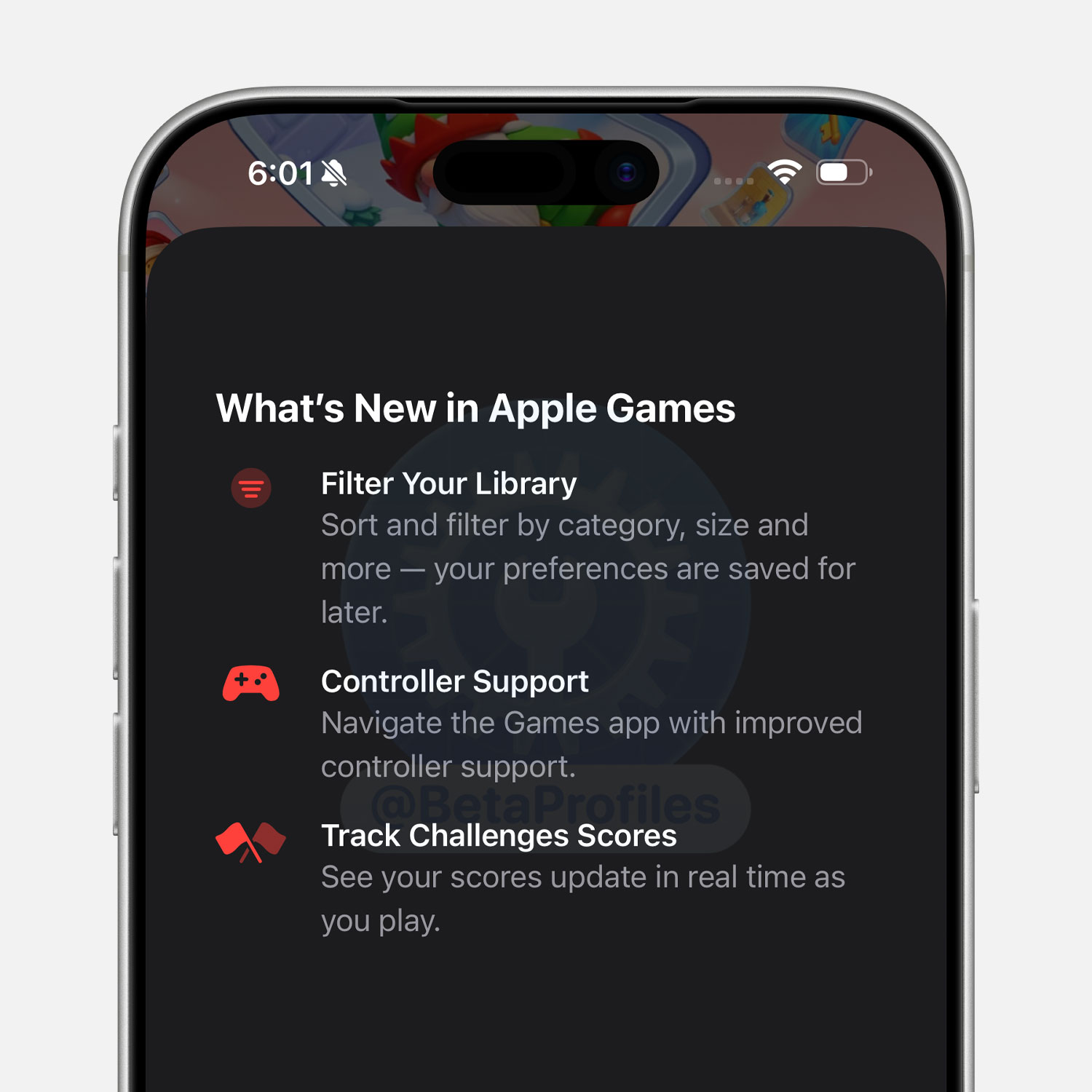
The Games app has received several updates, including category and size filters in the Library tab, controller navigation support, and real-time challenge score tracking during playback.
Sleep Score
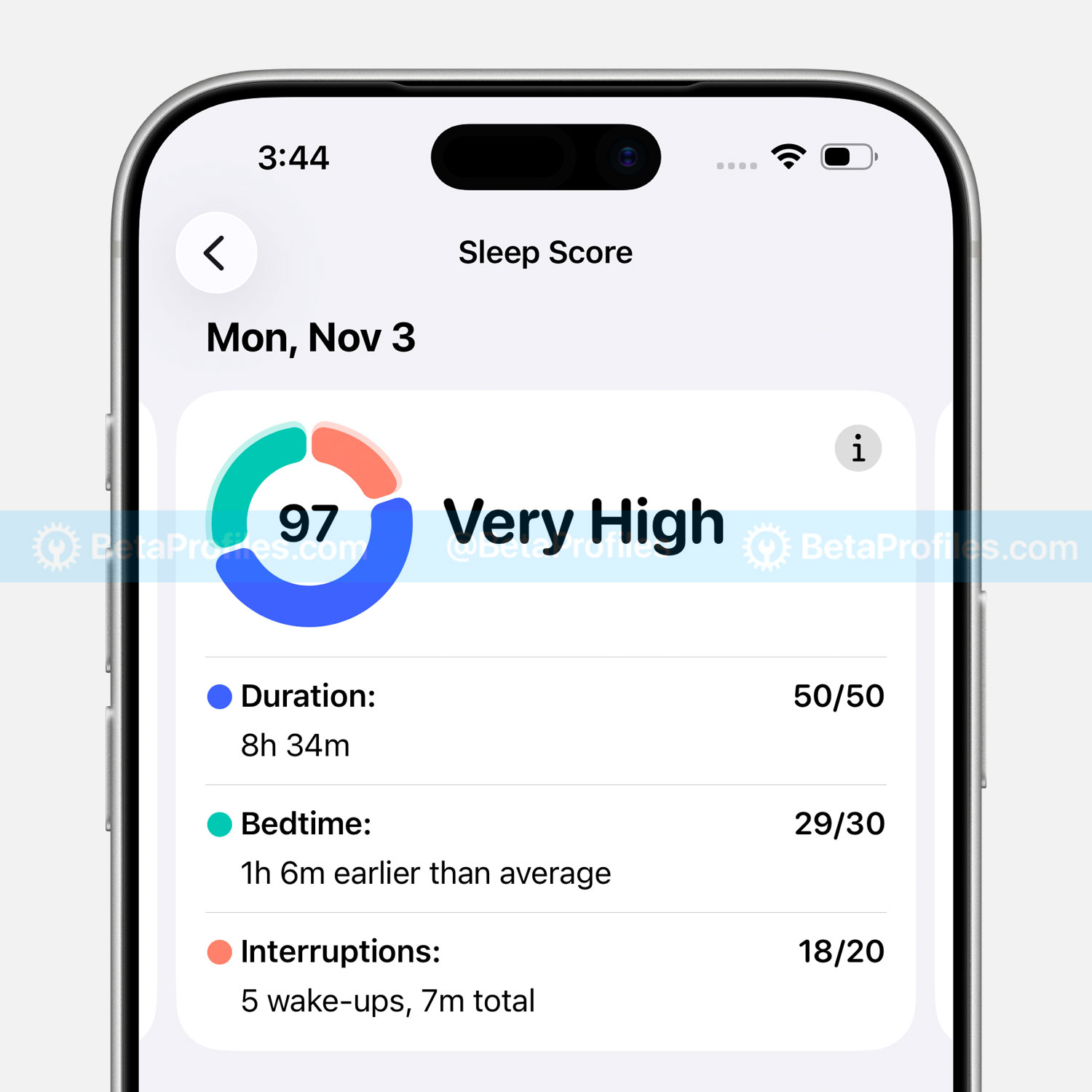
iOS 26.2 and watchOS 26.2 have adjusted the Sleep Score categories on Apple Watch as follows:
- Very Low - 0-40 (previously 0-29)
- Low - 41-60 (previously 30-49)
- OK - 61-80 (previously 50-69)
- High - 81-95 (previously 70-89)
- Very High (previously called “Excellent”) - 96-100 (previously 90-100)
Enhanced Safety Alerts
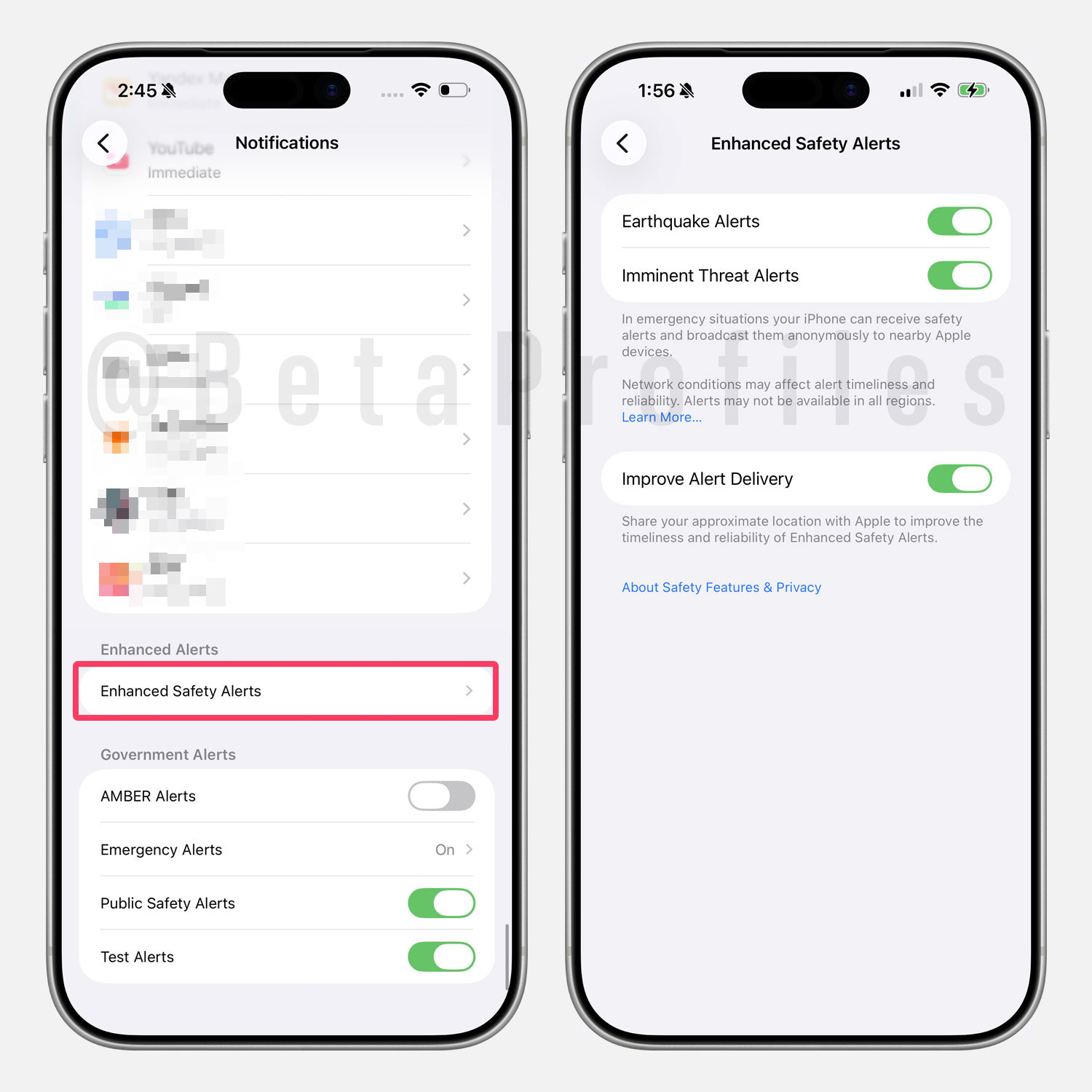
In Settings → Notifications, if you scroll to the bottom, you’ll also find a new “Enhanced Safety Alerts” option for warnings such as earthquakes or imminent threats.
Note that this setting is region-specific and may not be available to everyone.
Flash Screen for Alerts
In Settings → Accessibility → Audio & Visual → Flash for Alerts, there are two new options — Screen and Both, that let you enable screen flashes for alerts. Previously, you could only use the LED flash on the back of the device.
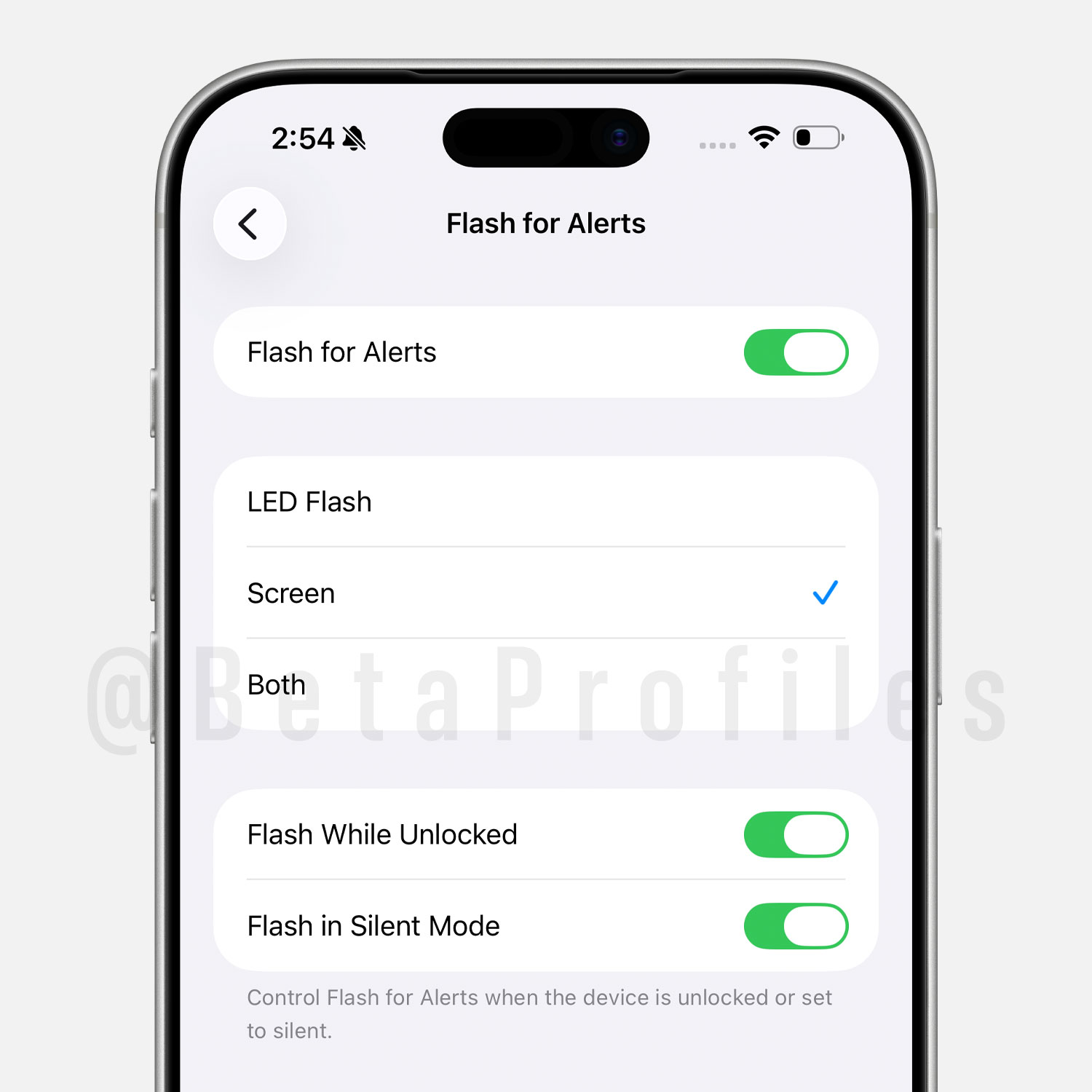
When you choose the Screen option, your iPhone display briefly brightens a bit more than usual when a notification comes in.
Apple Account
When you view your Apple Account settings for the first time in iOS 26.2 Beta 3, there’s a new “Apple Account & Privacy” splash screen.
Apple Account & Privacy has been updated to better explain how Apple collects, uses, and protects your personal information.
CarPlay
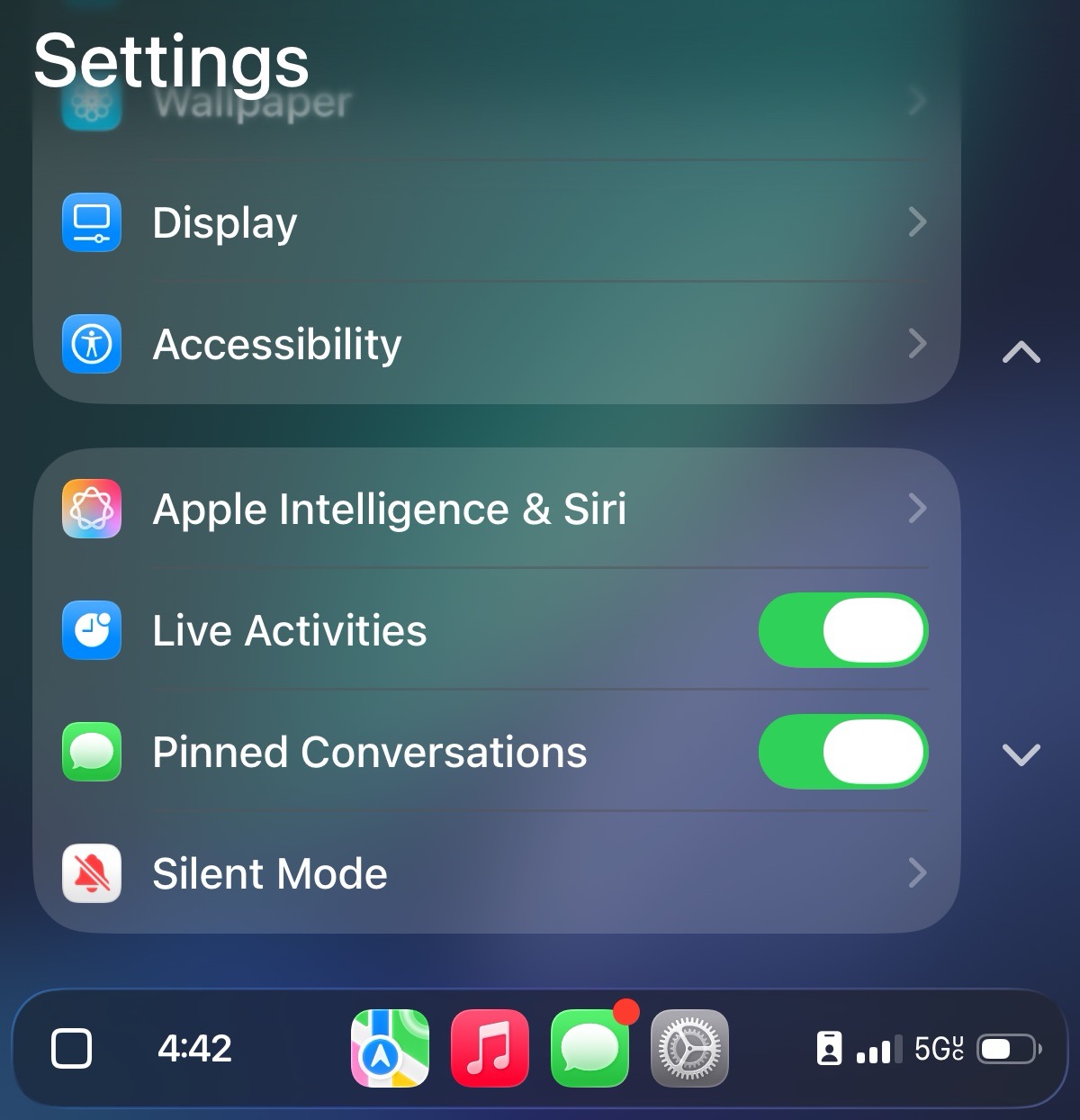
There’s a new Pinned Conversations toggle in CarPlay settings that lets you hide pinned threads in Messages. In iOS 26.1 and earlier, CarPlay always mirrored the pinned conversations from your iPhone, but this option turns the Messages app into a simple list of conversation threads.
AirPods Live Translation in EU
Apple has confirmed that Live Translation on select AirPods models will expand to the EU with iOS 26.2.
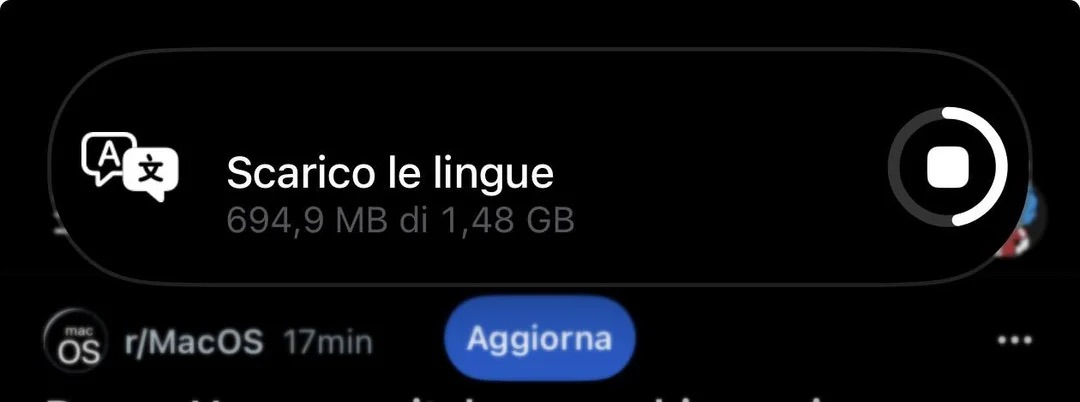
Live Translation requires AirPods Pro 3, AirPods Pro 2, or AirPods 4 with Active Noise Cancellation (ANC). The AirPods must be connected to an iPhone that supports Apple Intelligence.
Supported languages include English, French, German, Portuguese, Spanish, Italian, Chinese (Simplified and Traditional), Japanese, and Korean.
Bonus: Multitasking on iPad
Good news for iPad users: iPadOS 26.2 brings back the ability to drag apps into Slide Over and Split View.
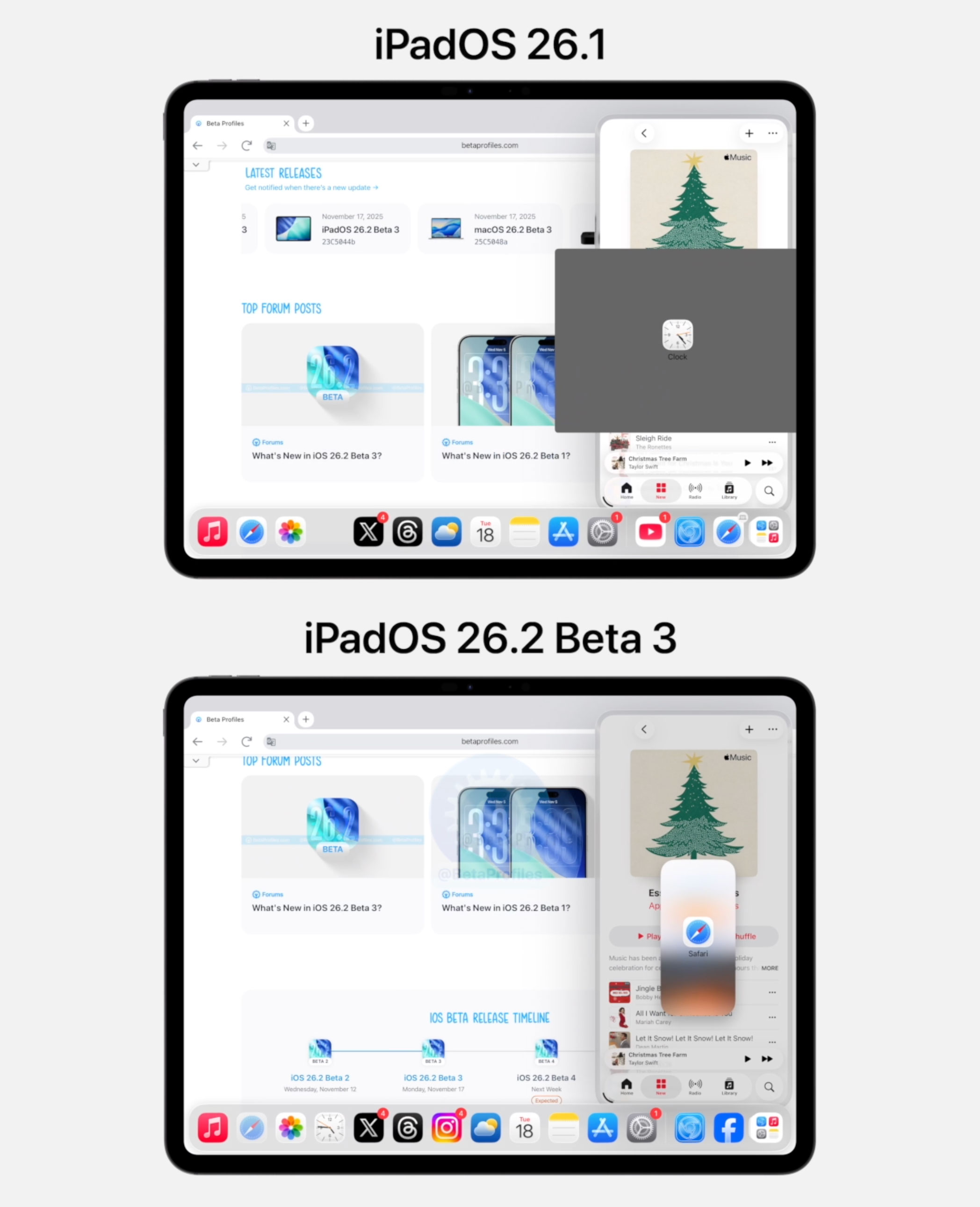
Apple removed several well-known iPad multitasking features in iPadOS 26.0 and it seems many iPad users were unhappy about it, myself included. iPadOS 26.1, released earlier this month, restored Slide Over, and the recent iPadOS 26.2 now brings back app drag and drop into both Slide Over and Split View.
https://x.com/BetaProfiles/status/1990812093629804572
Changes in Japan
To comply with new regulations taking effect in Japan this December, Apple has made several Japan-specific changes.
Third-Party App Stores
Users in Japan can now install third-party app stores such as AltStore PAL and Epic Games Store in iOS 26.2.
This update complies with new Japanese regulations designed to limit the dominance of major tech companies like Apple.
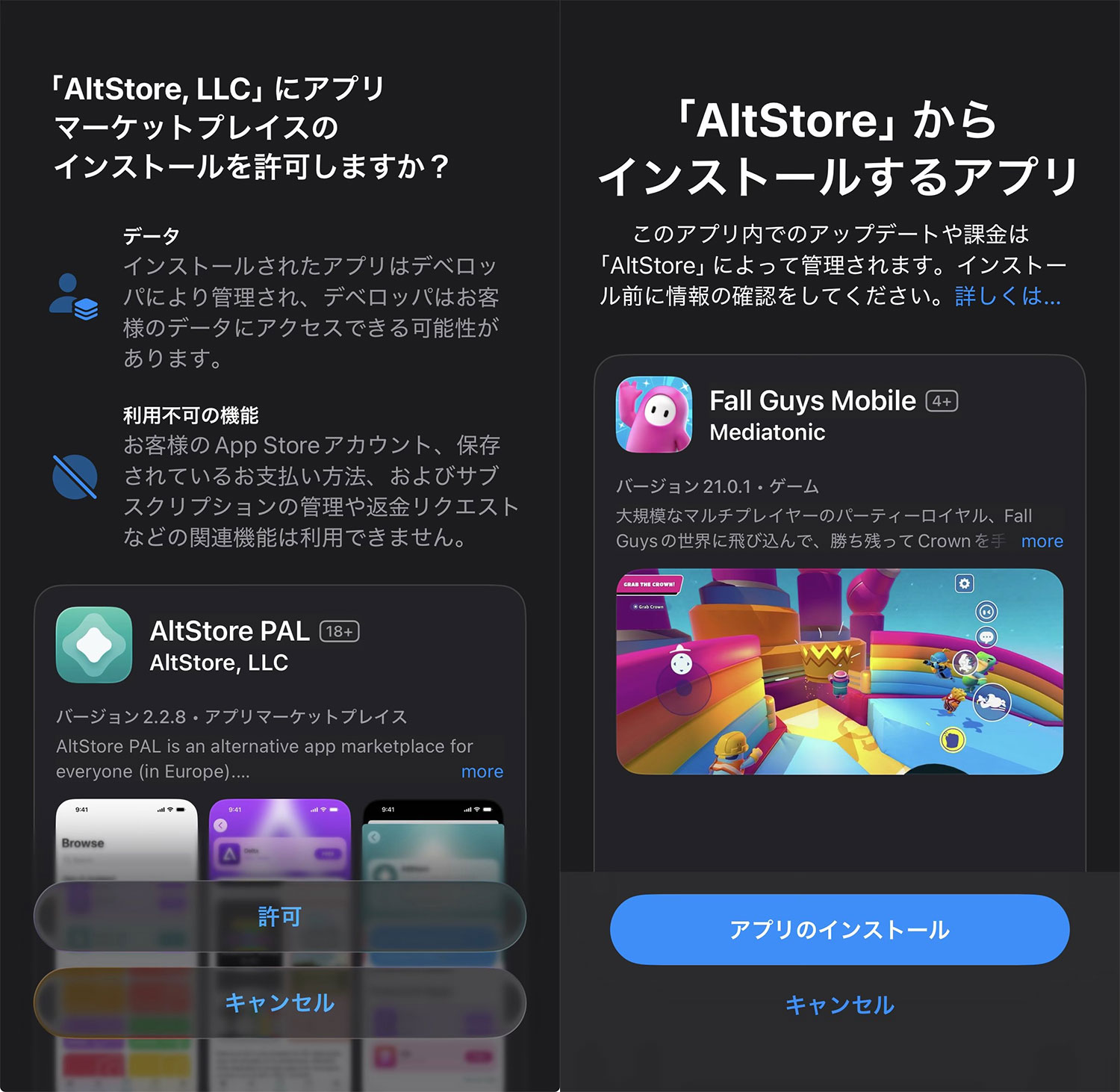
Previously, only the 27 EU countries were allowed to install third-party app stores beginning with iOS 17.4 and iPadOS 18, as part of compliance with the Digital Markets Act (DMA).
Safari
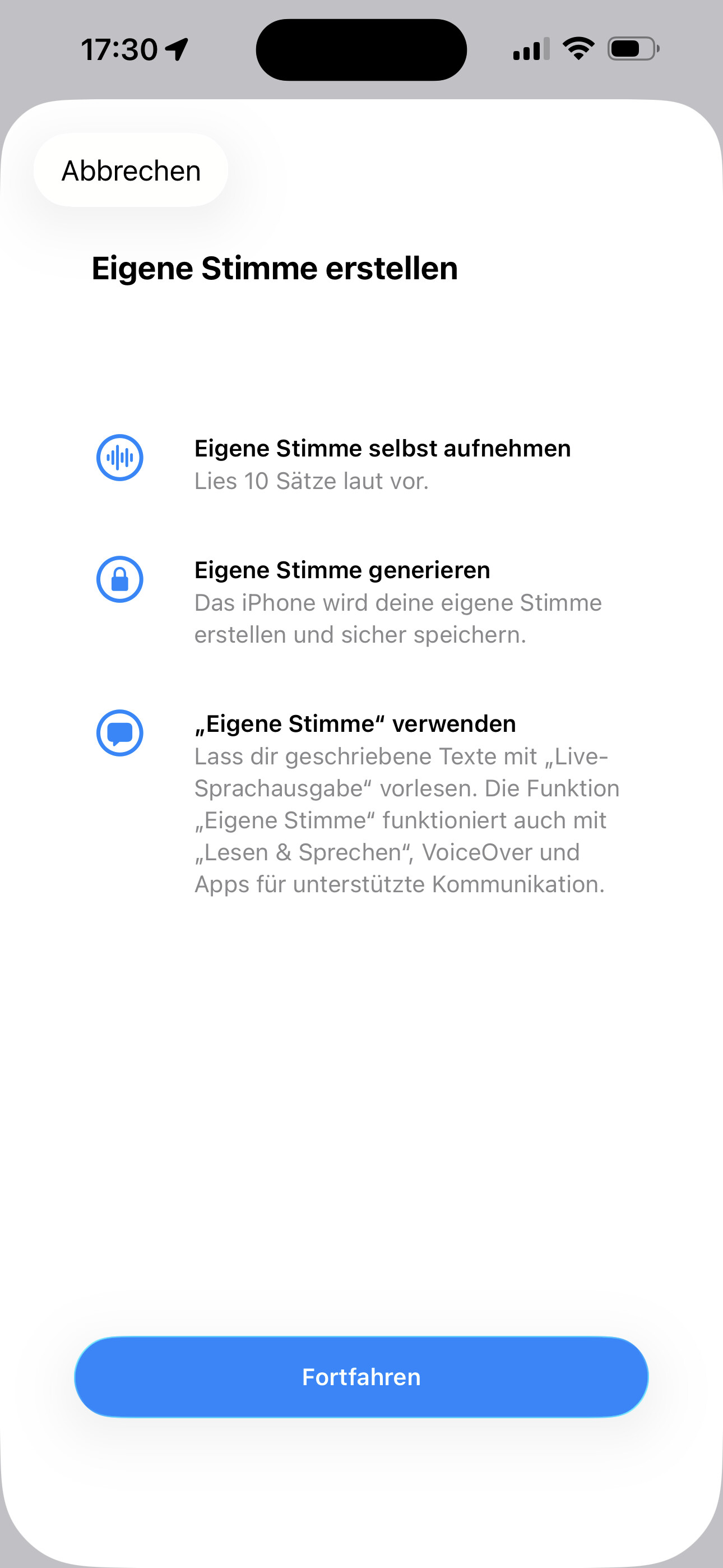
iOS 26.2 Beta also prompts users in Japan to choose their default search engine directly within Safari. Top options include Bing, Google, DuckDuckGo, Yahoo, and Ecosia.
This change follows new Japanese rules that require platforms to give users clear freedom to select their preferred search engine.
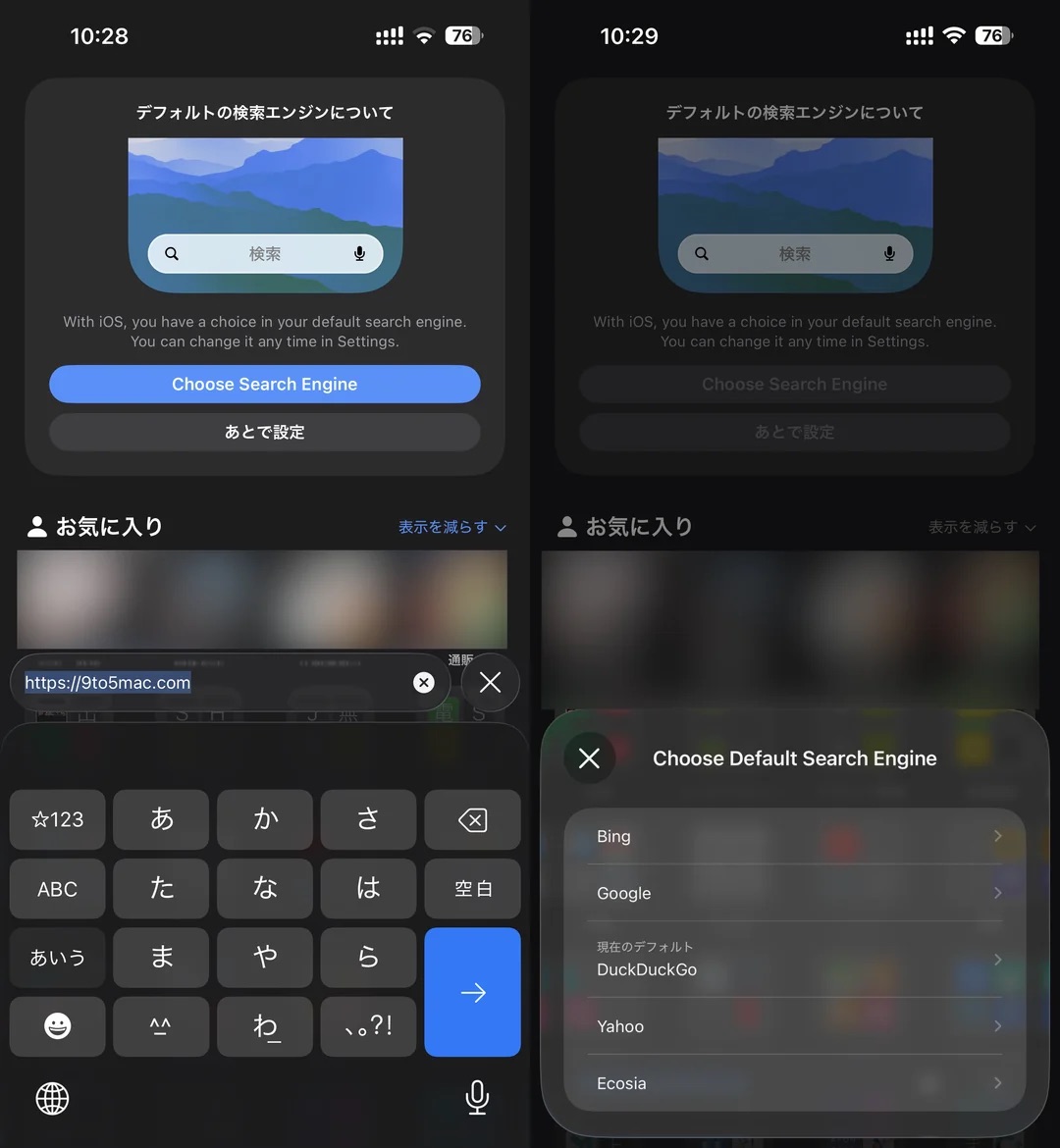
For everyone else, you can always change Safari’s default search engine via: Settings → Apps → Safari → Search Engine.
Customizable Side Button
Apple confirmed in developer documentation that iPhone users in Japan can customize the Side button action. Specifically, they can replace Siri with a third party voice assistant such as Gemini or Alexa when holding down the Side button.
Bloomberg earlier reported that Apple will soon offer EU users the option to choose a default voice assistant other than Siri along with other interoperability requirements. It is unclear when this will roll out in the EU, but in iOS 26.2 this option appears to be limited to users with Apple accounts based in Japan.
Bug Fixes
iOS 26.2 reduces several lag and glitch issues when interacting with Control Center and the Home Screen.
When scrolling off the widgets page, you should no longer see dropped frames on the Home Screen, removing that annoying stutter.
https://x.com/BetaProfiles/status/1988992782061772822
Swiping between Control Center pages is also much smoother. You can check out the video I posted comparing it with iOS 26.1 — iOS 26.2 shows no lag at all even while screen recording and swiping quickly between pages.
https://x.com/BetaProfiles/status/1989024799973339214
iOS 26.2 fixes both the ghosting seen when opening App Library folders and the overlapping bug in Control Center.
https://x.com/BetaProfiles/status/1996317184004653295
A Look at What’s Coming Next
“Apple Creator Studio”
According to @aaronp613 on X, iOS 26.2 Beta 1 also references something called “Apple Creator Studio.” It’s not yet clear what this might refer to or how Apple plans to use it.
Find My Features
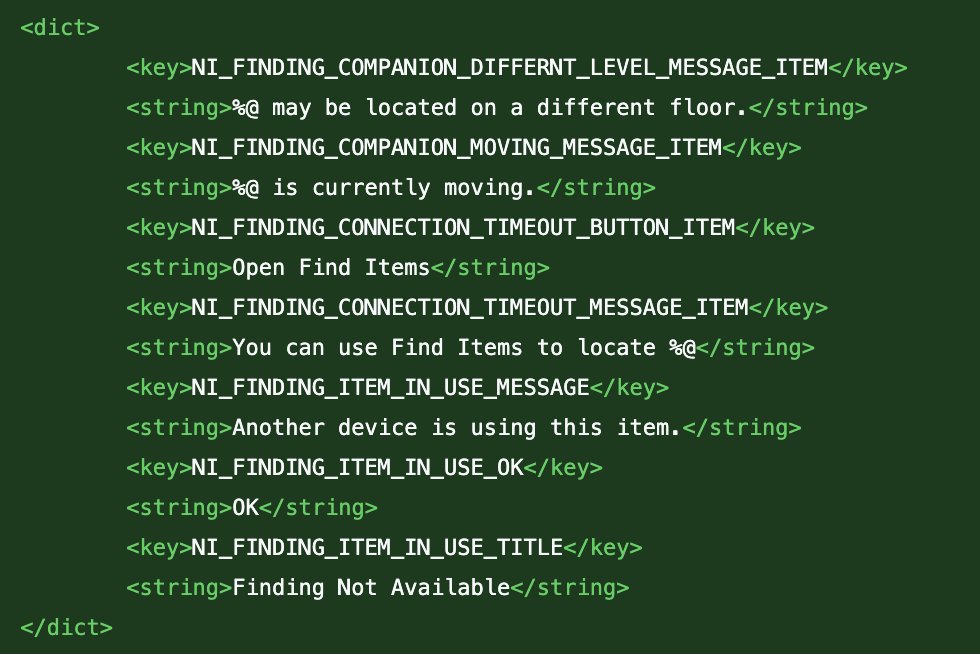
@aaronp613 spotted a reference in the iOS 26.2 RC code to a feature related to Find My. There aren’t any details yet on what the feature does, but he suggested it might be connected to the upcoming AirTag 2.
What’s Next?
Once iOS 26.2 is released to the public, Apple is expected to roll out the first iOS 26.3 beta to developers before the US holiday break.
Here’s the release timeline from previous years:
- iOS 18.3 Beta 1: December 16, 2024 (5 days after iOS 18.2 was released)
- iOS 17.3 Beta 1: December 12, 2023 (1 day after iOS 17.2 was released)
- iOS 16.3 Beta 1: December 14, 2022 (1 day after iOS 16.2 was released)
- iOS 15.3 Beta 1: December 17, 2021 (4 days after iOS 15.2 was released)
However, I don’t expect iOS 26.3 to bring many new features, as past X.3 updates have usually been pretty minor. I’m more interested in iOS 26.4 Beta, likely arriving around February, which should include more of the missing Apple Intelligence and Siri improvements.
Alright, that’s everything I wanted to cover in this post. Make sure to follow @BetaProfiles on X or Threads so you don’t miss any of the latest updates from Beta Profiles