Apple has released iOS 27 beta 2 to developers today, two weeks after the first beta. The update introduces several UI tweaks and bug fixes. Let’s take a look at what’s new.
In case you missed it, here’s what was added in beta 1: What’s New in iOS 27 Beta 1 →
iOS 27 Developer Beta 2
Build: 24A5370h
Released: June 22, 2026
Type to Siri
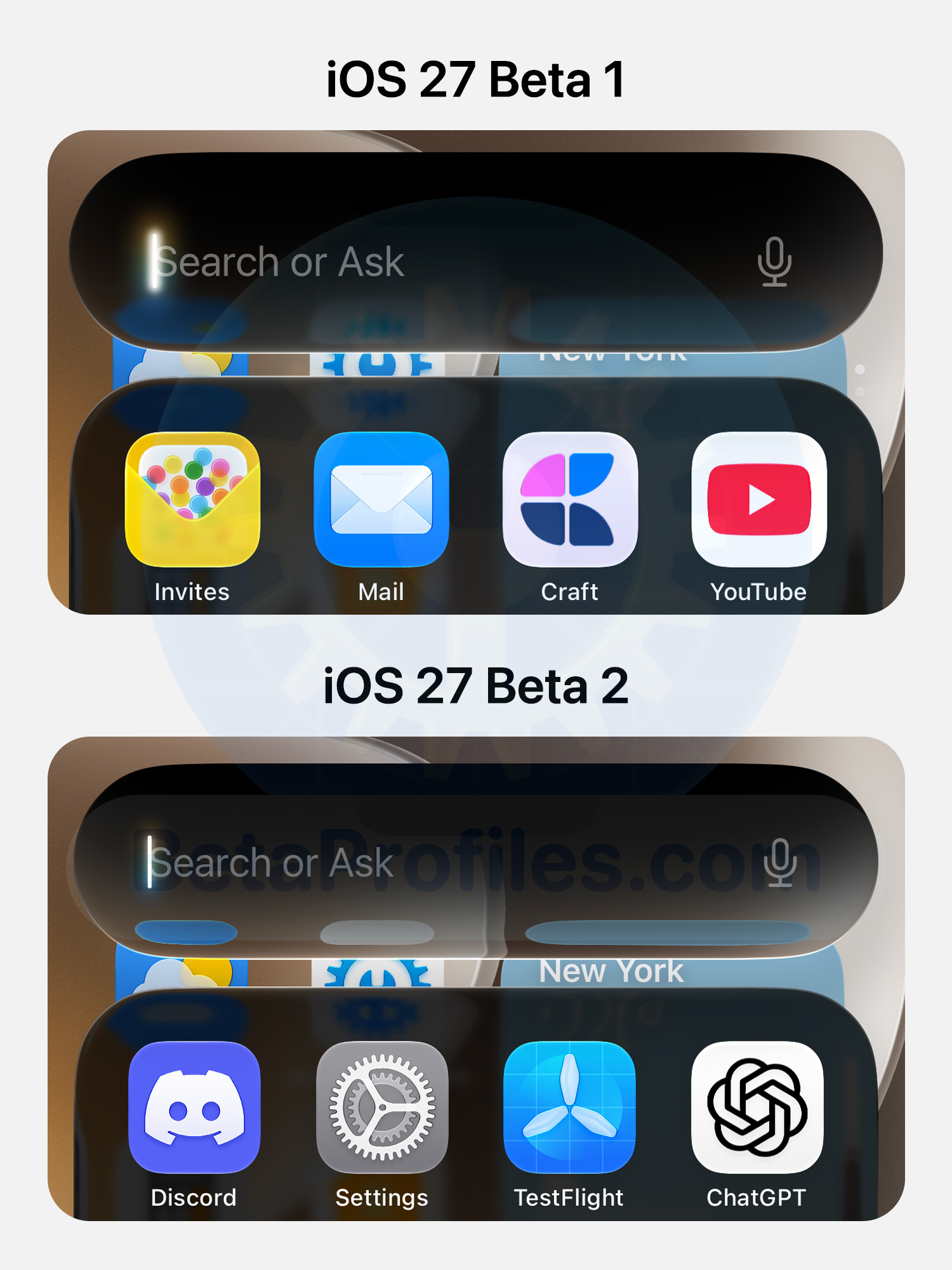
iOS 27 beta 2 tweaks the glowing cursor in Type to Siri, making it glow a bit less while the Liquid Glass background underneath looks more transparent too.
Faster Siri AI
Many users have reported that Siri AI feels significantly faster in beta 2, with no more lag when handling consecutive requests.
Siri Voice
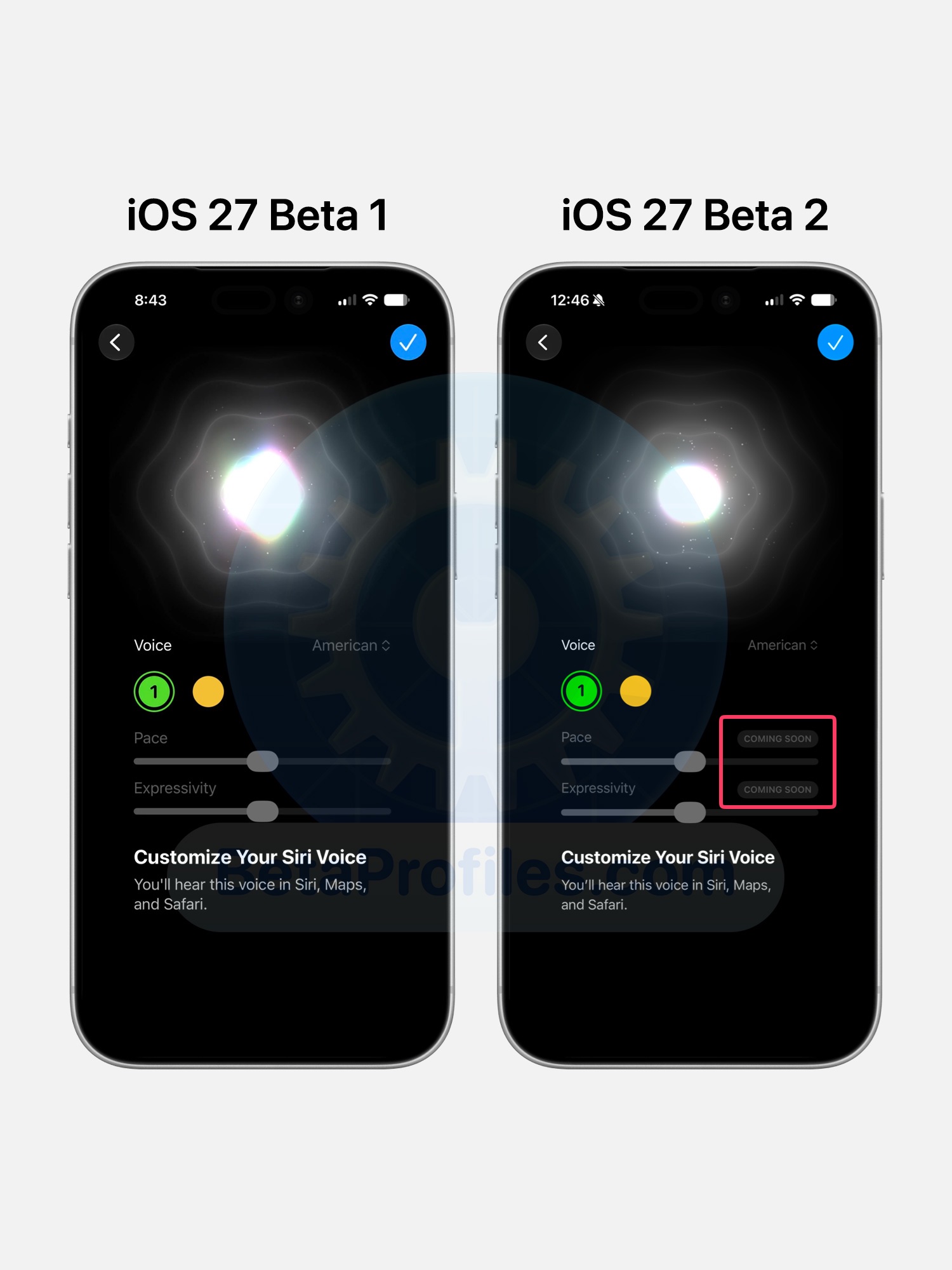
The Pace and Expressivity voice customization options for Siri now show as “Coming soon”.
This feature is exclusive to devices that support Apple’s most advanced AI model, like the iPhone 17 Pro and iPhone Air. Check out the full list here.
Write with Siri
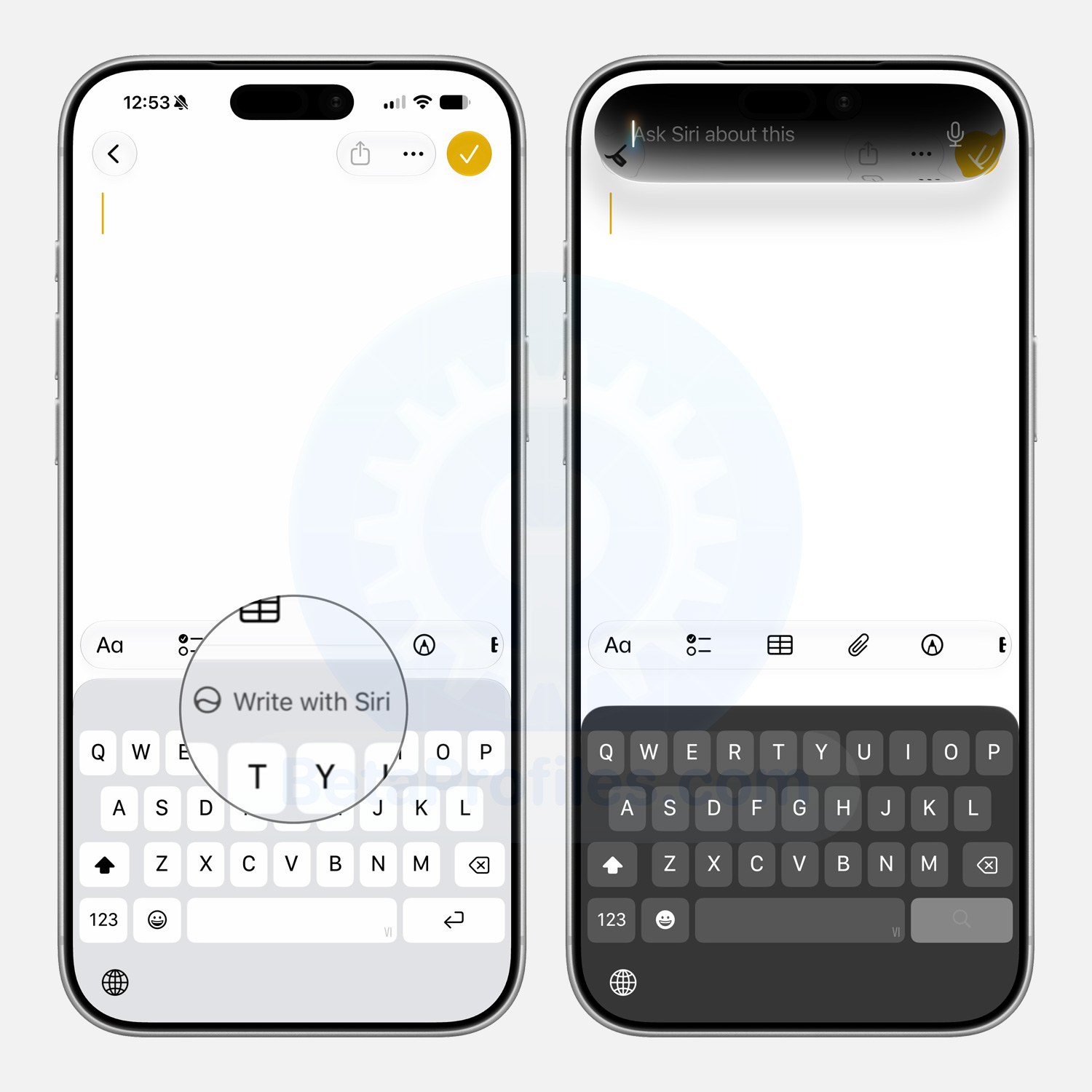
A new Write with Siri button shows up on the keyboard in text fields across apps like Messages and Notes. Tapping it brings up the “Ask Siri about this” view where you can ask questions or get Siri to draft text for you.
This feature seems to replace the Writing Tools introduced in iOS 26.
Home App
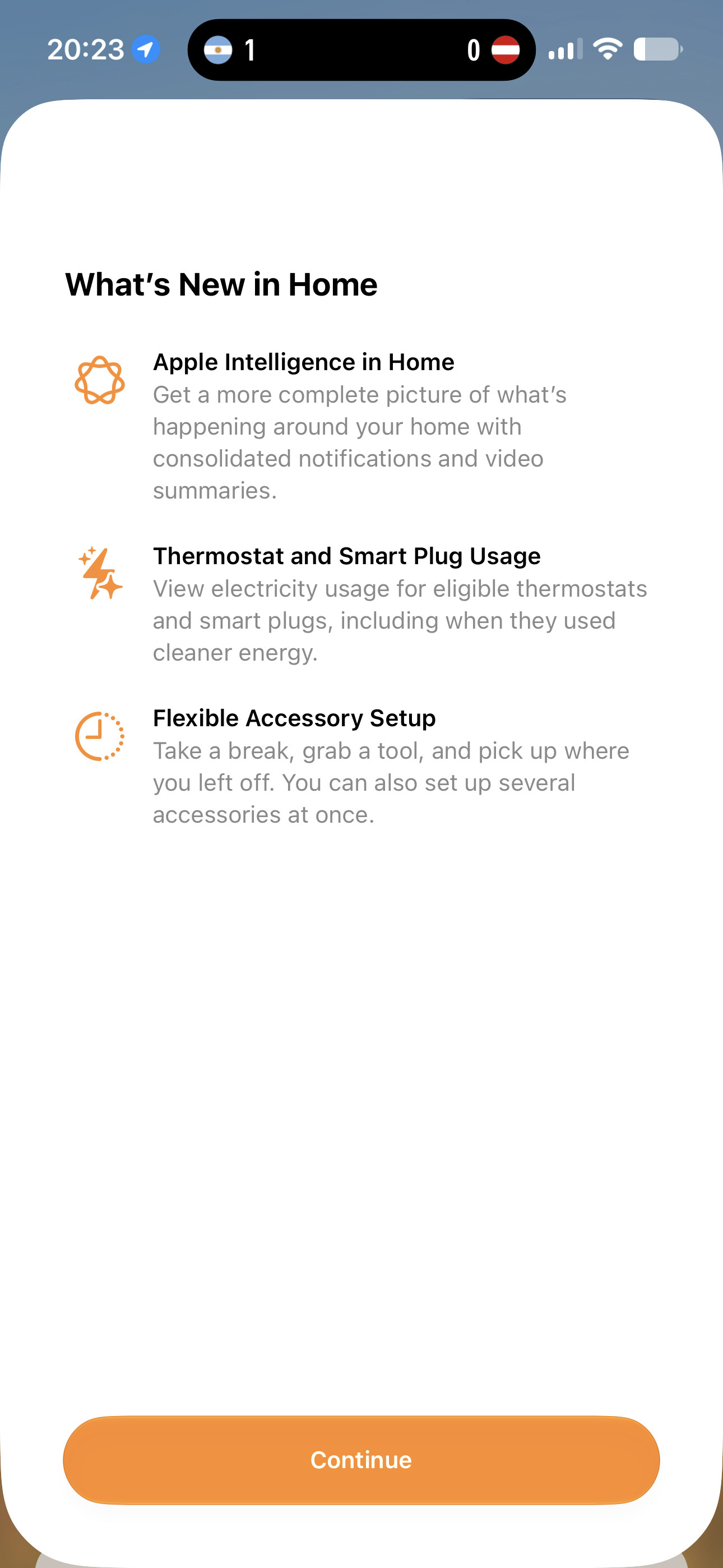
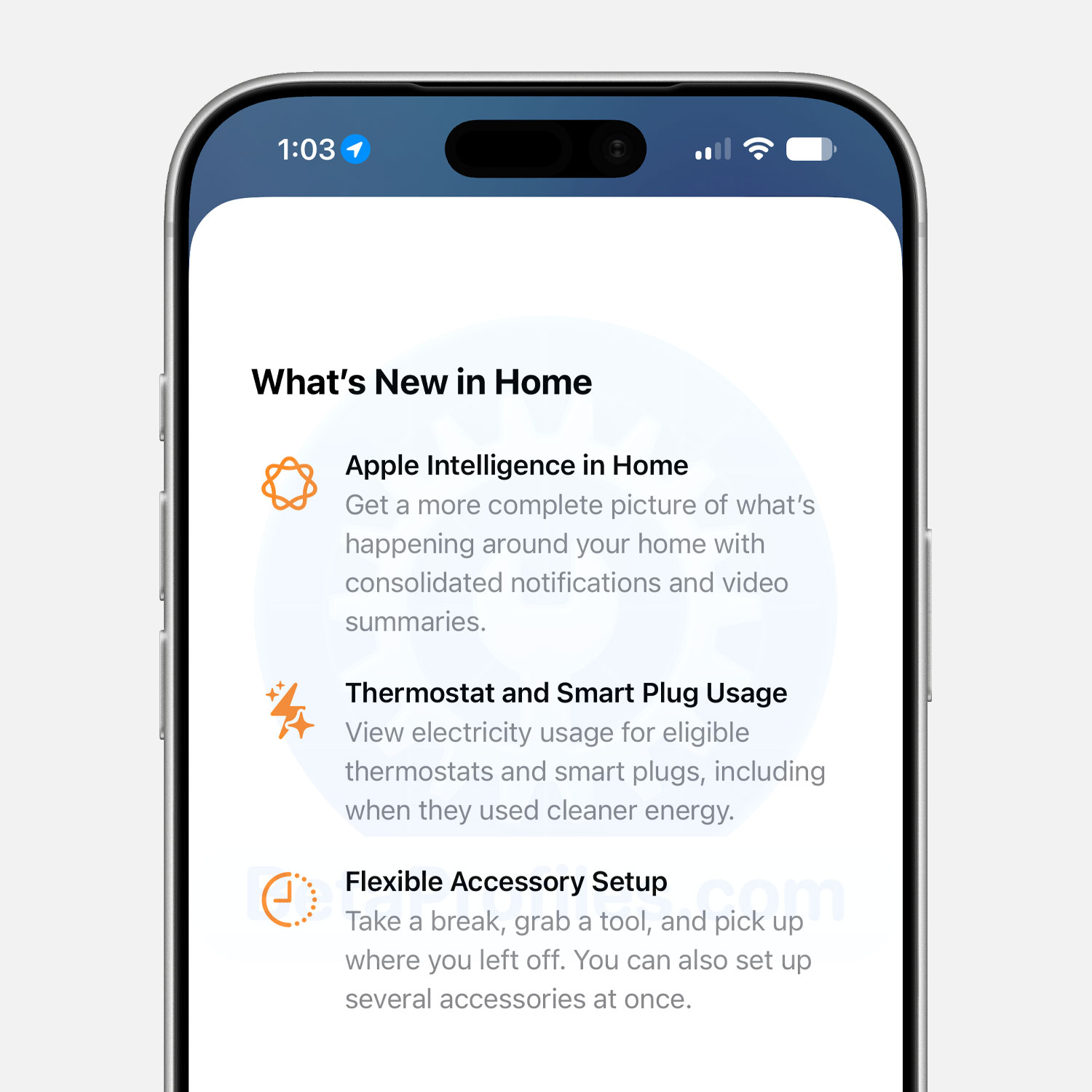
A What’s New screen now appears when opening the Home app in iOS 27 beta 2. The new features listed include:
- Apple Intelligence in Home: Get a more complete picture of what’s happening around your home with consolidated notifications and video summaries.
- Thermostat and Smart Plug Usage: View electricity usage for eligible thermostats and smart plugs, including when they used cleaner energy.
- Flexible Accessory Setup: Take a break, grab a tool, and pick up where you left off. You can also set up several accessories at once.
Additionally, the Home app now integrates the ability to update Apple TV software without turning on the TV. You can update both Apple TV and HomePod software in the Update section of the Settings interface within the Home app.
Camera
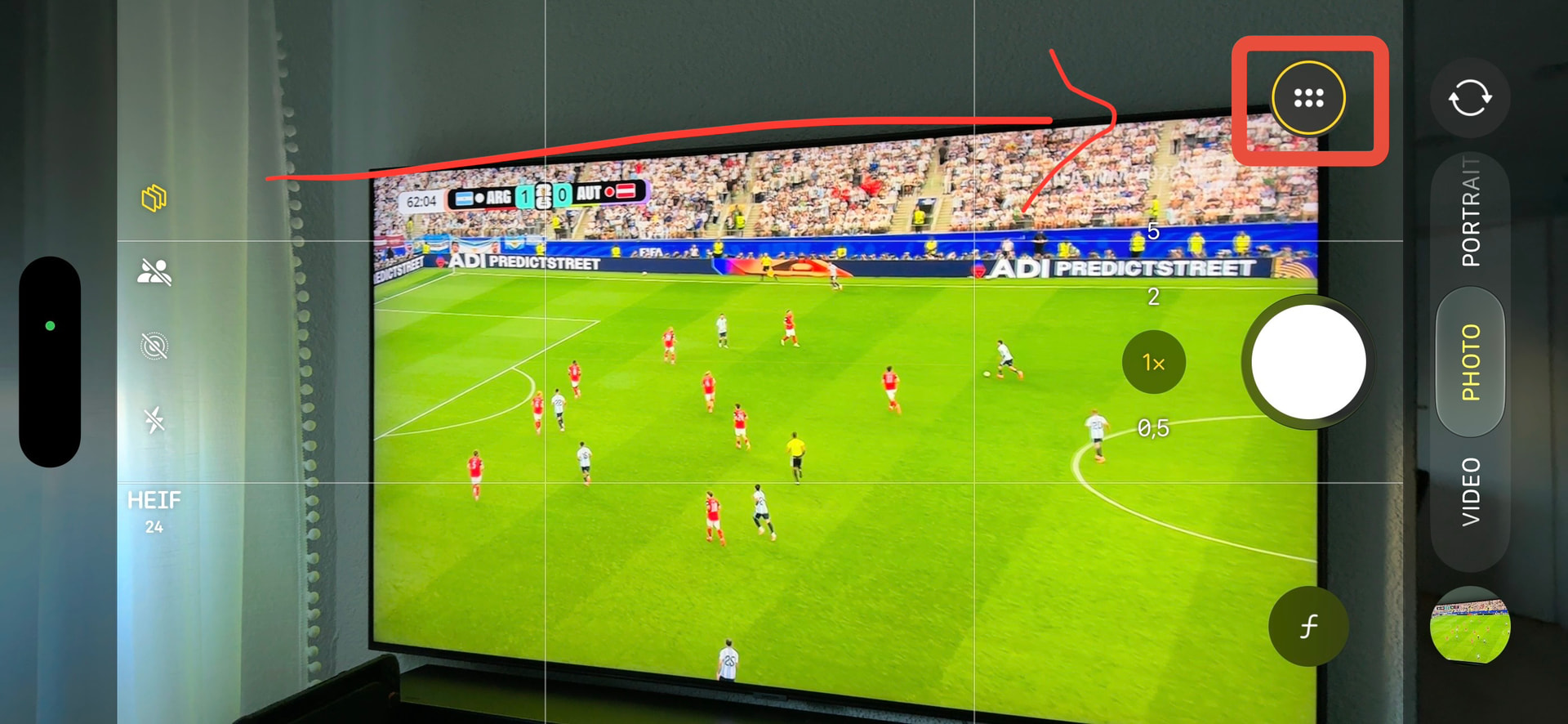
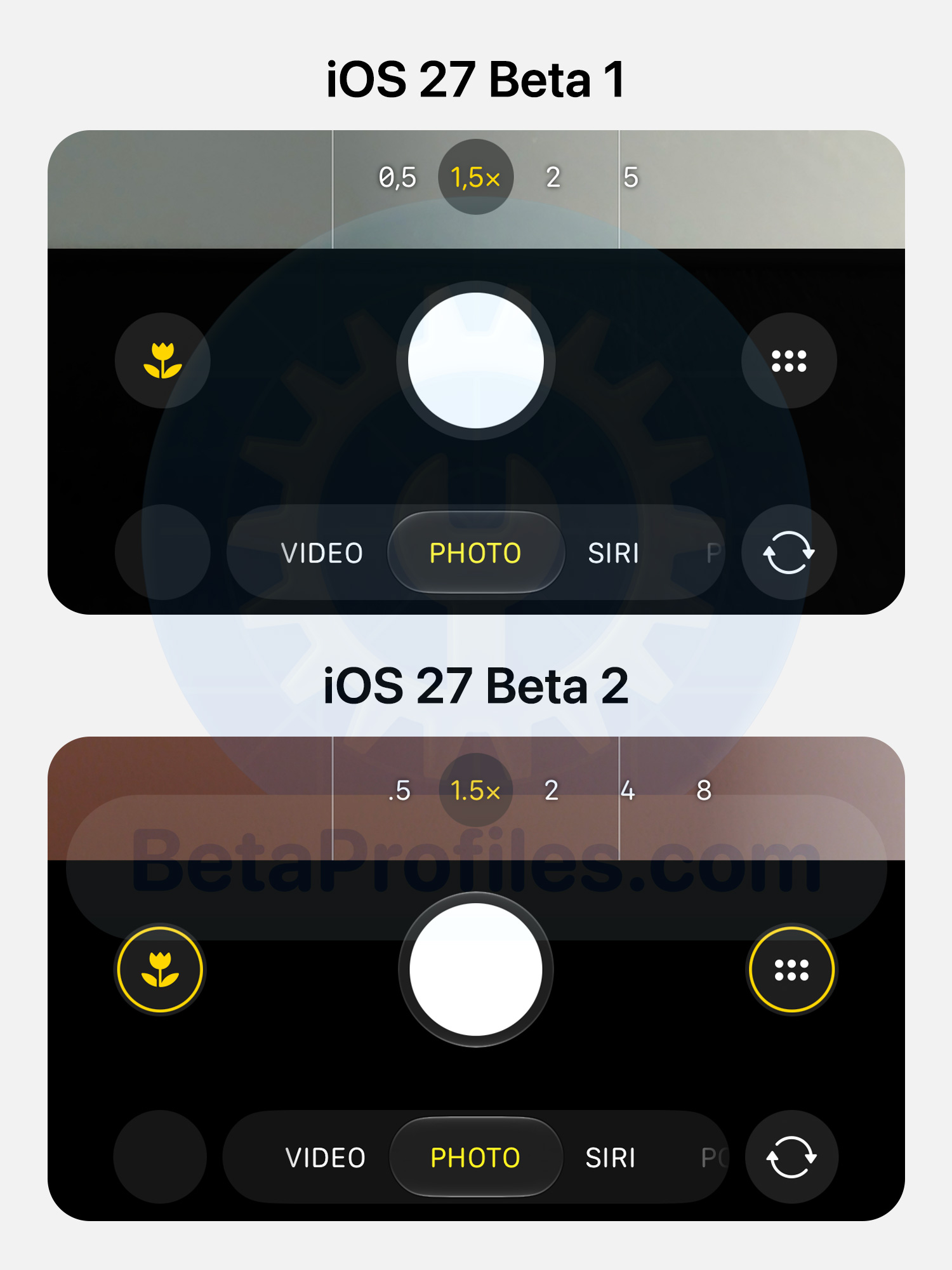
The hidden menu button in the Camera app now shows a yellow outline to indicate that one or more camera features are currently enabled.
Thanks to @KingDando
Wallet
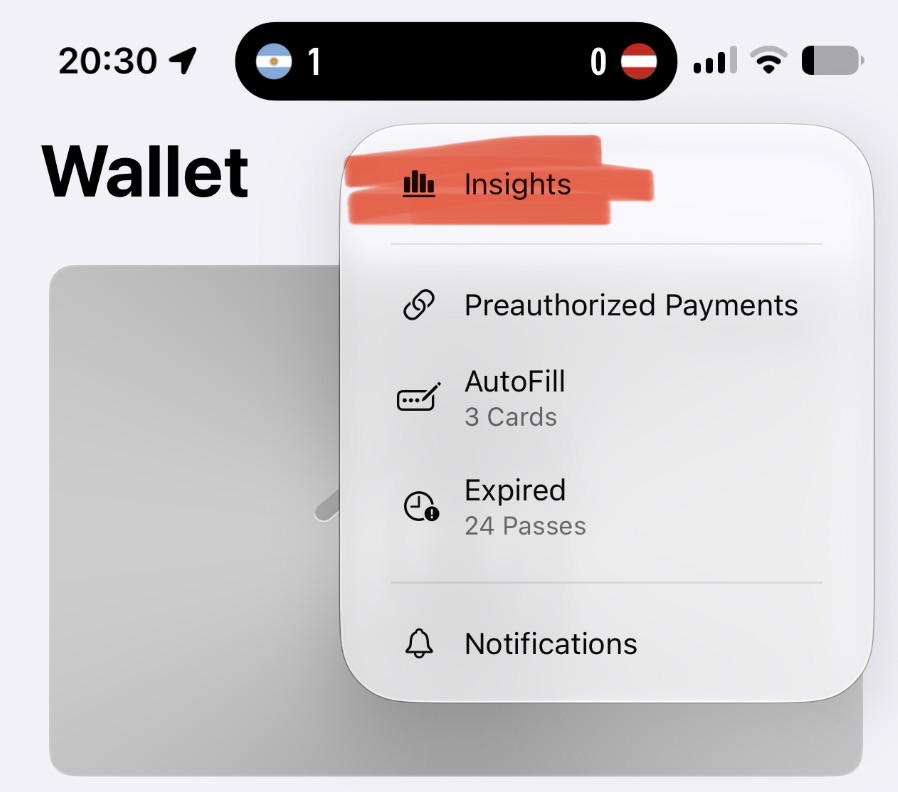
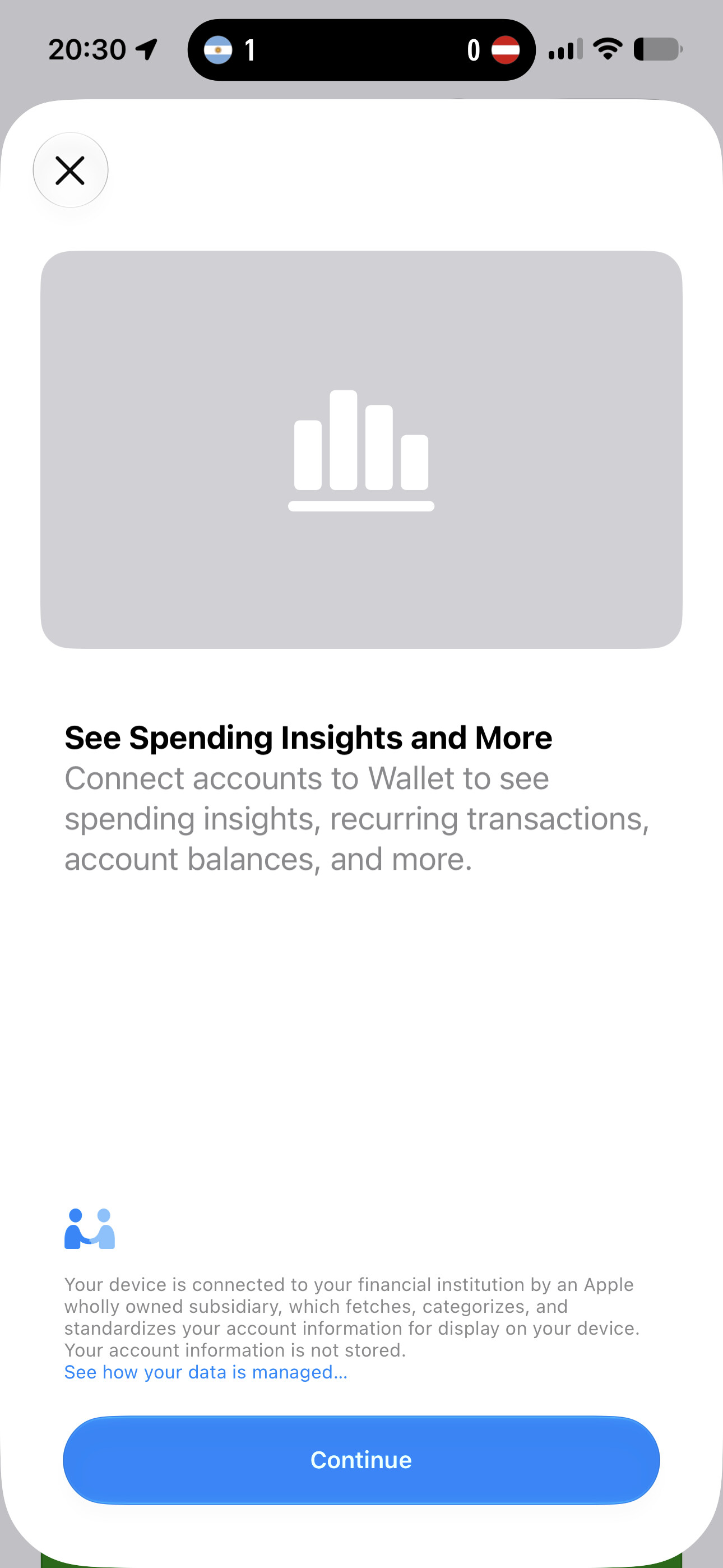
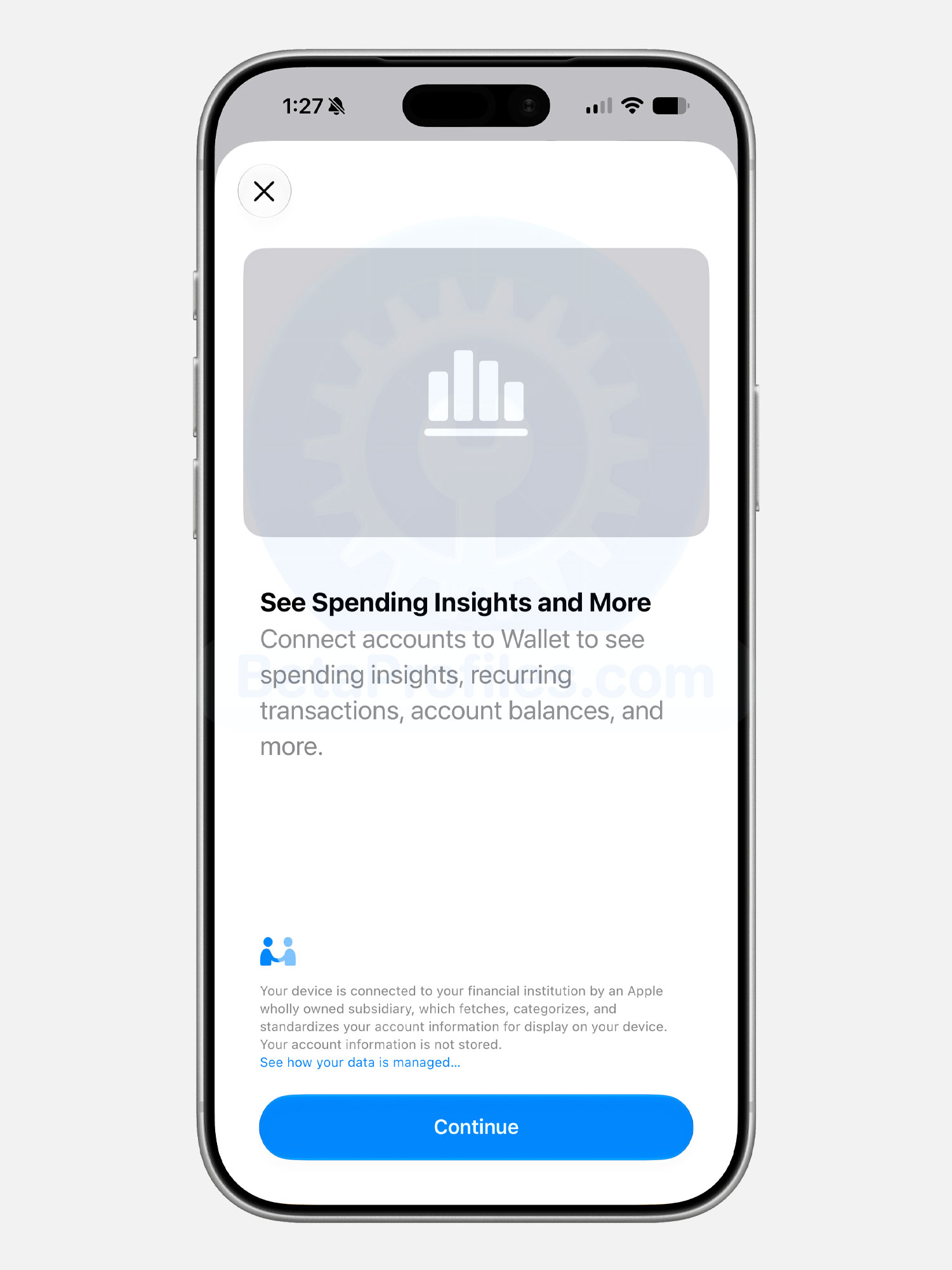
The Wallet app now has an Insights option in the three dot menu, letting you track spending across your saved payment accounts, including recurring transactions, account balances, and more.
While the option shows up for everyone, it appears to only work in select countries like the UK for now. Some reports suggest it actually arrived back in iOS 27 beta 1 in certain regions.
AirPods Max Firmware Beta Updates
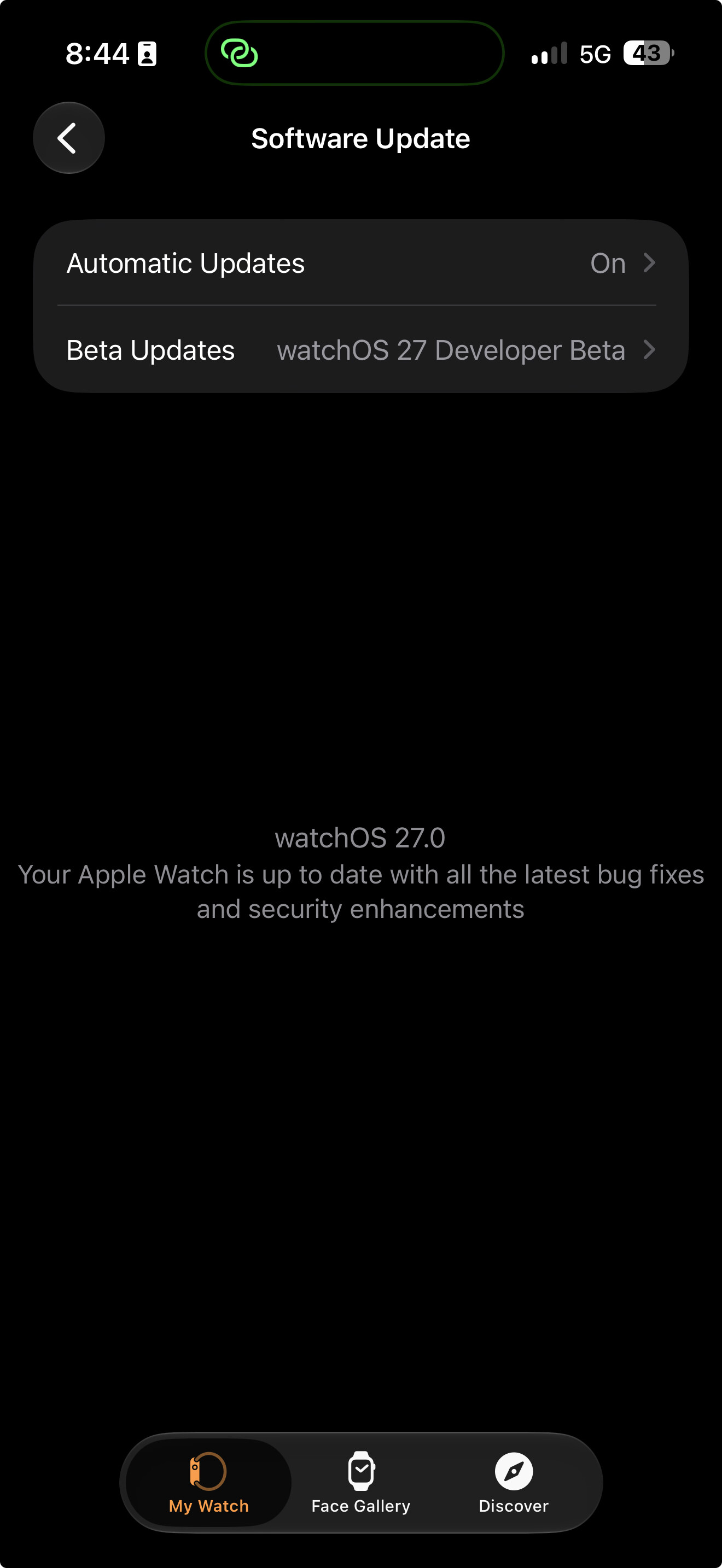
AirPods Max can now receive firmware beta updates in iOS 27 beta 2. Just enable “AirPods Beta Updates” in AirPods settings, with detailed steps available on BetaProfiles.com. The option was unavailable in beta 1.
Inline Replies in RCS Messages
When long pressing an RCS message, you’ll now see a reply option similar to iMessage.
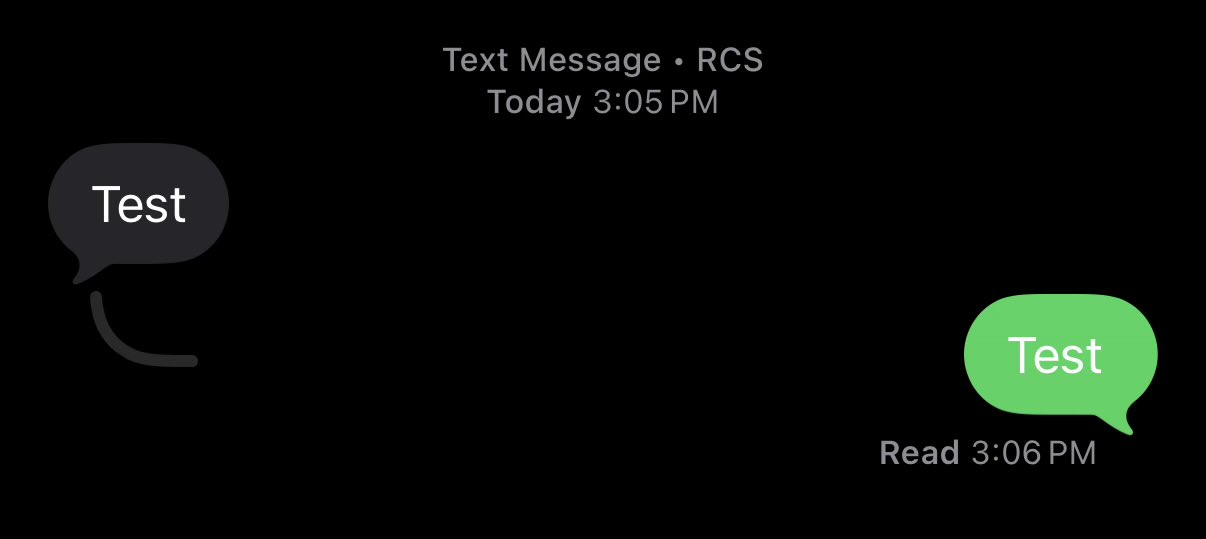
Image credit @aaronp613
Siri AI Settings
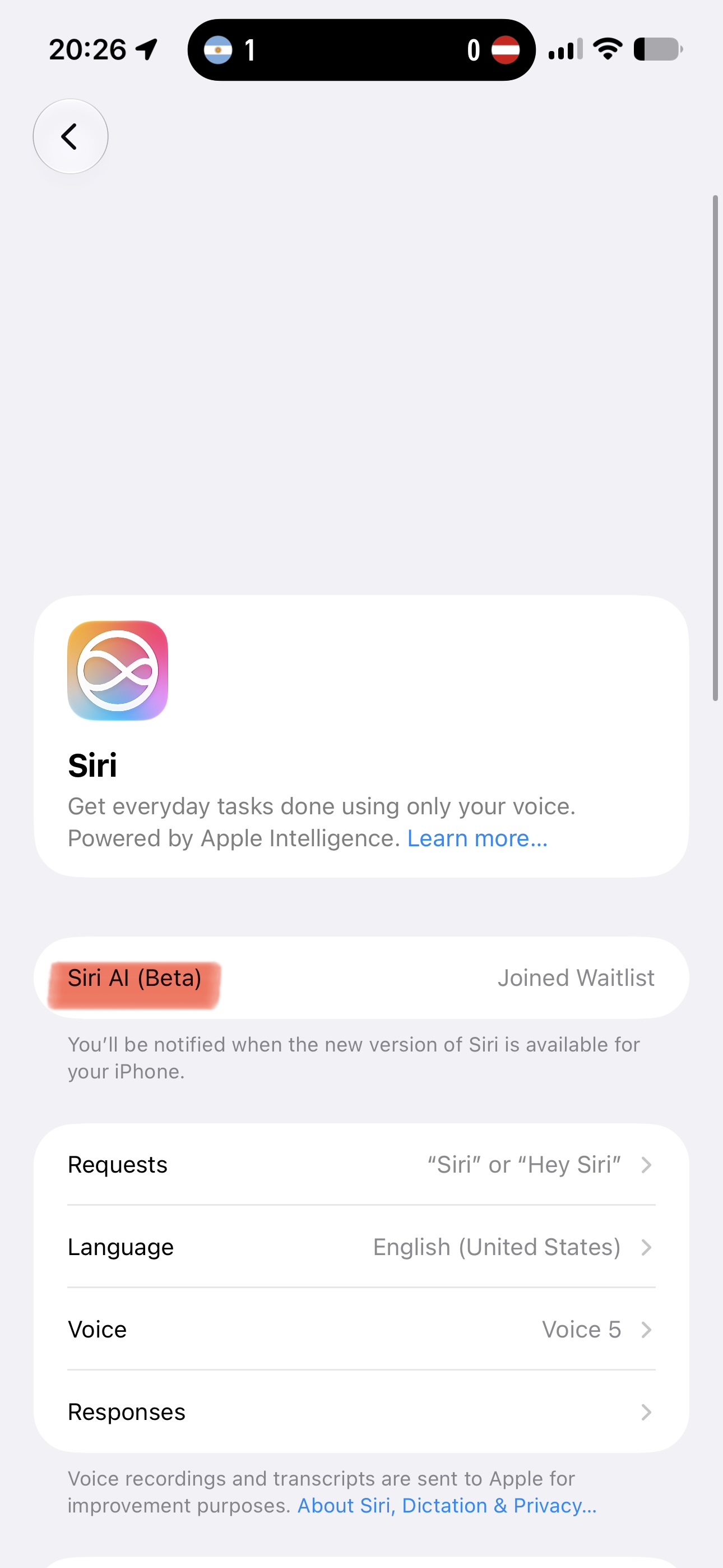
The Siri (Beta) settings page is now called Siri AI (Beta) in iOS 27 beta 2.
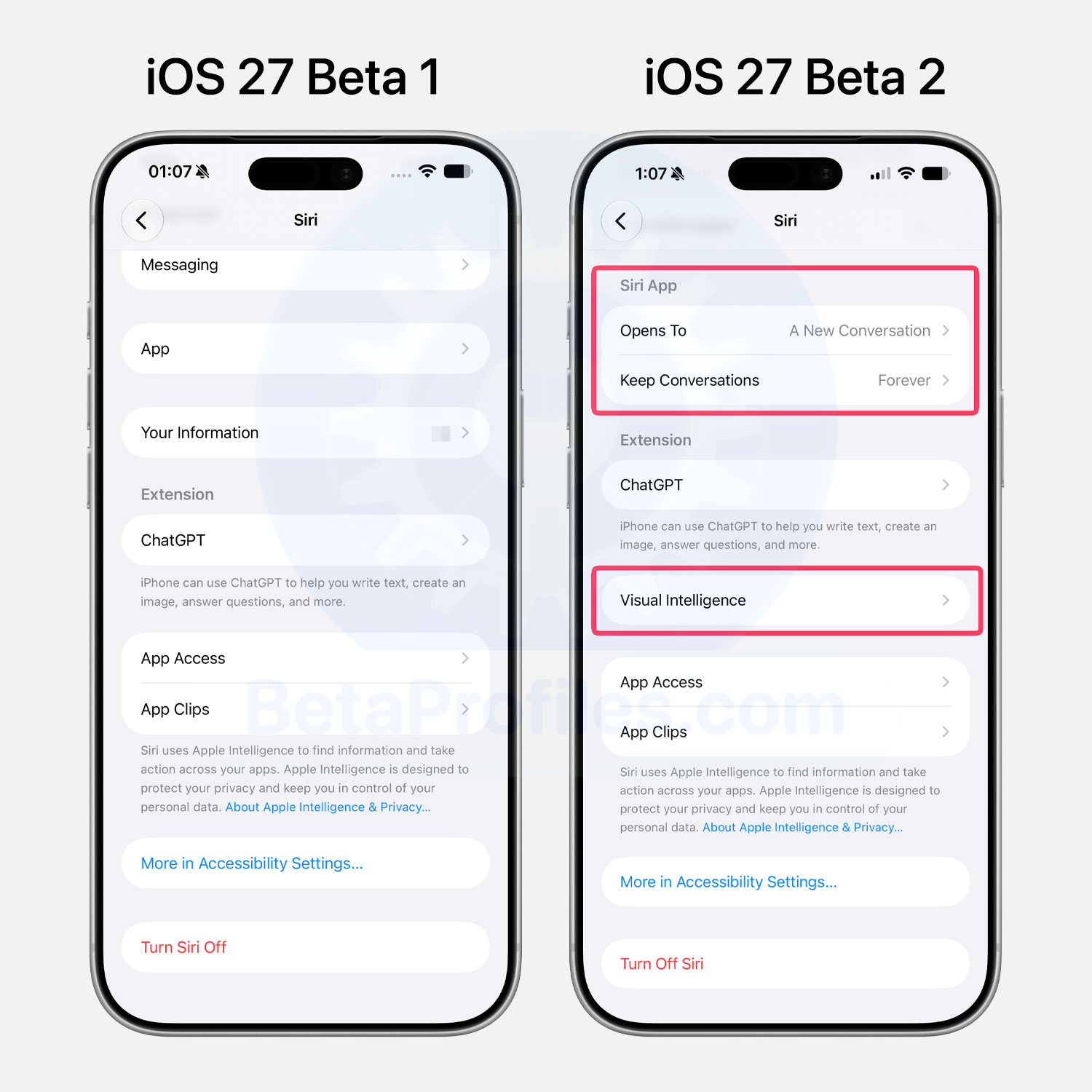
Inside Settings → Siri, a new Siri App section adds an Open To option that lets you pick what shows up when you launch the Siri app, either Recent or A new conversation. There’s also a Keep Conversations setting to control when older chats get deleted, with choices of 30 Days, 1 Year, or Forever, which is the default.
A new Visual Intelligence → Highlight to Image Search option also appears, which Apple notes automatically sends the image to third parties to deliver results when you highlight subjects to find similar images.
App Icon Changes
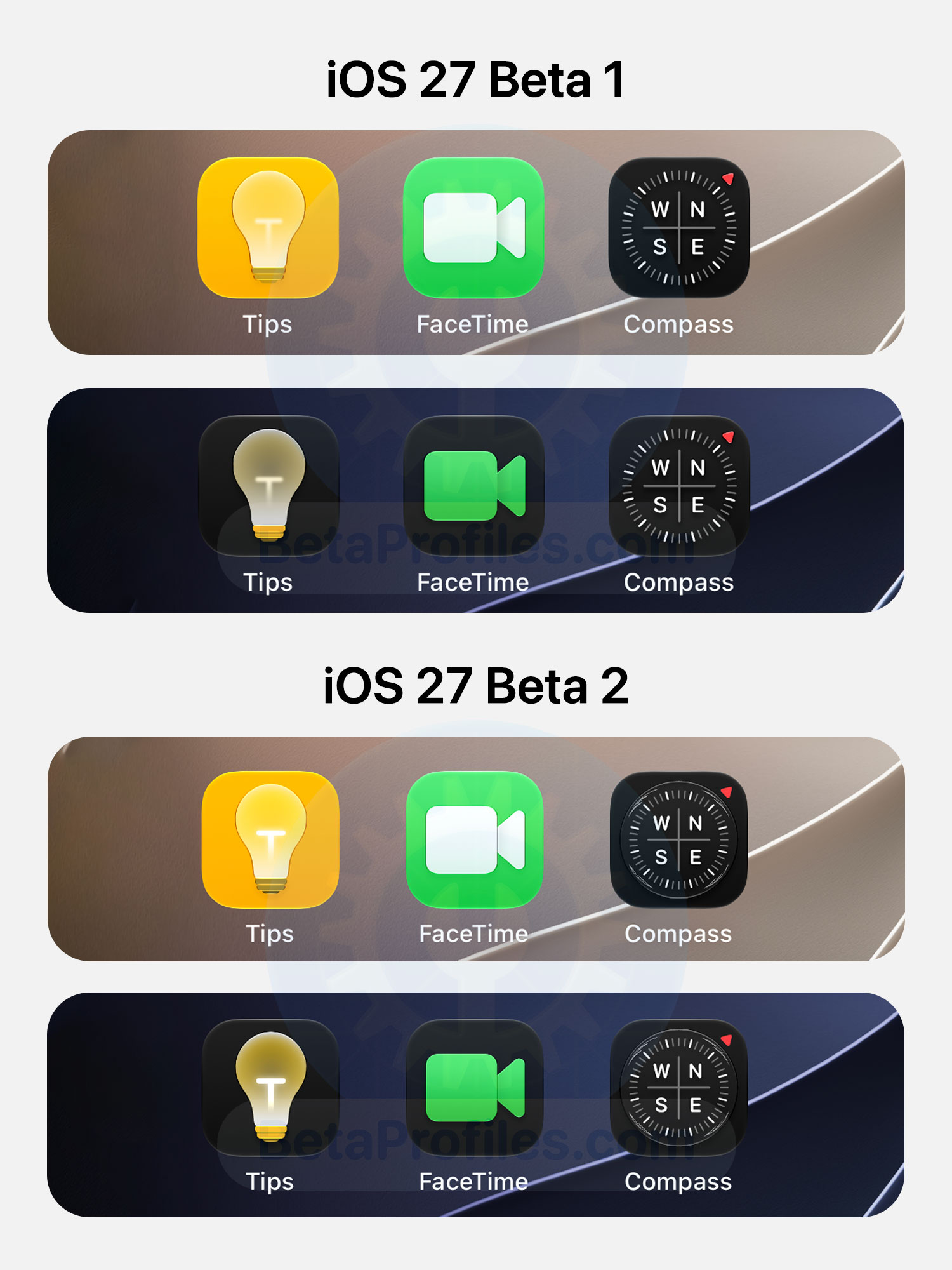
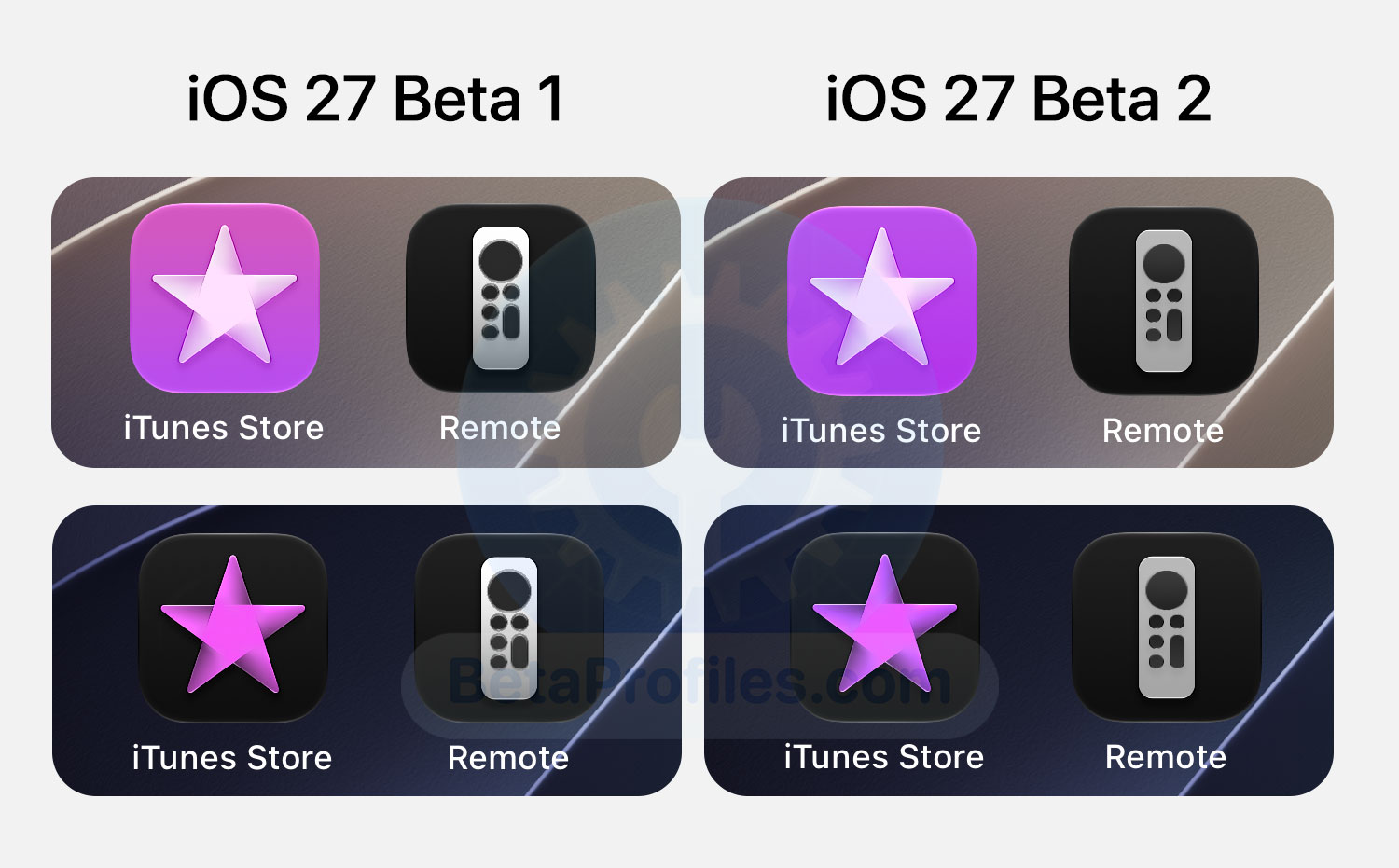
iOS 27 beta 2 tweaks some app icons, including Tips, FaceTime, Compass, iTunes Store and Remote.
Thanks to @Zagnut531
AirPlay Menu
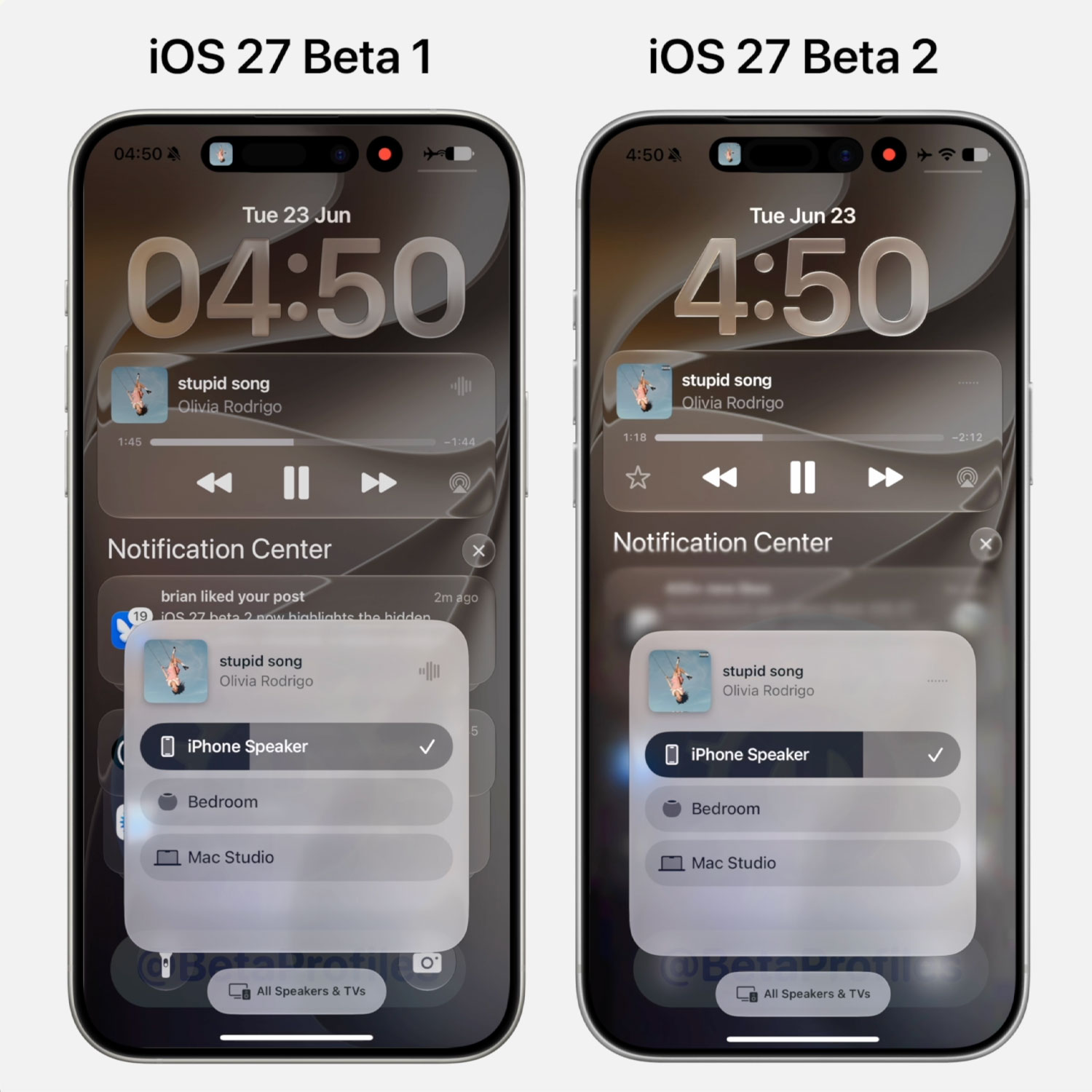
A progressive blur now sits behind the AirPlay menu, giving its content better separation from the background.
Weather App
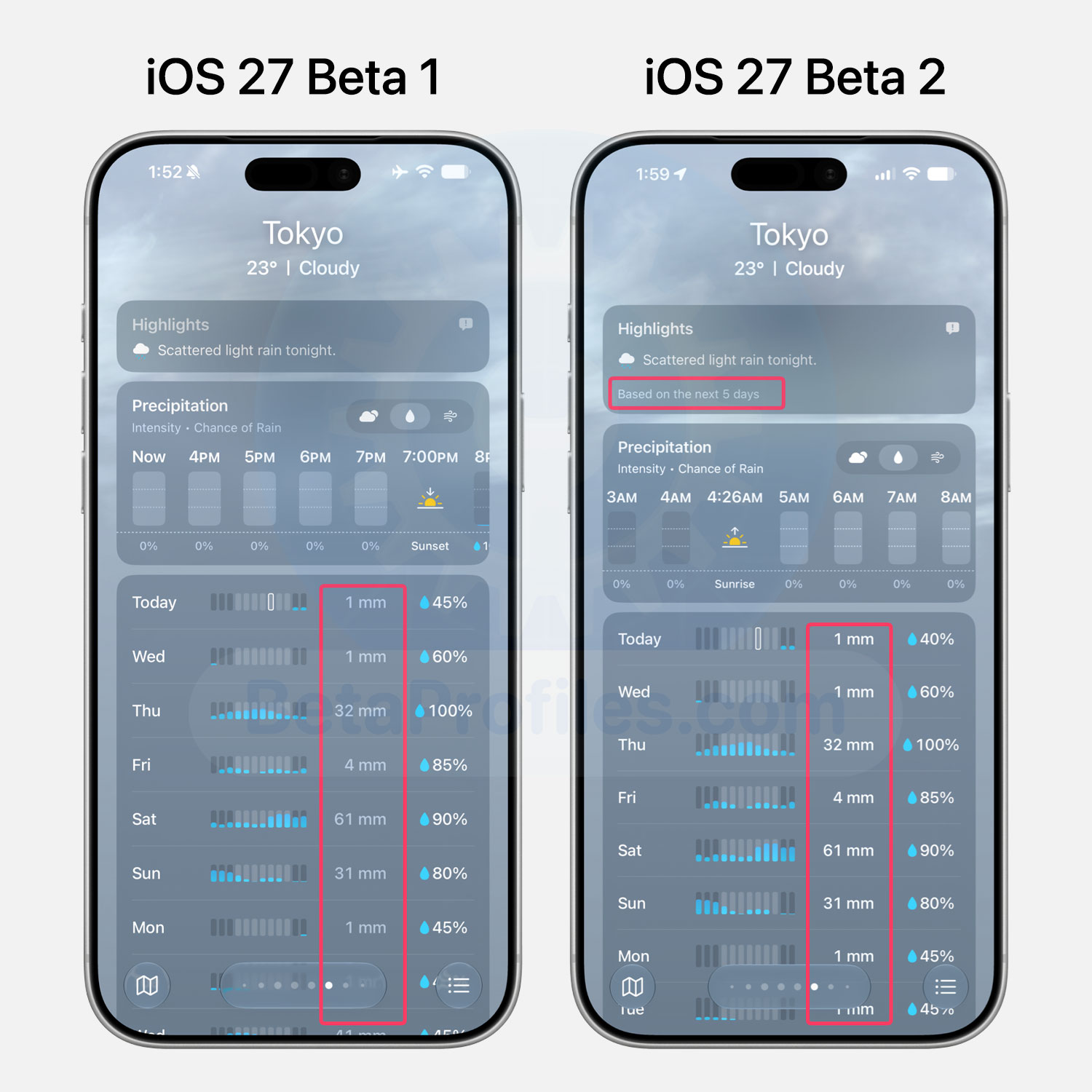
The Weather app gets some readability tweaks in beta 2, with precipitation, wind speed (mph), and condition text now brighter and more prominent. There’s also a “Based on the next 5 days” note below Highlights.
Siri App
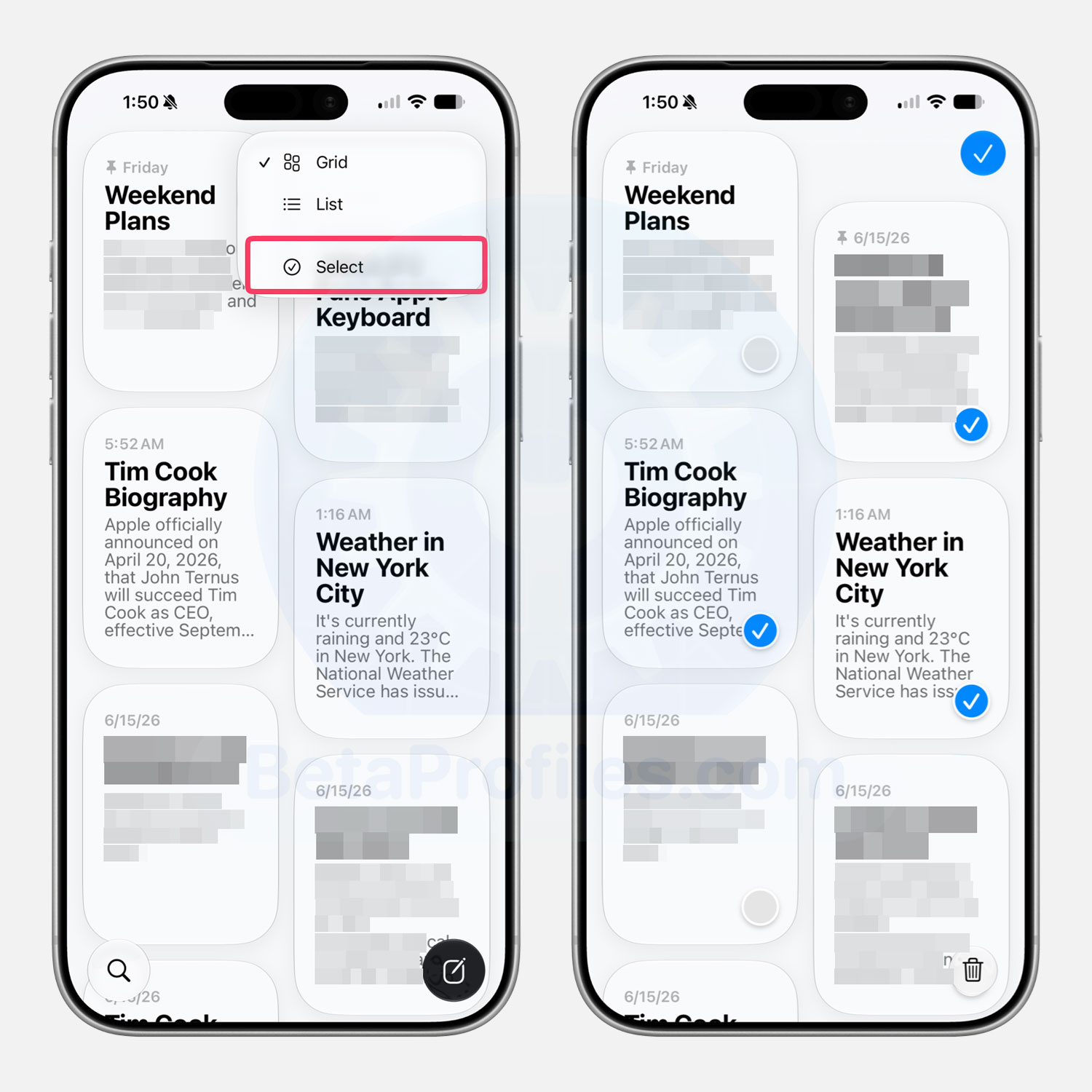
The Siri app gets a new Select option in the three dot menu in beta 2, letting you pick and delete multiple conversations at once.
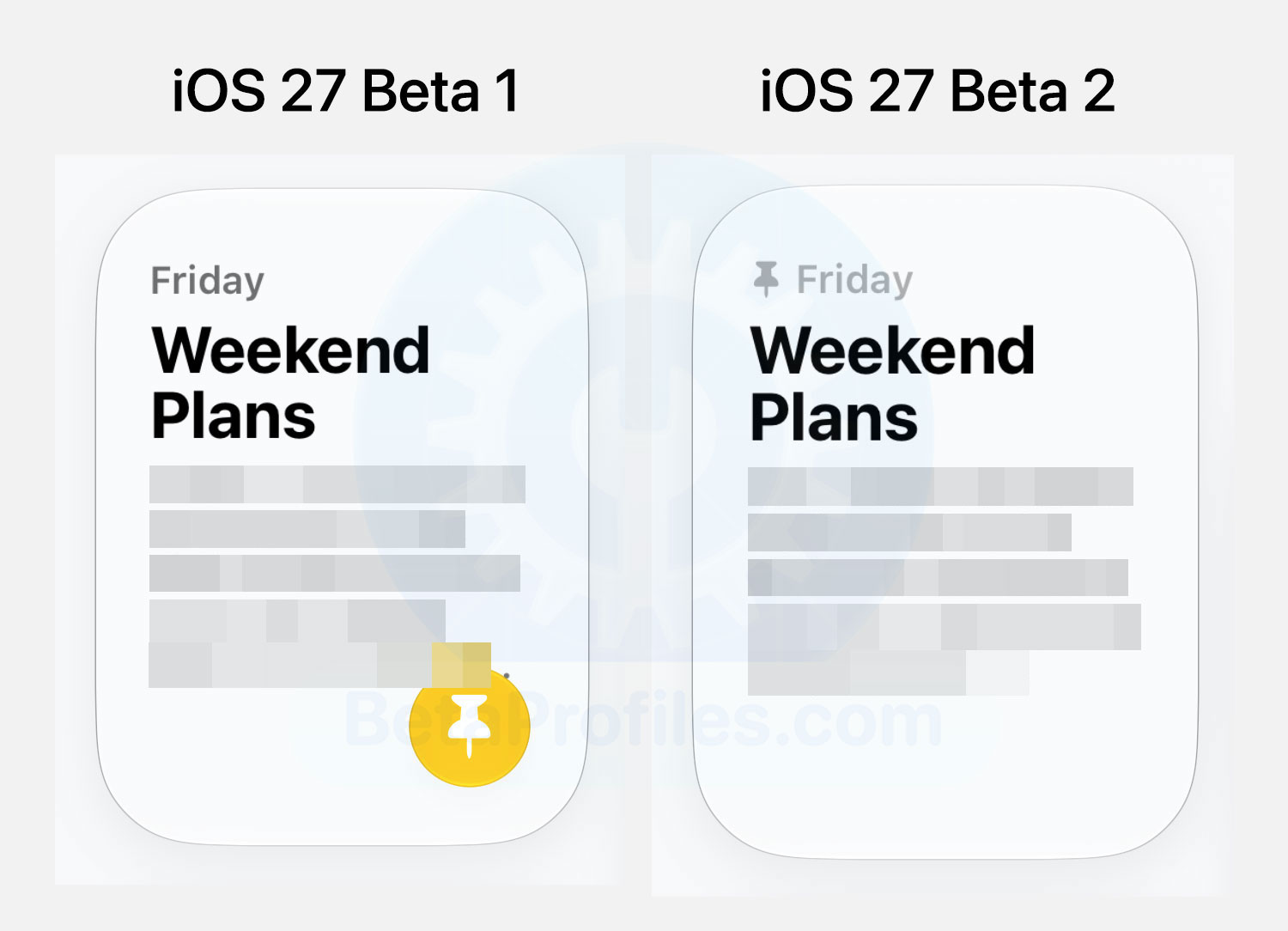
The pinned conversation look also changes: the yellow pin icon in the bottom right corner is now a smaller pin that sits before the conversation’s timestamp.
Wallet App
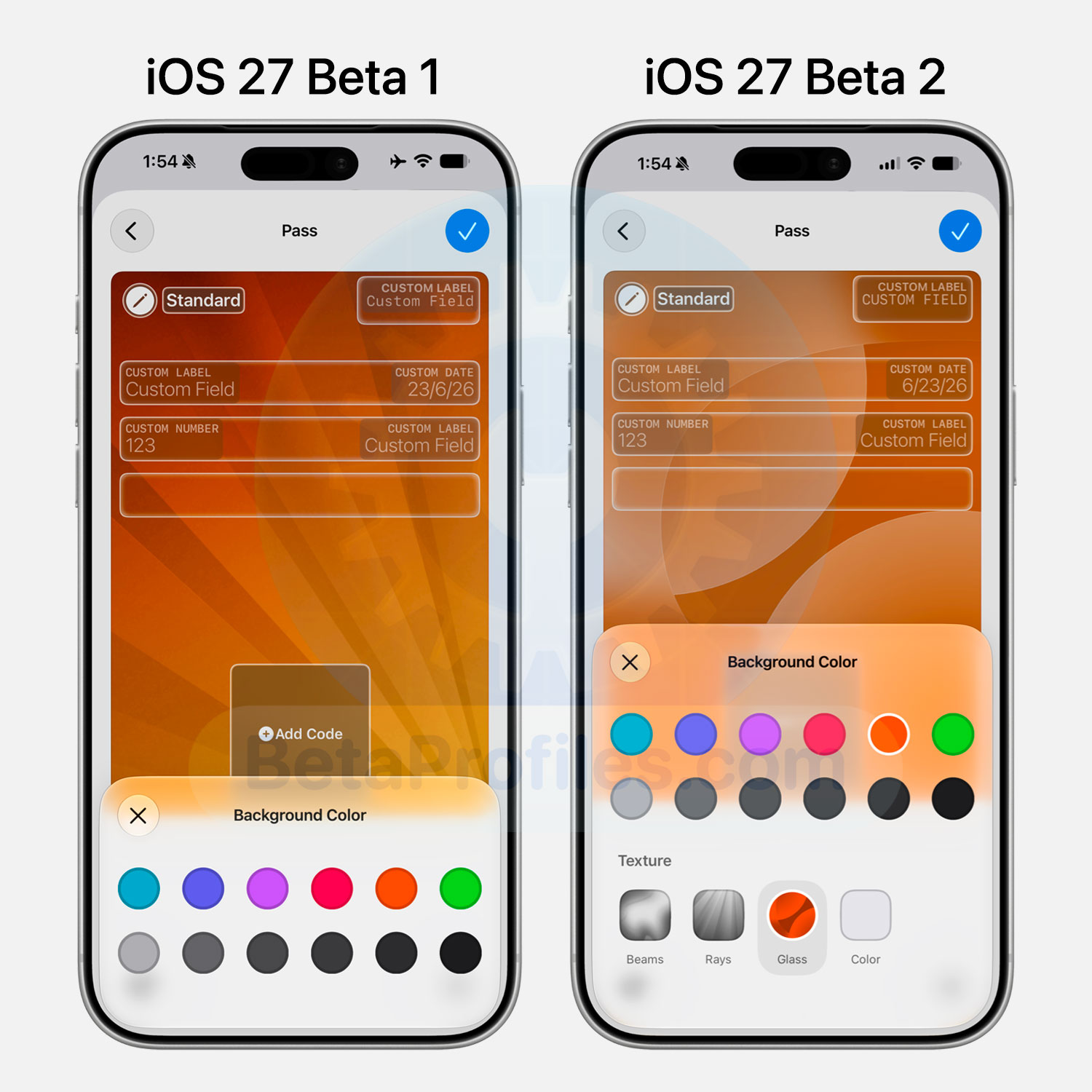
When creating a custom pass in Wallet, beta 2 now offers Texture options under the Background Color menu, with four to pick from: Beams, Rays, Glass, and Color.
Shortcuts
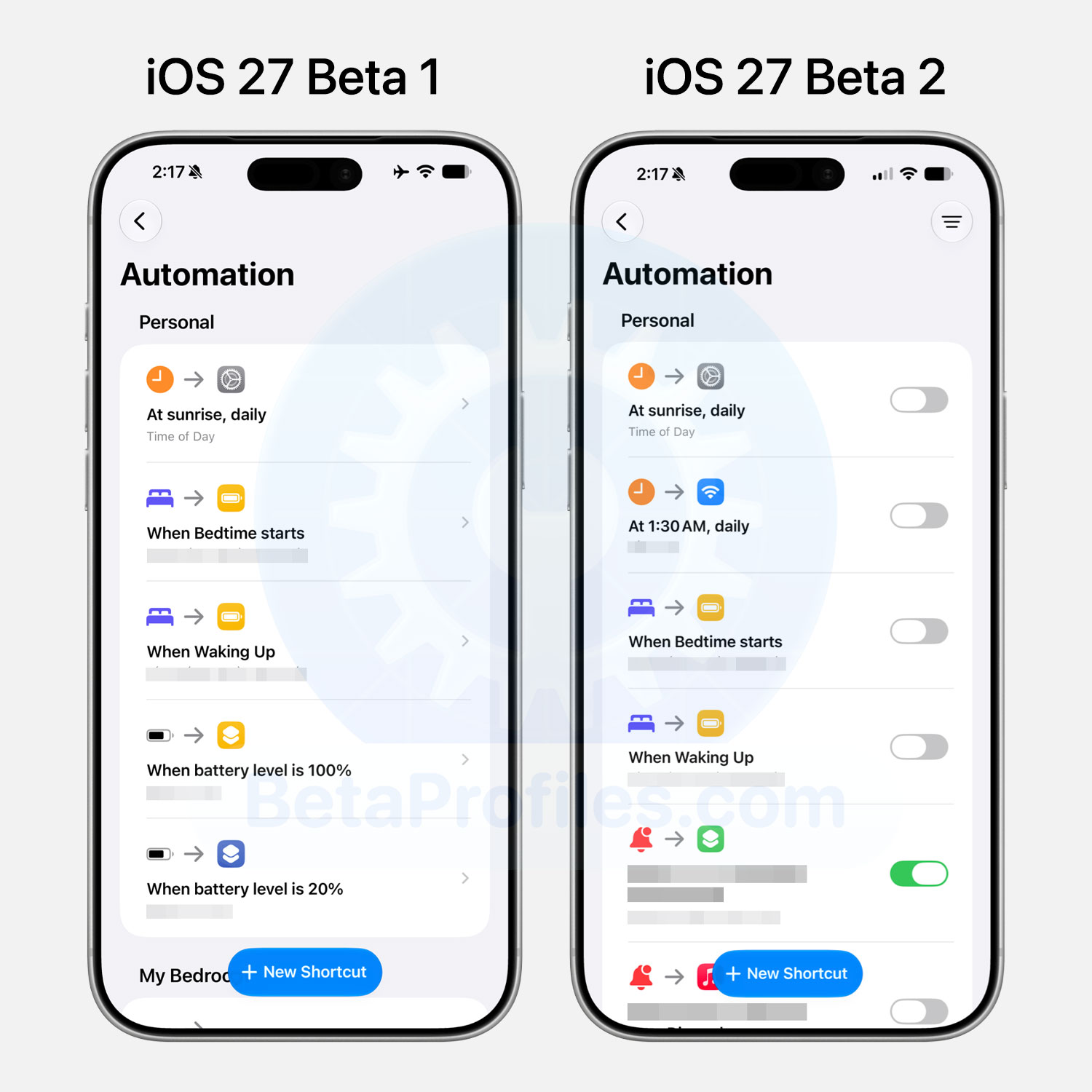
Shortcuts Automation finally have their own on/off toggle.
Find My
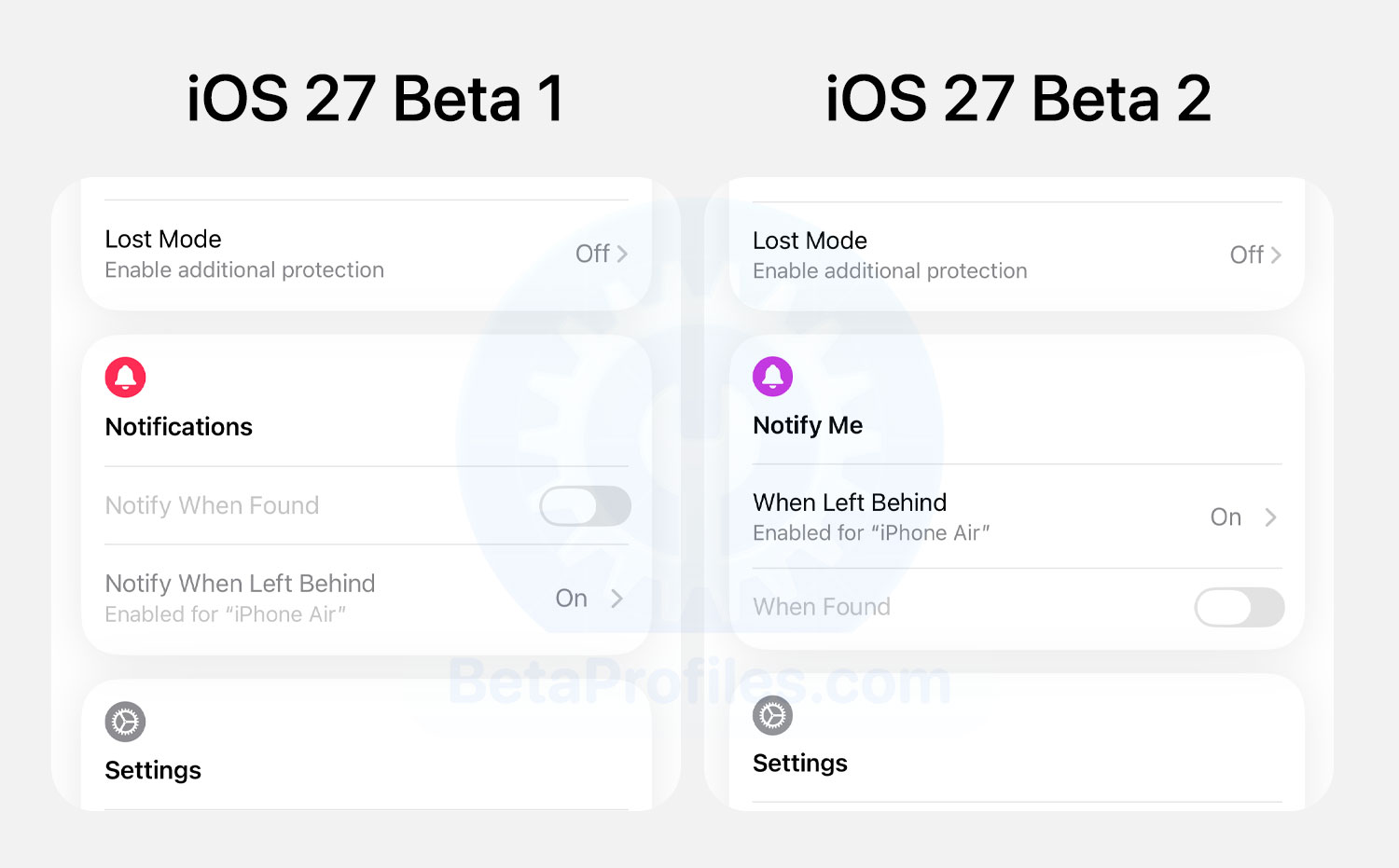
When viewing a device or item, “Notifications” has been renamed to “Notify Me” and its icon is now purple instead of red.
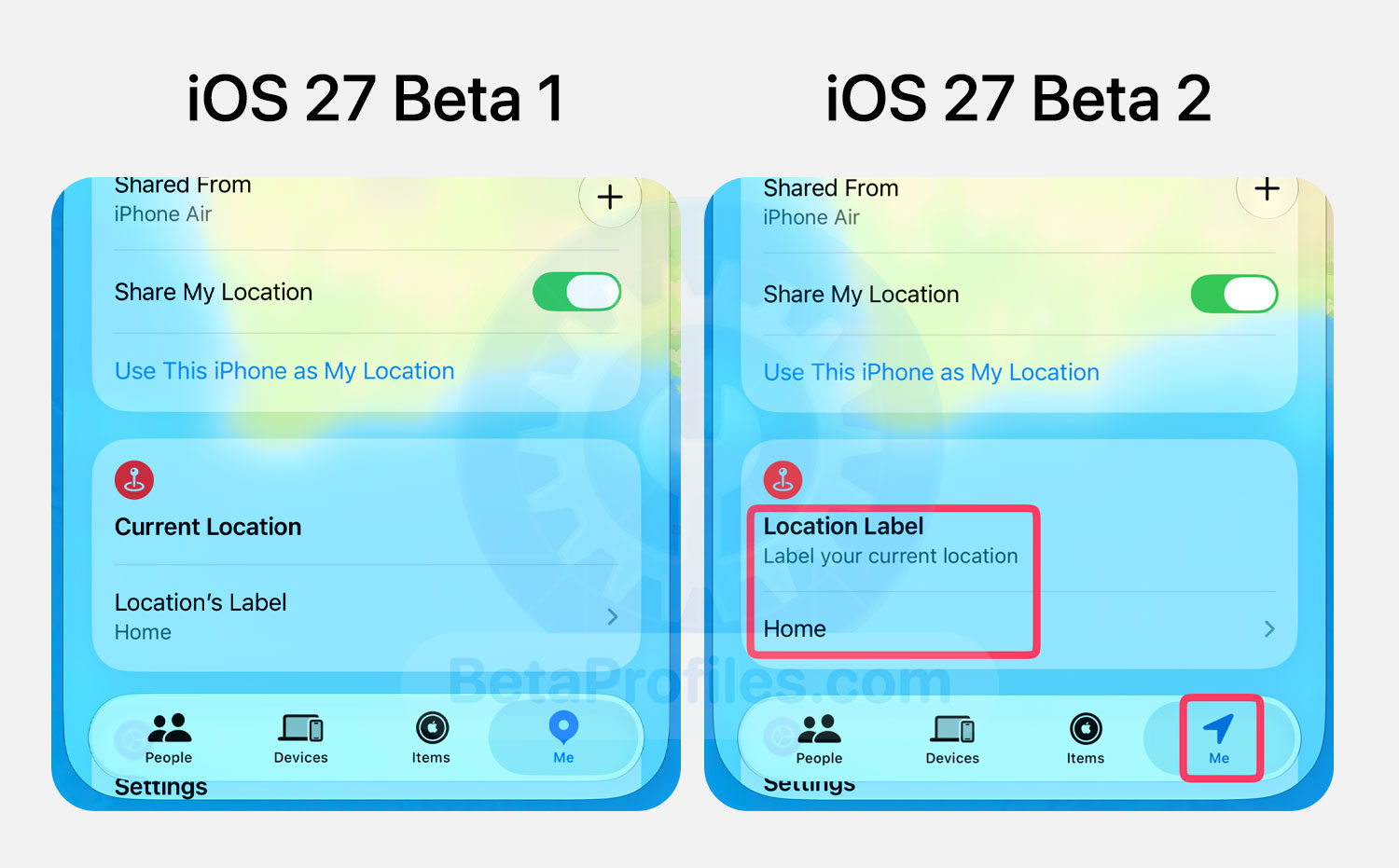
In the Me tab, “Current Location” has been renamed to “Location Label,” and the tab now uses a new icon that resembles the Location icon.
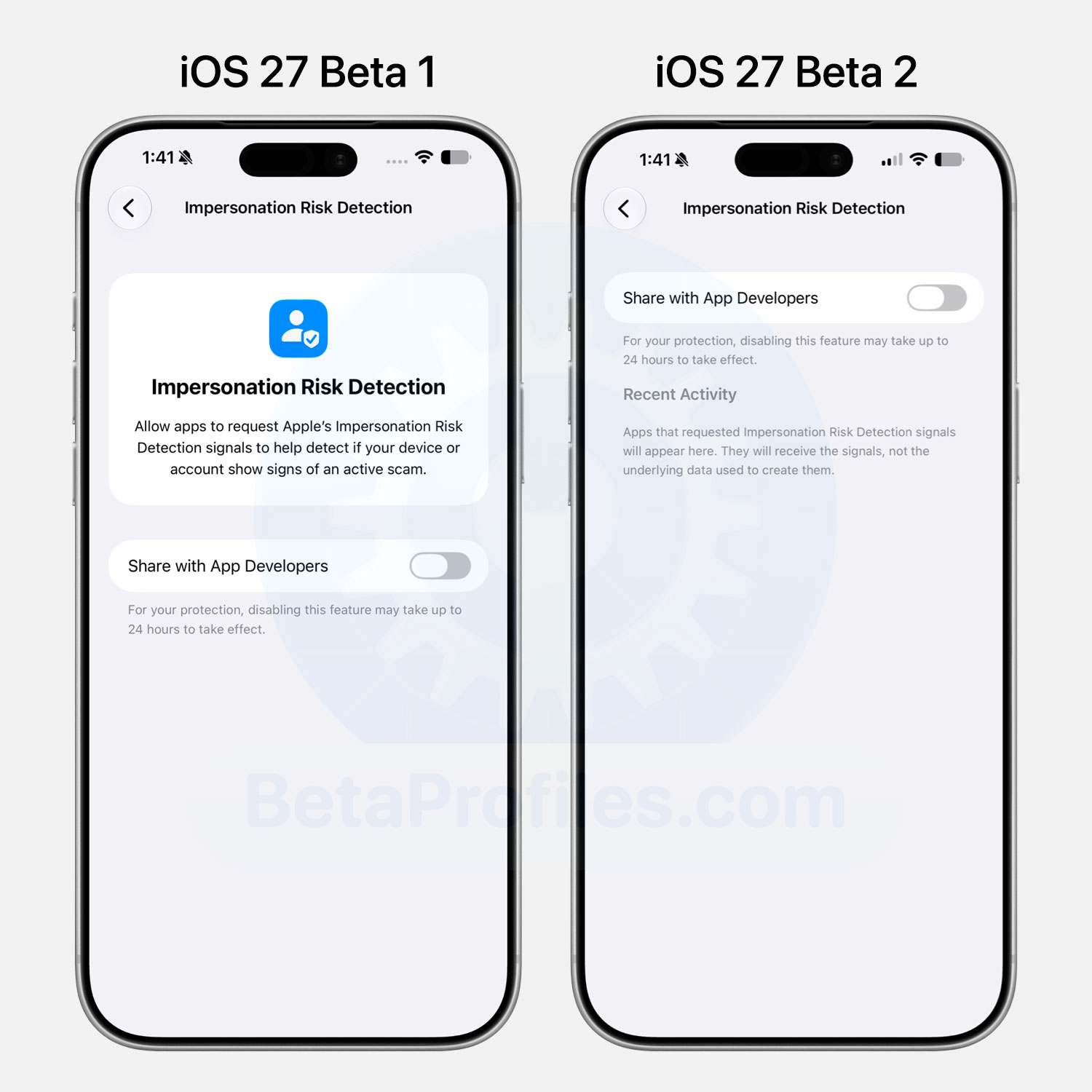
Impersonation Risk Detection Setting
A new feature in iOS 27 lets you share Apple’s Impersonation Risk Detection signal with third-party apps. Beta 2 also adds a list of apps that have recently requested access to this signal.
Bug Fixes 
- The annoying bug that reverted your screenshot edits is finally fixed in beta 2!
- Clearing Playing Controls on the Lock Screen now behaves more predictably in beta 2. They return once you exit the app from the background and resume playback, unlike beta 1 where they’d disappear for good and pop back randomly.
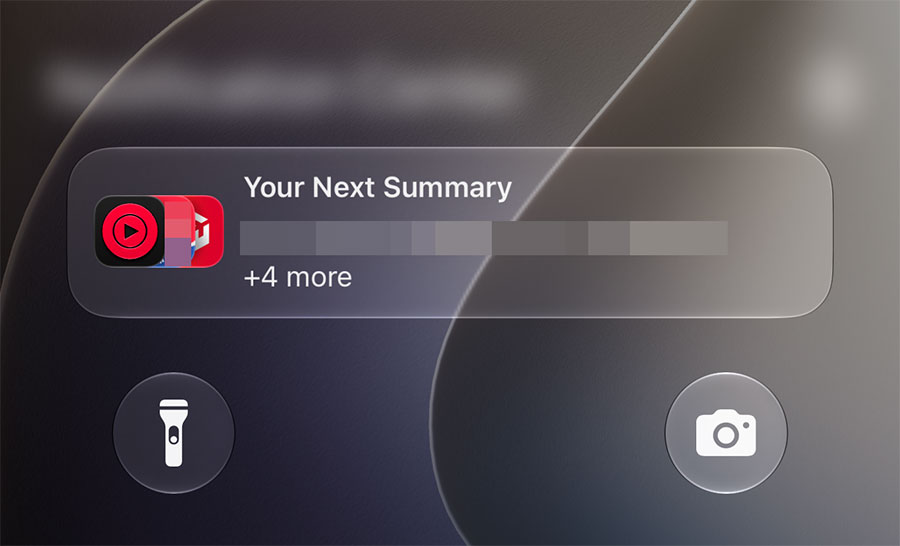
- The bug that caused “Your Next Summary” to always appear in Notification Center has been fixed in iOS 27 Beta 2.
If you’ve come across any other changes, drop them in the comments below 
I’ll keep adding more iOS 27 Beta 2 changes and new features here as I discover them. Stay tuned and follow @BetaProfiles on X or Threads!