Apple has announced that WWDC26 will take place from Monday, June 8 to Friday, June 12. The event will showcase previews of Apple’s upcoming operating systems, including iOS 27, iPadOS 27, macOS 27, watchOS 27, and visionOS 27.

Here’s what you need to know.
When will WWDC26 take place?
On Monday (March 23), Apple confirmed that WWDC26 will take place from Monday, June 8 to Friday, June 12. As usual, there will be a keynote at Apple Park in Cupertino, California, where Apple will preview its latest software and improvements. The keynote will also be streamed on Apple.com for everyone to watch.

If you have a paid Apple Developer account, you can apply for a chance to attend the special in-person event at Apple Park. Attendees will be selected through a random lottery and notified before the end of the day on Thursday, April 2 (Pacific Time).
When Will iOS 27 Beta Be Released?
Apple’s keynote will begin at 10:00 AM Pacific Time (PT) on Monday, June 8, and typically lasts around two hours. That means the iOS 27 beta could be available for developers to download around 12:00 PM PT the same day.
The public beta is expected to launch in July, with the official release coming in September.
Here are some previous iOS release dates:
- iOS 27 Developer Beta 1: Monday, June 8, 2026 (Confirmed)
- iOS 26 Developer Beta 1: Monday, June 9, 2025
- iOS 18 Developer Beta 1: Monday, June 10, 2024
- iOS 17 Developer Beta 1: Monday, June 5, 2023
- iOS 16 Developer Beta 1: Monday, June 6, 2022
- iOS 26 Public Beta 1: Wednesday, July 23, 2025
- iOS 18 Public Beta 1: Monday, July 15, 2024
- iOS 17 Public Beta 1: Wednesday, July 12, 2023
- iOS 16 Public Beta 1: Monday, July 11, 2022
- iOS 15 Public Beta 1: Wednesday, June 30, 2021
- iOS 26 Official Release: Monday, September 15, 2025
- iOS 18 Official Release: Monday, September 16, 2024
- iOS 17 Official Release: Monday, September 18, 2023
- iOS 16 Official Release: Friday, September 16, 2022
iPhones Compatible with iOS 27
iOS 26 already dropped support for devices powered by the A12 Bionic chip (including iPhone XS, XS Max, and XR). With iOS 27, support for the A13 chip (iPhone 11, 11 Pro, and 11 Pro Max) could also be discontinued. According to predictions from Beta Profiles, here’s the expected compatibility list for iOS 27:
- iPhone 17e
- iPhone 17
- iPhone 17 Pro
- iPhone 17 Pro Max
- iPhone Air
- iPhone 16e
- iPhone 16
- iPhone 16 Plus
- iPhone 16 Pro
- iPhone 16 Pro Max
- iPhone 15
- iPhone 15 Plus
- iPhone 15 Pro
- iPhone 15 Pro Max
- iPhone 14
- iPhone 14 Plus
- iPhone 14 Pro
- iPhone 14 Pro Max
- iPhone 13
- iPhone 13 mini
- iPhone 13 Pro
- iPhone 13 Pro Max
- iPhone 12
- iPhone 12 mini
- iPhone 12 Pro
- iPhone 12 Pro Max
- iPhone SE (3rd generation)
That said, there’s still a chance that iOS 27 will support the same lineup of iPhones as iOS 26. Since this update is expected to focus more on bug fixes and performance improvements rather than major new features, it would make sense for Apple to keep support for older devices.
What to Expect from iOS 27?
iOS 27 is expected to be the next major update after iOS 26, but multiple reports suggest it will focus more on bug fixes and performance improvements rather than big new features, making it similar to a “Snow Leopard”-style release for the iPhone. In addition, Apple is reportedly laying the groundwork for features designed for its upcoming foldable iPhone, which could launch later this year.
Below are the latest rumors and expected features for iOS 27. This section will be updated over time, so feel free to bookmark it and check back later.
“AI Advancements”
In the WWDC26 announcement, Apple teased “AI advancements” coming to iOS 27.

While no specific details were shared, we can expect this to refer to an updated version of Apple Intelligence, including a smarter Siri that understands personal context, deeper search capabilities, on-screen awareness, and responses based on what you’re viewing. It could also include additional new AI features.
Bug fixes and performance improvements
Mark Gurman from Bloomberg reported late last year that Apple is prioritizing software quality over major new features. This includes a strong focus on fixing bugs and improving overall performance, which is why many are comparing it to a “Snow Leopard”-type update.
According to Gurman, iOS 27 will remove outdated code, clean up the codebase, and refine existing features to make them run more efficiently. Apple is also aiming for noticeable improvements in battery life, something most iPhone users have been wanting for a long time.
Liquid Glass
There’s been plenty of criticism surrounding the Liquid Glass design introduced in iOS 26, and it doesn’t look like Apple is ready to move away from a design language it has spent years developing anytime soon.
According to Mark Gurman, “the latest internal builds of iOS 27 and macOS 27 don’t include any major changes to the Liquid Glass design.”
That said, Apple has been gradually addressing the criticism through updates to iOS 26. For example, iOS 26.1 introduced a “Tinted” option to reduce the transparency effect, iOS 26.2 added a transparency slider for the Lock Screen clock, and more recently, iOS 26.4 included an option to disable some of the brighter highlighting effects when interacting with Liquid Glass elements.
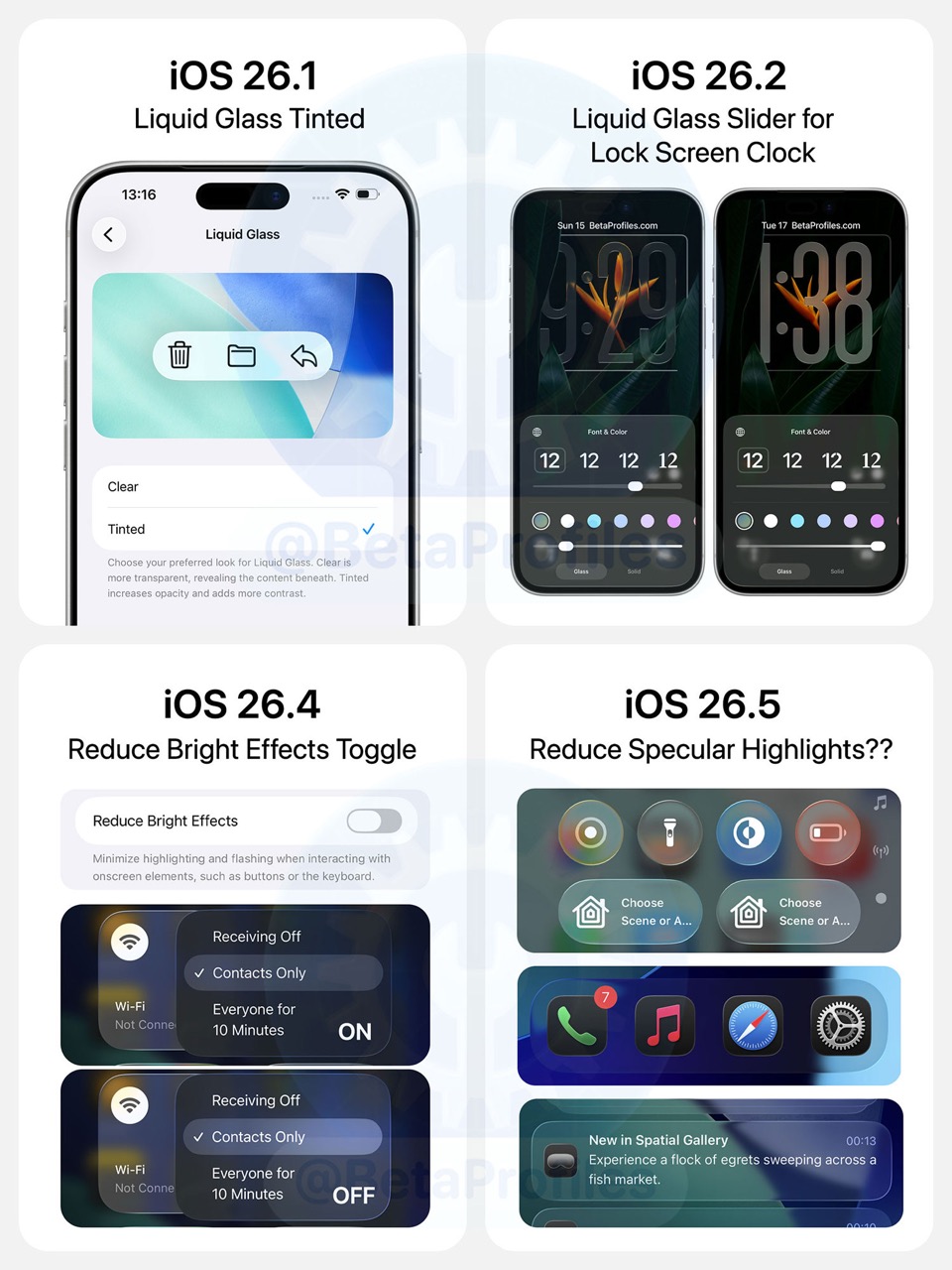
Gurman also noted that Apple explored a system-wide Liquid Glass slider in iOS 26 but ran into “technical challenges,” which is why it was only implemented for the Lock Screen clock. However, the company hasn’t abandoned the idea, and a full system-wide control could potentially arrive with iOS 27.
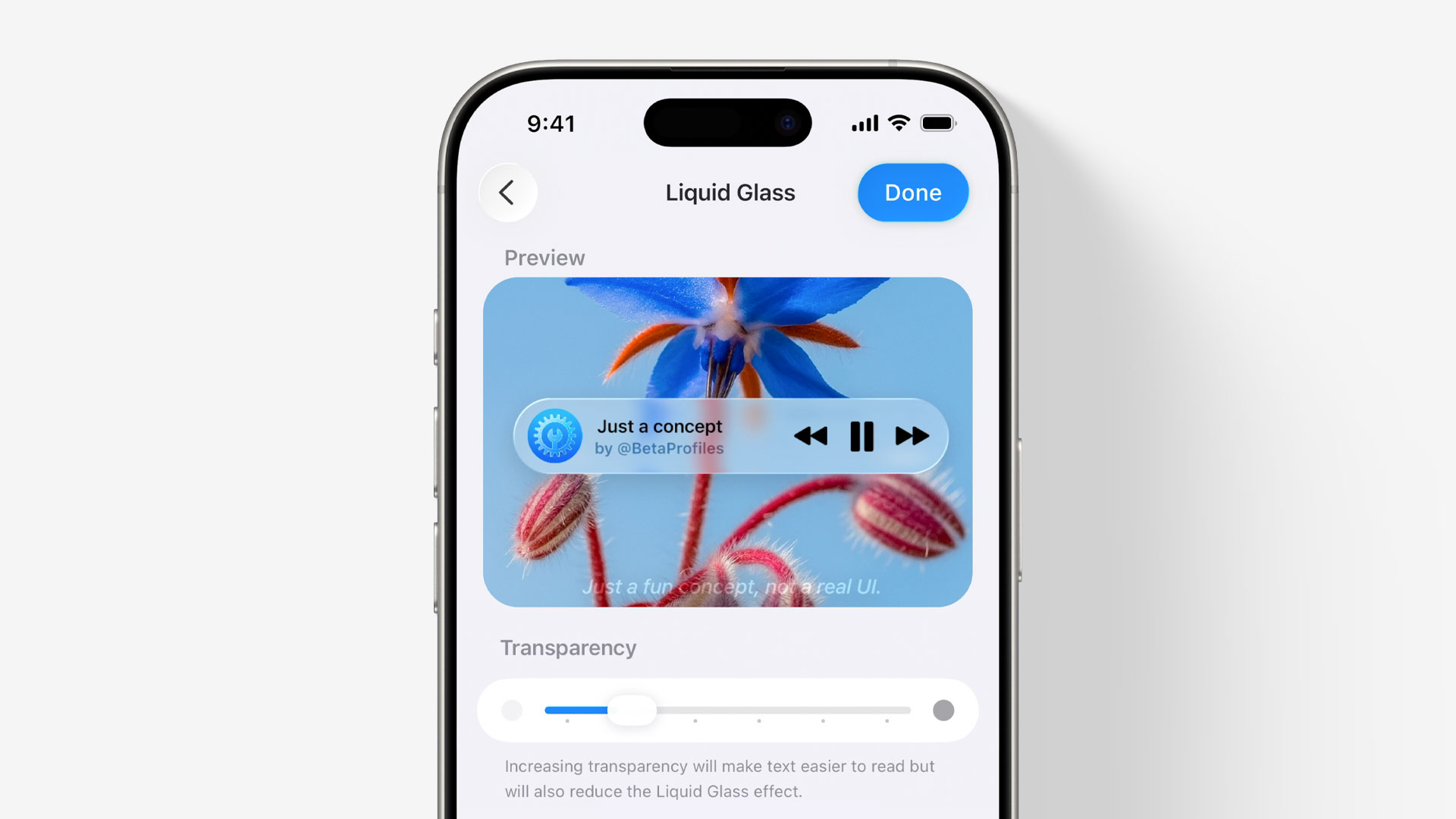
Check out my concept of a Liquid Glass slider that I created back in July last year: [Concept] A Slider to Customize Liquid Glass →
Foldable iPhone Features
Apple’s first foldable iPhone is expected to be unveiled in September, and it will likely require iOS updates to fully take advantage of the foldable display.
Reports suggest that the device will run iOS 27 and include some features borrowed from iPadOS. For instance, apps may feature a left-side navigation bar when the device is unfolded, along with support for split-screen multitasking with two apps running side by side.
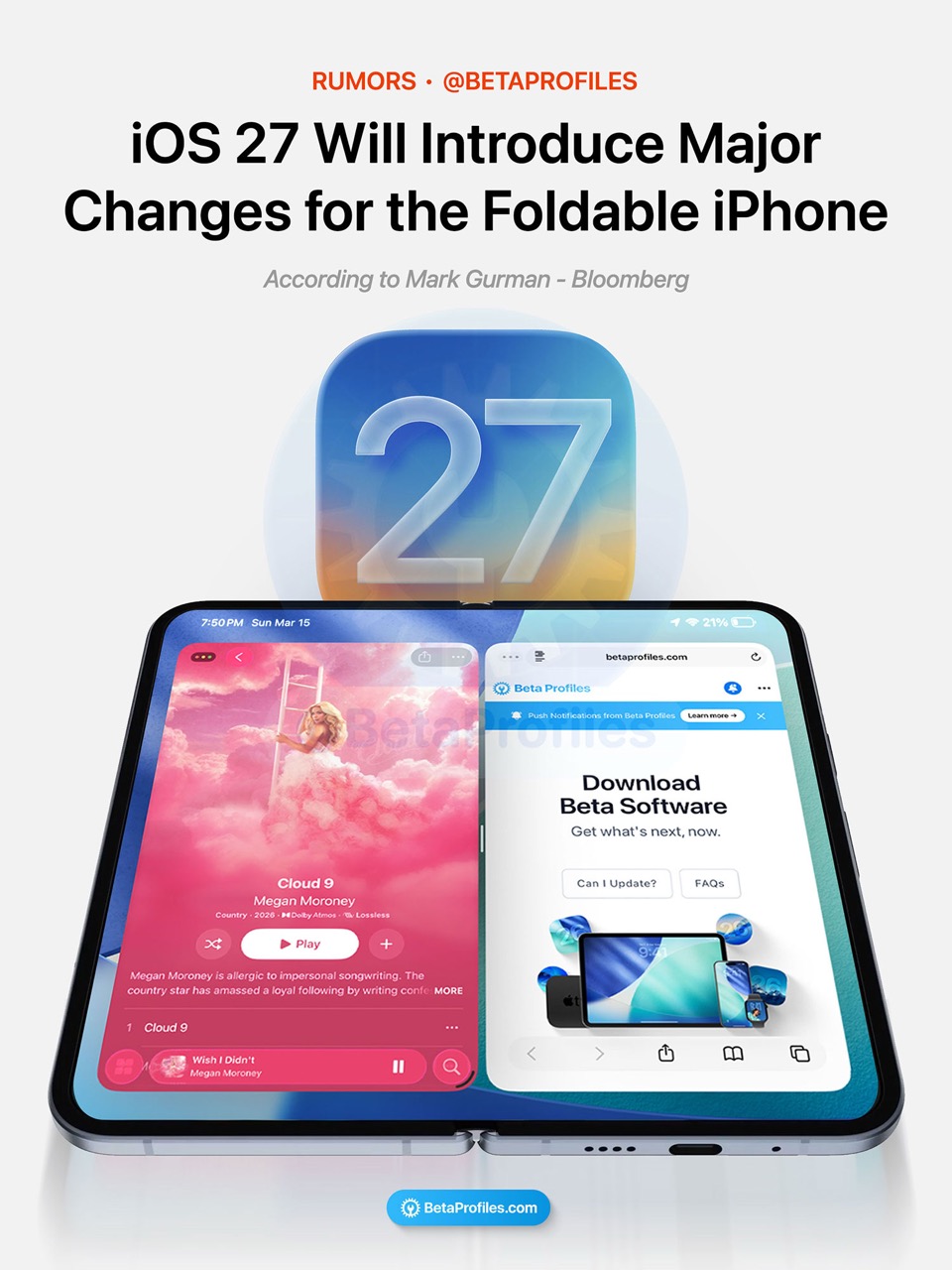
However, more advanced iPadOS-exclusive features like Stage Manager, full windowed multitasking, and other iPad-specific capabilities are not expected to make their way to the foldable iPhone.
Siri & Apple Intelligence
According to a report from Mark Gurman, Siri could finally be integrated into the Dynamic Island in iOS 27. He notes that when Siri is triggered, the pill expands and glows, similar to the animation seen in the WWDC 2026 invite.
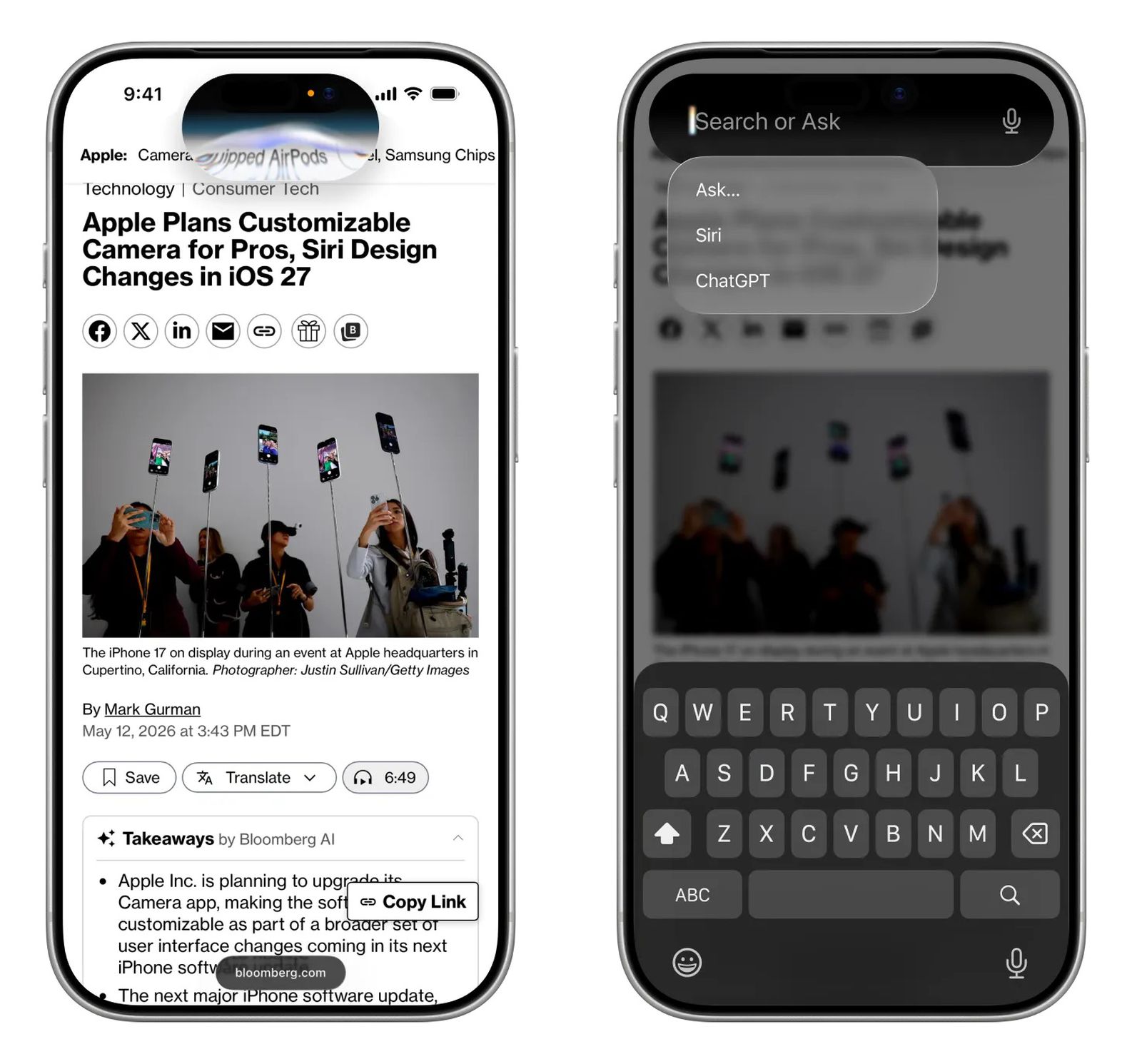
Image credit: Bloomberg
Here’s how Gurman describes the new Siri design:
Siri’s new look is what Apple is highlighting in its teaser. The design currently being tested within the company includes a Siri interface that sits within the Dynamic Island, the pill-shaped element near the top of the screen. When Siri is triggered, the Island expands with a prompt that reads “Search or Ask,” accompanied by a glowing cursor. It looks similar to how the “26″ is highlighted in the conference’s logo.
A smarter version of Siri has reportedly been delayed, as Apple has reportedly “run into issues” during testing. It was originally expected to arrive in iOS 26.4, but the timeline has since slipped to iOS 27.
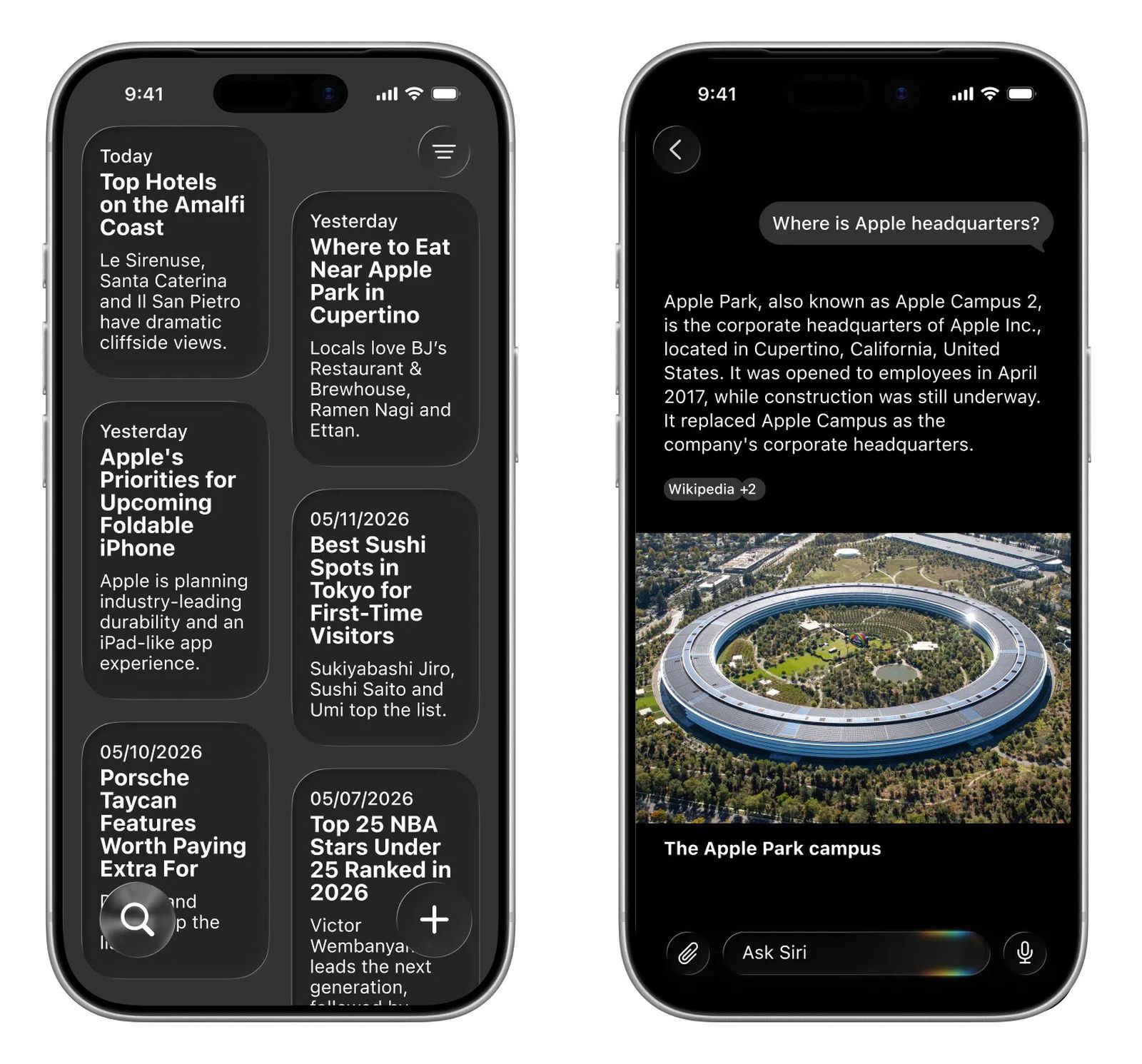
Image credit: Bloomberg
Here are some of the rumored Siri features for iOS 27:
- Siri voice: Siri will use one voice, while responses from third-party AI options like Claude or Gemini will use a different voice to help better distinguish between them.
- Standalone Siri App: A dedicated Siri app, similar to third-party AI apps like ChatGPT, Gemini, and Claude.
- Siri chatbot: Users may be able to interact with Siri in a chatbot-style interface for tasks like searching, analysis, and summarization, similar to tools like ChatGPT or Google Gemini. This would be deeply integrated at the system level rather than as a standalone app.
- Redesigned Siri interface: Apple could introduce a more dynamic and expressive look for Siri, reportedly inspired by the Finder icon on macOS.
- Core AI framework: A new Core AI framework may debut in iOS 27, potentially replacing the current Core ML framework, allowing developers to more easily integrate AI models into their apps.
And here are some Siri features that were announced at WWDC 2024 but have yet to ship:
- Onscreen awareness: Siri can understand what’s on your screen and take actions based on what you’re viewing.
- Personal context: Siri can pull from emails, messages, files, photos, and more to provide more personalized responses.
- The ability to take actions within and across apps
It’s still unclear whether Apple will roll out all of these features at once in iOS 27 or gradually introduce them through smaller updates over time. What we do know so far is that Apple and Google have reportedly entered a multi-year partnership, allowing Apple to use customized AI models based on Gemini for some of Siri’s upcoming features, including a more personalized experience and chatbot capabilities.

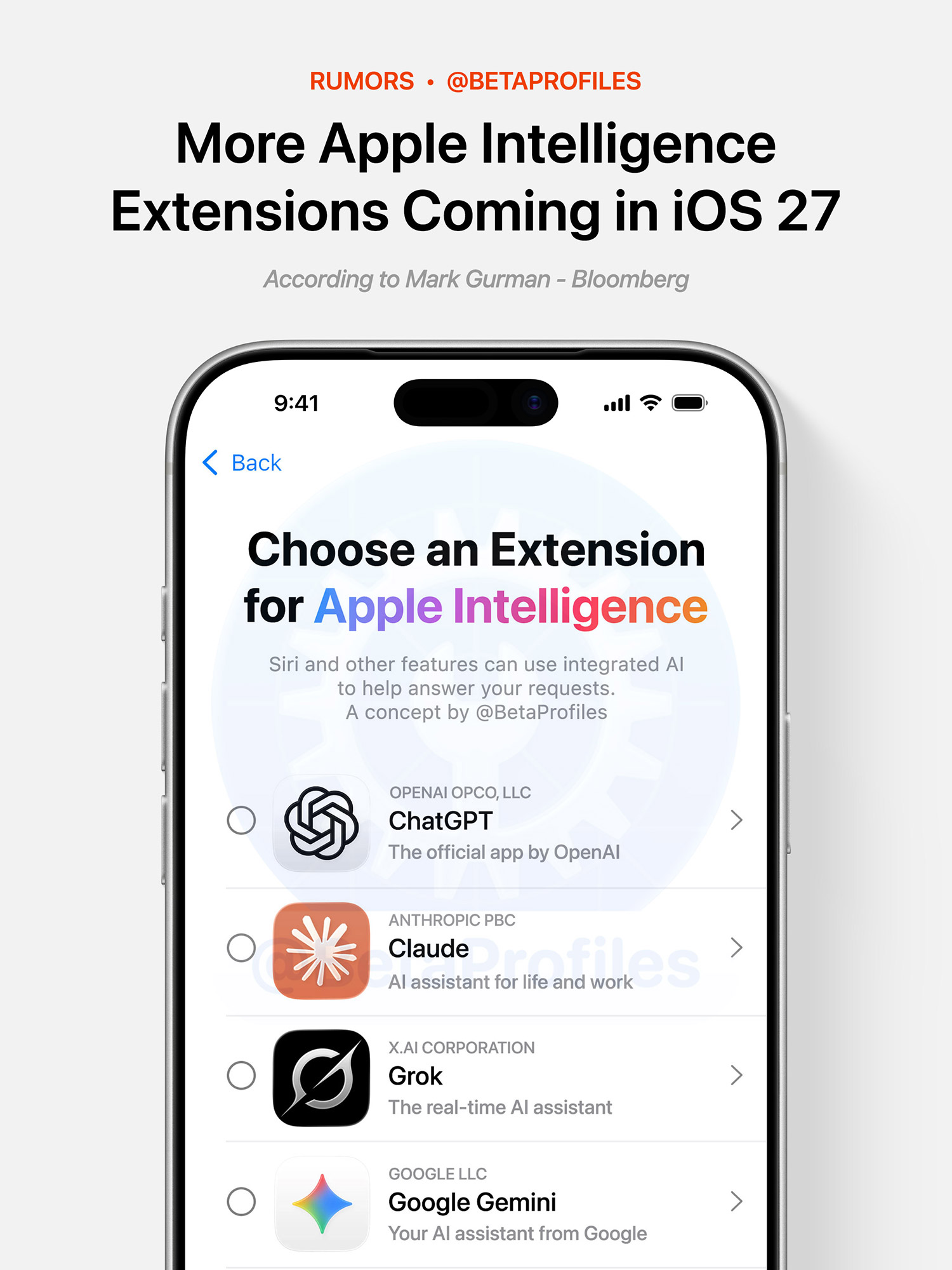
Mark Gurman also reported in late March that Apple plans to allow third-party AI chatbot apps like Claude and Gemini to integrate with Siri in iOS 27 as Apple Intelligence extensions.
These extensions will essentially work similarly to the current ChatGPT integration in Apple Intelligence settings, meaning features like Siri, Writing Tools, Image Playground, and more could be powered through Claude or Gemini.
Currently, ChatGPT is the only Apple Intelligence extension available in iOS 26.
Visual Intelligence
Earlier this year, Tim Cook revealed that Visual Intelligence is one of the most appreciated features among iPhone users, which may have prompted Apple to expand its capabilities in iOS 27.
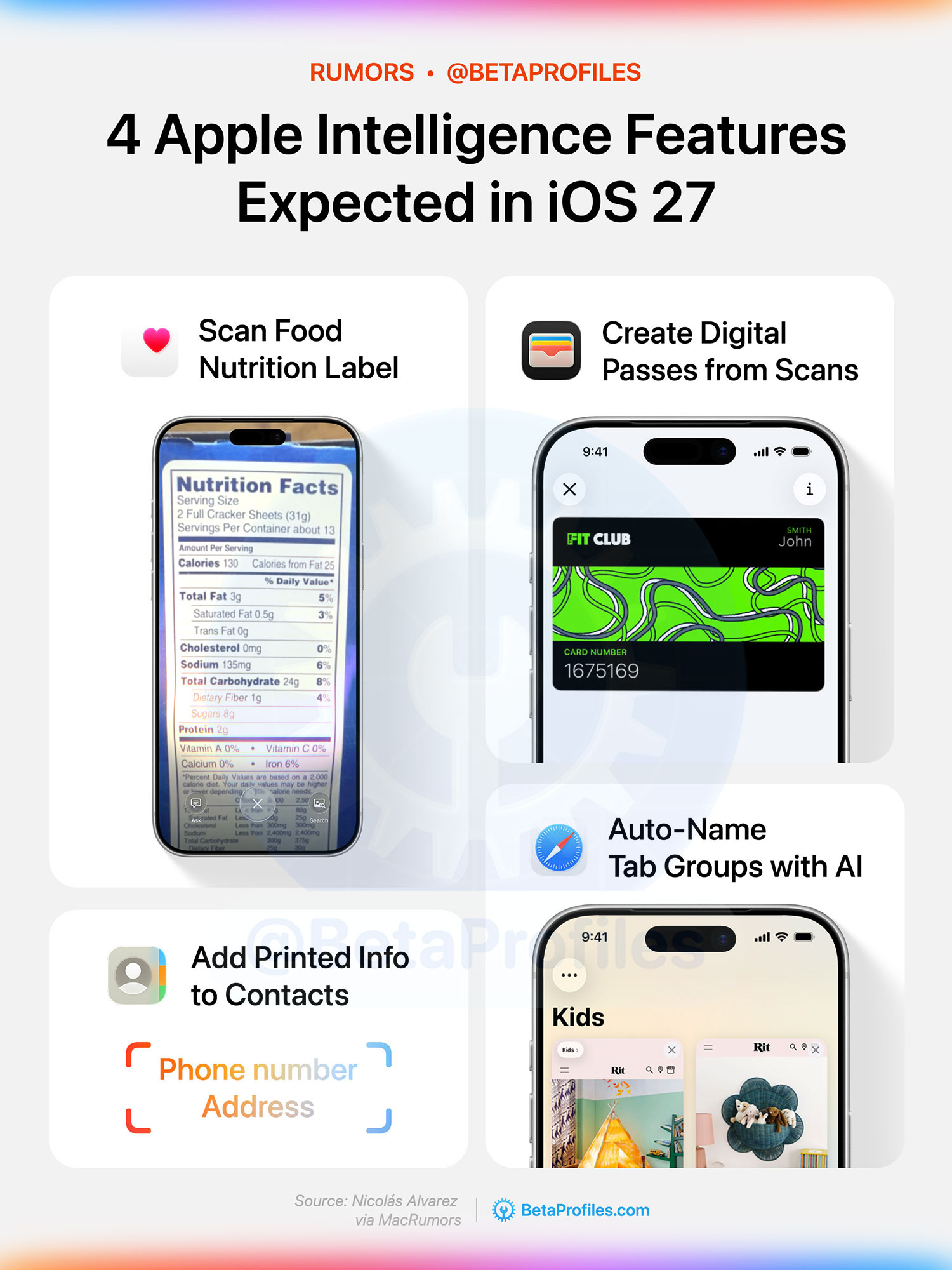
According to backend code discovered by Nicolás Alvarez (via MacRumors), two new Visual Intelligence features could be coming in iOS 27. These include the ability to scan food nutrition labels for more detailed information, which could then be integrated into the Health app, and the ability to quickly add printed phone numbers and addresses to Contacts, similar to how events can currently be added to the Calendar app.
Home Screen
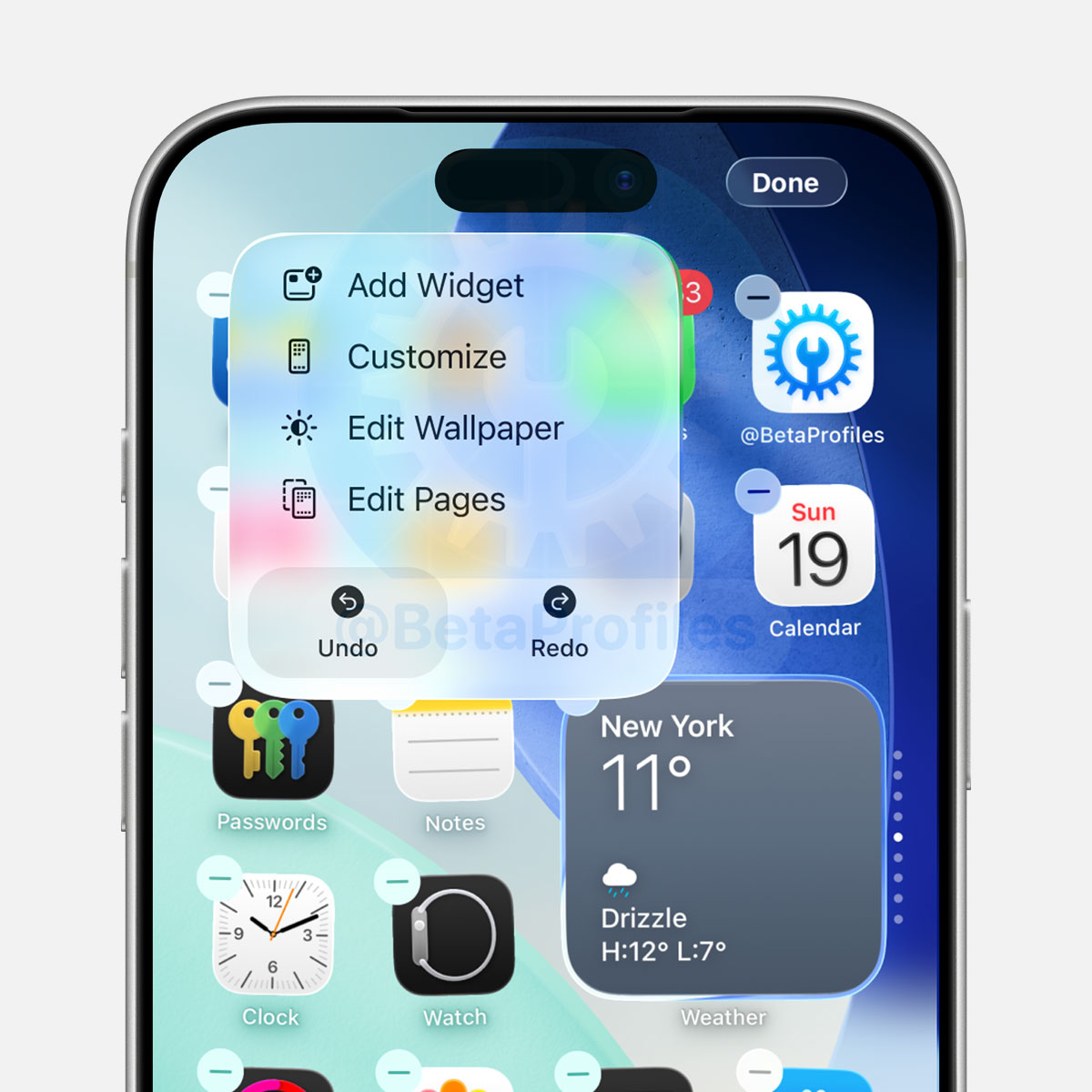
Mark Gurman reveals that Apple is also considering adding “Undo” and “Redo” buttons to the Edit Home Screen menu, making it easier to revert or reapply changes.
Here’s a concept of what the Undo and Redo buttons could look like, along with the current customization menu used to add widgets, change icon themes, and more:
Photos App
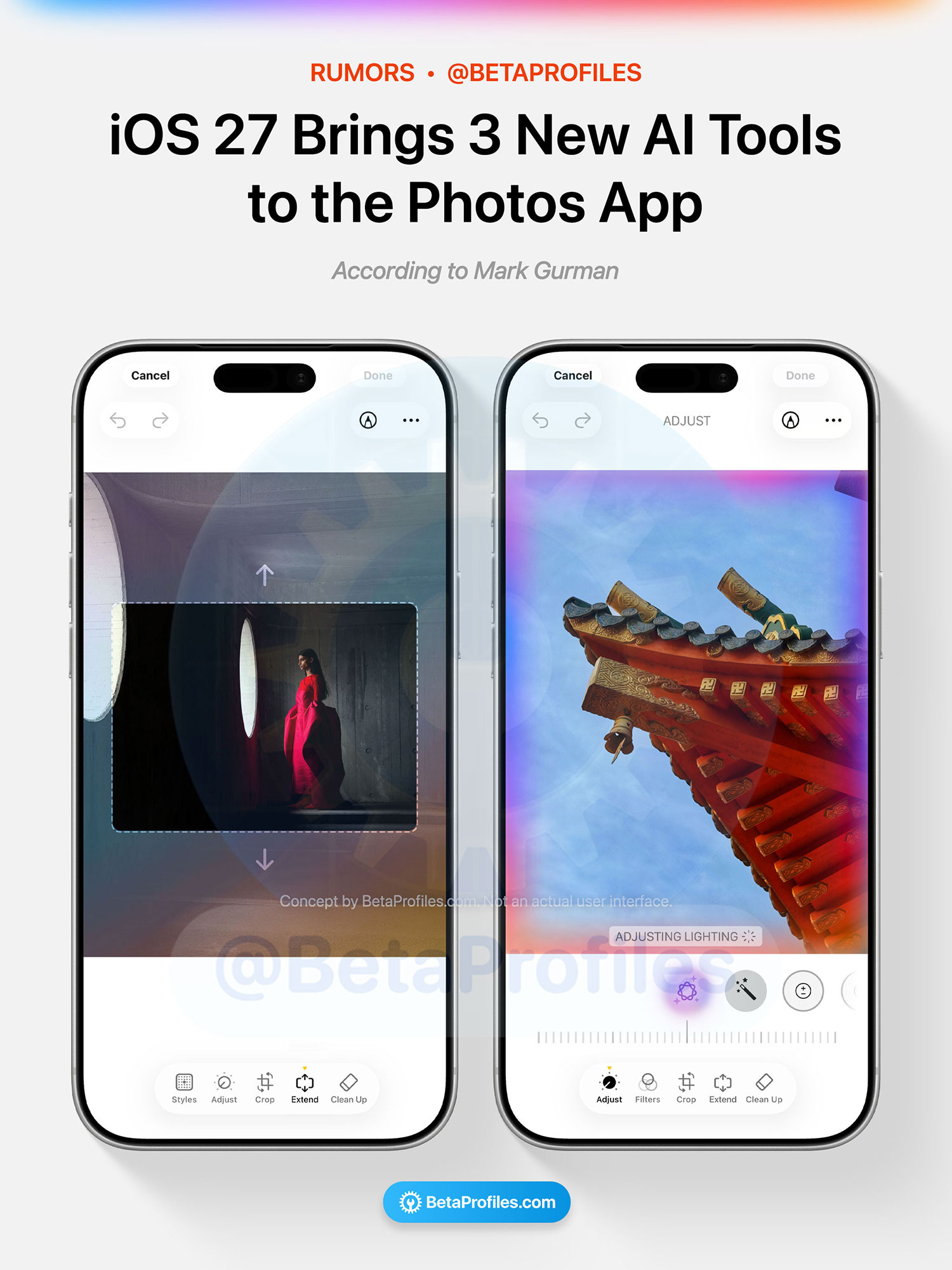
The Photos app is also getting an update, adding three new Apple Intelligence-powered editing options, including:
- Extend to expand images beyond the original frame
- Enhance to automatically tweak color, lighting, and other image parameters
- Reframe, which lets you adjust the perspective of spatial photos
Mark Gurman also noted that Extend and Reframe have “not been working reliably in internal testing,” so these two features could be delayed or scaled back.
Camera App
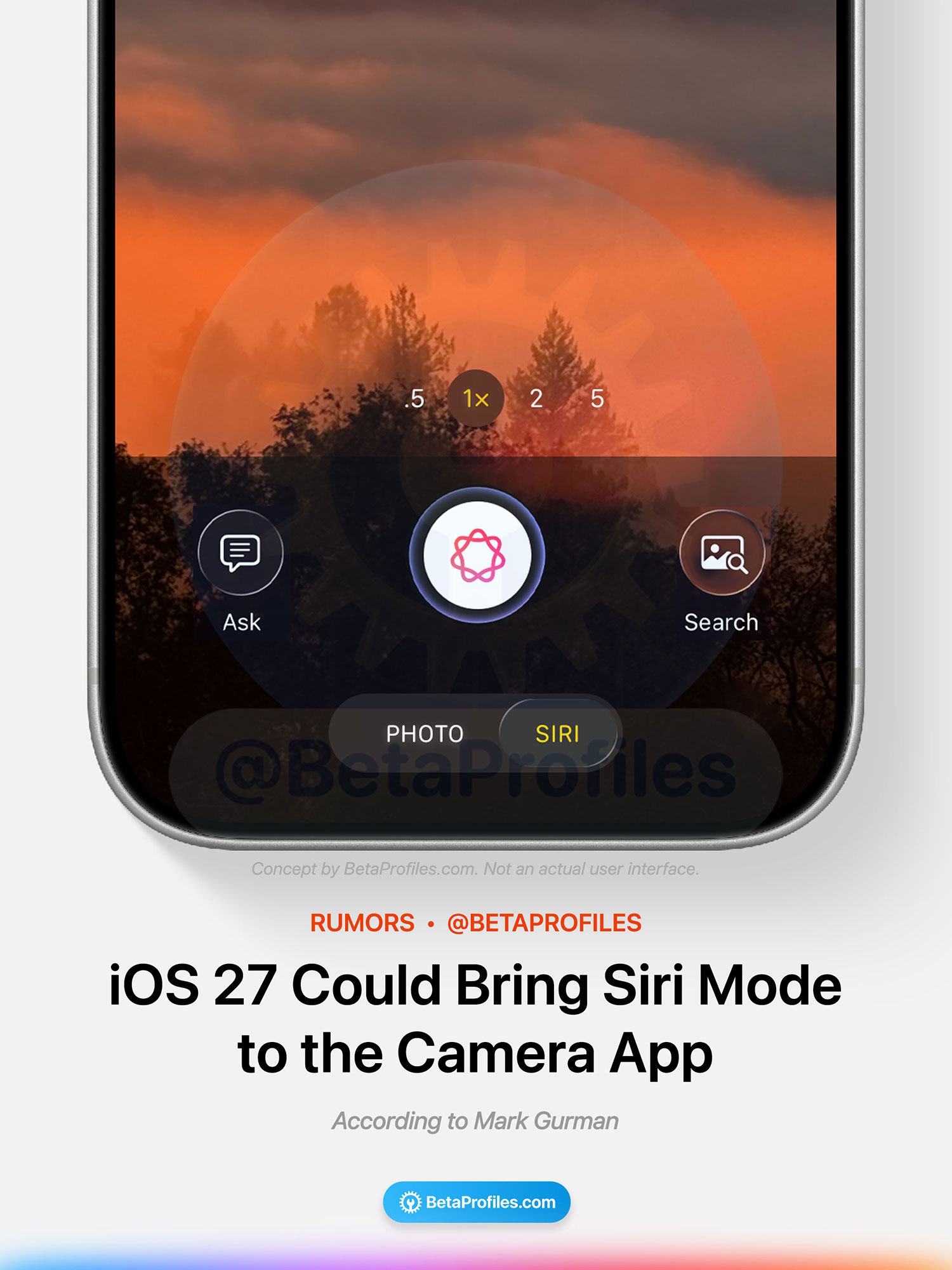
Apple is developing a new Siri mode for the Camera app in iOS 27, with functionality similar to Visual Intelligence. Right now, not many people are aware that Visual Intelligence can be activated by pressing and holding the Camera Control button or via a shortcut in Control Center.
The new Siri mode will appear alongside existing modes like Photo, Video, and Portrait in the Camera app. Mark Gurman notes that the shutter button will display the Apple Intelligence logo when Siri mode is selected, helping distinguish it from other shooting modes.
Existing Visual Intelligence features are also expected to work with the new Siri mode in the Camera app, alongside the additional features coming to iOS 27 mentioned earlier in this post.
Apple is also reportedly redesigning the Camera app with a more customizable interface. Users will be able to choose their own set of controls, or “widgets,” shown at the top of the app.
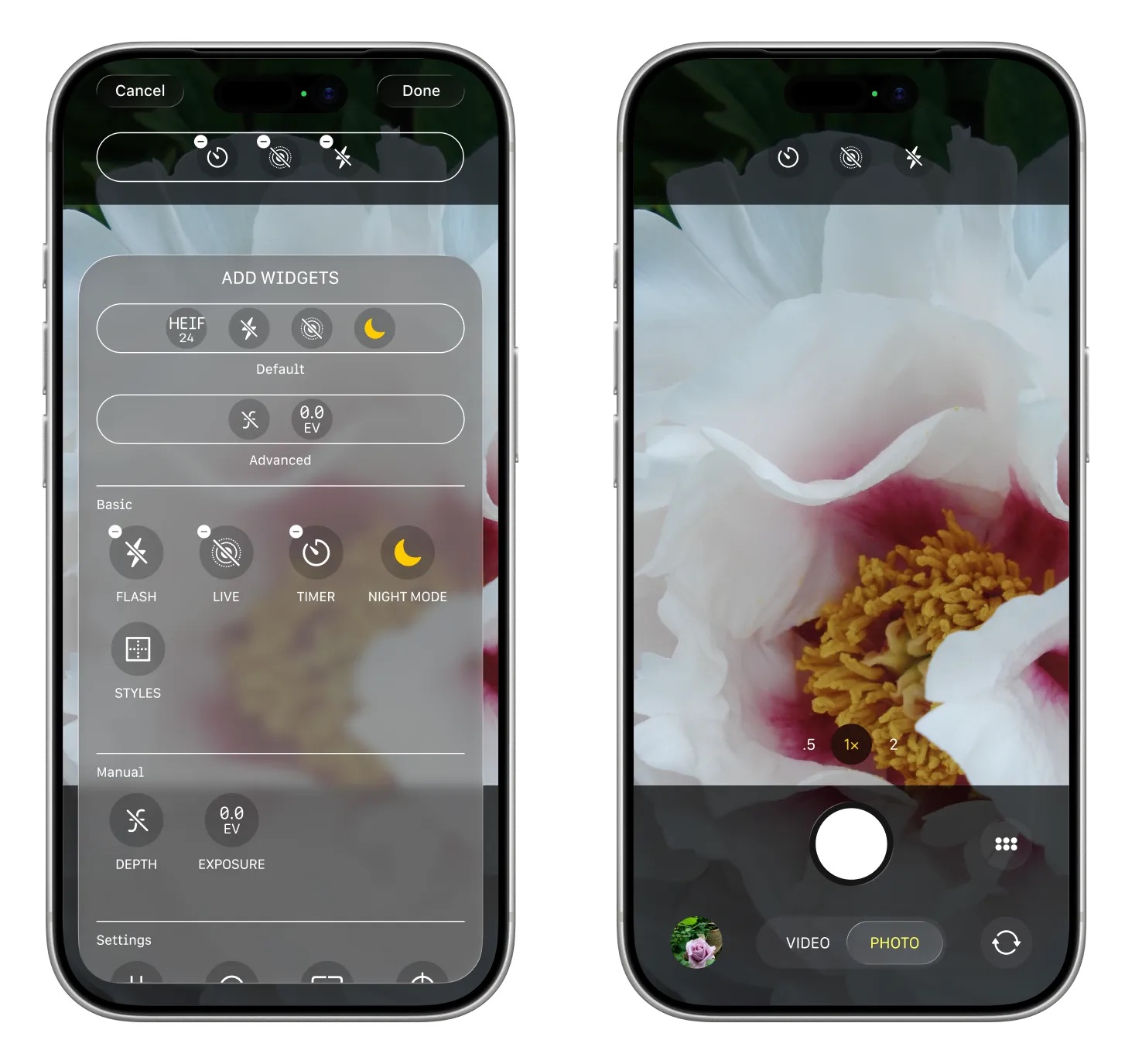
Image credit: Bloomberg
The Camera app will still include the default controls currently available in iOS, such as resolution, Night mode, flash, and Live Photos, but users will also be able to switch to a more advanced layout or customize the controls themselves.
Each shooting mode will have its own widget set, accessible through a transparent “Add Widgets” tray from the bottom of the interface. Photo mode is said to include advanced controls like depth of field and exposure, along with categories for “Basic,” “Manual,” and “Settings.”
Apple is also reportedly adding new grid and level options, while moving the button for showing all controls to a new location beside the shutter button.
Wallet App
The Wallet app is getting a new “Create a Pass” feature, allowing users to scan a QR code to generate a custom pass based on it. Supported pass types include tickets, membership cards, gift cards, and more.
If a QR code isn’t available, users will also be able to create fully custom passes with options for style, images, colors, and text fields.
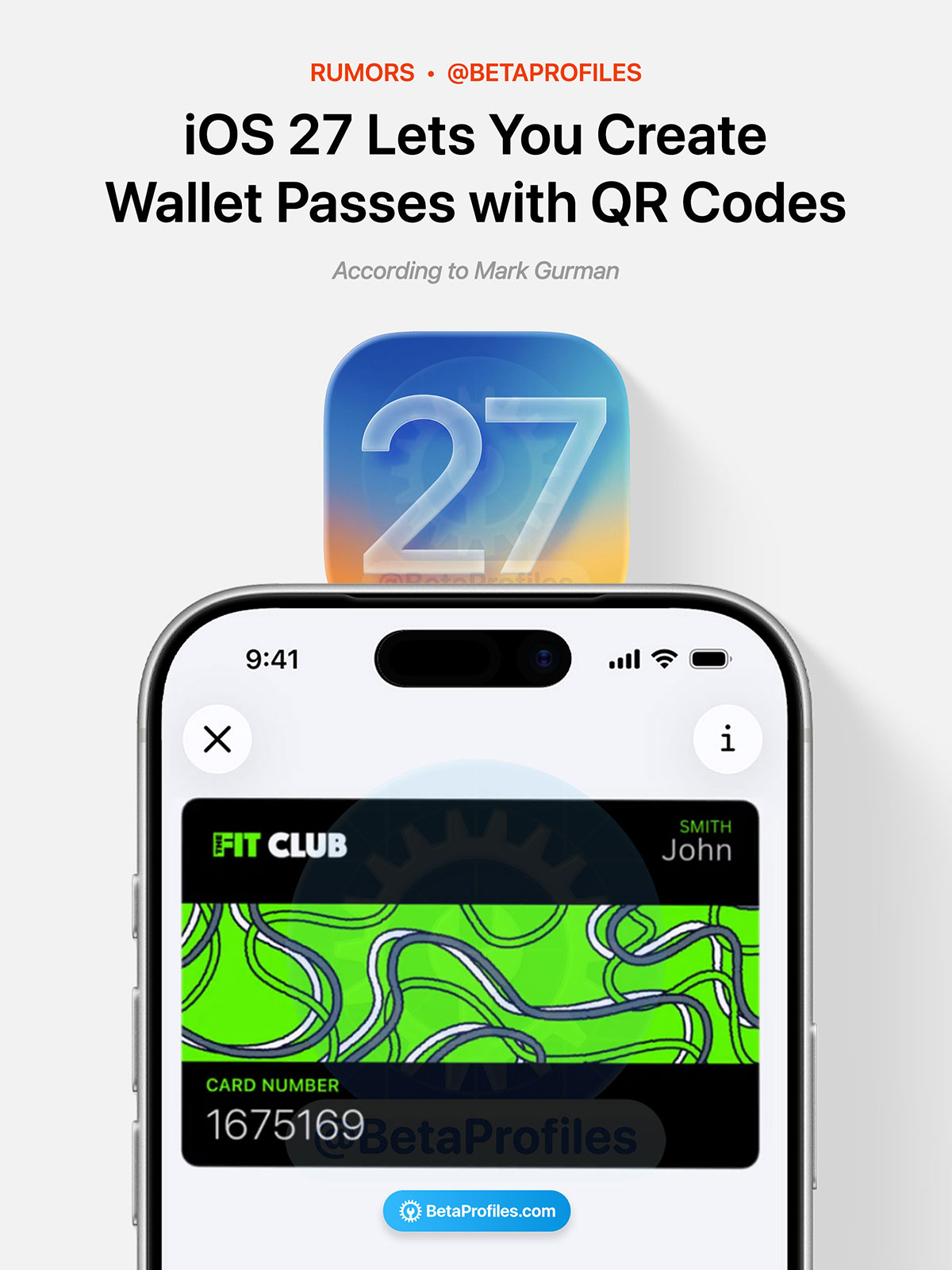
Bloomberg’s Mark Gurman also shared additional details:
Apple is testing three template options: standard, membership and event. Standard, in orange, is a default option for any type of pass, while membership, in blue, is geared toward entering places like gyms. The event pass, in purple, is meant for tickets to games, movies and other occasions.
Currently, this can only be done using third-party digital pass apps.
Safari
Safari will reportedly gain the ability to automatically name Tab Groups based on the tabs opened inside them. In addition, the Start Page is said to be redesigned with four tabs at the top for quickly switching between Favorites, Bookmarks, Reading List, and Browsing History.
Health Features
There have been reports that Apple is working on an all-new health service, possibly called Health+, which could launch later this year. The service is expected to leverage AI to deliver personalized health recommendations, along with video content from medical experts.

Calendar App
The Calendar app may also gain AI-powered features, although there’s very little detail so far on what those capabilities might look like in practice.
Shortcuts App
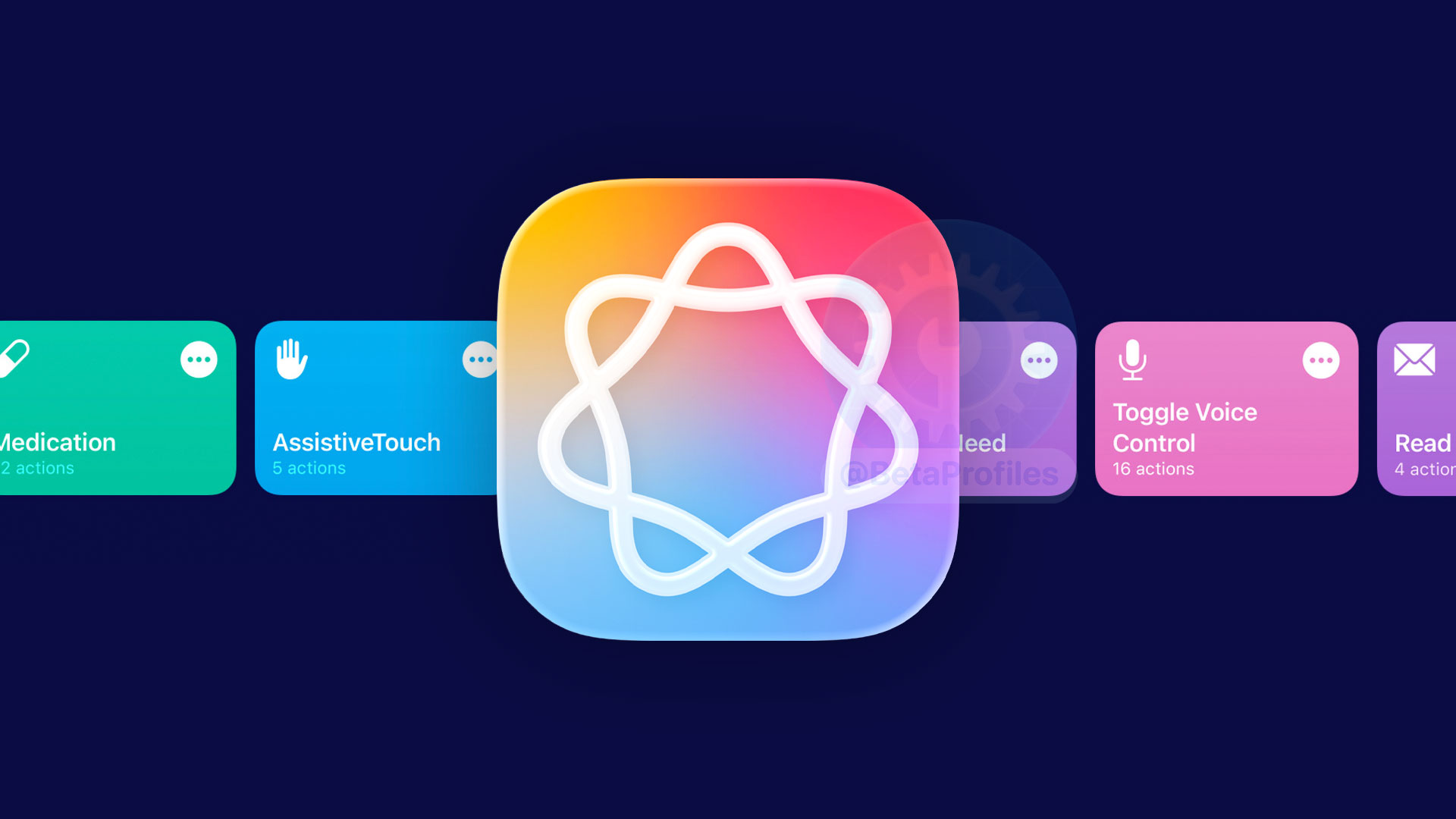
MacRumors has confirmed that Apple is planning to make the Shortcuts app easier to use for most users by allowing AI to write custom actions for you.
Apple’s Shortcuts app has long been considered difficult to use for many people. Personally, I mostly rely on shortcuts shared by others or create very simple ones for small tasks. Letting AI generate custom shortcuts tailored to your needs could make the whole experience much more accessible.
Weather
The Weather app may introduce a new “Conditions” module alongside the existing weather sections, letting users switch between temperature, precipitation, and wind views directly within the module.
“Conditions” isn’t entirely new to the Weather app, however, as the interface already appears when tapping on one of the current weather modules.
System Changes
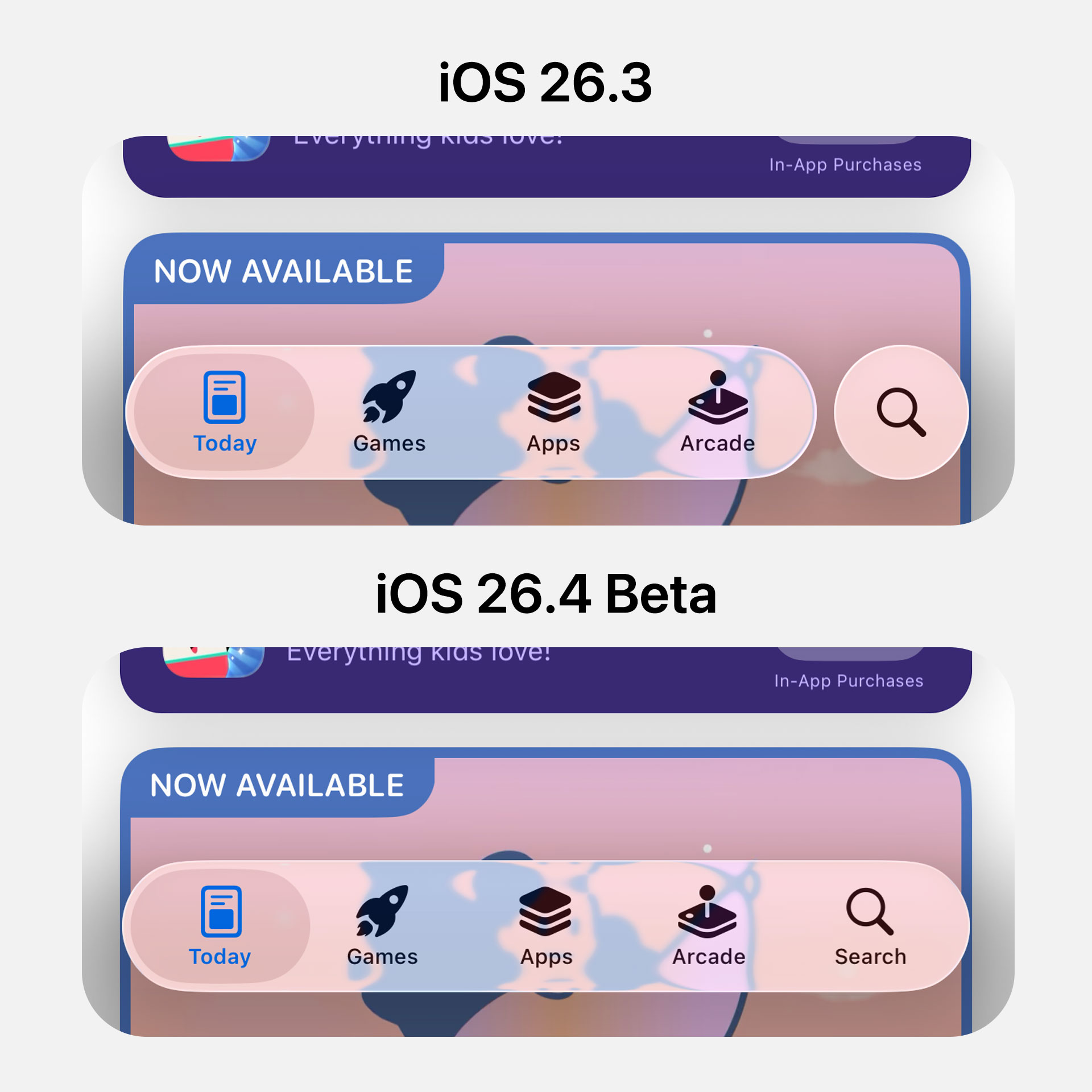
iOS 27 will also merge the Search button into the tab bar in apps like Apple Music, Apple TV, News, Health, and Podcasts, similar to how Apple merged Search with the tab bar in the App Store and Games app in iOS 26.4.
As for the virtual keyboard, Mark Gurman says that “a new animation will show the keys sliding up from the bottom of the iPhone’s interface.” Based on that description, it’s still unclear how the new effect will actually work, since the current keyboard already slides up from the bottom edge of the display.
Wallpapers
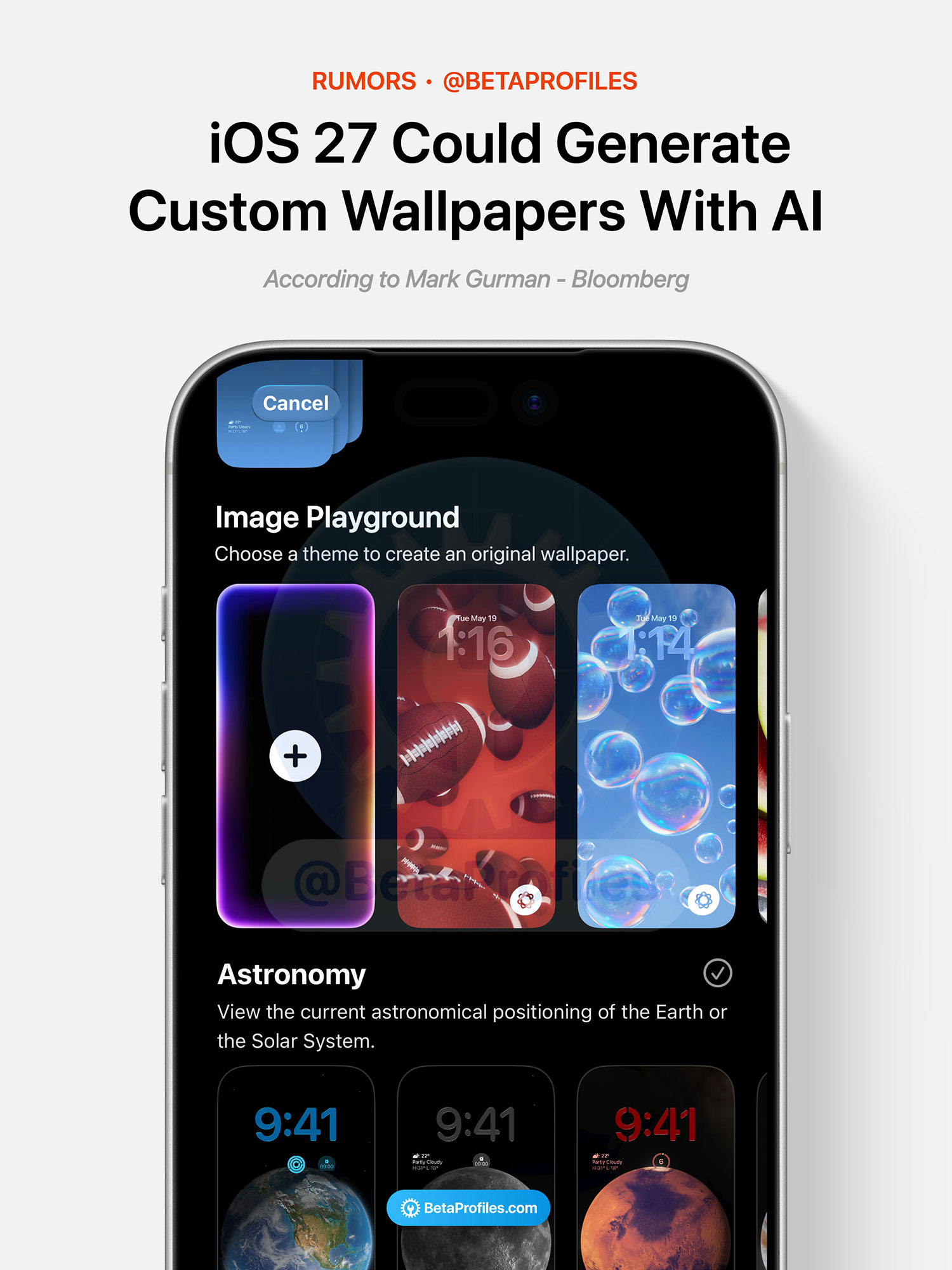
iOS 27 could let users create custom wallpapers using Image Playground. The app is also expected to be upgraded with models capable of generating more lifelike images.
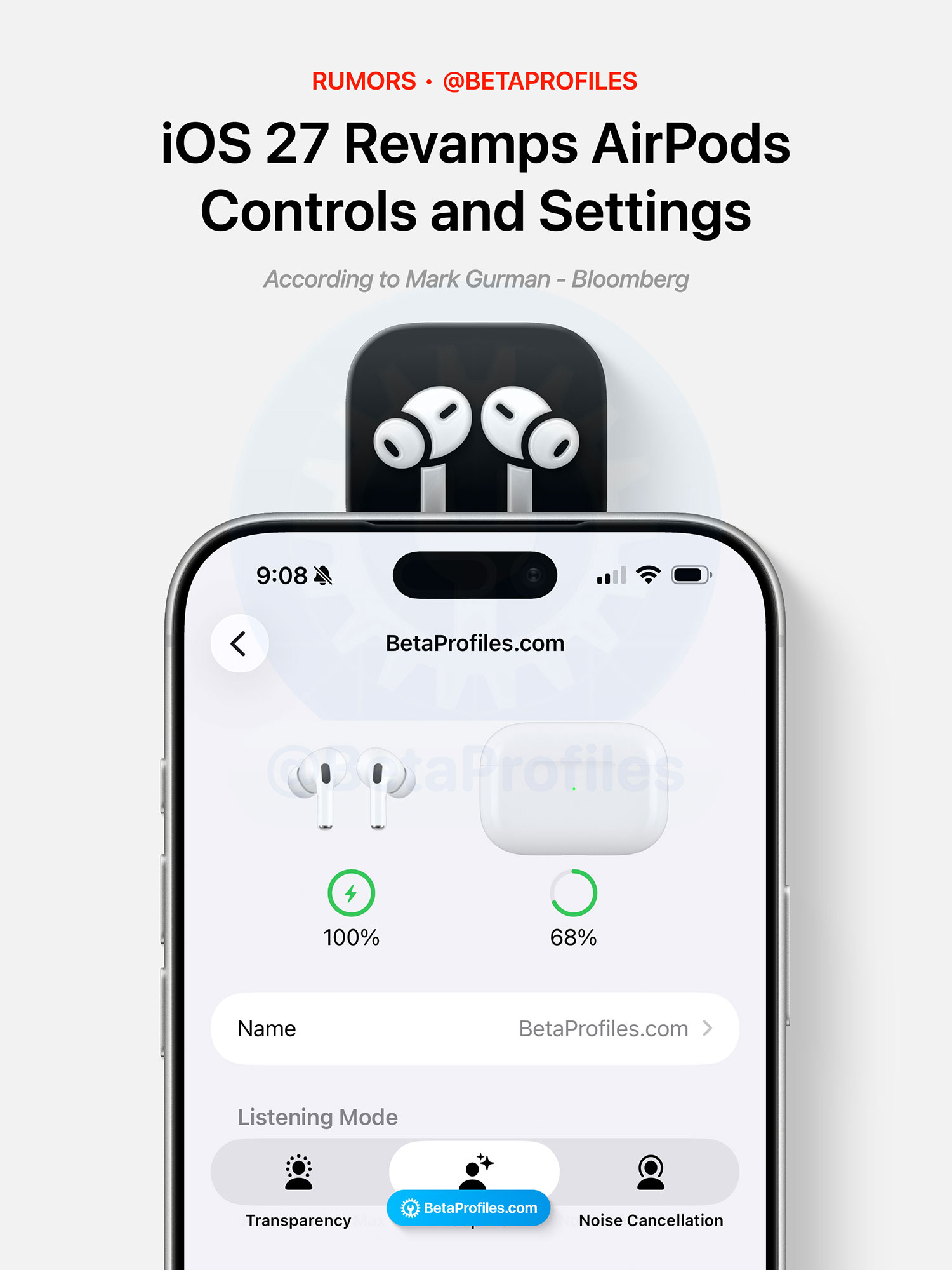
AirPods Settings
AirPods settings in the Settings app have become increasingly cluttered as more features have been added over time. Apple is reportedly aware of that and is expected to revamp the AirPods settings page in iOS 27.
According to Mark Gurman, the new layout will prioritize key features and make everything feel more organized and streamlined. However, anyone hoping for a standalone AirPods app like Watch or Apple Vision Pro app shouldn’t expect it in iOS 27.
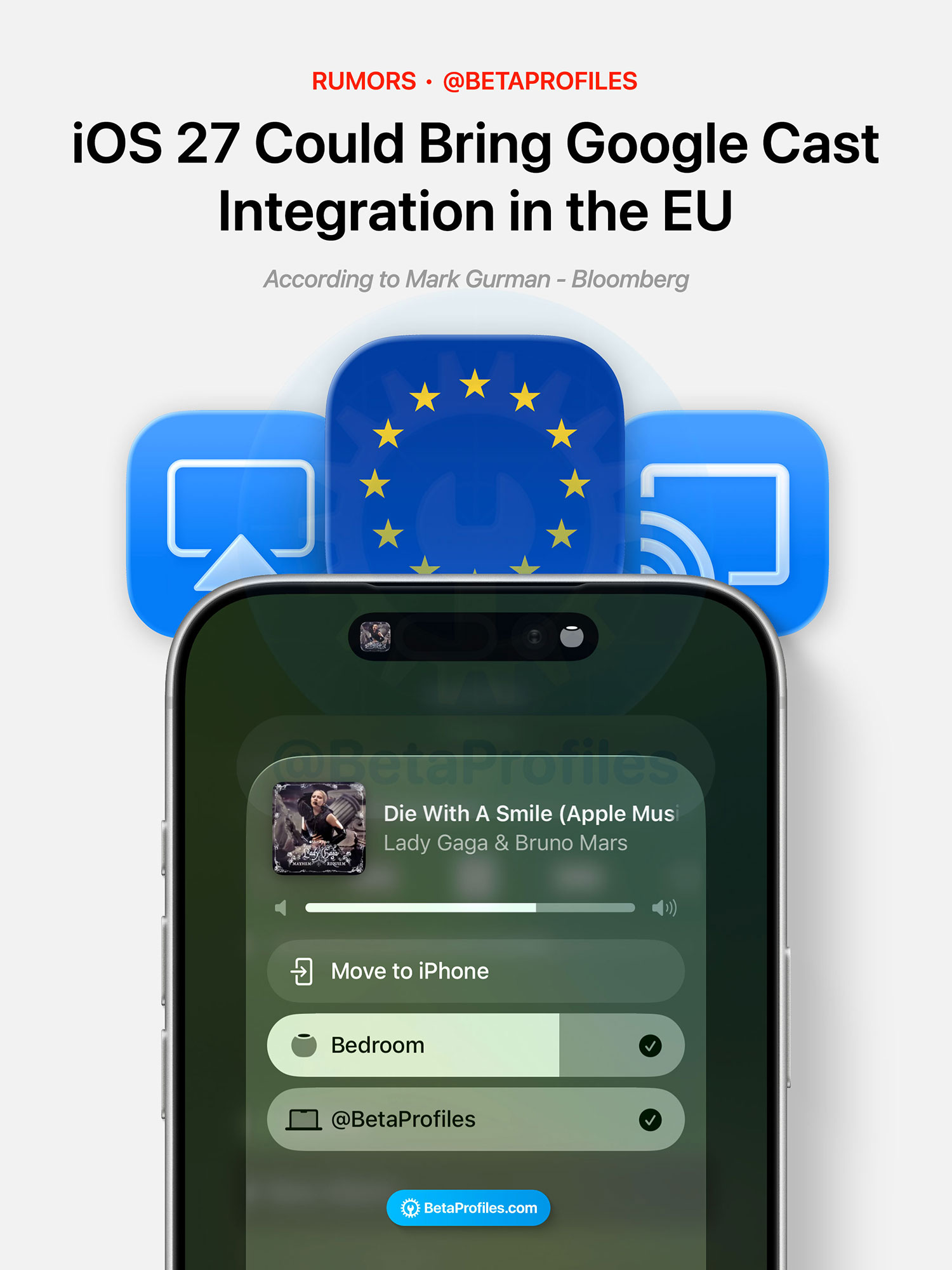
AirPlay Alternative
Apple is also reportedly working on system-level integration for Google Cast and other third-party streaming protocols in iOS 27. Right now, AirPlay is the only built-in streaming protocol in iOS, allowing users to stream content and audio to Apple devices as well as third-party devices with AirPlay support.
However, this feature will likely be limited to EU, as Apple is expected to introduce it to comply with EU’s Digital Markets Act (DMA).
Satellite Features
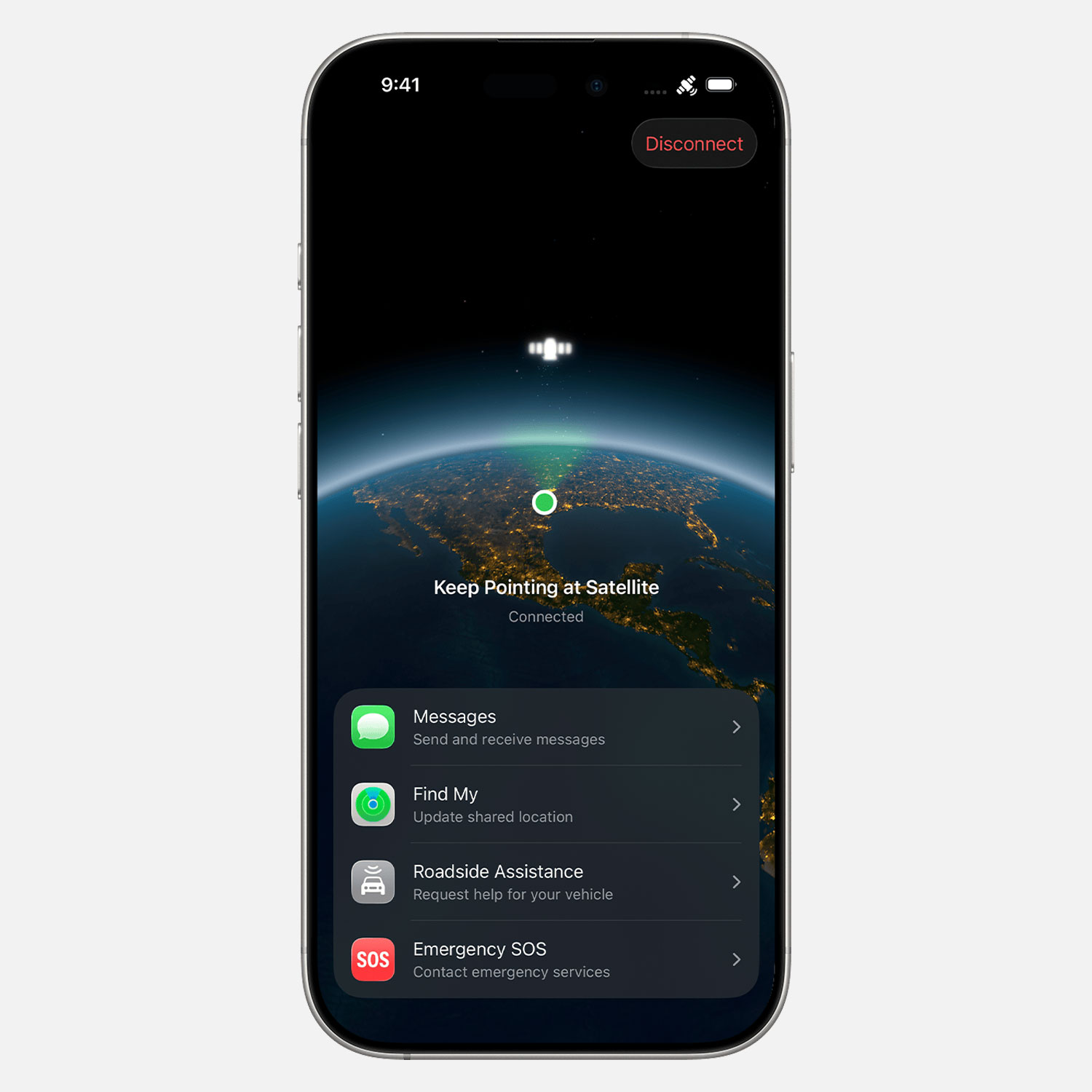
Apple is reportedly planning to expand its satellite capabilities for iPhone users, including:
- Using Apple Maps without a cellular or Wi-Fi connection
- Sending photos in the Messages app via satellite
- Satellite connectivity in more environments, without needing to point the iPhone directly at the sky
- A satellite API framework for third-party apps
- Support for 5G NTN, allowing cellular towers to use satellites to extend coverage
Some of these features may be limited to newer hardware, such as future models like iPhone 18 Pro, iPhone 18 Pro Max, and a foldable iPhone.
Follow @BetaProfiles on X , Threads, or Instagram to stay updated on the latest Apple beta software news.