Apple today released iOS 26.5, bringing the new Pride Luminance wallpaper, ads and “Suggested Locations” in Apple Maps, and a handful of EU-specific changes. This is likely the last major update before iOS 27 beta kicks off early next month. Here’s a breakdown of everything you’ll get when you update to iOS 26.5.
iOS 26.5
Build: 23F77
Released: May 11, 2026
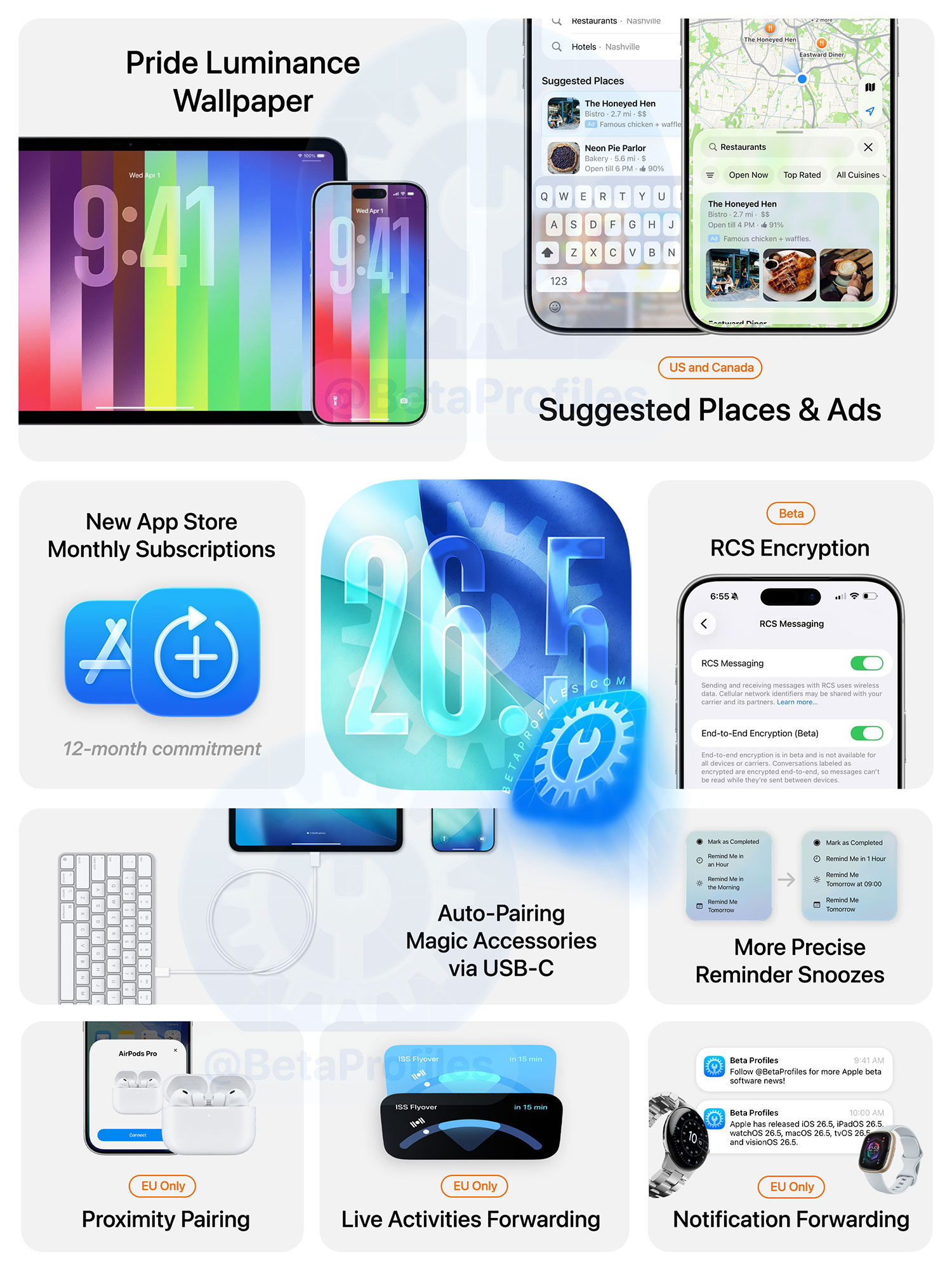
Pride Luminance Wallpaper
A new Pride Luminance wallpaper has been added in iOS 26.5 and iPadOS 26.5. What makes it special is that it comes with 11 different color combinations, plus one variant that lets you mix and match up to 12 colors (with a total of 75 colors to choose from), making it the most customizable wallpaper to date.
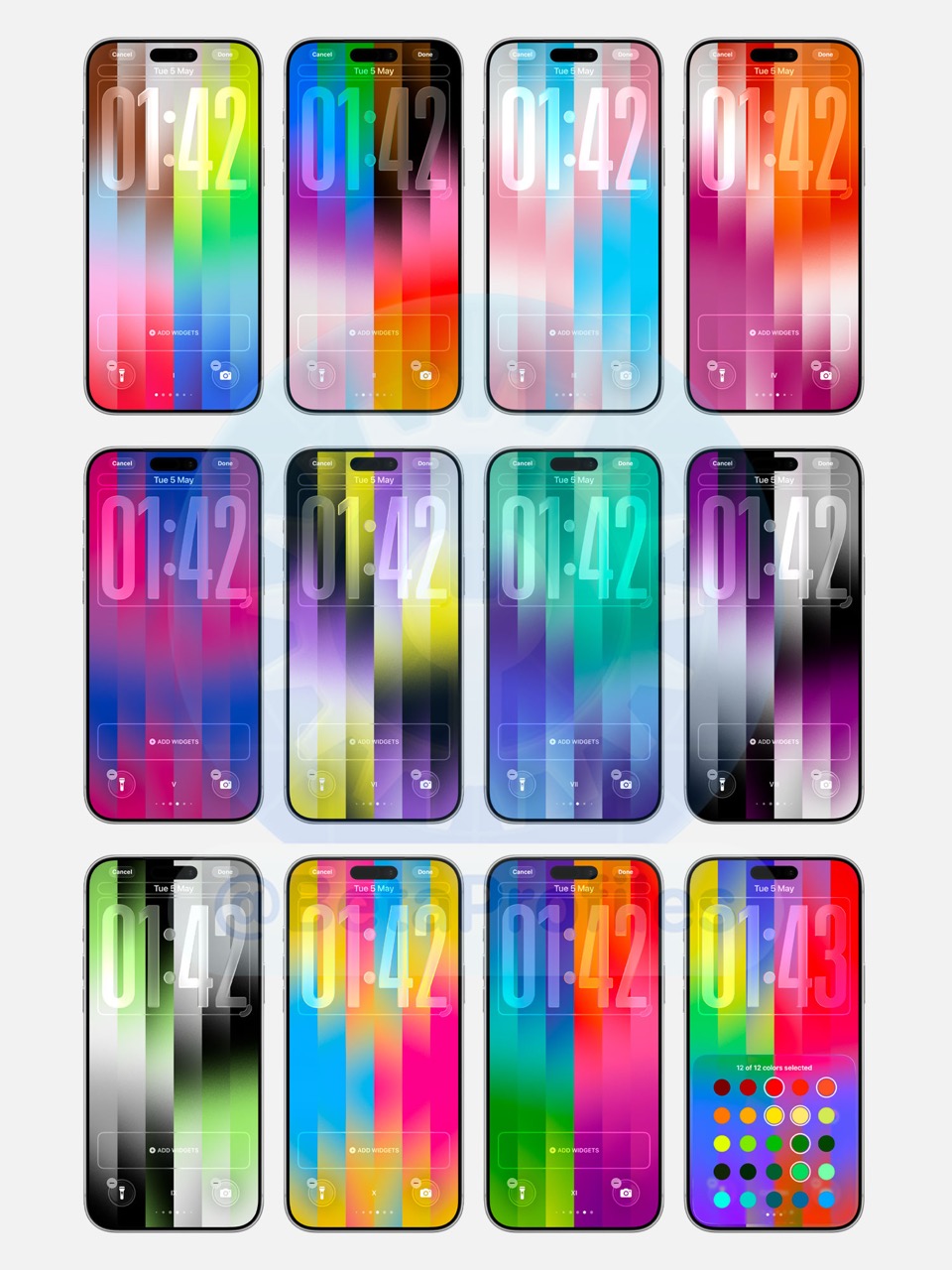
It also features a stunning animation for iPhones with Always On Display, which you can check out in the video below.
https://x.com/BetaProfiles/status/2051369152548590052
End-to-End RCS Encryption
iOS 26.5 adds an End-to-End Encryption (Beta) toggle under Settings > Messages > RCS Messaging, and it’s enabled by default. This ensures that messages between iPhone and Android devices are fully end-to-end encrypted and can’t be read by third parties.

Note that RCS end-to-end encryption also depends on carrier support, so availability may vary. Apple previously tested this feature in earlier iOS 26.4 betas, but it was removed before the final release.
List of carriers that support end-to-end encrypted RCS messaging: https://support.apple.com/109526
Apple Maps
A new Suggested Places feature has been added to Apple Maps. It shows places based on your recent searches, trending locations nearby, and other factors.
Apple also says that starting with iOS 26.5, ads will appear in the Suggested Places section. Users in the U.S. and Canada will be the first to see these ads, with expansion to other regions expected later.
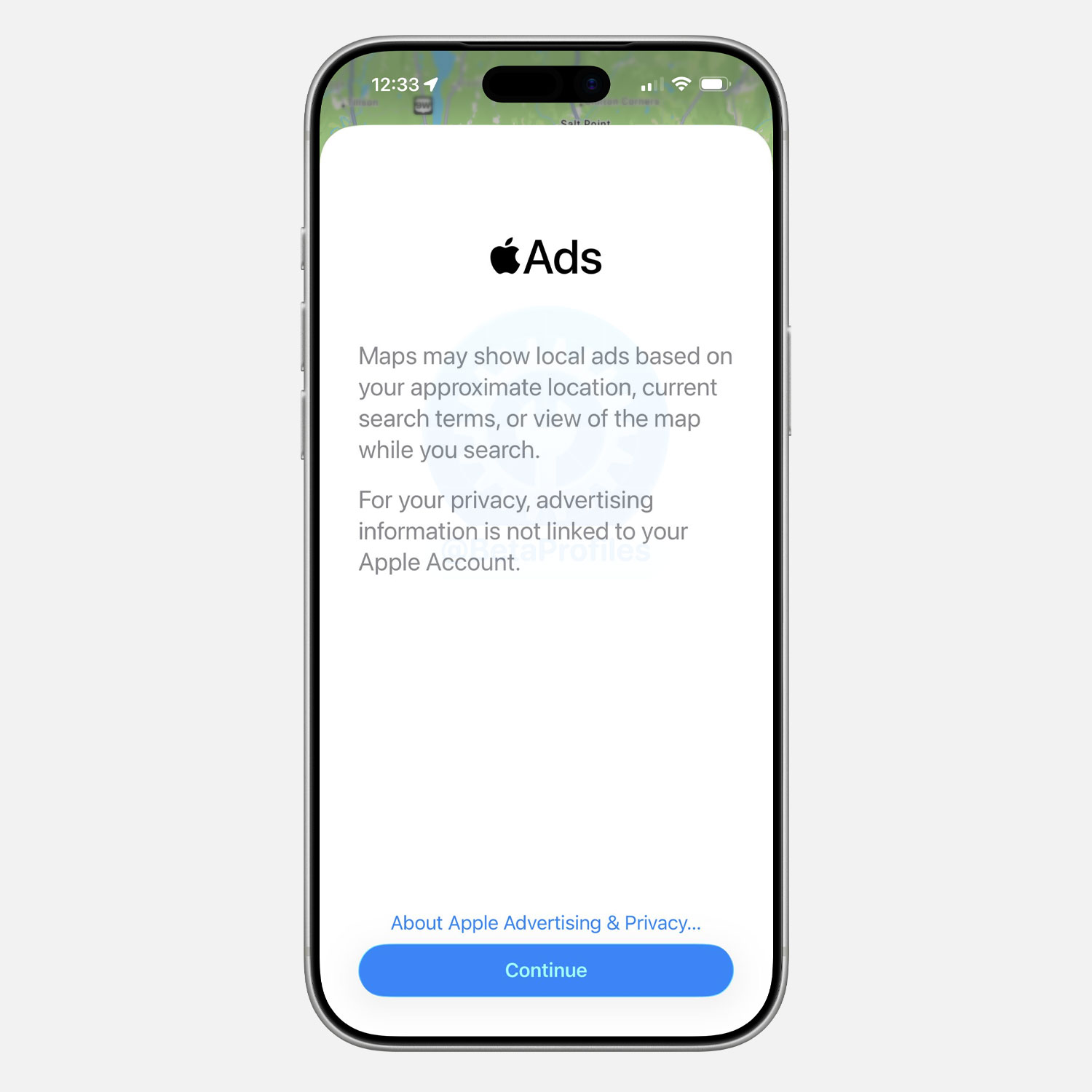

Ads will be highlighted with a light blue background and labeled “Ad,” similar to ads in the App Store.
Reminder Notifications
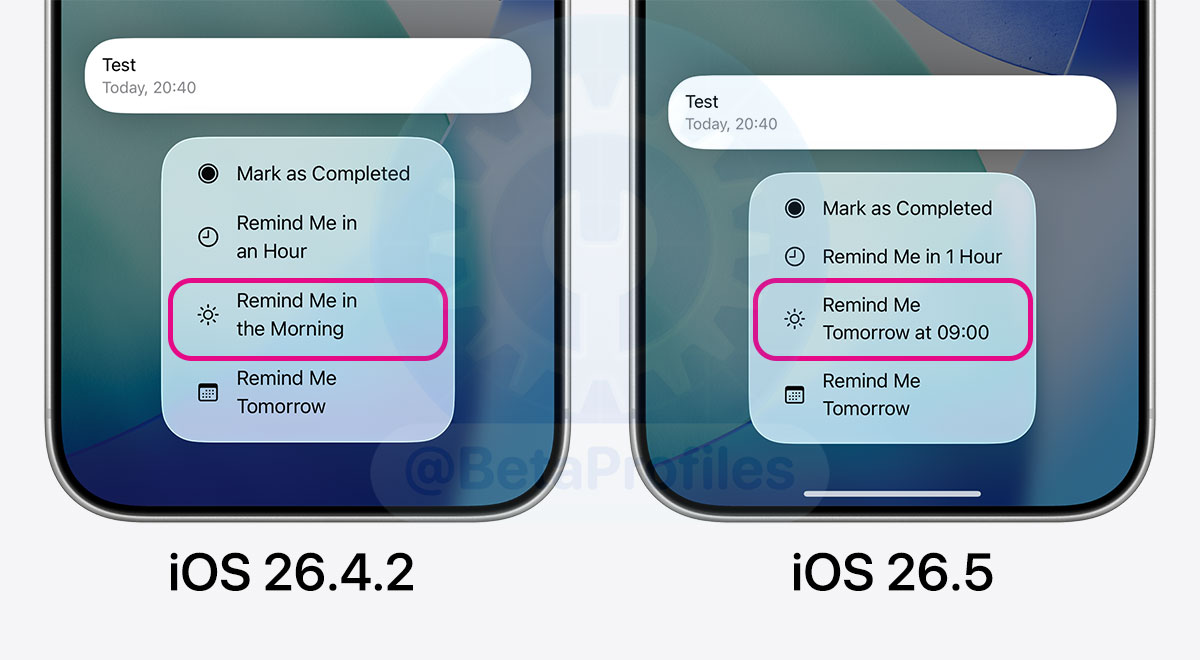
When long-pressing a Reminder notification, the option “Remind Me in the Morning” is now replaced with “Remind Me Tomorrow at 9:00.”
The key difference is that iOS 26.5 now shows the exact time your reminder will return after being snoozed.
The same applies to other options like this evening (9 PM) and in the afternoon (3 PM).
Auto-Pairing Magic Accessories via USB-C
Magic accessories like the Magic Keyboard or Magic Trackpad can now automatically pair with an iPhone or iPad via Bluetooth after being connected with a USB-C cable and then unplugged.
This works similarly to how Magic accessories have traditionally paired with a Mac.
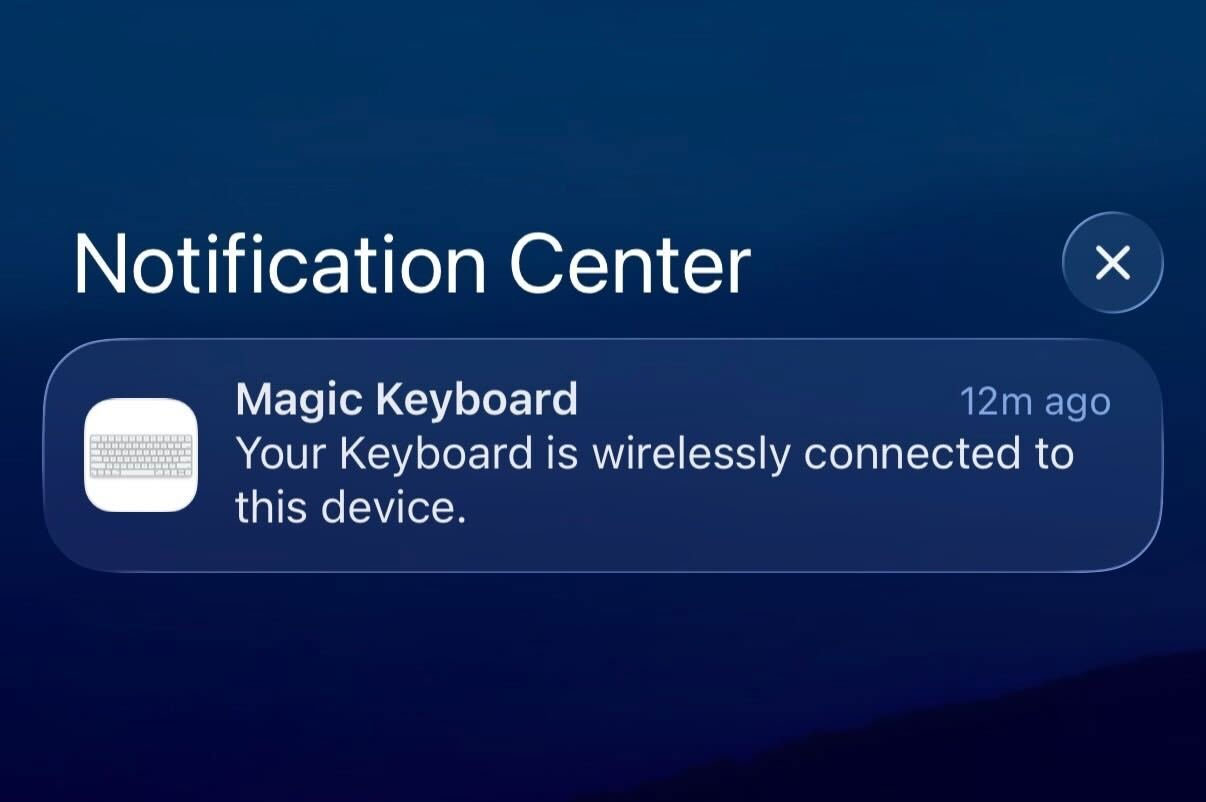
Image credit @aaronp613
New App Store Monthly Subscriptions
Apple has introduced a new subscription option: monthly payments with a 12-month commitment for apps on the App Store. Here’s how it works:
- You commit to a 12-month subscription but pay monthly.
- You can’t cancel early to stop payments immediately. If you cancel, it only takes effect after all 12 payments are completed.

Apple says you can easily track how many payments you’ve completed and how many remain in your Apple Account. You’ll also receive email reminders, and optional push notifications, before each renewal.
This 12-month commitment option is available globally on the App Store with iOS 26.4 and iOS 26.5, except in the U.S. and Singapore.
Transfer to Android
There’s a new setting that lets you choose which message attachments to transfer when moving from iPhone to Android. Options include: None, 30 days, 1 year, or All.
New Keyboard Layout
iOS 26.5 adds a new Inuktitut keyboard layout.
[EU Only] Notification Forwarding
iPhone users in the EU can now receive iPhone notifications on third-party devices such as smartwatches through the Notification Forwarding feature in Settings → Notifications.

You can choose to forward notifications from all apps, no apps, or only selected apps.
Apple notes that notifications can only be forwarded to one device at a time. Notifications on Apple Watch will be disabled if a third-party wearable is selected.
[EU Only] Live Activities for Third-Party Accessories
Similar to Notification Forwarding, third-party accessories can now display Live Activities from your iPhone.
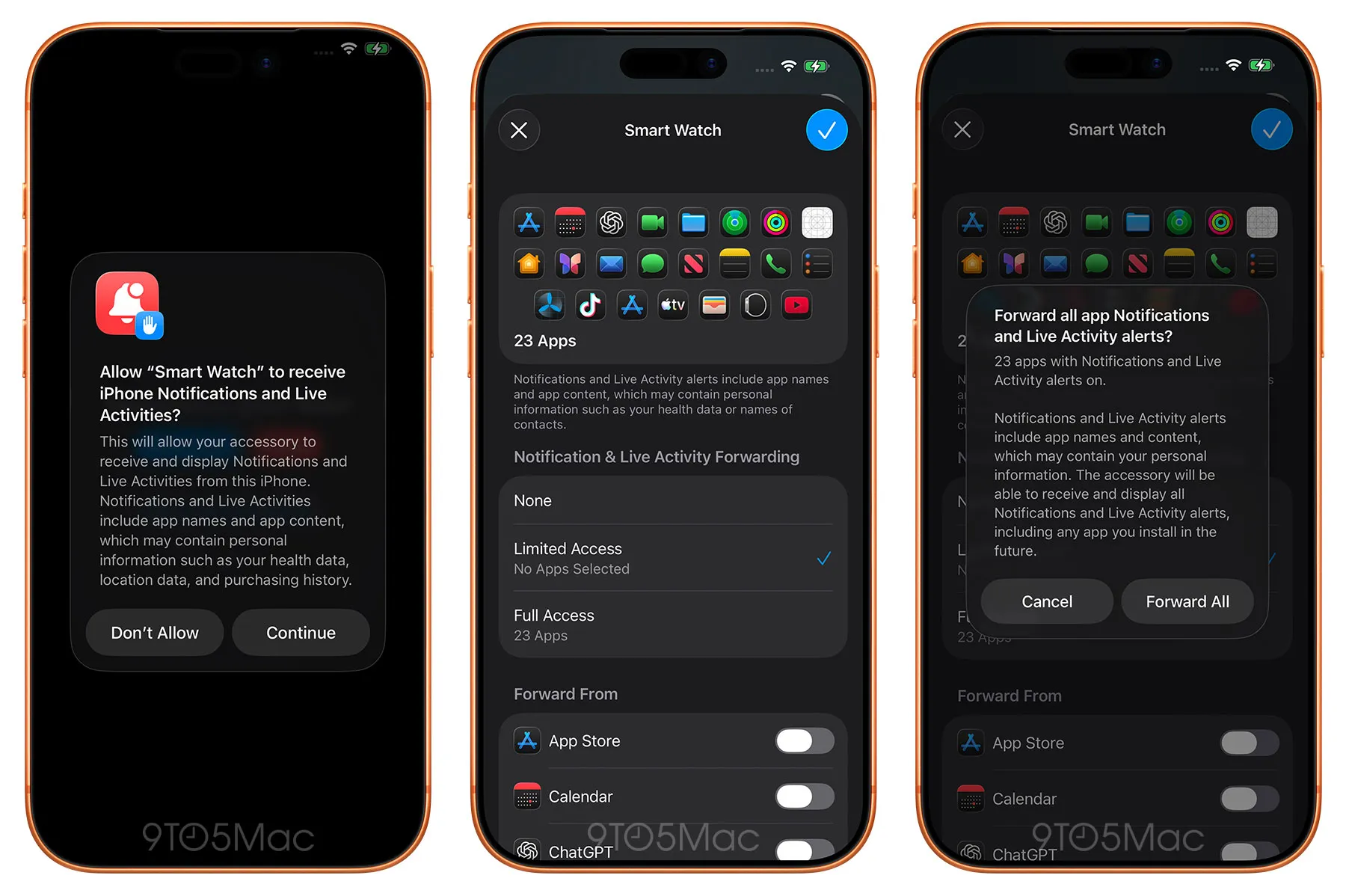
Image credit: 9to5mac
[EU Only] Proximity Pairing
Third-party audio accessories can now pair with iPhone in a similar way to AirPods. Simply bring the accessory close to your iPhone to start pairing with a single tap, with no additional steps required.
Bug Fixes
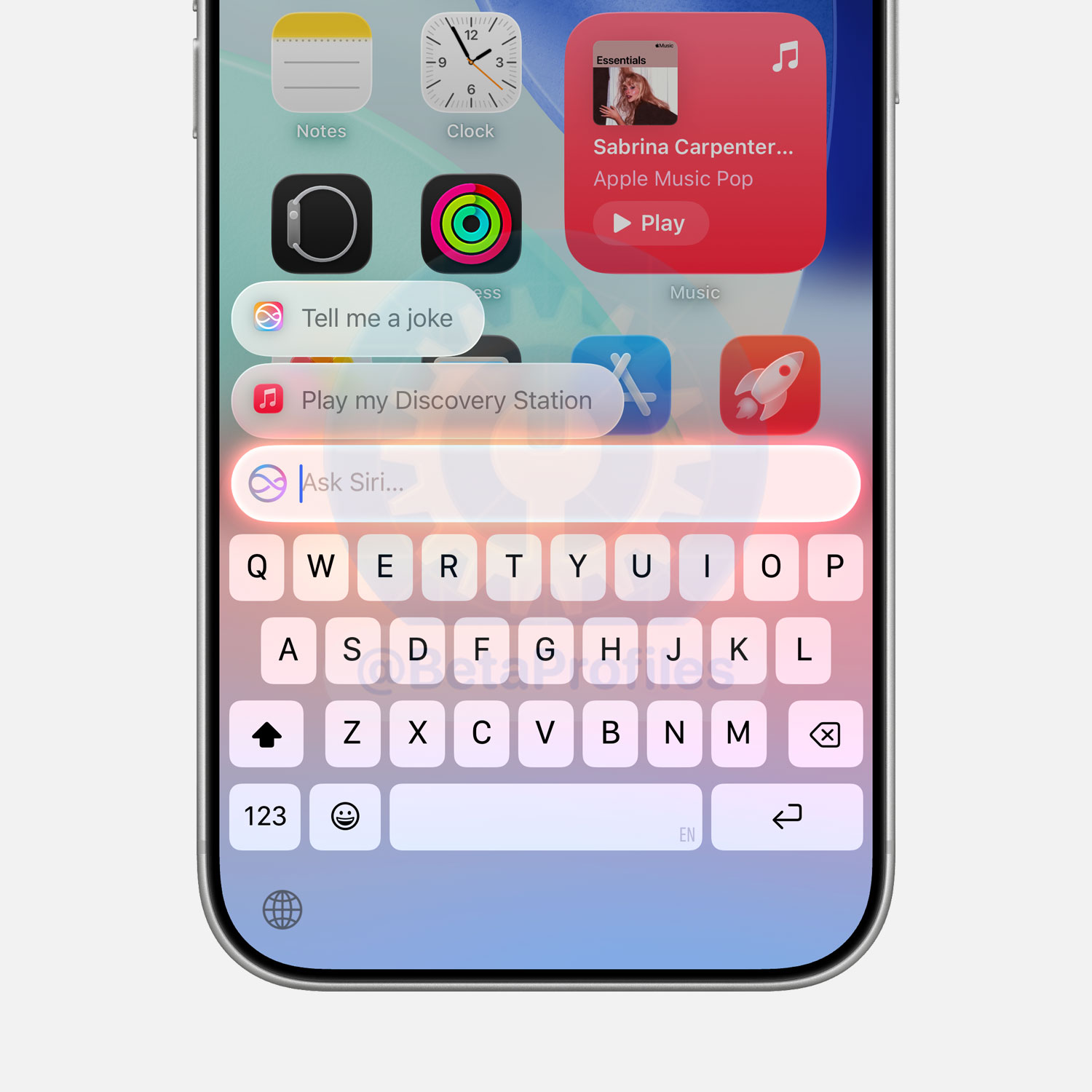
- Siri suggestions now work when using Type to Siri (double-tap the Home bar). This feature was previously not working in iOS 26.4, iOS 26.4.1, and iOS 26.4.2.
What’s Next
Once iOS 26.5 is out, Apple will shift its focus to iOS 27, with the first developer beta set to arrive on June 8th. iOS 27 is shaping up to be a release centered around performance improvements and additional AI features. Check out this post for a roundup of all the rumored iOS 27 features so far.

Apple may also release the first beta of iOS 26.6 sometime in mid-May or June. But don’t expect any major new features with this one, Apple typically keeps things low-key with their annual X.6 updates.
Here are some past release dates for X.6 Beta 1:
- iOS 18.6 Beta 1: June 16
- iOS 17.6 Beta 1: June 17
- iOS 16.6 Beta 1: May 19
- iOS 15.6 Beta 1: May 18
Follow @BetaProfiles on X , Threads, or Instagram to stay updated on the latest Apple beta software news.


