Here is a step-by-step guide, how to get the full potential of Apple Intelligence in the EU.
Works for the following versions:
- iOS 18.1 or newer
- iPadOS 18.1 or newer
1. You need an Apple Account outside the EU
To use the full potential of Apple Intelligence you need an Apple Account located outside of the EU. I choose the US.
You have two options:
- Change the App Store region in your main Apple Account Infos here:
Change your Apple Account country or region - Apple Support - Simply create a second Apple Account here.
To verify your account, you need a billing address located in the US and a payment option.
For the Billing Adress you can use the address of the Apple Park
1 Apple Park Way
Cupertino
95014-0642
United States
If you create a new account, you can choose ‘No Payment Method’[1]
If you used your main account, you need to update your payment methods to ‘None’[2]
WARNING:
Please note, that your current subscriptions no longer work, if you change the App Store region or remove any payment method.
If you use a new Apple Account, your “old”/main Account still gets charged for current subscriptions. New subscriptions charge the new Account.
2. Change App Store Account (if needed)
If you created a new account in the previous step, change your App Store Account in the Settings to your new Apple Account.
[3]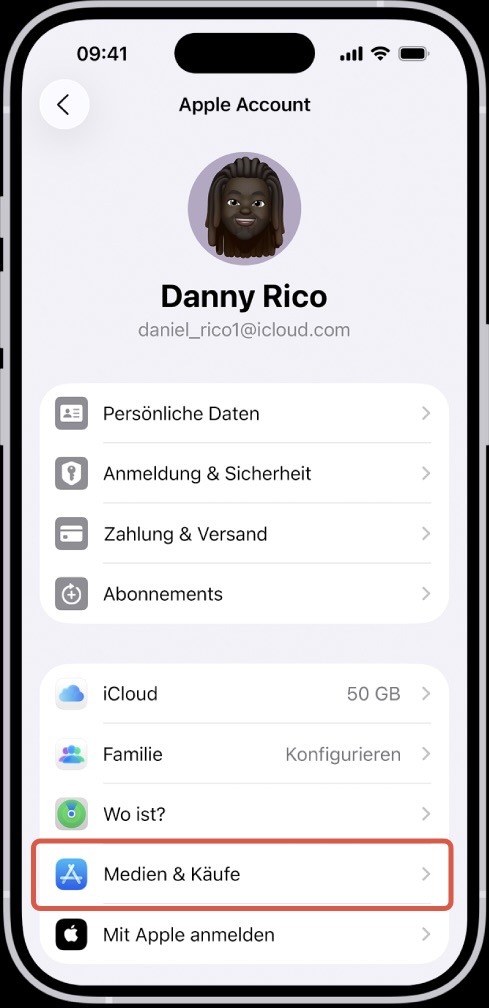
3. Change Device Language
Change your language in the Settings app on your iPhone/iPad to English (US).
English (US) needs to be at the top. Make sure to choose the American version.
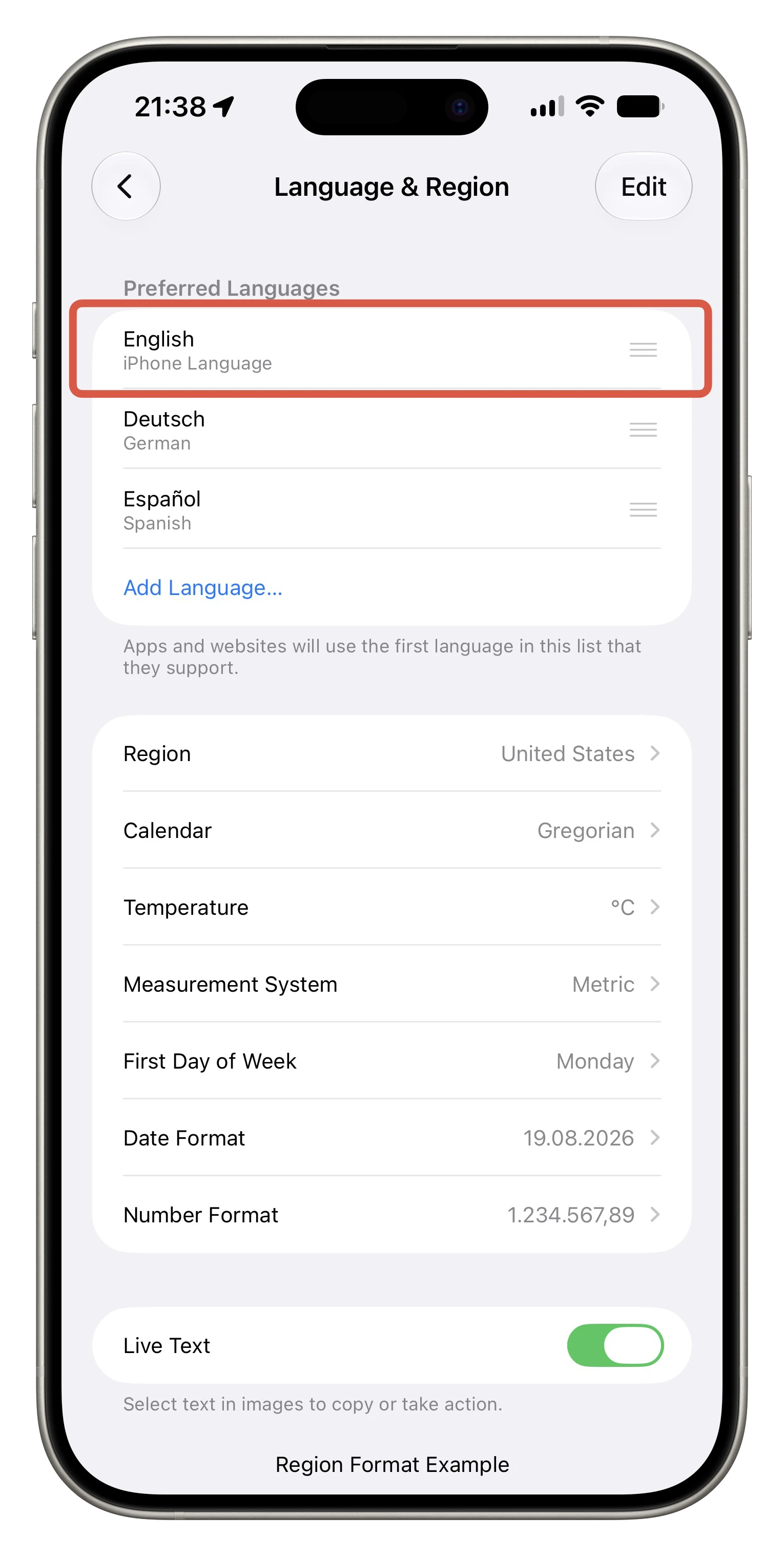
4. Change Device Region
Change your region in the Settings app on your iPhone/iPad to United States.
[5]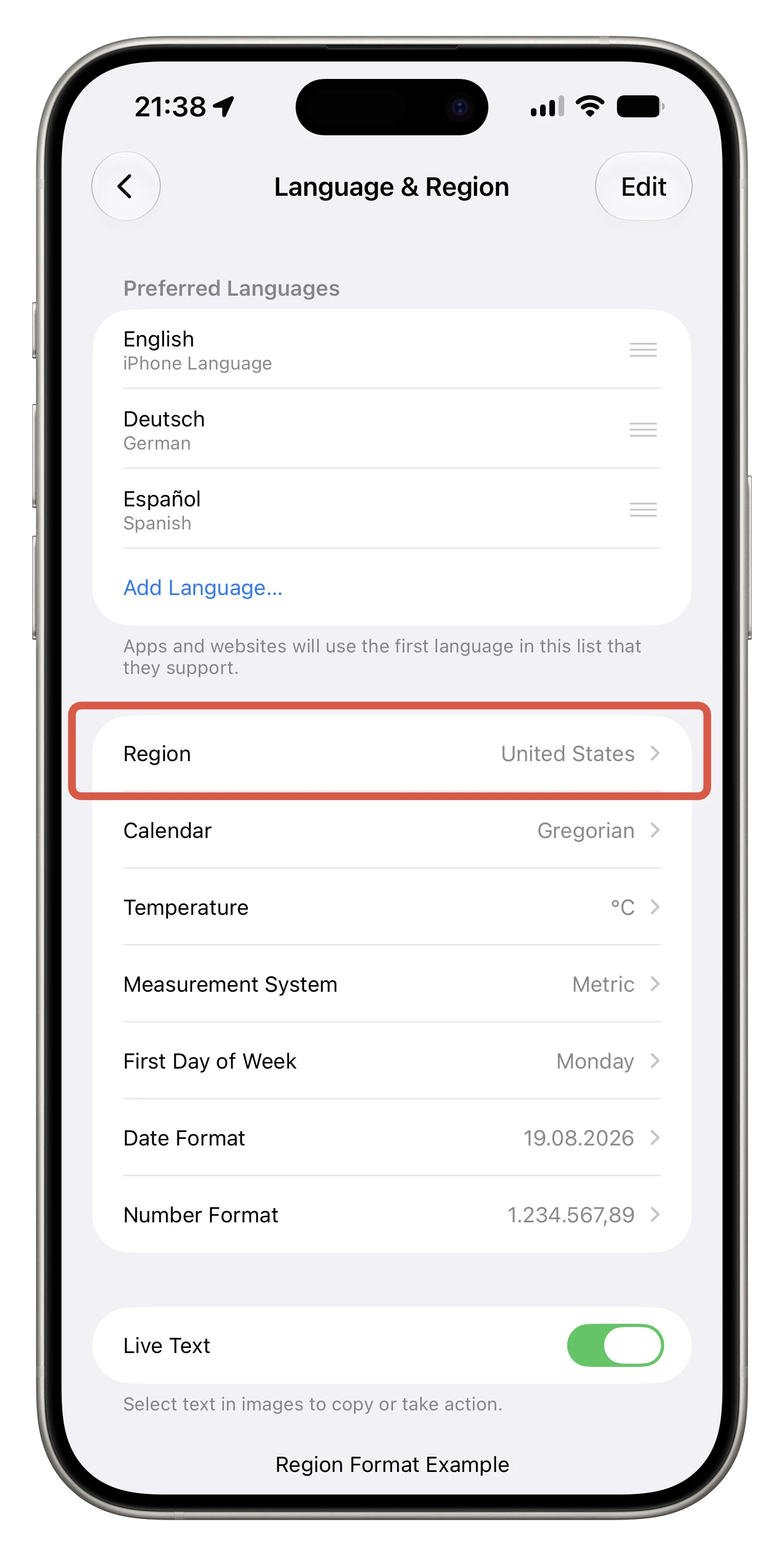
Activate Apple Intelligence
You’re done  . You can now join the waitlist (if required) to access the full potential of Apple Intelligence, and you can try Siri AI.
Hope this helps a little bit…
This does not work for “iPhone Mirroring”, because it uses your location to detect, if this feature is available in your region. So you might want to take a trip outside the EU (like Switzerland) if you want to test this. It worked in early iOS 18 versions, but got patched
.
- In a country, which is a member of the EU
- Outside of the EU
I did this two years ago. I hope this option still exists. ↩︎
This option existed two years ago. I hope they didn’t removed it.. ↩︎
Own screenshot, edited with mockuphone.com ↩︎
Own screenshot, edited with mockuphone.com ↩︎