One of the preliminary steps before beginning is to turn off Find My iPhone.
1 Like
I did that it still says the error
Alright I did it thanks for the help!
I can’t download the com.apple.assistant.plist file, the problem is in the browser, is it possible to download the file from another platform?
Try using a different browser; you have plenty of options to choose from.

Because these devices won’t get the new Siri (Apple Intelligence) anyway, it’s clear that Apple doesn’t need to optimize the New Siri UI for them.
and so what can i do?
Do nothing, or remove the new Siri UI if you want. I have instructions in the first post.
it is possible that new files will come in the future and then it will work?
The problem lies in the requirement that SIRI AI has for RAM memory, our devices the newest iPhone 15 Pro I think has 6Gb, and according to Apple support, it will need at least 8 Gb that will come in the new devices that will be launched in September, friends, you have to think that all those of us who have a device from now, our SIRI AI will be limited, but it will be a great advance. For my part, even now with beta 1 of IOS 18 I am pleasantly satisfied, many things begin to change in the ecosystem. 
Hi, has anyone tried it with the iPhone 14 Pro? It works fine on my MacBook Pro 14!
I think it’s fine, just worried about devices without Dynamic Island.
1 Like
Since I downloaded the new Siri UI on my iPhone 15 Plus, my device keeps crashing and then restarts every 5min. I tried everything to remove the new Siri UI and revert to the old one, but its still there
When should it work on the bigger iPads like 10.2" and the other iPads?
The upcoming iOS 18 Beta 2 release next week might help.
You can temporarily turn off Siri right now to avoid restarting.
Note that iPads without M chips will not get this new Siri after all, so don’t expect anyone to make the new Siri work well on these older devices.
the old siri ui is still there
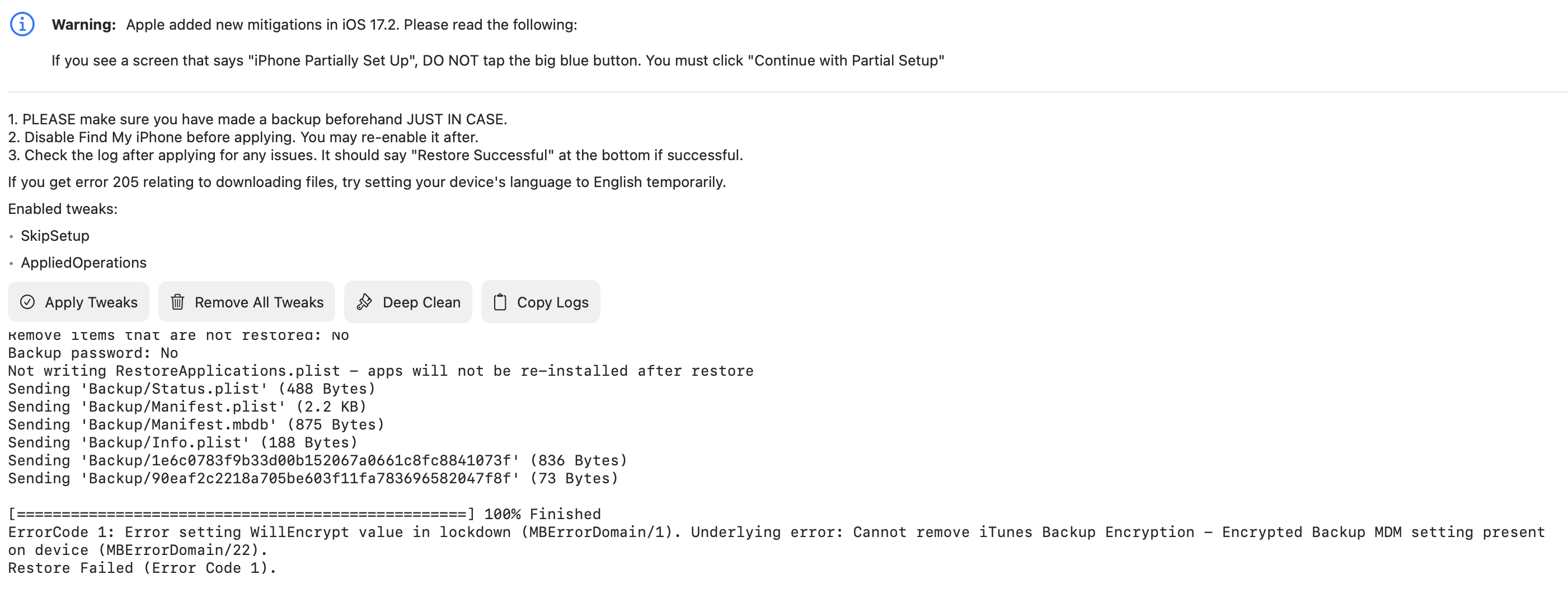
My device is iPhone 12 Pro
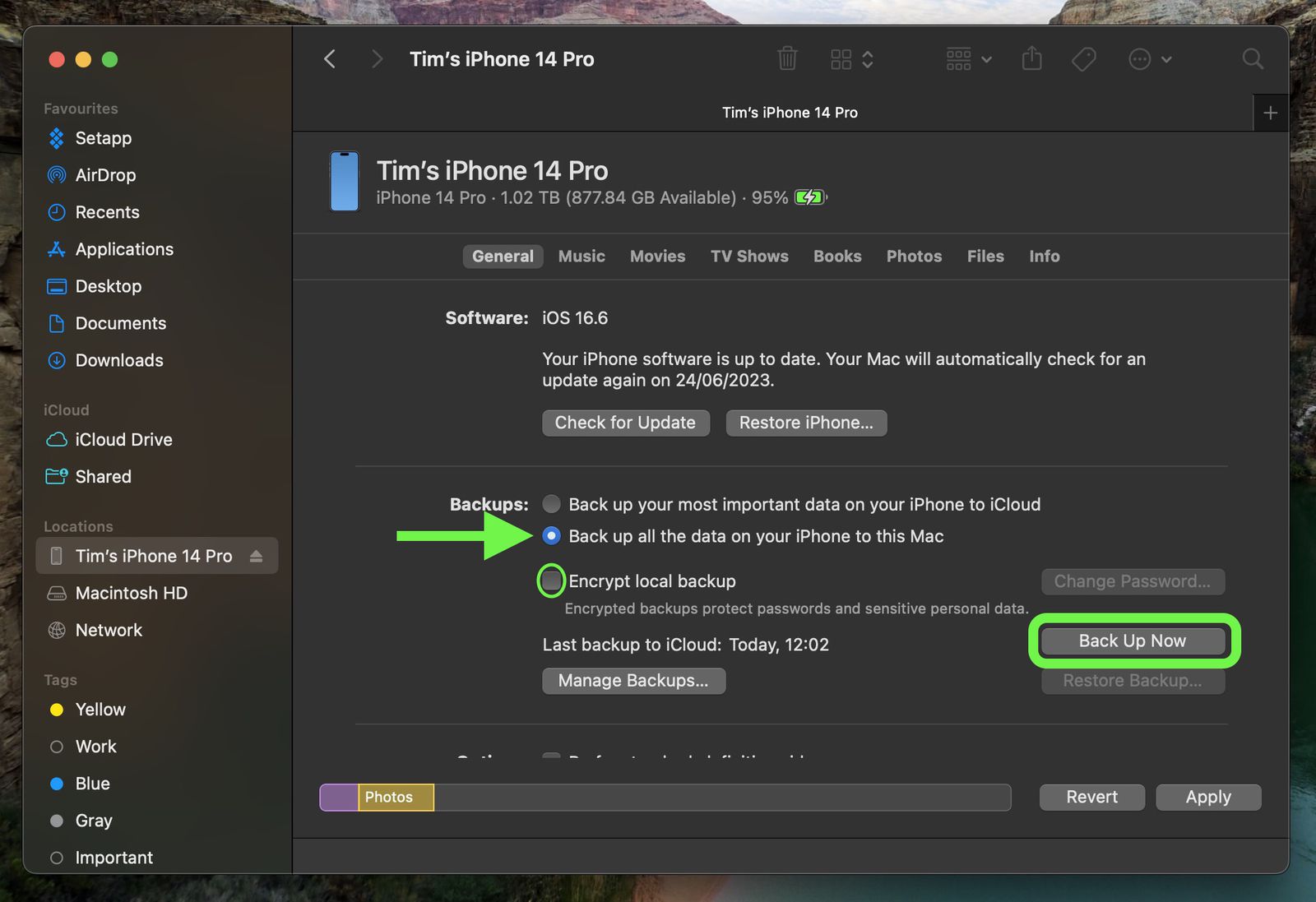
It seems to be related to your backup. Try backing up again and make sure to check the Encrypt local backup option in iTunes/Finder. Also, ensure your device is not managed by MDM.
1 Like