iOS 27.2 could arrive as early as next week, marking the first major iPhone update since iOS 27 shipped in September. It brings a wave of new features and changes across Apple TV, Apple Music, Apple Books, and plenty of system wide refinements.
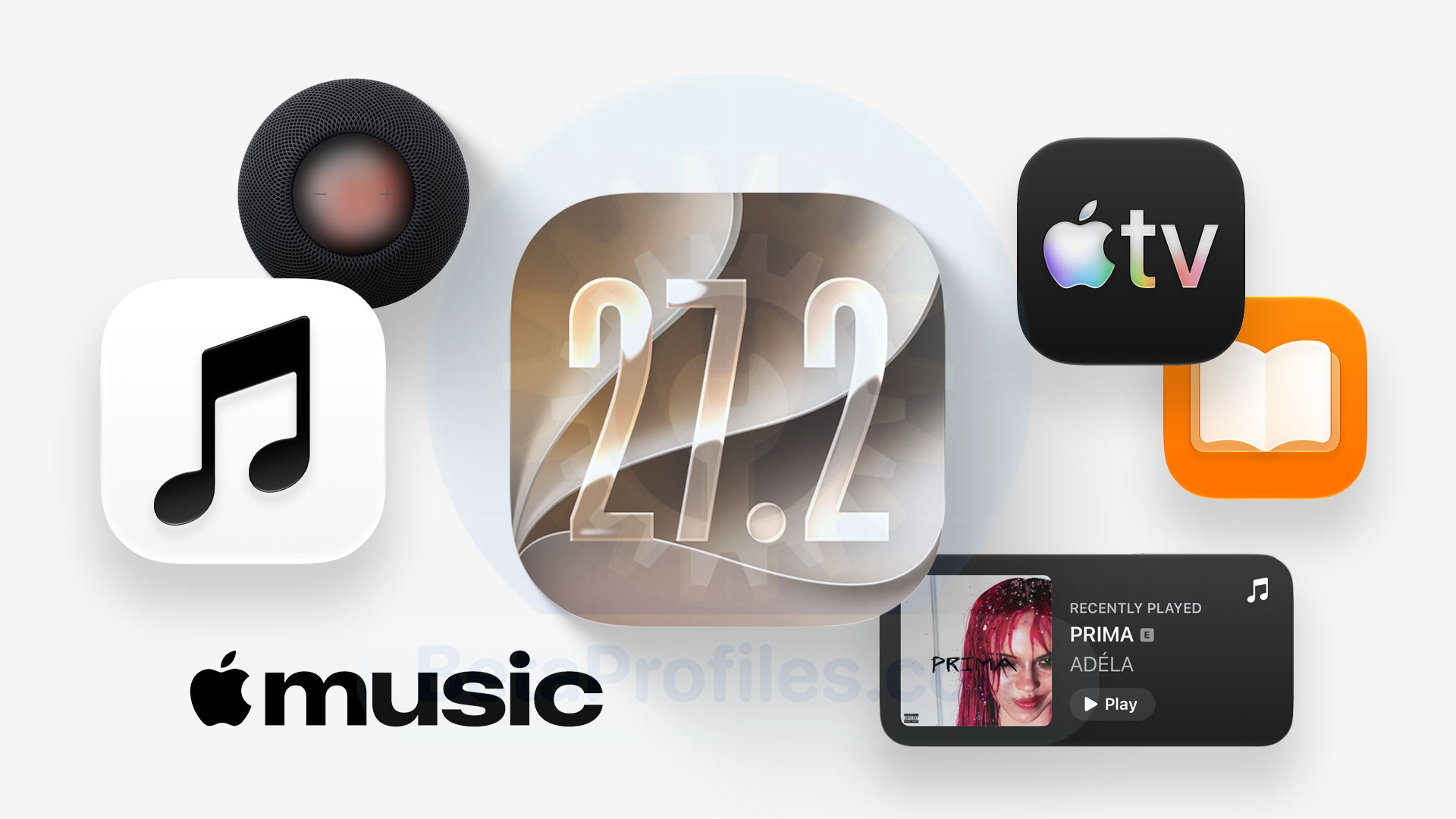
Here’s a roundup of everything new in iOS 27.2, based on findings from Beta Profiles and forum members throughout the beta cycle.
What Happened to iOS 27.1?
Apple has confirmed that iOS 27.1 will be an update exclusive to the iPhone Duo when it reaches customers, which means other iPhones will receive iOS 27.2 instead.
Despite the different naming, iOS 27.2 is essentially the same kind of X.1 update we typically get in late October.
Apple TV
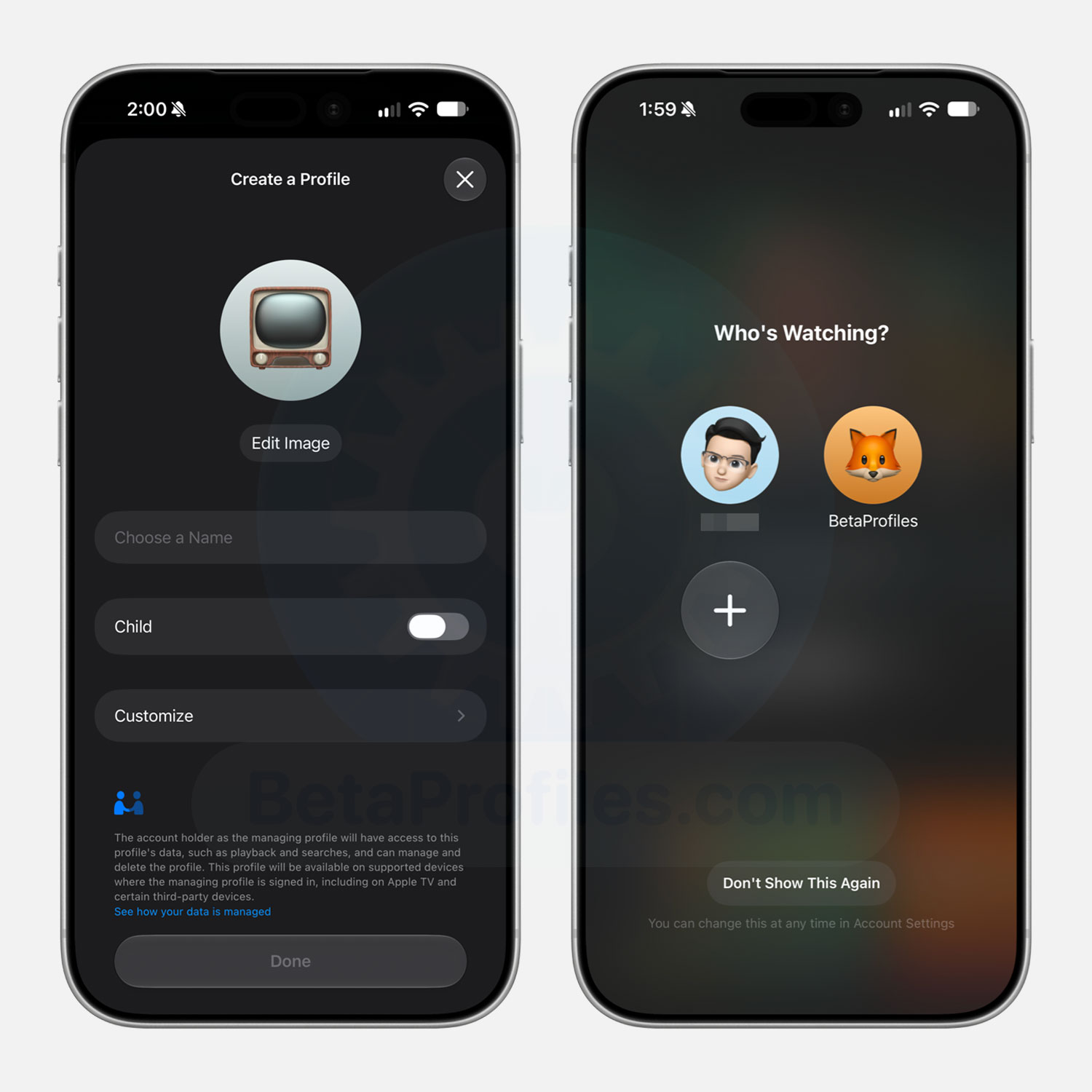
The Apple TV app in iOS 27.2 finally adds personal profiles, similar to the TV app on tvOS. You can create up to five profiles for family members or children, each with its own watch history, watchlist, and recommendations. Kids’ profiles can have content restrictions, and you can set a 4 digit PIN for each profile you create.
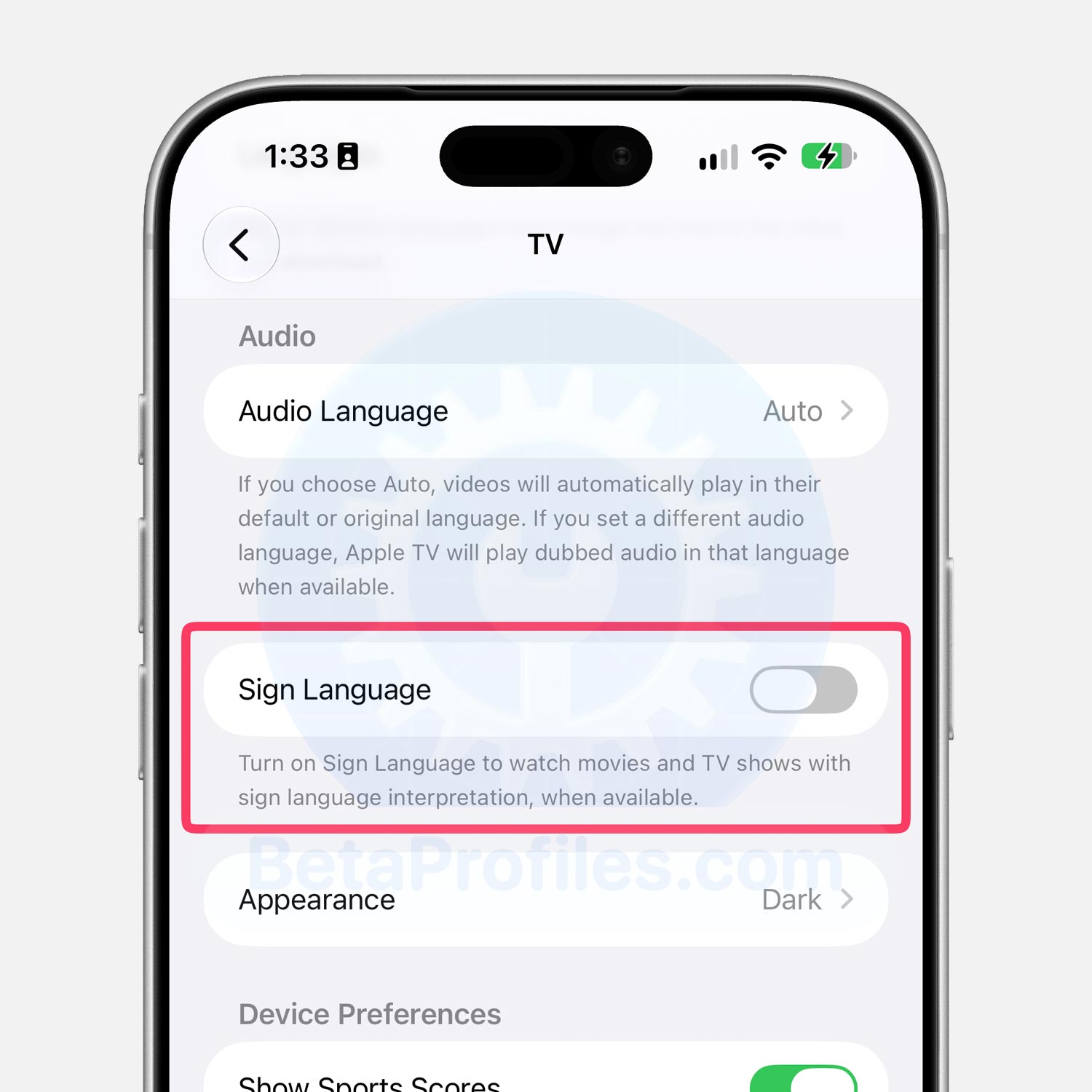
There’s a new Sign Language option in Settings > Apps > TV that enables sign language interpretation while watching movies and TV shows.
Messages
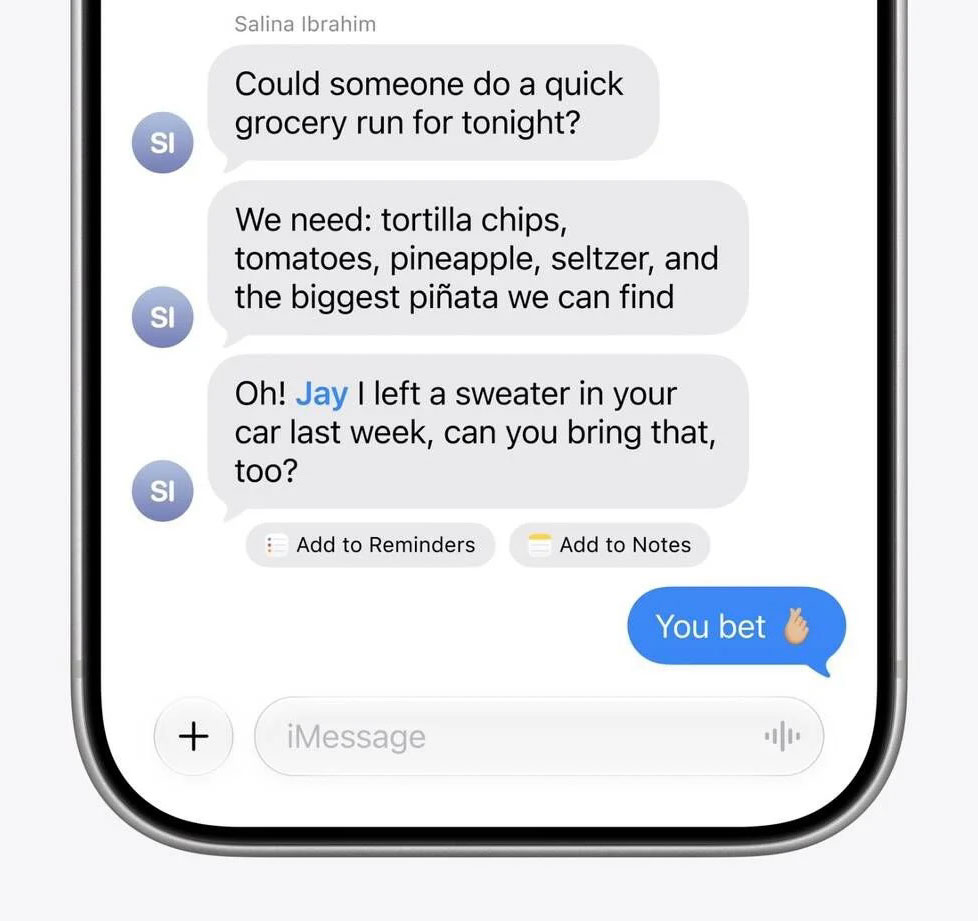
In Settings > Apps > Messages, there’s a new Suggested Actions option with toggles for Add to Calendar, Add to Reminders, Add to Notes, Show in Maps, and Flights and Packages.
The settings page also notes that suggestions you don’t use will stop appearing after 30 days.
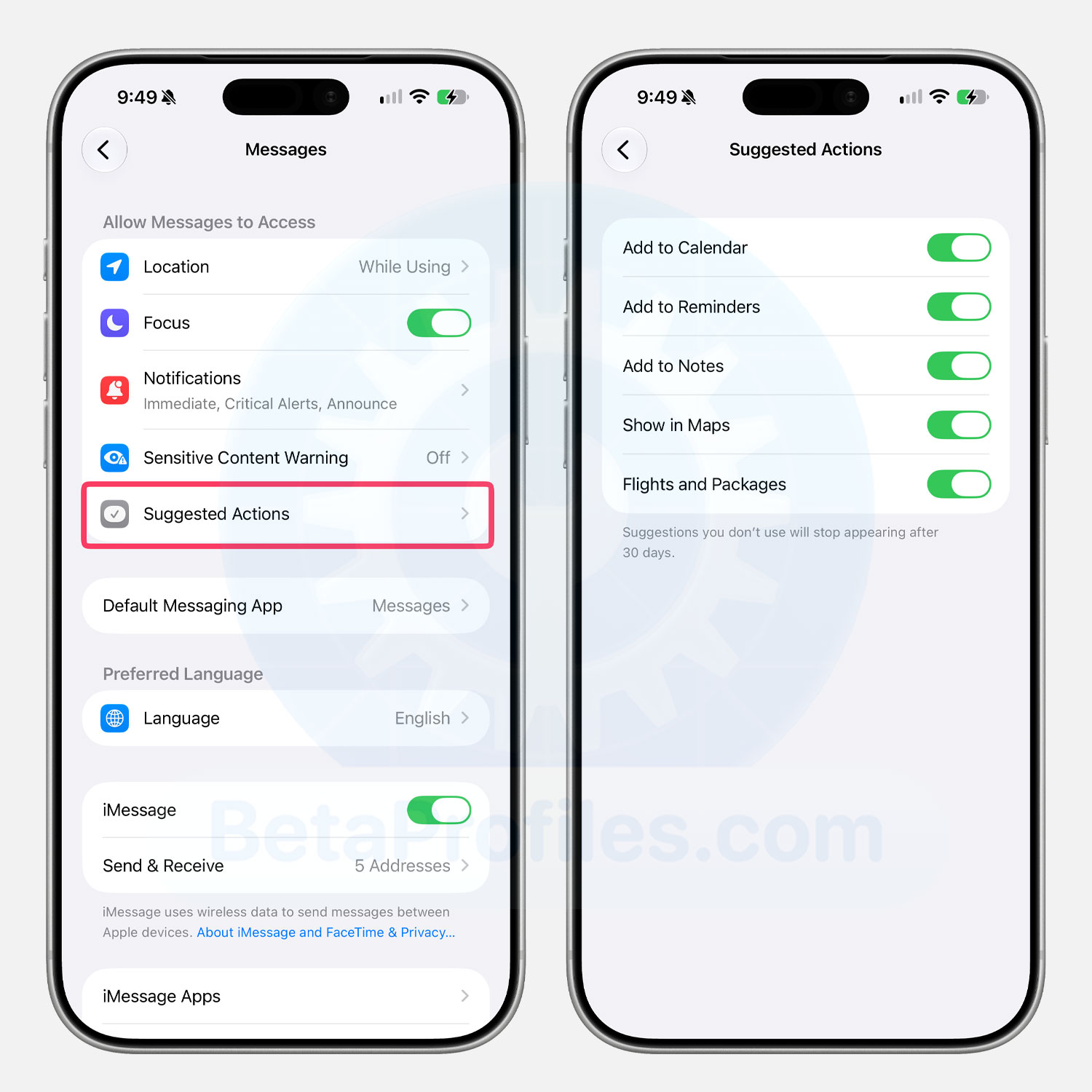
FYI: Suggested Actions is a feature introduced in Messages with iOS 27. It shows context based suggestions below your messages that you can add to your calendar or notes. Tapping a suggestion quickly adds the content to the corresponding app.
Apple Podcasts
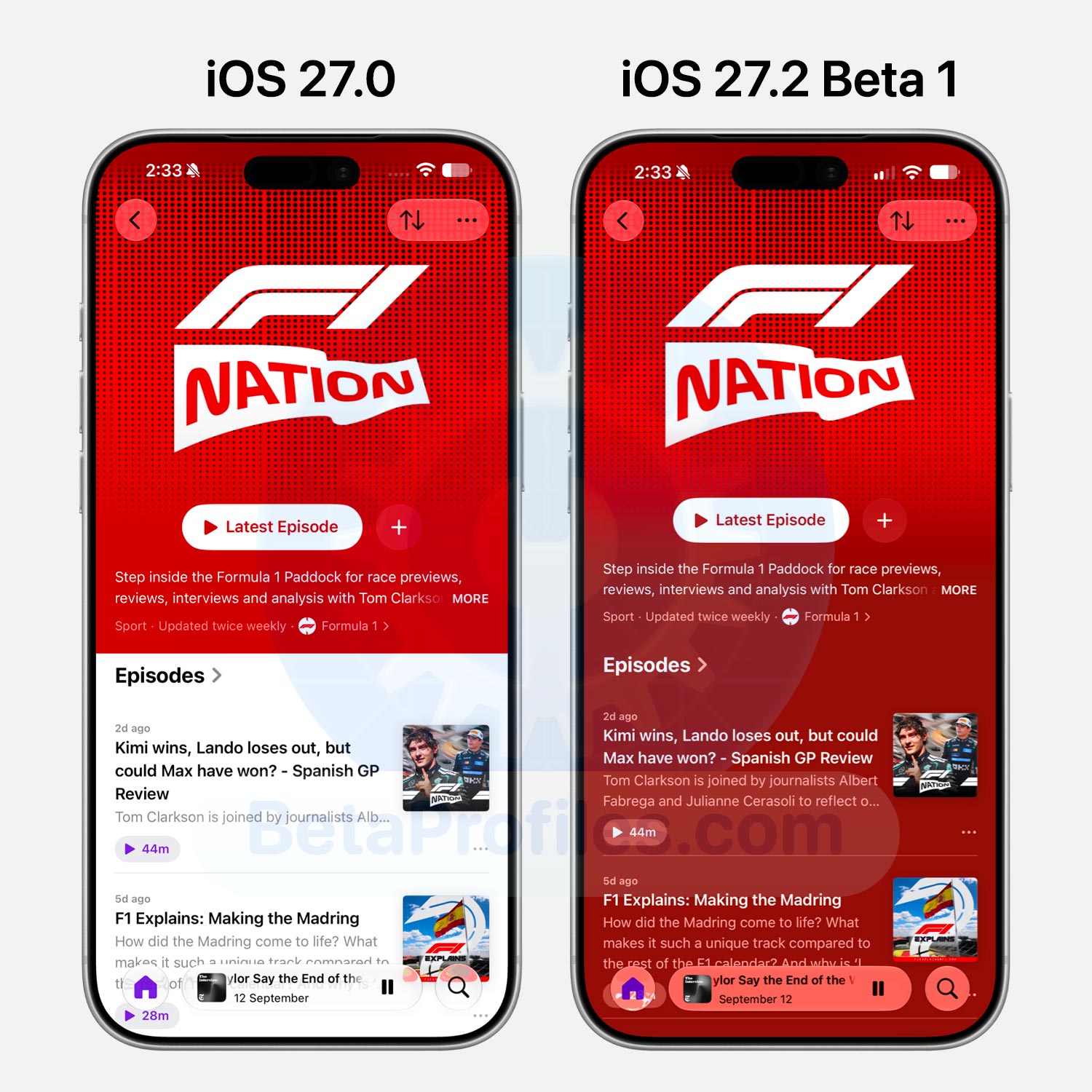
Show pages in the Podcasts app now feature full page colors matching the show’s cover artwork, similar to albums in Apple Music.
Apple Music
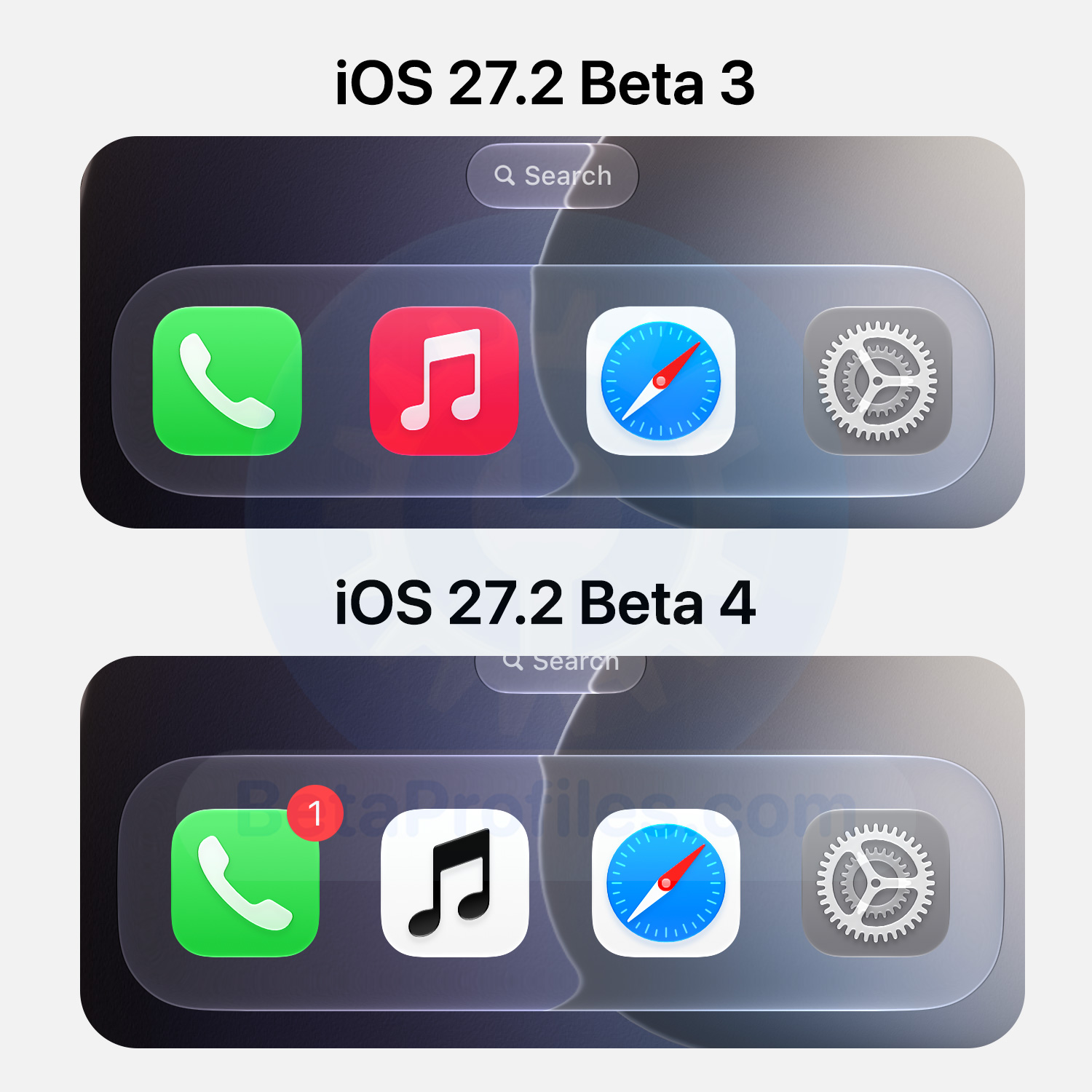
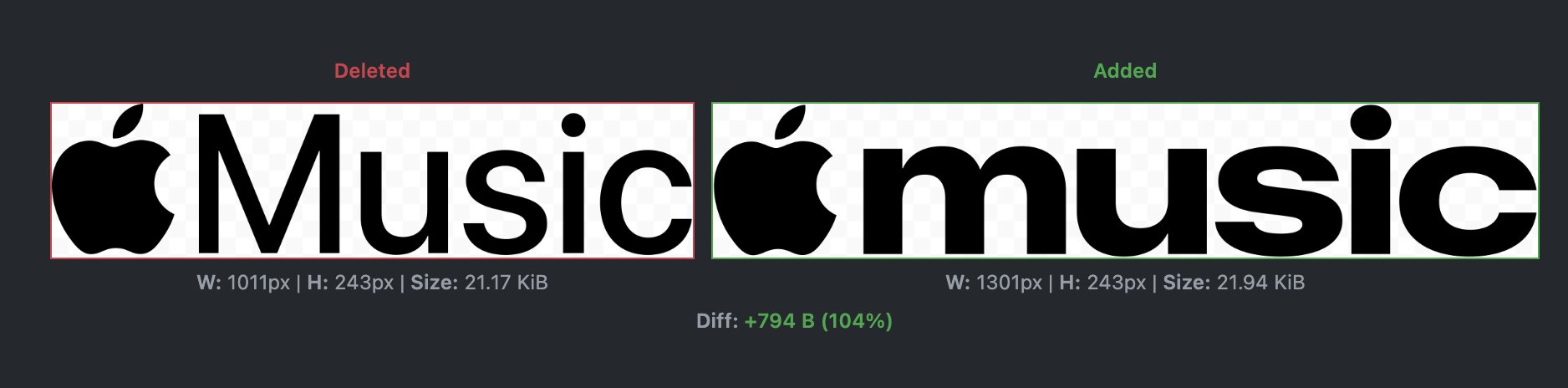
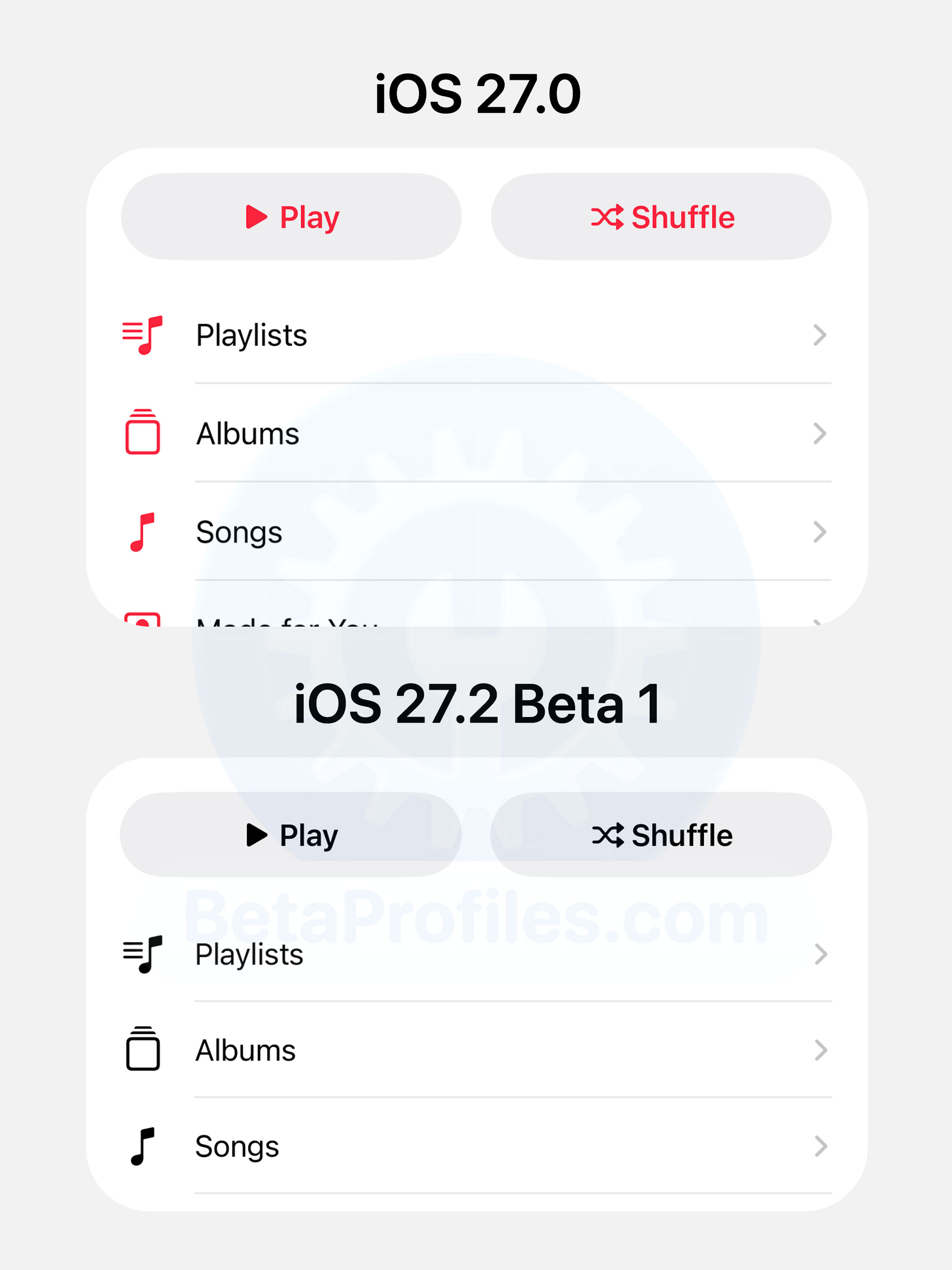
iOS 27.2 has redesigned the Apple Music icon. It no longer has a red background with a white music note, now featuring a white background with a black music note instead.
Apple Music’s red accent is also gone from widgets and the app’s tab bar.
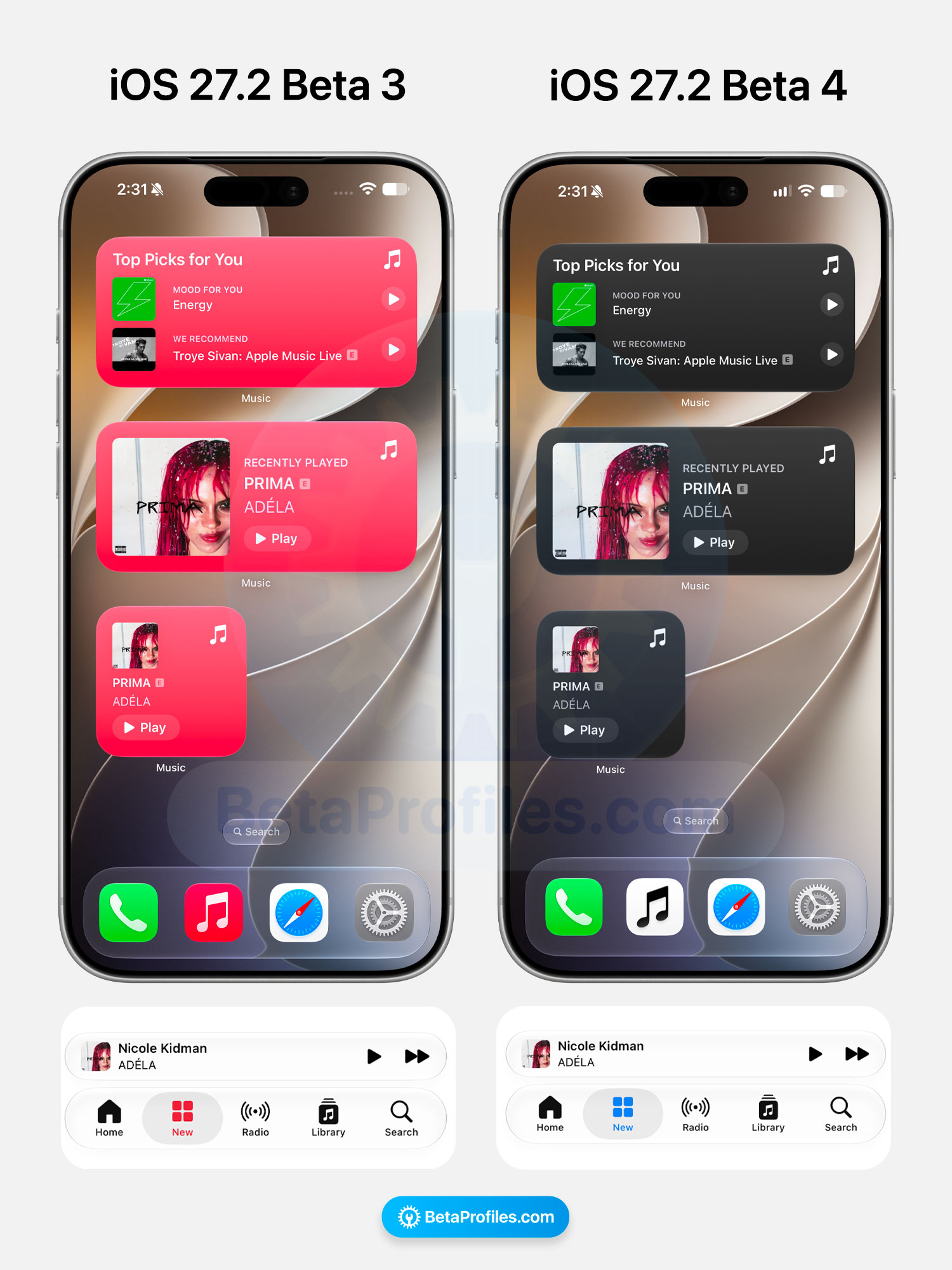
This could be the upcoming official logo for Apple Music, alongside the wordmark that appeared recently.
Apple Books
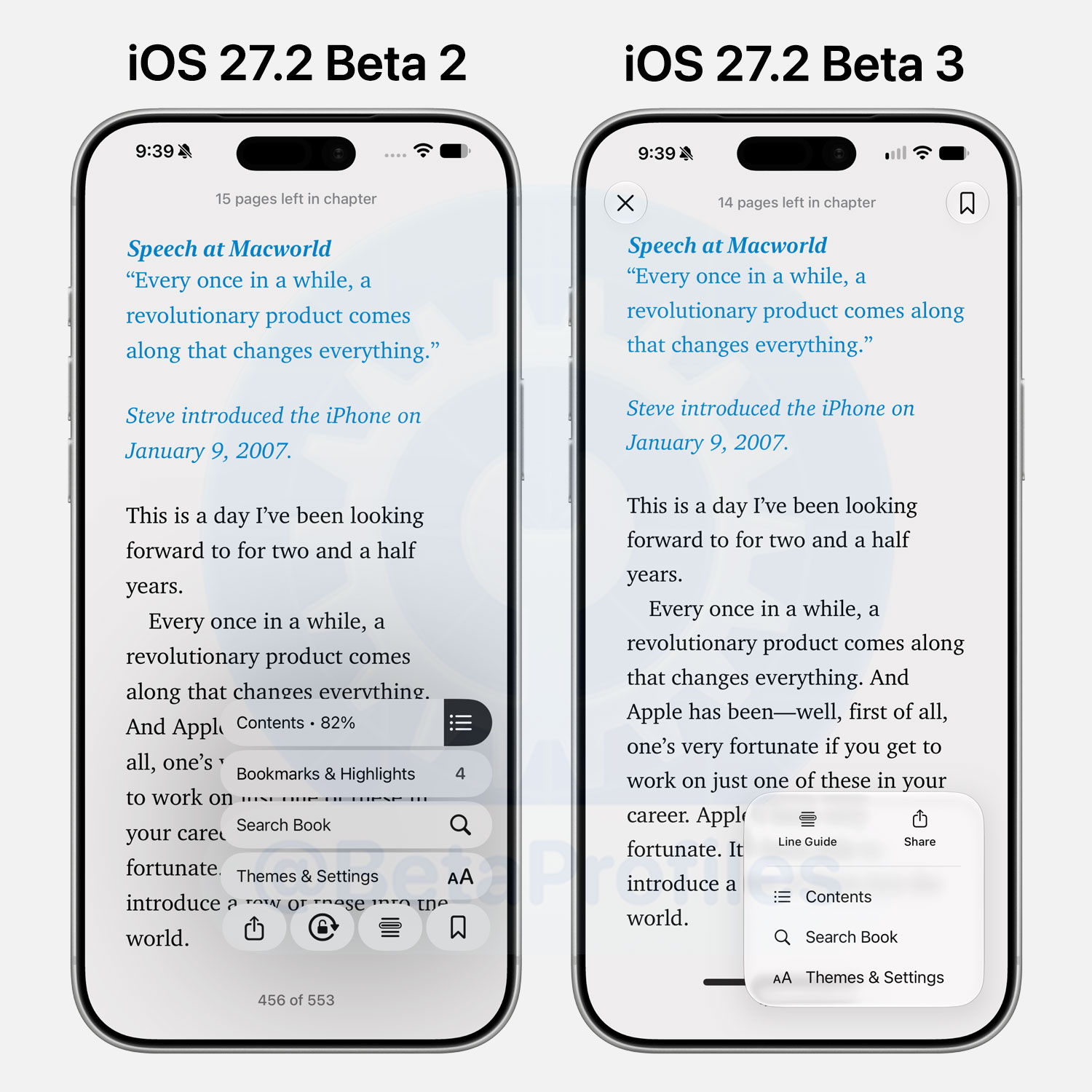
The menu in Apple Books’ reading view now uses Liquid Glass, replacing the bubble style menu that felt out of place alongside the rest of the design.
https://x.com/BetaProfiles/status/2107466336398201061
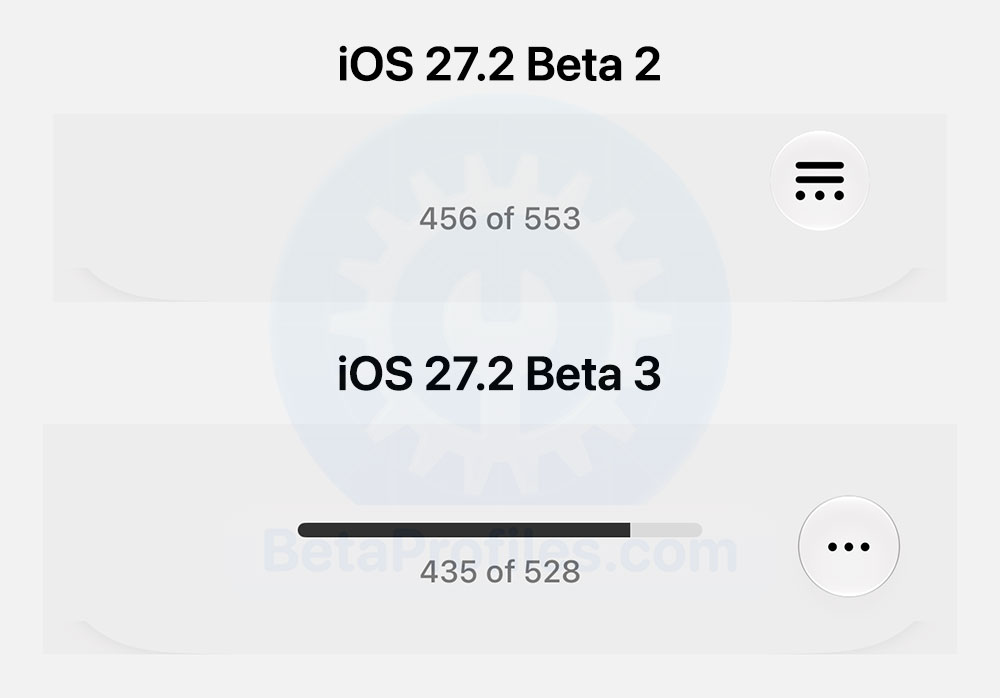
iOS 27.2 also adds a progress bar at the bottom tracking how far you’ve read.
Home App and HomePod
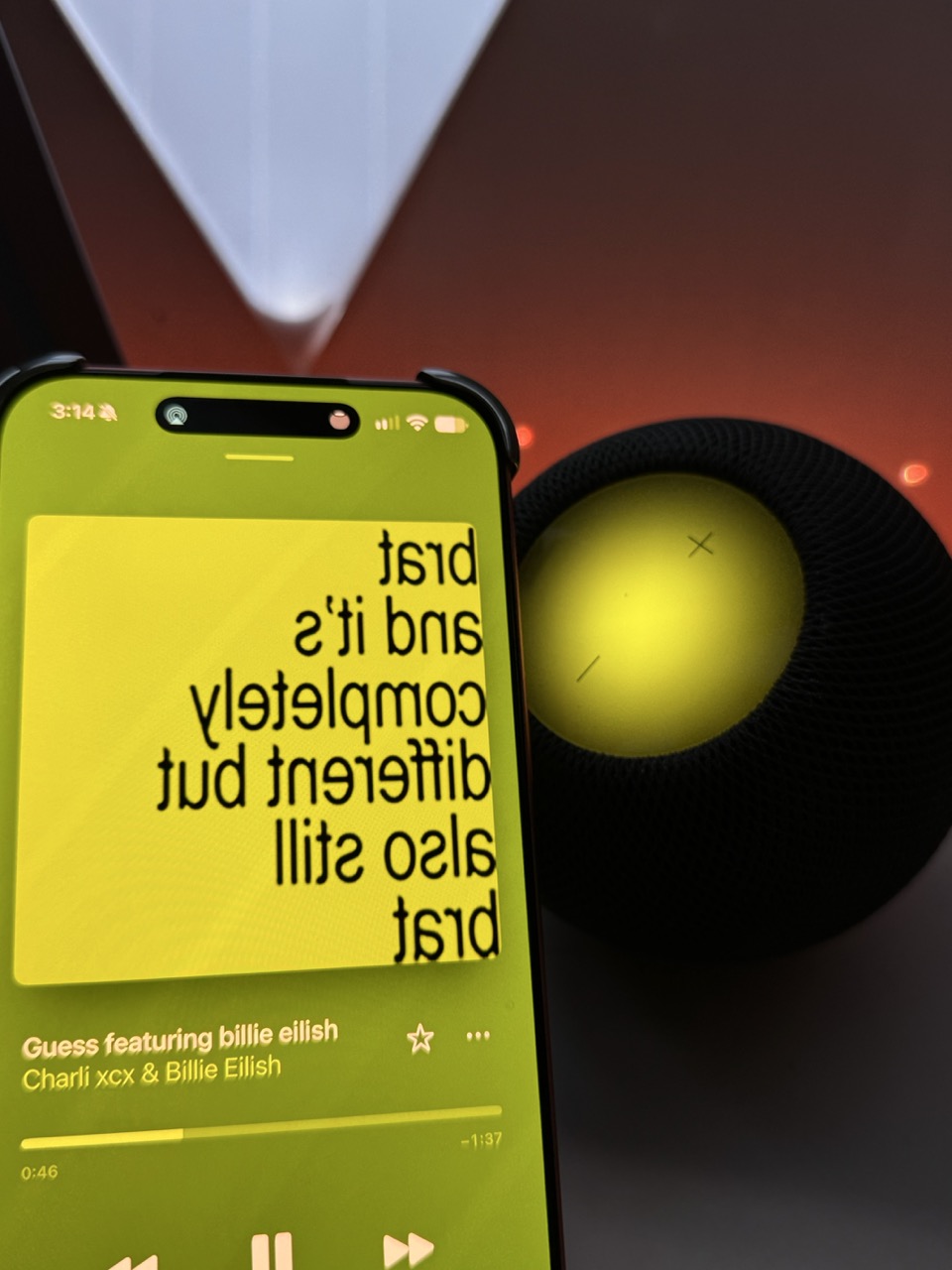
iOS 27.2 and HomePod Software 27.2 bring Sound Glow to every HomePod except the original model. The feature shows “ambient light that responds to the colors and rhythm of what’s playing.”
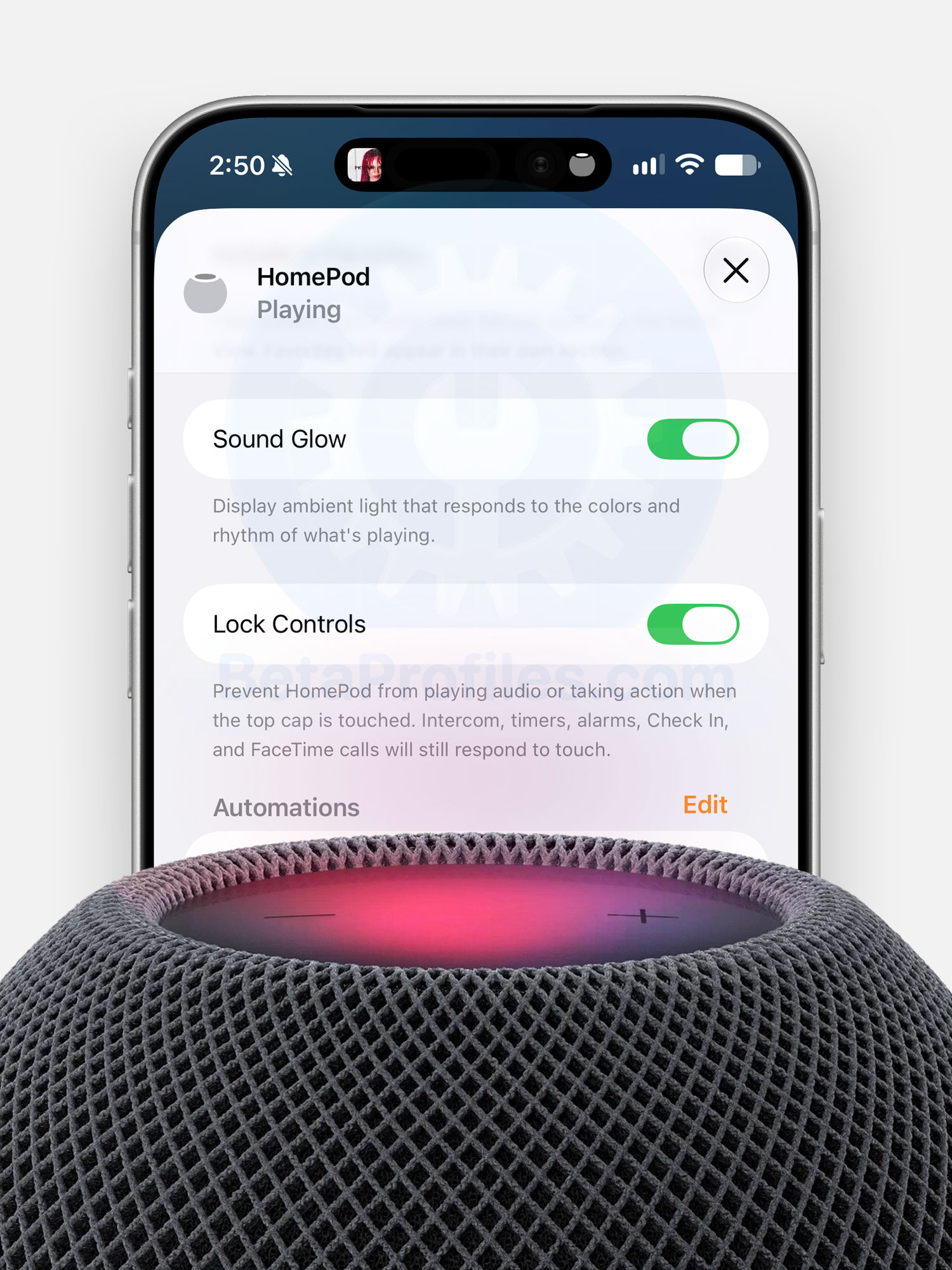
I tested it on my first generation HomePod mini and it looks genuinely gorgeous while music plays. Honestly wish Apple had shipped this years ago.
https://x.com/BetaProfiles/status/2112604349256147002
The second addition is Lock Controls, which disables the touch surface on top of the HomePod to prevent accidental playback or other unintended actions. This one works on every HomePod.
Lock Controls also doubles as a fix for the infamous “ghost touch” bug on HomePod. I dealt with it on my own HomePod mini and ended up having to open it up and disconnect the touch cable entirely. Really glad this option finally exists.
Phone
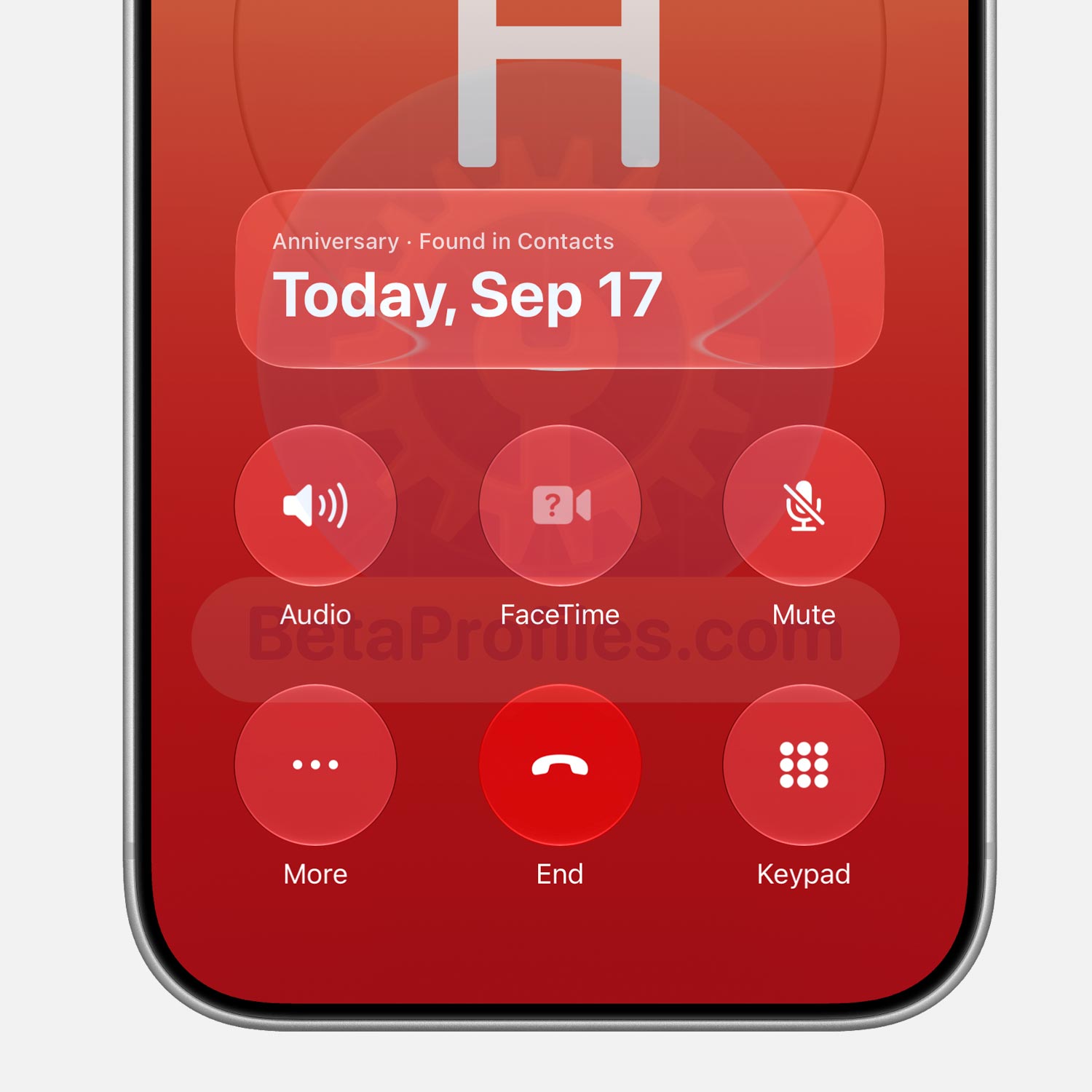
Call Context, introduced in iOS 27, shows useful information during a call. In the Phone app, it can display the birthday of whoever you’re calling.
iOS 27.2 beta expands this to anniversary dates, like a wedding anniversary. To set it up, open the contact, tap “Edit” in the corner, then tap “add date” and pick Anniversary, which shows up as the first suggestion.
Clock
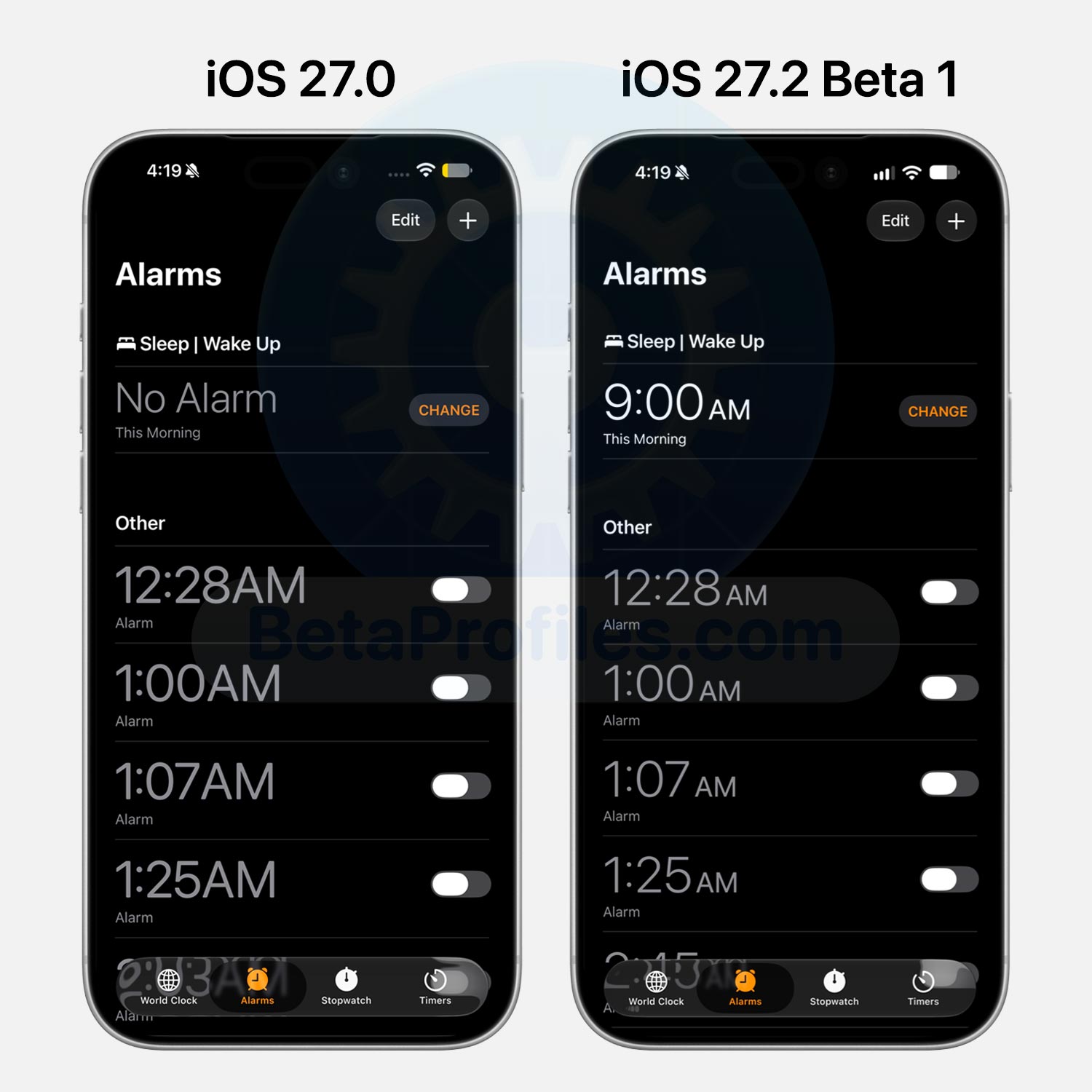
The font in the Clock app’s Alarm and Timer tabs is thinner now, closer to how it looked in iOS 26 and earlier. The “AM” and “PM” labels next to the time are smaller too, whereas they matched the time’s size in iOS 27.0.
Personally, I’m a fan of this change. The thinner font makes the numbers much easier to read.
Safari
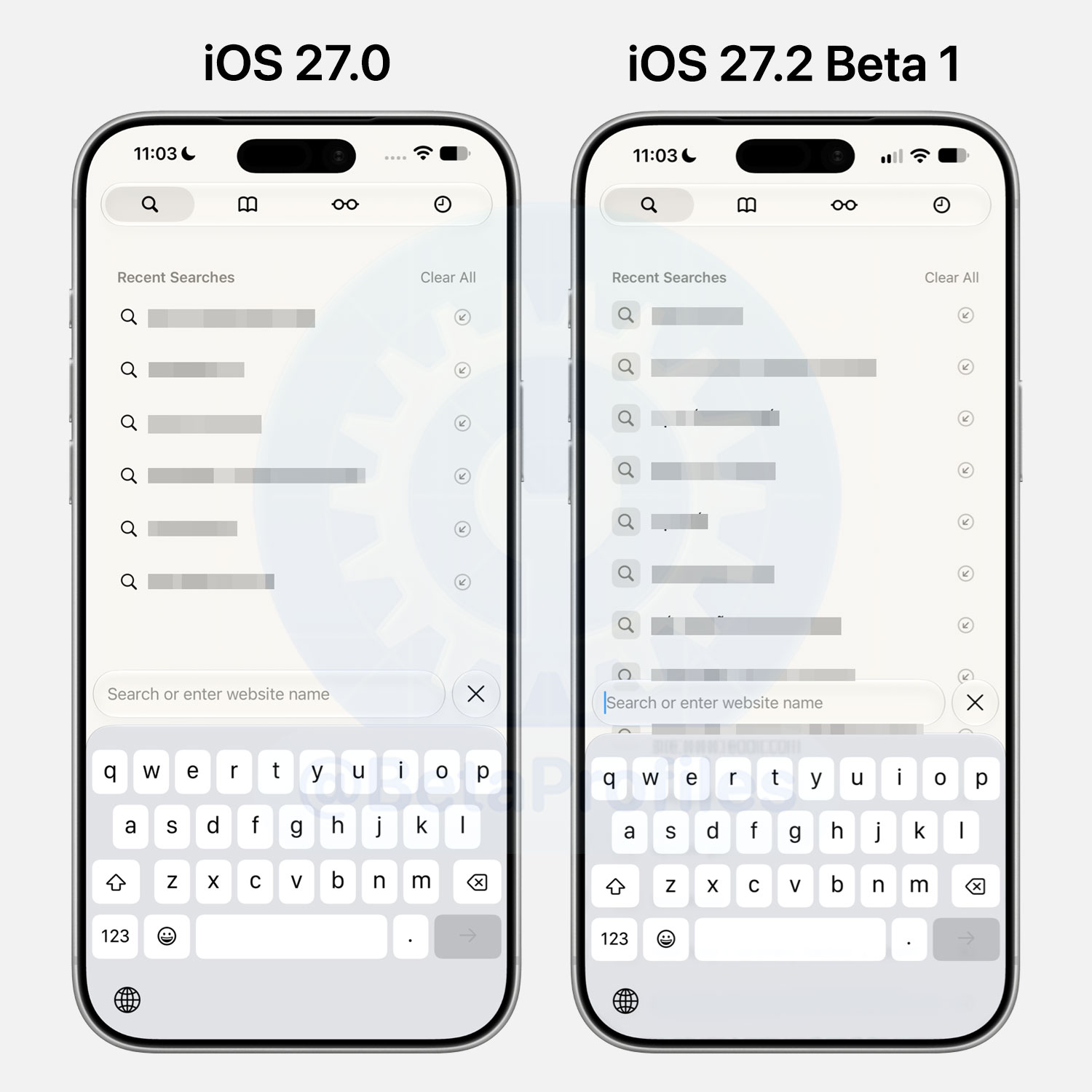
The magnifying glass icon next to recent searches in Safari now has a square background around it.
Control Center
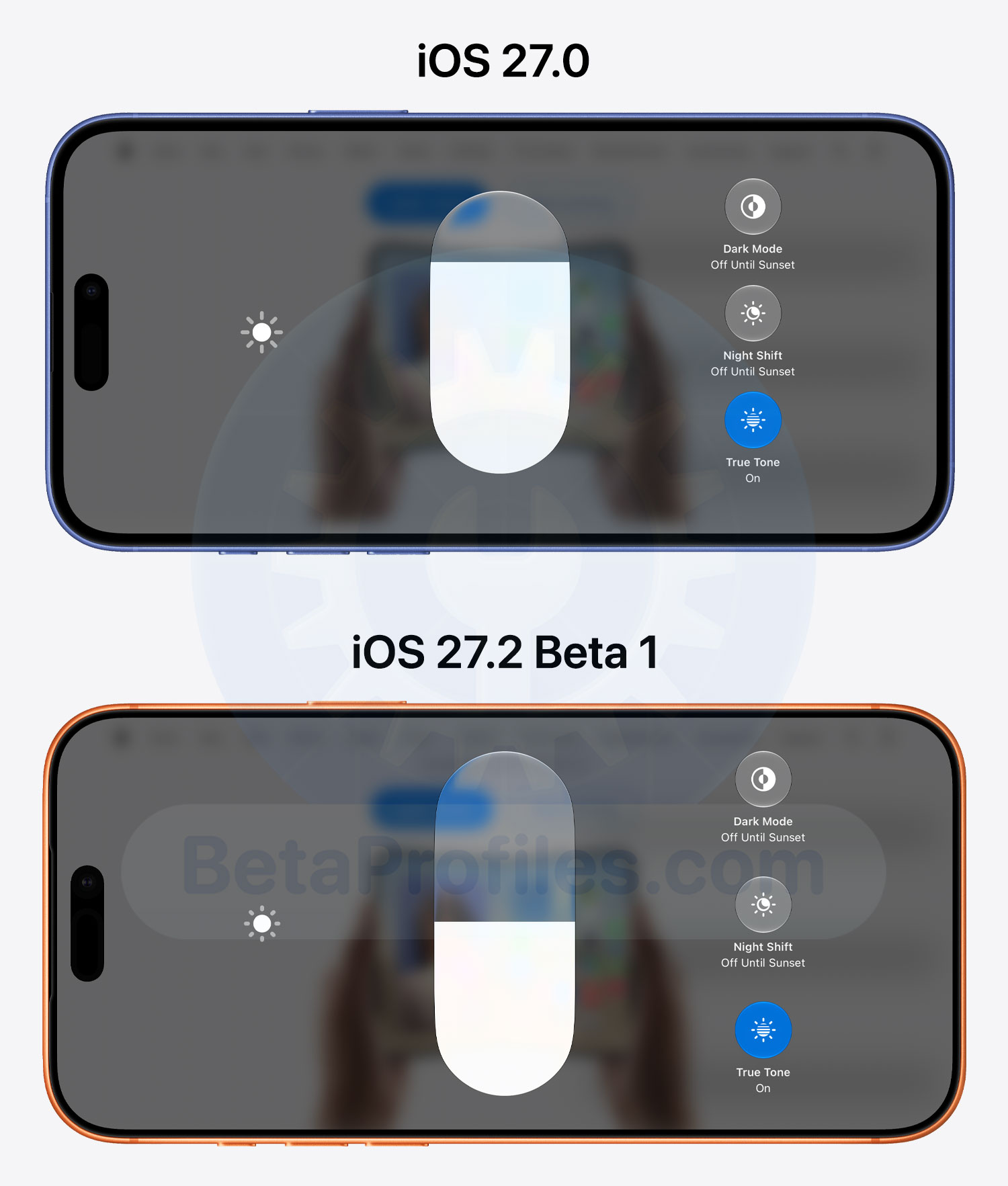
When long-pressing the Brightness and Volume controls in landscape Control Center, the sliders now appear taller.
iOS 27.2 fixes a bug that caused the Connectivity controls in Control Center to shift slightly when scrolling after being tapped.
https://x.com/BetaProfiles/status/2110382760087240982
Settings
Battery Icon
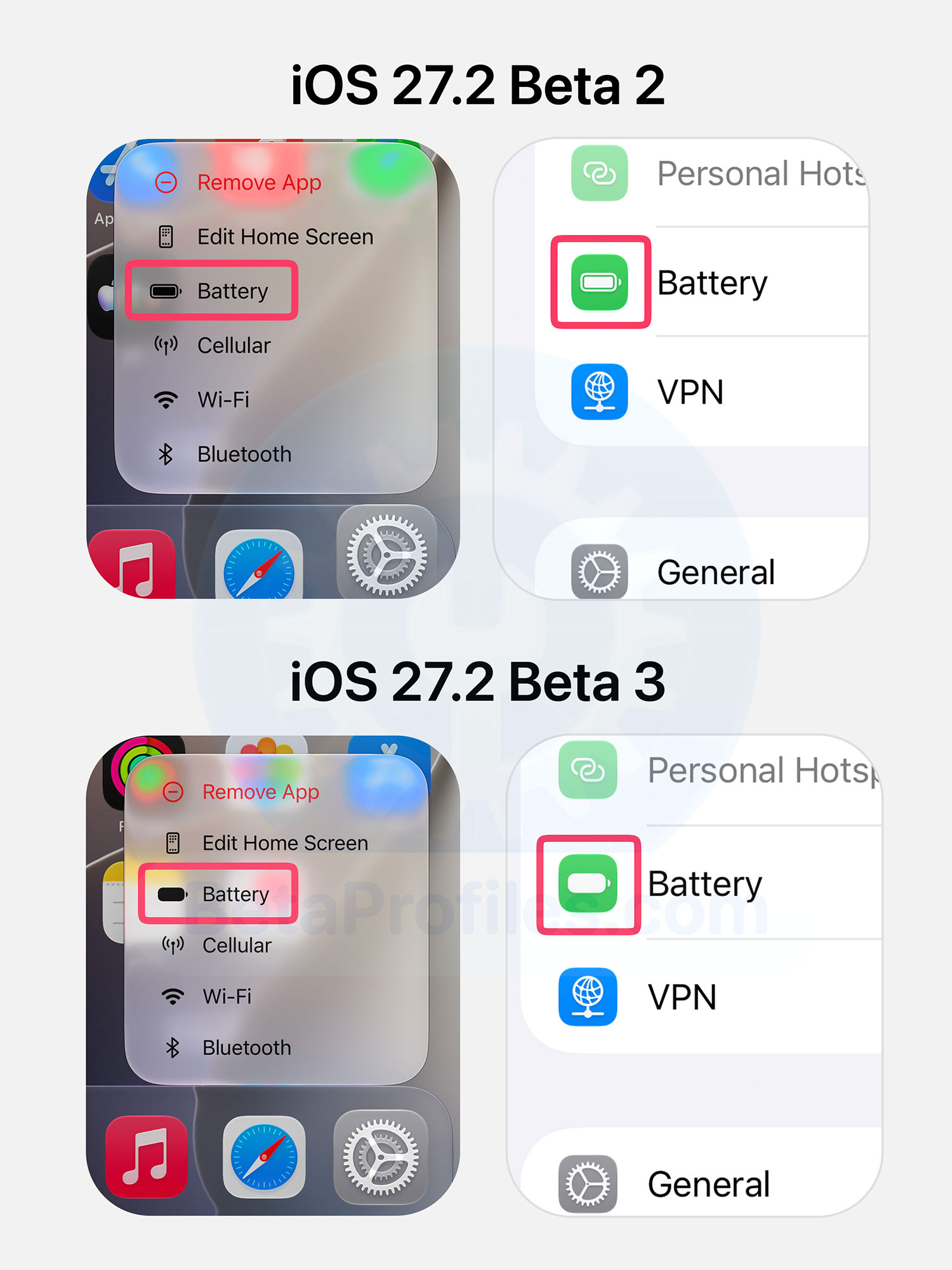
iOS 27.2 updates the battery icon in Settings to match the new status bar icon introduced in iOS 27.
The Low Power Mode control in Control Center still uses the old icon though.
Overwrite iPhone Storage
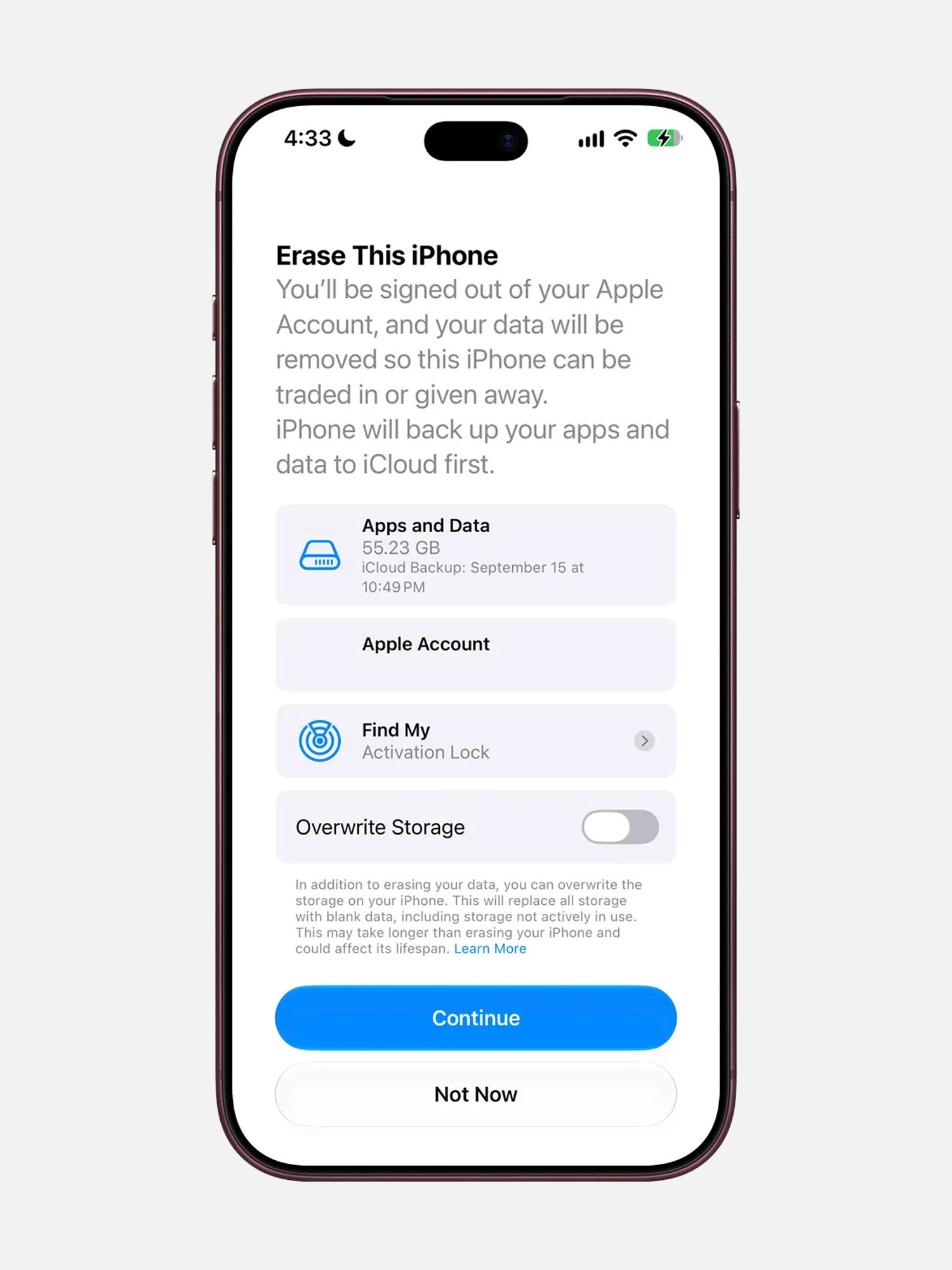
9to5Mac found references in the iOS 27.2 beta code to a new option that wipes iPhone data more thoroughly during a full device erase. It looks to be limited to iPhone models sold in China, likely because Apple is complying with a new Chinese data erasure standard that kicks in on January 1, 2027.
Apple warns that this process takes longer than a standard erase and may impact the device’s lifespan.
App Tracking Transparency
Following agreements with several European competition authorities, Apple is rolling out an alternative, more detailed App Tracking Transparency prompt for EU users.
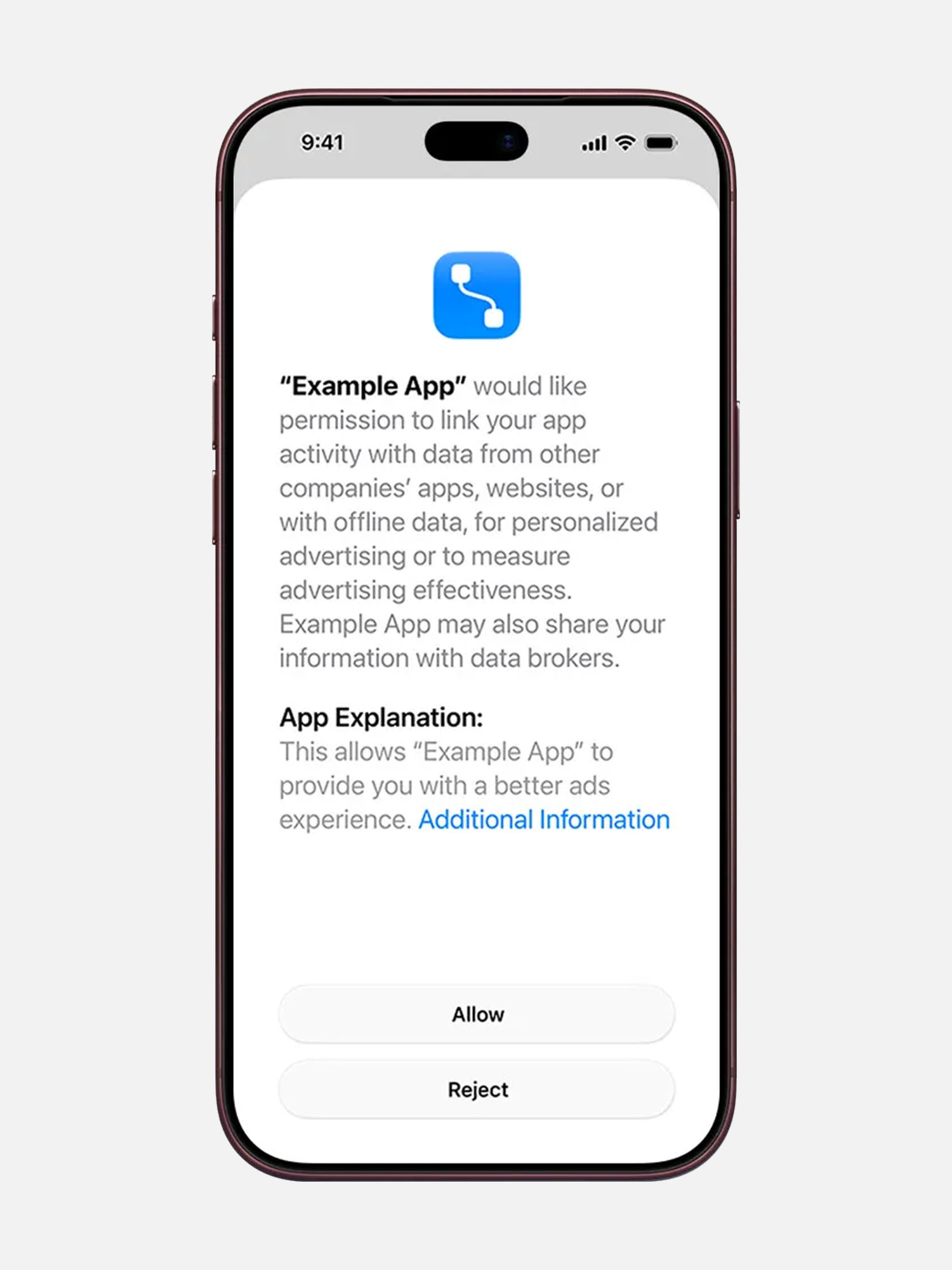
This version adds an “Additional Information” button that explains more about the request to link user or device data gathered from third party apps with your data. More details can be found on the Apple Developer site.
According to Apple, this prompt is required for users in France, Germany, Italy, Poland, and Romania.
Appearance Settings
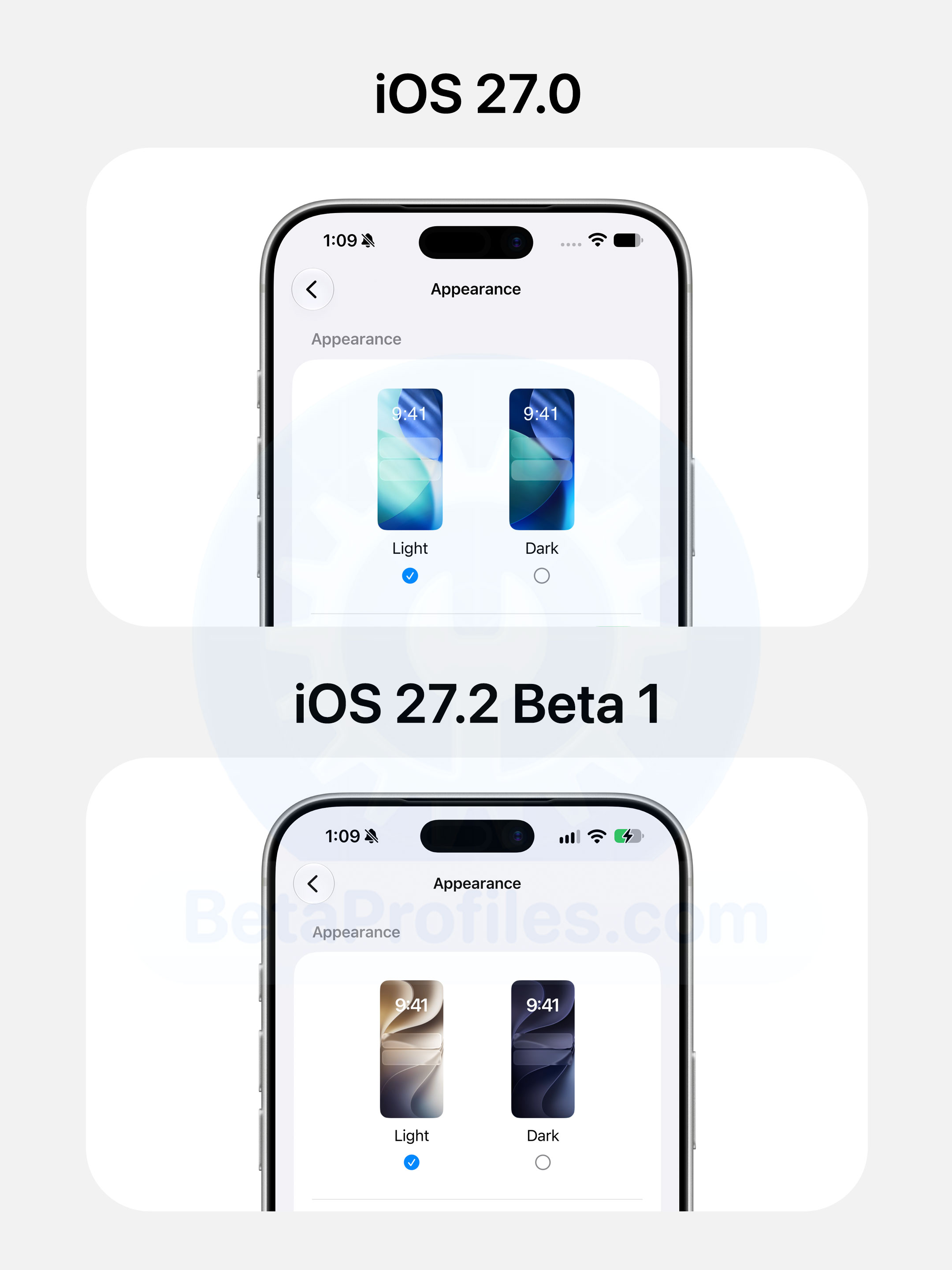
The wallpaper preview in Settings > Appearance now uses the iOS 27 default wallpaper in both light and dark modes. In iOS 27.0, this page was still showing the iOS 26 default.
Restrict Motion Data
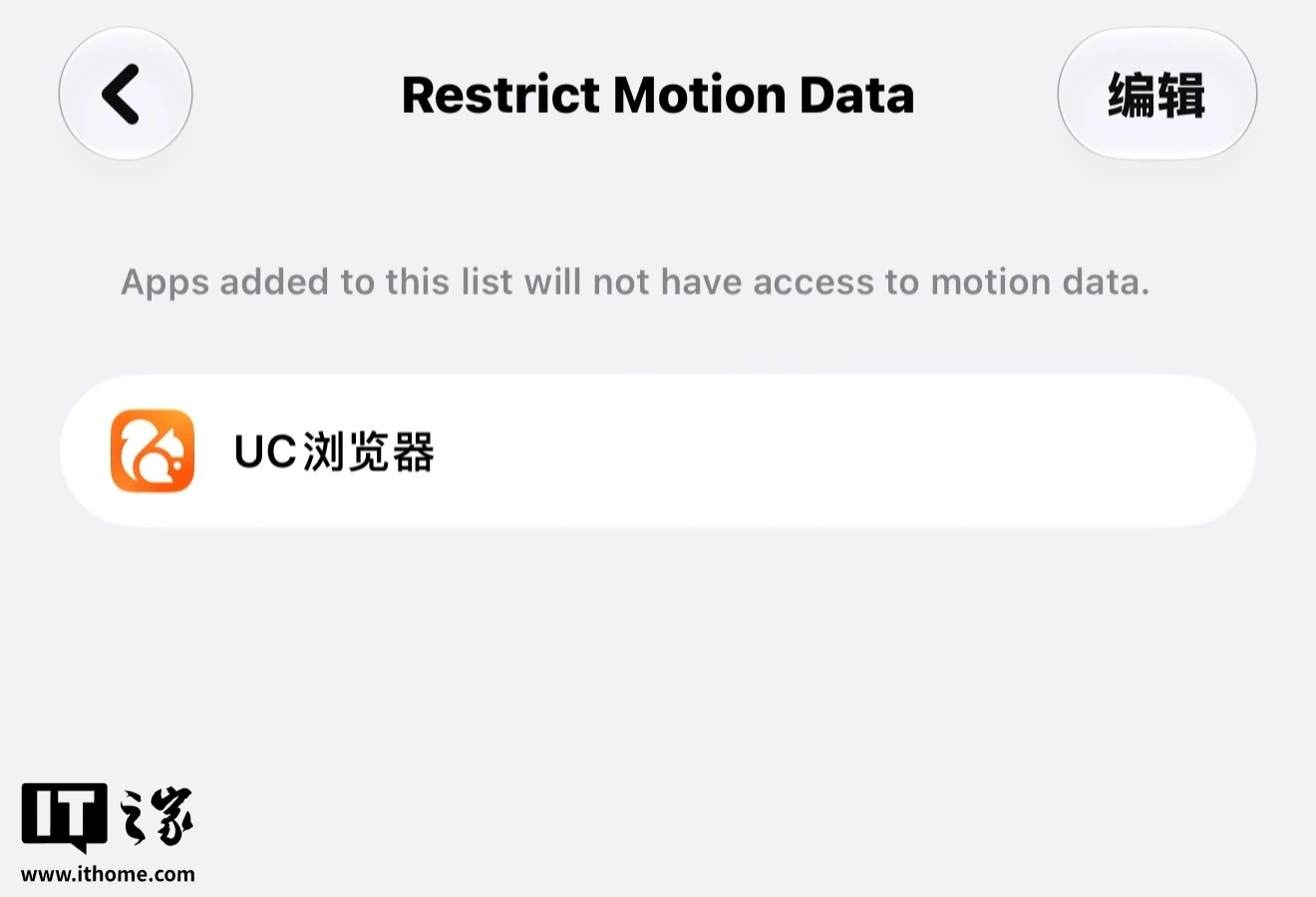
According to IThome (via MacRumors), users in China have spotted a new Restrict Motion Data option under Settings > Privacy & Security > Motion & Fitness. Adding an app to the list blocks its access to accelerometer and gyroscope data.
Apple hasn’t explained what the option is for, though some speculate it’s meant to stop apps from triggering shake to open ad redirects, a common annoyance in China.
The setting only shows up for App Store accounts registered in mainland China.
Display Zoom Settings
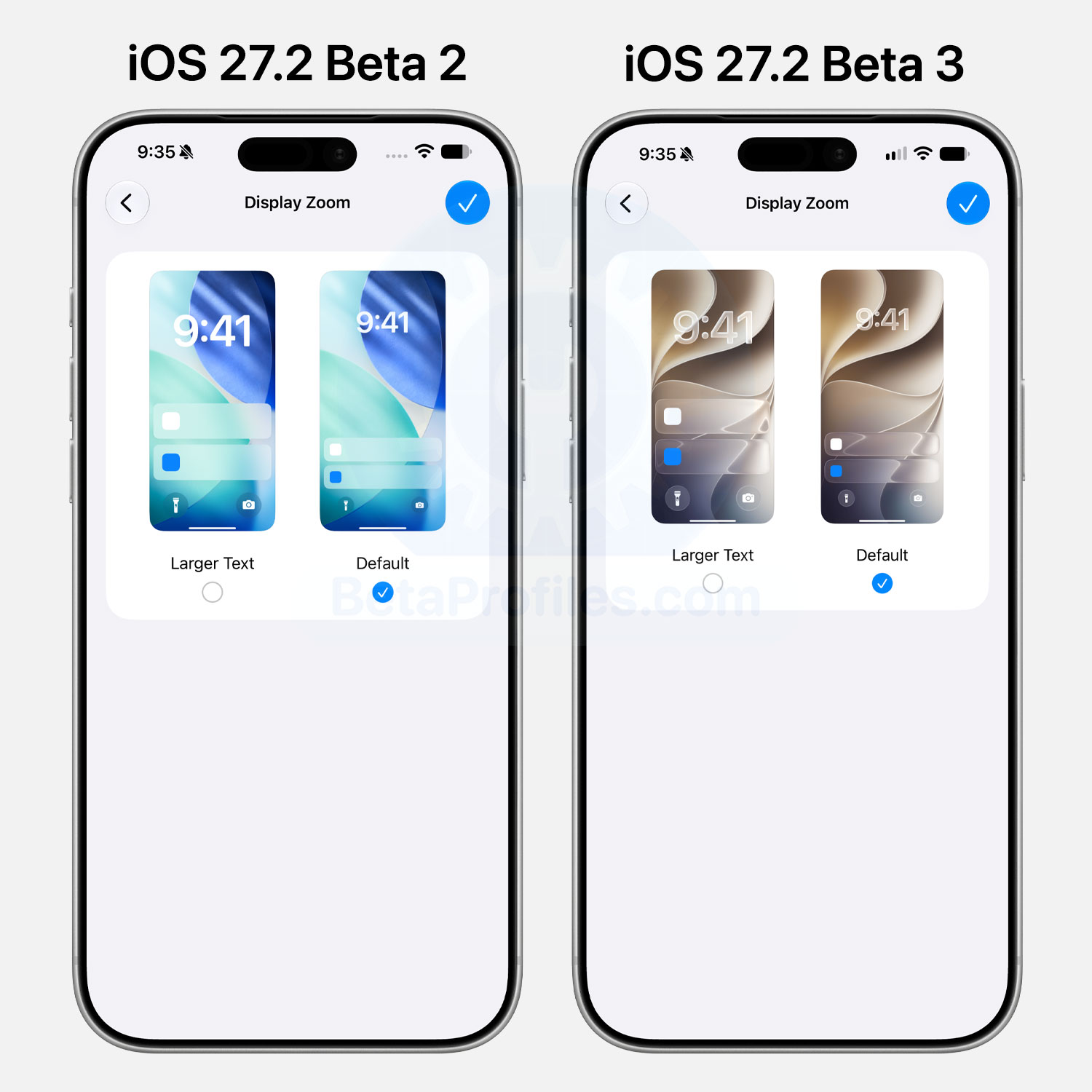
The previews in Settings > Appearance > Display Zoom now show the Liquid Glass interface and the iOS 27 wallpaper.
New Splash Screens
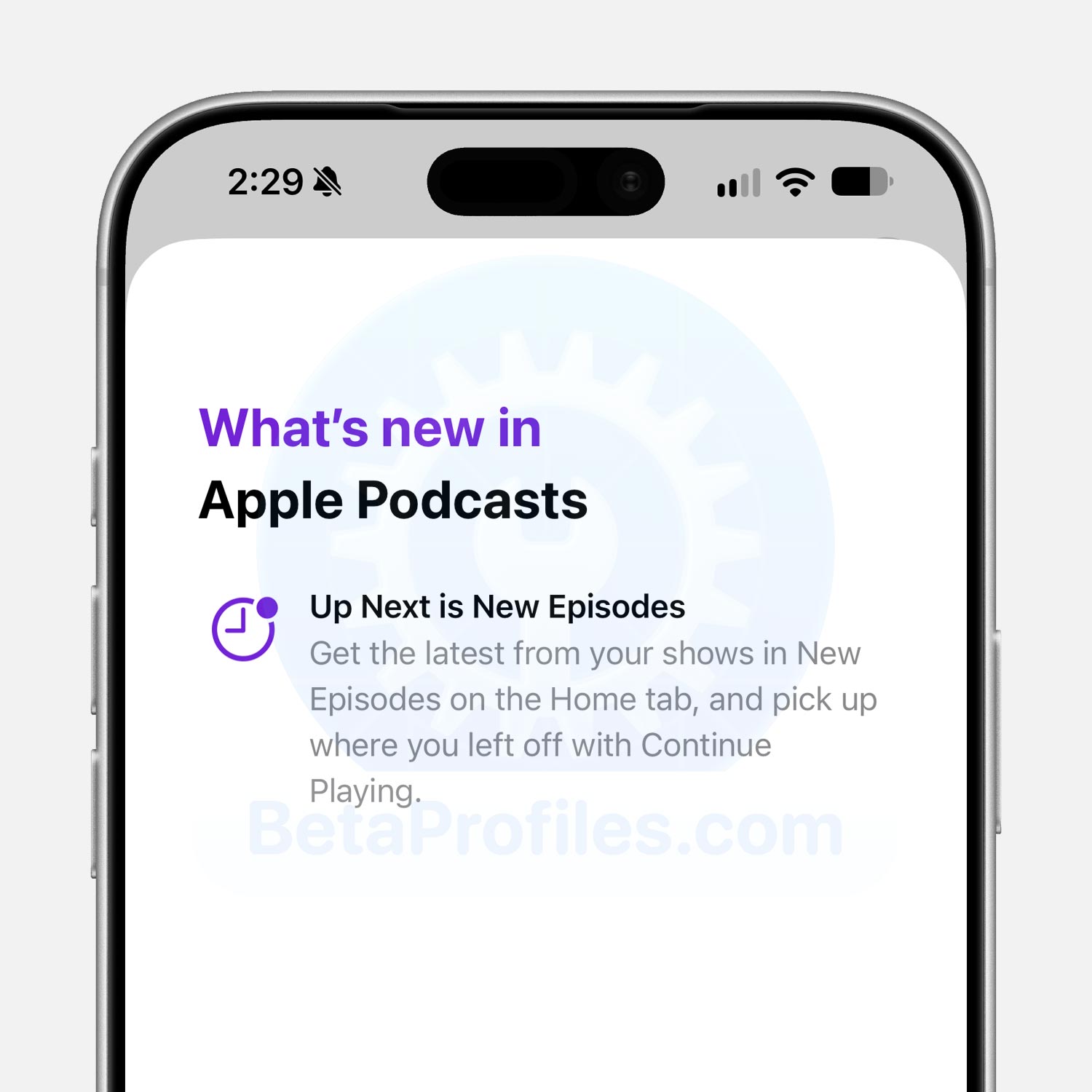
Apple Podcasts
A What’s New splash screen also appears the first time you open the Podcasts app in iOS 27.2 beta. The screen reads as follows:
- Up Next is New Episodes: Get the latest from your shows in New Episodes on the Home tab, and pick up where you left off with Continue Playing.
Apple TV and Fitness
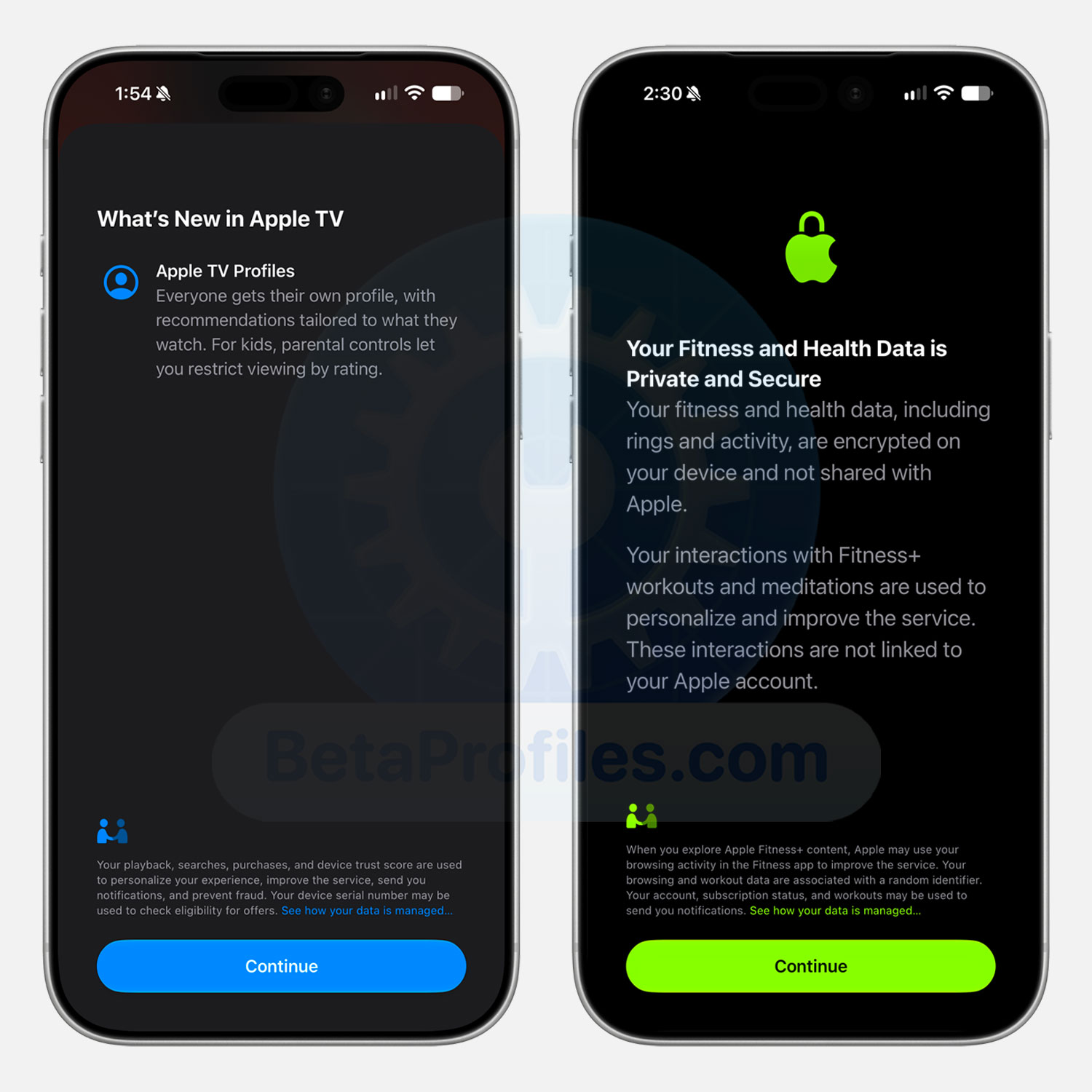
Opening Apple TV for the first time now brings up a What’s New splash screen highlighting the new Apple TV profiles feature.
The Fitness app does something similar in iOS 27.2, greeting you with a screen titled “Your Fitness and Health Data is Private and Secure” on first launch.
Siri
Siri AI
iOS 27.2 expands language support beyond English, adding:
- French
- Japanese
- Korean
- Portuguese
- Spanish
Siri App
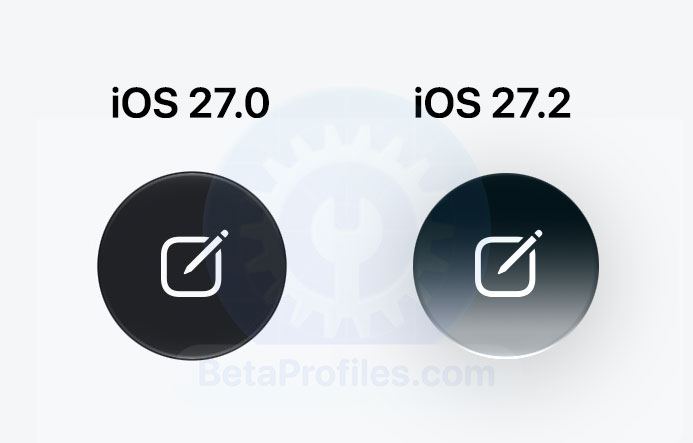
The new conversation button in the Siri app now sports a gradient background matching the Siri orb effect, replacing the previous black background.
Additionally, when tapping the source websites Siri pulls information from, the “X” button used to close the source sheet has moved from the top right corner to the top left.
Siri Settings
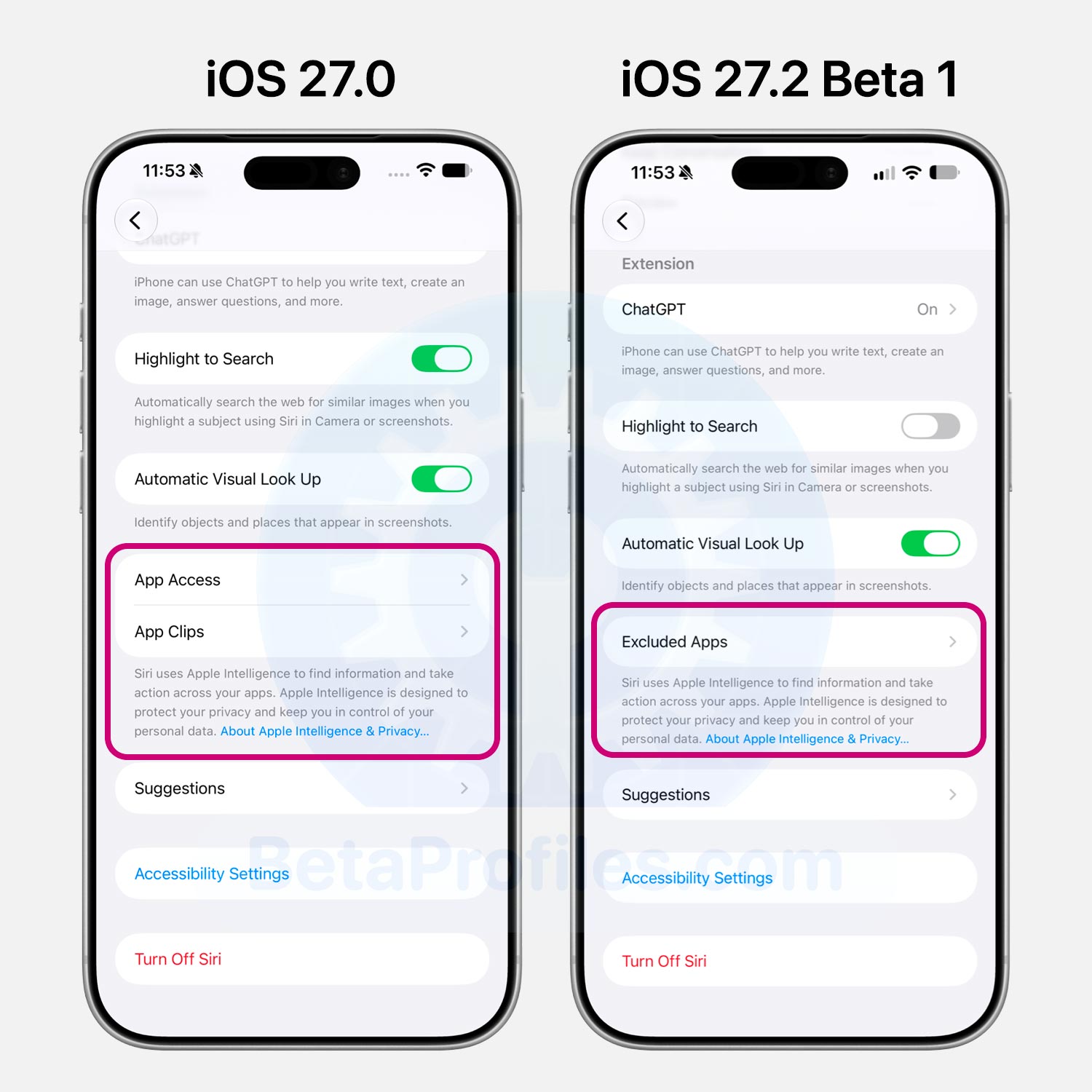
The App Access and App Clips options in Settings > Siri are now replaced by Excluded Apps. Tapping Add Apps opens a picker showing your installed apps, and you can choose multiple at a time. Apps added here are hidden from Siri, Search, and suggestions.
FaceTime
Dual capture now works during FaceTime group calls in iOS 27.2.
Preview App
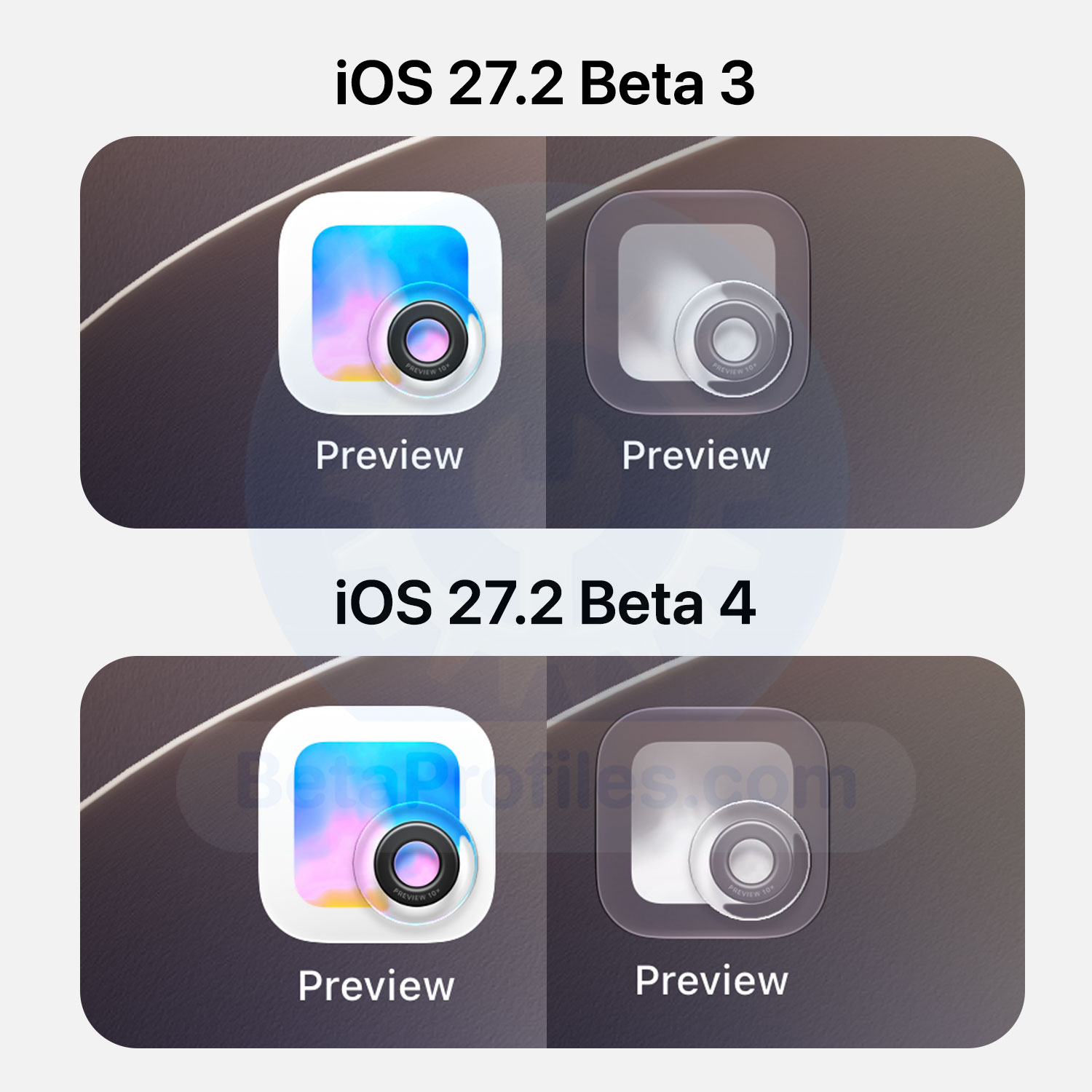
In Clear and Tinted mode, the Preview app icon has been adjusted to reflect the app’s gradient background more accurately. Earlier versions showed a mismatch between the Clear/Tinted icon and the Light/Dark one.
Health App
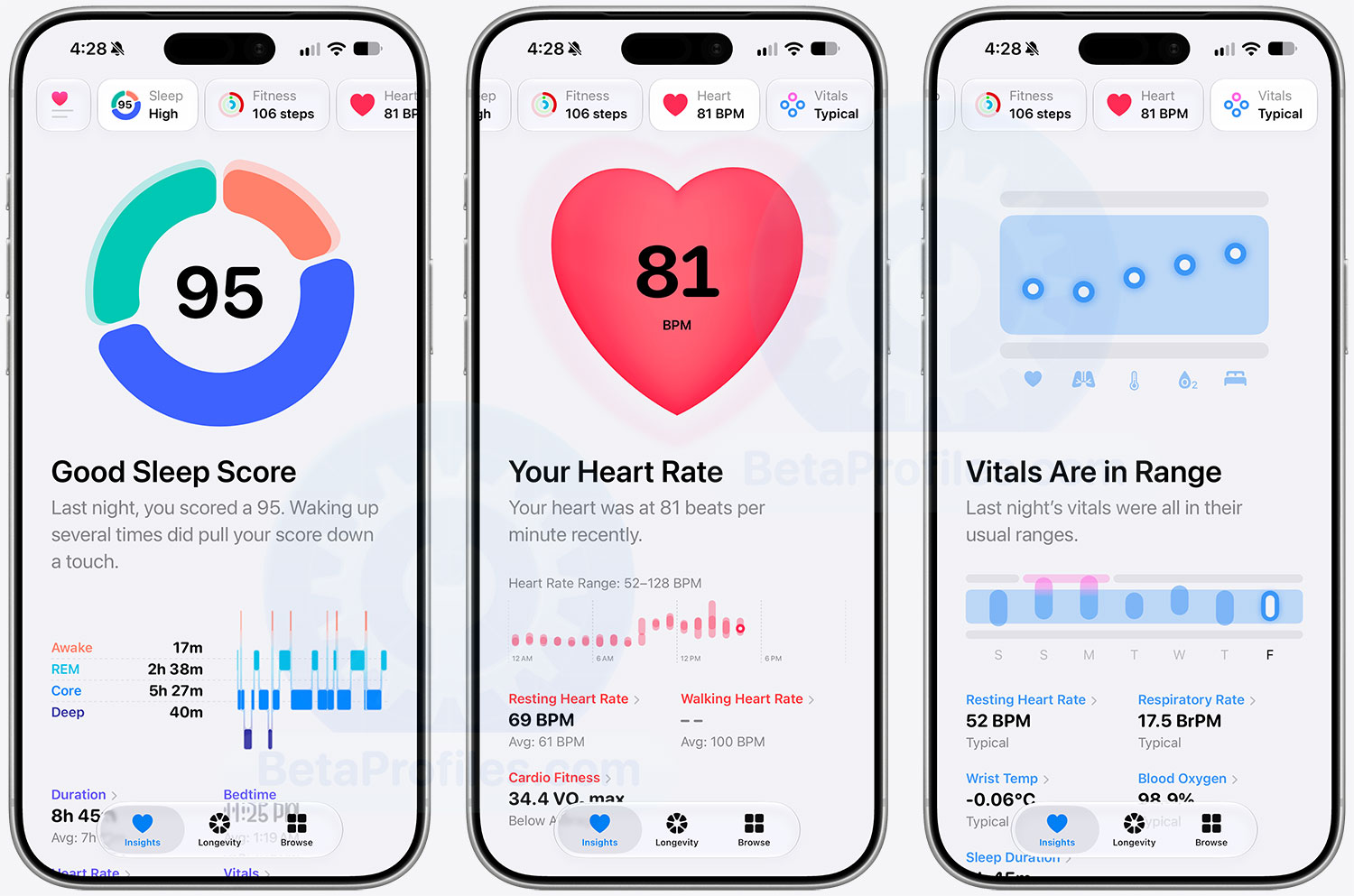
Apple tested the redesigned Health app during the iOS 27.2 beta, showing off the AI driven interface previewed back in September. That test was short lived, with the design removed in beta 4. Apple says the redesign will land in a later update this year, so iOS 27.3 is the likely target.
Apple Pencil Support for iPhone Duo
Since the iPhone Duo ships with iOS 27.1, Apple Pencil (USB-C) support was promised in a future update, and iOS 27.2 appears to be that update.
On X, Max Weinbach confirmed he successfully paired and used the Apple Pencil USB-C with the iPhone Duo.
https://x.com/mweinbach/status/2112882939545387348
That’s it! Those are all the new features and changes in iOS 27.2 that I’ve discovered so far. Have you updated to iOS 27.2 yet? Which feature are you most excited about? Let me know in the comments