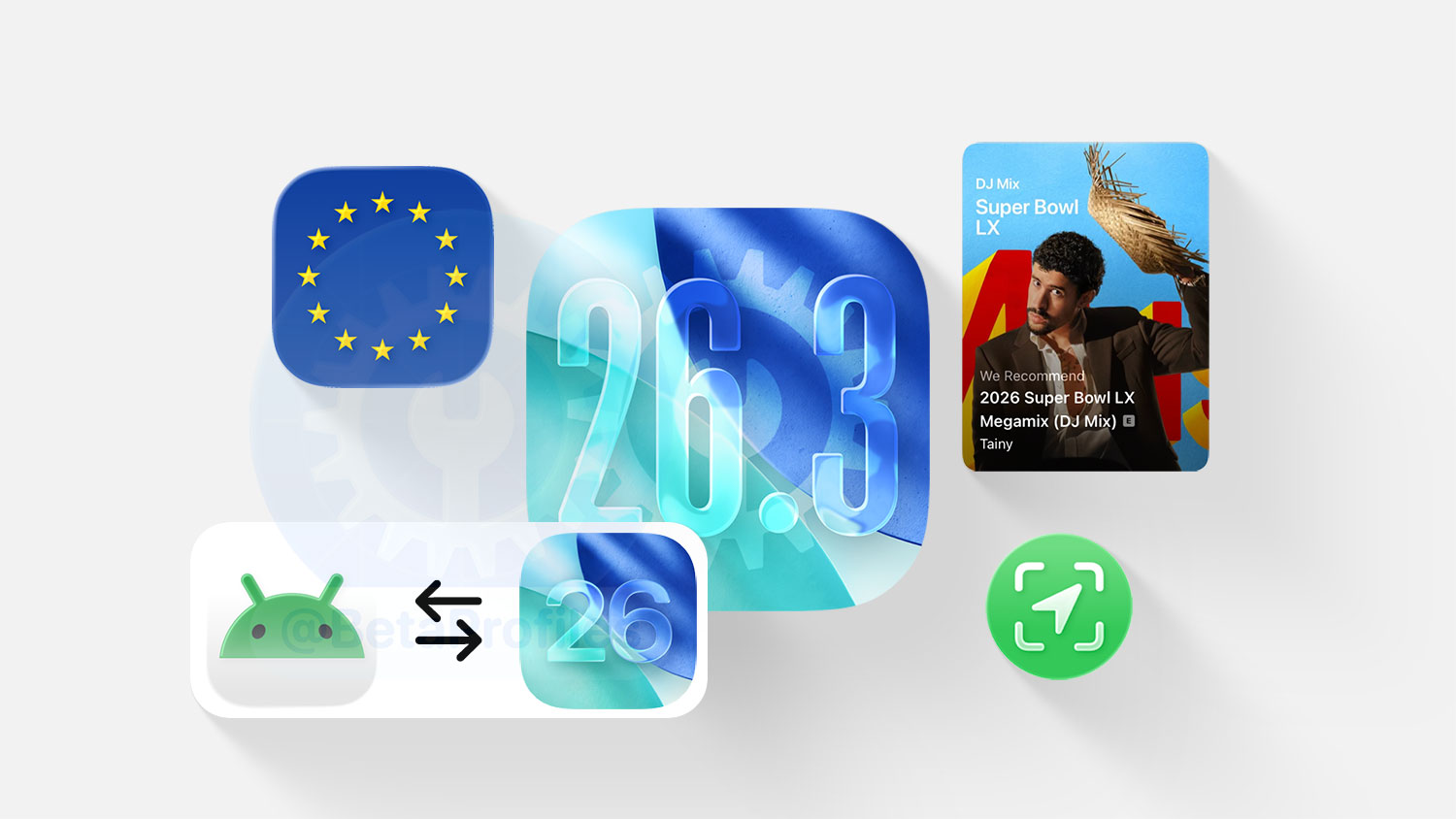
iOS 26.3 will be officially released early next week for iPhone users. The update adds a built-in iPhone-to-Android transfer tool in Settings, introduces Limit Precise Location for devices with the Apple C1 chip, includes changes to comply with the EU’s DMA, and more.
Transfer to Android Tool
iOS 26.3 makes it easier to transfer data from iOS to Android thanks to a built-in tool found in Settings → General → Transfer or Reset iPhone → Transfer to Android.
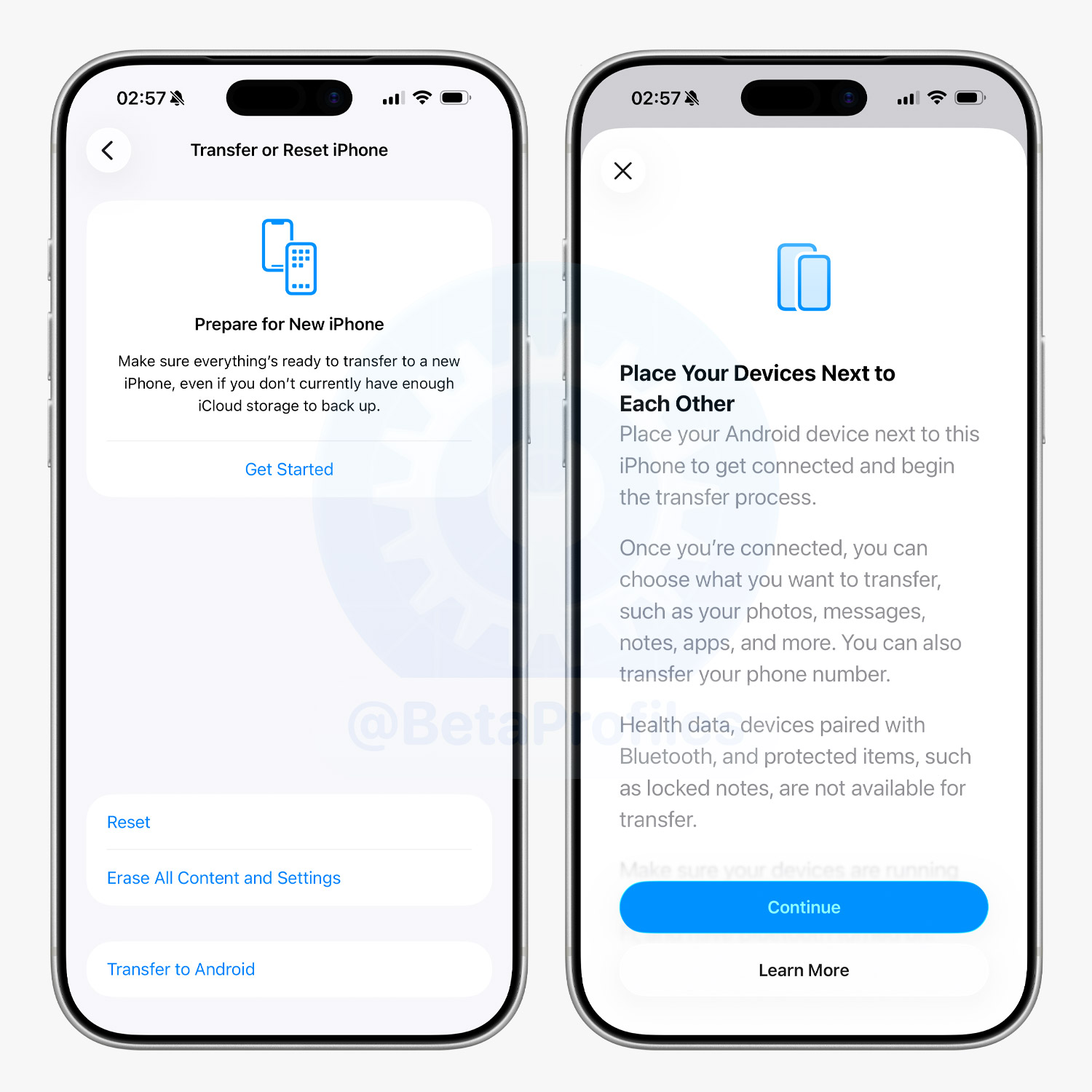
Once both devices are connected (Wi-Fi required, with Bluetooth enabled), you can wirelessly transfer a wide range of data, including photos, messages, notes, apps, passwords, contacts, and more.
Previously, moving data between iOS and Android required third-party apps. Now, with native tools built into both iOS and Android, the process is much simpler and faster.
Limit Precise Location
There’s also a new Limit Precise Location setting in Settings → Cellular → Cellular Data Options for devices powered by the Apple C1 chip.
When enabled, this setting reduces the amount of location data shared with cellular networks to enhance user privacy. As a result, carriers only receive approximate location data, such as your neighborhood, rather than your exact street address and precise location.
According to Apple, only the following carriers currently support Limit Precise Location in iOS 26.3:
- United States: Boost Mobile
- United Kingdom: EE, BT
- Germany: Telekom
- Thailand: AIS, True
And these are the devices equipped with the Apple C1 chip so far:
- iPhone Air
- iPhone 16e
- iPad Pro (M5) Wi-Fi + Cellular
Weather & Astronomy Wallpapers
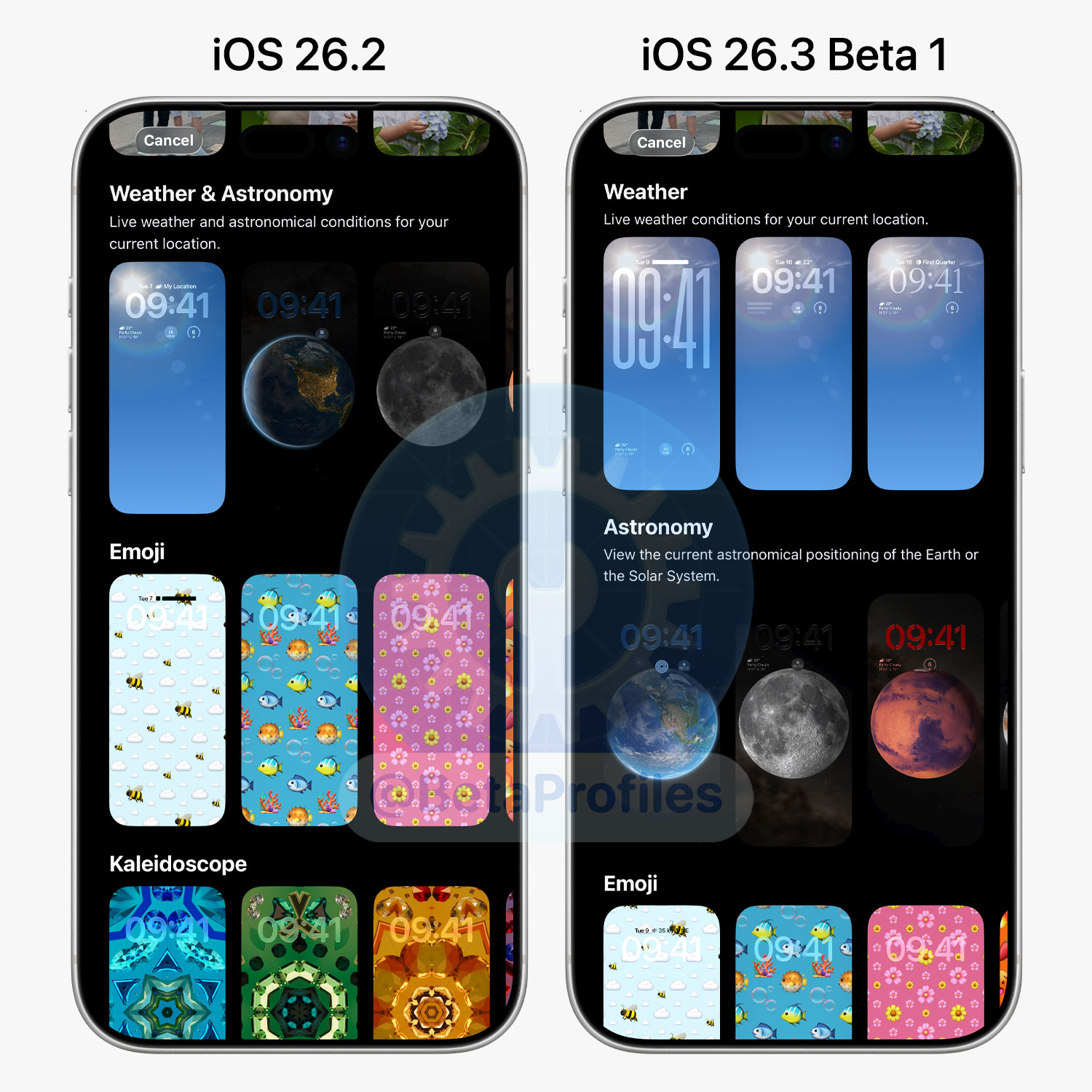
In iOS 26.3, the Weather & Astronomy wallpaper section has been split into two separate categories. There are three Weather wallpapers shown with different widget and font combinations, and no new wallpapers have been added.
Apple Music
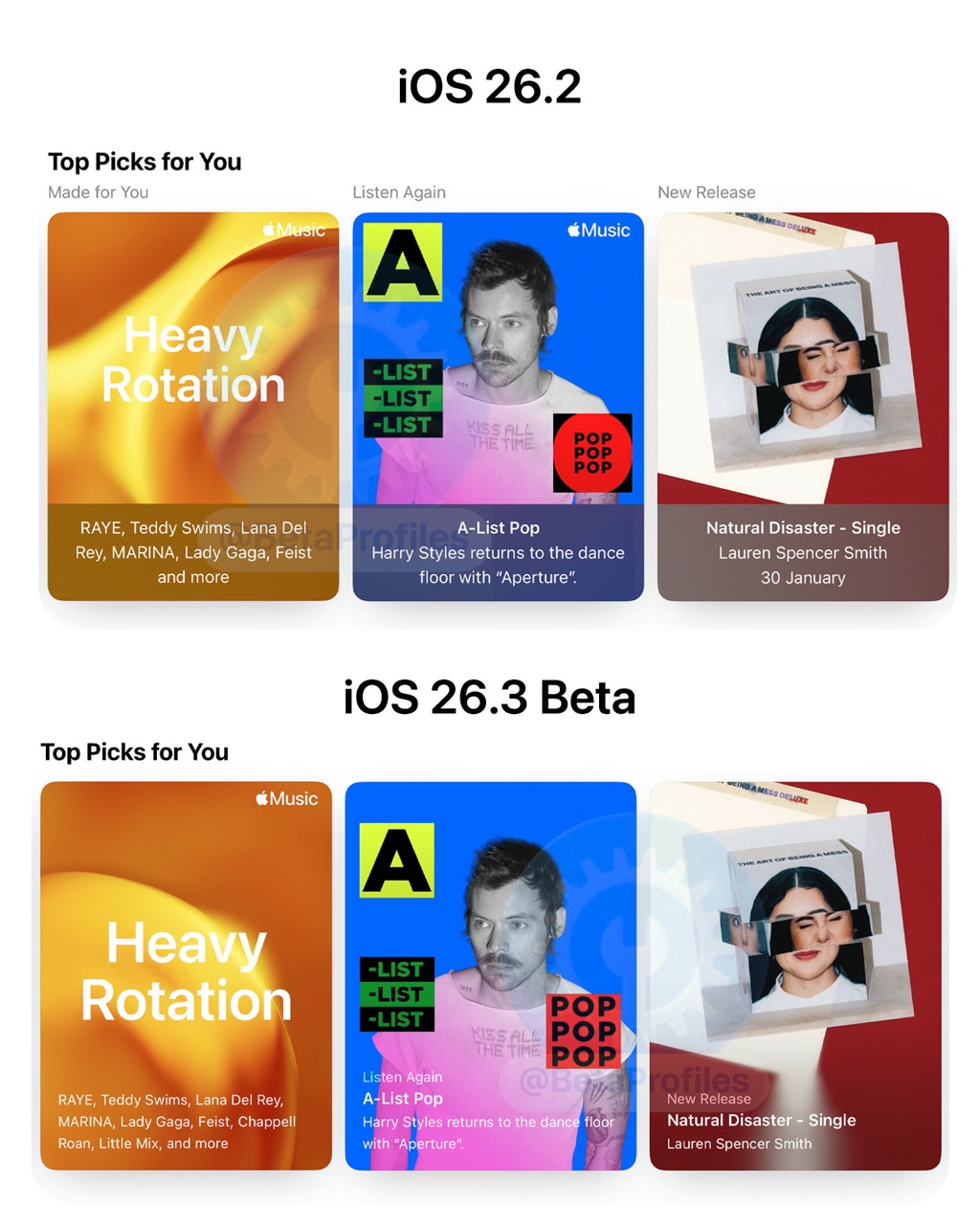
In the The Apple Music home page appears to have been slightly redesigned with more full-sized artwork for suggestions, resized text and new formatting. Playlists and albums also have thicker outlines in dark mode but only on the home page.
Share Sheet
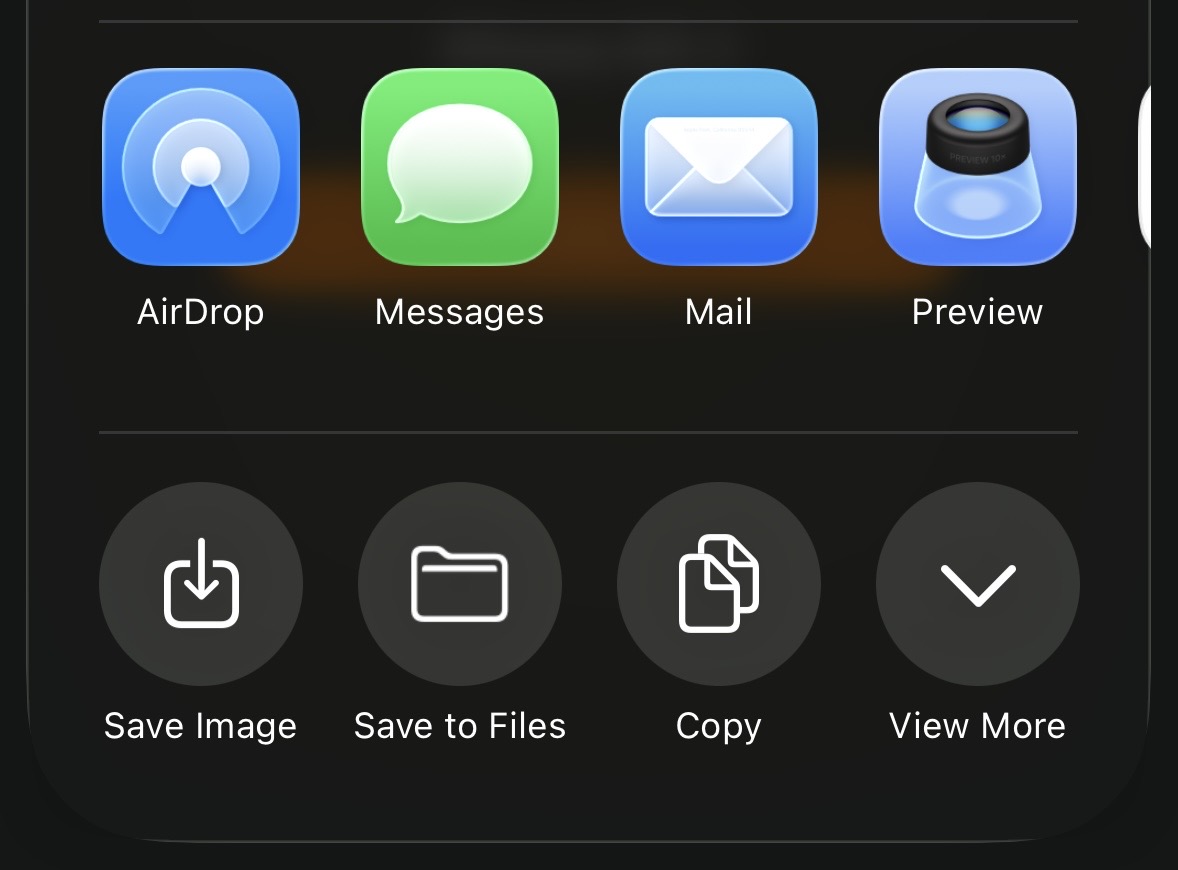
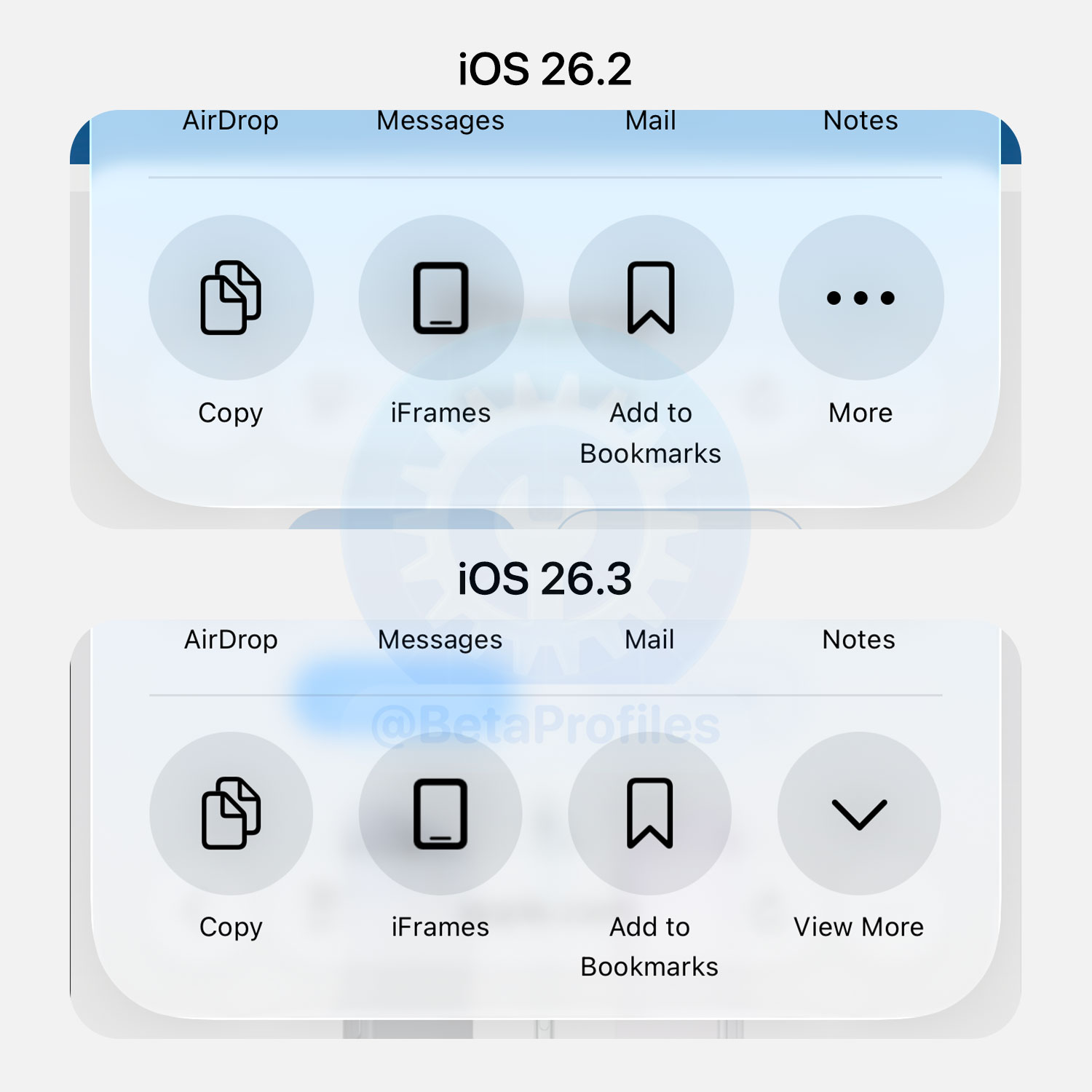
The Share Sheet in iOS 26.3 has been slightly refined. The “More” button with an ellipsis has been replaced by a “View More” button, featuring a downward or upward arrow depending on whether the Share Sheet is collapsed or expanded.
Thanks to @Zagnut531
Preparing for End-to-End Encrypted RCS
iOS 26.3 is ready to support end-to-end encryption for RCS messages, although carriers will also need to update their services to fully enable it.
RCS is a messaging protocol that works over Wi-Fi or cellular data between Android devices and iPhones, first introduced in iOS 18.
[EU Only] Notification Forwarding
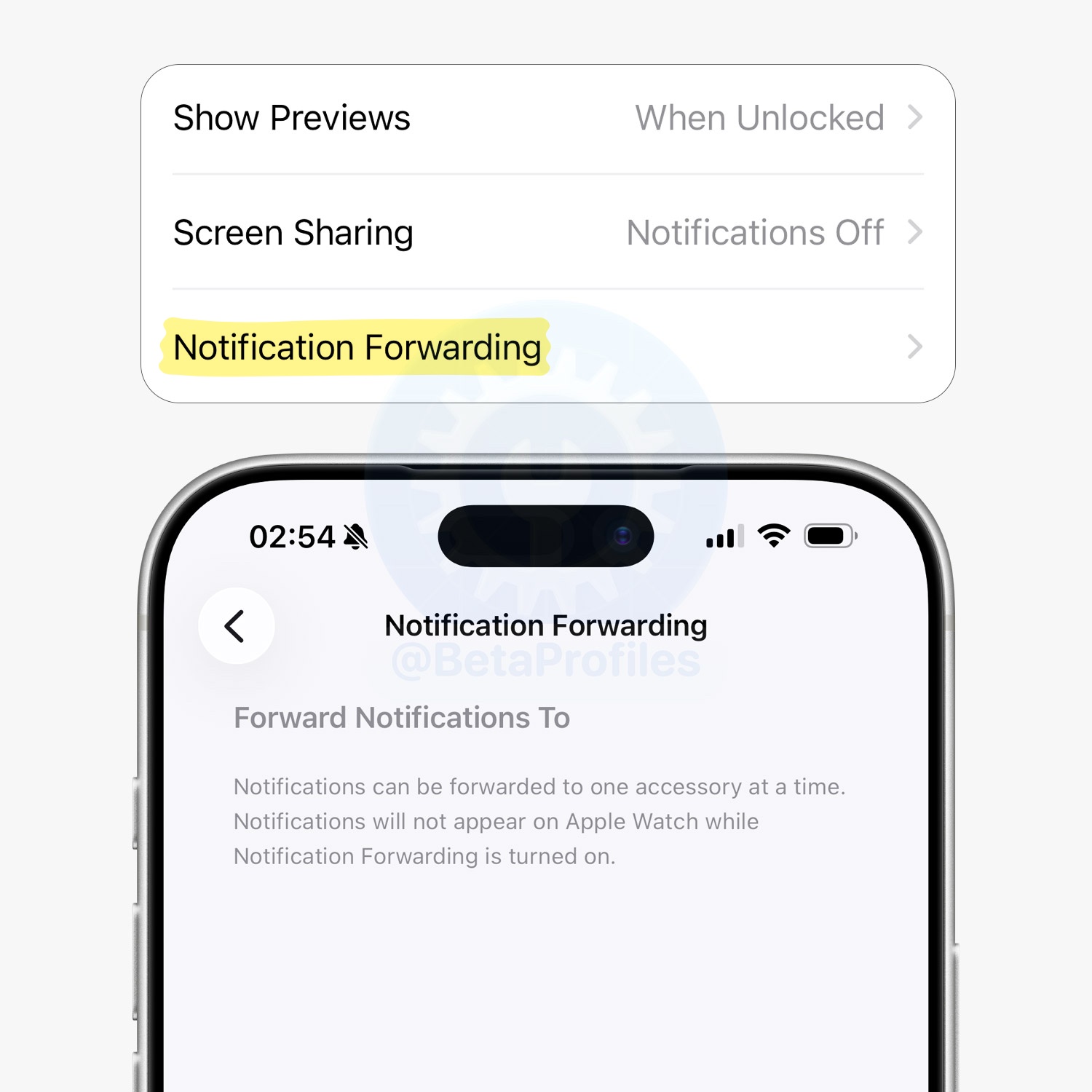
To comply with the EU’s Digital Markets Act (DMA), iOS 26.3 adds support for forwarding notifications from iPhone to third-party wearables, such as smartwatches.
iPhone users in the EU can choose which device receives notifications in Settings → Notifications → Notification Forwarding. Apple notes that notifications can only be forwarded to one connected device at a time, and notifications on Apple Watch will be disabled if a third-party wearable is selected.
[EU Only] Proximity Pairing Like AirPods
With iOS 26.3, third-party headphones in the EU can now pair with iPhone in an AirPods-like way. Simply bring the headphones close to the iPhone to start the pairing process with a single tap, no extra steps required.
Security Fixes 
Apple has published security details confirming that iOS 26.3 and iPadOS 26.3 fix 37 vulnerabilities, including one that could allow arbitrary code execution.
What’s Next?
iOS 26.4 will be the next major update, expected to be released publicly around March or April. This is a long-anticipated update, as it finally overhauls Siri, bringing more personalized, conversational capabilities through Apple’s collaboration with Google Gemini.
Beyond the Siri overhaul, there are also several other rumored features and changes, which I’ve covered in detail in this post: When Will iOS 26.4 Be Released and What Features to Expect →
iOS 26.4 Beta 1 could be released to developers soon. Below is the release timeline from previous years for reference:
- iOS 18.4 Beta 1: Friday, February 21 (25 days after iOS 18.3)
- iOS 17.4 Beta 1: Thursday, January 25 (3 days after iOS 17.3)
- iOS 16.4 Beta 1: Monday, February 16 (24 days after iOS 16.3)
- iOS 15.4 Beta 1: Thursday, January 27 (1 day after iOS 15.3)
Alright, that’s everything I wanted to cover in this post. Make sure to follow @BetaProfiles on X or Threads so you don’t miss any of the latest updates from Beta Profiles