Check the end of the post, I’ve included a small tip on how to restore your Health data 
I messed up pretty bad. I didn’t back up before upgrading to iOS 27 beta. Im here because I tried to downgrade back to iOS 26.5 due to app compatibility issues. Before I did, I created a backup of my phone while on iOS 27 beta and proceeded to downgrade successfully, then I edited the info.plist correctly however after trying to restore, my backup was too large for my phone. The backup I had was 245gb and I only had around 236gb available due to the iOS and system taking up space. So I decided to try free up some space and I uploaded around 22 videos totalling to around 15gb to my MacBook perfectly fine, and deleted them from the backup using iMazing, which after a few attempts didn’t work and somehow my original backup ended up compressed. It was now 117gb and missing a manifest.db file, I’m wondering if there is a solution as I’ve tried testing iMazing and other exports but they can never find the database. Best case scenario I want to recover all my phone data, but as of now I have been trying to fix it myself for 10 hours straight to try and recover just my photos and notes. I have sentimental photos and videos, around 8k in total as well as some important things in my notes app. Those two are my main priorities so I’m wondering if anyone knows what I could do. I think I tampered with the backup too much out of frustration and now I’m lost. Thank you all
1 Like
Since the manifest.db is gone, that backup can’t be restored the normal way. What I’d suggest is extracting the data directly from the backup files to pull out your important photos and notes. I recall iMazing being able to do this.
Another option is backup repair software that attempts to regenerate manifest.db from manifest.plist. I can’t promise it’ll work, but it’s worth a shot.
1 Like
Thanks! Worked on my iPhone 13 downgrading from iOS 27 DB1 to 26.5!
2 Likes
This also worked for me iphone 15 pro max downgrading from iOS 27 DB3 to 26.5. Didn’t lose anything. I waited until everything settled after recovering then i did the log out and log back in to apple account. It took like 4 attempts but all my data is my back.
2 Likes
Thanks for sharing! It’s really helpful to know the downgrade worked and that you got all your data back 
1 Like
Although this problem is from June 10, I can comment on the procedure, being About restoring a backup of iOS 27 to iOS 26.5
Modifying Info.plist so that a copy of an older version appears to be compatible with a newer version is a technique not supported by Apple and does not internally convert data to the old format. Some databases or iOS 27 configurations may be incompatible with iOS 26.5.
The official solution for a copy that requires a later version consists of installing a sufficiently new version of iOS and restoring the backup there. Apple also indicates that, if a copy is corrupted or incompatible and still cannot be restored, it may not be usable and another copy will have to be used.
Therefore, if a complete copy is recovered, the safest option would be to restore it first in:
The same iPhone updated again to iOS 27 beta, or
Another iPhone compatible with that version and with enough capacity.
Then photos and notes would be exported correctly and iOS 26.5 would start from scratch. I would not try to force that modified copy directly on iOS 26.5.
My realistic evaluation
The options, from best to worst, would be:
Find a previous snapshot of iMazing with your Manifest.db.
Recover the entire folder using Time Machine/APFS.
Find the Manifest.db inside the compressed file or export.
Recover photos and videos through archive signature analysis.
Recover the Notes database through forensic analysis.
Seek professional recovery company, handing over copies and keeping the original intact.
I would no longer use the repair function on the only existing copy. I would also no longer delete videos from the backup to reduce it: iOS copies are not designed to be edited manually that way. iMazing precisely has an option to create an editable copy before modifying the file system.
The immediate priority would be to locate all versions of Manifest.db and all snapshots of the backup before that operation. That is where the greatest possibility of recovering the 8,000 photos and notes with their original structure lies. 
1 Like
So if I follow these steps, my data are ‘broken’ forever or just until I update back to iOS 27.
I need to downgrade to iOS 26.x to remove the Footnote on my Lock-Screen with Nugget, because if I don’t do, its forever… even if I buy a new iPhone, because its included in the Back-Up.
Or am I fine, if I use Nugget on iOS 27, loose my data, and then just restore a Back-Up with iTunes and its hopefully fine and the footnote gone?
first time, I don’t really know what to do, so…any ideas?
Update: Found this… is this good?
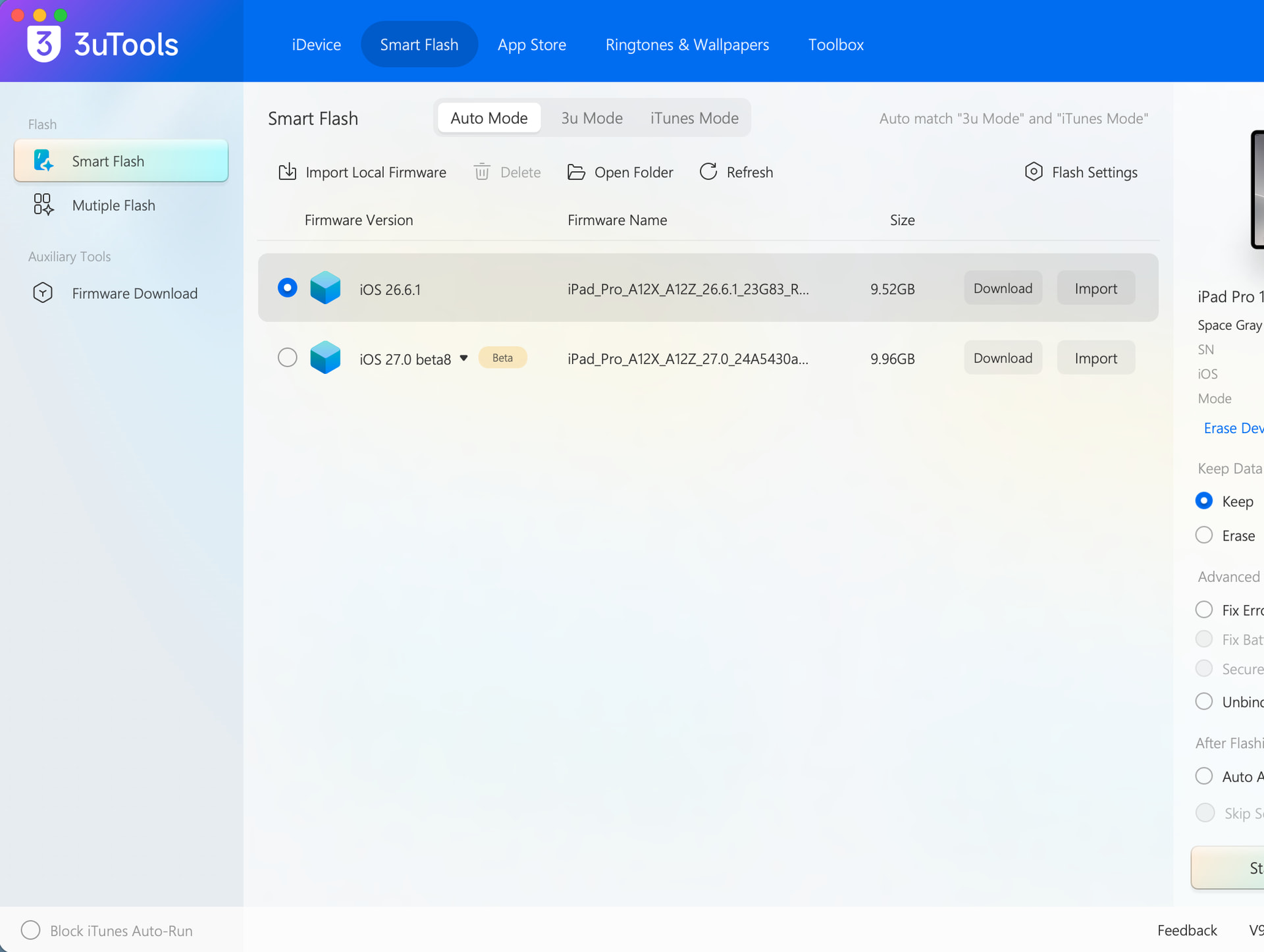
This guide modifies the iOS 27 beta backup file and makes it compatible with iOS 26. So even if you back up from iOS 27 beta, then downgrade to iOS 26.6.1 and remove Footnote, Footnote will most likely come back once you restore your data from that backup.
In your case, I think the most workable approach is to back up via iCloud, then downgrade to iOS 26.6.1, remove Footnote, and restore from the iCloud backup. Not all of your old data will come back, of course, but at least the iCloud backup won’t carry over your system file modifications.
You should still make a Finder backup as well. You’re downgrading, so data can be lost if something goes wrong during the process.
2 Likes
You mean to remove the footnote first and then restore my iCloud backup? I think this also brings the footnote back.
And iCloud backup brings 99% of the my data back (except banking apps). Or do you mean the iOS 27 related things?
That’s right, with iCloud enabled your data should already be synced. I doubt the MobileGestalt file is part of it, but I can’t say for sure. Give it a shot when you get a chance.
2 Likes
But it can be an iOS 27 backup?
You can back up your device while running iOS 27 beta, then downgrade to iOS 26.6.1 and restore your data using the instructions above > remove footnote > once the footnote has been successfully removed, back up your device again while running iOS 26.6.1, then update to iOS 27 beta.
If you’re using an iCloud backup, keep in mind that some data, such as your Home Screen layout, system settings, and local app data, may be lost when restoring from an iOS 27 beta iCloud backup.
2 Likes
I’m gonna try it in the next days. Thank you 
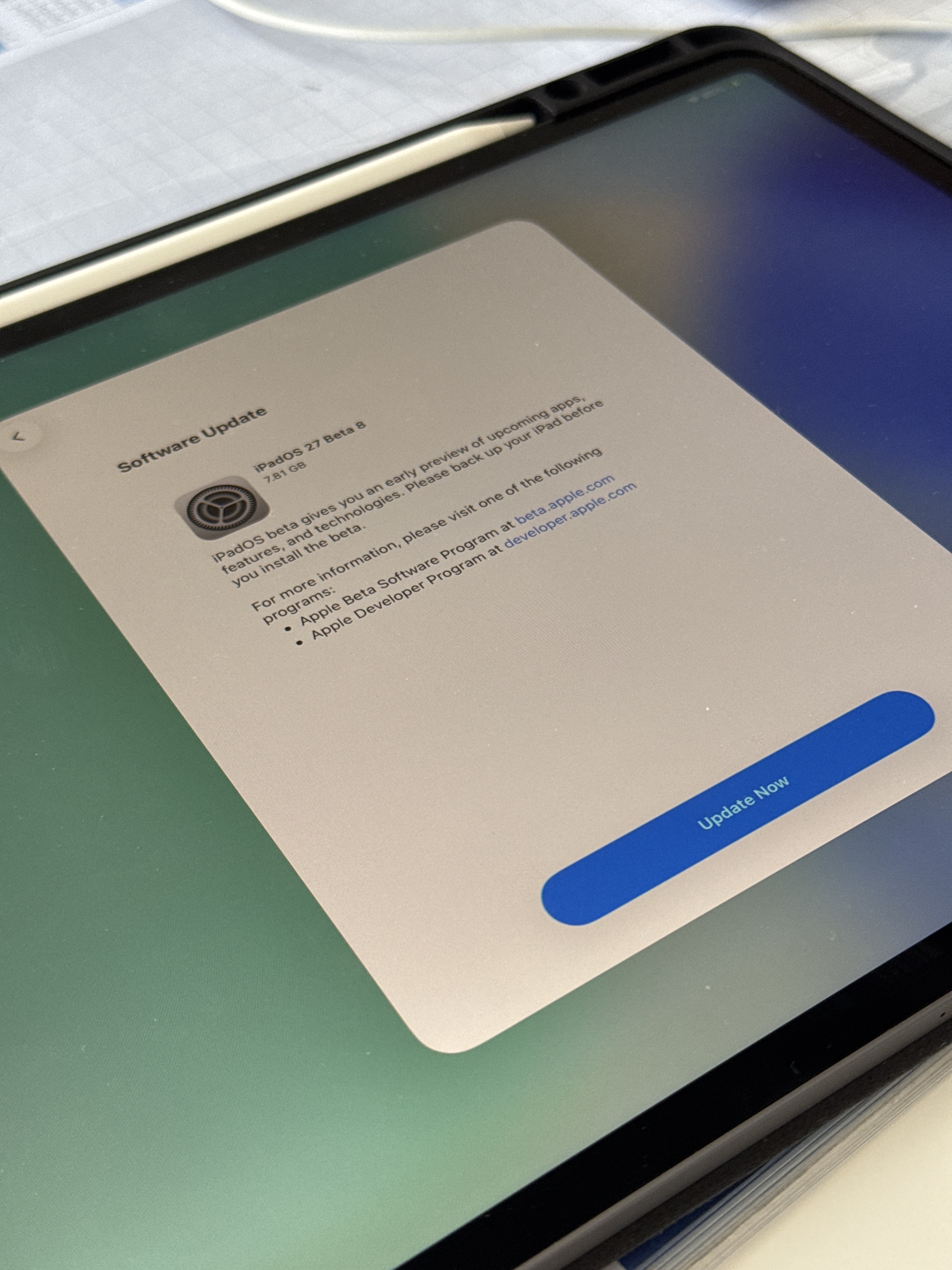
It tells me to upgrade back to iPadOS 27 Beta 8…. where my iCloud Backup comes from…
Update: I didn’t click the “Update Now”-Button. I just applied the Nugget tweaks without even finishing the setup after downgrading. Hope this was a good idea. I update this if I have smth new
Looks like the backup has already been overwritten in iPadOS 27 
Do you have an iPadOS 27 backup in Finder or iTunes? If so, you can edit the backup file following this guide to restore your data without updating to the iPadOS 27 beta again. The idea is to remove the footnote from your backup.
2 Likes
yeah I made an iCloud and local backup. so I think I can try it. The footnote is gone for now.
But I don’t know, if the iPad already got its data or not…
Does your iPad have your old data on it right now, or did you set it up as new?
I think you can restore your data using the method above, use Nugget to remove the footnote, and then back up the iPad again. That should give you a “clean” backup without the footnote.
stand of now, everything is erased…
I try it. first to downgrade with the guide above and the remove the footnote and update again.
Is there a list from all my apps above?
So I could basically add a “Store ID“ to this list and my iPad downloads it?
Cause I need the llaollao app and it’s nowhere available. Not in Germany and not in the US. and I don’t really want to change my account region again…
Should I give it a try?